Embassy & Consulate FAQ Website Template
Dossier is a hub-and-spoke landing page template built for international protocol offices. It leads with three authoritative metrics, guides visitors through FAQ-driven case studies via an anchor navigation column, and converts them through a compact "Request a Country Brief" form. The design mirrors a secure briefing room: matte gunmetal surfaces, embassy gold accents, and zero decorative noise.
by Rocket studio
Quick summary
Dossier is a single-page template designed for international protocol consulting offices. It opens with three confidence-setting metrics, routes visitors through anchor-nav protocol questions that unfold into mini case studies, and closes with a focused lead-generation form. Every design decision reinforces one message: this office has already anticipated what your delegation needs.
Who this template is for
This template is built for specialized professional services offices operating at the intersection of diplomacy, statecraft, and executive cross-cultural engagement. If your clients arrive with a six-week window and no playbook, this page speaks their language immediately.
- Protocol liaisons and foreign affairs officers preparing state visits, trade negotiations, or multilateral summits
- Multinational executive teams and C-suite delegation leads handling bilateral visits across cultures
- Embassy and consulate advisory offices offering country-specific briefing services to government and private-sector clients
What problem this template solves
Most professional services pages bury their expertise behind vague promises. For a protocol office, that is a credibility problem. Clients in this niche need to see granular competence before they trust you with a state dinner seating chart or a Gulf-state gift policy question.
- Visitors leave too early because the page feels generic and fails to demonstrate domain depth
- Protocol buyers need to feel the office already knows their situation before they fill out any form
- There is no clear path from "I have a specific question" to "I want a briefing" on most service pages
What you get with this template
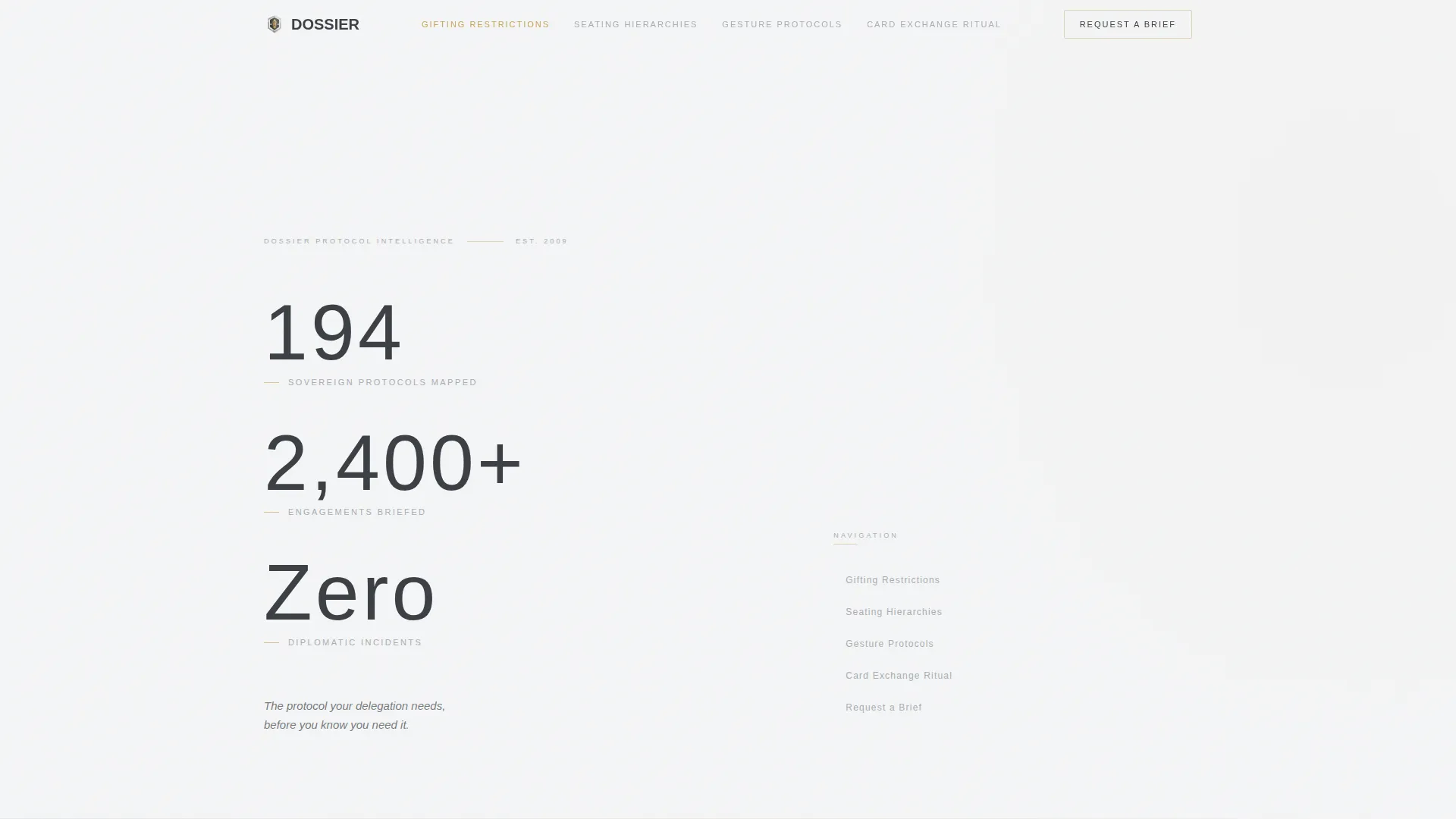
You get a fully structured hub-and-spoke landing page that functions like a classified briefing folder. The layout is asymmetric and intentional: metrics on the left, anchor navigation on the right, content spokes below.
- A hero section with three oversized static metrics and a single anchor-line value statement
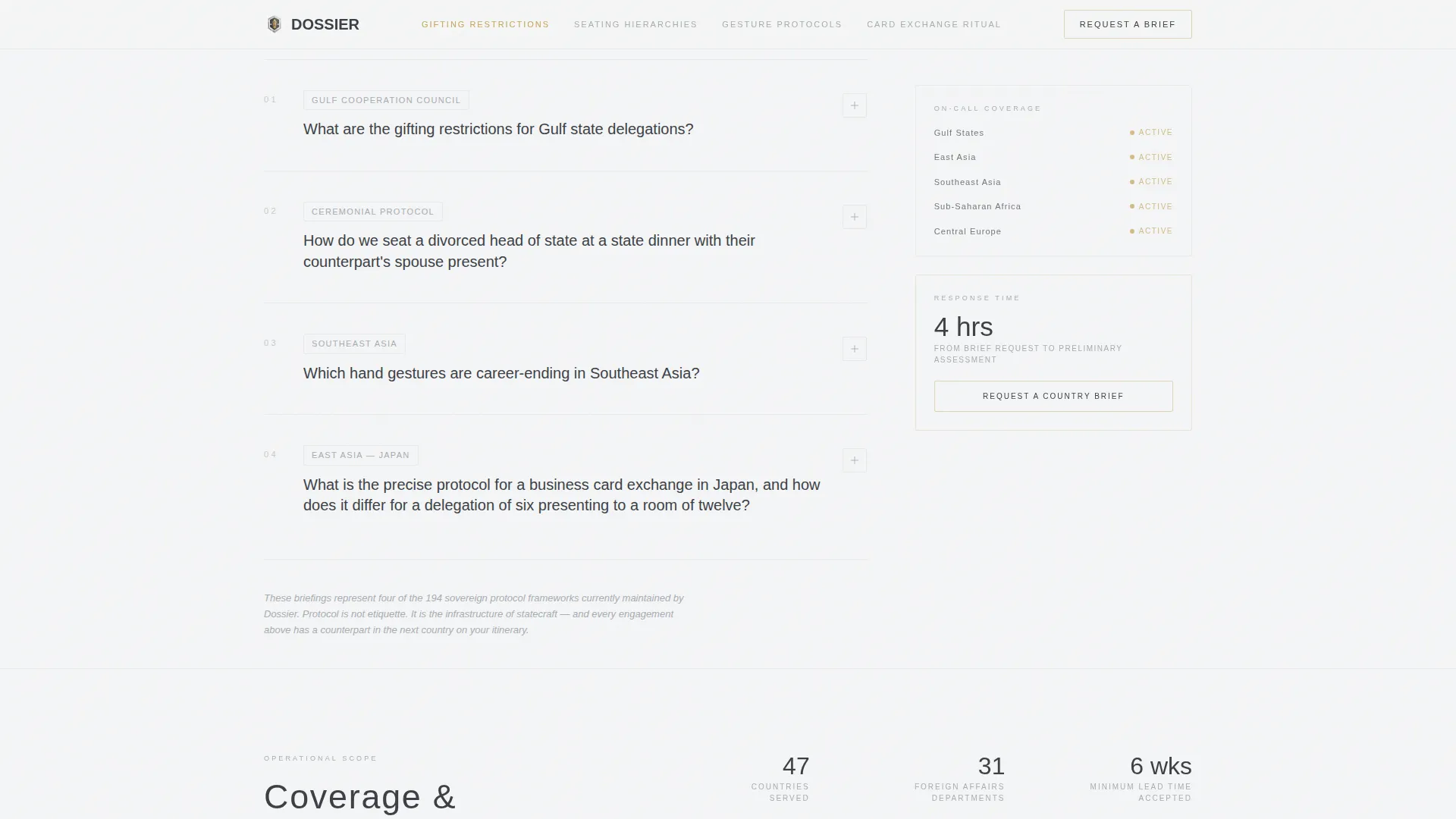
- An FAQ spoke system where each anchor-nav question unfolds into a contextual mini case study
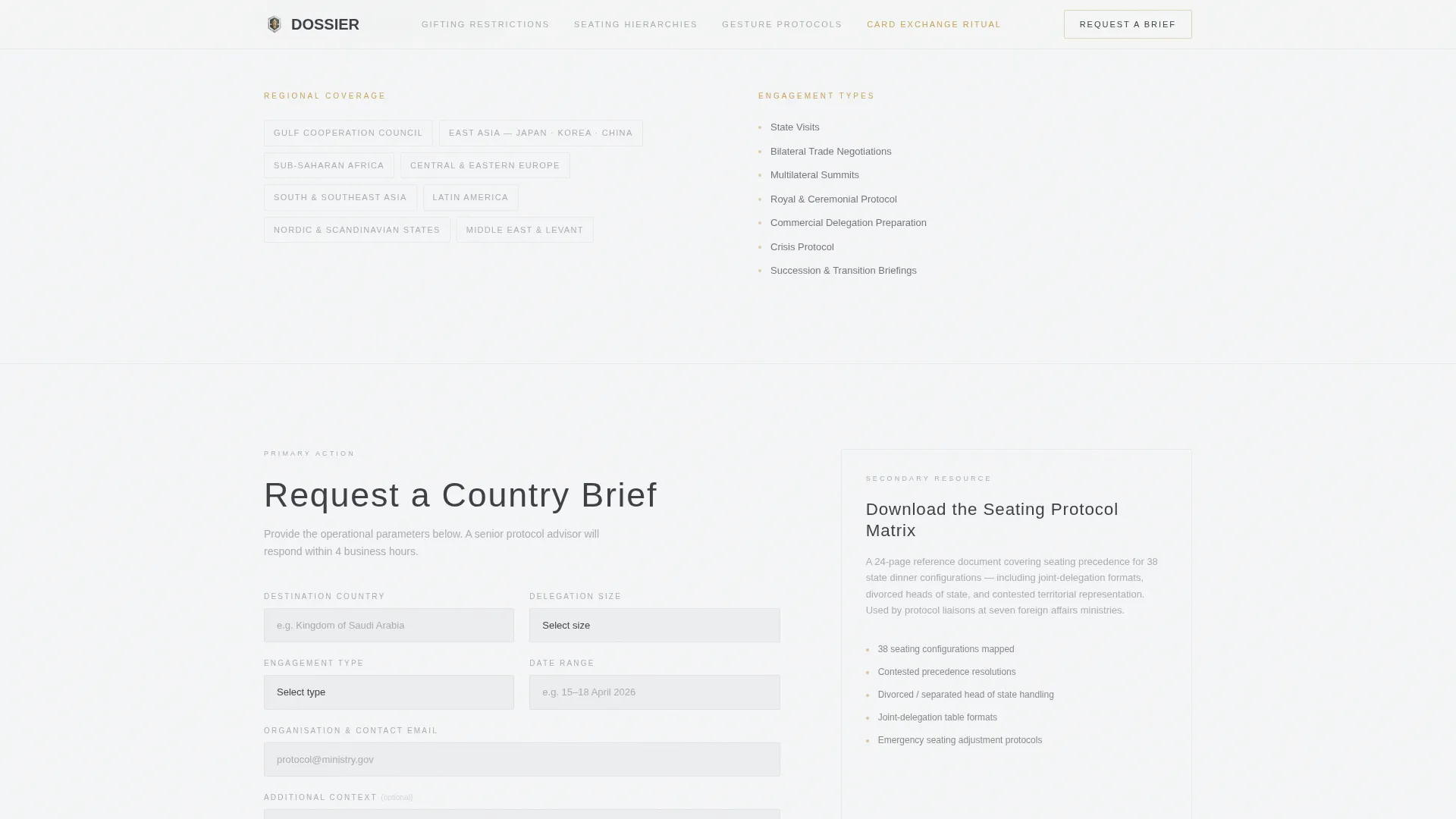
- A dual-path conversion section: a compact "Request a Country Brief" form and an email-gated "Download the Seating Protocol Matrix" secondary offer
Feature list
This template is built around a small number of high-function components. Each one earns its place.
Asymmetric Stats Hero with Anchor Navigation
The header displays three oversized figures in thin, wide-tracked sans-serif type against a gunmetal background: "194 sovereign protocols mapped," "2,400+ engagements briefed," and "Zero diplomatic incidents." Numbers are static, not animated. The anchor navigation column sits quietly to the right, breathing into the negative space without competing for attention.
FAQ-Driven Anchor Spoke System
Each item in the anchor navigation is a real protocol question, the kind that keeps delegation officers awake at night. Clicking a question unfolds an accordion panel revealing a mini case study with context, consequence, and the office's intervention. Questions grow progressively more specific as the visitor scrolls, building a clear realization that protocol is statecraft infrastructure, not etiquette.
Dual-Path Lead Generation Section
The primary conversion path is a compact form requesting destination country, delegation size, engagement type, and date range. The secondary path offers a downloadable Seating Protocol Matrix behind an email gate. Both paths are visible in the same section, serving different buyer readiness levels without friction.
Credential and Domain Coverage Strip
A dedicated expertise-signal section displays regional coverage and engagement type breadth. This component reinforces authority without lengthy prose, giving scanning visitors a fast read on the office's operational scope before they commit to the form.
Embassy Gold call to action System
Embassy gold (#C5A55A) appears exclusively on active navigation states and call-to-action borders. This restraint makes every gold element feel like a signal worth following. Visitors instinctively know where the live interactions are without being told.
Page sections overview
| Section | Purpose |
|---|---|
| Hero Metrics Display | Opens with three static authority figures and the office's core value statement |
| Anchor Navigation Column | Right-column spoke menu linking to each protocol FAQ case study below |
| FAQ Spoke Panels | Accordion questions unfolding into mini case studies with context and consequence |
| Expertise Signals Strip | Credential and regional domain coverage to reinforce authority at a glance |
| Lead Generation Form | Compact brief-request form capturing country, delegation size, type, and dates |
| Email-Gated Matrix | Secondary conversion path offering the Seating Protocol Matrix for an email address |
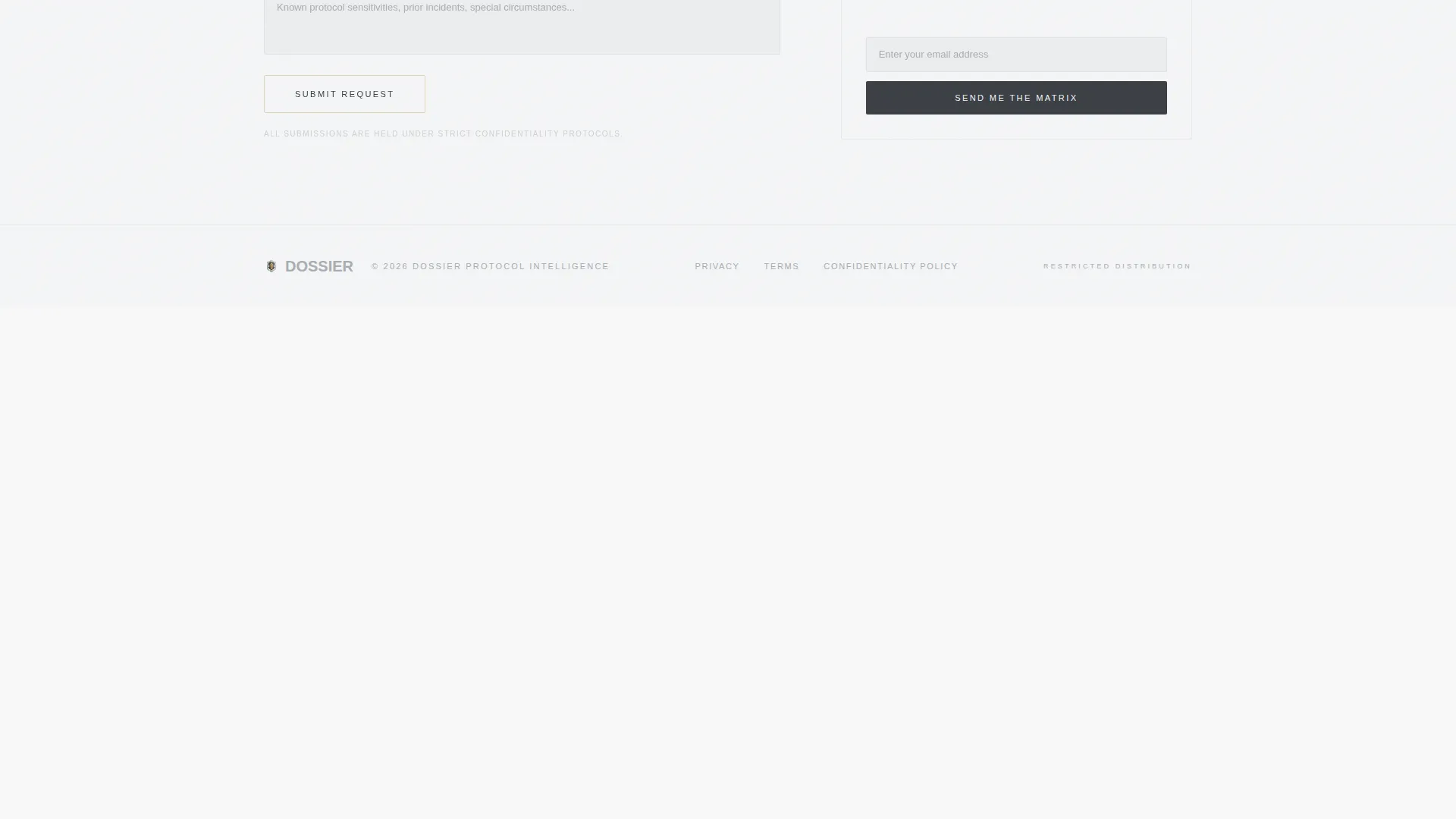
| Footer Row | Single-row linear footer with essential office links |
Design & branding system
The visual identity follows a Directory and Discovery theme rendered in a Monochrome Steel color system. Every surface is matte. Nothing competes with the information itself.
- Color palette: gunmetal charcoal (#3B3F45) for backgrounds, brushed titanium (#A8ADB3) for secondary text, diplomatic white (#F4F5F6) for primary copy, and embassy gold (#C5A55A) reserved exclusively for active states and call-to-action borders
- Typography: Manrope in ultra-thin wide-tracked weights for headings, paired with DM Sans for body copy, clean, authoritative, and highly legible on dark surfaces
- Animation approach: deliberately minimal, subtle scroll reveals and accordion unfolds only, with no counting animations or decorative flourishes; stillness is the design statement
Mobile & speed optimization
The template is designed desktop-first, reflecting the primary audience of foreign affairs departments and executive teams working on large screens. Mobile layout is considered and functional.
- The anchor navigation adapts cleanly to narrower viewports without losing its structural role
- Accordion FAQ panels remain fully usable on touch screens, preserving the case study expansion experience
- Static assets, minimal JavaScript, and server-rendered components keep the page light and responsive across connection types
How this template helps you convert
The page is engineered so that visitors arrive at the form already persuaded. Expertise is demonstrated before the ask is ever made.
- The metrics hero establishes immediate authority: three specific, verifiable figures set the office apart before a single word of body copy is read
- The FAQ spoke system delivers actionable protocol intelligence question by question, so visitors feel genuinely served rather than sold to, by the time they reach the form, they have already received more useful guidance than many paid consultants provide
- The dual-path conversion section captures both high-intent visitors ready to request a brief and lower-intent visitors willing to trade an email for the Seating Protocol Matrix, maximizing the number of qualified leads from a single visit
Other information about this template
Dossier is part of a broader family of professional-services landing page templates designed for high-trust, high-specificity niches. A few additional details worth knowing:
- The template style is Hub and Spoke with Anchor Navigation, making it well-suited for offices with multiple distinct service areas or regional specializations
- The creative direction is FAQ-Driven, a deliberate choice for protocol consulting where demonstrating knowledge depth is the most effective sales tool
- The header concept is Stats and Metrics, a pattern that works especially well in government, public-sector, and business-to-government contexts where credibility must be established instantly
- The template sits within the Government and Public category, specifically the Embassy and Consulate subcategory, and is optimized for the International Protocol Office niche
- Footer follows a linear single-row pattern, keeping the close of the page clean and uncluttered
Theme
Directory & Discovery
Creative direction
FAQ-Driven
Color system
Monochrome Steel
Style
Hub & Spoke (Anchor Nav)
Direction
Lead Generation
Page Sections
Asymmetric Stats Hero with Anchor Nav
Faq-driven Accordion Spoke System
Dual-path Lead Generation Section
Credential and Domain Coverage Strip
Embassy Gold Accent System
Related questions
Can I adapt this template for a corporate protocol consulting firm rather than a government office?
How does the anchor navigation work for visitors?
What does the 'Request a Country Brief' form ask for?
Is the Seating Protocol Matrix available to every visitor?
Can FAQ spoke panels be updated with new protocol topics later?



