Iridescent Architect Landing Page Template
A dark-theme architect portfolio landing page built on a bento grid layout. It blends hand-drawn process sketches with precision project photography inside an iridescent color system. Designed for design directors, competition jurors, and private clients, this template turns browsing into an immersive, non-linear journey through architectural thinking and craft.
by Rocket studio
Quick summary
This is a single-page bento grid architect portfolio landing page with a dark Ink and Paper theme. The AI Iridescent color system rewards interaction with holographic color shifts. The grid acts as navigation, not decoration. Each cell expands into a full-viewport case study, and every visual decision positions the architect as a precise, thoughtful collaborator.
Who this template is for
This template is built for architects who want their portfolio to reflect the same rigour as their built work. It suits solo practitioners and small studios who present work to sophisticated, discerning audiences.
- Architects presenting to design directors at international firms scouting collaborators
- Practitioners submitting to competition juries who scroll dozens of entries in a single session
- Studios seeking private clients who discover them through word-of-mouth at gallery openings
What problem this template solves
Most portfolio pages force visitors into a fixed linear scroll. That works for general audiences but fails when the viewer is a seasoned design director or juror. They need to navigate on their own terms, find depth quickly, and trust the practitioner from first contact.
- A rigid scrolling layout hides process and thinking behind a polished surface that feels shallow
- A generic portfolio template communicates nothing unique about how the architect approaches work
- Weak or passive calls to action let interested visitors leave before making contact
What you get with this template
You get a fully designed, interaction-rich landing page that treats the portfolio grid as both content and interface. Every component described in the design brief is built into the template structure.
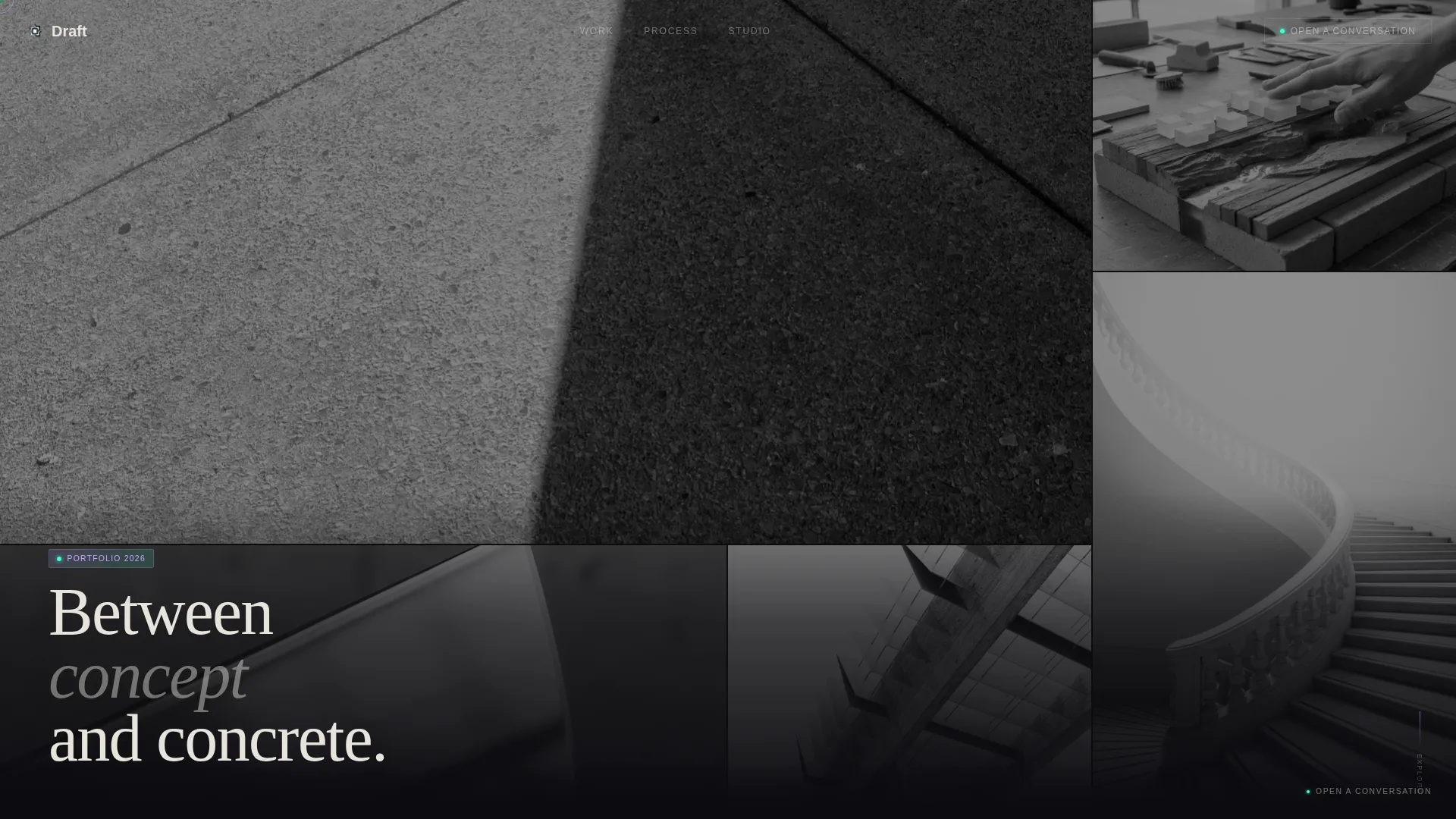
- A nine-tile asymmetric Photo Grid Mosaic header with near-monochrome images that reveal full color on hover
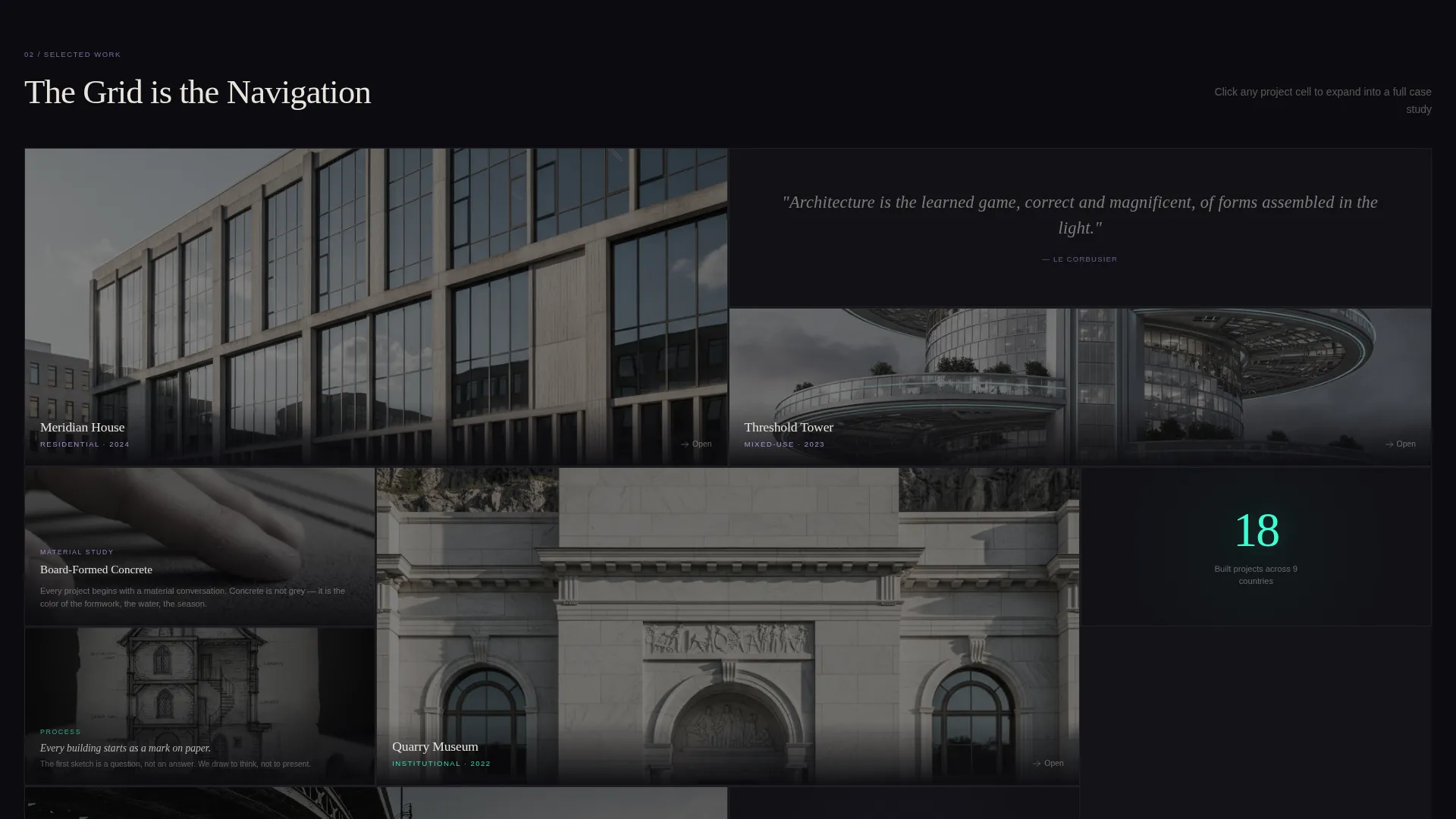
- A bento grid body where each cell is independently expandable into a case study with horizontal scroll
- A persistent bottom-edge call-to-action line and a secondary prompt that surfaces after three cell interactions
Feature list
This template delivers a tightly integrated set of interaction and visual features. Each one serves the primary goal: proving mastery before asking for a click.
Bento Grid Navigation System
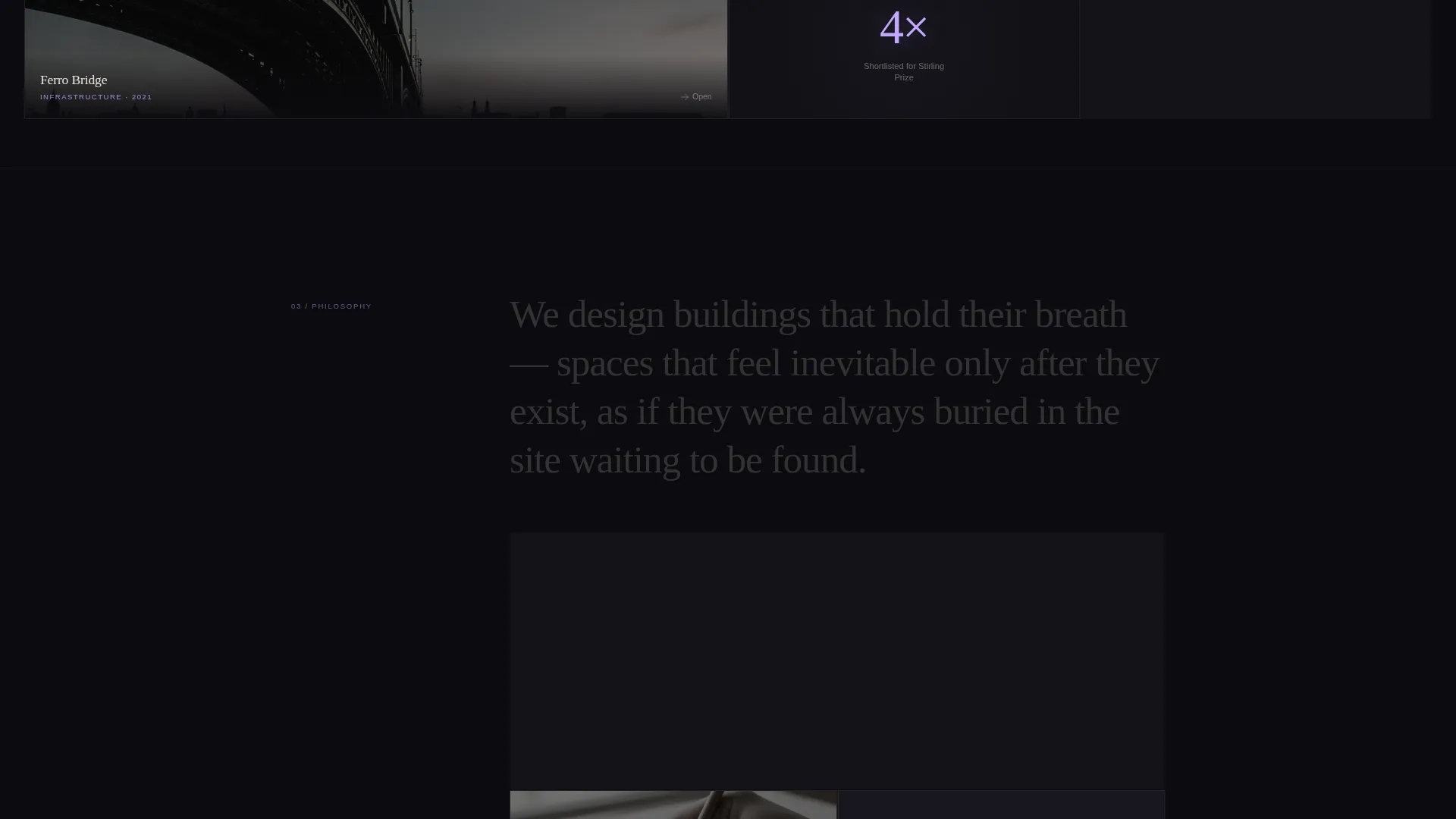
The bento grid is the navigation. Each cell holds a project, a material study, a process sketch, or a written statement. Visitors choose their own path through the work without following a prescribed order.
Cell Expansion with Horizontal Scroll
Clicking any cell expands it to fill the full viewport. Inside the expansion, construction sequences, section drawings overlaid on site photography, and ambient audio from the finished space are all supported. The scroll within each expansion moves horizontally, evoking the feeling of unrolling a drawing set.
Photo Grid Mosaic Header
Nine asymmetric tiles of project photography are cropped tight on material details. Each image opens desaturated to near-monochrome, then transitions to full color with a slow iridescent wash as the cursor passes over it. Subtle parallax shifts tiles at different depths on scroll.
Paper-Fold Collapse Animation
Returning from a case study expansion collapses the cell with a paper-fold animation. This micro-interaction reinforces the analog-meets-algorithmic identity and keeps every navigation moment feeling considered.
AI Iridescent Interaction Color System
Holographic lilac and spectral teal appear only when the visitor interacts: on hover states, active selections, and cursor trails. The rest of the page stays in deep sumi ink black and cold drafting vellum, so the iridescent tones feel earned rather than decorative.
Persistent and Timed Call-to-Action Paths
The primary call to action, "Open a Conversation," is pinned to the bottom edge as a quiet line of vellum-colored text. After three cell interactions, a secondary prompt reading "See how we work together" surfaces and links to a process page.
Page sections overview
| Section | Purpose |
|---|---|
| Photo Grid Mosaic Header | Opens the page with nine asymmetric, hover-activated project image tiles |
| Bento Grid Body | Serves as both content display and non-linear navigation through the work |
| Cell Case Study Expansion | Delivers full-viewport project detail with horizontal scroll and ambient audio |
| Persistent Bottom call to action | Keeps the primary inquiry path visible without competing with the portfolio |
| Secondary Interaction Prompt | Surfaces after three interactions to guide engaged visitors toward a process page |
Design & branding system
The visual identity is built around an Ink and Paper theme expressed through an AI Iridescent color system. Black dominates every background surface. Iridescent tones appear only through direct interaction, so color becomes a reward for curiosity.
- Deep sumi ink black (#0B0B0F) fills all backgrounds; cold drafting vellum (#E8E4DC) carries body text
- Holographic lilac (#C4A8FF) shifts across hover states; spectral teal (#3DFFD2) marks active selections and cursor trails
- All images open in near-monochrome and reveal full color only on hover, reinforcing the analog-to-algorithmic visual logic
Mobile & speed optimization
The template is designed with mobile visitors in mind. The bento grid and expansion interactions adapt to touch-based browsing without losing the core navigational logic.
- Touch interaction replaces hover activation for the iridescent color reveal on image tiles
- Cell expansion and horizontal scroll within case studies are supported on mobile viewports
- The persistent bottom call-to-action remains anchored and legible across all screen sizes
How this template helps you convert
This template earns the click before it asks for one. The conversion logic is built into the interaction sequence, not bolted on at the end.
- The Photo Grid Mosaic header rewards the first few seconds of attention with visual intrigue, creating immediate reason to stay and explore.
- The bento grid structure lets each visitor self-select the work most relevant to them, building personal investment before they reach any call to action.
- The timed secondary prompt targets visitors who have already demonstrated deep engagement, presenting the process page link at exactly the right moment.
Other information about this template
This template belongs to the Portfolio and Agency category, specifically designed for the architect dark theme portfolio niche. It pairs the Bento Grid template style with the Interactive Explorer creative direction and a Click-Through landing page strategy. The header concept is a Photo Grid Mosaic. The theme is Ink and Paper with an AI Iridescent color system. This combination is well suited to practitioners whose work spans the space between concept-stage sketches and precision-finished buildings.
- Template style: Bento Grid with Interactive Explorer creative direction
- Landing page direction: Click-Through, optimized to drive collaboration inquiry
- Designed for the architect portfolio niche within the Portfolio and Agency category
Theme
Ink & Paper
Creative direction
Interactive Explorer
Color system
AI Iridescent
Style
Bento Grid
Direction
Click-Through
Page Sections
Bento Grid Navigation System
Cell Expansion with Horizontal Scroll
Photo Grid Mosaic Header
Paper-fold Collapse Animation
AI Iridescent Interaction Color System
Persistent and Timed Call-to-action Paths
Related questions
Can I replace the project images with my own photography?
Does the template support audio inside case study expansions?
How does the secondary call to action appear?
Is this template suitable for a small studio with multiple architects?



