Local Brick & Mortar Business Blog & Content Website Template
Drape is an elegant formalwear landing page template built for tuxedo rental and suit hire businesses. It uses a masonry editorial grid organized by occasion, a Before/After transformation slider, and a champagne gold call-to-action system. The design speaks directly to grooms, prom clients, and corporate event planners who want to see the finished look before they commit.
by Rocket studio
Quick summary
Drape is a single-page formalwear landing page template designed for tuxedo rental and formal suit hire businesses. The layout pairs a dramatic Before/After header slider with a masonry editorial grid organized by occasion. Every section guides visitors from first impression to booking, using a refined lavender and champagne gold color palette that feels polished without being cold.
Who this template is for
This template is built for formalwear businesses that rent or hire tuxedos and formal suits. It works best when the business serves multiple event types and wants to display curated looks rather than flat product listings.
- Tuxedo rental shops serving weddings, proms, and corporate galas
- Formal menswear boutiques with occasion-based styling services
- Multi-event formalwear businesses managing large group bookings
What problem this template solves
Most formalwear websites feel like a product catalog. They show garments in isolation, without context, and ask visitors to imagine the finished result themselves. That gap between browsing and deciding costs conversions.
- Visitors leave before booking because they cannot picture the complete look
- Generic grid layouts bury the styling story under product thumbnails
- There is no guided path for visitors who are unsure what they need
What you get with this template
This template delivers a complete single-page layout built around editorial formalwear photography and occasion-driven browsing. Every section connects the visitor's event to a curated ensemble before directing them to a booking action.
- A Before/After transformation slider as the opening header experience
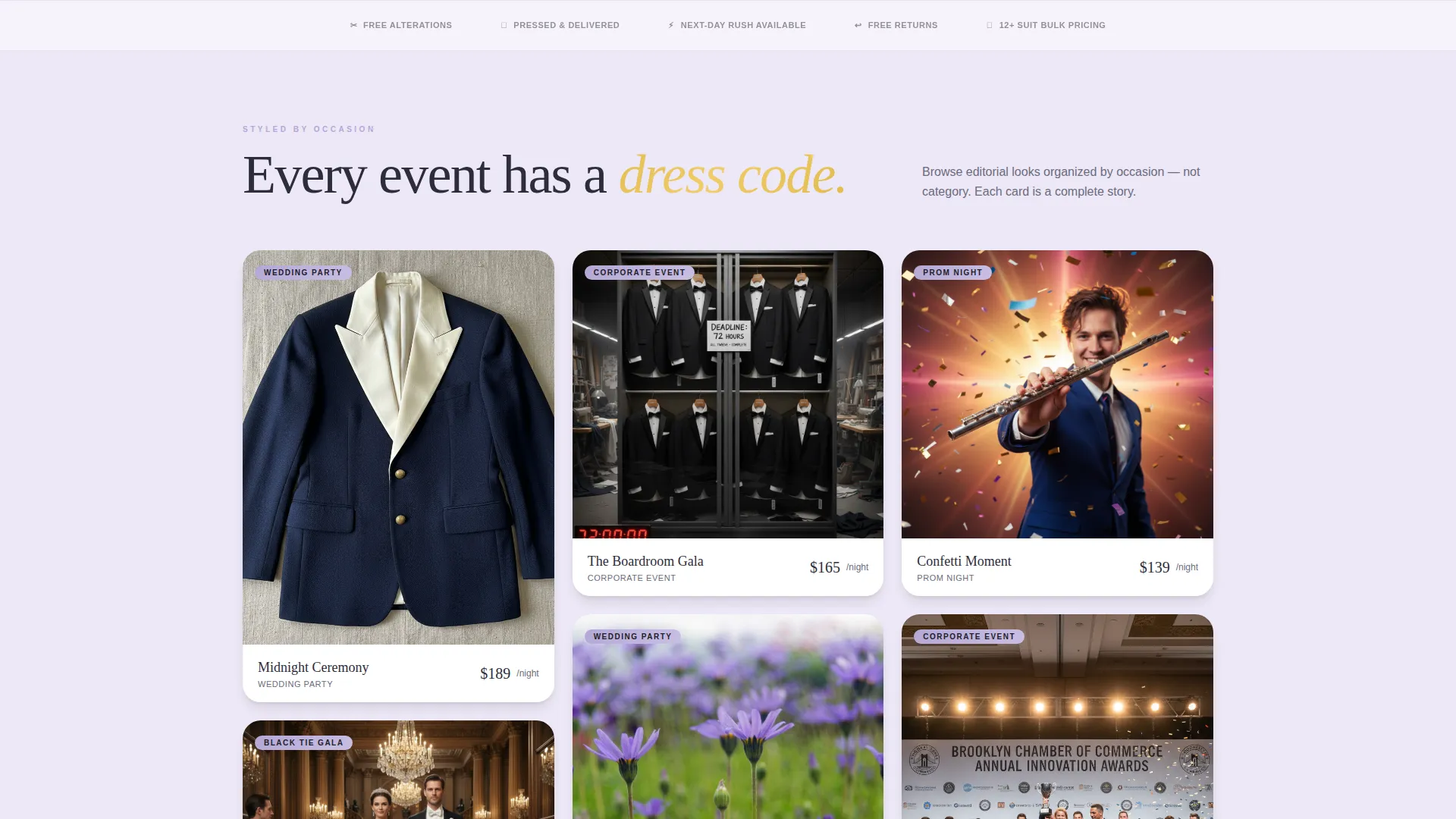
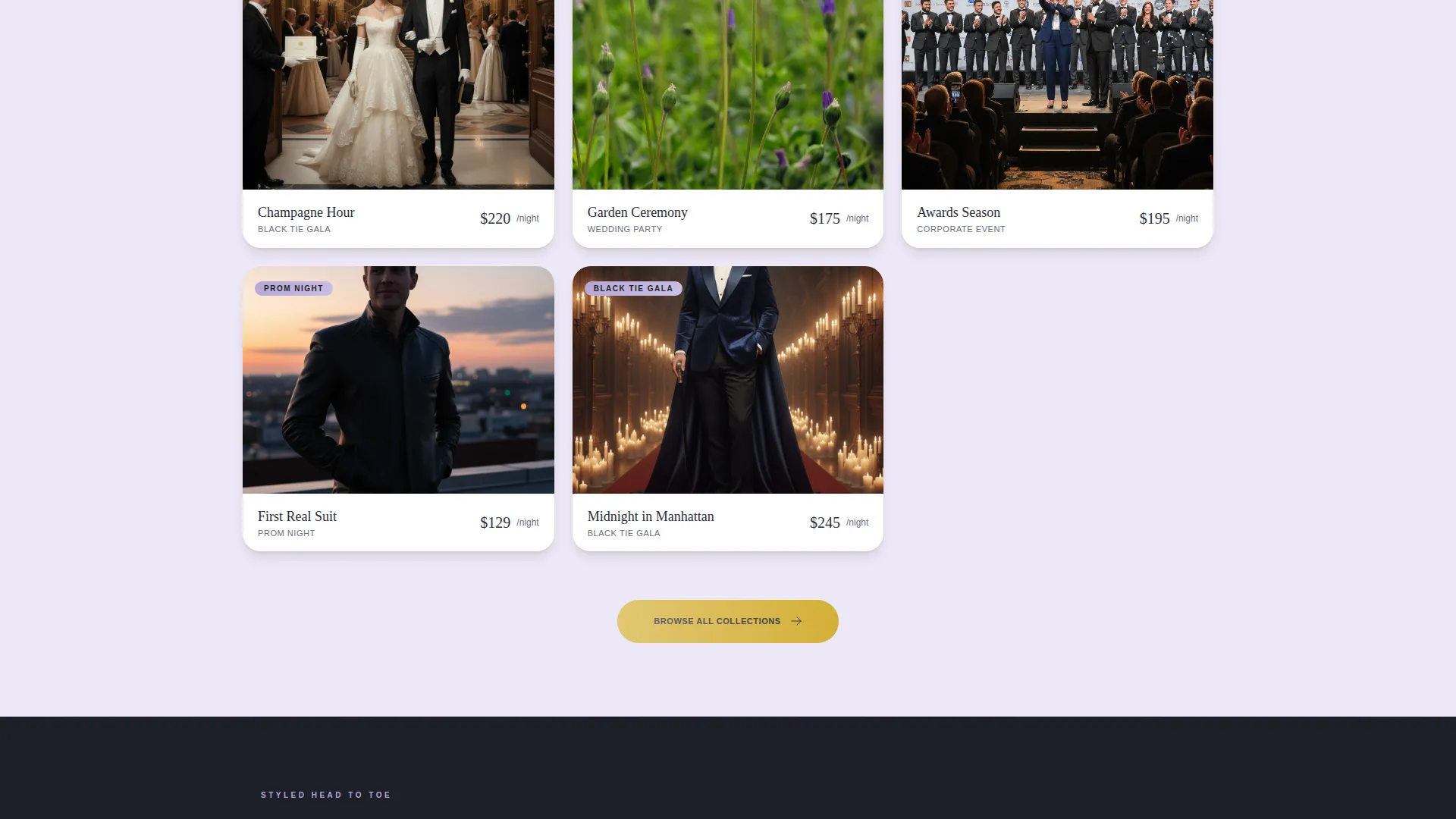
- A masonry grid organized by occasion: Wedding Party, Black Tie Gala, Prom Night, and Corporate Event
- Champagne gold primary call-to-action buttons and a secondary Fit Quiz path
Feature list
This template includes purpose-built components that move visitors from inspiration to intent. Each feature reflects a deliberate design decision tied to how formalwear customers actually shop.
Before/After Transformation Slider
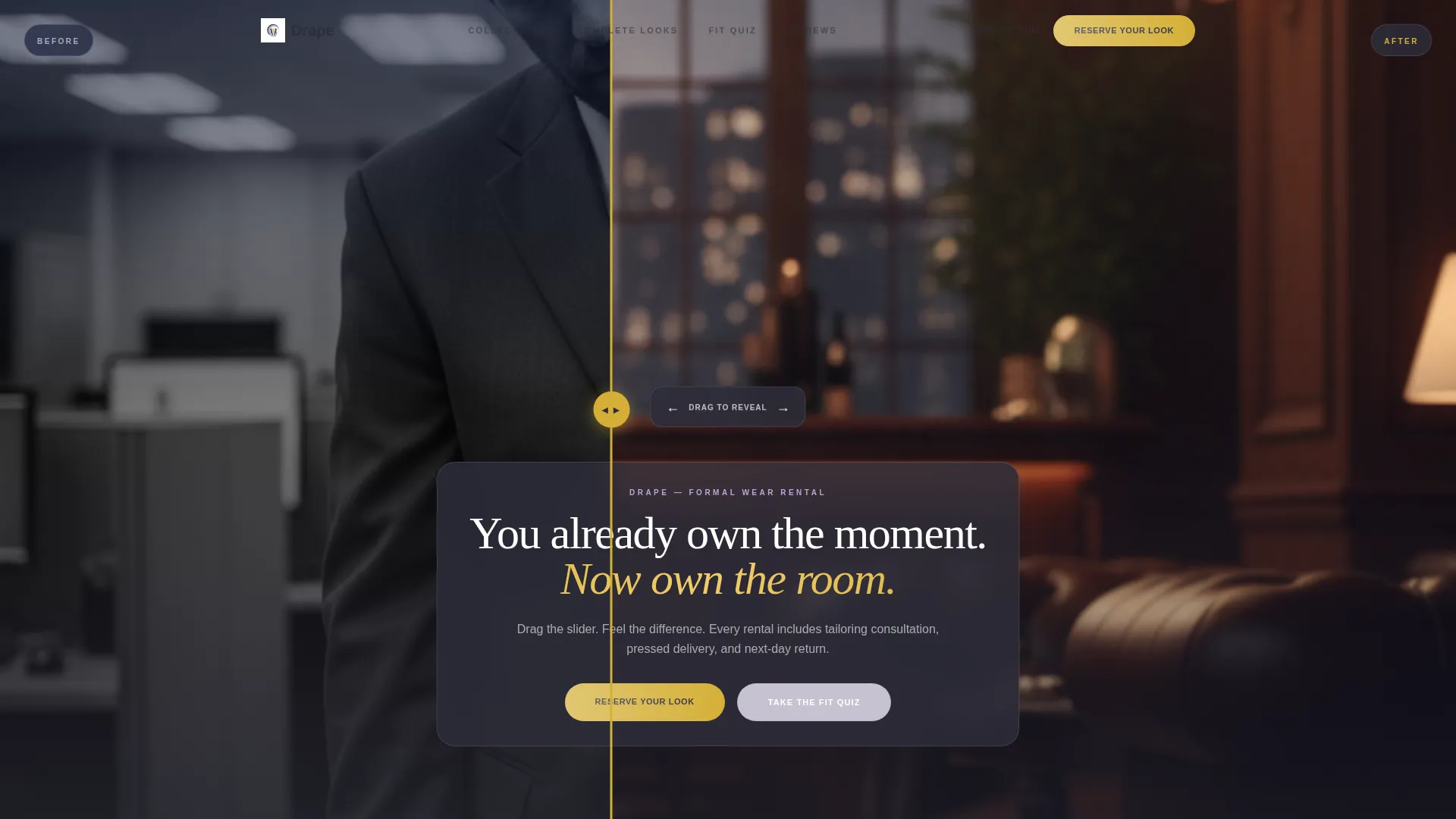
The header opens with an interactive drag slider. The left side shows a man in a wrinkled off-the-rack suit under flat light. The right side reveals the same man in a fitted midnight tuxedo under warm amber light. Visitors drag the divider themselves, making the transformation feel personal and immediate.
Occasion-Organized Masonry Grid
The main collection grid is sorted by event type, not product category. Each occasion section, including Wedding Party, Black Tie Gala, Prom Night, and Corporate Event, displays styled editorial photographs showing tuxedos in real settings.
Hover-Reveal Ensemble Cards
Each card in the masonry grid shows an editorial lifestyle image at rest. On hover, the card surfaces the rental price, included accessories, and a fit-match tag. This keeps the grid visually clean while delivering decision-relevant information on demand.
Complete Look Styling Blocks
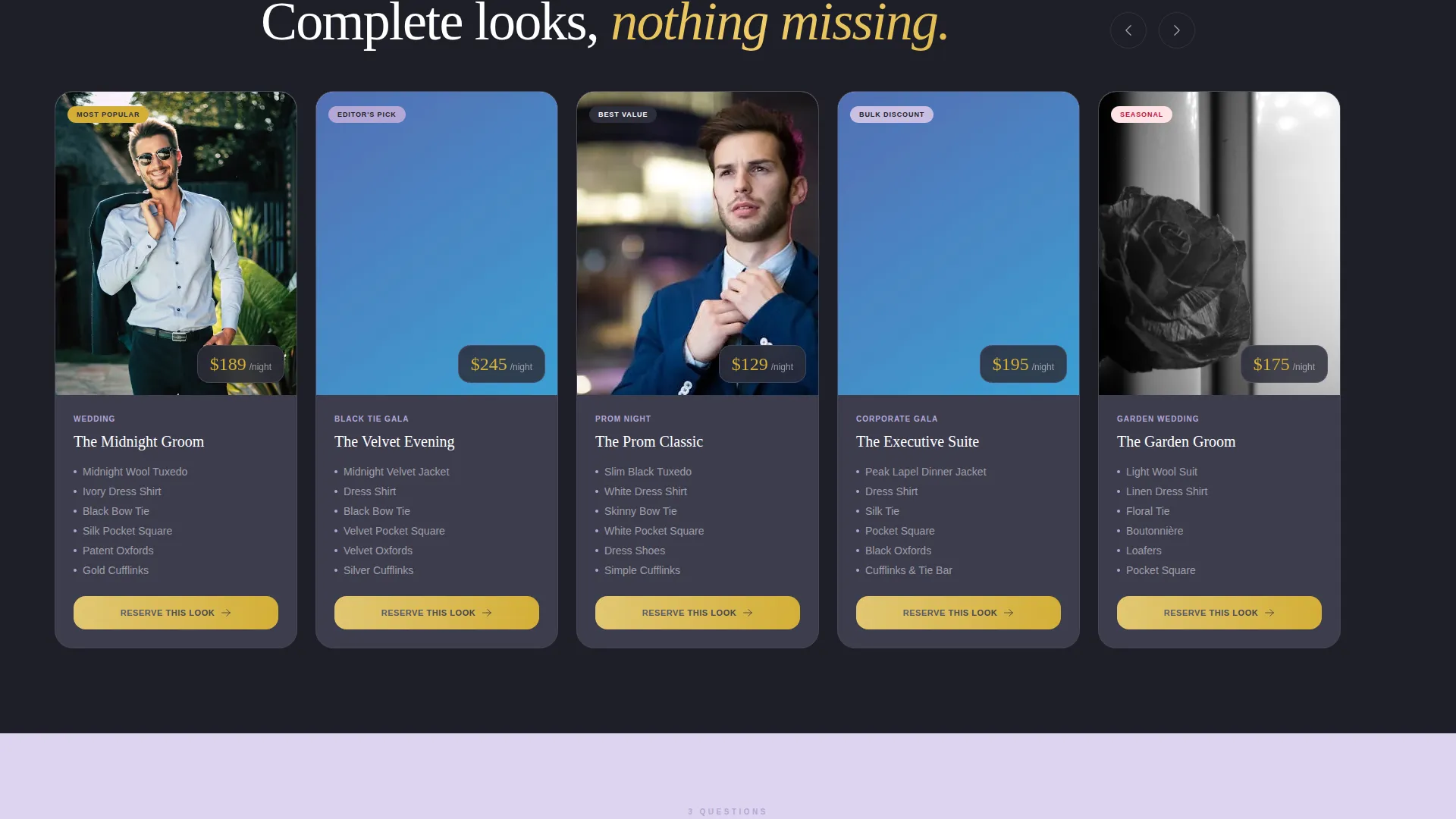
As visitors scroll deeper, the grid transitions from aspirational lifestyle imagery into specific styled ensembles. Each look groups jacket, shirt, shoes, and cufflinks together as one clickable unit, linking through to a detailed rental and sizing page.
Champagne Gold Call-to-Action System
The primary "Reserve Your Look" button appears in champagne gold at the header, anchors each collection row, and floats on mobile viewports. The secondary call to action, "Take the Fit Quiz," offers a three-question recommendation path based on event type, body type, and style preference.
Fit Quiz Recommendation Path
The Fit Quiz is a secondary conversion route built for visitors who are not yet certain which look suits them. Three quick questions guide them to a curated shortlist, reducing friction for first-time formalwear renters and reducing support load for the business.
Page sections overview
| Section | Purpose |
|---|---|
| Before/After Slider | Opens with a personal transformation moment that anchors the brand promise |
| Headline Fade-In | Delivers the core message after the slider interaction settles |
| Occasion Grid Row | Groups curated looks by event type for immediate relevance |
| Ensemble Detail Cards | Shows complete styled looks with pricing and accessory details on hover |
| Reserve call to action Strip | Anchors each collection row with a direct booking call to action |
| Fit Quiz Entry | Offers a guided path for visitors who need a recommendation |
| Floating Mobile call to action | Keeps "Reserve Your Look" accessible throughout the scroll on mobile |
Design & branding system
The visual identity follows a Lavender Dream color system. The palette is structured around softness and precision, designed to feel romantic without sacrificing sharpness. Deep charcoal wool grounds the typography and card borders, while soft lavender and whisper lilac keep the layout open and breathable.
- Soft French lavender (#B4A7D6) as the primary accent across highlights and tags
- Deep charcoal wool (#2D2D3A) for typography, borders, and structural contrast
- Champagne gold (#D4AF37) reserved for hover states, pricing badges, and all primary call-to-action buttons
Mobile & speed optimization
The template is designed to remain fully functional and visually coherent on mobile viewports. The masonry grid reflows cleanly for smaller screens, and the floating call-to-action button ensures that booking intent is never buried below the fold on any device.
- The masonry grid adapts column count based on screen width without breaking the editorial rhythm
- The floating "Reserve Your Look" button stays anchored to the bottom of the mobile viewport throughout the scroll
- Hover-reveal card details transition to tap interactions on touch devices
How this template helps you convert
Every layout decision in Drape is designed to reduce the gap between first impression and booking action. The template earns the click before it asks for it.
- The Before/After slider makes the value of a well-fitted tuxedo visceral and personal before any text makes a claim, so visitors arrive at the call-to-action already invested in the outcome.
- The occasion-organized grid speaks directly to why the visitor is there, whether they are planning a wedding, a prom, or a corporate gala, reducing browsing friction and accelerating the decision to click through.
- The dual call-to-action system captures both ready buyers through "Reserve Your Look" and undecided visitors through "Take the Fit Quiz," so the page converts at two different stages of readiness.
Other information about this template
Drape fits naturally into a Masonry and Pinterest-style layout direction, which is well suited to formalwear businesses that want editorial variety rather than a rigid product grid. The template style was chosen specifically to support occasion-led browsing, where each card tells a visual story rather than presenting a static garment on a white background.
- The template is categorized under Retail and E-Commerce, with a Local Brick and Mortar Business subcategory focus
- It is designed for single-page use with all primary browsing and decision-making happening in one continuous scroll
- The Marketplace Grid theme within the Lavender Dream color system means the page works equally well for boutique studios and larger multi-event rental operations
- Each ensemble card links through to a separate detailed rental page, making Drape a strong top-of-funnel entry point for a broader booking flow
- The template is ready to carry a business's own photography and brand copy with minimal structural changes required
Theme
Neo-Retro
Creative direction
Unboxing Experience
Color system
Citrus Burst
Style
Masonry/Pinterest
Direction
Marketplace/Multi
Page Sections
Before/after Transformation Slider
Occasion-organized Masonry Grid
Hover-reveal Ensemble Cards
Complete Look Styling Blocks
Dual Call-to-action System
Fit Quiz Recommendation Path
Related questions
Can this template handle multiple event types at once?
What does the Before/After slider actually show?
Is the Fit Quiz a separate page?
Does each card show pricing and accessories?
Who is this template best suited for?



