Kids Basketball Specialist Professional Website Template
Dribble is a hero-dominant landing page template built for youth basketball parent resource guides. It pairs a warm illustrated mascot, interactive age-based chapter tabs, and a sticky call-to-action bar to guide parents from the hero section straight into the full guide. The Cloud Canvas color system and nurturing visual style make every scroll feel approachable and inviting.
by Rocket studio
Quick summary
Dribble is a single-page template designed for kids basketball parent resource guides. It uses a large illustrated mascot hero, interactive age-chapter exploration, a scrolling tip ticker, and a no-form click-through flow. The warm Cloud Canvas palette and hand-drawn visual style feel like a Saturday morning gym, making parents feel welcome from the first scroll.
Who this template is for
This template is built for creators and publishers who want to help parents navigate youth basketball at every age and stage. It works especially well as a content-led resource guide with a single conversion goal: getting visitors to click through to a full interactive guide.
- Parents, youth sports coaches, and family content creators publishing age-based basketball guides
- Bloggers and resource site owners targeting moms, dads, and caregivers of kids ages 4 to 12
- Anyone building a kids and family sports content hub that prioritizes warmth, clarity, and mobile use
What problem this template solves
Most youth sports pages dump everything onto parents at once. There is no clear starting point, no sense of progression, and nothing that feels written for someone who never played the game. Parents leave without clicking anything.
- Parents cannot find age-appropriate gear, nutrition, or practice tips without digging through unrelated content
- Generic sports page layouts feel cold and transactional, which breaks trust with a family audience
- Single-call to action pages with no visible depth fail to earn the click before asking for it
What you get with this template
You get a fully structured, single-page landing page layout that leads parents through a layered content journey without requiring a form. Every section is designed to build trust and then hand visitors off to the full guide through a single warm click.
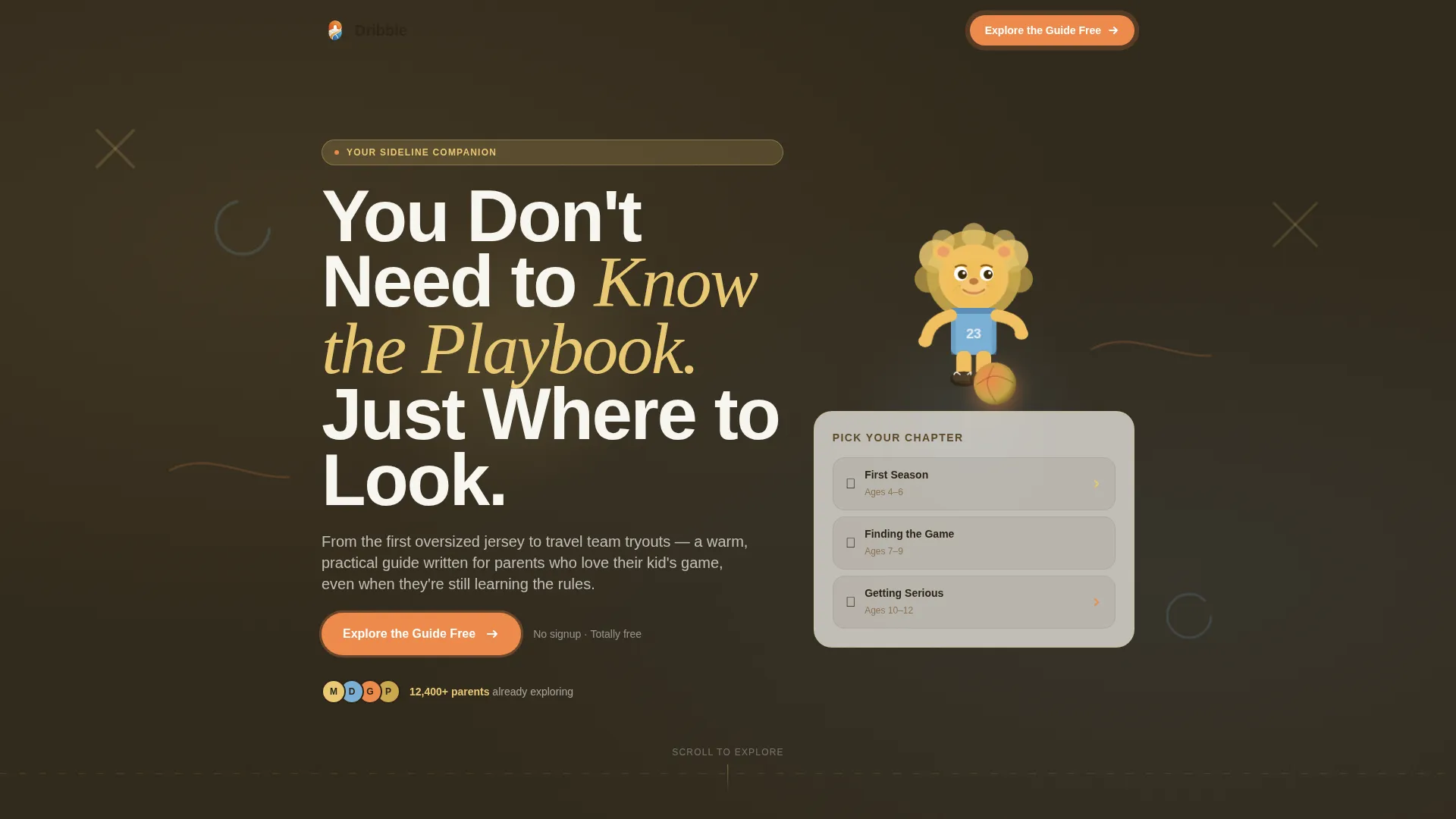
- A hero section with a large illustrated mascot, chapter preview card, and a primary call-to-action button
- An interactive age-chapter explorer with tap-to-expand sections, a scrolling tip ticker, a FAQ carousel, and a trust-building gear and nutrition preview area
- A sticky bottom call-to-action bar that appears after the second scroll interaction, keeping the conversion path visible throughout
Feature list
This template packs several purposeful components into a single flowing page. Each one is built around the practical needs of parents browsing on a phone between pickups.
Illustrated Mascot Hero Area
The hero is anchored by a friendly lion cub mascot rendered in soft textured brushstrokes. The cub appears mid-dribble with a determined grin, slightly oversized ball, and untied sneakers. A faint chalkboard texture with Xs and Os sits behind the headline, creating an instantly recognizable youth sports mood.
Interactive Age Chapter Explorer
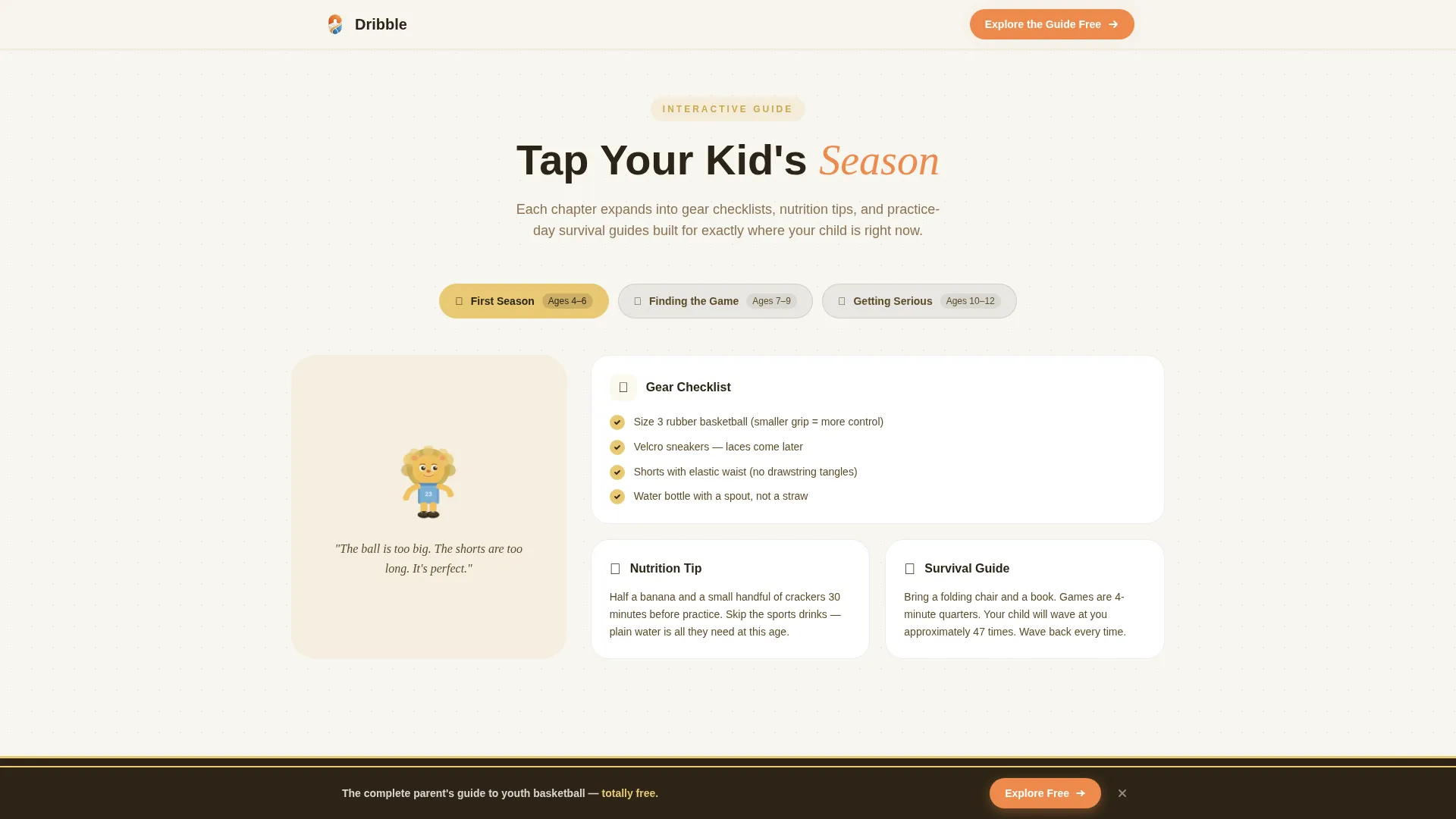
Parents can tap age-based chapters such as "First Season (Ages 4-6)" or "Travel Ball (Ages 10-12)" to expand content relevant to their child's current stage. The mascot cub visually changes state with each chapter, growing taller and better equipped as the age range increases. Each expanded chapter includes gear checklists, nutrition tips, and practice-day survival guides.
Scrolling Tip Ticker
A horizontal scrolling ticker runs quick parent tips across the page in a continuous loop. It delivers bite-sized value between sections and rewards parents who read carefully, reinforcing the resource guide's depth without adding visual clutter.
FAQ Carousel with Parent Quotes
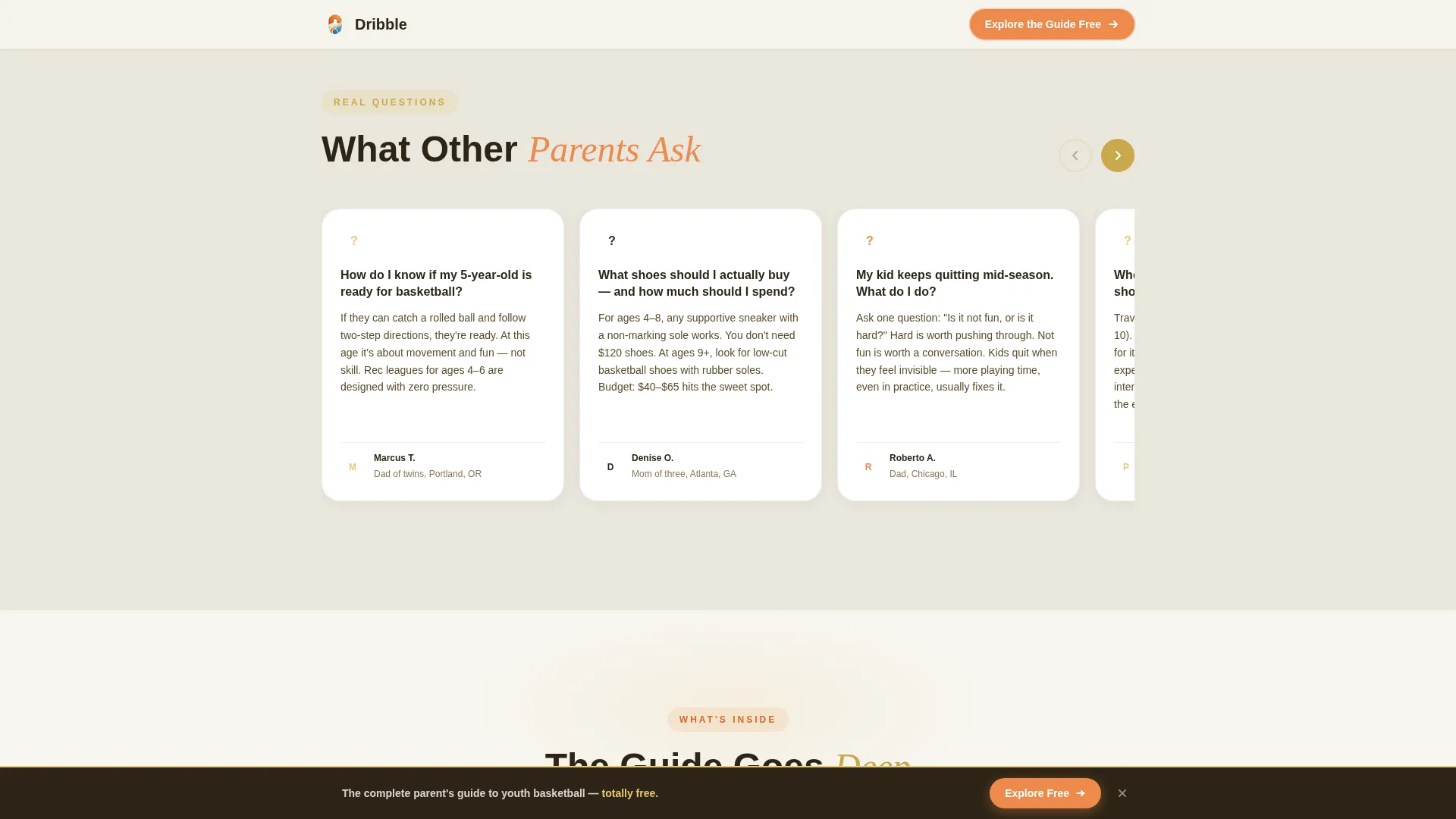
A warm card-style FAQ carousel surfaces real questions parents ask, paired with social proof in the form of parent quotes. The carousel format lets visitors browse at their own pace without scrolling through a long list, keeping the page feeling light and conversational.
Sticky Click-Through call to action Bar
After the second scroll interaction, a sticky bottom bar appears with the primary call-to-action. This keeps "Explore the Guide Free" visible throughout the page without interrupting the reading experience. There are no form fields on this page; every interaction leads to one clear click.
Trust and Depth Preview Section
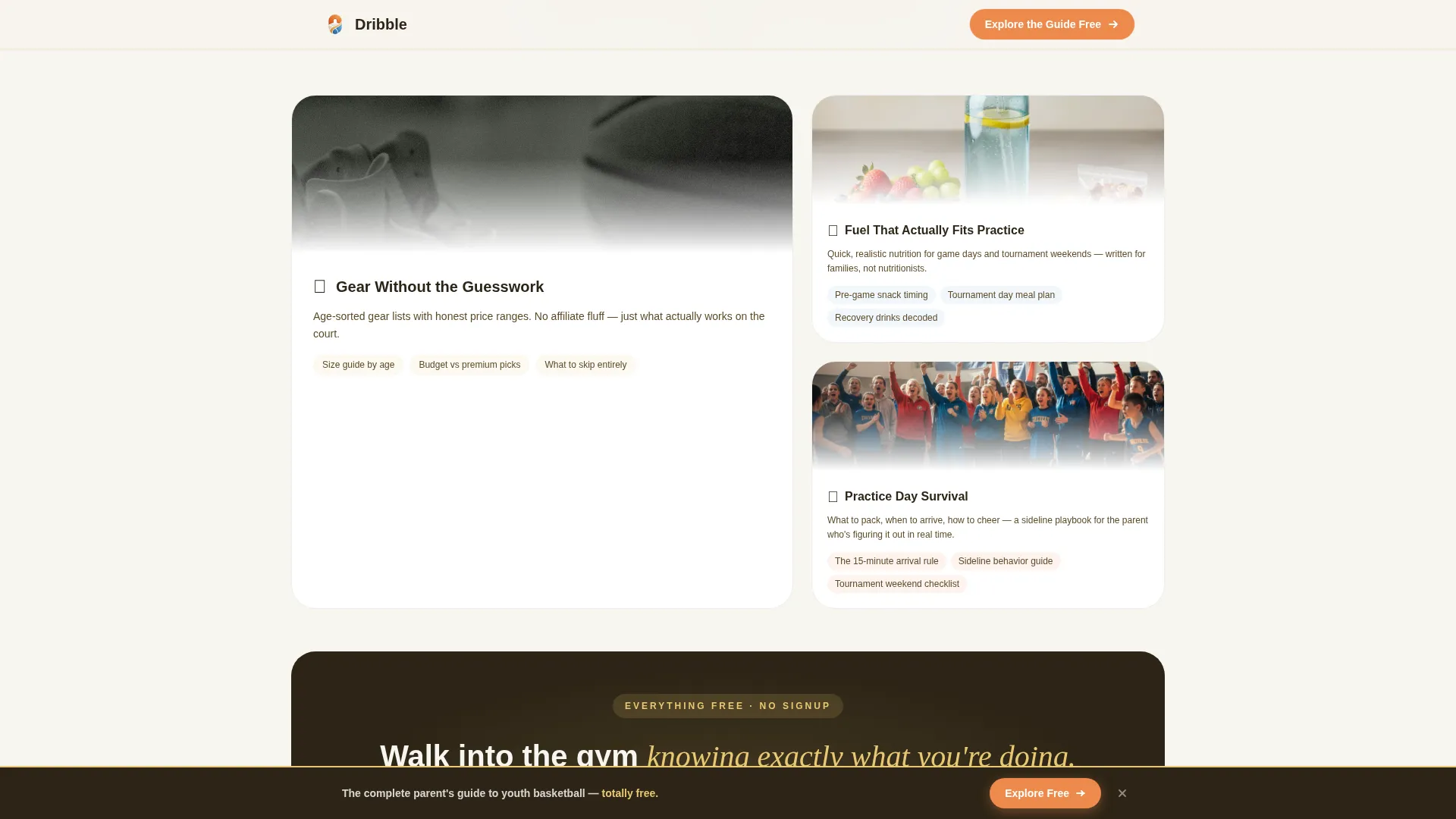
Before asking for the click, the page shows previews of gear guides, nutrition content, and practice-day survival resources. Visible chapter depth signals to parents that the full guide is worth their time, making the transition feel natural rather than forced.
Page sections overview
| Section | Purpose |
|---|---|
| Hero with Mascot | Introduce the guide, display the mascot, and present the primary call to action |
| Age Chapter Explorer | Let parents tap age ranges to expand stage-specific content |
| Scrolling Tip Ticker | Deliver quick parent tips in a continuous horizontal loop |
| Parent FAQ Carousel | Showcase common questions and parent quotes in a card carousel |
| Trust and Depth Preview | Preview gear, nutrition, and survival guide content before the call to action |
| Sticky call to action Bar | Keep the click-through action visible after the second scroll |
| Footer | Single-row linear footer with basic navigation and credits |
Design & branding system
The visual identity follows a Nurture and Care theme using the Cloud Canvas color system. Every color choice references the physical feeling of a bright Saturday morning gym, making the palette feel earned rather than decorative.
- Soft chalk white (#F7F5F0) for backgrounds, gymnasium maple (#E8C872) for accents, and gentle sideline blue (#7BAFD4) for supporting elements
- Warm whistle-orange (#ED8A4C) reserved exclusively for buttons and interactive hotspots, keeping the call-to-action visually distinct at all times
- Typography uses Bricolage Grotesque for display headings, Fraunces for serif warmth in pull-quotes and labels, and DM Sans for clean readable body copy
Mobile & speed optimization
This template is built mobile-first, reflecting how most parents actually browse: on a phone, in a parking lot, between school pickups. Layout decisions, tap targets, and scroll behavior are all oriented around one-handed phone use.
- CSS animations are preferred over JavaScript libraries for entrance reveals and ticker motion, keeping the page lean on mobile connections
- IntersectionObserver-based reveals trigger chapter animations and section entrances only when content enters the viewport, avoiding unnecessary load
- The sticky call to action bar and expandable chapter tabs are sized and spaced for easy thumb-tap interaction on small screens
How this template helps you convert
This template earns the click before it asks for it. The entire page is structured as a trust-building journey that ends at a single, frictionless action.
- The hero headline, illustrated mascot, and glassmorphism chapter preview card immediately communicate depth and warmth, giving parents a reason to keep scrolling before they see any ask
- The scrolling tip ticker, FAQ carousel, and trust preview section all demonstrate real content value so that by the time the sticky call to action bar appears, parents feel like they are walking through an open door rather than passing a gate
Other information about this template
This template lives at the intersection of the Kids and Family category and the Kids Basketball subcategory. It is designed specifically for the youth basketball parent resource guide niche, where content-led pages perform best when they feel personal rather than promotional.
- The template style is Hero-Dominant (90/10), meaning the hero section carries most of the visual weight and sets the emotional tone for everything below
- The creative direction is Interactive Explorer, rewarding curious scroll and tap behavior rather than demanding linear reading from top to bottom
- The header concept centers on a Mascot and Character approach, using the illustrated lion cub to carry emotional continuity across every age-based chapter state
- The landing page direction is Click-Through, with no form fields anywhere on the page and one clear conversion action throughout
Theme
Nurture & Care
Creative direction
Interactive Explorer
Color system
Cloud Canvas
Style
Hero-Dominant (90/10)
Direction
Click-Through
Page Sections
Illustrated Mascot Hero Area
Interactive Age Chapter Explorer
Scrolling Tip Ticker
Parent FAQ Carousel
Sticky Click-through Call to Action Bar
Trust and Depth Preview Section
Related questions
Does this template require visitors to fill out a form?
Can I customize the age chapter ranges to match my content?
What content goes inside the expandable age chapters?
Is this template suitable for a standalone resource page or a parent blog?
How does the sticky call-to-action bar work?



