Certified Auto Mechanic Landing Page Template
Torque is a split-screen landing page template built for bicycle mechanic businesses that need to generate quote requests. It pairs a scroll-driven FAQ layout with a persistent quote form, letting visitors browse real service questions and prices before tapping through to request a callback. The design is clinical, fast, and built for trust.
by Rocket studio
Quick summary
Torque is a single-page quote request template for bicycle mechanic businesses. It uses a 50/50 split-screen layout where scrolling FAQ pairs build visitor confidence before a slide-in form closes the deal. The dark header, mint-green call-to-action, and Arctic White body palette signal precision and professionalism from the first scroll.
Who this template is for
This template is built for independent bicycle mechanics and small repair shops that want to turn casual browsers into booked quote requests. It suits anyone who needs a direct, no-friction page rather than a full multi-page website.
- Independent bike mechanics and sole-trader repair shops
- Small workshop owners handling road, mountain, hybrid, e-bike, and kids' bike repairs
- Mechanics who prefer phone callbacks over email threads
What problem this template solves
Most bicycle repair businesses lose potential clients because their online presence gives no pricing signal and no clear path to contact. Visitors land on a page, see nothing they recognize, and leave. This template fixes that by leading with honest service questions and real price ranges before asking for anything in return.
- Visitors arrive with specific worries (a creak, a ticking bottom bracket, a bike pulled from a shed) and find no useful answers elsewhere
- Generic contact pages create friction; this template removes it with a pre-populated form tied to FAQ answers
- Phone-first mechanics lose leads because web forms ask for email first; this template asks for a phone number instead
What you get with this template
You get a fully structured, single-page layout designed specifically for bicycle mechanic quote generation. Every section has a clear job, and the layout guides visitors from curiosity to contact without detours.
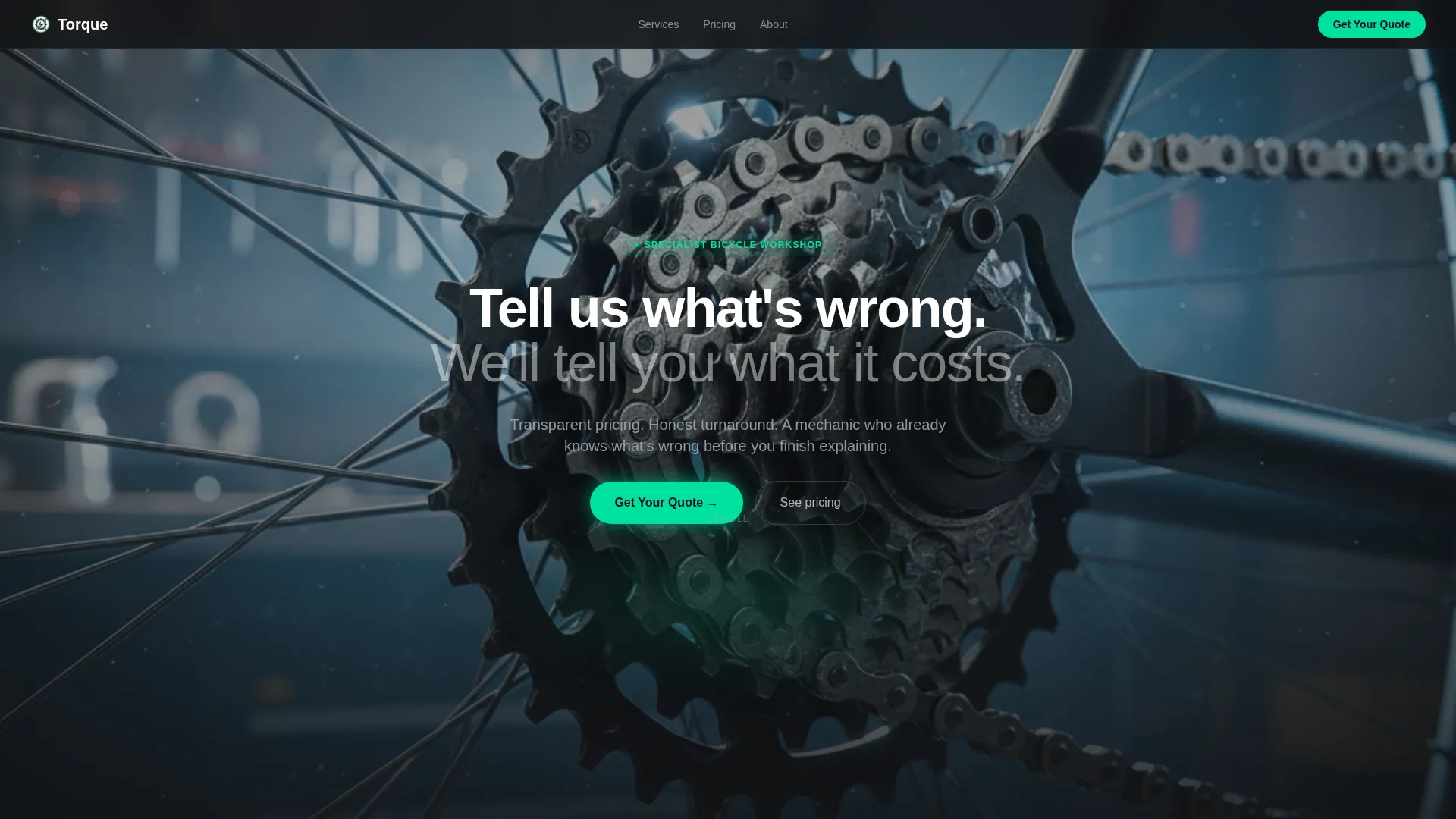
- A dark full-bleed header with a backlit drivetrain photograph and a fade-in headline
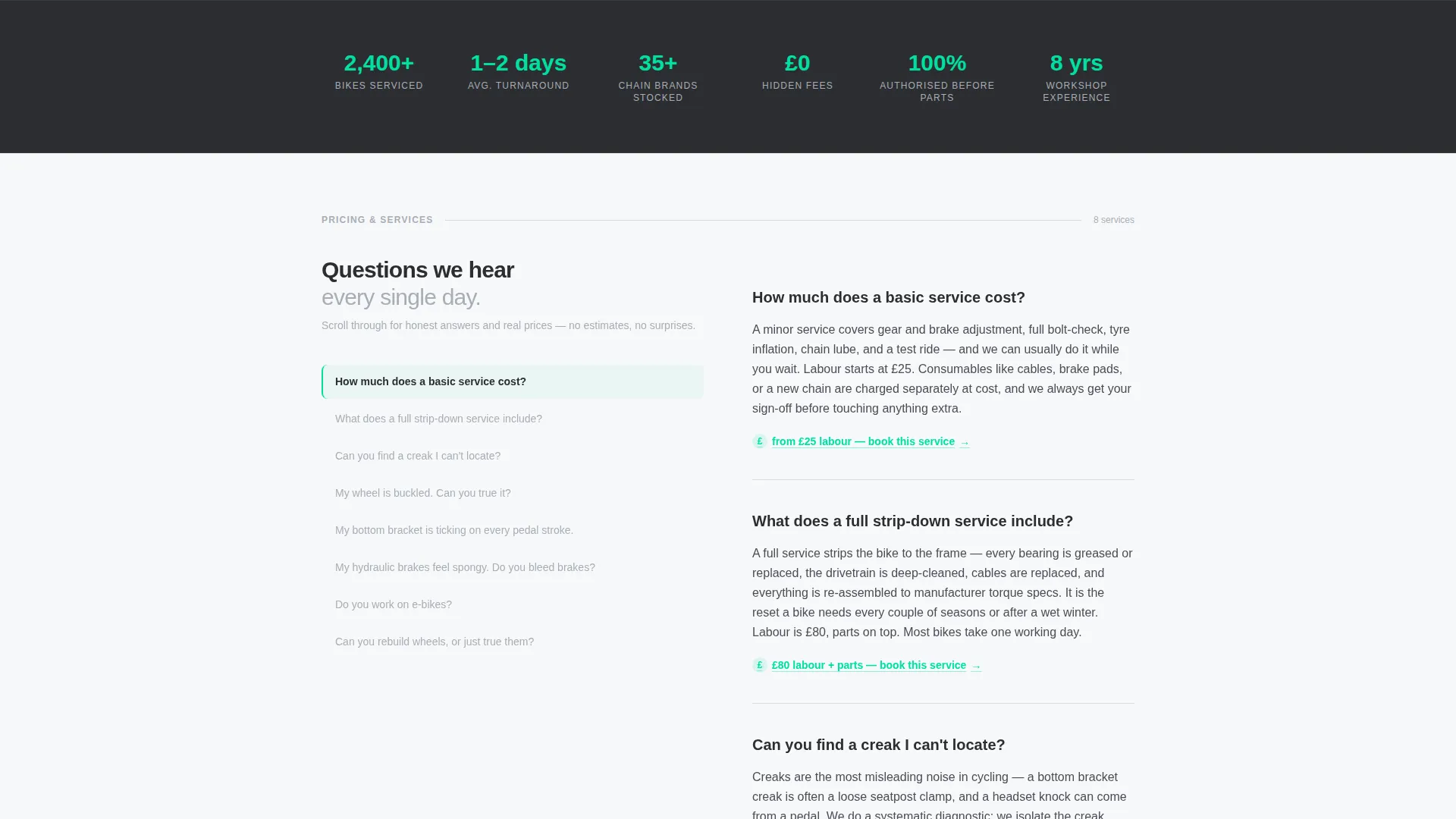
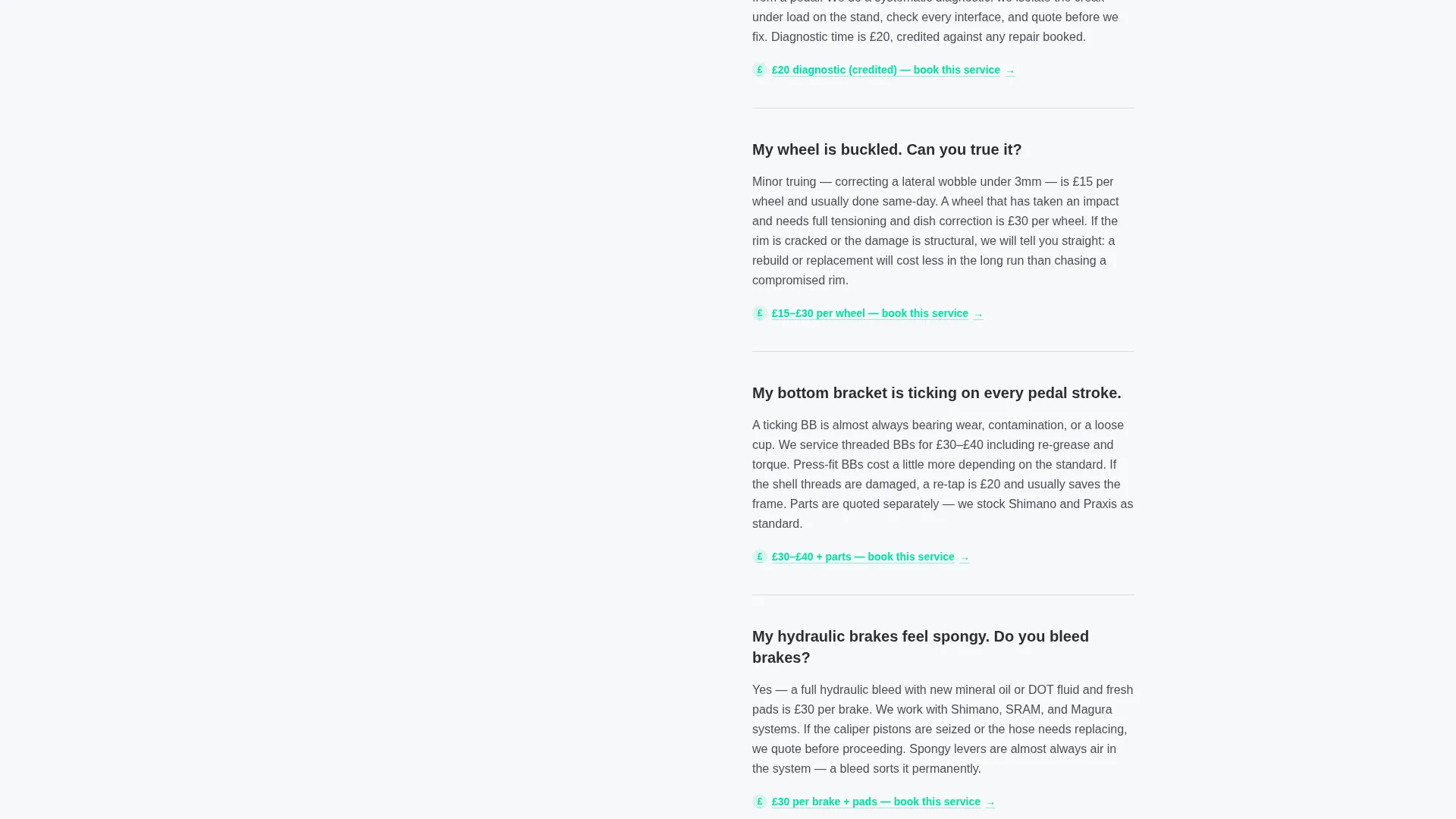
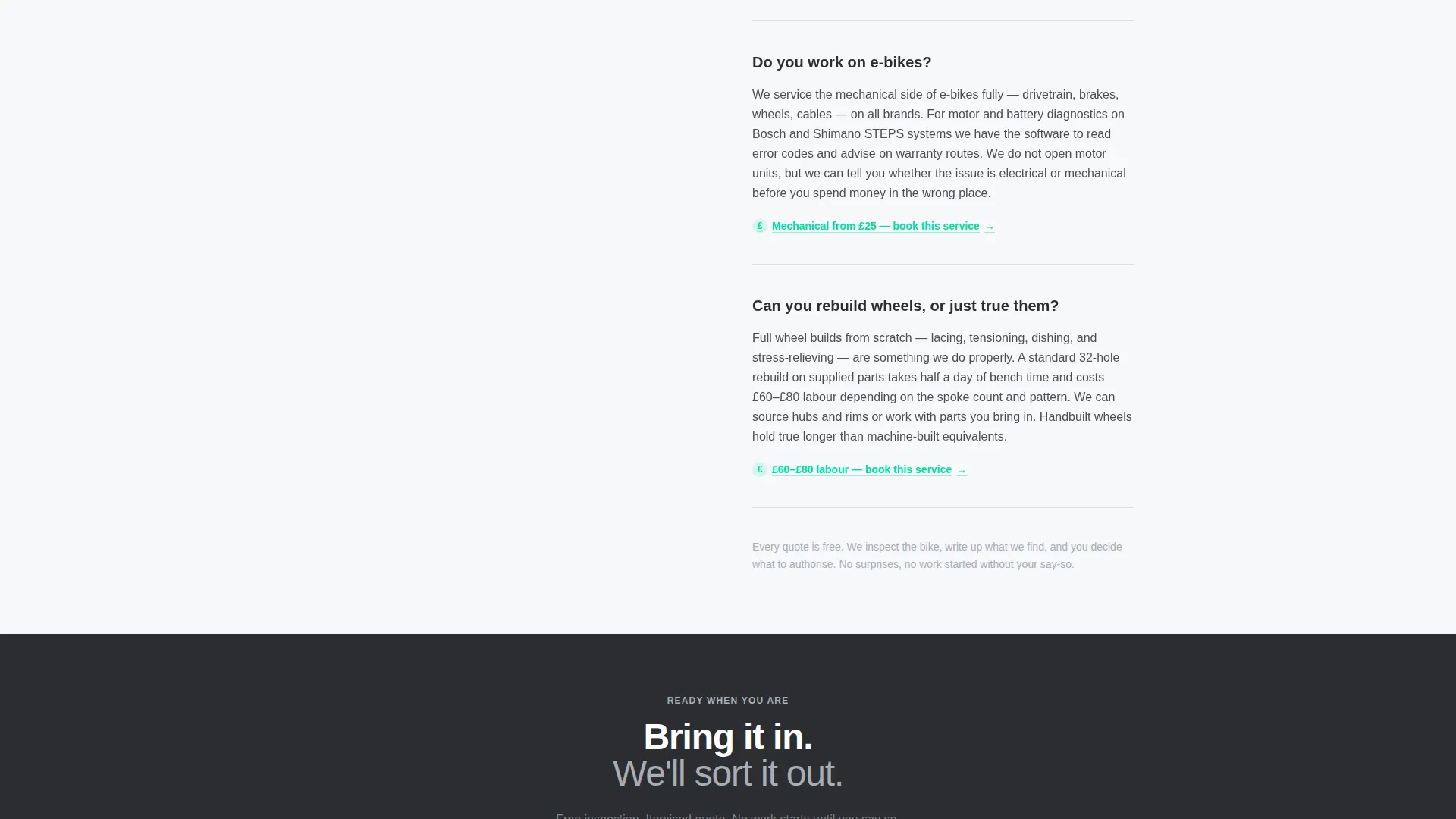
- A scrolling split-screen FAQ section where left-panel questions pair with right-panel answers and embedded price ranges
- A persistent "Get Your Quote" button and a slide-in quote request form with bike type, problem description, optional photo upload, and phone number fields
Feature list
This template ships with purpose-built components that reflect how real bike shop visitors think and act.
Split-Screen FAQ Layout
The core of the page is a 50/50 split screen. The left panel holds a growing list of visitor questions. The right panel answers each one with a short paragraph and a specific price range or explanation. Each pair loads as the visitor scrolls, building transparency progressively.
Persistent Quote call to action Button
A "Get Your Quote" button stays pinned in the bottom-right corner throughout the entire scroll. It uses the mint-green accent color with a soft glow state so it remains visible without interrupting reading.
Slide-In Quote Request Form
Clicking the persistent button opens a compact slide-in form. It includes a bike type dropdown (road, mountain, hybrid, e-bike, kids', other), a free-text problem description field, an optional photo upload, and a phone number field. No email address is required.
FAQ-to-Form Pre-Population
Each FAQ answer contains an embedded price range that visitors can tap. Tapping it opens the quote form with that service already pre-selected, reducing the steps between browsing and requesting.
Dark Full-Bleed Header with Glow Effect
The header uses a close-up photograph of a rear hub and cassette, backlit against a near-black background. The mint-green accent bleeds softly from behind the drivetrain, creating a diagnostic-light atmosphere that sets the workshop tone immediately.
Service Utility Visual Theme
The Arctic White color system keeps the body clean and clinical. Charcoal anchors headings and body text. Silver handles borders, dividers, and secondary labels. The mint-green accent appears only on calls to action and interactive states, so every glow carries intent.
Page sections overview
| Section | Purpose |
|---|---|
| Dark header | Sets workshop tone with backlit drivetrain photo and fade-in headline |
| Split-screen FAQs | Builds trust through scrolling question-and-answer pairs with price ranges |
| Persistent call to action button | Keeps the quote request action reachable at every scroll position |
| Slide-in quote form | Captures bike type, problem description, optional photo, and phone number |
Design & branding system
The visual identity follows a Service Utility theme built on the Arctic White color system. Every color choice maps to a functional role, keeping the page readable and purposeful rather than decorative.
- Clinical workshop white (#F7F8FA) dominates backgrounds; tool-steel charcoal (#2B2D31) anchors all headings and body text; chain-lube silver (#A8ADB5) handles borders, dividers, and secondary text
- High-vis mint green (#00E0A1) appears exclusively on calls to action and interactive glow states, so every instance of the color signals an action
- The header sits on a near-black background (#111214), isolating the backlit drivetrain photograph and creating a sharp visual contrast with the white body sections below
Mobile & speed optimization
The split-screen layout is designed to adapt cleanly on smaller screens, where the two-panel structure stacks vertically so the FAQ flow remains readable and the persistent call to action button stays accessible.
- The slide-in quote form is compact by design, with a minimal number of fields to reduce typing on mobile devices
- The persistent bottom-right call to action button remains fixed on scroll across device sizes, so the quote action is always one tap away
- The photo upload field is optional, keeping the form functional even when a visitor is on a slower connection or prefers not to attach an image
How this template helps you convert
The page is structured to reduce hesitation and lower the effort required to make contact. Transparency comes before the ask, and the ask is as simple as possible.
- The FAQ-driven scroll answers the questions visitors already have, including price ranges, before presenting any form. Visitors arrive informed, not suspicious.
- The persistent "Get Your Quote" button and the FAQ-to-form pre-population path give visitors two low-friction routes to the same outcome, meeting them wherever they are in the decision.
Other information about this template
This template is built for the Professional Services category, specifically the bicycle mechanic business and quote request niche. It is a single landing page, not a multi-page website, so it is best used as a focused entry point for a repair shop's paid or organic traffic.
- The template style is Split Screen (50/50), the creative direction is FAQ-Driven, and the header concept is Dark Full-Bleed with a Glow effect
- The lead generation direction means every structural decision, from the phone-first form to the FAQ pre-population, prioritizes capturing a real contact over collecting passive engagement
- This template works equally well for mechanics specializing in road bike drivetrain work, e-bike servicing, wheel rebuilds, or general tune-ups, because the FAQ content slots are flexible and can be updated to reflect any shop's actual service list
Theme
Service Utility
Creative direction
FAQ-Driven
Color system
Arctic White
Style
Split Screen (50/50)
Direction
Lead Generation
Page Sections
Split-screen Scrolling FAQ Layout
Persistent Quote Request Button
Slide-in Quote Form
Faq-to-form Pre-population
Dark Full-bleed Header with Glow
Related questions
Can I update the FAQ questions and price ranges to reflect my own services?
Does the quote form collect email addresses or phone numbers?
Can visitors upload a photo of their bike issue through the form?
Is this template suited to shops that service e-bikes?
Is this a single landing page or a multi-page website?



