Drive — Premium Chevrolet Leasing Landing Page Template
Fleet is a Chevrolet leasing landing page template built for leasing specialists who need to convert browsers into qualified leads. It combines a cinematic full-screen video hero, an interactive vehicle gallery, and a live lease comparison tool inside a dark Tech Glass design. Every section guides visitors from casual browsing to confidently clicking through to a credit application.
by Rocket studio
Quick summary
Fleet is a gallery-plus-detail landing page built specifically for Chevrolet leasing specialists. It presents the full vehicle lineup through backlit silhouette cards, lets visitors compare 24-month versus 36-month lease terms side by side, and routes ready buyers to a credit application with one tap. The design is dark, sharp, and built around a Charcoal and Amber color system.
Who this template is for
This template is built for automotive professionals who operate a Chevrolet leasing business and need a high-converting digital presence. It serves both consumer-facing and business-to-business leasing audiences without requiring a separate page for each.
- Credit union members rolling off a current lease and shopping for their next vehicle
- First-time lessees who need to understand the difference between leasing and financing options before committing
- Small business owners planning to lease multiple vehicles and looking for fleet terms that fit a tight timeline
What problem this template solves
Most leasing websites make visitors feel like they are waiting for a salesperson. The numbers are hidden, the terms are buried, and the buying process feels long and uncertain. Fleet removes that friction by putting lease math front and center.
- Visitors can look at every vehicle model, compare lease terms, and plan their deal before making any contact
- The page addresses the key pain points fleet managers face: safety, reliability, maintenance costs, and cash flow
- Business decision-makers find benefit-driven details immediately, so the agreement feels easy to start
What you get with this template
Fleet delivers a complete, ready-to-customize landing page with all sections pre-built and pre-styled. Every component ships inside one cohesive file, so there is no waiting for design or layout decisions.
- A full-screen cinematic video hero, backlit vehicle gallery, live lease comparison tool, identity-panel section, stackable incentive callouts, and a linear single-row footer
- Signal amber interactive elements, frosted glass cards, and DM Sans headings paired with Manrope body typography throughout
- High animation fidelity including CSS keyframe ambient motion, GSAP scroll reveals, counter animations, and spring physics on gallery cards
Feature list
Fleet includes six purpose-built sections that escalate visitor commitment from casual browsing to confident action.
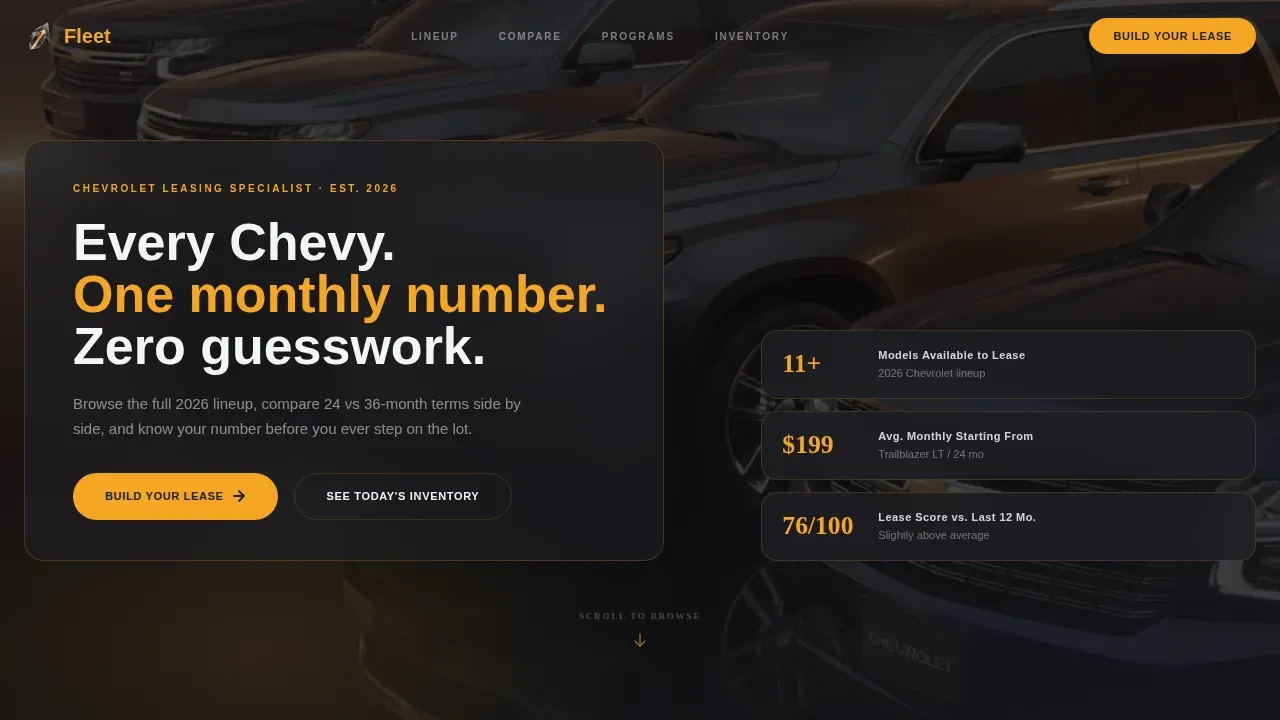
Full-Screen Video Hero with Frosted Glass Headline
The header opens with a slow dolly shot through a Chevrolet lineup at golden hour. Amber light rakes across quarter panels, and chrome flares into lens bloom. After two beats of pure movement, a frosted glass overlay delivers a single headline and an amber call-to-action button. A static image fallback is included for visitors on slower connections.
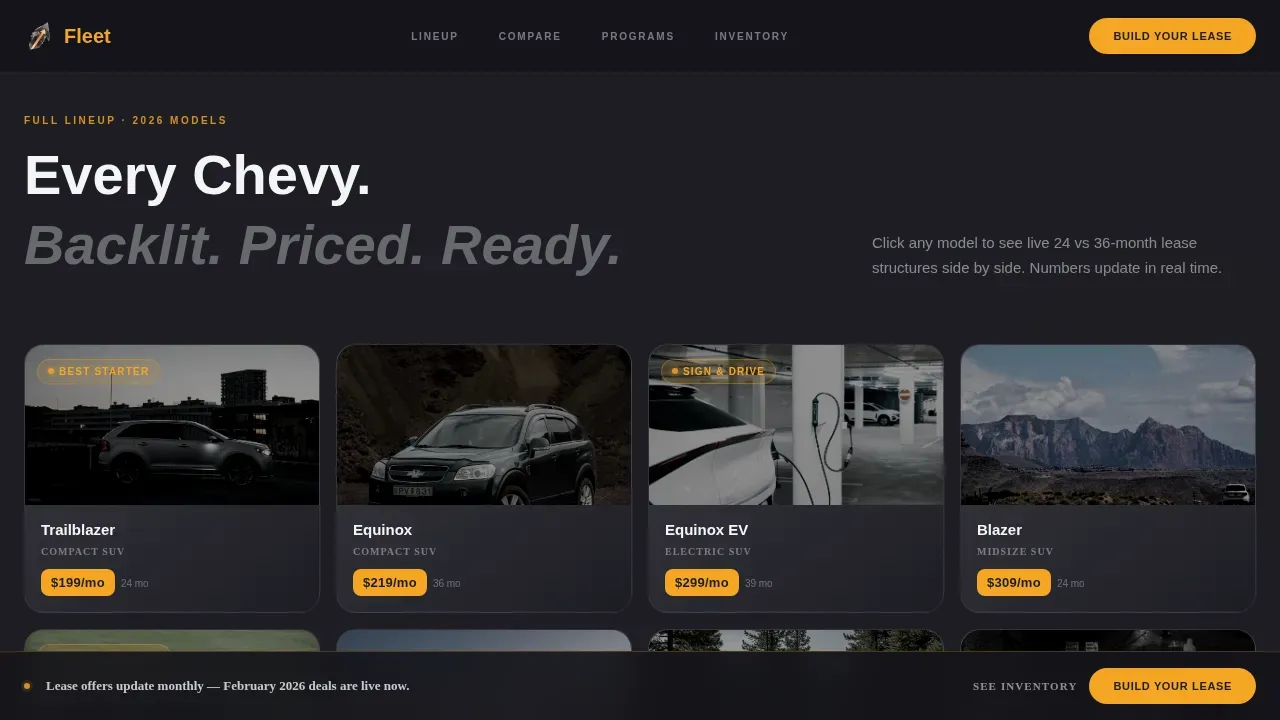
Interactive Vehicle Gallery with Click-to-Detail Panel
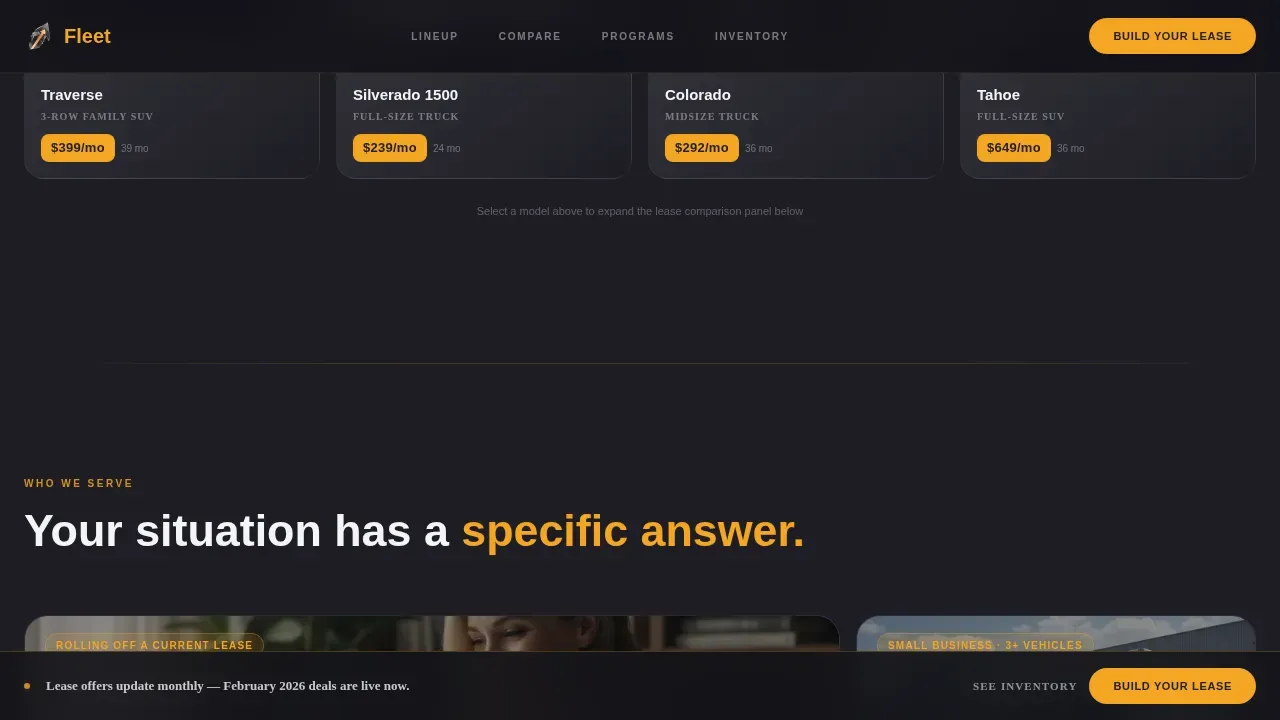
Vehicles are presented as backlit silhouette cards arranged in a full lineup. Each card expands into a detail panel that shows trim-level specifics and lease structure options. Visitors drive their own discovery instead of waiting for a guided pitch. The gallery uses lazy loading to keep initial render times low.
Live Lease Comparison Calculator
This is the template's central conversion tool. Visitors select a vehicle, then toggle between 24-month and 36-month terms and between zero-down and low-down structures. Monthly costs update live, making it easy to understand the real difference between leasing options. Mileage allowances and down payment details are displayed clearly inside each comparison card.
Floating Amber Call-to-Action Bar
A signal amber bar pins itself to the bottom of the screen as the visitor scrolls. It holds the primary "Build Your Lease" button and a secondary "See Today's Inventory" link. The bar stays visible across every section so the path to action is never more than one tap away.
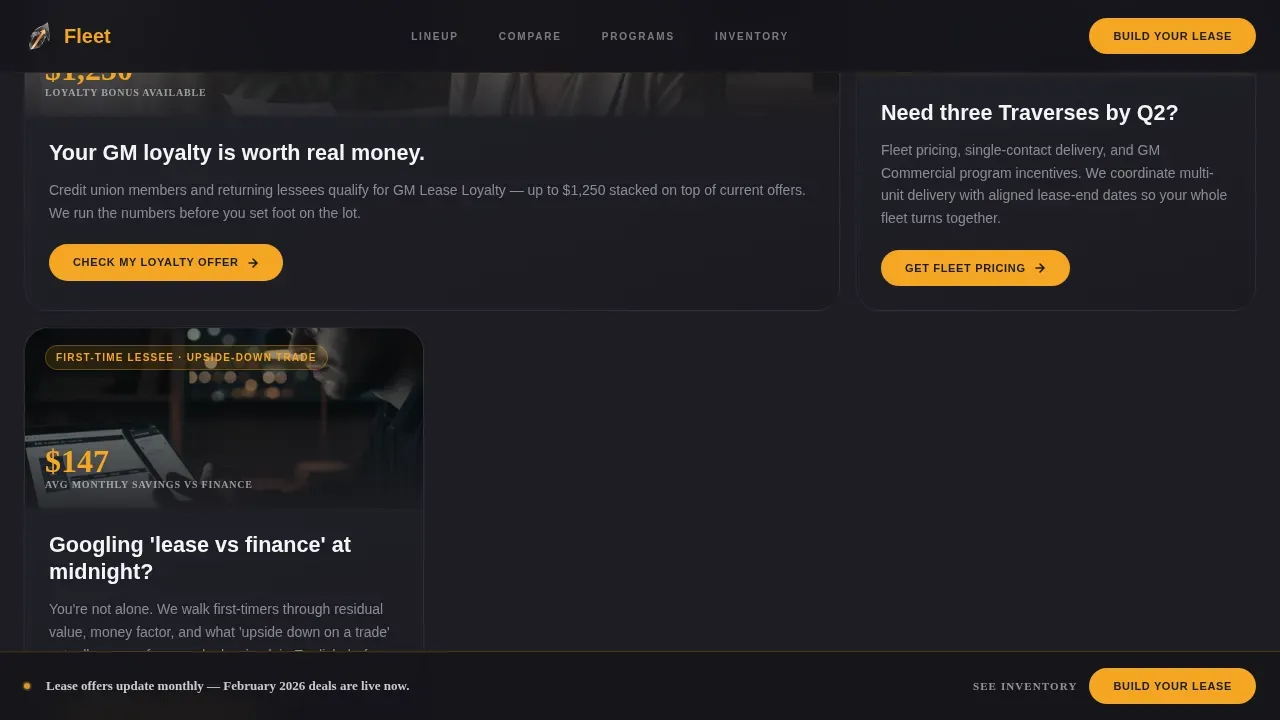
Who It's For: Asymmetric Bento Panels
Four identity panels serve distinct visitor types: first-time lessees, credit union members, business fleet buyers, and trade-in holders. Each panel is styled asymmetrically in the bento grid layout and uses short, direct copy that speaks to a specific situation. Visitors self-select their path without reading every word on the page.
Stackable Incentive Callouts
The incentives section stacks lease savings programs, eligible offers, and lease score resources in a scannable block layout. Callouts highlight key terms and covered programs clearly. The floating amber bar integrates here to keep the call to action visible at the highest-commitment point on the page.
Page sections overview
| Section | Purpose |
|---|---|
| Video Hero | Cinematic brand entry |
| Vehicle Gallery | Browse full lineup |
| Lease Comparison | Compare lease terms |
| Who It's For | Visitor identity panels |
| Incentives Block | Stack eligible savings |
| Footer Row | Single-row navigation |
Design & branding system
Fleet uses a Tech Glass visual identity built on a deep showroom palette that looks like a dealership lot at dusk. Every color has a functional role, and every interactive element is immediately recognizable.
- Core palette: deep charcoal (#1E1E24), polished asphalt gray (#3A3A42), windshield-glare white (#F4F5F7), and signal amber (#F5A623) for all hover states, monthly price callouts, and buttons
- Typography: DM Sans in bold for headings, Manrope in regular weight for body copy and data fields, creating a clean contrast between display and detail text
- Frosted glass card treatment on detail panels and overlay elements reinforces the Tech Glass theme throughout the page
Mobile & speed optimization
Fleet is built desktop-first but includes full mobile support, recognizing that many first-time lessees research their next vehicle from a phone late at night. The layout adapts cleanly across breakpoints without sacrificing the cinematic quality of the desktop experience.
- Static hero image fallback loads in place of the video on mobile or slower connections, keeping the above-the-fold section fast and visually complete
- Gallery images are lazy loaded, so visitors only download assets as they scroll, helping keep the page feel responsive
- CSS-only ambient animations replace heavier JavaScript effects on smaller screens, maintaining motion without adding unnecessary load
How this template helps you convert
Fleet is structured as a click-through landing page. Every section is designed to move a visitor one step closer to submitting a credit application, without ever making them feel pressured.
- The live lease comparison tool lets visitors configure their own numbers first, so by the time they reach the "Build Your Lease" button, the deal already feels half-done and the terms are familiar.
- The floating amber call-to-action bar stays pinned throughout the scroll, meaning the path to action is always visible and ready, whether the visitor is browsing the gallery or reading incentive details.
Other information about this template
The fleet drive confident chevrolet leasing landing page template is aligned with established best practices for automotive retail pages. It draws on real GM pricing structures and lease program logic to make every detail feel credible and current.
- Chevrolet offers leasing terms that typically range from 24 to 36 months, and this template is built to present both clearly
- Leasing a Chevrolet vehicle generally results in lower monthly payments compared to a standard purchase, and the comparison tool makes that difference visible
- At lease end, customers can choose to buy the vehicle, return it, or lease a new one, all three paths can be surfaced in the incentives section
- Chevrolet leasing options vary by mileage allowance, and the calculator is designed to help visitors find a plan that fits their annual driving needs
- A closed end lease means the residual value is set at signing, protecting the buyer from market fluctuations at lease end
- Chevrolet Protection Plans offer additional coverage beyond the manufacturer's limited warranty, including options that can be added at the time of purchase or up to 8 years or 100,000 miles
- Pre-Paid Maintenance plans cover scheduled oil and filter changes and tire rotations, keeping long-term maintenance costs covered and predictable
- Tire and Wheel Protection covers repair or replacement of damaged tires or wheels due to covered road hazards with no deductible
- GAP Coverage helps waive the difference between the amount owed on a vehicle finance agreement and the amount paid by insurance if the vehicle is declared a total loss
- Chevrolet vehicles like the Silverado and the all-electric BrightDrop serve business fleet buyers who need durability and range; the BrightDrop runs on the GM electric vehicle battery platform and includes over 20 standard safety and driver assistance features for peace of mind
- BrightDrop is equipped with intelligent technology including available Delivery Mode and offers a maximum cargo volume of 614.7 cubic feet, making it ready for high-productivity fleet operations
- OnStar Vehicle Insights provides data that fleet teams can use to improve driver behavior and identify service needs early
- Business Elite Dealers offer dedicated dealer representatives and extended service hours to assist fleet managers throughout the agreement period
- The template's minimalist lead form requests only essential information, reducing drop-off and keeping the buying process easy
- Companies moving from reimbursement models to company-owned fleets will find the business identity panels and incentive section directly relevant to their plan
Theme
Tech Glass
Creative direction
Comparison Journey
Color system
Charcoal & Amber
Style
Gallery + Detail
Direction
Click-Through
Page Sections
Full-screen Cinematic Video Hero
Backlit Vehicle Gallery with Detail Panels
Live Lease Comparison Calculator
Floating Amber Call-to-action Bar
Visitor Identity Bento Panels
Stackable Incentive Callouts Section
Related questions
What lease term options does this template present?
Can this template serve both individual lessees and business fleet buyers?
What happens after a visitor clicks Build Your Lease?
Does the template include space for protection plan or maintenance details?
Is this template suitable for showcasing electric vehicle options?



