Car Dealership Complete Booking Website Template
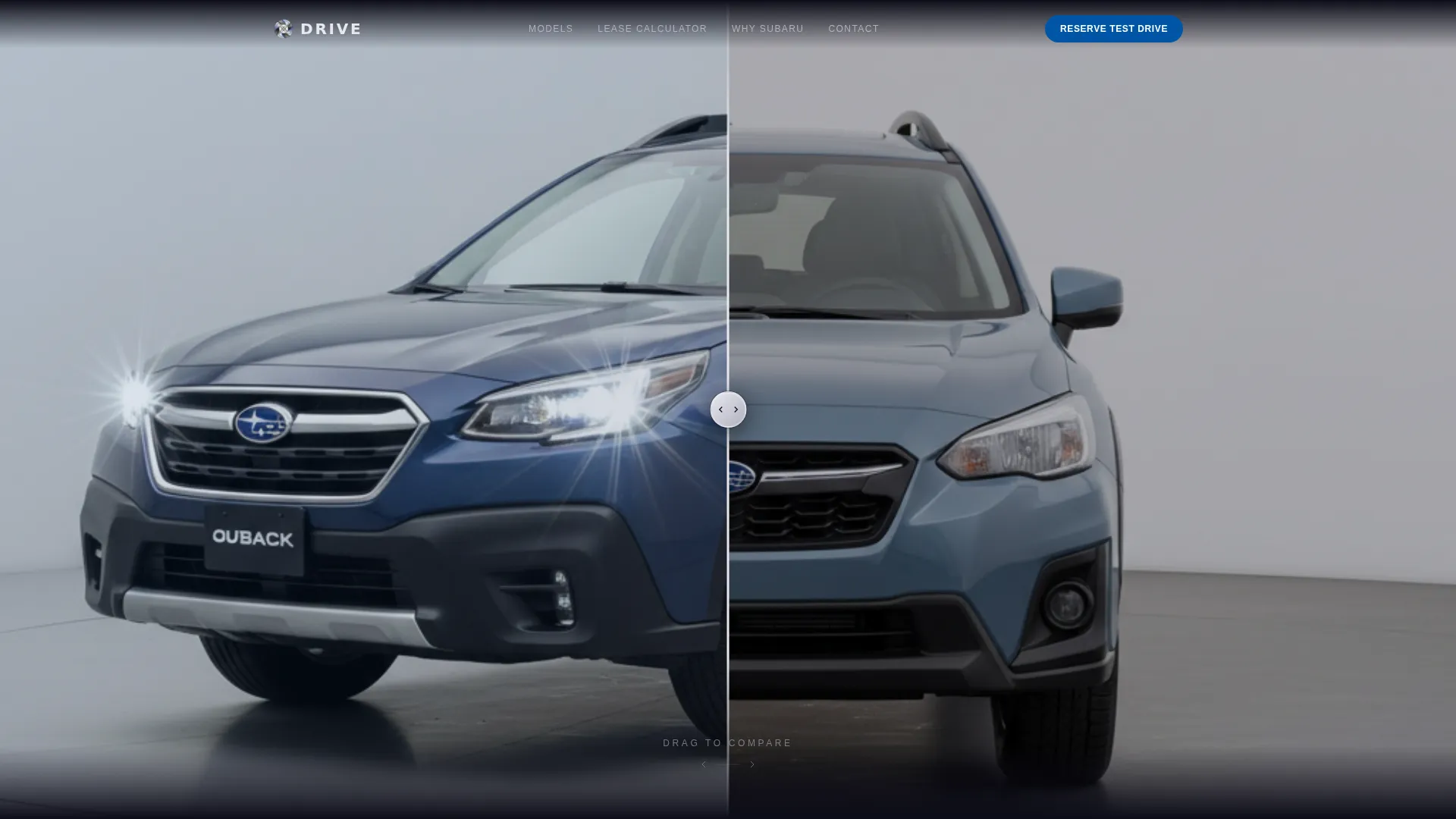
Drive is a premium landing page template built for Subaru leasing specialists. It opens with a full-viewport Before/After Slider, flows through immersive model showcases, and closes with a streamlined three-step test drive booking modal. The Tech Glass aesthetic, Monochrome Steel palette, and Subaru-blue call-to-action accents give the page the feel of a high-end showroom floor.
by Rocket studio
Quick summary
Drive is a single-page leasing template designed for Subaru specialists who need a showroom-quality web presence. It combines an interactive Before/After Slider header, scroll-driven model reveals, an inline lease calculator, and a three-step booking modal into one cohesive, conversion-focused experience that feels as refined as the vehicles it presents.
Who this template is for
This template is built for leasing businesses that focus on a single automotive marque and want a page that matches the quality of the product they represent. It works best for operators who know their trim levels, residual values, and customer profiles inside out.
- Subaru leasing specialists targeting young professionals, growing families, and performance-minded drivers
- Dealership lease departments wanting a dedicated landing page separate from a full dealership site
- Independent lease brokers who specialize in one brand and need a credible, high-polish digital presence
What problem this template solves
Generic automotive landing pages feel disconnected from the actual leasing experience. Visitors land on a wall of text, a stock photo, and a phone number. That approach loses the customer before the conversation even starts.
- Visitors cannot visualize the difference between trim levels, so they leave without engaging
- Lease pricing feels opaque, which creates hesitation instead of confidence
- Booking a test drive involves too many steps, causing drop-off before the appointment is made
What you get with this template
Drive delivers a full-page, story-driven layout where every section earns the visitor's attention before asking for their information. The structure guides a prospect from curiosity to configuration to commitment without friction.
- A full-viewport interactive Before/After Slider header with a draggable chrome handle
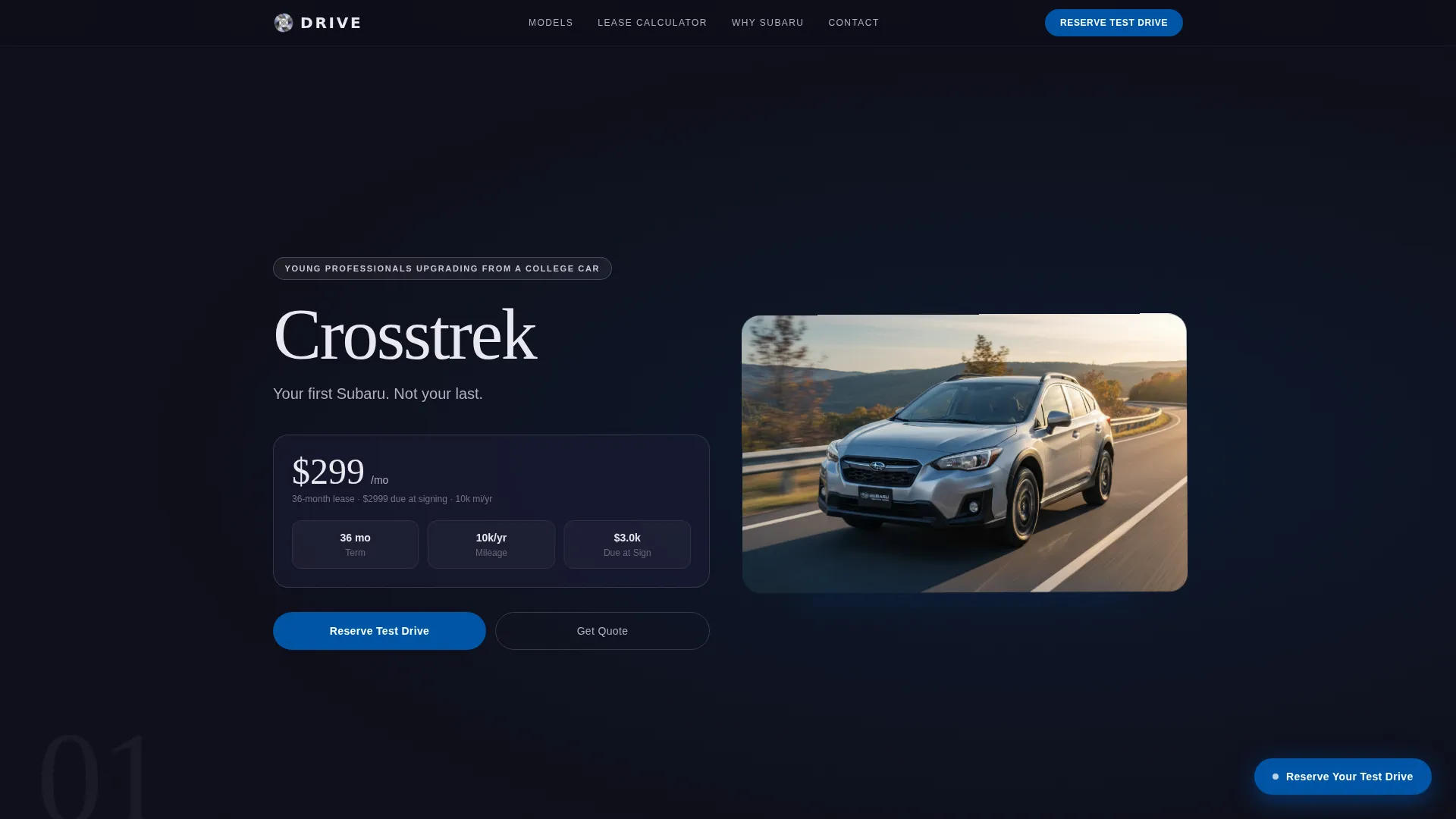
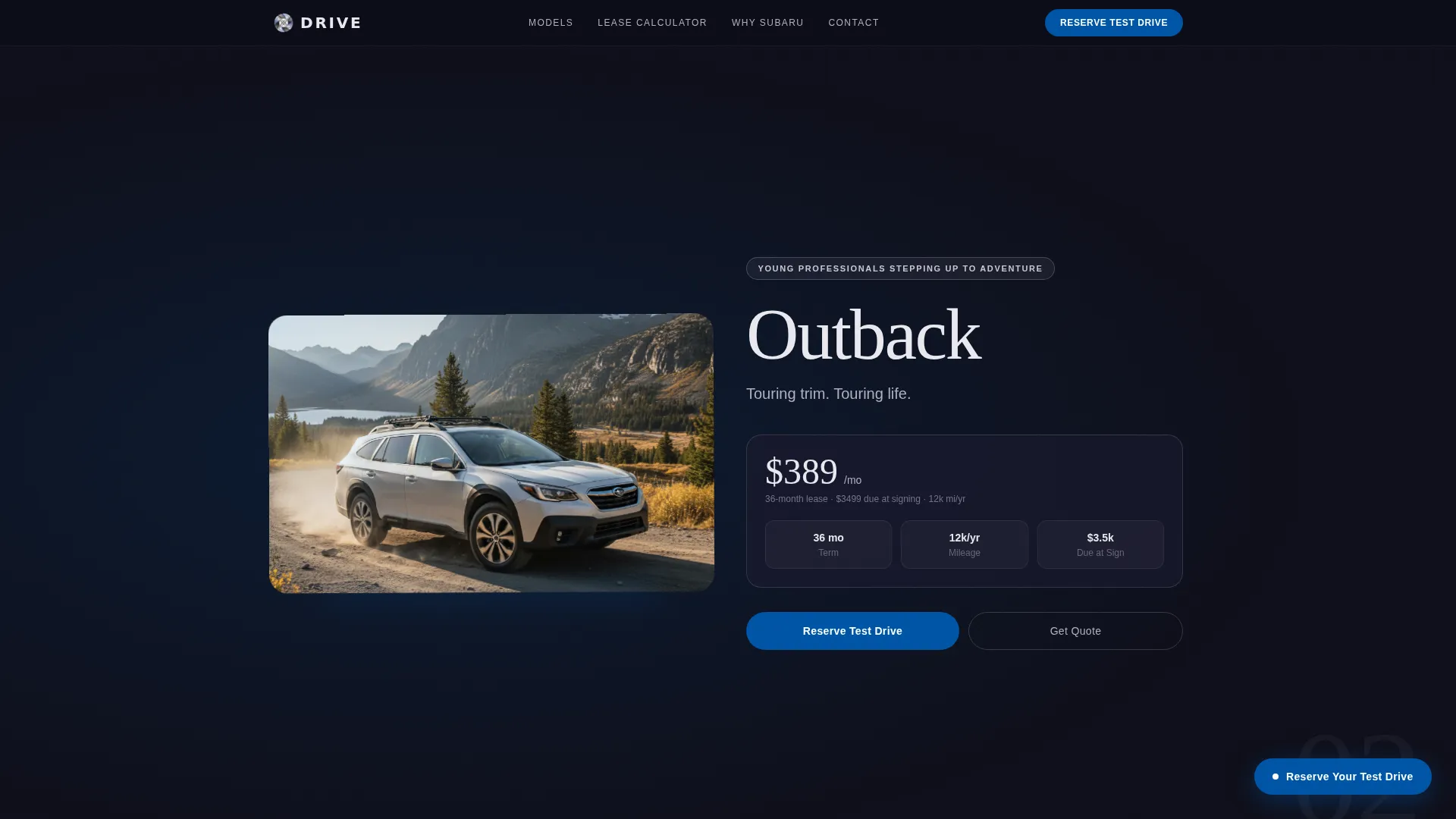
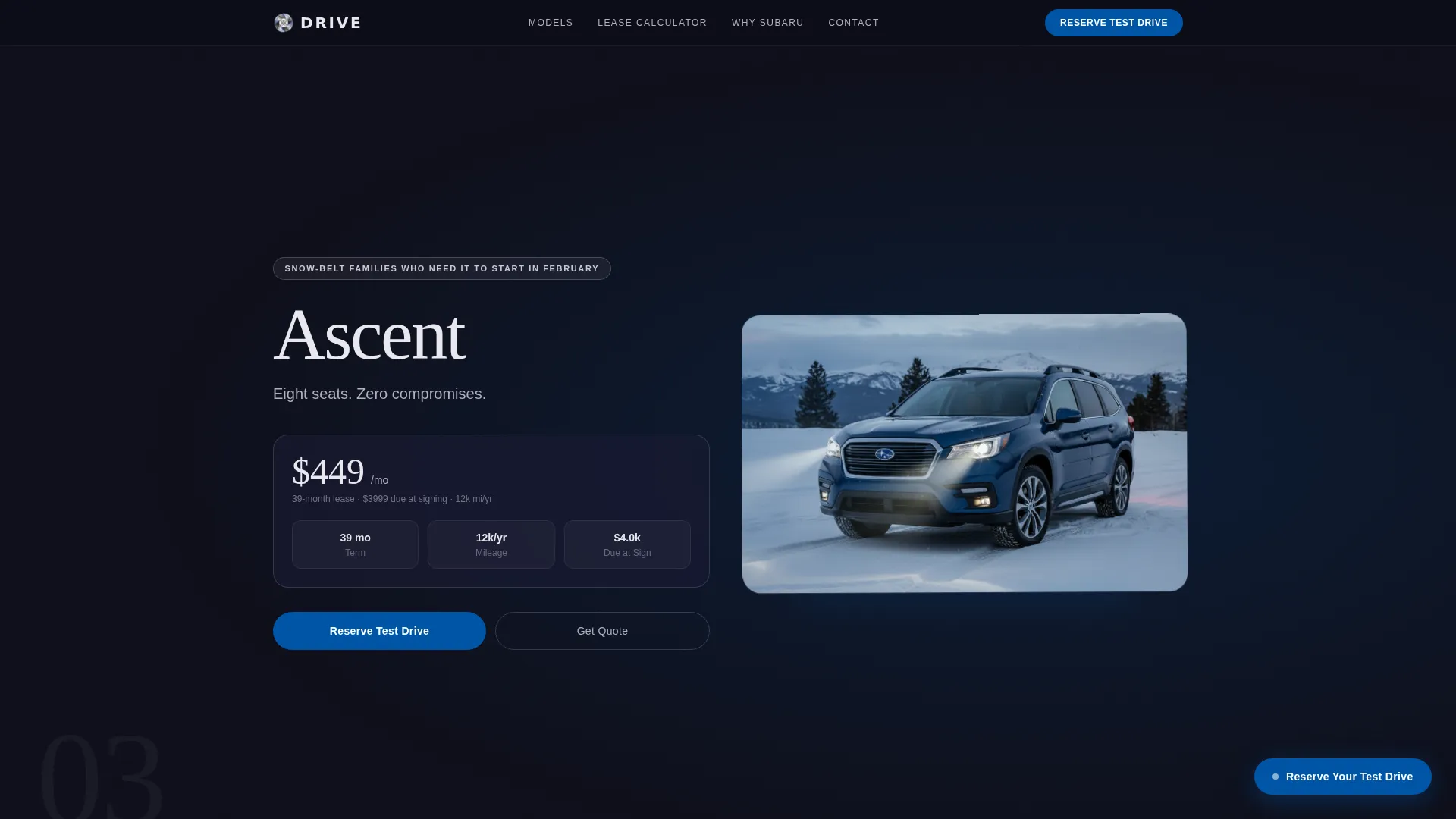
- Scroll-animated model showcase sections for multiple vehicle lines, each with frosted-glass lease overlays
- A three-step booking modal and an inline lease calculator with adjustable term, mileage, and down payment fields
Feature list
This template is built around interactive, purpose-driven components. Each one is included because it serves a specific moment in the leasing decision journey.
Before/After Slider Header
The header fills the entire first viewport with a split image. Visitors drag a vertical chrome handle to reveal the fully loaded trim on the right versus the base model on the left. The headline "Spec It. Slide It. Lease It." appears only after the slider is touched, rewarding engagement immediately.
Scroll-Driven Model Showcase
Each vehicle gets its own full-page section. The model floats on a deep black background and rotates gently as the visitor scrolls. Frosted-glass overlays display lease terms and monthly figures in a style that echoes an instrument cluster readout.
Inline Lease Calculator
A mid-page calculator lets visitors adjust term length, mileage cap, and down payment to see an estimated monthly figure. The result is visible before any personal information is requested, which builds trust and motivates the next step.
Three-Step Booking Modal
The primary call to action opens a streamlined modal. Step one is a visual card picker for model and trim. Step two is a calendar grid for date and time. Step three collects name, phone, and zip code. The process is fast and transparent.
Floating Reserve Button
A Subaru-blue pill button is pinned to the bottom-right corner of the page at all times. It pulses gently when a model section enters the viewport, giving visitors a clear, low-friction path to booking without needing to scroll back to the top.
Parallax Detail Sections
Between model showcases, close-up parallax panels highlight specific engineering details. These include the boxer engine layout, the all-wheel-drive selector mid-turn, and snowflakes dissolving on a heated windshield. Each panel reinforces specialist credibility without a single word of marketing copy.
Page sections overview
| Section | Purpose |
|---|---|
| Before/After Slider | Reveals trim difference interactively |
| Crosstrek Model Block | Opens the vehicle narrative |
| Lease Calculator | Lets visitors price before committing |
| Parallax Detail Panel | Reinforces technical specialist depth |
| Outback Model Block | Builds family-segment credibility |
| WRX Model Block | Closes with performance appeal |
| Test Drive Modal | Converts interest into a booked appointment |
Design & branding system
The visual identity uses a Tech Glass theme built on a Monochrome Steel color system. Every surface is intentionally reflective, and every shadow is deliberate. The overall feeling is a rain-wet parking garage lit by a single row of LEDs.
- Core palette: deep asphalt black (#1A1A2E), brushed aluminum (#B0B0BF), polished chrome highlight (#E8E8EE), and a single blue accent (#0055A5) reserved strictly for interactive elements and calls to action
- Typography is thin, tracked-out sans-serif, keeping text airy and legible against dark, glass-toned backgrounds
- Frosted-glass overlay panels carry lease data and model callouts, styled to feel like instrument cluster readouts rather than standard web cards
Mobile & speed optimization
The template is structured with a single-page, section-stacked layout that loads content progressively as the visitor scrolls. Heavy visual elements are handled through CSS-driven animations rather than video files, keeping the page responsive on mobile connections.
- Scroll-triggered animations and parallax effects are layered using lightweight CSS transforms
- The floating reserve button and booking modal are touch-optimized for small screens
- The lease calculator and card picker in the booking modal adapt to narrow viewports without losing usability
How this template helps you convert
Every design decision in this template exists to reduce hesitation and move the visitor toward booking. The page earns trust before it asks for anything.
- The Before/After Slider and scroll-driven showcases let visitors explore trim differences and vehicle options at their own pace, building product confidence before any form appears.
- The inline lease calculator shows an estimated monthly figure with no commitment required, turning abstract pricing into a concrete, personalized number that motivates action.
- The three-step booking modal breaks the appointment process into small, clear stages so the visitor always knows exactly where they are and what comes next.
Other information about this template
Drive is categorized under Automotive and Transport with a specific focus on the Subaru leasing niche. It is built as a storybook, full-page landing page and is not a multi-page site.
- The template style is Storybook/Full-Page, meaning all content lives within a single scrollable canvas
- The header concept is a Before/After Slider, a component type well suited to automotive trim comparison use cases
- The creative direction is Immersive Visual, using full-bleed sections, slow rotation, and parallax panels to hold attention across a long scroll
- The landing page direction is Booking/Scheduling, with every conversion path oriented toward reserving a test drive appointment
- This template is a strong fit for leasing specialists targeting snow-belt markets where all-wheel-drive capability is a primary buying driver
Theme
Tech Glass
Creative direction
Immersive Visual
Color system
Monochrome Steel
Style
Storybook/Full-Page
Direction
Booking/Scheduling
Page Sections
Before/after Slider Header
Scroll-driven Model Showcase
Inline Lease Calculator
Three-step Booking Modal
Floating Reserve Call-to-action
Parallax Detail Panels
Related questions
Can I customize the vehicle models shown in the showcase sections?
Does the lease calculator show real pricing to visitors?
How does the three-step booking modal work?
Is this template suitable for a leasing business that handles multiple vehicle models?
Can the accent color be changed to suit a different brand identity?



