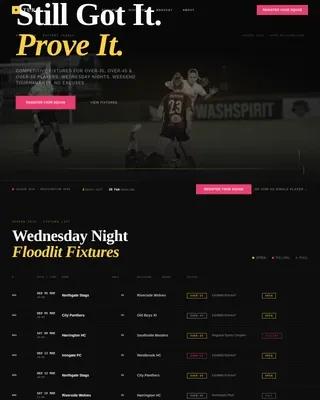
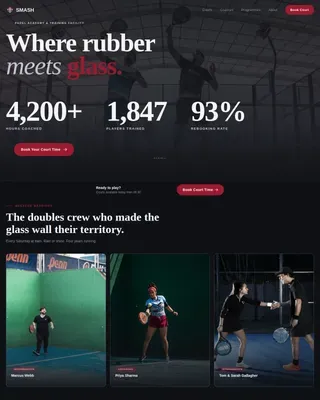
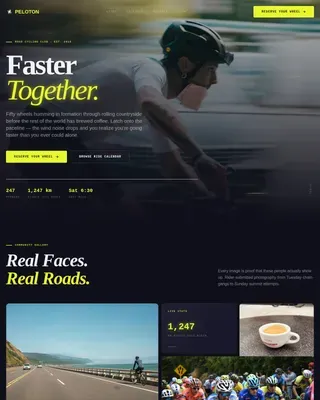
BMX Venue Event Registration Landing Page Template
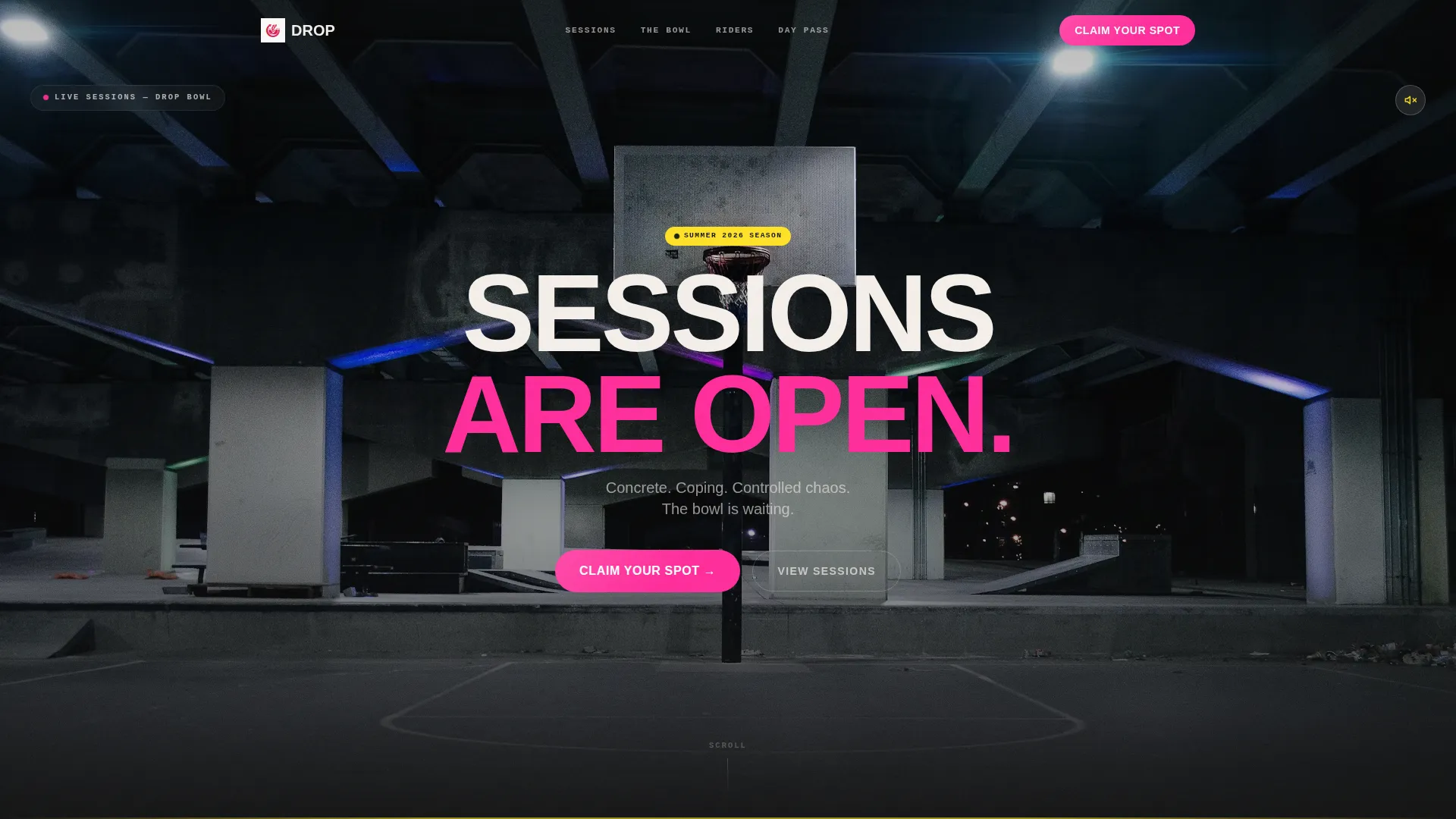
Drop is a single-column BMX venue landing page built for energy and urgency. It captures the raw feeling of a concrete skate park through a full-screen video header, seasonal event sections with live countdown timers, and a two-step registration form. The layout guides every visitor from first scroll to committed session booking with minimal friction.
by Rocket studio
Quick summary
Drop is a single-column BMX facility landing page designed to convert curious visitors into registered riders. It opens with a looping GoPro video header, moves through four seasonal event blocks, and closes the deal with a sticky registration button and a lightweight two-step sign-up form. The template is loud where it needs to be and clear where it counts.
Who this template is for
This template is built for BMX parks, concrete skateparks, and outdoor riding facilities that run scheduled sessions and seasonal events. It works equally well for independent park operators and community-run riding programs looking to fill spots fast.
- BMX park owners and venue managers who need a page that sells sessions as well as events
- Riding coaches and program coordinators promoting seasonal clinics for kids and teens
- Community skating facilities that host weekend leagues, night rides, and beginner drop-in days
What problem this template solves
Most sports venue pages are flat brochures. They list hours and a phone number. They do not communicate energy, urgency, or the specific feeling of showing up on a Saturday morning with a bike and nowhere to be. This template solves that gap directly.
- Visitors arrive on a generic venue page and leave without booking because there is no clear next action
- Event details are buried in text, so the urgency of limited spots never lands
- Different rider types, from eight-year-old first-timers to sponsored teens, have no obvious path to the right session
What you get with this template
You get a fully structured, single-column landing page that carries a visitor from initial excitement through to a completed registration in two clean steps. Every section has a defined job, and every design choice reinforces the park's character.
- A full-screen looping video header with a centered headline and a subtle sound toggle icon
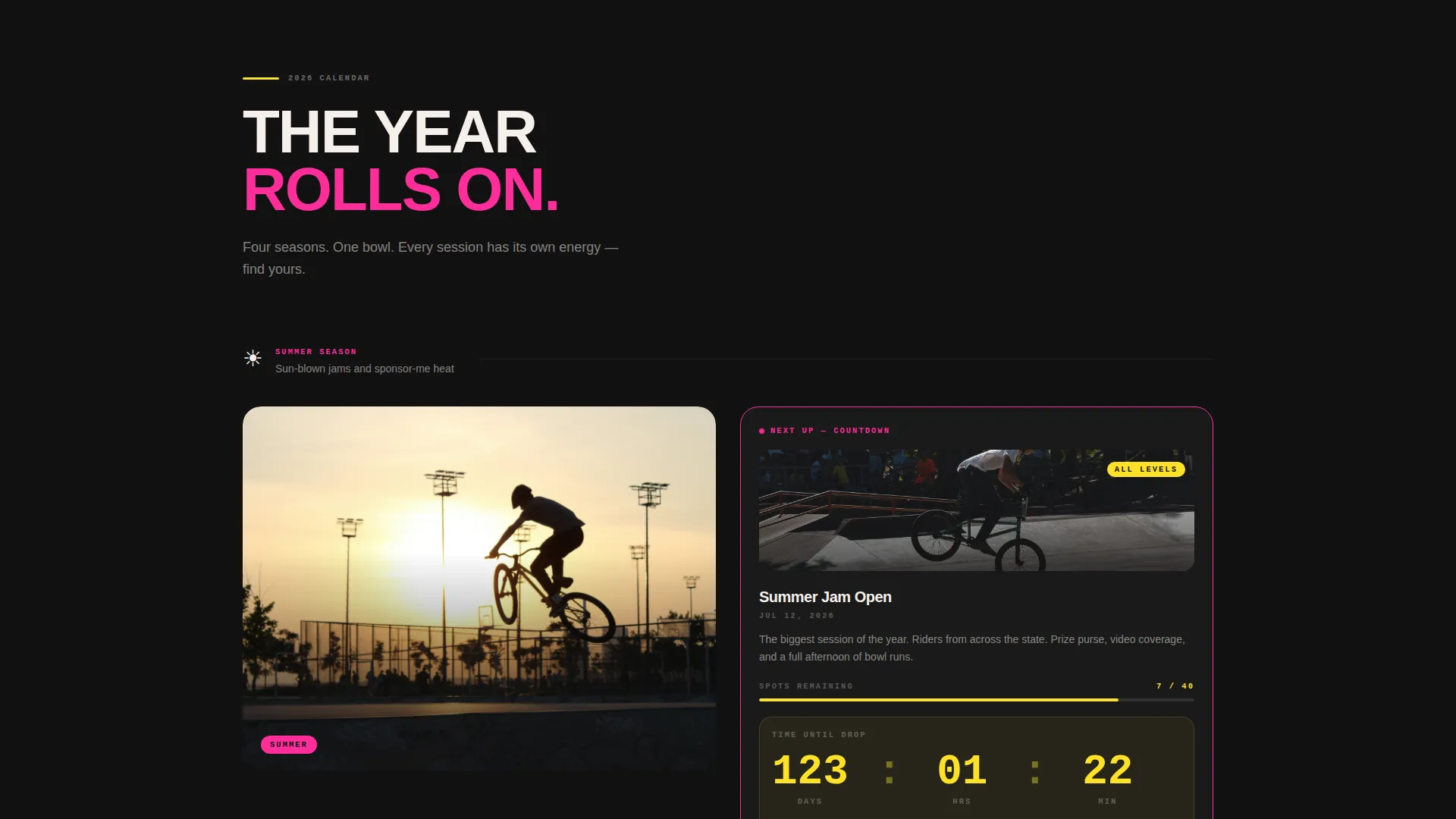
- Four seasonal event blocks, each anchored to a visual theme and equipped with a live countdown timer for the next upcoming event
- A floating sticky call-to-action button that appears after the first scroll and persists throughout the page
- A two-step registration form with visual event cards on step one and a short contact form on step two
- A secondary day-pass purchase path placed beneath each seasonal block for casual visitors
Feature list
A brief explanation of the template's core built-in components follows below.
Full-Screen Video Header Loop
The header plays a 12-second GoPro fisheye loop shot from the deck of the main bowl during golden-hour light. Sound is off by default. A small pulse icon sits in a corner, inviting visitors to unmute without forcing the interaction.
Seasonal Event Section System
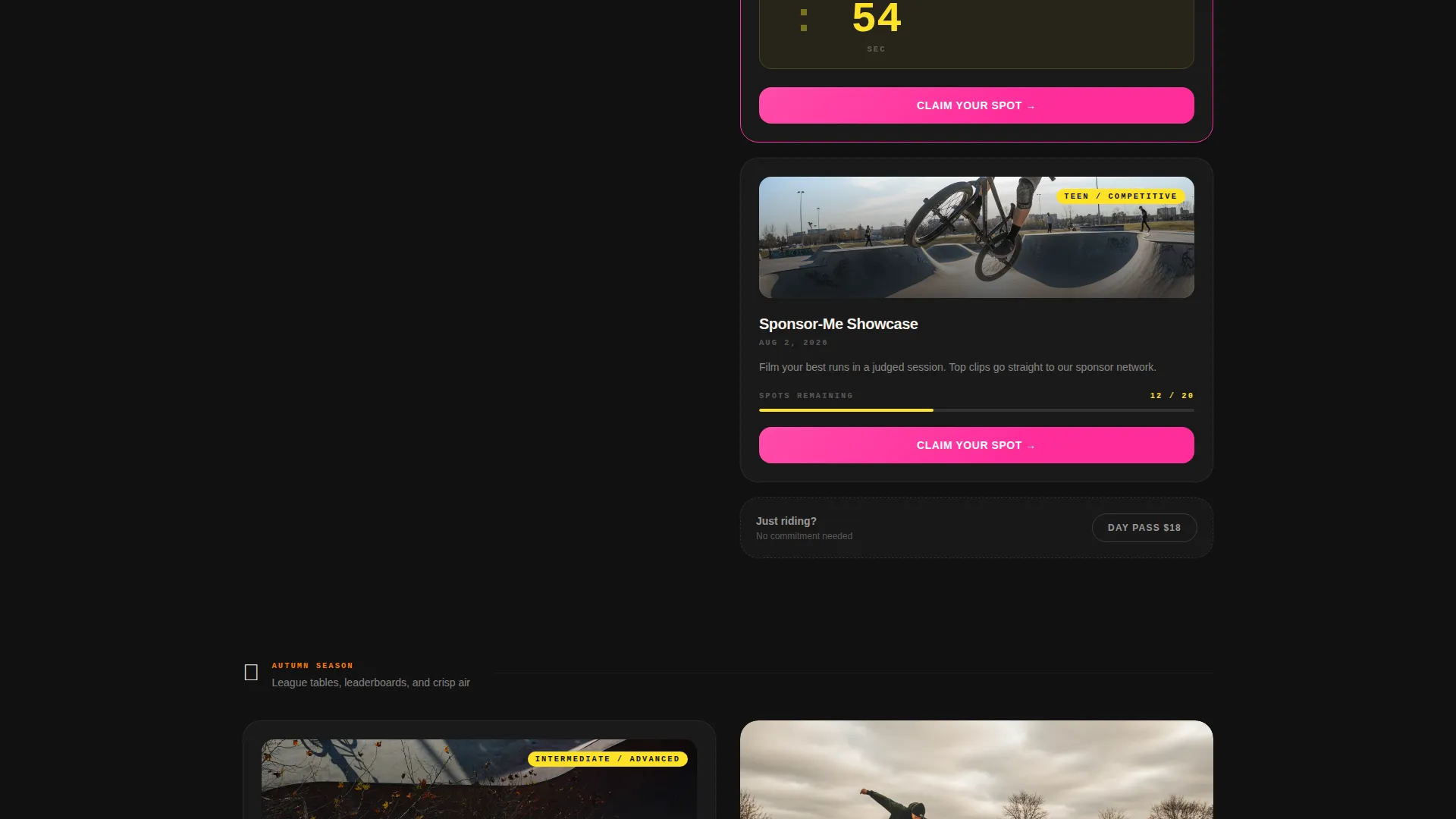
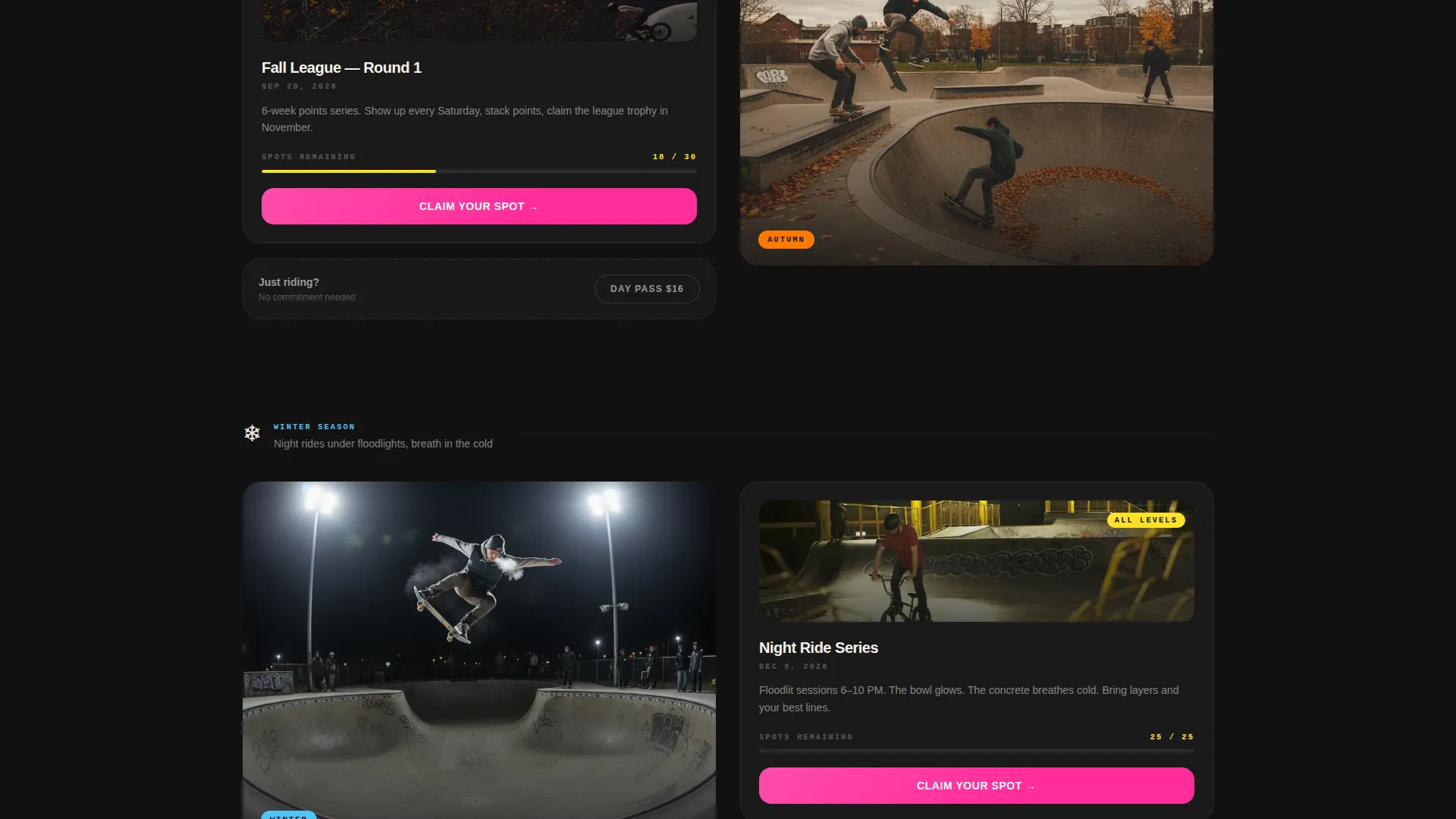
The page scrolls through four distinct seasonal blocks: a summer jam section with sun-blown video stills, an autumn leaderboard section with ranked typography, a winter night-ride section with floodlight photography, and a spring clinic section showing coaches spotting beginners. Each block feels visually distinct.
Live Countdown Timer
The next upcoming event is highlighted with a live countdown timer. The timer pulls urgency into every scroll position so visitors always know exactly how much time is left to claim a spot.
Floating Sticky Registration Button
After the visitor scrolls past the header, a magenta "Claim Your Spot" button pins to the screen. It remains visible throughout the entire page scroll so the primary action is never more than one tap away.
Two-Step Registration Form
Step one presents visual event cards showing date, skill level, and remaining spots. Step two captures name, age bracket selection (Under 12, Teen, or Adult), and phone number. The short form reduces drop-off by keeping commitment light at each step.
Day Pass Secondary Path
Below every seasonal block, a secondary call-to-action reads "Just Riding? Buy a Day Pass." This gives casual visitors a lower-commitment entry point while keeping purchase intent active throughout the page.
Page sections overview
| Section | Purpose |
|---|---|
| Video Hero Header | Opens with a looping GoPro bowl shot and the bold headline "SESSIONS ARE OPEN." |
| Summer Jam Block | Showcases the summer event with video stills, registration card, and countdown timer |
| Autumn League Block | Displays league leaderboard typography and seasonal event registration entry |
| Winter Night Rides | Features floodlight photography and event sign-up for cold-weather sessions |
| Spring Clinic Block | Highlights beginner and youth coaching clinics with coach-and-rider imagery |
| Day Pass Row | Secondary purchase path below each seasonal block for non-event visitors |
| Two-Step Form | Captures event selection then rider details to complete session registration |
Design & branding system
The visual identity follows a Dynamic Motion theme built on a Dopamine Pop color system. Deep ramp black dominates the background the way asphalt looks at dusk. Magenta fires on every call-to-action and hover state. Hazard yellow streaks through section dividers and countdown timer numerals. Chalk-dust white keeps body text legible against the dark canvas.
- Colors: electric magenta (#FF2D9B), hazard yellow (#FFE227), deep ramp black (#121212), chalk-dust white (#F5F0EB)
- Typography: bold sans-serif headline treatment punching large through the video layer, clean body weight for supporting copy
- Visual texture: fisheye GoPro footage, video stills with blown-out sun exposure, floodlight photography, and leaderboard-style ranked type
Mobile & speed optimization
The single-column layout naturally adapts to narrower screens without requiring complex grid restructuring. Sticky elements, countdown timers, and the two-step form are all designed to work within a mobile viewport without pinching or overlapping content.
- The floating registration button remains accessible on small screens and does not obscure key section content
- Video header loads with sound off by default, reducing immediate data impact on mobile connections
- The two-step form keeps each step on a single screen view, so mobile users never lose context mid-registration
How this template helps you convert
The entire layout is structured as a single downward momentum toward one action: claiming a session spot. Every design and copy decision reduces hesitation and removes detours.
- The sticky "Claim Your Spot" button appears immediately after the hero scroll and follows the visitor down the entire page, keeping the primary conversion action always visible and reachable
- The live countdown timer on the next upcoming event creates genuine time pressure without any manufactured copy, because the clock is simply counting down to a real date
- The day pass path below each seasonal block captures visitors who are not ready to commit to a full event, turning a soft "maybe" into an immediate purchase
Other information about this template
This template is categorized under Sports and Recreation with a BMX focus, specifically suited for BMX academy and training facility contexts. It was built with an event registration direction as the primary commercial goal, making it practical for any venue that runs structured sessions rather than pure open riding.
- The template style follows a Hero-Dominant layout, meaning the video header claims roughly 90 percent of the initial screen and sets the emotional tone before any text-heavy content appears
- The creative direction traces a seasonal calendar arc, moving visitors through the facility's full year in a single scroll
- The header concept is designed around scroll-triggered video engagement, pulling the visitor into the park atmosphere before any hard sell begins
- This template works well for BMX training programs, youth riding academies, park day-pass operations, and community concrete bowl facilities
Theme
Industrial Raw
Creative direction
Hero's Journey
Color system
Dopamine Pop
Style
Hero-Dominant (90/10)
Direction
Event Registration
Page Sections
Full-screen Looping Video Header
Four Seasonal Event Blocks
Live Countdown Timer
Floating Sticky Registration Button
Two-step Registration Form
Secondary Day Pass Path
Related questions
Can I adapt the seasonal blocks for a facility that does not run all four seasons?
Does the two-step form support different rider age groups?
Can I replace the video in the header with my own footage?
Is the day pass option a separate page or part of the main landing page?
How does the countdown timer know which event to count down to?