Live/Work Buyer's Agent Landing Page Template
Dualkey is a modular card-grid landing page built for live/work buyer's agents. It leads with an interactive search tool, reveals anonymized property cards, and guides serious buyers through a three-step lead form. The design uses a deep midnight palette with electric teal accents to project expertise and close the gap between browsing and booking a consultation.
by Rocket studio
Quick summary
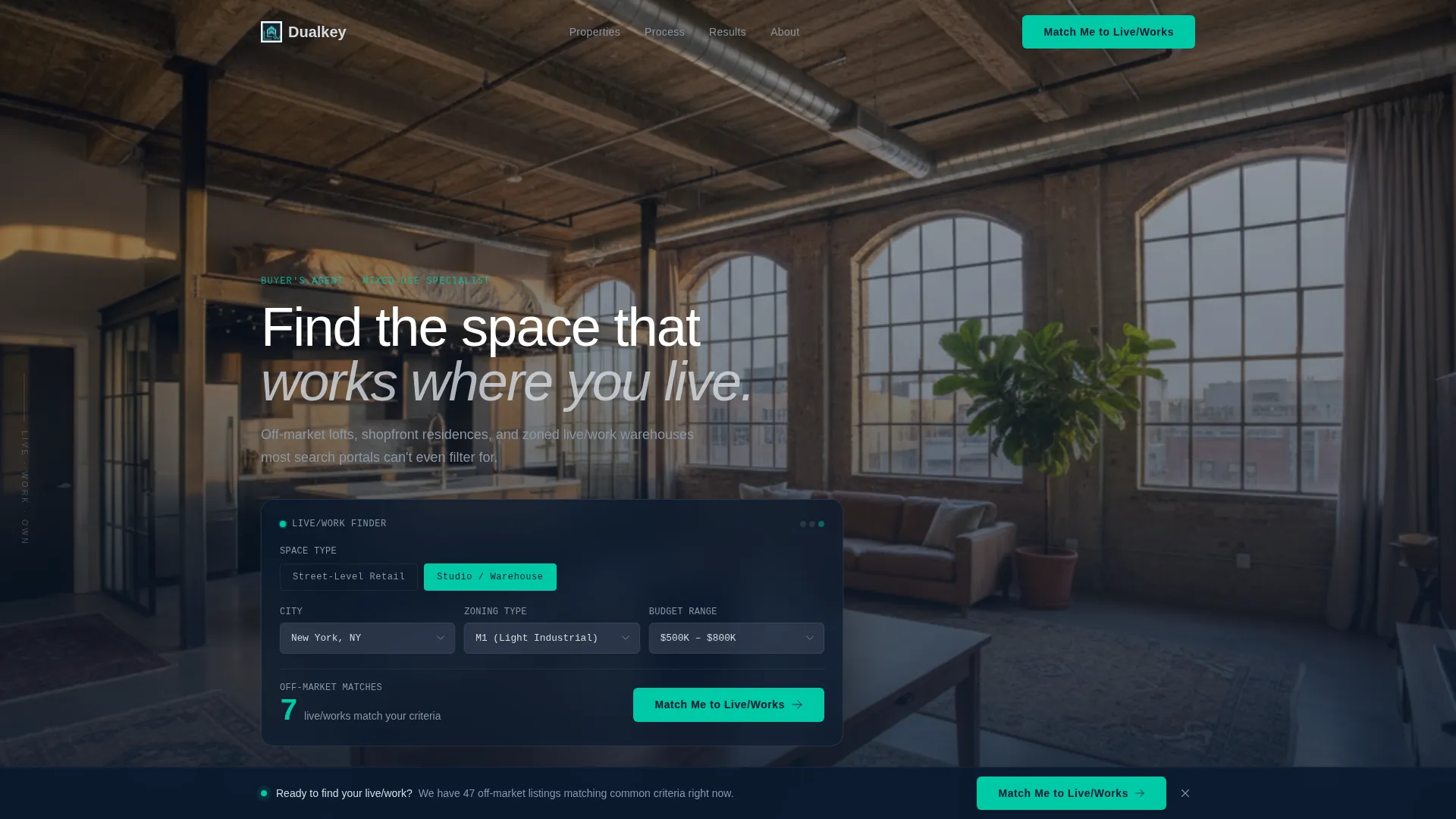
Dualkey is a single-page template designed for a buyer's agent who specialises in mixed-use live/work properties. The page opens with a full-bleed industrial interior photo and an interactive search module that shows matching listings before asking for any contact details. Every section is built to move the right buyer from curiosity to conversation.
Who this template is for
This template is built for a specific kind of real estate professional. If you represent buyers searching for properties that serve two purposes at once, this page is structured around your offer.
- Buyer's agents who source mixed-use lofts, shopfront residences, and zoned live/work warehouses
- Agents serving solo attorneys, freelance architects, and e-commerce operators who need space that blends work and living
- Real estate professionals who want to lead with a search tool rather than a biography
What problem this template solves
Most real estate landing pages lead with the agent's credentials and bury the actual listings. Buyers who want live/work properties face an even bigger frustration: standard portals cannot filter for them. This template puts the search tool first so visitors see their options before being asked for anything.
- Buyers cannot find live/work listings on mainstream search portals
- Agents struggle to demonstrate niche expertise and proof before a visitor leaves
- Generic property pages fail to show the financial case for combining a home and a workspace
What you get with this template
The template delivers a complete single-page layout built around a modular card grid and a progressive lead capture form. Every visual and structural decision supports the live/work niche.
- A full-bleed hero photo section with an overlaid interactive search module featuring three dropdowns and a toggle
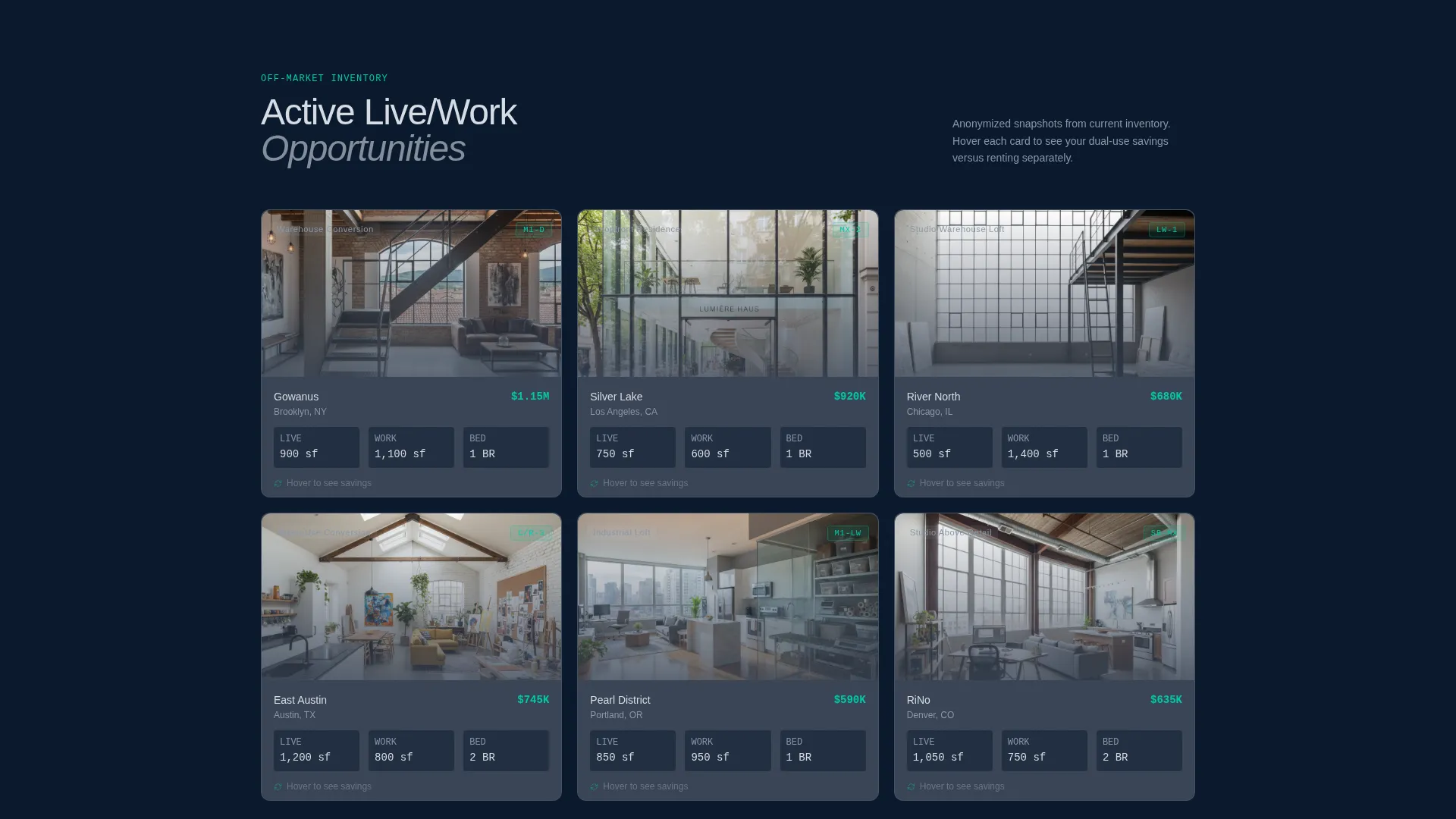
- A modular card grid of anonymised property snapshots with hover-flip savings data and zoning details
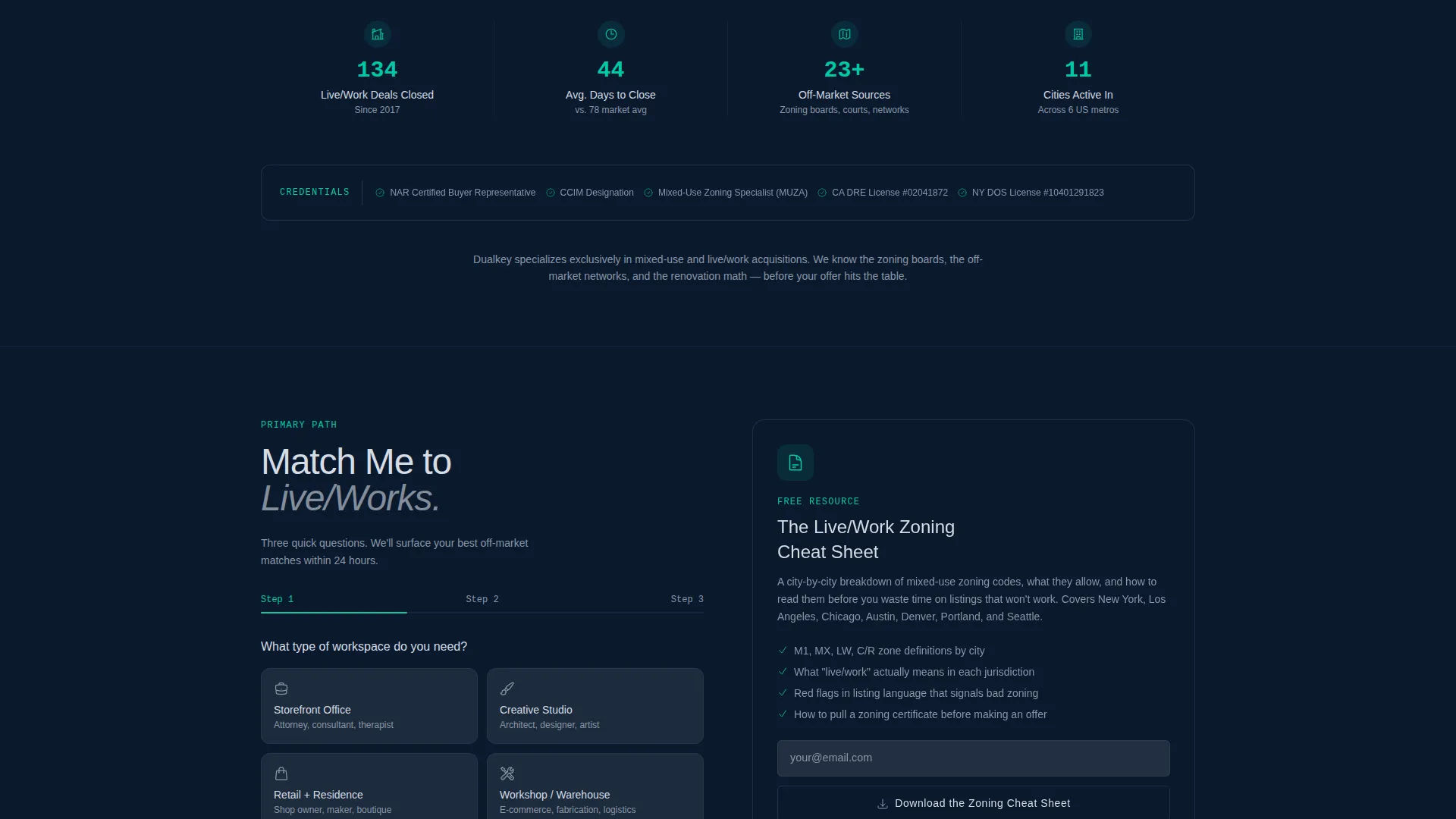
- A three-step progressive lead form and a secondary lighter lead path via a downloadable zoning guide
Feature list
This template packages several purpose-built components that work together to earn trust and capture leads.
Interactive Search Module
Three dropdown fields covering city, zoning type, and budget range sit in the lower third of the hero. A toggle switches between street-level retail and studio or warehouse results. The module returns a real-time results count, such as "14 off-market live/works match", before the visitor scrolls at all.
Modular Property Card Grid
Each card shows a cropped interior photo, a square footage split between living and working areas, a zoning designation, and a neighbourhood tag. Cards flip on hover to reveal estimated dual-use savings compared with renting separate spaces. The grid makes the inventory tangible without exposing client addresses.
Progressive Three-Step Lead Form
The primary call to action opens a short form broken into three focused steps. Step one captures workspace type, step two collects living requirements, and step three asks for an email and preferred metro area. Breaking the form into steps reduces friction and keeps completion rates higher than a single long form.
Sticky Bottom Call-to-Action Bar
After the visitor scrolls past three scroll-depth thresholds, a sticky bar appears at the bottom of the viewport. It repeats the primary "Match Me to Live/Works" button in electric teal so the offer stays visible without interrupting reading.
Case Study Row
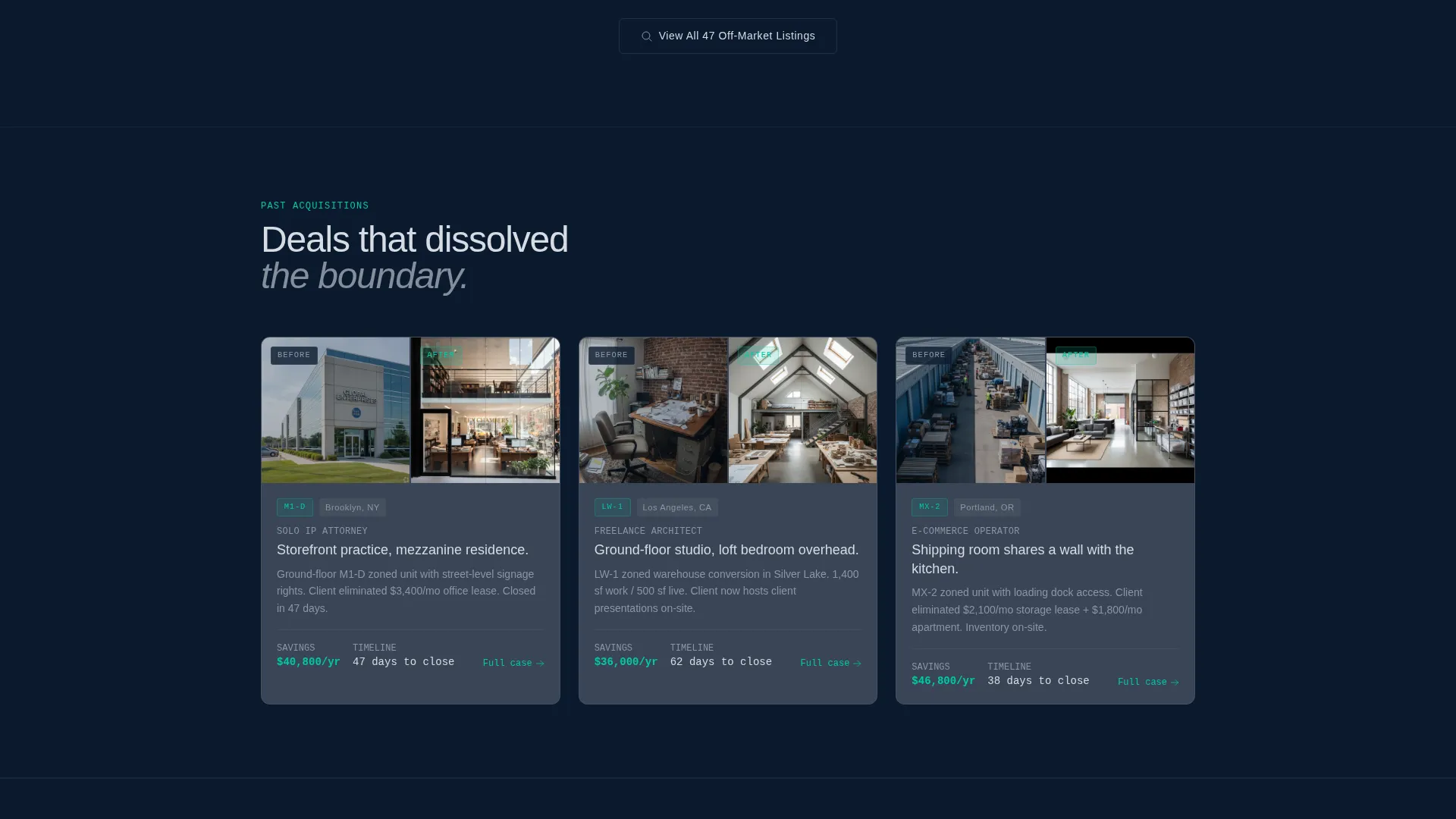
A dedicated horizontal row displays past acquisitions with before-and-after renovation shots. This section shifts the page from aspiration to proof and gives the agent a structured place to show real outcomes for past clients.
Credentials Bar
A clean credentials bar anchors the bottom of the proof section. It lists zoning certifications and brokerage affiliations, giving buyers a quick visual confirmation of the agent's specialist qualifications.
Page sections overview
| Section | Purpose |
|---|---|
| Full-bleed hero | Sets industrial live/work atmosphere and anchors the search tool |
| Interactive search module | Shows matching results before any lead capture |
| Property card grid | Displays anonymised listings with zoning and savings data |
| Case study row | Proves past results with before-and-after acquisition shots |
| Credentials bar | Confirms zoning certifications and brokerage affiliations |
| Primary lead form | Captures qualified buyers through a three-step progressive form |
| Zoning cheat sheet | Offers a lighter lead path via a downloadable PDF guide |
| Sticky call to action bar | Keeps the primary action visible across deep scroll |
Design & branding system
The visual identity follows an Executive Suite theme expressed through a Midnight Blue colour system. Every colour decision is deliberate and reinforces the specialist, after-hours authority of the niche.
- Deep midnight (#0B1A2E) as the primary background, brushed graphite (#3A4556) on card surfaces, and muted platinum (#D6DCE4) for body text
- Electric teal (#00C9A7) reserved exclusively for buttons, active calculator fields, and interactive affordances
- Thin sans-serif typography on the hero headline, with a composition that collapses the boundary between workspace and home in a single frame
Mobile & speed optimization
The modular card grid is built to reflow cleanly across screen sizes. Buyers researching live/work properties often switch between desktop and mobile during their search, so the layout adapts without losing the visual hierarchy.
- Card grid reconfigures from multi-column to single-column on smaller screens
- The sticky bottom call-to-action bar is particularly effective on mobile, keeping the primary action within thumb reach at all times
How this template helps you convert
The entire page is designed around a single conversion principle: earn the click by showing value first. Every structural decision supports that logic.
- The interactive search module displays a matching results count inside the hero before the visitor is asked for any contact information, removing the initial hesitation to engage.
- The modular card grid and case study row stack proof progressively as the visitor scrolls, so trust builds naturally before the lead form appears.
- The two-path lead capture system, one detailed and one lightweight, ensures that buyers at different levels of readiness both have a reason to leave their contact details.
Other information about this template
This template is built as a single landing page and is ready to customise with your own property photos, client case studies, and credential details. A few practical notes for buyers considering this template:
- The zoning cheat sheet download path is designed to capture lighter leads who are not yet ready to book a consultation
- The anonymised card grid format protects client privacy while still making the inventory feel real and browsable
- The page works well for agents operating in multiple metro areas, as the city dropdown and metro area form field support multi-market positioning
- The Executive Suite theme and Midnight Blue colour system are distinct from residential property templates and signal specialist positioning immediately
Theme
Executive Suite
Creative direction
Before/After Reveal
Color system
Sunset Mesa
Style
Split Screen (50/50)
Direction
Lead Generation
Page Sections
Interactive Live/work Search Module
Hover-flip Property Card Grid
Three-step Progressive Lead Form
Sticky Bottom Call to Action Bar
Case Study and Credentials Row
Secondary Zoning Guide Lead Path
Related questions
Who is the Dualkey template designed for?
Can I use this template if I work across multiple cities?
What are the two lead capture paths on this page?
How does the property card grid work?
Do I need real listing data to use this template?



