Kids Baseball Specialist Professional Website Template
Dugout is a scroll-reveal landing page template built for kids baseball summer camps. It guides baseball parents from first curiosity to confident registration through a Hero's Journey structure, an interactive camp day timeline, coaching staff bios, Day 1 versus Day 5 transformation visuals, and a three-step registration form with live session-spot counts.
by Rocket studio
Quick summary
Dugout is a single-page, scroll-reveal template designed to turn baseball-loving parents into camp registrations. It opens with a tappable camp day timeline and an age slider, then builds belief section by section: the challenge, the coaching staff, the transformation, and finally a focused event registration form with honest scarcity built in.
Who this template is for
This template is built for youth baseball camp operators who want a page that does real selling work. It fits camps serving kids roughly ages seven through thirteen, where parents need to feel confident before they hand over a registration fee.
- Baseball parents browsing camp options during travel ball season
- Camp directors who want to show coaching credentials alongside a registration path
- Youth sports organizers running seasonal, limited-enrollment programs
What problem this template solves
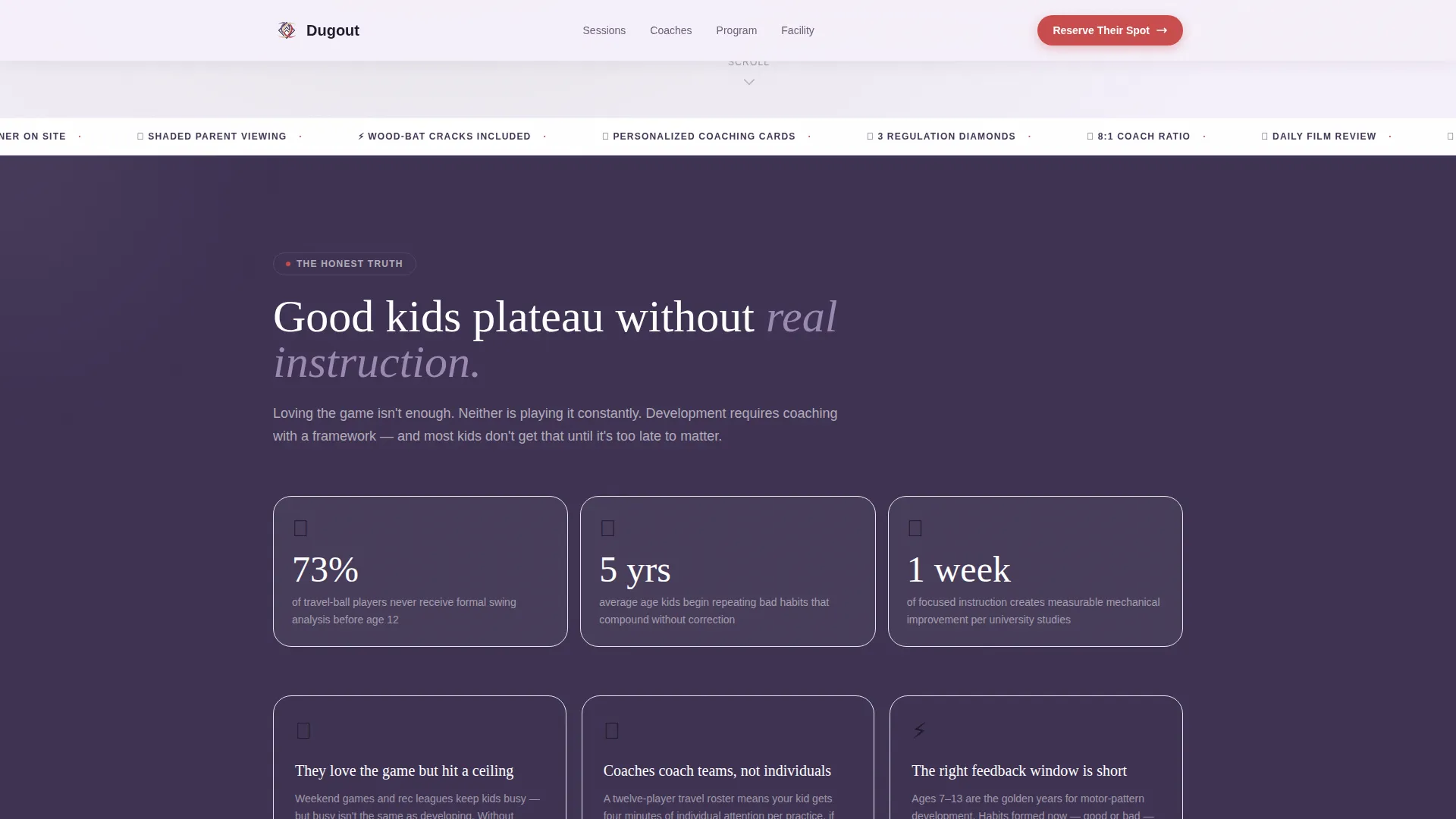
Most youth camp pages list bullet points and slap on a contact form. That does not move a baseball parent who watched their kid plateau through two seasons of recreational league. They need proof of instruction quality, not just a schedule and a price.
- Parents cannot see what a typical camp day actually looks like
- Coaching staff credentials and teaching philosophy are buried or absent
- Registration paths ask too much at once, causing drop-off before commitment
What you get with this template
Dugout gives you a complete, section-led landing page built around a single conversion goal: filling camp spots. Every section earns the next one, following a Hero's Journey flow that mirrors how a parent actually makes this decision.
- An interactive hero section with a tap-through camp day timeline and a camper age slider
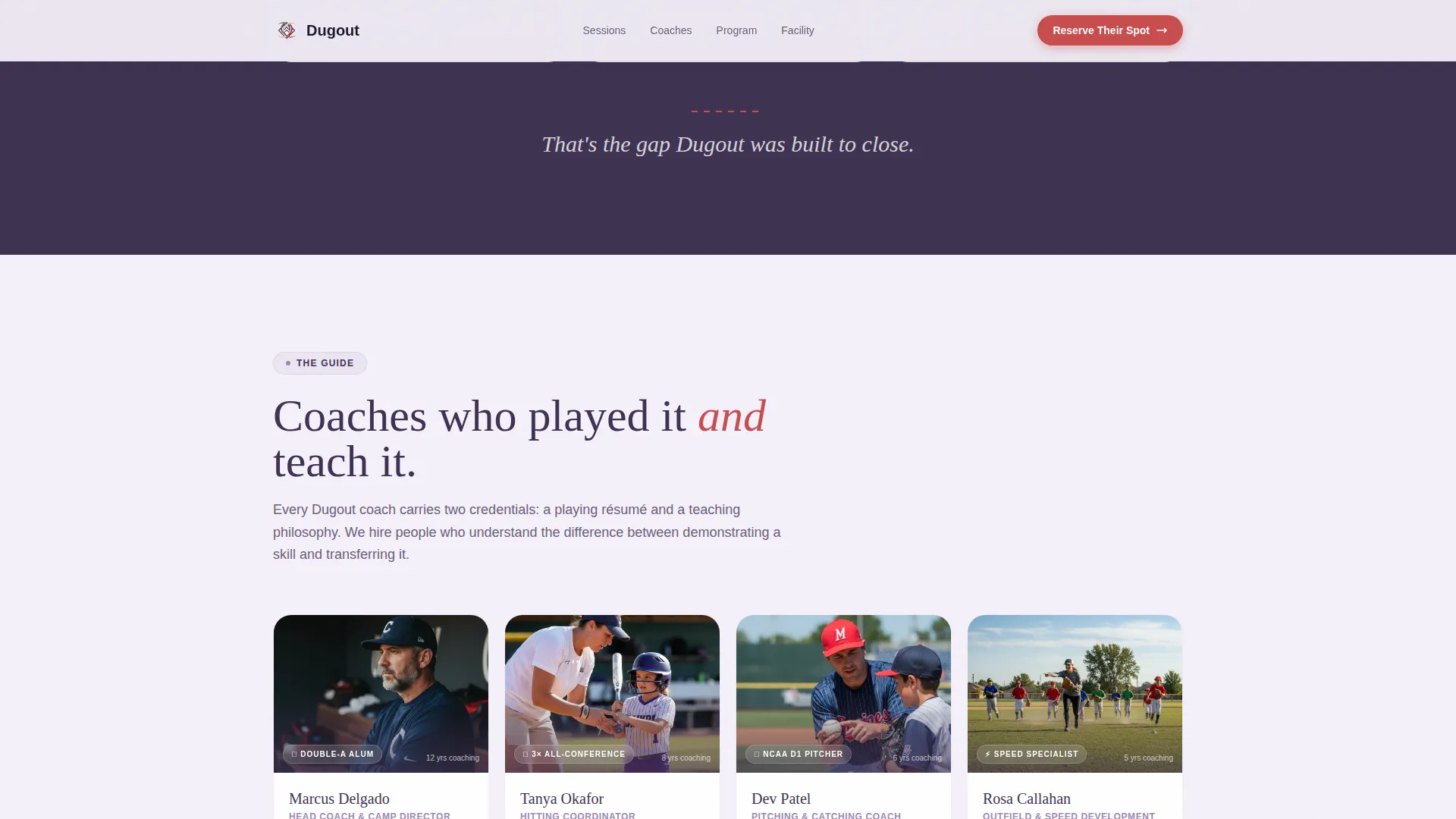
- Coaching staff cards with credential bios and teaching philosophy on hover
- A three-step registration form connected to a visual session calendar with live spot counts
Feature list
This template includes a focused set of interactive and visual components, each built to serve the camp registration journey.
Interactive Camp Day Timeline
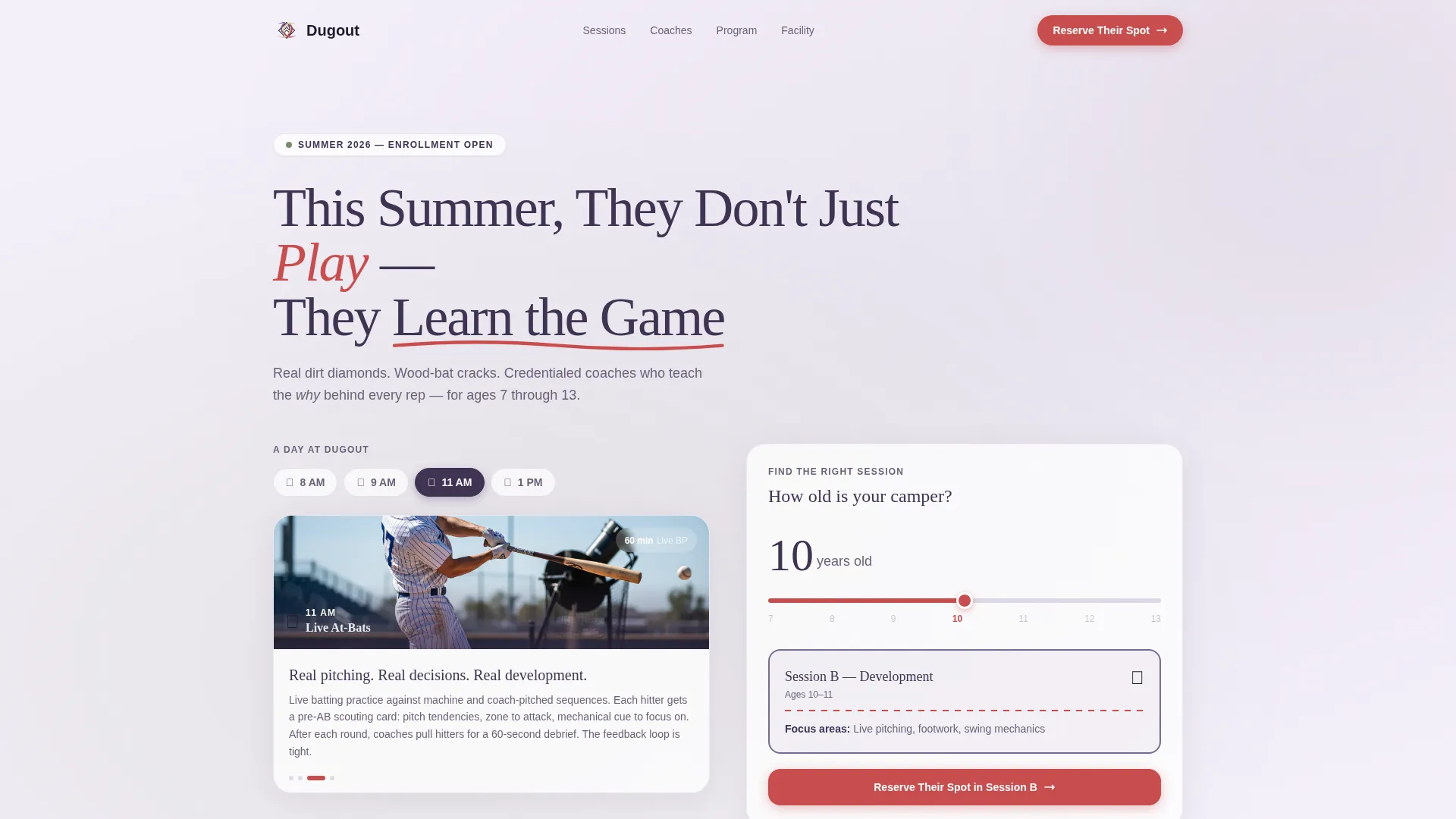
The hero section features a tap-through timeline covering four moments in the camp day: 8 AM stretch circle, 9 AM fielding stations, 11 AM live at-bats, and 1 PM film room breakdown. Each tap reveals a short looping clip of real campers at that station, with coach voices audible and kids visible between reps.
Camper Age Slider
Directly below the hero headline, an age slider lets parents immediately match their child to the right session week. This makes the first interaction personal and reduces the friction of reading through multiple session descriptions to find the right fit.
Scroll-Reveal Progressive Sections
Each section of the page loads as the visitor scrolls into it, built using CSS scroll behavior and Intersection Observer. The structure follows a Hero's Journey arc: challenge, guide, transformation, and registration, so parents feel they are discovering the camp rather than being sold to.
Day 1 versus Day 5 Transformation Visuals
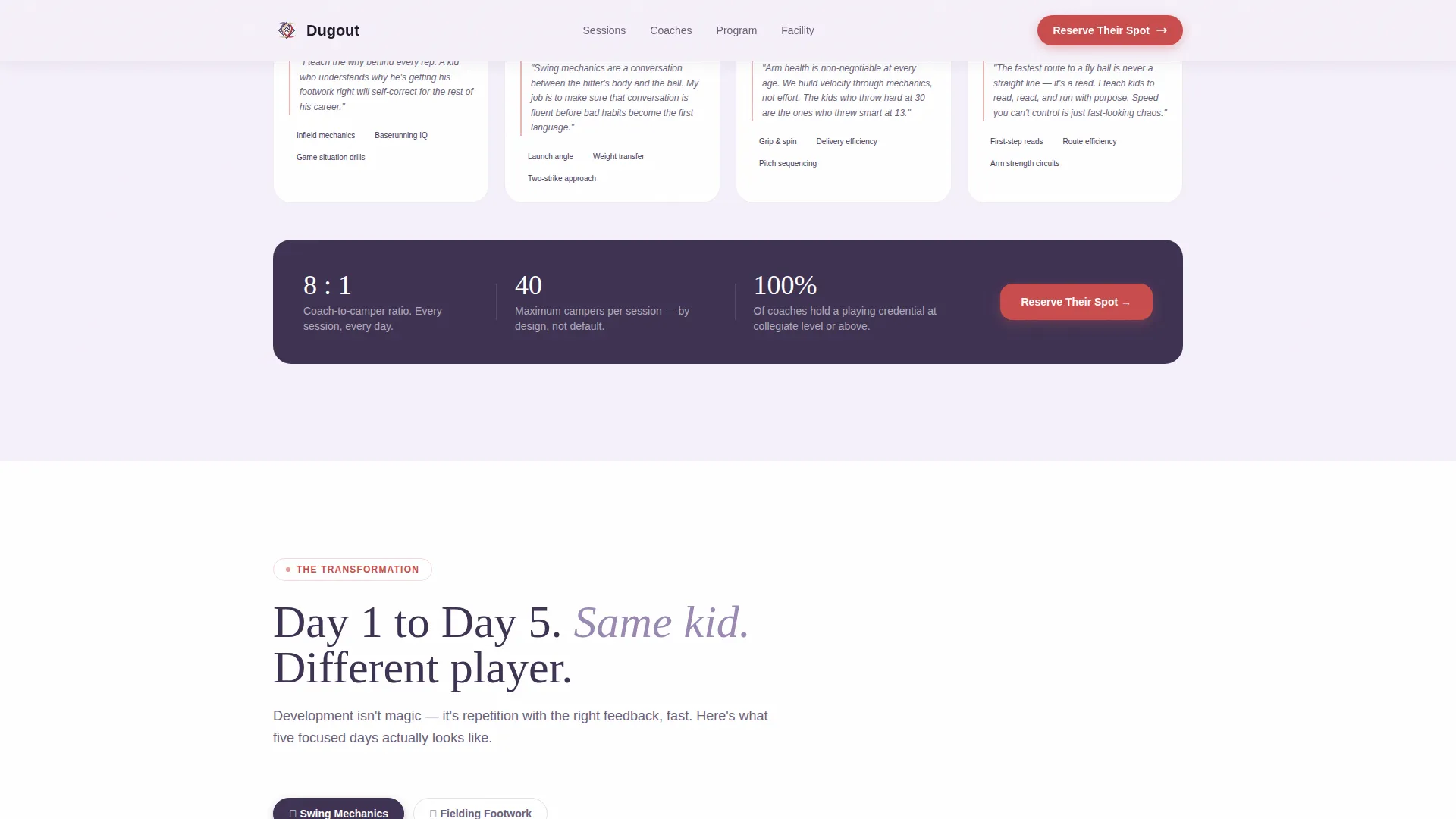
The transformation section shows before-and-after video clips of a camper's swing and a fielder's footwork, comparing early camp to late camp. This is the most persuasive proof point on the page, showing development rather than just promising it.
Three-Step Registration Form
The form breaks registration into three clear steps: camper name and age, preferred session week from a visual calendar showing remaining spots in real time, then parent contact details and a medical note field. Each session caps at forty campers, and the spot count is live.
Secondary Parent Handbook Path
Parents who are not ready to register can download a Parent Handbook instead. This captures their email address and camper age for follow-up, keeping the camp connected to interested families who need more time.
Page sections overview
| Section | Purpose |
|---|---|
| Hero Timeline | Introduce the camp day with tappable time slots and a looping clip per station |
| Age Slider | Let parents match their child's age to the right session instantly |
| The Challenge | Show why talented kids plateau without structured, credential-coached instruction |
| Coaching Staff | Present coach credentials and teaching philosophy via bio cards with hover states |
| Transformation Proof | Compare Day 1 versus Day 5 swing and fielding clips as visual development evidence |
| Registration Form | Guide parents through a three-step sign-up with a live session calendar and spot count |
| Parent Handbook call to action | Offer a downloadable guide for families not ready to register, capturing contact details |
| Footer | Single-row linear footer with camp contact and essential links |
Design & branding system
The visual identity uses the Lavender Dream color system, which feels like a summer evening game under purple skies: soft enough for a parent on their phone, grounded enough for a baseball brand.
- Core palette: soft twilight purple (#9B89B3), dugout shadow (#3E3252), chalk-line white (#F5F0FA) for backgrounds, and stitching red (#C94C4C) reserved for call-to-action buttons and accent details
- Typography pairing: Fraunces serif headlines for warmth and authority, DM Sans body text for readability at small sizes
- Visual tone: warm nostalgia meets structured instruction, evoking fresh chalk lines, a new glove, and a first morning of camp
Mobile & speed optimization
This template is built mobile-first, designed for parents who browse at Saturday morning travel ball games while waiting between innings.
- Layout scales cleanly from phone to desktop, with tap-friendly timeline controls and an age slider sized for thumb interaction
- Animations use CSS scroll behavior and Intersection Observer, keeping motion lightweight and smooth on mid-range mobile devices
- The three-step registration form is broken into short screens, reducing cognitive load and keeping the path to "Reserve Their Spot" comfortable on a small display
How this template helps you convert
Every design and structural decision in Dugout pushes toward one outcome: a parent clicking "Reserve Their Spot" with confidence.
- The interactive timeline and age slider create a personal first impression before the parent has scrolled past the hero, turning a passive browse into an active match.
- The coaching staff section establishes trust through credentials and teaching philosophy, giving parents the proof of quality they need before they see the registration form.
- Live spot counts on the session calendar create honest, real-time scarcity, so parents who are already interested feel the natural urgency to secure their child's place before the session fills.
Other information about this template
This template is part of a niche-specific collection designed for kids and family youth sports programs. A few additional details worth knowing before you build with it.
- The template is categorized under Kids and Family, specifically the Kids Baseball Summer Camp niche
- The creative direction follows an Educational Guide theme, combining instructional clarity with emotional storytelling
- The header concept is an Interactive Preview, making the very first scroll position a functional experience rather than a static image
- The landing page direction is Event Registration, meaning every secondary element supports the primary goal of filling camp spots
- The footer uses a Pattern 1 Linear Single-Row layout, keeping the bottom of the page clean and focused
Theme
Educational Guide
Creative direction
Hero's Journey
Color system
Lavender Dream
Style
Scroll Reveal (Progressive)
Direction
Event Registration
Page Sections
Tap-through Camp Day Timeline
Camper Age Slider
Hero's Journey Scroll Structure
Day 1 Versus Day 5 Proof Section
Three-step Registration Form
Parent Handbook Secondary Path
Related questions
What age range is this template designed for?
Can I customize the coaching staff section?
How does the session scarcity feature work?
Is there a path for parents who are not ready to register?
What typography and color palette does this template use?



