ADU Mortgage Specialist Landing Page Template
The Dwelling Precision ADU Mortgage Specialist landing page template is built for mortgage professionals who focus exclusively on accessory dwelling unit financing. It combines an interactive lot map, modular flip-card sections, and a three-step lead form to turn homeowner curiosity into qualified conversations. The Navy Authority color system and Atelier Studio design give every page view a precise, trust-earning presence.
by Rocket studio
Quick summary
Dwelling is a single-page, card grid landing page template purpose-built for ADU mortgage specialists. It opens with a draggable lot map that shows real loan numbers before asking for anything. Modular flip cards, filterable city regulation views, and an animated project timeline let visitors explore at their own pace and take action when ready.
Who this template is for
This template is designed for mortgage professionals whose entire practice centers on accessory dwelling unit financing. It speaks directly to the niche and leaves no space for generic mortgage messaging.
- ADU mortgage specialists serving homeowners in Los Angeles, San José, and Portland
- Loan officers offering construction-to-perm, Home Equity Line of Credit (HELOC), and cash-out refinance products for ADU projects
- Brokers and lenders making the case to homeowners who have been turned away by conventional banks
What problem this template solves
Homeowners who want to build a backyard studio, convert an existing garage, or add a detached accessory dwelling unit on their lot often hit a wall. Most mortgage landing page designs bury the answer under dense text, making it hard to feel confident before submitting a form.
- Visitors cannot quickly find loan numbers relevant to their specific lot or ADU goal
- Pages that lead with forms before delivering value lose early-stage leads who are still in research mode
- Dense, text-heavy ADU pages confuse users and push them away before any conversion happens
What you get with this template
This template delivers a fully structured, design-ready landing page with every section needed to capture ADU mortgage leads. The page establishes clarity and value within seconds of a visitor arriving.
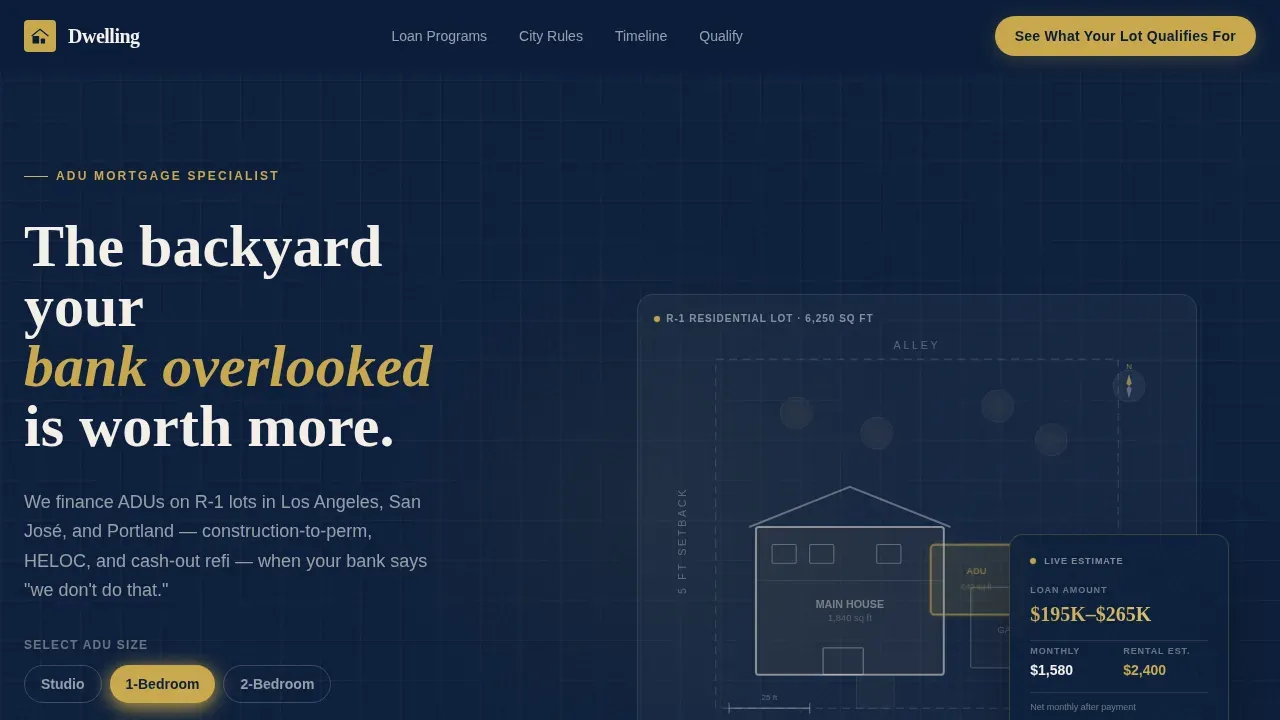
- An interactive SVG lot map hero with a draggable ADU footprint and a floating loan calculator card
- A modular card grid with flip cards for loan programs, filterable city regulation cards, and animated project timeline milestones
- A three-step progressive lead form plus a gated checklist download for earlier-stage research leads
Feature list
This template is packed with interactive and visual components that create a genuinely useful experience. Every element has a specific job: inform the visitor, build trust, and guide them toward action.
Interactive Lot Map Hero
The header uses a stylized aerial property map where visitors drag a studio, one-bedroom, or two-bedroom ADU footprint onto a residential lot. Estimated loan amount, monthly payment, and projected rental income update in real time on a floating card. The area above the fold instantly addresses visitor needs without a single stock photograph.
Flip-Card Loan Program Grid
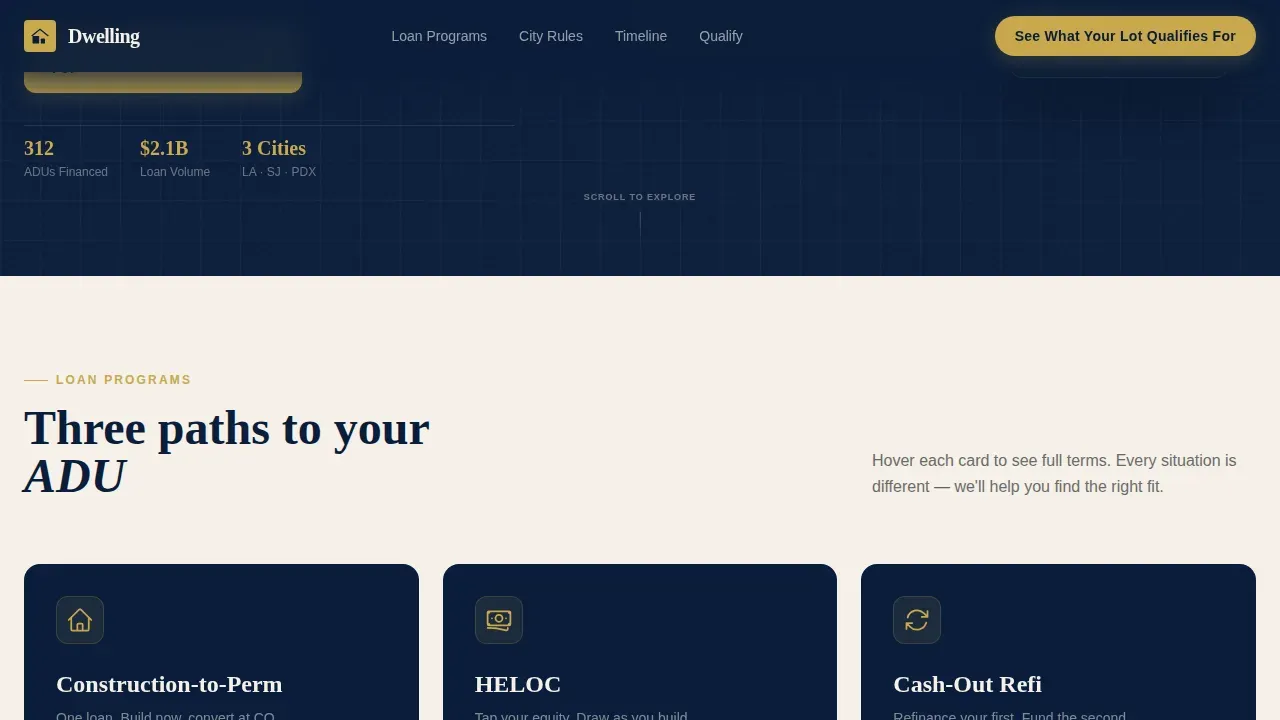
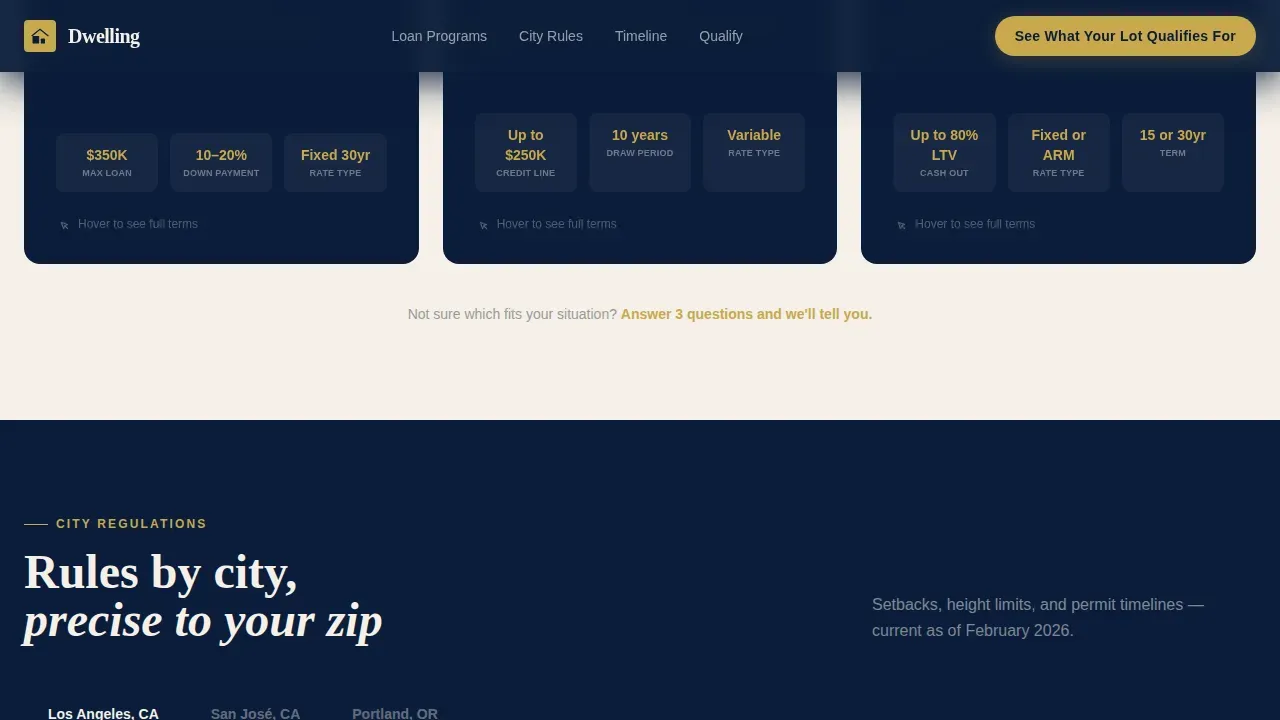
Three loan program cards cover construction-to-perm, HELOC, and cash-out refinance. Each card reveals its terms on hover using CSS 3D flip animation. This design keeps the page skimmable while rewarding visitors who want to explore deeper detail.
Filterable City Regulation Cards
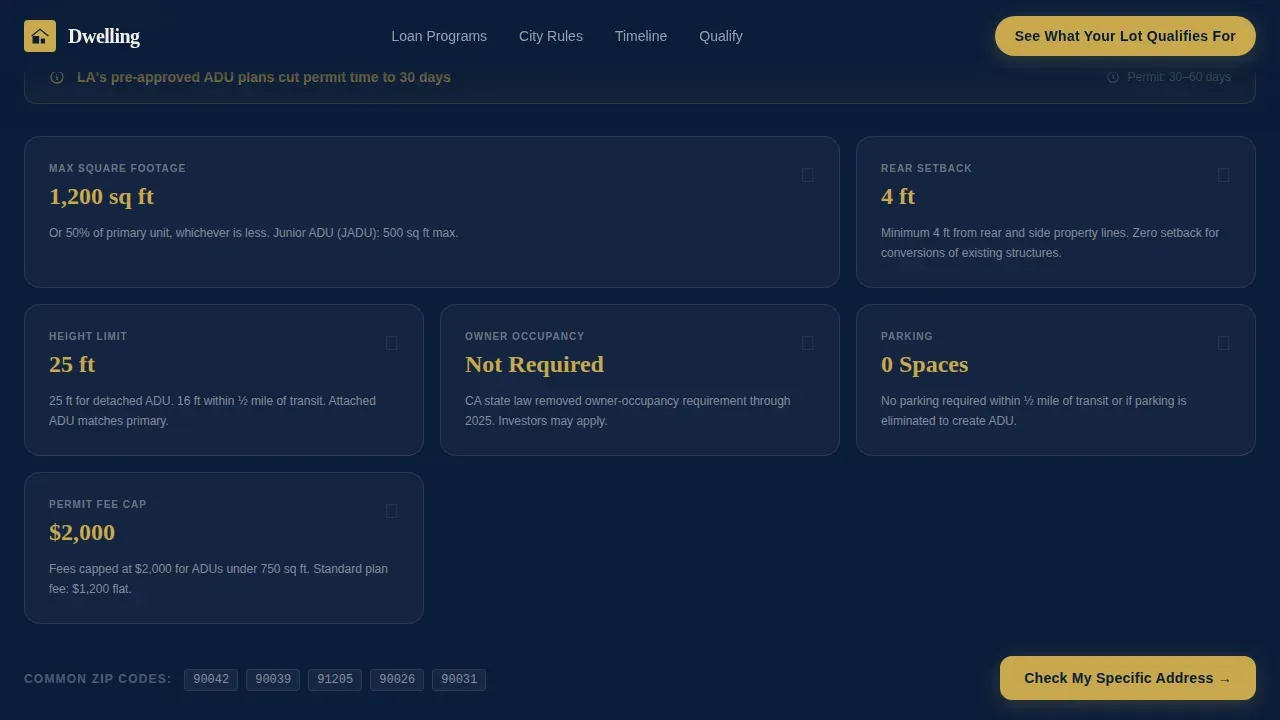
A tabbed card section lets visitors filter ADU regulation views by city. Each card shows setback requirements, maximum square footage, and permit timelines for Los Angeles, San José, and Portland. Focused content tailored to specific cities increases relevance and engagement.
Animated Project Timeline
Milestone cards animate from permit submission through to Certificate of Occupancy. The step-by-step structure helps homeowners understand the full schedule before they click through to the lead form. Visual storytelling makes the ADU process feel approachable rather than overwhelming.
Three-Step Progressive Lead Form
The primary call to action, "See What Your Lot Qualifies For," opens a three-step form. Step one captures the property address and auto-populates lot size and zoning data via API. Steps two and three collect ADU goal and contact details, making conversion feel like a natural continuation of the interactive experience.
Gated Checklist Download
A secondary lead path offers the ADU Financing Checklist behind an email-only gate. This captures research-phase visitors who are not yet ready to schedule a call. Offering gated educational resources is a proven approach to expanding the lead funnel without adding friction to the primary path.
Page sections overview
| Section | Purpose |
|---|---|
| Interactive Map Hero | Draggable ADU footprint with live loan calculator and primary call to action |
| Loan Program Cards | Flip cards revealing terms for three ADU financing products |
| City Regulation Cards | Filterable views of setbacks, sq ft limits, and permit timelines |
| Project Timeline | Animated milestone cards from permit to Certificate of Occupancy |
| Lead Capture Form | Three-step progressive form plus gated checklist download |
| Footer | Logo, tagline, and navigation links in a single-row split layout |
Design & branding system
The visual identity follows an Atelier Studio approach, styled around a naval officer's desk. Deep navy dominates the page structure while cream card surfaces and brass highlights create a precise, confident hierarchy.
- Navy (#0B1D3A) fills the header, footer, and page background; cream (#F5F0E8) breathes across all card surfaces
- Brass (#C9A84C) appears only on calls to action and interactive highlights, making every click target visually distinct
- Fraunces serif handles display headings; DM Sans covers all body text for clean, readable views at every scale
Mobile & speed optimization
The template is designed desktop-first to support the complex interactive map, but it adapts fully to mobile viewports. Mobile-first considerations are built into the responsive layout so visitors on any device can still engage with the core content.
- Minimalist navigation keeps visitors focused on the conversion path rather than site-wide links
- Server Components handle static sections while Client Components manage the interactive map, card grid, and form
- Fast rendering of static sections ensures the page loads quickly, reducing the risk of losing mobile visitors before they reach the call to action
How this template helps you convert
The page is structured around an education-first approach: deliver real value before asking for contact details. Each section builds trust progressively so the form feels like the obvious next step.
- The interactive map gives visitors live loan numbers tied to their specific ADU size, earning trust through precision and making the call to action feel like a reward rather than a demand
- Flip cards and filterable regulation views let visitors pull information at their own depth, so a first-time homeowner and a seasoned real estate investor both feel the page was built for them
- The dual lead paths, primary form and checklist download, create two conversion entry points that serve different stages of the buyer journey while tracking engagement across both
Other information about this template
The Dwelling Precision ADU Mortgage Specialist Landing Page Template is suited to any ADU mortgage practice that wants to lead with expertise and added value rather than a generic pitch. Accessory Dwelling Units range from 300 to 1,000 square feet and can serve as rental units, guest houses, home offices, or personal sanctuaries. Converting an existing garage is often the most cost-effective approach to creating an ADU, and the template's city regulation cards address that use case directly.
- The template supports social proof sections where testimonials can highlight rental income qualification and specific project outcomes
- Backyard ADUs should complement the main residence in style, and the design system's visual precision reinforces that commitment to quality for every visitor
- Tracking lead sources across the two conversion paths gives mortgage specialists actionable data to refine their offering over time
Theme
Atelier Studio
Creative direction
Interactive Explorer
Color system
Navy Authority
Style
Card Grid (Modular)
Direction
Lead Generation
Page Sections
Interactive ADU Lot Map with Live Calculator
Flip-card Loan Program Grid
Filterable City Regulation Cards
Animated Project Timeline
Three-step Progressive Lead Form
Gated ADU Financing Checklist
Related questions
Can I customize the loan programs shown on the flip cards?
Does the interactive lot map work on mobile devices?
How does the three-step form handle early-stage leads?
Can I add city-specific case studies to the page?
Is this template suitable for a mortgage broker who also handles non-ADU loans?



