Performance Tuning Shop Landing Page Template
Dyno is a performance tuning shop landing page built for shops that let the numbers speak. It pairs a full-bleed dyno-room header with an interactive gallery of real customer builds, a live comparison widget for stage-by-stage build paths, and a focused booking form, all wrapped in a dark Engineering Blueprint visual identity that feels like a live monitor in a darkened shop.
by Rocket studio
Quick summary
Dyno is a single-page landing page template for high-performance tuning shops. It opens with a cinematic dyno-room hero, moves into a filterable gallery of real customer cars with before-and-after power curves, and closes with a sticky comparison widget and a direct booking form. Every section is designed to build confidence before the visitor ever touches a call-to-action button.
Who this template is for
This template is built for performance tuning shops that do real, measurable work on a chassis dynamometer. It suits shops serving a technically informed clientele who want proof before they commit to a tune.
- Weekend track-day drivers looking for verified power gains for events at circuits like Buttonwillow
- Daily-driven enthusiasts who want reliable power without sacrificing engine longevity
- Imported and collector car builders chasing large horsepower targets on platforms such as the 2JZ inline-six
What problem this template solves
Most tuning shops present their work through social media posts and vague power claims. Visitors arrive skeptical and leave without booking because they never saw real data. This template fixes that gap directly.
- It replaces vague promises with documented dyno pulls, real mod lists, and actual cost breakdowns
- It removes decision paralysis by letting visitors compare two build paths side by side before contacting the shop
- It converts passive browsers into active inquiries by showing evidence first and placing the booking form after the proof
What you get with this template
The template delivers a complete, single-page layout structured around a performance tuning shop's strongest asset: documented results. Every section is purpose-built and ready to be filled with real shop data.
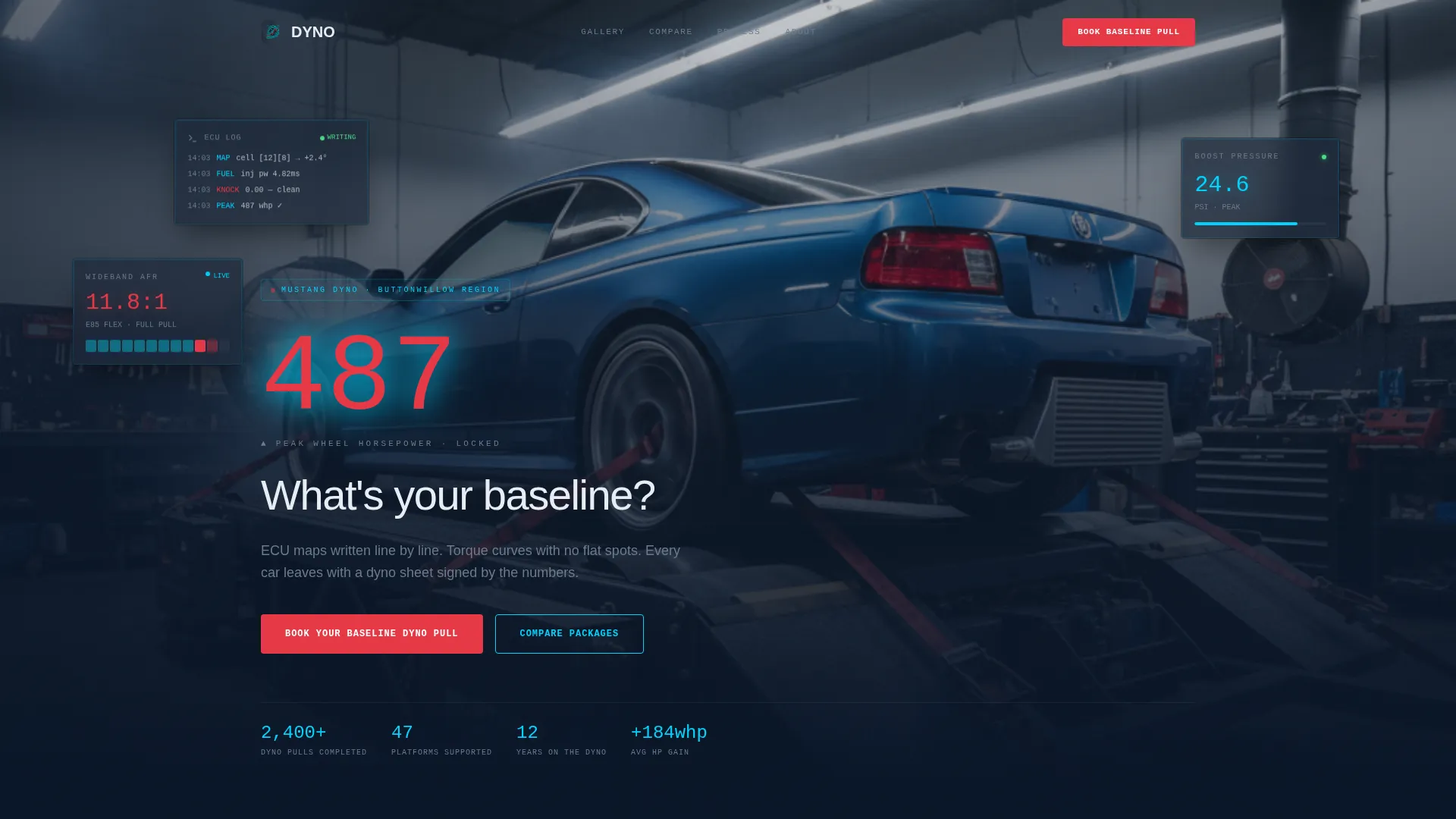
- A full-bleed header with a live-style horsepower readout and a self-typing headline
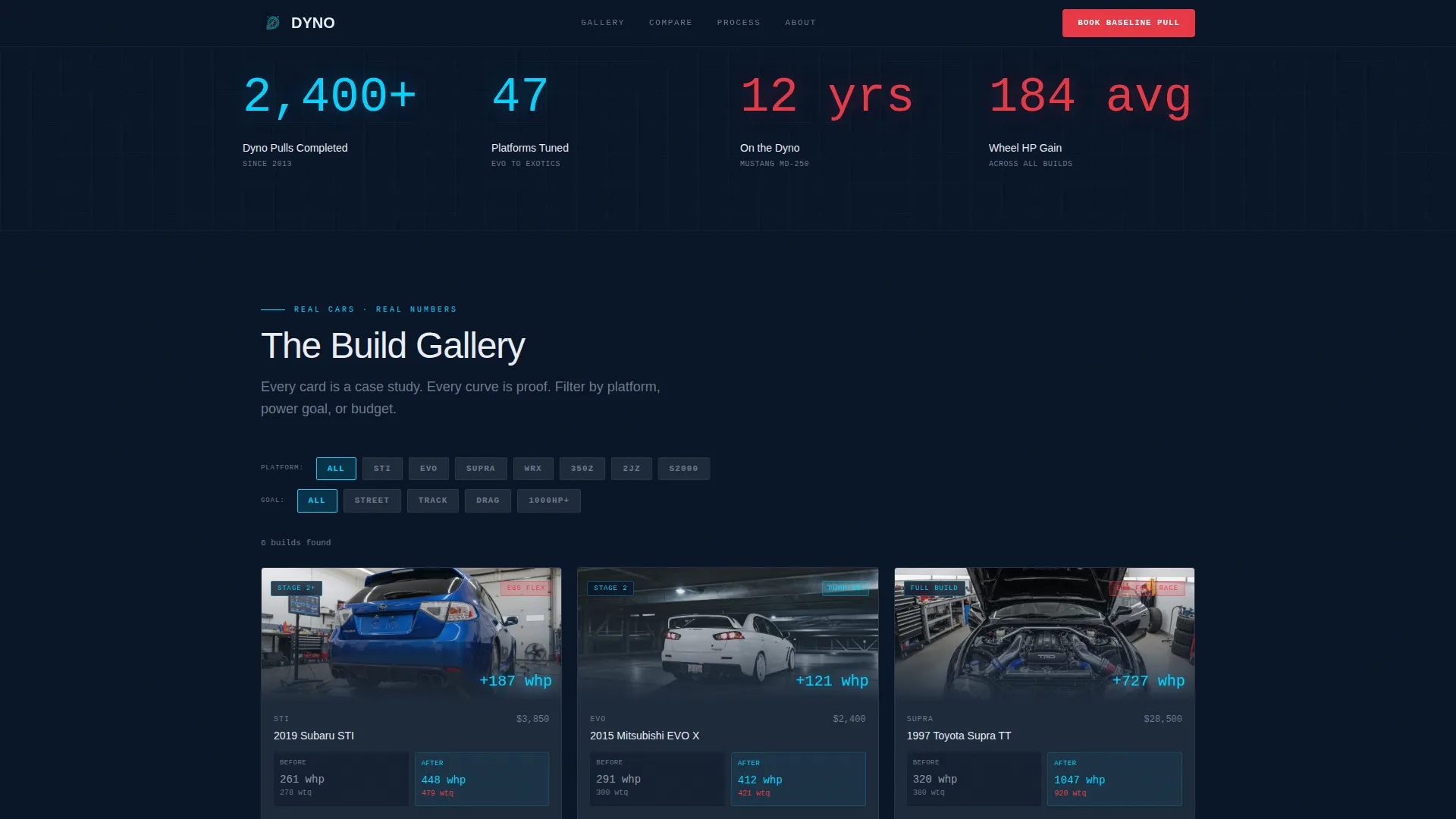
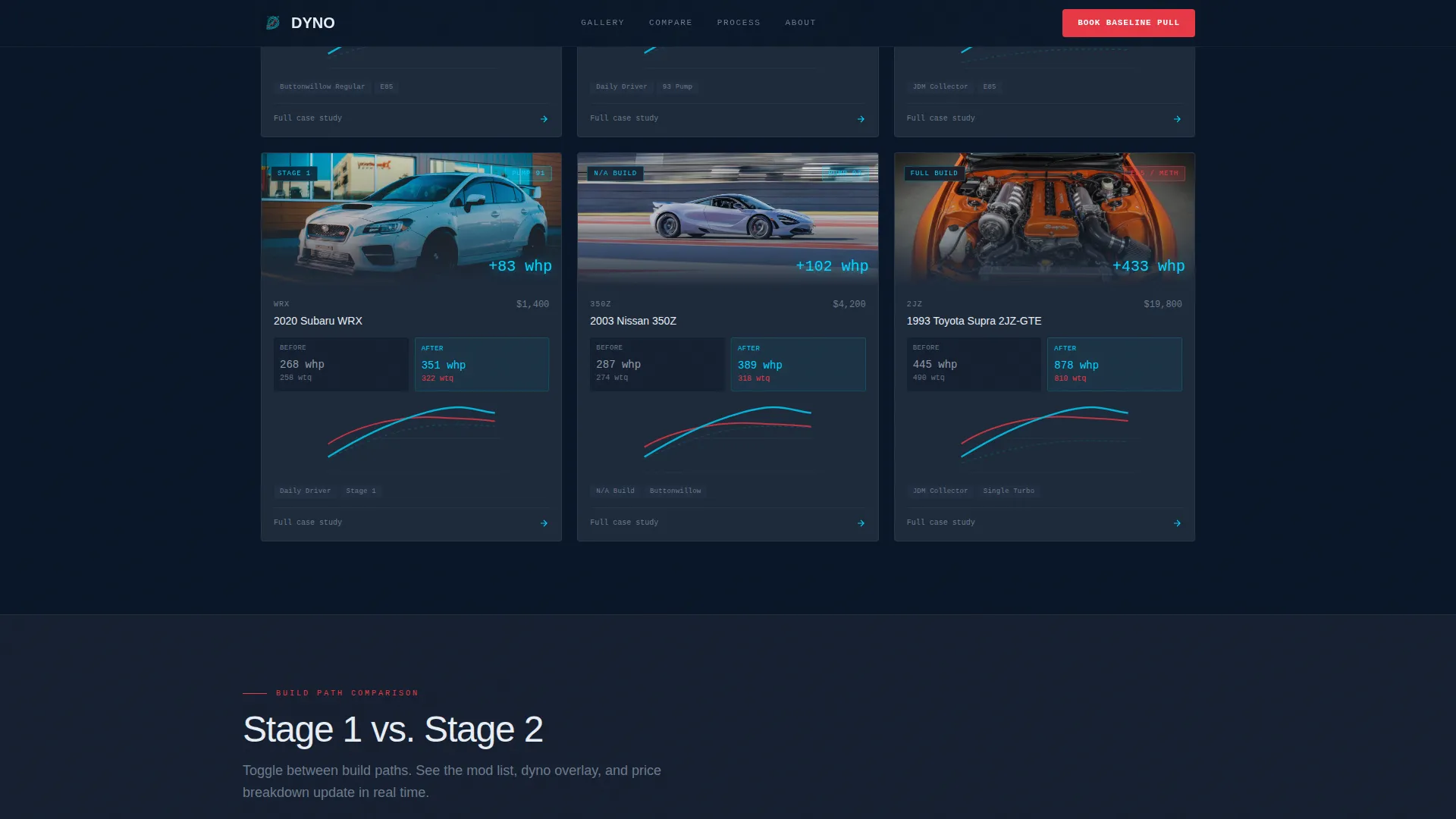
- An interactive build gallery with filterable car cards, overlay dyno sheets, and expandable detail panels
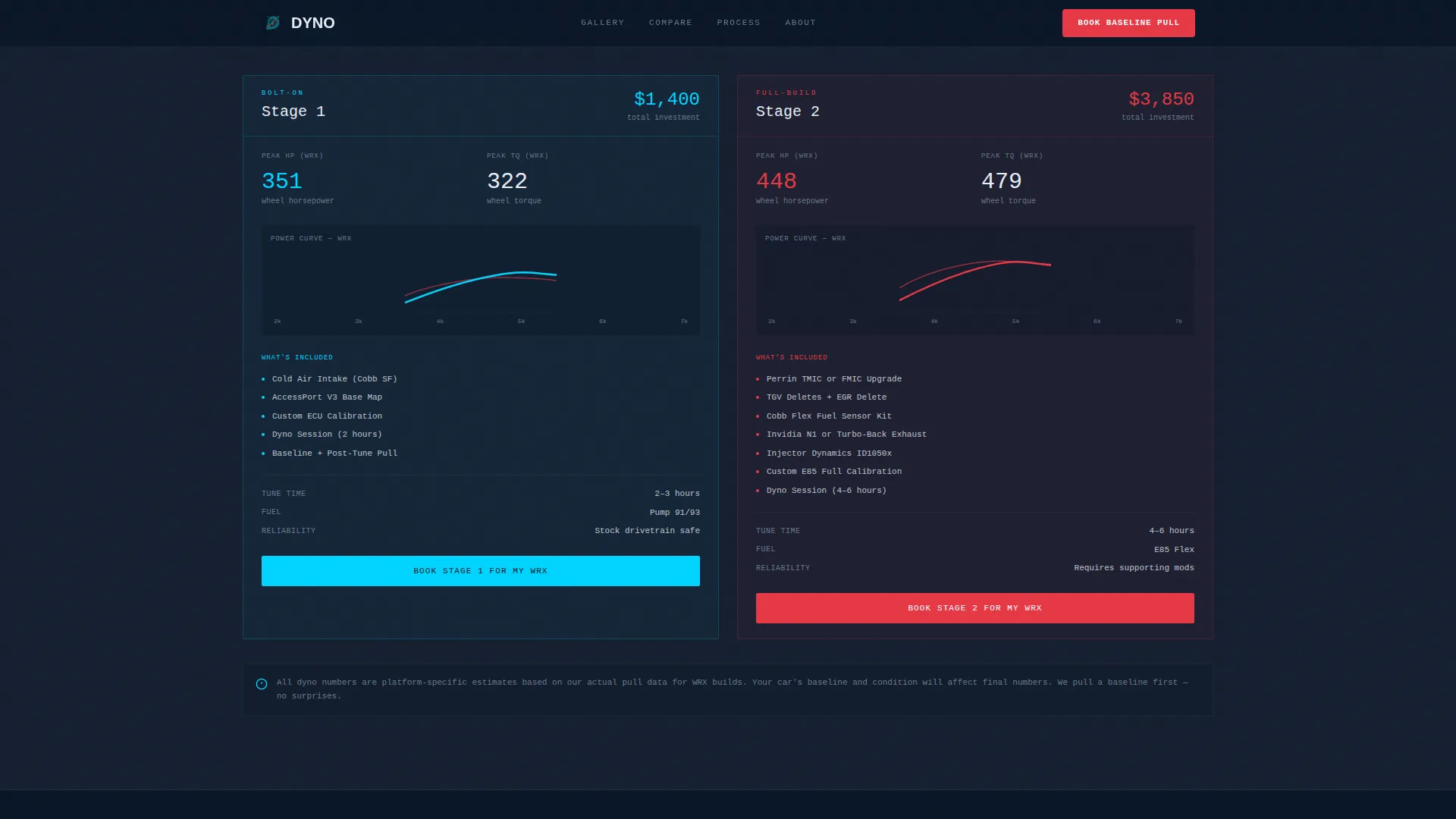
- A sticky comparison sidebar widget, a two-path build toggle, and a streamlined baseline booking form
Feature list
This template includes six purpose-built features. Each one is grounded in the source brief and serves a specific role in the visitor's decision journey.
Full-Bleed Dyno Room Header
The header opens at bumper height looking down the length of a car strapped to a dyno. A large cyan monospaced horsepower number pulses in the lower third like a live readout, then freezes on peak power as the headline types itself in. Exhaust haze and fluorescent reflections on polished intercooler pipe set the atmosphere immediately.
Interactive Build Gallery
Each gallery card represents a real customer vehicle. Thumbnails show the car; overlays show layered before-and-after dyno curves in cyan and redline red. Clicking a card expands a full detail panel covering the complete mod list, tuning approach, an animated dyno pull graph, and total project cost.
Platform and Goal Filters
Visitors can filter the gallery by vehicle platform, power goal, and budget tier. This lets a visitor searching for an EVO build or a naturally aspirated 350Z tune see only the cases most relevant to their own car and goal.
Sticky Comparison Sidebar Widget
A persistent sidebar widget lets visitors toggle between two build paths, for example Stage 1 versus Stage 2 or bolt-on versus full-build. Side-by-side dyno overlays, mod lists, and price breakdowns update in real time as the visitor switches between paths.
Baseline Booking Form
The primary call-to-action form is a single step. It asks for vehicle year, make, and model; current modifications as freeform text; and the visitor's power goal. This low-friction entry point is positioned after the evidence, when the visitor is already informed and ready to act.
Secondary Comparison Entry Point
A second call-to-action path, labeled "Compare Packages for My Car," drops visitors into a filtered comparison view specific to their platform. This serves visitors who are still evaluating options and not yet ready to book a dyno session.
Page sections overview
| Section | Purpose |
|---|---|
| Dyno Room Hero | Opens with atmosphere and a live power readout |
| Typed Headline Block | Delivers the primary question and brand hook |
| Build Gallery Grid | Showcases real customer cars with filter controls |
| Car Detail Panel | Expands a selected build into full case-study view |
| Sticky Comparison Widget | Lets visitors toggle and compare two build paths |
| Baseline Booking Form | Captures vehicle details and power goals |
| Secondary call to action Path | Routes undecided visitors to a filtered comparison |
Design & branding system
The visual identity follows an Engineering Blueprint theme. Every color choice and typographic decision references precision instruments and technical documentation rather than lifestyle photography.
- Deep midnight (#0A1628) forms the primary background, reading like a live dyno monitor in a darkened shop; technical graphite (#1E2A3A) surfaces card panels and section dividers
- Bright schematic cyan (#00D4FF) marks data lines, interactive highlights, and dyno curve overlays; hot redline (#E63946) is reserved exclusively for peak-power callouts and call-to-action buttons
- Monospaced typefaces carry all numerical readouts, giving horsepower and torque figures the appearance of live instrument data
Mobile & speed optimization
The layout is built to perform on smaller screens without losing its technical depth. Visitors checking specs on a phone between sessions at the track get the same informational clarity as someone browsing on a desktop.
- Card-based gallery sections reflow into a single-column layout on narrow screens, keeping filter controls accessible and thumb-friendly
- The sticky comparison sidebar collapses into an inline toggle panel on mobile so the side-by-side view remains functional without requiring horizontal scrolling
How this template helps you convert
The conversion strategy is built on evidence sequencing. Visitors encounter real results before they encounter any request to act, so by the time the form appears, they are choosing between outcomes rather than weighing an unknown.
- The animated dyno header and gallery filters engage visitors immediately and keep them scrolling deeper into documented case studies, building credibility organically before any call to action appears.
- The sticky comparison widget and the two distinct call-to-action paths serve visitors at different decision stages, reducing the chance that someone leaves simply because they were not ready for a direct booking.
Other information about this template
This template is designed for shops operating in the vehicle customization and modification space, particularly those focused on performance tuning. It works equally well for shops offering flex-fuel conversion tuning, forced induction builds, and naturally aspirated engine work.
- The gallery and filter structure supports a wide range of platforms, from turbocharged all-wheel-drive cars to rear-wheel-drive naturally aspirated builds
- The Engineering Blueprint theme and midnight blue color system are consistent with the visual language used in professional motorsport data acquisition and chassis dynamometer software
- The template style is Gallery plus Detail, meaning the primary browsing experience is image-led but every card connects to a data-rich detail view
Theme
Engineering Blueprint
Creative direction
Interactive Explorer
Color system
Midnight Blue
Style
Gallery + Detail
Direction
Comparison/Versus
Page Sections
Full-bleed Dyno Room Header
Interactive Build Gallery with Filters
Animated Dyno Pull Graph
Sticky Build Comparison Widget
Single-step Baseline Booking Form
Secondary Comparison Entry Point
Related questions
What type of business is this template designed for?
Can the gallery be filtered by vehicle platform?
What does the baseline booking form ask for?
How does the sticky comparison widget work?
Is this a single-page layout or a multi-page template?



