Vehicle Inspection & Testing Pricing & Packages Website Template
Dyno is a dark, industrial landing page template built for automotive testing laboratories. It uses a split-screen versus layout to show the measurable gap between generic testing and precision multi-channel validation. With a full-screen video hero, scroll-driven comparison sections, and a two-step intake form, it converts OEM engineers, Tier 1 suppliers, and motorsport teams into qualified prospects.
by Rocket studio
Quick summary
Dyno is a single-page, split-screen landing page template designed for automotive testing labs. It guides engineering decision-makers through a scroll-driven comparison journey, contrasting generic testing approaches with precision validation methodology. The layout is desktop-first, visually immersive, and built to move OEM powertrain teams, Tier 1 suppliers, and motorsport engineers toward a qualified intake conversation.
Who this template is for
This template is built for independent automotive testing facilities that serve professional engineering clients. It speaks directly to technically fluent buyers who evaluate vendors on data quality, turnaround speed, and accreditation standards.
- Original equipment manufacturer (OEM) powertrain engineers chasing homologation deadlines
- Tier 1 supplier engineering managers who need independent validation before a parts contract closes
- Motorsport simulation engineers who need real-world correlation data to match their models
What problem this template solves
Most automotive testing labs look identical online. They list capabilities in a table and ask visitors to call. Dyno solves that by showing the gap, not just claiming it. The versus architecture makes the quality difference visible in every scroll section.
- Engineers arrive skeptical and need evidence, not marketing language
- Generic lab pages offer no clear comparison, forcing buyers to evaluate multiple vendors manually
- Complex validation services are hard to communicate without a structured, visual framework
What you get with this template
Dyno delivers a complete, production-ready landing page layout with all the structural and interactive components an automotive testing lab needs to qualify and convert engineering buyers. Every section is intentional and traceable to a real conversion goal.
- A full-screen slow-motion video hero with amber data overlays and scroll-pinned expansion
- Three scroll-linked versus sections comparing generic methods to precision lab methodology
- A two-step intake form modal, a capability matrix email capture, and a single-row footer
Feature list
This section describes the core functional components built into the Dyno template.
Full-Screen Video Hero with Data Overlays
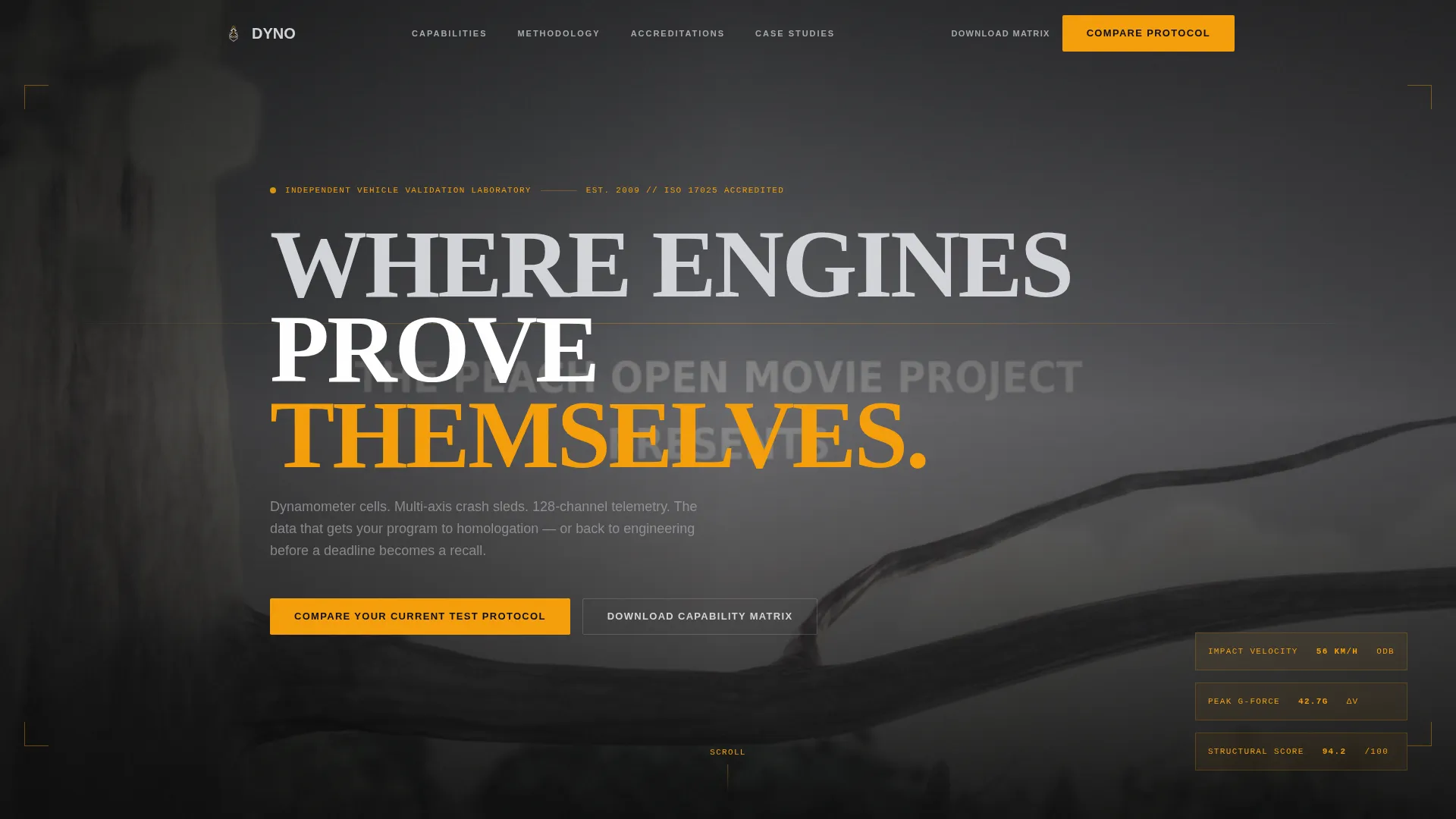
The hero uses slow-motion crash test footage playing dark and desaturated. As the deceleration pulse completes, thin amber type overlays appear showing impact speed, G-force peak, and structural integrity score. The effect anchors the visitor in the lab's technical reality before a single word is read.
Scroll-Driven Versus Architecture
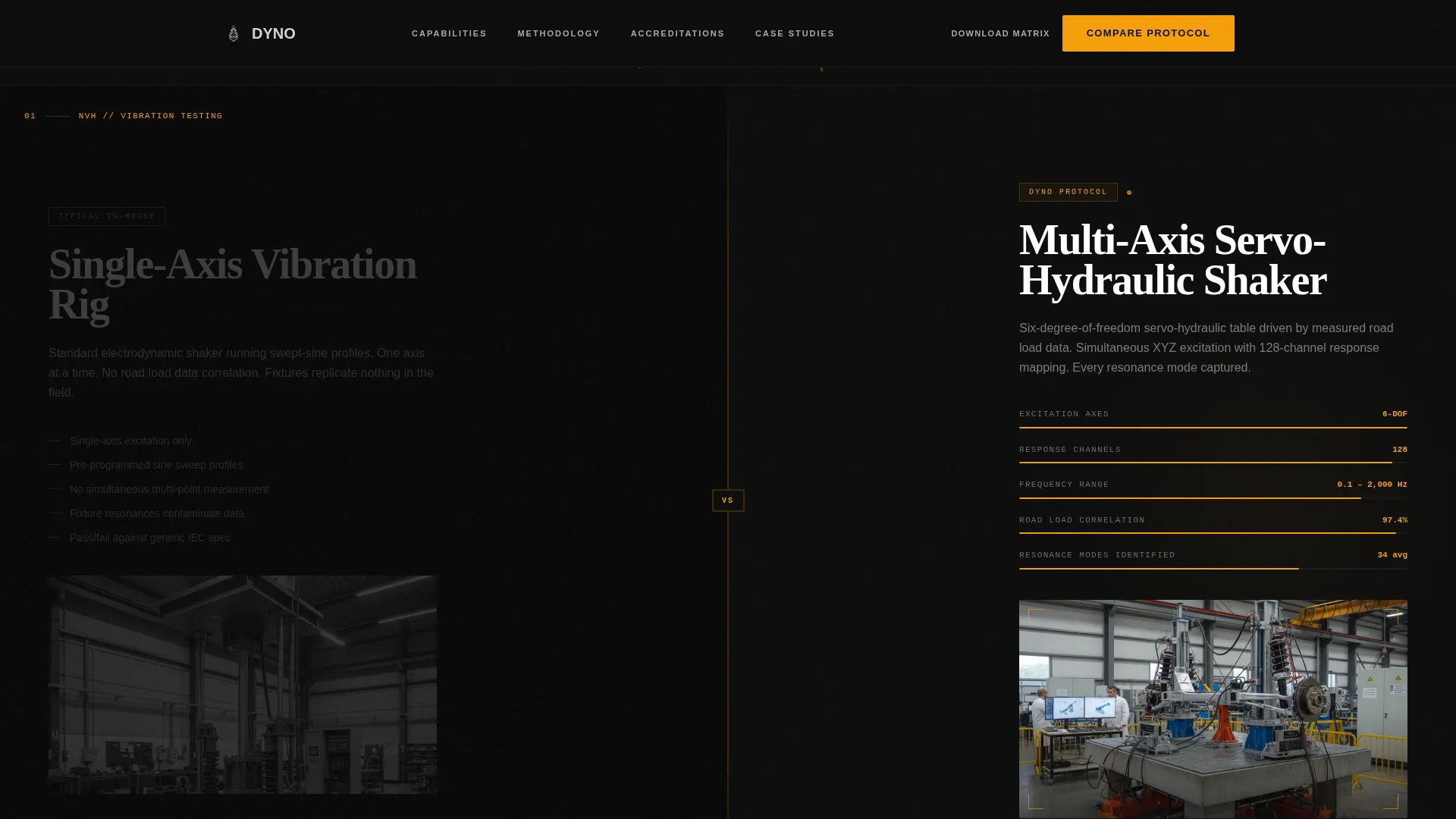
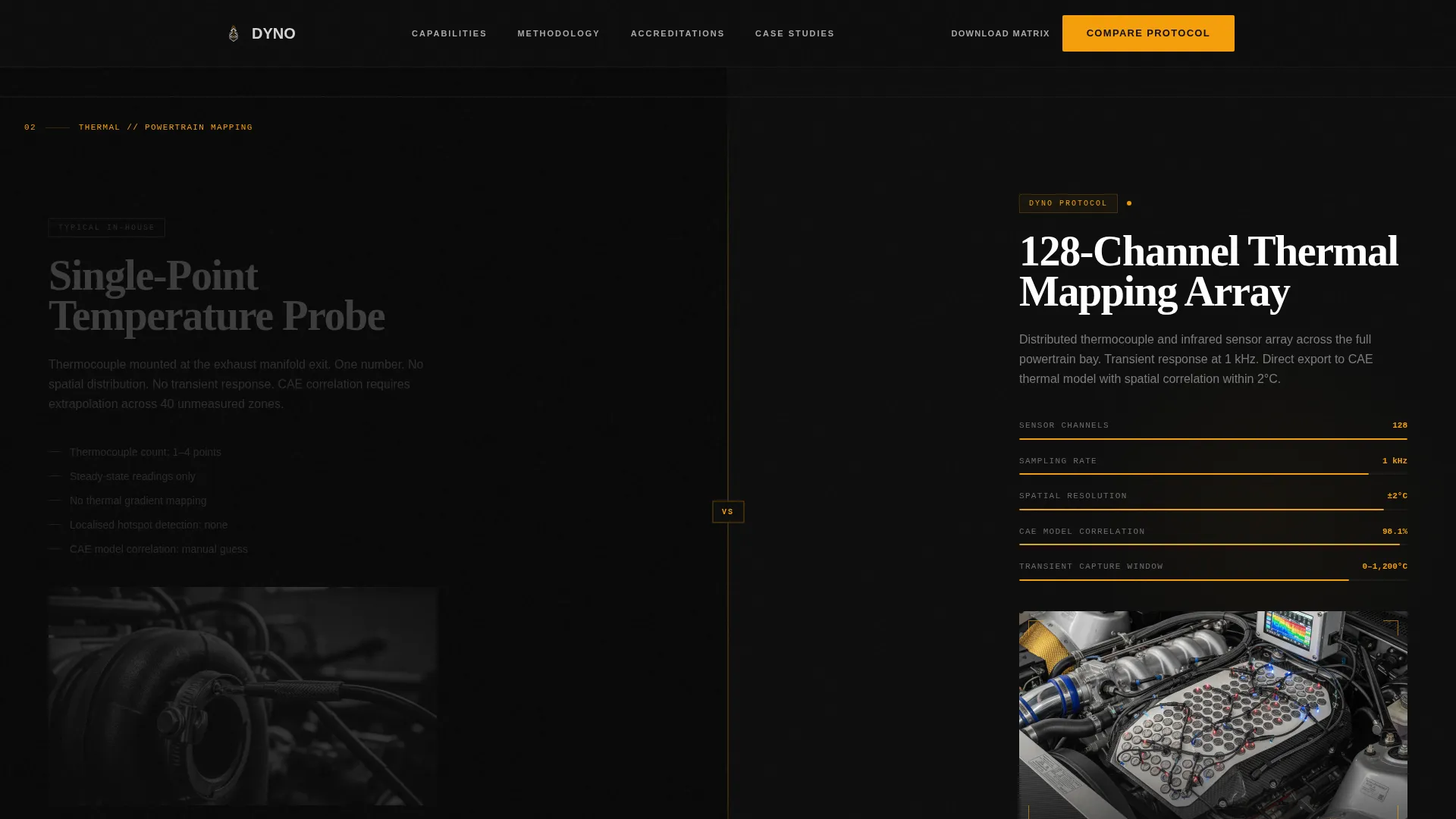
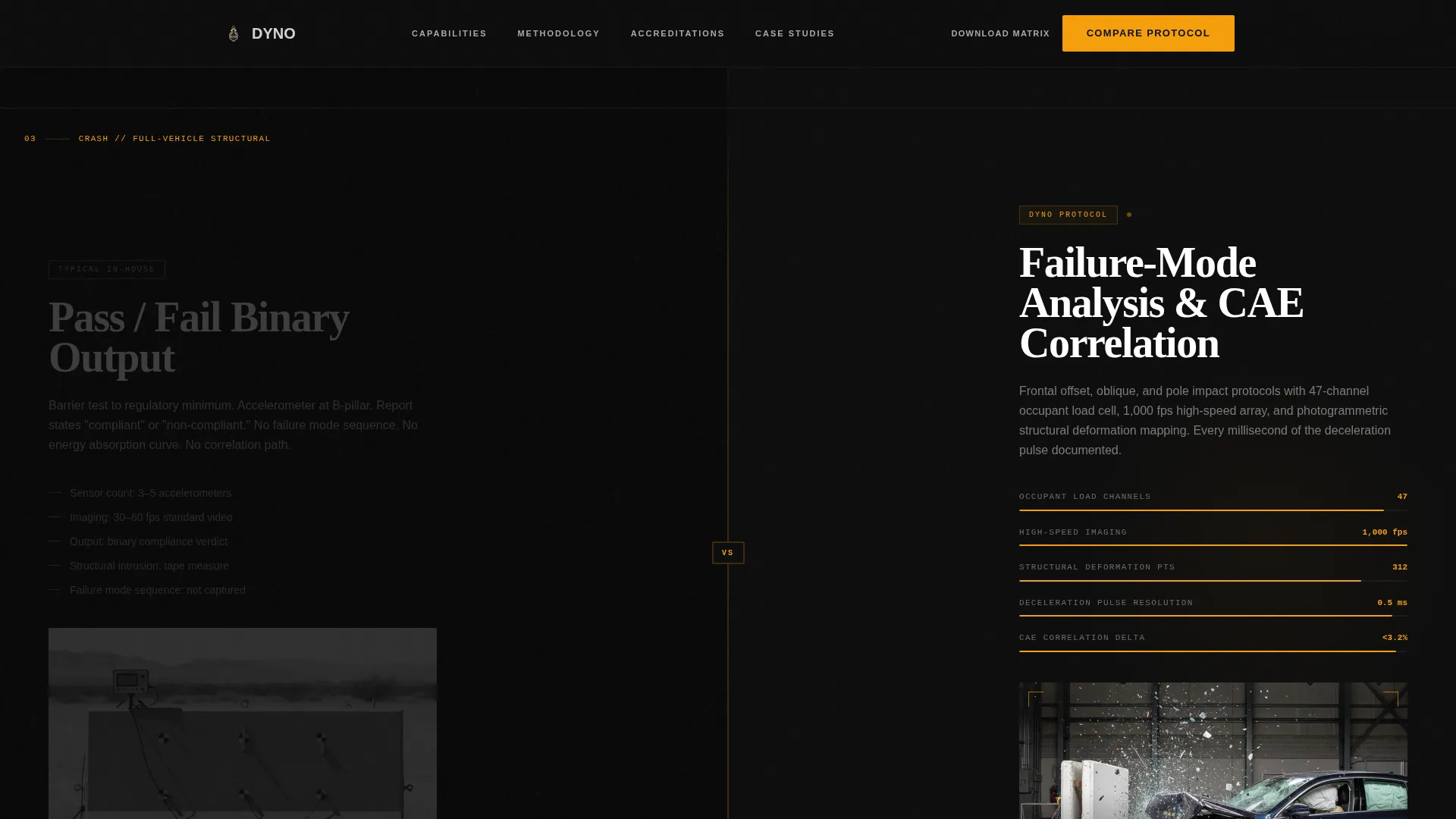
Each scroll section splits the viewport 50/50. The left side displays a static, deliberately underwhelming representation of a generic or in-house testing approach. The right side animates with real telemetry streams and high-speed footage. Three sections escalate the stakes: noise, vibration, and harshness (NVH) testing, thermal mapping, and crash analysis.
Pinned Comparison Call to Action
After the third versus section, the primary call to action is pinned at the split-screen gutter. It reads "Compare Your Current Test Protocol" and opens a two-step intake modal. Step one is a selector grid for test categories. Step two is a free-text bottleneck field and a timeline urgency toggle.
Capability Matrix Email Capture
A secondary conversion path lets visitors download a capability matrix PDF. It requires only a single email field. The document compares test specifications, turnaround windows, and accreditation standards side by side, giving engineering managers something they can circulate internally before the first call.
GSAP ScrollTrigger Animations
The template includes high-interactivity animation built with GSAP ScrollTrigger, scroll-linked blur transitions, IntersectionObserver stagger effects, and magnetic button behavior. Versus split hover states and amber data stream animations reinforce the industrial precision tone throughout the scroll experience.
Credentials and Accreditation Section
A dedicated section before the footer surfaces accreditation badges, turnaround metrics, test channel counts, and homologation pass rates. This section gives engineering managers the third-party validation signals they need to move the evaluation forward internally.
Page sections overview
| Section | Purpose |
|---|---|
| Hero video header | Establish lab credibility with immersive slow-motion crash footage and amber data overlays |
| NVH versus section | Compare static vibration rig to multi-axis servo-hydraulic shaker |
| Thermal versus section | Contrast single-point reading with 128-channel thermal mapping |
| Crash versus section | Show pass/fail reporting versus granular failure-mode analysis |
| Protocol call to action + intake | Pinned gutter call to action opening two-step test protocol selector and bottleneck form |
| Credentials + matrix | Surface accreditations, metrics, and email capture for capability PDF |
| Footer | Single-row linear footer with essential navigation and contact links |
Design & branding system
The visual identity is built around a Monochrome Steel color system. The palette is cold, precise, and industrial. Every color choice reinforces the idea of engineered surfaces and zero tolerance for decoration.
- Forge black (#0D0D0D) as the primary background, brushed stainless (#A8A9AD) and machined aluminum (#D4D5D9) for text and surface hierarchy
- Caution amber (#F59E0B) reserved exclusively for calls to action, data highlights, and interactive hover states
- DM Sans for body copy and interface elements, paired with Fraunces for display headings to add typographic weight without sacrificing precision
Mobile & speed optimization
Dyno is designed desktop-first, reflecting how engineering managers typically review vendor materials on workstations. The layout is also responsive to tablet viewports, keeping the versus structure readable on mid-size screens.
- Video assets are optimized for fast load without sacrificing the slow-motion visual quality central to the hero experience
- GPU-accelerated CSS transforms are used exclusively for animations to keep scroll performance smooth on high-resolution displays
How this template helps you convert
The conversion strategy is built into the page structure itself. Visitors are guided through an escalating comparison before they ever see a form. By the time they reach the call to action, they have already made the quality judgment on their own.
- The versus scroll journey builds a felt sense of the gap between generic and precision testing, removing the need for persuasive copy to carry the entire argument.
- The two-step intake form segments visitors by test category and timeline urgency, so the lab's team receives pre-qualified leads with specific context before any call is scheduled.
Other information about this template
Dyno is built for the specific context of B2B engineering services where the sales cycle is long, the buyer is technically sophisticated, and trust is built through demonstrated capability rather than promotional language. The template's structure reflects that reality.
- The template is localized for English (US) and uses imperial units where measurement references appear
- Typography pairing of DM Sans and Fraunces is intentional: DM Sans keeps interface elements clean and legible, while Fraunces adds the display weight needed for split-screen headings at large viewport sizes
- The comparison journey creative direction is a deliberate choice for this niche: automotive testing buyers respond to evidence-based differentiation, not feature lists alone
- The linear single-row footer keeps the bottom of the page clean and focused, avoiding distraction after the conversion sections
Theme
Dark Immersive
Creative direction
Comparison Journey
Color system
Monochrome Steel
Style
Split Screen (50/50)
Direction
Comparison/Versus
Page Sections
Full-screen Crash Video Hero
Split-screen Versus Layout
Pinned Two-step Intake Form
Capability Matrix Email Capture
GSAP Scroll Animations and Interactions
Credentials and Accreditation Block
Related questions
What kind of business is this template designed for?
Can I customize the versus sections for my lab's test categories?
What does the two-step intake form collect from visitors?
How does the capability matrix download work?
Is this template suitable for desktop use by engineering professionals?



