Education Department Landing Page Template
Edumandate is a single-page government education department landing page built on a zigzag alternating layout. It pairs policy commitments with concrete proof across five strategic pillars, routes visitors by role to the right services, and uses a Forest Trust color system to feel both institutional and welcoming. Designed for principals, parents, teachers, and district administrators.
by Rocket studio
Quick summary
Edumandate is a focused, single-page landing page for a state Department of Education. It uses a zigzag alternating structure to move visitors from mission to proof across five pillars: curriculum standards, teacher development, equitable funding, digital access, and student welfare. The page routes every visitor type to the right service quickly and confidently.
Who this template is for
This template is built for public-sector education teams that need one authoritative entry point for a wide and varied audience. It serves departments that must earn trust before asking anyone to act.
- School principals and district superintendents looking for compliance resources and grant timelines
- Parents navigating enrollment transfers and newly licensed teachers seeking licensure guidance
- Government web teams building or refreshing an education department portal for a broad public audience
What problem this template solves
Most education department pages bury the most important links under layers of navigation. Visitors arrive with a specific need and leave frustrated before they find it. This template fixes that by leading with mission, then immediately backing each commitment with a named initiative, statistic, or downloadable resource.
- Different visitor types (parents, teachers, administrators) have no clear path to their own services
- Policy-heavy pages feel cold and difficult to trust, especially for first-generation applicants or families new to the system
- Departments struggle to show both authority and approachability in the same visual experience
What you get with this template
You get a fully structured, single-page layout that handles role-based routing, zigzag narrative storytelling, and a sticky call-to-action bar. Every section is designed to answer a visitor's silent question before presenting any action.
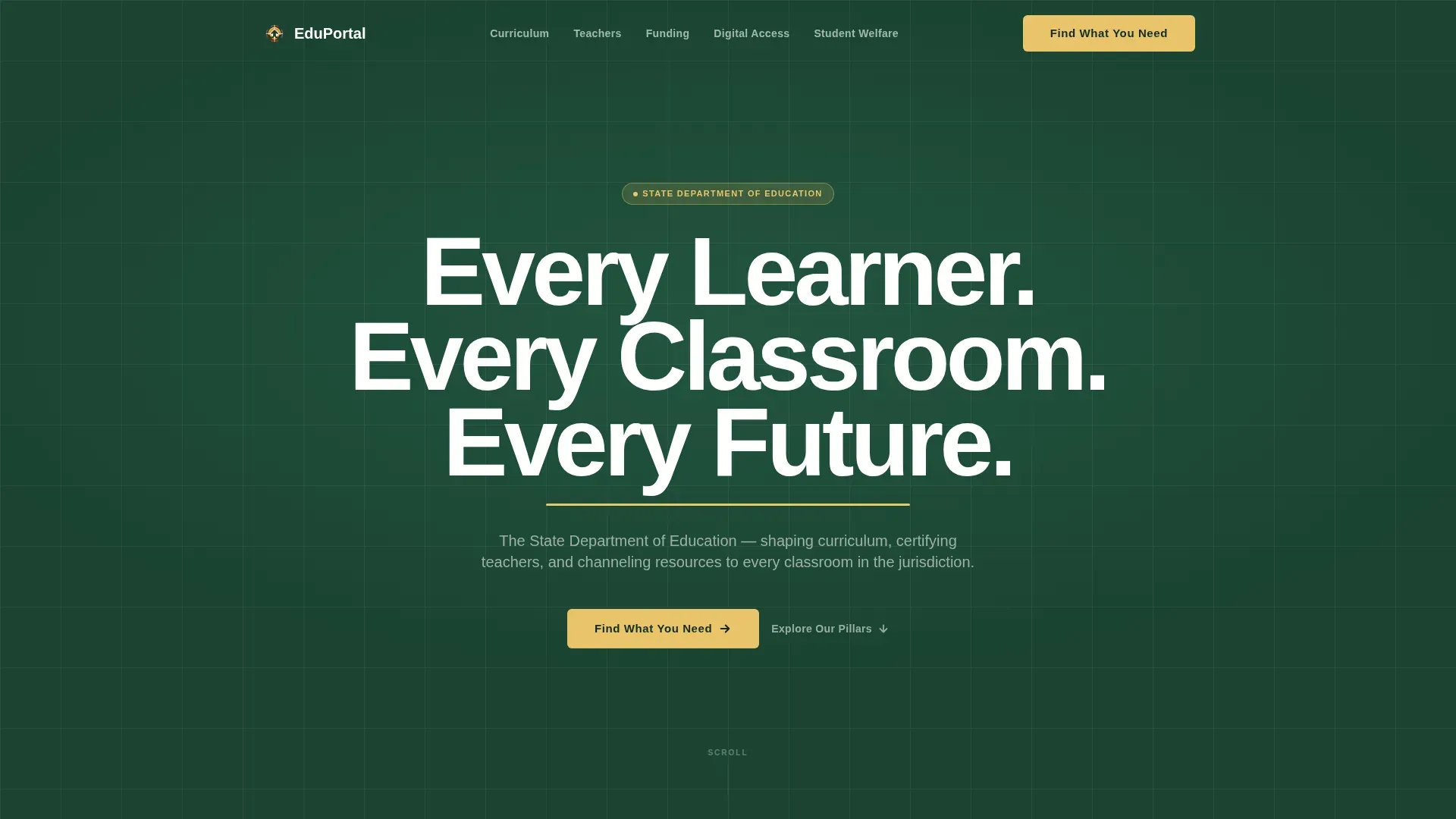
- A hero section with a giant centered headline, gold pulse underline animation, and a primary "Find What You Need" call-to-action button
- Five zigzag alternating content sections covering curriculum standards, teacher development, equitable funding, digital access, and student welfare
- A sticky bottom bar that appears after the second scroll section, plus a secondary text link to the current strategic plan
Feature list
This template delivers a focused set of built-in capabilities grounded in the brief. Each feature serves a specific user need without adding unnecessary complexity.
Giant Centered Hero Headline
The header opens with large white condensed type on a deep evergreen field. A gold underline pulses once beneath the headline, then holds still. This is the only animation in the hero, keeping the opening moment purposeful and calm.
Zigzag Alternating Section Layout
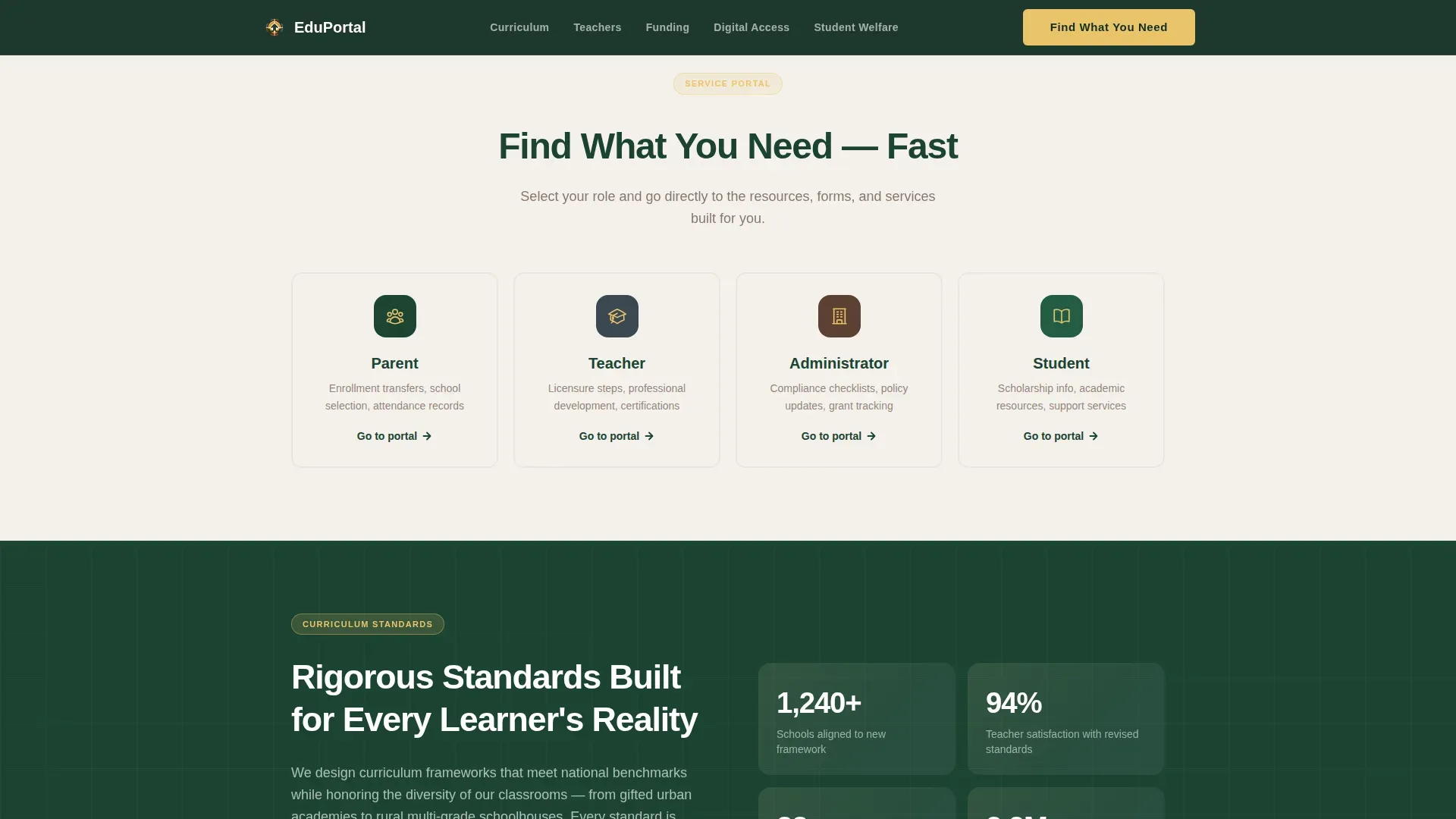
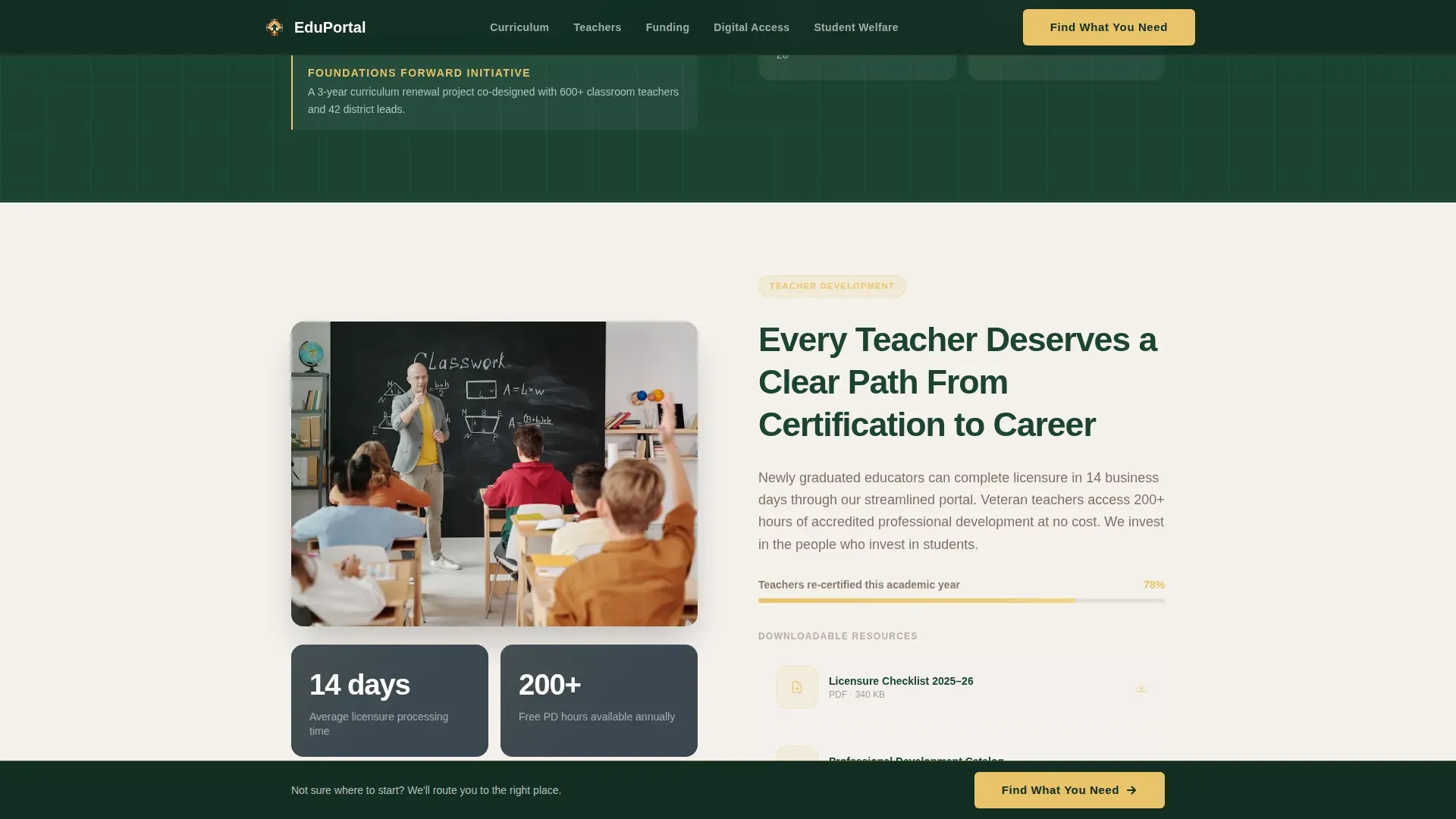
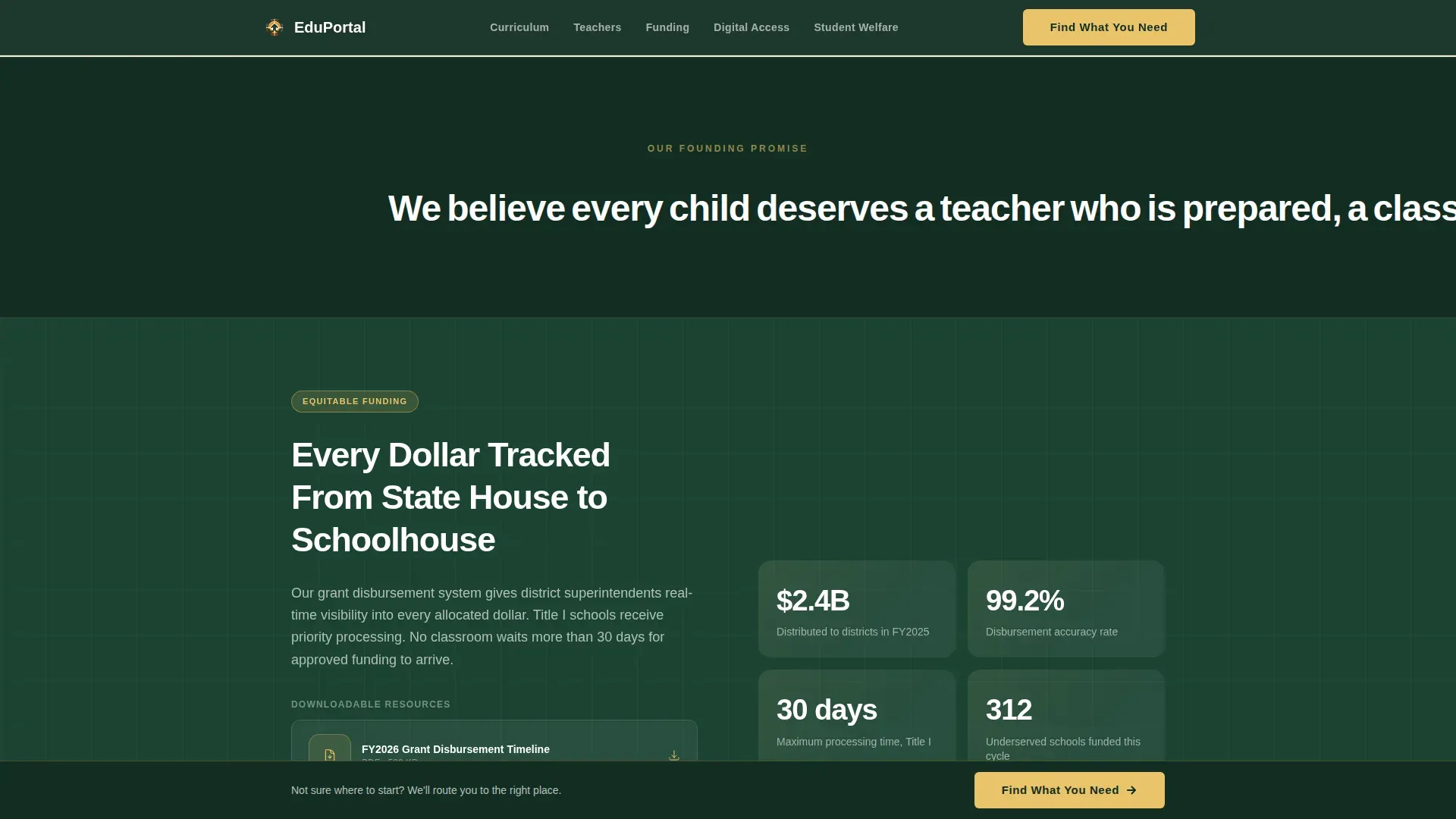
Five content sections alternate left-right in a true zigzag rhythm. Each pair places a mission commitment on one side and a concrete proof element on the other. The structure builds trust progressively as the visitor scrolls.
Role-Based Service Routing
The primary call-to-action button links to a service portal organized by role: parent, teacher, administrator, and student. Visitors self-select their path rather than hunting through generic menus.
Sticky Bottom Call-to-Action Bar
After the visitor passes the second section, a sticky bar appears at the bottom of the viewport. It carries the same gold-on-evergreen "Find What You Need" button, keeping the primary action always reachable without interrupting reading.
Strategic Plan Secondary Link
At the close of the vision narrative, a secondary text link reads "Read the Current Strategic Plan." It serves policy-minded visitors without competing visually with the primary call-to-action button.
Scroll-Reveal Animations
Zigzag sections fade in as the visitor scrolls down the page. This medium-level animation keeps the experience lively without overwhelming the institutional tone.
Page sections overview
| Section | Purpose |
|---|---|
| Hero Headline | Opens with mission statement and gold pulse animation |
| Curriculum Standards | Pairs curriculum commitment with statistical proof |
| Teacher Development | Highlights licensure initiatives and development data |
| Equitable Funding | Links funding promise to downloadable grant resources |
| Digital Access | Shows initiative proof alongside connectivity commitment |
| Student Welfare | Closes narrative with human outcome and strategic plan link |
| Footer | Single-row linear pattern with department contact links |
Design & branding system
The visual identity follows an Educational Guide theme using the Forest Trust color system. The palette feels like a wooded campus quad in early autumn: grounded and institutional without being sterile.
- Deep evergreen (#1B4332) dominates section backgrounds in alternating light and dark bands; warm bark brown (#5C4033) anchors body text and dividers; morning chalkboard slate (#3A4750) frames data cards
- Bright encouragement gold (#E9C46A) is reserved exclusively for buttons, progress markers, and key callouts, drawing the eye exactly where action lives
- Typography uses DM Sans for headlines and Manrope for body text, pairing strong structure with readable warmth
Mobile & speed optimization
This template is built desktop-first but carries full mobile responsiveness, which is essential for a public-sector page serving every demographic. The zigzag layout stacks gracefully on smaller screens without losing its narrative order.
- Static content sections use minimal JavaScript to keep the page light across all connection types
- The sticky bottom bar adapts to mobile viewports so the primary call-to-action remains accessible on any screen size
- Scroll-reveal fade-ins are kept at a medium intensity to avoid performance strain on lower-powered devices
How this template helps you convert
The page earns the click by proving competence and care before asking for anything. Each zigzag section answers a silent visitor question, so by the time the call-to-action appears again, the visitor is already confident about what to do next.
- The promise-then-proof structure in each zigzag block reduces doubt progressively, so visitors arrive at the call-to-action already trusting the department's credibility and capability.
- Role-based routing on the service portal removes the friction of generic navigation, letting parents, teachers, principals, and students each find their correct path in one click.
- The sticky bottom bar keeps the primary action visible throughout the scroll without requiring the visitor to return to the top of the page.
Other information about this template
This template is part of the Edumandate series, designed specifically for government education department use cases in the United States context. It uses English-language copy, United States dollar formatting, and MM/DD/YYYY date conventions throughout.
- The footer uses a linear single-row pattern, keeping department contact and navigation links clean and minimal
- The page is localized for a USA government context and is suited for state-level or district-level education department portals
- Animation is set at a medium level overall: the gold pulse underline, scroll-reveal word fades, and zigzag section fade-ins are all included as built-in interactions
Theme
Educational Guide
Creative direction
Vision & Mission
Color system
Forest Trust
Style
Zigzag/Alternating
Direction
Click-Through
Page Sections
Giant Centered Hero Headline
Zigzag Alternating Layout
Role-based Service Routing
Sticky Bottom Call-to-action Bar
Scroll-reveal Section Animations
Secondary Strategic Plan Link
Related questions
Who is this landing page template designed for?
Can I customize the five zigzag sections for different policy areas?
What does the role-based routing feature do?
Does the sticky bottom bar appear immediately on page load?
Is this template suitable for audiences unfamiliar with government portals?



