Senior & Disability Professional Website Template
The Elder landing page template is built for tribal authority aging and disability offices. It guides community members through available elder care services using a fixed sidebar, plain-language step-by-step content, and a downloadable eligibility checklist. The design is calm, trustworthy, and unhurried, built to convert confusion into confirmed next steps for elders, caregivers, and family advocates.
by Rocket studio
Quick summary
Elder is a sidebar companion landing page template for tribal authority aging and disability offices. It walks visitors through four clear steps, from learning what services exist to submitting an application or calling an advocate. The design is calm and civic, built for people who arrive with real, urgent questions and need plain-language answers before they take any action.
Who this template is for
This template is made for tribal authority offices that provide elder care and disability services to their communities. It works best when the office serves a mixed audience of first-time visitors and returning community members who need clear guidance.
- Grandmothers on fixed income raising grandchildren and navigating meal delivery or caregiver support programs
- Adult children helping an aging parent apply for Medicaid waivers or in-home mobility assistance
- Veterans living on tribal land who need home modifications such as wheelchair ramps before winter arrives
What problem this template solves
Tribal elder care programs are often complex, filled with program names, eligibility rules, and document requirements that feel impossible to untangle alone. Visitors arrive overwhelmed and leave without acting because no single page explains things clearly enough in one place.
- People cannot find out what services they qualify for without calling an office or visiting in person
- Caregivers waste time gathering the wrong documents because eligibility criteria are buried or unclear
- Community members distrust forms they encounter before the page has answered a single question
What you get with this template
This template gives your office a single, structured landing page that walks every visitor from awareness to action without pressure or confusion. It is organized so the page earns trust before it asks for anything.
- A fixed sidebar with a numbered table of contents that stays visible as the visitor scrolls through each step
- Four fully built content sections covering services, eligibility, documents, and application paths
- A primary call to action for a downloadable eligibility checklist and a persistent sidebar button for direct advocate contact
Feature list
This template includes purpose-built components designed specifically for civic service contexts where clarity and accessibility of information matter more than visual decoration.
Fixed Sidebar Table of Contents
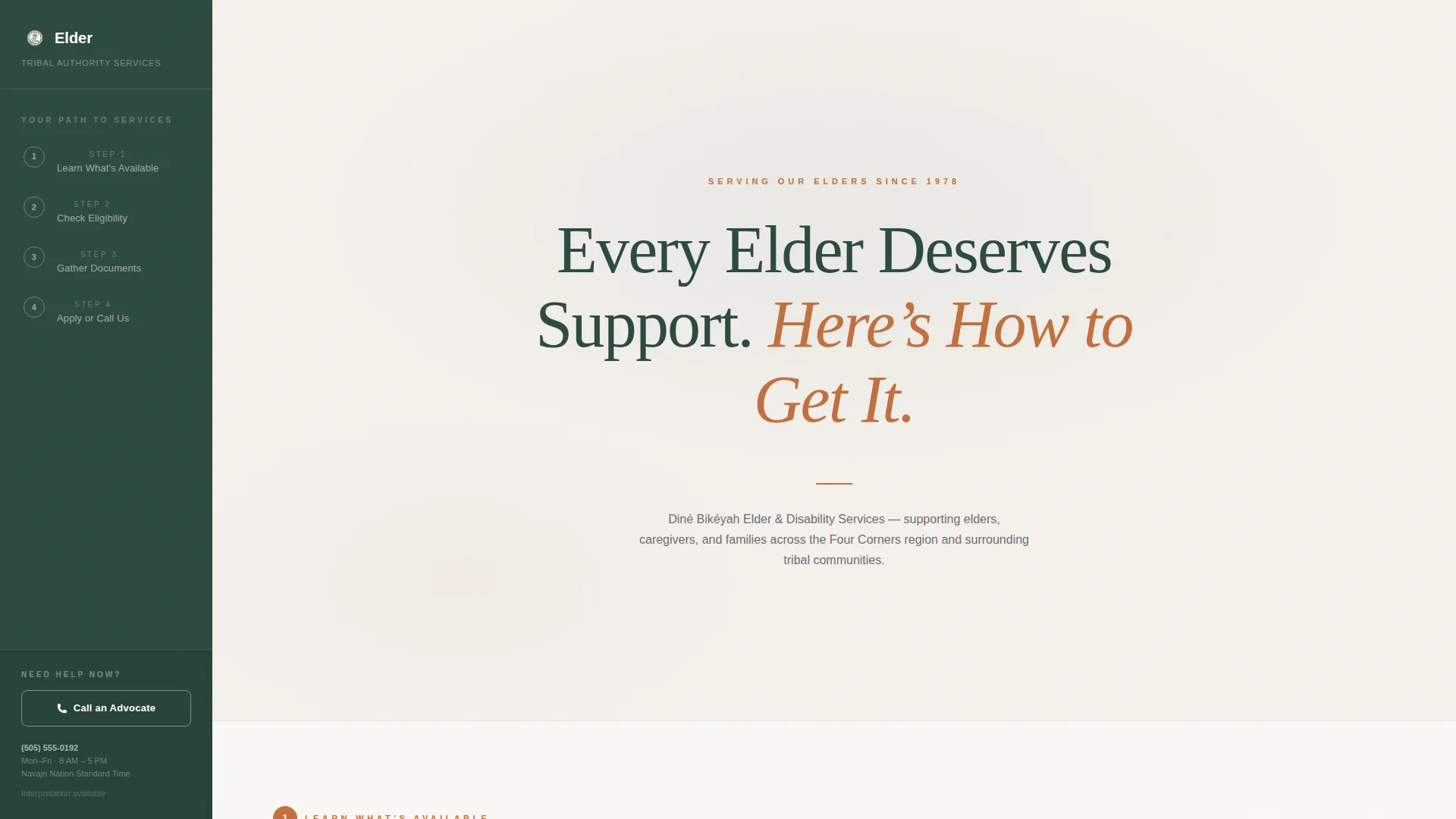
The sidebar stays anchored as visitors scroll through the page. It displays all four numbered steps at once, so no one loses their place. An active state highlights the current step in view, giving users a clear sense of progress.
Step-by-Step Content Sections
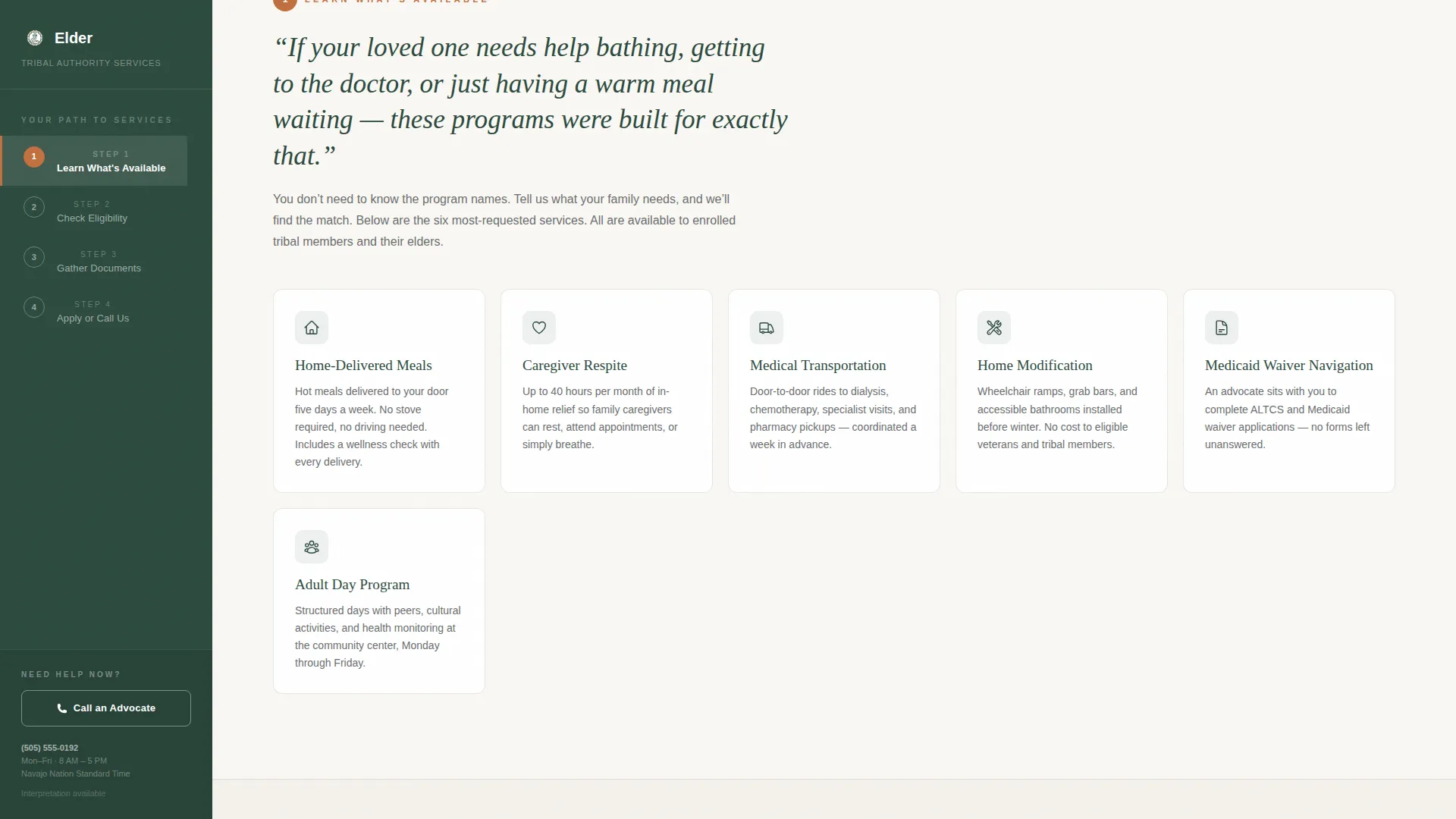
Each step opens with a single human-detail sentence before introducing any program name or eligibility criteria. This structure helps visitors recognize their own situation immediately. Service cards within Step 1 include expandable descriptions for deeper reading.
FAQ Accordion Panels
Expandable accordion panels appear inside the content sections, particularly in the documents step. Each panel answers one focused question without requiring the visitor to leave the page. Accordion transitions keep the experience calm and unhurried.
Eligibility Checklist Download Modal
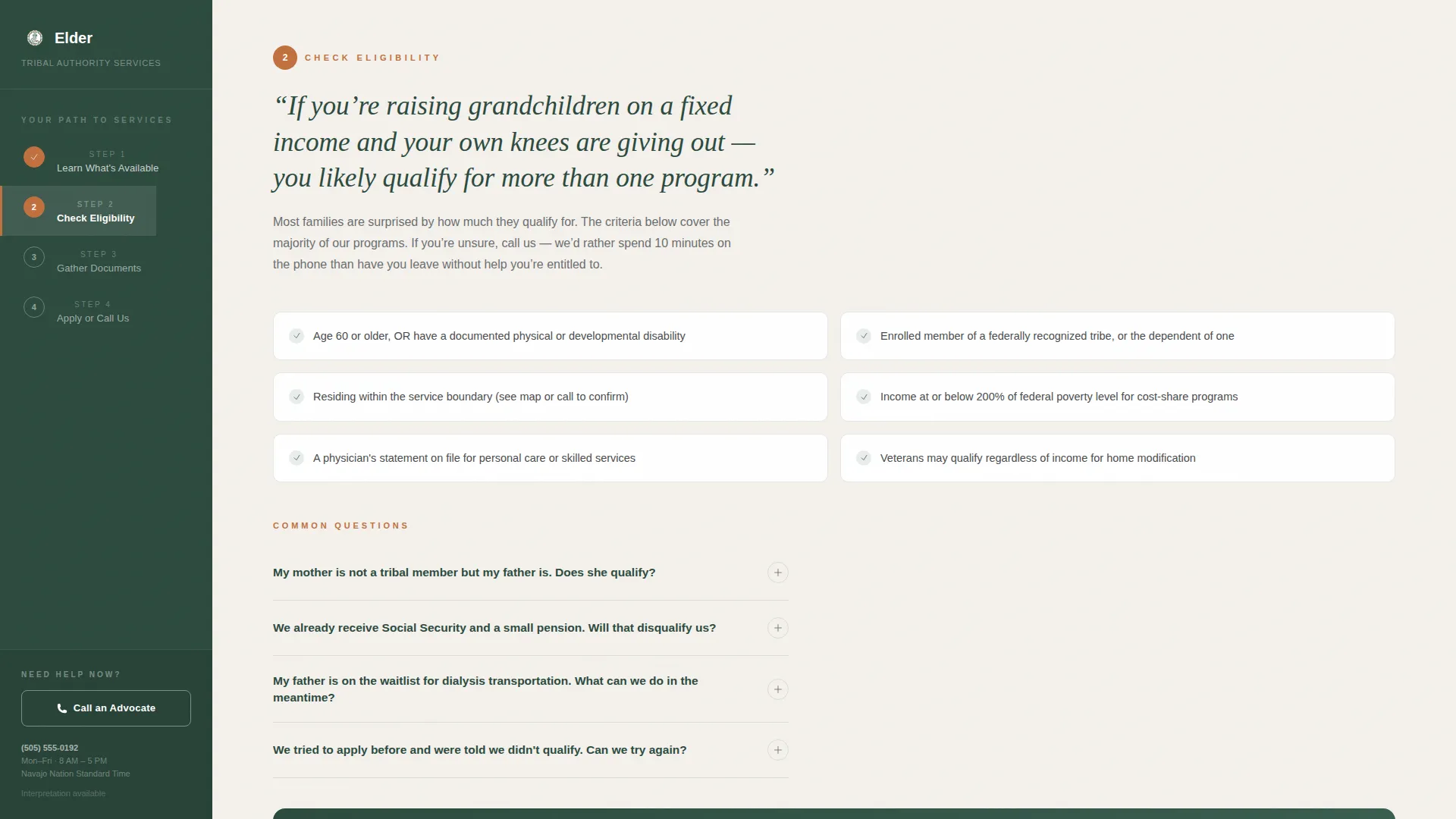
Step 2 ends with a form modal that collects only a first name and mailing address. A printed copy can also be mailed to community members who prefer paper. This low-friction form respects the audience's real-world context.
Persistent Advocate Contact Button
A warm clay button labeled "Call an Advocate" stays visible in the sidebar at all times. The direct phone number and office hours appear without requiring a click. This secondary path serves visitors who are ready to act immediately.
Centered Hero Headline
The header uses a single large serif statement with no competing imagery. The tribal authority name and communities served appear in one calm line below the headline. The composition signals from the first second that this page will explain, not sell.
Page sections overview
| Section | Purpose |
|---|---|
| Hero Headline | Sets calm, trustworthy tone with a single centered serif statement and tribal authority name |
| Step 1: Services | Introduces available programs using human-detail openers and expandable service cards |
| Step 2: Eligibility | Presents plain-language criteria and prompts checklist download via a low-friction form modal |
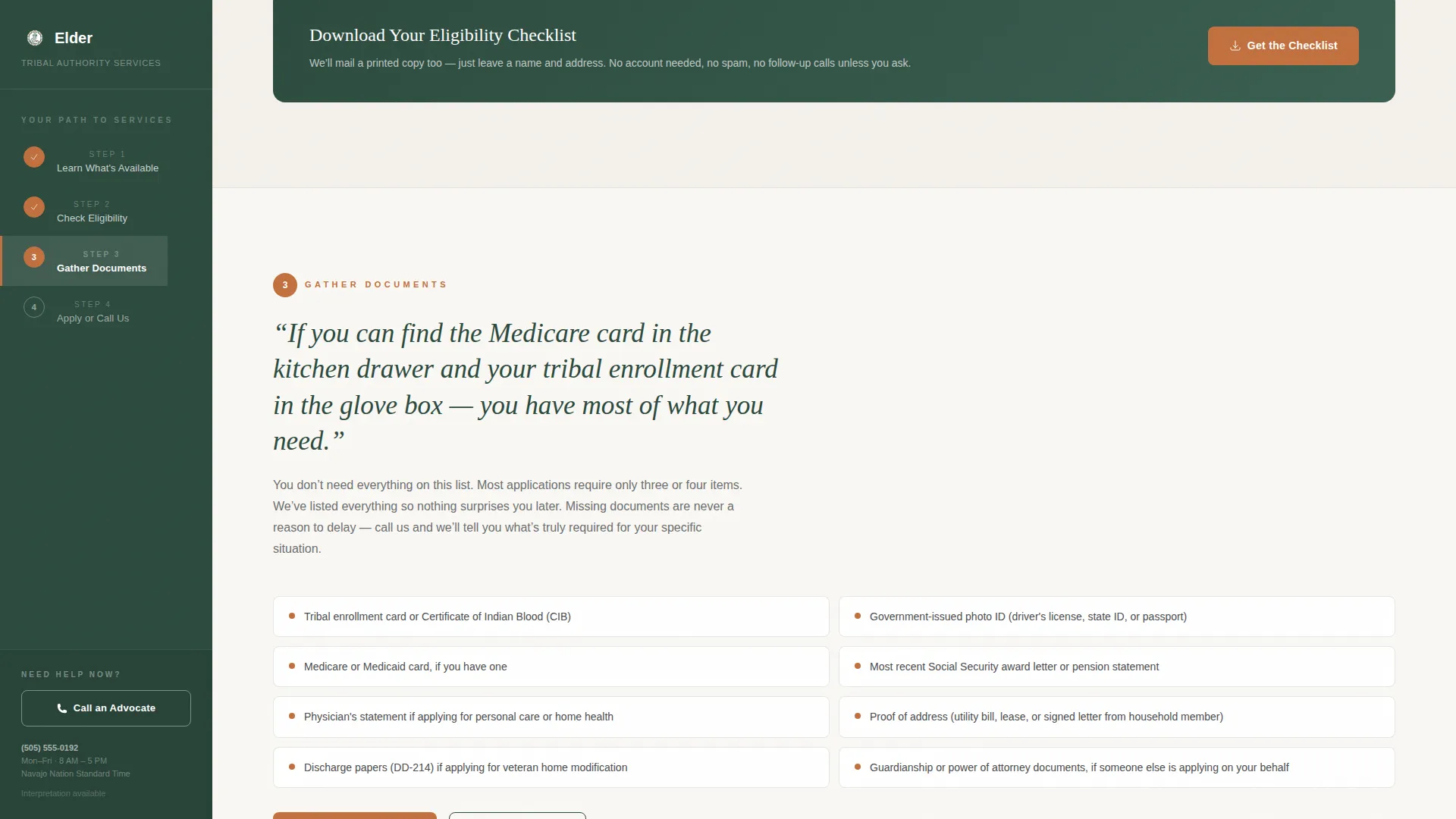
| Step 3: Documents | Lists required documents in a downloadable checklist format with FAQ accordion panels |
| Step 4: Apply | Provides application paths, office hours, and direct advocate contact information |
| Footer | Minimal single-row footer with essential links and no distracting elements |
Design & branding system
The visual identity follows a Civic Service theme built around the Cloud Canvas color system. Every color choice communicates something specific: the background is calm, the headings carry authority, and the accent appears only where action is needed.
- Soft overcast white (#F4F1EC) background, deep juniper (#2C4A3E) for headings and the persistent sidebar, river-stone gray (#6B6E70) for body text, and warm clay (#C2703E) on buttons and progress indicators
- Fraunces serif typeface for all headings, paired with DM Sans for body text, creating an editorial warmth without feeling decorative
- The overall aesthetic is described as a wool blanket over a wooden bench, unhurried and trustworthy, with clay drawing the eye only where action is needed
Mobile & speed optimization
The template is built desktop-first with a fixed sidebar as its primary layout. On smaller screens, the sidebar collapses into a sticky top navigation so the step structure remains useful without blocking content.
- The main content stack reflows cleanly on mobile, keeping each step readable without horizontal scrolling
- Interactive components including accordion panels and the checklist download modal are built as client-side components, while static sections use server-side rendering for faster initial load
- GSAP ScrollTrigger handles scroll-reveal animations at a medium intensity, keeping motion purposeful without creating distraction
How this template helps you convert
This template is designed so that every content decision reduces friction and builds confidence before asking for anything in return.
- The page answers real questions first in plain language, so visitors feel understood and informed before they encounter any form or phone number prompt
- The eligibility checklist download requires only a first name and mailing address, which keeps the barrier to entry low while also serving community members who prefer printed materials
- The persistent "Call an Advocate" button with visible phone number and office hours provides an immediate human path for visitors who are ready to act without reading every step
Other information about this template
This template is well suited for tribal government offices that need a single-page resource hub combining informational content with practical next steps. It handles a range of visitor readiness levels, from someone just learning what programs exist to a caregiver ready to apply today.
- The template is built in Next.js using a mix of server components for static sections and client components for interactive elements like accordions and the sidebar
- GSAP ScrollTrigger is used for scroll-reveal animations and sidebar active-state tracking across all four content steps
- The footer follows a Pattern 1 linear single-row layout, keeping the bottom of the page minimal and distraction-free
- This template suits the Aging and Disability Tribal Authority niche within the broader Government and Public category, where trust and plain language are the primary design requirements
Theme
Civic Service
Creative direction
Step-by-Step Guide
Color system
Cloud Canvas
Style
Sidebar Companion
Direction
Content/Resource
Page Sections
Fixed Sidebar Table of Contents
Step-by-step Content Sections
FAQ Accordion Panels
Eligibility Checklist Download Modal
Persistent Advocate Contact Button
Centered Hero Headline Block
Related questions
Can I update the tribal authority name and service descriptions in this template?
Does the eligibility checklist download support a mailed printed copy?
Is the fixed sidebar still usable on mobile devices?
Can I change the number of steps in the sidebar table of contents?
What interactive components are included in this template?