Executive Mortgage Broker Landing Page Template
The Underwrite Executive Suite Mortgage Broker Landing Page Template is a bold, split-screen landing page built for mortgage brokers who lead with intelligence. A live calculator, a refinance break-even tool, a rate comparison table, and a gated Borrower's Playbook download work together to convert first-time buyers, refinancers, and self-employed borrowers into qualified leads before a single phone call is made.
by Rocket studio
Quick summary
Underwrite is a single-page mortgage landing page template designed for professional mortgage brokers who want to earn trust before asking for contact details. It opens with a 50/50 split-screen hero, moves into a live mortgage calculator, and layers in increasingly valuable tools as the visitor scrolls. Every section is built to demonstrate expertise and generate leads naturally.
Who this template is for
This template suits mortgage brokers and loan officers who work with a wide lender panel and need a landing page that proves value upfront. It also fits brokerage teams whose potential clients include complex borrowers who compare options carefully before committing.
- Mortgage brokers serving first-time homebuyers who need clarity on 30-year commitment numbers
- Loan officers and mortgage companies targeting equity-rich homeowners exploring refinancing options
- Independent brokers working with self-employed founders or investors whose income profiles need careful analysis
What problem this template solves
Most mortgage landing pages ask for a phone number before giving anything back. Potential clients land on a generic form, feel nothing, and leave. This template flips that contract. It gives away real mortgage math first, so brokers earn the consultation rather than demand it.
- Visitors get instant payment estimates without submitting a form, removing the friction that kills leads
- The progressive calculator collects data one field at a time, making the process feel like a professional consultation rather than a cold intake
- Brokers can display credibility through embossed award seals, lender count metrics, and a gated resource, all before the first call
What you get with this template
This template delivers a complete, production-ready mortgage landing page. Every section is pre-structured so you can edit placeholder data, swap in your own business details, and launch without writing a single line of code.
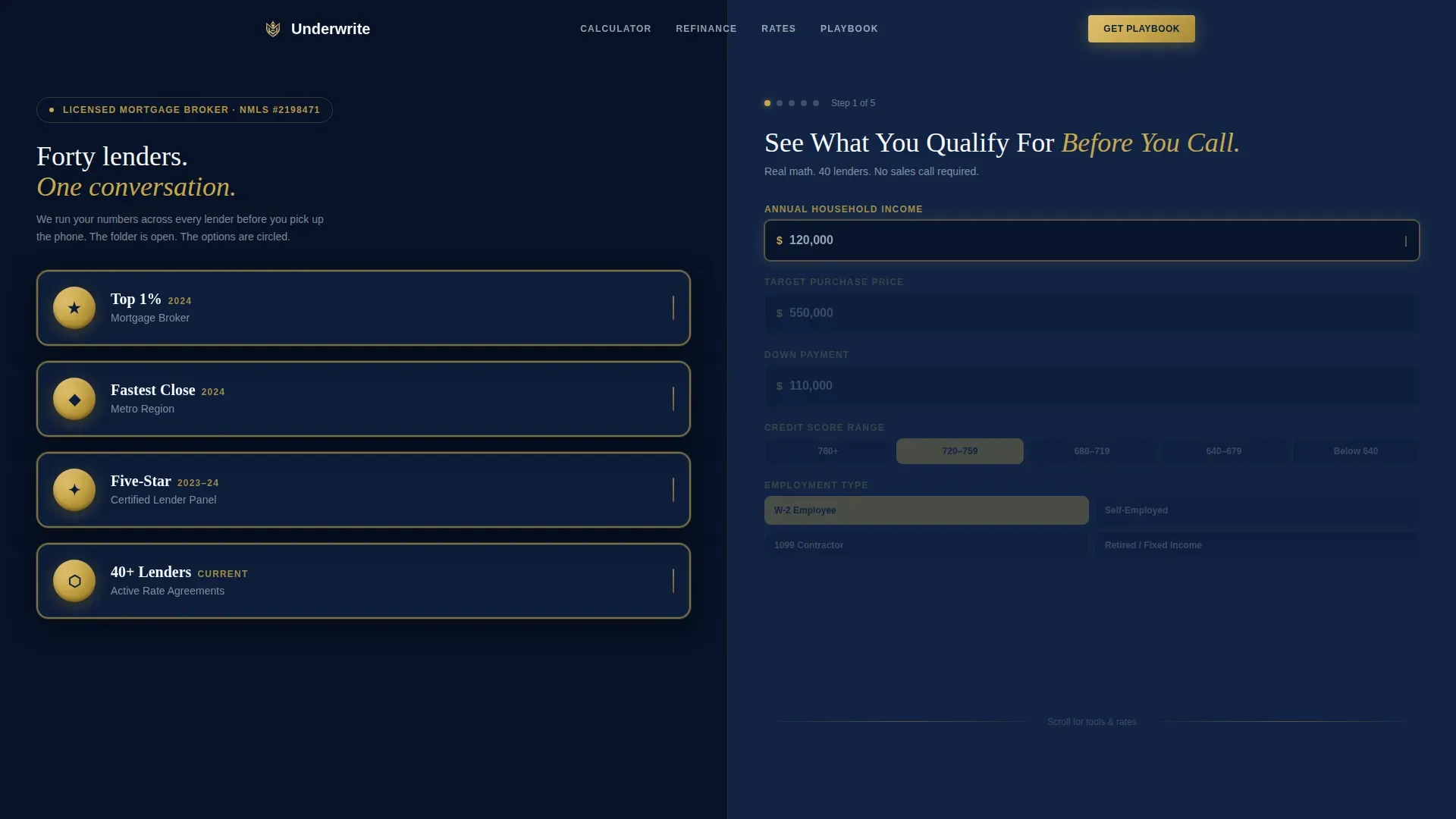
- A split-screen hero with award badge display on the left and a live income input on the right
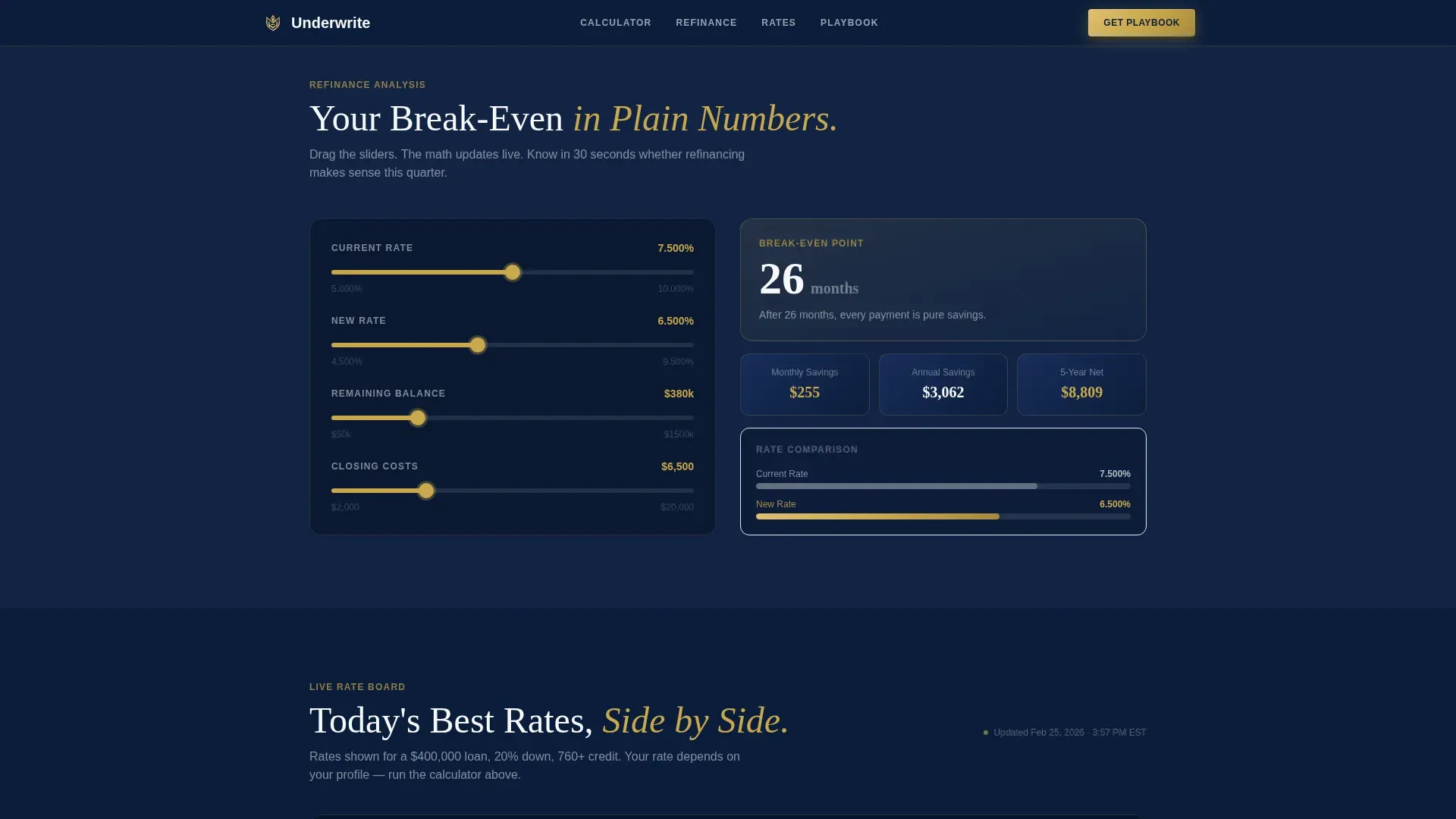
- An interactive mortgage calculator dashboard, a refinance break-even tool, and a side-by-side rate comparison table
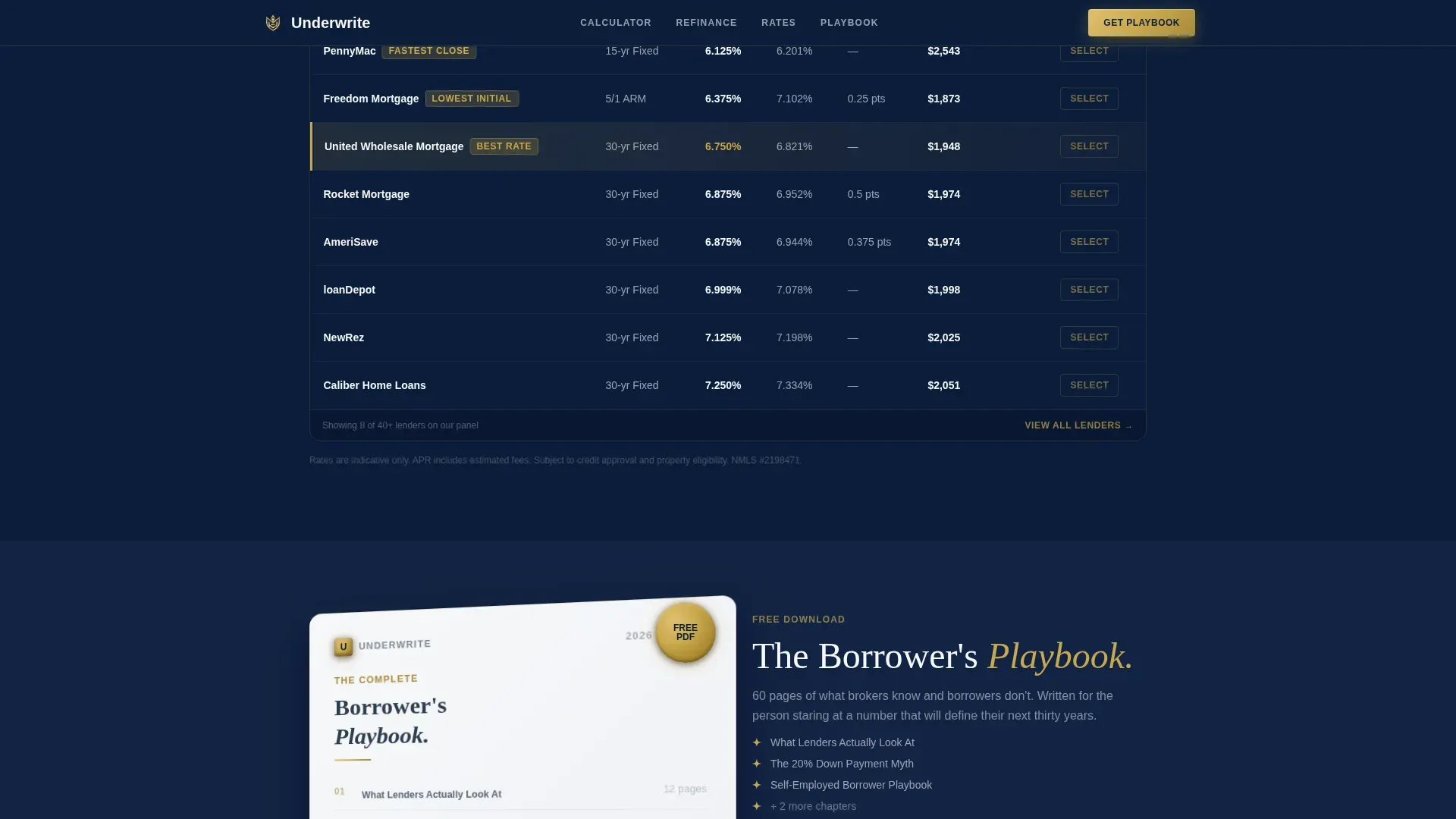
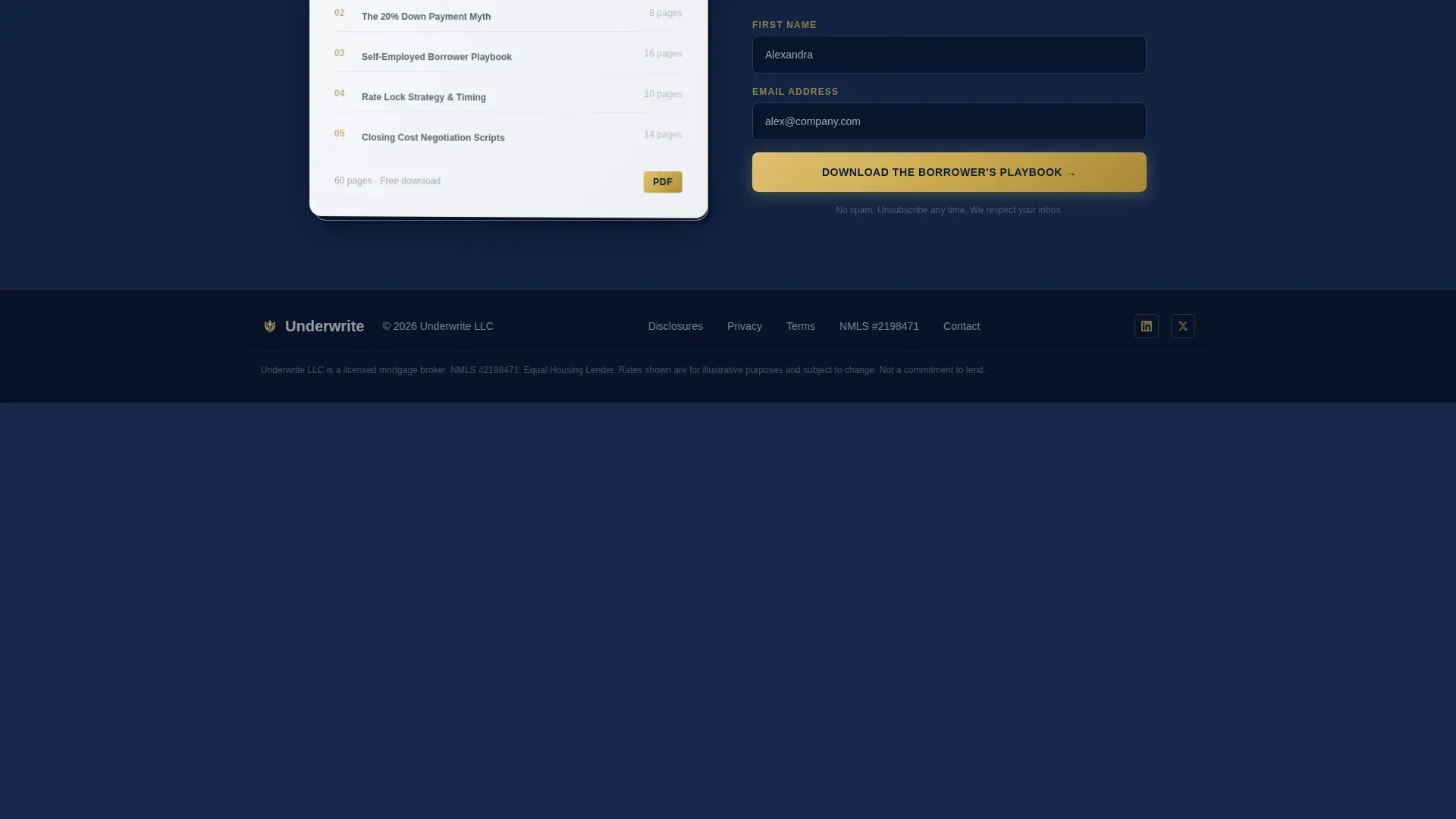
- A gated Borrower's Playbook section with a two-field lead capture form and a realistic page-flip PDF preview
Feature list
This template includes six core features that work together to create a high-converting mortgage landing page experience.
Split-Screen Hero with Award Badge Display
The hero divides the viewport equally. The left panel displays embossed metallic award seals, named and dated credentials that establish authority instantly. The right panel holds a sharp serif headline and a single income input field that starts the calculator flow the moment a visitor types.
Live Progressive Mortgage Calculator
The calculator persists across the scroll. As the right panel collects purchase price, down payment, credit range, and employment type, the left panel updates in real time to show monthly payment, total interest, and lender count. This cockpit-style dashboard keeps visitors engaged and focused on their own numbers.
Refinance Break-Even Analysis Tool
A dedicated section lets homeowners model refinancing scenarios using an interactive slider. The tool shows when a refinance pays for itself, giving equity-rich clients a compelling reason to act. This kind of analysis builds trust with visitors who arrived skeptical.
Side-by-Side Rate Comparison Table
The rate table displays today's mock rates across multiple mortgage products in a clean, scannable layout. Brokers can edit the default rate data to reflect current market conditions. The table helps potential clients see the value of working with a multi-lender brokerage rather than a single bank.
Gated Borrower's Playbook Download
A two-field form captures first name and email in exchange for a downloadable resource previewed as a realistic page-flip mockup. This section creates a secondary conversion path and helps brokers grow an email list of qualified, engaged leads without high-pressure tactics.
Executive Suite Visual Identity
The template ships with a pre-built design system: deep boardroom navy backgrounds, polished brass call-to-action buttons, crisp white content panels, and charcoal body copy. Typography uses a sharp serif for headlines and a clean sans-serif for calculator and form copy. No stock photography is included by design; proof and tools carry the page.
Page sections overview
| Section | Purpose |
|---|---|
| Hero Split Screen | Establish authority and start calculator flow immediately |
| Live Calculator Dashboard | Collect progressive inputs and display real-time mortgage estimates |
| Refinance Break-Even Tool | Help homeowners model and evaluate refinancing scenarios |
| Rate Comparison Table | Compare mortgage products across a multi-lender panel |
| Borrower's Playbook Download | Gate a lead resource behind a minimal two-field form |
| Footer Linear Row | Provide contact, domain, and legal reference links |
Design & branding system
The visual identity follows an Executive Suite direction. The palette feels like a private banker's leather folio: dark enough to signal discretion, with brass accents that mark where serious decisions happen. The modern design avoids decorative clutter and keeps every element focused on the calculator and the data it returns.
- Navy (#0B1D3A) dominates section backgrounds and dividers; brass (#C9A84C) highlights active calculator fields, call-to-action buttons, and trust markers
- White (#F7F8FA) opens up content panels and result displays; charcoal (#2C3E50) carries all body copy with the weight of fine print worth reading
- Fraunces serif handles headlines for authority; DM Sans handles interface and form copy for clarity
Mobile & speed optimization
The template is built desktop-first because the side-by-side calculator layout requires horizontal space to function correctly. On smaller screens, the split panels stack vertically so the calculator remains fully usable on any device.
- The progressive calculator reorganizes into a single-column flow on mobile, keeping each input and result easy to tap
- Section reveals and brass glow animations are handled through scroll-triggered logic, keeping the experience smooth across device sizes
- The footer uses a linear single-row layout that compresses cleanly on narrow screens without breaking the visual hierarchy
How this template helps you convert
This landing page is structured around a "give value first" conversion model. Rather than pushing visitors toward a form immediately, it earns their attention through tools and analysis, then presents natural moments to capture contact details.
- The calculator creates a personalized result that feels worth protecting, so visitors are motivated to request a full rate sheet and share their phone number and preferred contact time
- The Borrower's Playbook download offers a low-commitment first step, capturing name and email from visitors who are not yet ready to speak with a broker
- The award seals, lender count display, and rate table build enough credibility that by the time a visitor reaches the download section, the broker has already demonstrated more value than most paid consultations
Other information about this template
This template is ready to edit and launch quickly. You can swap in your own business name, adjust the default rate data, connect your preferred hosting setup, and customize the color and copy without technical skills. The pre-built pages and sections reduce your project setup time considerably.
- The template supports SEO-friendly page structure, making it straightforward to add a custom domain and optimize title and description fields for organic search growth
- Mortgage brokers can use the rate table and calculator pages as examples when explaining their services to real estate agents and financial advisors who refer clients
- The landing page design supports connection to Google Analytics for tracking visitor behavior and measuring lead form effectiveness
- Brokers focused on business growth can use the Playbook form data to tailor follow-up plans, segment leads by funding stage, and protect their pipeline from cash flow gaps tied to slow lead cycles
- The template's positioning suits mortgage companies, independent brokers, and loan officers who want a competitive edge in a crowded mortgage industry without rebuilding their entire website
- Because the pages are pre-structured, teams can easily adapt sections to highlight specific services, adjust the description copy for local market focus, and note compliance details such as licensing and operating expenses disclosures
Theme
Executive Suite
Creative direction
Calculator/Tool First
Color system
Navy Authority
Style
Split Screen (50/50)
Direction
Content/Resource
Page Sections
Split-screen Hero with Award Seals
Live Progressive Mortgage Calculator
Refinance Break-even Analysis Tool
Side-by-side Rate Comparison Table
Gated Borrower's Playbook Download
Executive Suite Design System
Related questions
Can I edit the calculator fields and rate table data?
Does this template work for self-employed borrowers or investors?
How quickly can I launch this landing page?
Is this template suitable for mortgage companies with multiple loan officers?
How does the Borrower's Playbook section capture leads?



