Paris Local Professional Website Template
Canopy is a comparison table landing page built for a Paris, Texas tree service. It leads with local statistics and species data to educate homeowners, property managers, and city contractors about tree risk. The page converts readers into guide downloads and hazard assessment requests by teaching first and selling second, trust earned one scroll at a time.
by Rocket studio
Quick summary
Canopy is a single-page, stats-first educational resource for a Paris, Texas tree service. It uses side-by-side comparison tables, species data, and a seasonal pruning guide to help homeowners understand tree risk before any sales ask arrives. The dual call-to-action path converts informed readers into guide downloads and hazard assessment requests.
Who this template is for
This template is built for local tree service crews that want to lead with knowledge rather than a quote form. It works especially well for operations serving both residential and commercial clients in smaller metro markets where trust is built face to face.
- Paris, Texas homeowners with storm-damaged or aging trees near structures, fences, or rooftops
- Property managers clearing lots ahead of construction or managing landscaped grounds
- City contractors responsible for keeping rights-of-way clear along corridors like Lamar Avenue
What problem this template solves
Most tree service pages ask for a call before giving a reason to trust. Canopy flips that sequence. It puts species knowledge, risk ratings, and cost data in front of the reader first, so by the time a call to action appears, the visitor already understands the stakes.
- Homeowners do not know which trees are genuinely hazardous and which just look bad after a storm
- Property managers lack a quick reference for species-specific pruning schedules and removal cost ranges
- Generic service pages fail to earn trust in communities where neighbors recommend neighbors
What you get with this template
The template delivers a fully structured, single-page layout built around comparison tables and educational content blocks. Every section is designed to carry a reader from curiosity to confidence in one scroll.
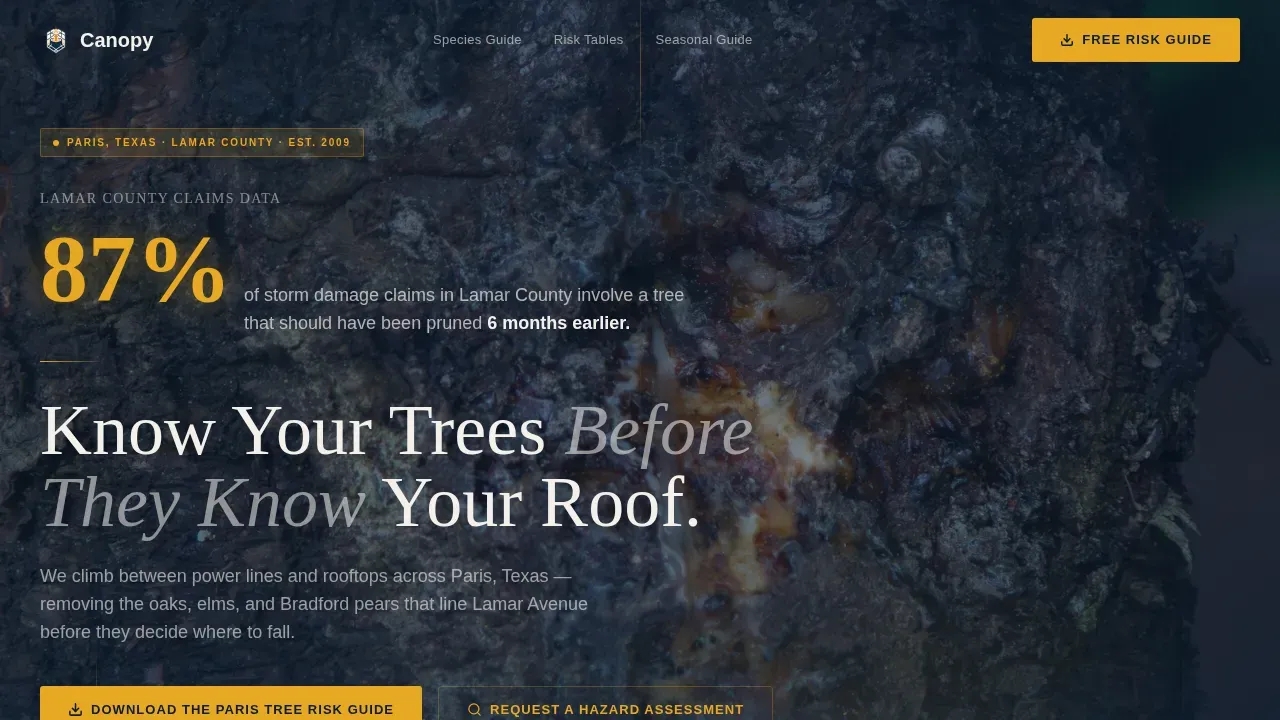
- A cinematic hero section with a nighttime pecan tree photograph, amber glow animation, a stat fade-in, and a headline designed to stop the scroll
- Two core comparison tables covering species data and a DIY-versus-professional risk breakdown
- A seasonal guide section with pruning windows, storm-prep checklists, and species identification cards
- A dual call-to-action section with a guide download form and a hazard assessment path including a photo upload field
Feature list
This template includes the following built-in components and design capabilities derived directly from the project brief.
Cinematic Hero with Stat Fade-In
The header uses a dark, full-bleed nighttime photograph of a large pecan tree lit by a single amber work light. A local statistic fades in at large scale before the headline appears. The effect anchors the page in real, local consequence from the first second.
Species Comparison Table
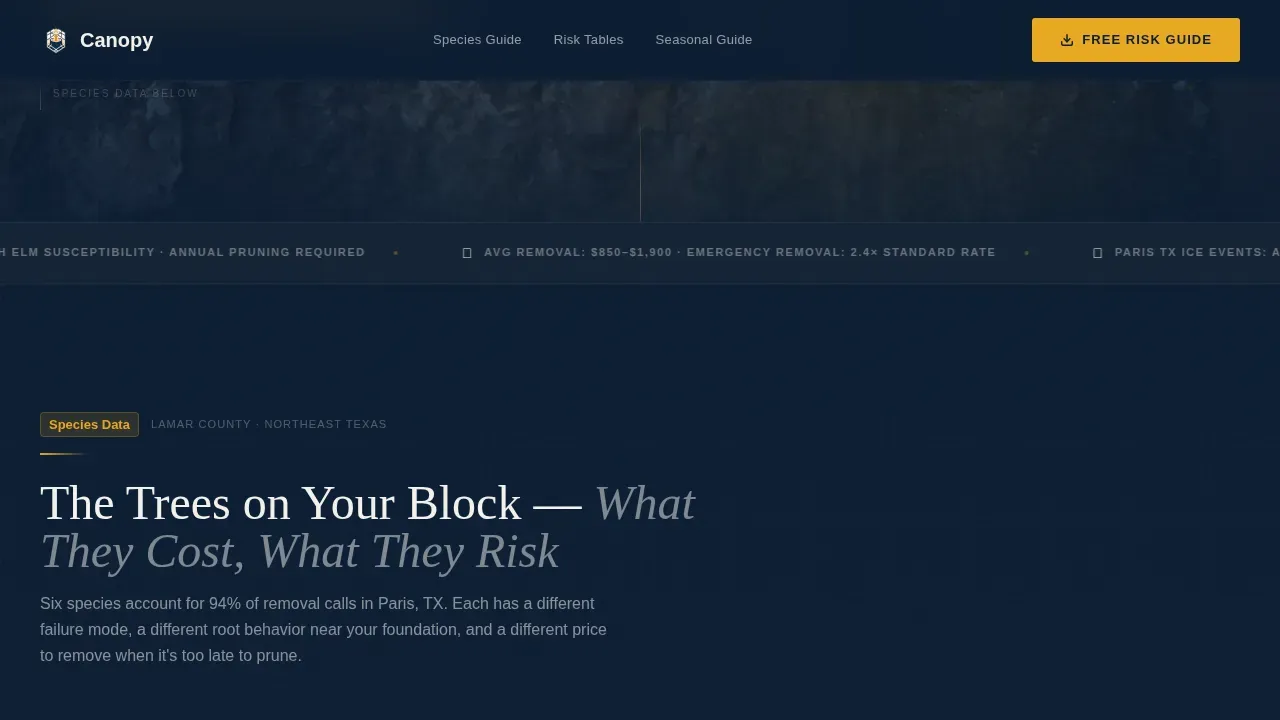
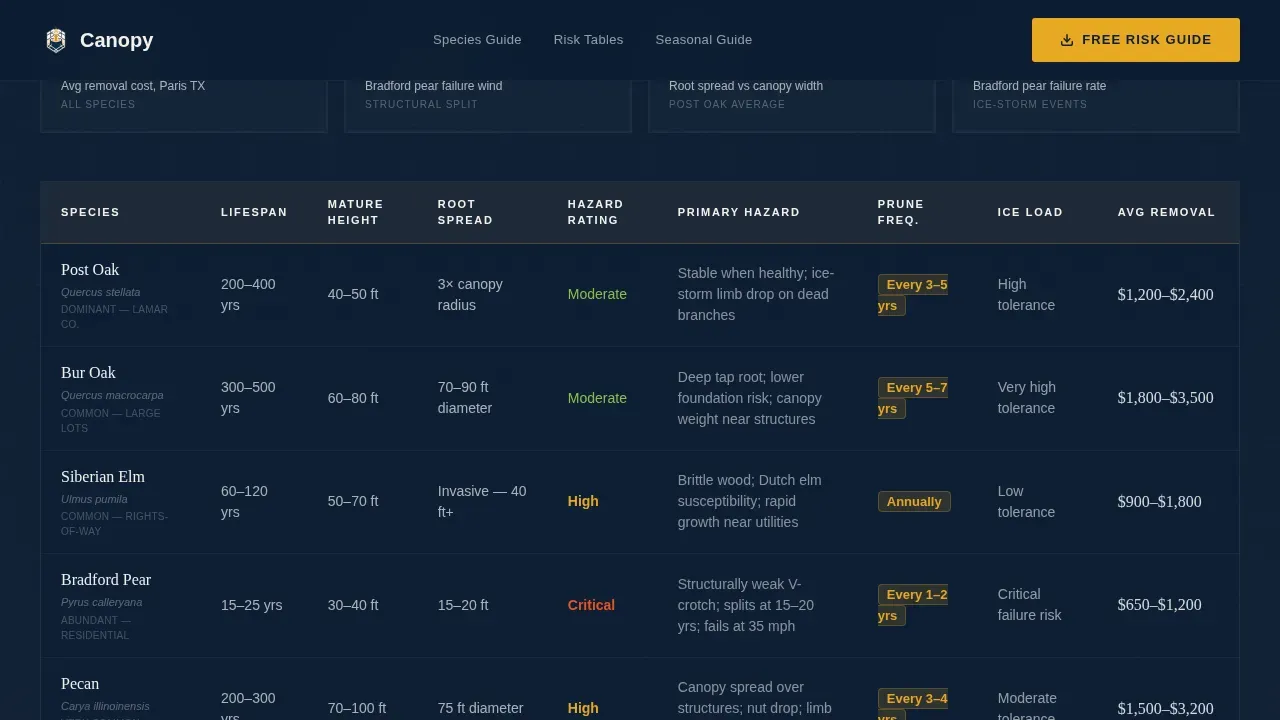
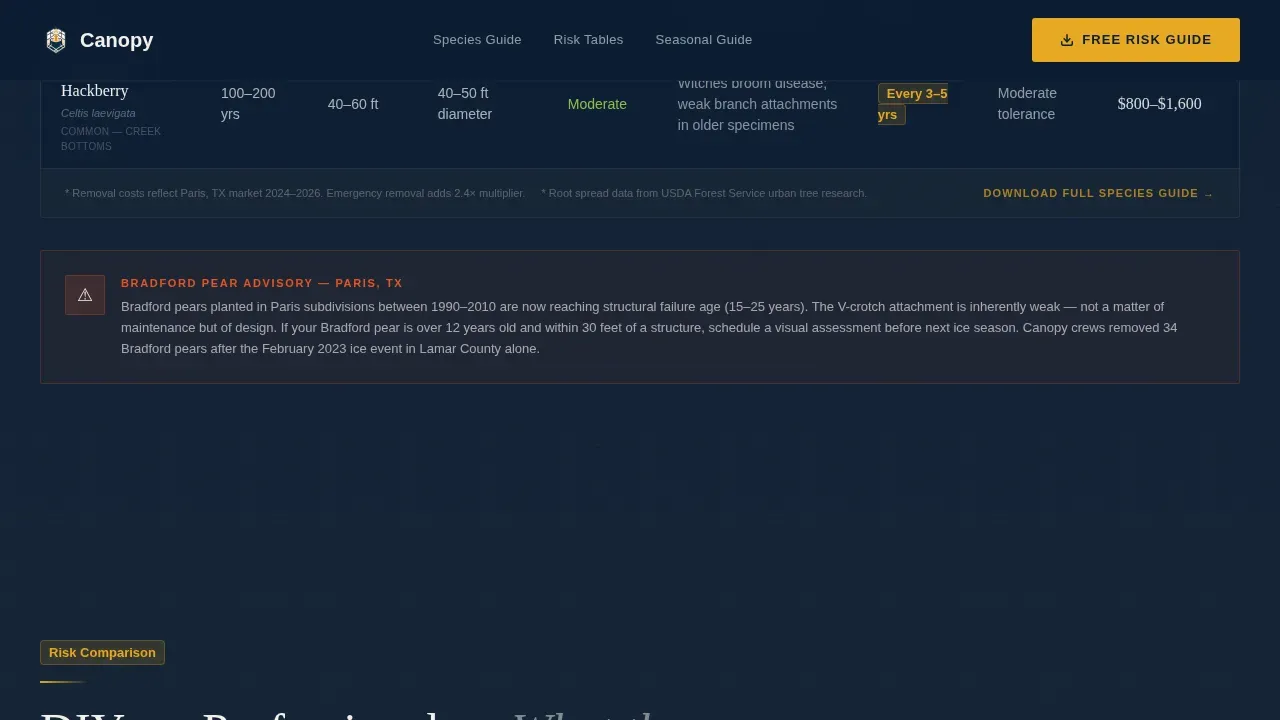
A structured table puts common local species side by side. Each row covers lifespan, hazard rating, pruning frequency, and average removal cost in United States dollars. Row highlights on interaction let readers focus on the species they care about most.
DIY versus Professional Breakdown Table
A second table compares do-it-yourself trimming against professional service across four dimensions: risk level, equipment cost, liability exposure, and time required. It is designed to inform rather than persuade, letting the data make the case.
Seasonal Pruning and Storm-Prep Guide
This section lays out pruning windows by season, a storm-preparation checklist, and species identification cards. It gives readers genuinely useful arboricultural knowledge they can apply before they ever request a service.
Dual Call-to-Action Section
Two conversion paths sit side by side. The first collects an email address and street address to unlock the Paris Tree Risk Guide. The second offers a hazard assessment request with a photo upload field so the crew can review the specific tree in question.
Scroll-Triggered Animations and Spotlight Effects
Stat counter animations fire as each data section enters the viewport. Amber glow pulses and spotlight mouse-tracking effects give the page a field-manual energy without sacrificing readability on data-dense sections.
Page sections overview
| Section | Purpose |
|---|---|
| Nighttime Hero | Introduce local risk stat and headline |
| Species Comparison Table | Compare oaks, elms, Bradford pears |
| DIY versus. Professional Table | Show risk and cost tradeoffs |
| Seasonal Pruning Guide | Deliver pruning windows and checklists |
| Species ID Cards | Help readers identify their own trees |
| Dual Call-to-Action | Capture guide downloads and assessment requests |
| Linear Footer | Provide single-row contact and nav |
Design & branding system
The visual identity follows an Educational Guide theme using a field-manual aesthetic. It feels serious enough to trust with your property and warm enough to read at the kitchen table.
- Color palette: deep command navy (#0B1D33) for backgrounds, heartwood charcoal (#1E2A38) for surface layers, safety-vest amber (#E8A824) for callouts and data highlights, and clean parchment (#F4F1EB) for content areas
- Typography: Fraunces serif for headlines to convey authority, Manrope sans-serif for body text and table data to keep information scannable and clear
Mobile & speed optimization
The page is built desktop-first to honor the wide comparison tables, and it scales down cleanly for mobile readers who may be standing in their yard with a phone.
- Tables reflow for narrow viewports so data stays readable without horizontal scrolling
- Interactive components including photo upload, table row highlights, and stat counters are loaded as client-side components only, keeping the base page static and fast to load
How this template helps you convert
The page converts by teaching first. Readers who feel informed make faster decisions with higher confidence.
- The hero stat creates immediate local relevance, connecting the reader's own situation to a Lamar County risk reality before any service is mentioned.
- The comparison tables replace skepticism with data, so the question shifts from "do I need this?" to "which option is right for my tree?"
- The guide download requires only an email and a street address, keeping the barrier low while giving the crew the location data needed to reference satellite canopy imagery in follow-up.
Other information about this template
This template is a strong fit for tree service businesses that operate in specific local markets and want to differentiate through educational content rather than price.
- The page is localized for Paris, Texas with imperial measurements and United States dollar cost references throughout
- The footer uses a linear single-row pattern for clean, minimal navigation at the bottom of the page
- Animation intensity is high across the template, including spotlight card effects, scroll-triggered stat counters, and amber glow pulses on key callout elements
- The photo upload field in the hazard assessment call to action is designed to give crews real diagnostic context before a site visit
- The 87% storm damage statistic is specific to Lamar County and is presented as a trust anchor for local readers who recognize the geography
Theme
Educational Guide
Creative direction
Stats-First Impact
Color system
Navy Authority
Style
Comparison Table
Direction
Content/Resource
Page Sections
Cinematic Hero with Stat Fade-in
Species Comparison Table
DIY Versus Professional Breakdown
Seasonal Pruning and Storm-prep Guide
Dual Call-to-action Section
Scroll-triggered Animations
Related questions
Who is this landing page template built for?
What are the two main calls to action on this page?
Does the page work on mobile devices?
Can I edit the species data and cost figures in the comparison tables?
What makes this template different from a standard tree service page?



