Veterans Services Landing Page Template
Muster is a sidebar companion landing page built for veterans services federal agencies. It organizes benefits navigation by life chapter, pairs a persistent sidebar table of contents with an inline eligibility questionnaire, and opens with a search-first header that gets out of the way. The design is austere, dignified, and built to earn trust before it asks for anything.
by Rocket studio
Quick summary
Muster is a single-page resource hub designed for a veterans services federal agency. It greets every visitor with a centered search field, routes them through life-chapter sections, and keeps a fixed sidebar beside them the entire time. The page leads with data, delivers linked resources and eligibility checklists, and ends with a primary call to action that feels earned rather than forced.
Who this template is for
This template is built for teams that serve veterans, their families, and the advocates who work alongside them. It fits any federal or local government agency that needs to present a large catalog of benefits clearly and without friction.
- Recently separated service members decoding disability claims or GI Bill enrollment for the first time
- Surviving spouses, dependents, and county Veterans Service Officers managing multiple open cases across benefit categories
- Federal agency web teams that need a structured, skimmable resource hub ready to deploy without rebuilding navigation from scratch
What problem this template solves
Veterans benefits systems are complex. A recently separated E-5 searching at midnight, a surviving spouse navigating pension paperwork, and a county officer toggling between browser tabs all face the same core problem: the information exists, but finding the right piece at the right moment is exhausting. This template solves that directly.
- Bureaucratic categories scatter related resources across disconnected pages, forcing visitors to map the system themselves before they can act
- No persistent navigation means visitors lose their place in long resource documents and abandon the process before completing it
- Generic layouts bury the most-needed links under visual noise, making even a simple claim-status check feel like work
What you get with this template
Muster delivers a complete, single-page resource document organized around the actual arc of a veteran's life rather than internal agency filing logic. Every section leads with a live data callout, opens into linked resource cards, downloadable PDFs, and eligibility checklists, then hands the visitor a clear next step.
- A search-first header in Arctic White with six plain-text quick links covering the resources that account for the majority of all visits
- Six life-chapter content sections, each with data callouts, resource cards, PDF links, and eligibility checklists
- A fixed sidebar with a persistent table of contents, an inline eligibility questionnaire, and a ZIP-code facility finder
Feature list
This template brings together purposeful components grounded in what veterans actually need when they arrive at a government resource page.
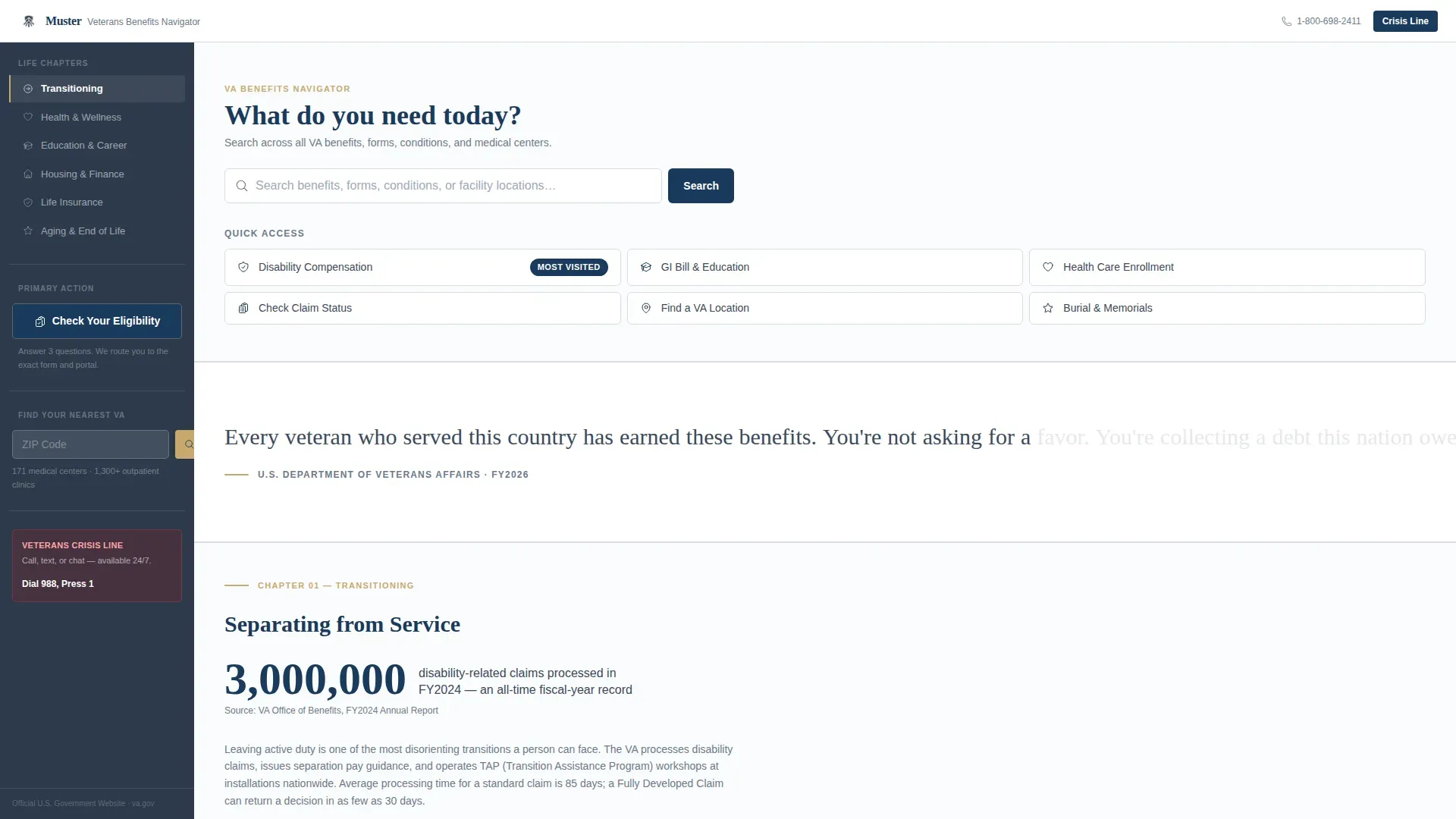
Search-First Header with Quick Links
The header opens with a single, large search input on a clean Arctic White field. Ghost text reads "Search benefits, forms, conditions, or facility locations…" Below it, six plain-text quick links cover disability compensation, GI Bill, health care enrollment, claim status, VA locations, and burial benefits. No hero imagery. No stock photography. Just direct access.
Life-Chapter Content Sections
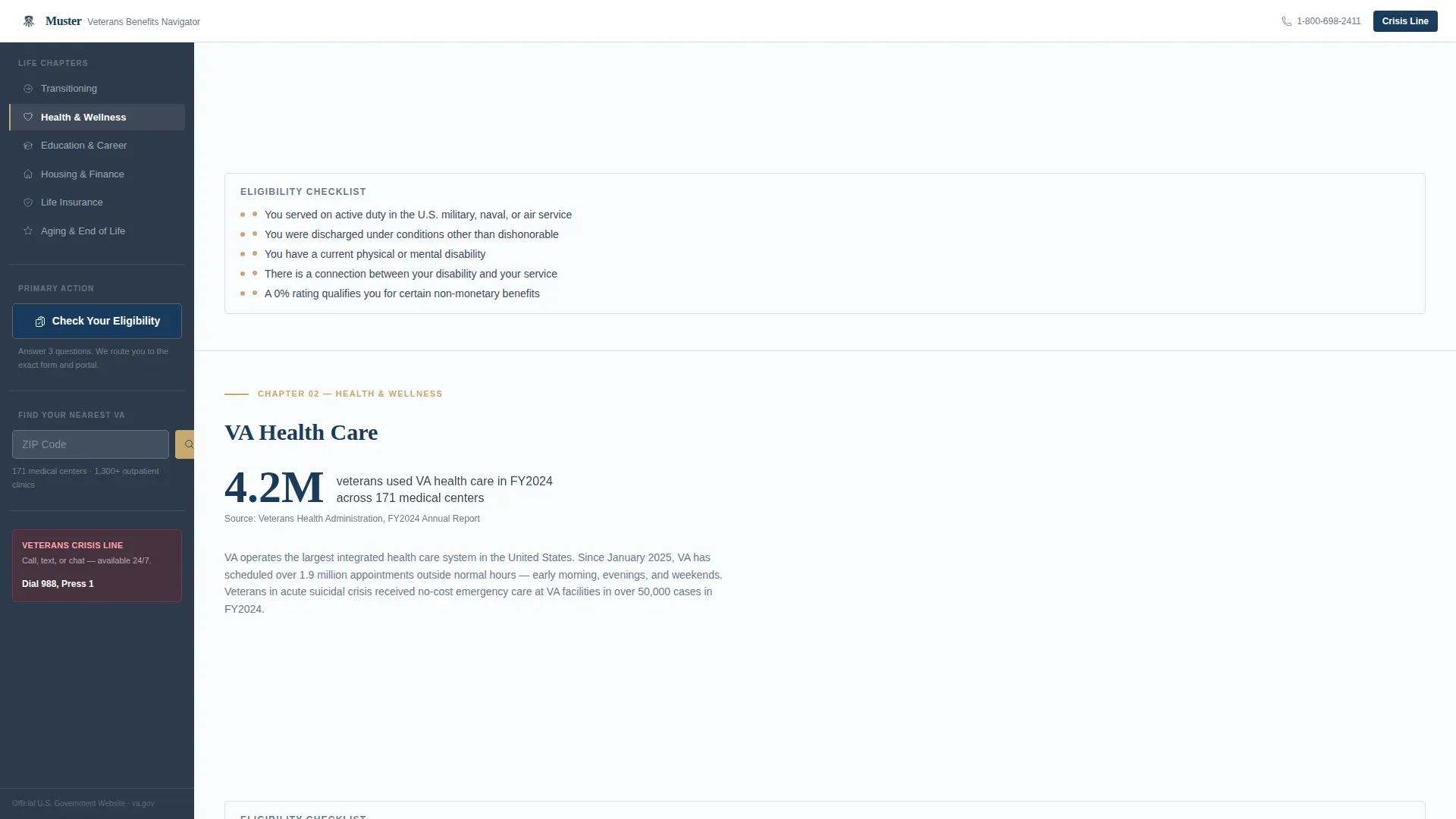
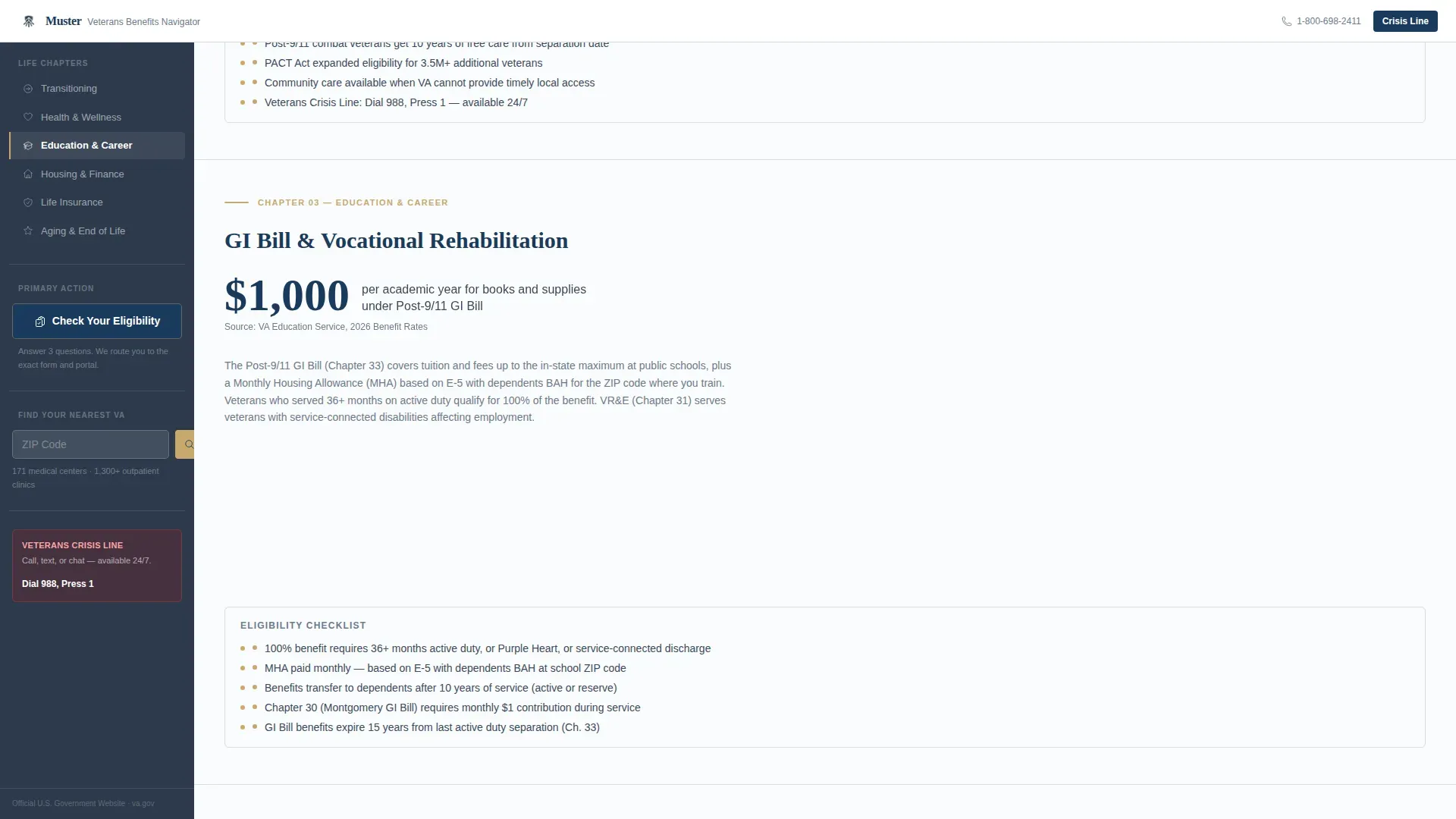
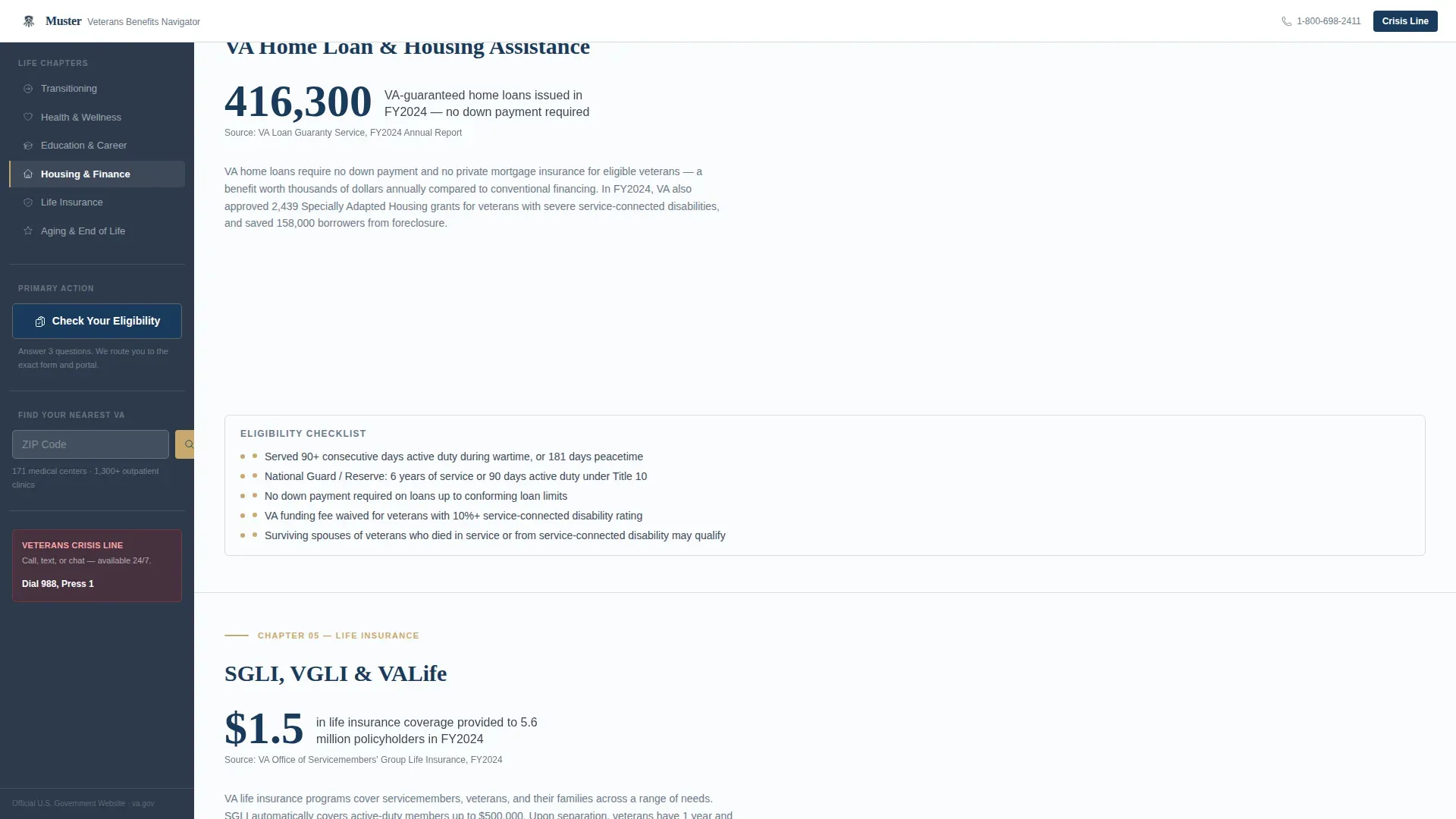
Six named sections organize the page by where the visitor is in their life: Transitioning, Health and Wellness, Education and Career, Housing and Finance, Life Insurance, and Aging and End of Life. Each section opens with a large service blue data callout, such as "4.2 million veterans used VA health care in FY2024," before unfolding into linked resource cards, downloadable PDFs, and eligibility checklists. This structure helps visitors find what they need without having to understand how the agency is organized internally.
Persistent Sidebar Navigator
The sidebar stays fixed as the visitor scrolls. It functions as a live table of contents, highlighting the active section and letting the visitor jump forward or back at any point. The sidebar sits at a slightly darker slate shade than the main content pane, grounding the eye and making the page feel navigable rather than overwhelming.
Inline Eligibility Questionnaire
The primary call to action embedded in the sidebar reads "Check Your Eligibility." It opens an inline, progressive questionnaire that starts with service era, discharge status, and benefit category. Based on the answers, it routes the visitor to the exact resource page or application portal that matches their situation. The page earns this click by answering questions before asking for anything.
ZIP-Code Facility Finder
A secondary call to action in the sidebar reads "Find Your Nearest VA." It triggers a location lookup by ZIP code. This keeps the facility-search task local to the page rather than sending the visitor to a separate lookup tool and losing them in the process.
Scroll-Reveal and Counter Animations
The template includes medium-level animation: scroll-reveal word animation on section headings and counter animations on data callouts. The sidebar tracks the active section in real time. These interactions are purposeful rather than decorative, reinforcing the sense that the page is alive and responsive to the visitor's movement through it.
Page sections overview
| Section | Purpose |
|---|---|
| Search Header | Primary entry point with quick links |
| Transitioning Benefits | Disability comp, claim status, discharge upgrade |
| Health and Wellness | Enrollment, mental health, PACT Act resources |
| Education and Career | Post-9/11 GI Bill, vocational rehab, licensing |
| Housing and Finance | VA home loan, SAH grants, homelessness resources |
| Life Insurance | SGLI, VGLI, and coverage transition guidance |
| Aging and End of Life | Burial benefits, DIC survivor resources |
| Fixed Sidebar | Table of contents, eligibility tool, facility finder |
| Footer | Linear single-row pattern with agency links |
Design & branding system
The visual identity follows a Community Hearth theme. The palette is austere and dignified, like a freshly pressed dress uniform laid out on a white bedspread. It carries weight through restraint rather than decoration.
- Arctic White (#FAFBFC) covers the main content field; steady Slate (#3B4A5C) anchors the sidebar and primary text; soft Heather Gray (#D6DCE3) marks divider lines and card borders; deep Service Blue (#1A3A5C) is reserved for active links, selected states, and the primary action button
- Typography pairs Fraunces serif for display headings and data callouts with DM Sans for body text and interface elements, creating a clear editorial hierarchy
- No hero images or stock photography appear anywhere on the page; visual credibility comes from data, structure, and typographic dignity
Mobile & speed optimization
The template is designed desktop-first to support the sidebar layout, and the sidebar collapses cleanly on smaller screens so mobile visitors retain full access to the table of contents and eligibility tool.
- Static content sections are built as Server Components, keeping the initial page load light; the sidebar, questionnaire, and facility finder run as Client Components to stay interactive without blocking the rest of the page
- Scroll-reveal animations and counter animations are scoped to avoid layout shifts on mobile, so the experience feels intentional rather than broken on a phone screen
How this template helps you convert
Every structural decision in this template is designed to reduce abandonment and increase the likelihood that a visitor completes the action they came to take.
- The page leads with answers, not asks. Every section gives data and resources first. By the time the visitor reaches the eligibility questionnaire, they already trust that the tool was built for someone in their exact situation.
- The persistent sidebar removes the disorientation that causes most visitors to leave long resource pages. It shows them where they are, where they have been, and what is still ahead, so they stay and keep moving rather than bouncing.
- The inline eligibility routing tool shortens the path between "I think I qualify" and "here is the exact form or portal I need," which is the single highest-friction moment in veterans benefits navigation.
Other information about this template
Muster is a sovereign tribal nation community hearth government website template concept adapted here for a veterans services federal context, and the design principles it carries are directly relevant to any government agency that must serve diverse populations across wide geographic and cultural distances. The same ideas that make this template work for veterans also inform how indigenous communities, tribal governments, and native nations approach their own digital presence.
Tribal sovereignty means tribal governments have the inherent authority to govern their own members and protect the health and welfare of citizens on tribal lands. Indigenous data sovereignty extends that principle into the digital space: it is the right of a nation to govern the collection, ownership, and application of its own data. Tribes hold the sovereign authority to manage their own data, and data sovereignty is not a technical detail but a governance matter.
Federally recognized tribes are treated as domestic dependent nations under federal law. American indians and alaska natives who are tribal members are citizens of three sovereigns simultaneously: their tribe, the united states government, and the state in which they reside. Tribal governments exercise jurisdiction across indian country in areas including education, health care, law enforcement, and social services. Tribal courts are part of that governance structure, giving tribes the power to enforce law within their own lands.
Indigenous peoples have always been data creators and stewards, embedding knowledge in cultural practice. Yet the lack of access to data collected by external agents about tribal citizens, tribal lands, and resources continues to limit self determination. When other third parties control data about a community, that community loses the ability to govern itself fully. Data sovereignty matters because tribal governments require access to their own data to protect citizens and make sound decisions.
The template design principles here echo what effective government digital presence looks like for any sovereign entity. Tribal communities and indigenous communities benefit from the same clarity this template brings to veterans: section-led navigation, plain-language resource organization, and a persistent guide that knows where you are in the process. Native peoples and native american tribes across northern california and beyond, including alaska natives, state recognized tribes, and other tribes not yet federally recognized, share these navigational and governance challenges. The national congress of American Indians and related organizations have long advocated for data governance frameworks that let tribes govern their own digital infrastructure and carefully weigh decisions about how their data is used or shared with other third parties.
This template can support any government entity that needs to communicate clearly with community members across complex, multi-topic benefit structures, from veterans services to tribal government portals. The sovereignty principle is the same: the people this page serves should be able to find what they need, understand their rights, and act without friction.
- This template includes a linear single-row footer pattern with agency-level links
- The sidebar uses active-section tracking so decision makers on the publishing team can see how content is structured at a glance during editing
- The page is created as a single-page document flow, not a multi-page site, so all resources live in one scrollable relationship with each other
- The design system is fully adaptable to reflect cultural identity and the governance principles of any public-sector organization that chooses to use it
Theme
Community Hearth
Creative direction
Industry Report
Color system
Arctic White
Style
Sidebar Companion
Direction
Content/Resource
Page Sections
Search-first Header with Quick Links
Life-chapter Content Sections
Persistent Sidebar Navigator
Inline Eligibility Questionnaire
Zip-code Facility Finder
Scroll-reveal and Counter Animations
Related questions
What kind of agency is this template built for?
Can the sidebar eligibility questionnaire be adapted for different benefit categories?
Does the template include a facility or location finder?
How does the life-chapter structure differ from a standard benefits index?
Is the design system customizable for a specific agency's visual identity?



