Government Agency & Department Professional Website Template
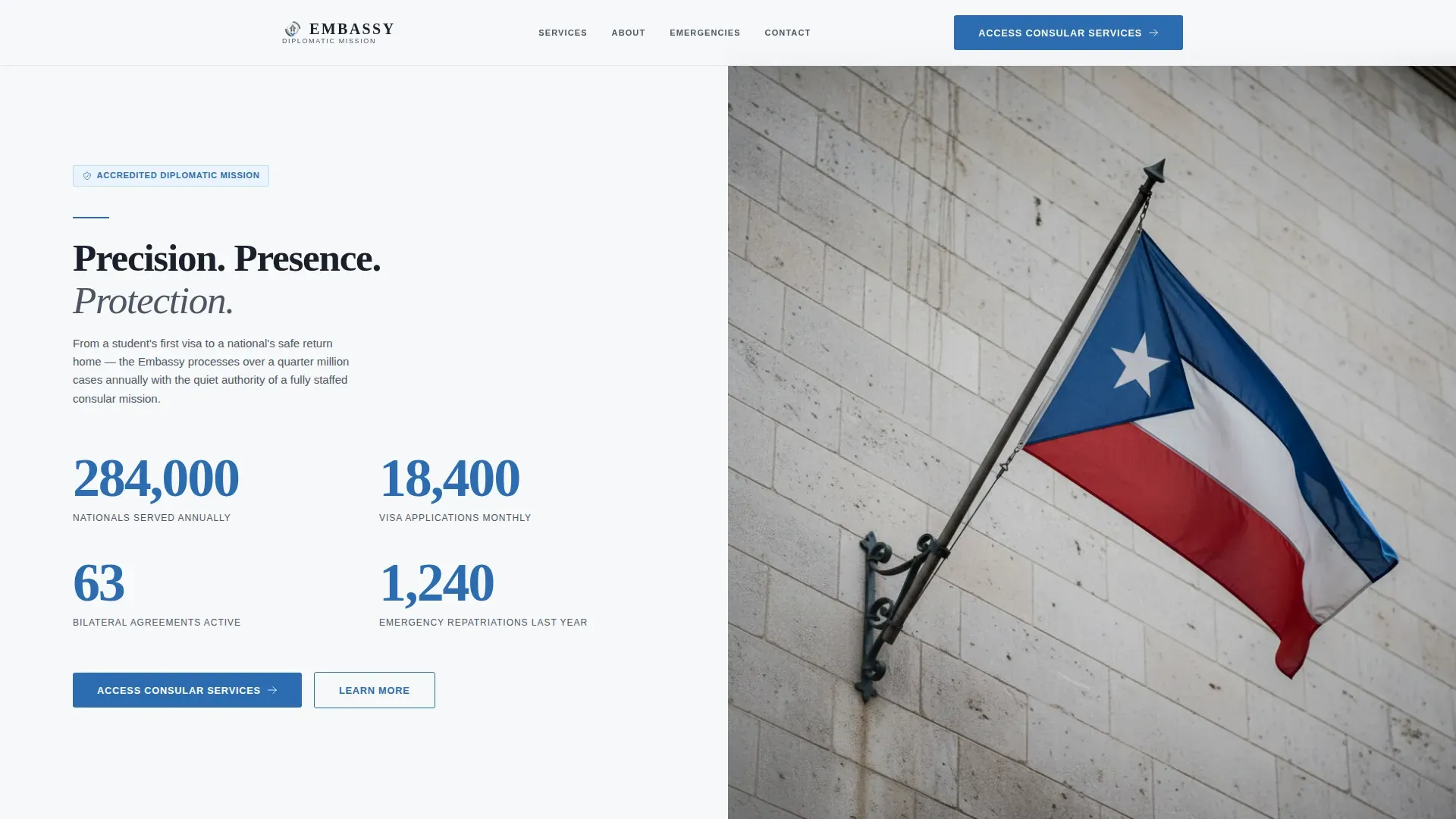
Embassy is a split-screen landing page template built for foreign embassy and consulate websites. It pairs a stats wall with a flag photograph, then follows a cause-and-effect narrative structure that routes visitors toward the correct consular service portal. The Corporate Precision design system and Cloud Canvas palette give every section the quiet authority visitors expect when seeking consular assistance abroad.
by Rocket studio
Quick summary
Embassy is a single-page, click-through landing page template designed for diplomatic missions and consulate offices. It uses a 50/50 split-screen layout, a metrics-driven header, and a human-story narrative engine to move anxious visitors toward the right service portal quickly and confidently. Every design decision reinforces institutional trust before a visitor ever clicks a button.
Who this template is for
This template is built for anyone responsible for the digital presence of a foreign embassy, consulate, or diplomatic mission. It works equally well for government web teams creating content for a national mission abroad and for agencies designing on behalf of a diplomatic client.
- Government web managers setting up or refreshing a consulate landing page
- Diplomatic communications teams who need a page that serves visa applicants, trade parties, and nationals in distress
- Agencies and freelancers building embassy websites that must feel authoritative from the first scroll
What problem this template solves
When someone arrives at an embassy or consulate page, they are rarely browsing. They are a parent tracking a detained child, a student whose passport stamp has a deadline, or an exporter trying to follow the correct trade channel. A generic template cannot carry that weight. This template solves the gap between a bureaucratic-looking page and one that actually assists people in urgent situations.
- Visitors cannot quickly determine which service applies to their situation, so they leave or call the wrong department
- Standard templates lack the institutional tone and visual authority that a foreign embassy must project
- Pages that bury emergency contact information or travel documents guidance cause real harm to people who need immediate help
What you get with this template
You get a fully structured, formatted landing page ready to populate with your embassy's real data. Every section is purpose-built for diplomatic service delivery. The layout is desktop-first but includes full mobile support, so users on smartphones can access the page without friction.
- A split-screen hero with a four-figure stats wall on the left and a high-resolution flag photo on the right
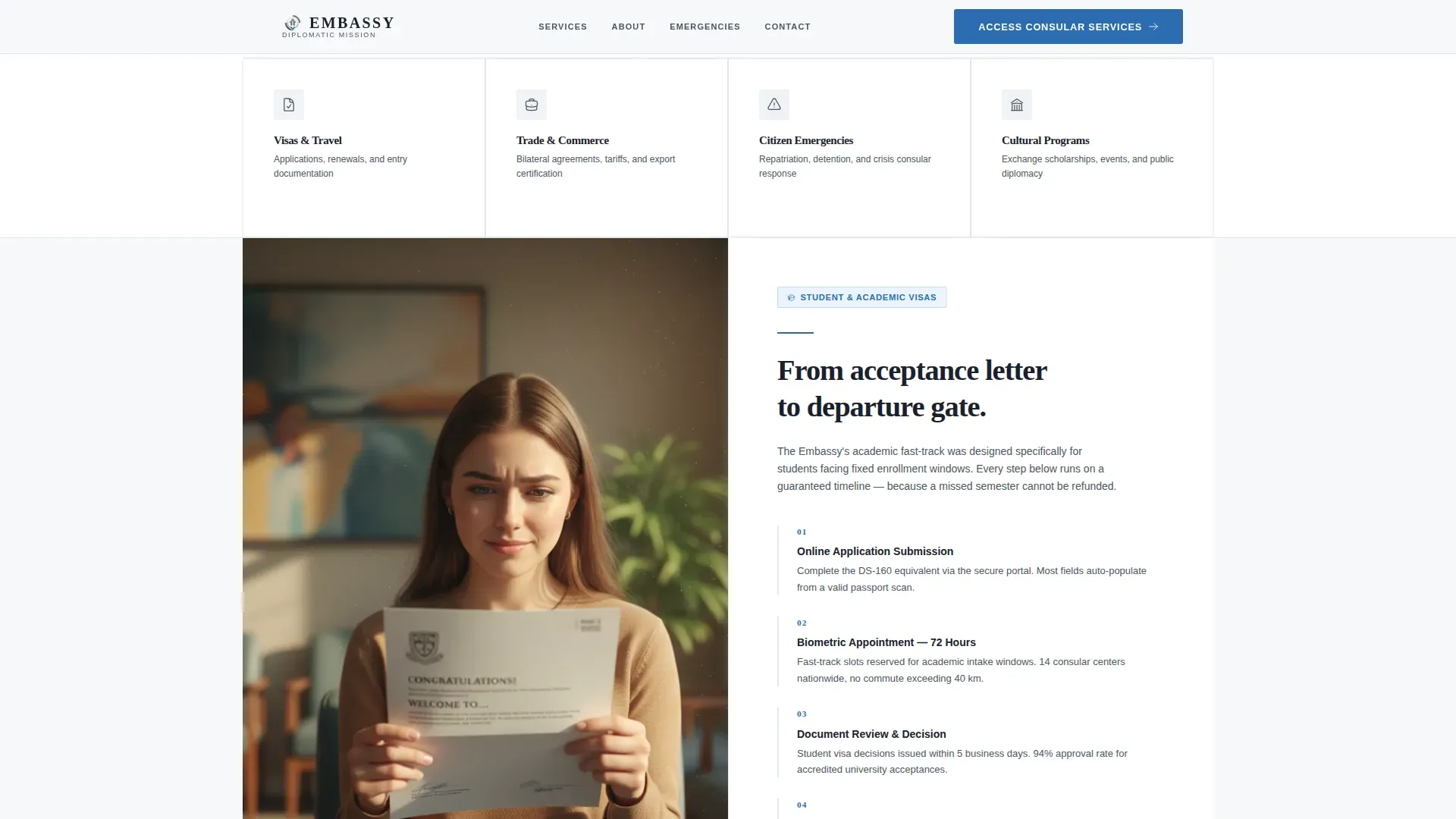
- A four-tile segmentation bar covering Visas and Travel, Trade and Commerce, Citizen Emergencies, and Cultural Programs
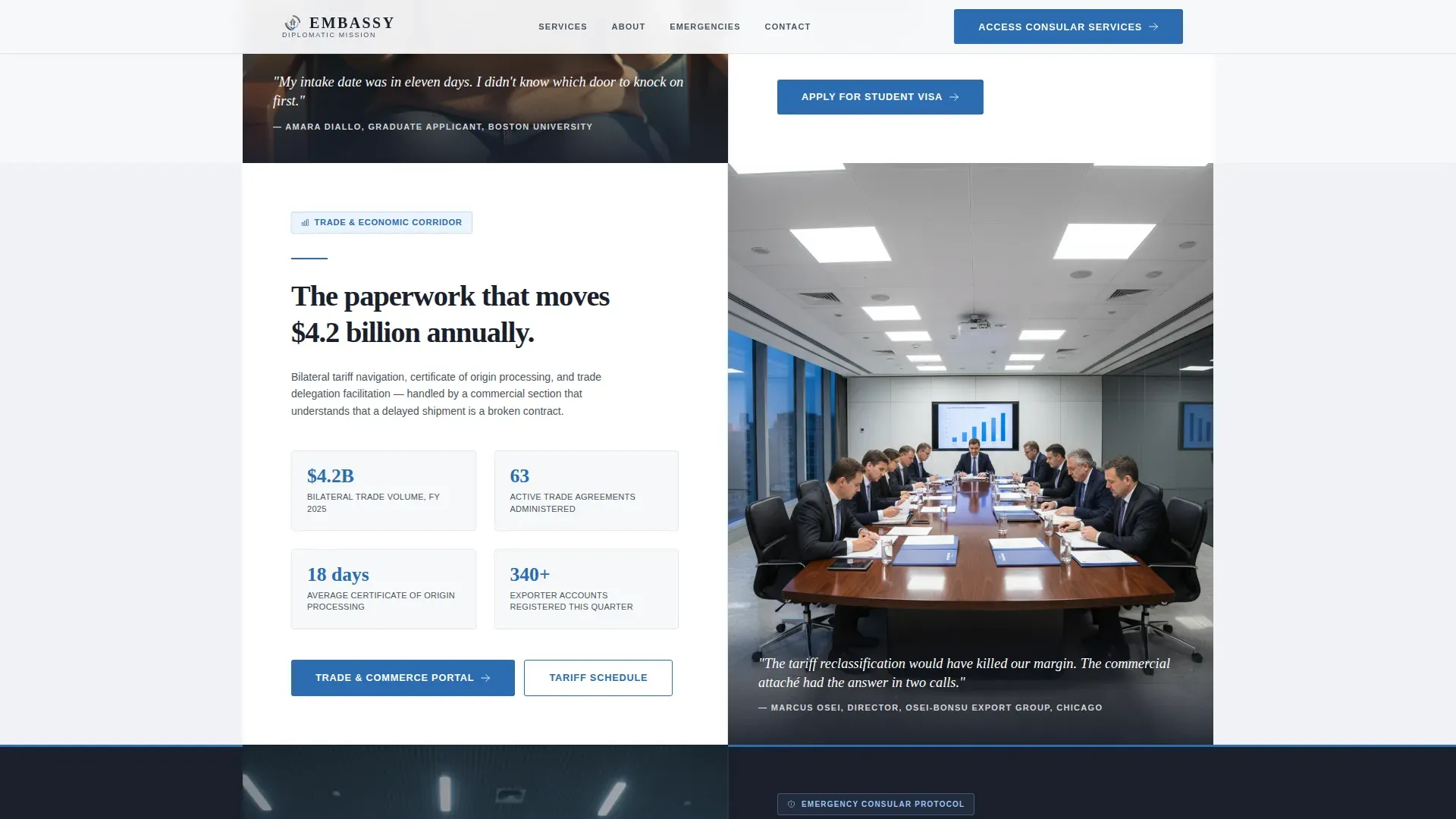
- Three narrative story pairs, each combining a human moment on the left with the institutional process that resolved it on the right
Feature list
This template includes purpose-designed components that follow a clear diplomatic brief. Each feature serves a specific function within the consulate communication flow.
Stats Wall Header
The header section displays four large volume figures in consular blue against diplomatic white. Labels in slate gray sit beneath each number, providing a brief description of what each figure represents. These figures help visitors immediately understand the scale and credibility of the embassy before reading a single line of copy.
Four-Tile Segmentation Bar
A segmentation bar sits just below the hero fold. It presents four clickable categories: Visas and Travel, Trade and Commerce, Citizen Emergencies, and Cultural Programs. Each tile routes users directly to the relevant service pages, making it easy to find the right path without scrolling through every section.
Cause-and-Effect Story Pairs
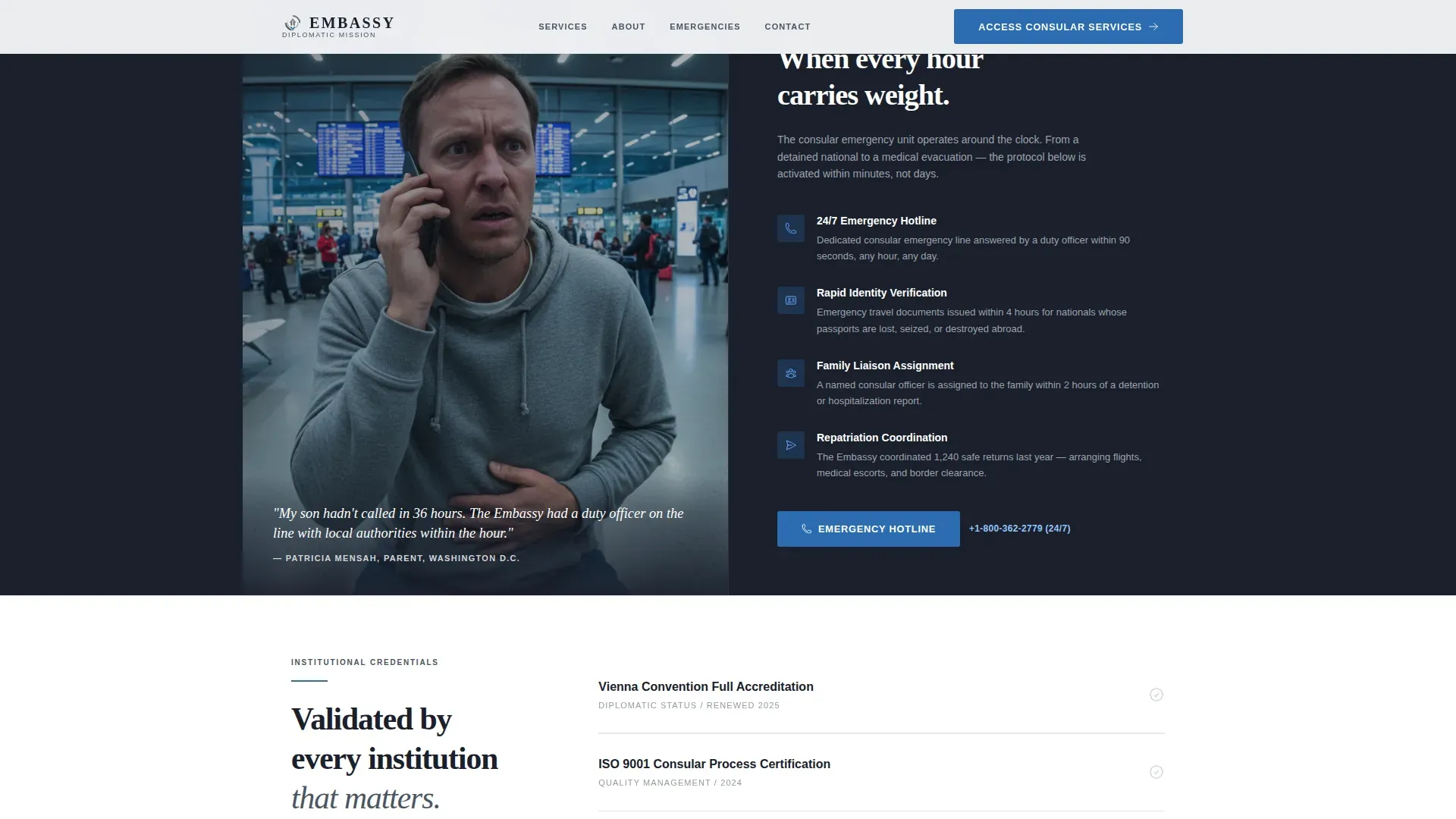
Three story pair sections follow the segmentation bar. Each pair places a human narrative, a student photo, a trade delegation image, or a family in crisis, directly beside the embassy process that resolved it. The idea is simple but effective: personal urgency answered by institutional capability, building trust through evidence rather than assertion.
Primary and Repeating Call to Action
The primary call-to-action button, labeled "Access Consular Services," appears in consular blue at the header and is repeated after each story pair. This ensures that no matter where a visitor is on the page, access to the portal is always within reach. The button placement follows best practice for click-through landing pages.
Emergency Protocol Section
The final story pair escalates to crisis response, covering emergency repatriation narrative on the left and the step-by-step crisis protocol on the right. This section is the emotional peak of the page and the most important for nationals and family members in distress. It reinforces that the embassy is equipped to assist even in the most difficult circumstances.
Footer with Horizontal Flow
A structured footer uses a horizontal flow pattern to display contact details, office hours, and navigation links. This provides visitors with the practical information they need, including how to reach the consulate outside of service portal pages.
Page sections overview
| Section | Purpose |
|---|---|
| Hero Stats Wall | Display four key embassy metrics alongside a flag photo |
| Segmentation Tile Bar | Route visitors to the correct service category |
| Student Visa Pair | Pair a student story with the visa fast-track process |
| Trade Delegation Pair | Pair a trade photo with economic corridor data |
| Emergency Repatriation Pair | Connect a crisis narrative to the embassy's crisis protocol |
| Final Call to Action | Drive visitors to access the consular services portal |
| Horizontal Flow Footer | Provide contact details and practical office information |
Design & branding system
The design follows a Corporate Precision theme using the Cloud Canvas color system. Every color choice is deliberate. The palette feels like a freshly pressed diplomatic document: starched, neutral, and carrying institutional weight.
- Colors: diplomatic white (#F7F8FA) for backgrounds, overcast silver (#D1D5DB) for alternate washes, slate briefcase gray (#4B5563) for body text, near-black (#1A202C) for headings, and consular blue (#2B6CB0) used sparingly for links, active states, and primary buttons
- Typography: DM Sans for body text and Fraunces for display headings, creating a contrast between institutional clarity and measured warmth
- Visual approach: no animation in the hero section, as the stillness projects authority; subtle scroll reveals are used for story pair sections to create gentle momentum without distraction
Mobile & speed optimization
The template is desktop-first, reflecting the deliberate, mission-driven nature of embassy visits. However, full mobile support is built in so that users accessing the page via smartphones can navigate without losing context or functionality.
- The layout adapts cleanly across screen sizes, keeping the segmentation bar and call-to-action button accessible at all times
- Content is formatted in short, scannable blocks: brief descriptions, bullet points, and clear headings that reduce cognitive load on smaller screens
- The template uses minimal JavaScript and Server Components for static sections, keeping the page light and fast to load
How this template helps you convert
An embassy landing page earns the click by proving two things: that the institution is capable, and that it cares about the person in front of it. This template is structured to do both in a single scroll.
- The stats wall opens with volume and authority. Large figures in consular blue communicate scale instantly, providing the reassurance that this embassy has served many people like the visitor before.
- The story pairs build emotional trust. Each narrative shows a real situation, a student needing a visa, a detained national needing assistance, a trade delegation needing direction, answered by a clear institutional process. By the time a visitor reaches the segmentation bar, they already trust the system behind it.
- The repeated call-to-action and segmentation tiles reduce friction at the moment of decision. Visitors do not need to search for the next step. The page has already done the work of helping them self-select the right service.
Other information about this template
This template is designed with the realities of diplomatic web publishing in mind. Note that an effective embassy landing page must prioritize clarity, trust, and ease of access above visual complexity. The following points cover additional design and content considerations relevant to consulate and foreign embassy pages.
- Consular notification procedures are a legal requirement in many jurisdictions. Foreign nationals who are arrested or detained in the USA must be advised of their right to have their consulate or embassy notified. For nationals of 58 countries, the nearest embassy or consulate must be notified regardless of the individual's wishes. These facts highlight the importance of a clear, accessible detention and emergency section on any consulate page.
- Foreign government officials are entitled to communicate with their nationals in jails and prisons to check welfare and provide consular assistance. This communication must be documented. A written record must be kept of information provided and any requests made.
- The Vienna Convention on Consular Relations sets out the responsibilities of consular affairs worldwide. The Consular Affairs Section is responsible for administering diplomatic privileges and immunities, providing assistance to citizens abroad, and authenticating public documents for countries not party to the Hague Convention.
- Washington is the seat of many foreign embassy offices in the USA, and embassy websites in this context often serve a broad audience across multiple states.
- Templates can help streamline the process of creating web content for diplomatic missions. AI-powered platforms can assist in building landing pages for embassies and consulates with minimal coding experience. The USA Mission Website Platform provides custom templates designed for use by web managers operating in the field, and these templates address many different content scenarios for embassies and consulates.
- The template includes placeholder image slots sized for high quality images. Each photo slot, including the flag image and story pair photos, is formatted to accept full-resolution photographs. The image of a woman standing in front of an official building, or an ambassador addressing a group of people, can be dropped directly into the story pair slots.
- Video support is available within the story pair sections. You can use a video presentation in place of a static photo for any story pair, allowing for richer storytelling where the content calls for it.
- Note that official branding, including the national flag, emblem, and consistent color scheme, should be applied when customizing the template. The ambassador's photo and any presentations from the mission can be added to the relevant sections.
- The landing page should feature clearly stated opening hours and public holidays. Emergency contact information should include 24-hour hotlines, email addresses, and location details to assist nationals at any time.
- Awareness of multilingual needs is important. The template structure supports adding a language selector, ensuring that both local residents and home-country nationals can access key information.
- The inclusion of legal disclaimers, privacy policies, and official government seals builds visitor confidence. These elements are standard for consulate and embassy websites in the USA and elsewhere.
Theme
Corporate Precision
Creative direction
Movement & Cause
Color system
Cloud Canvas
Style
Split Screen (50/50)
Direction
Click-Through
Page Sections
Split-screen Stats Wall Header
Four-tile Service Segmentation Bar
Cause-and-effect Narrative Pairs
Repeating Primary Call to Action
Emergency Protocol Story Section
Structured Horizontal Footer
Related questions
Can I use this template for any foreign embassy or consulate, not just a specific country?
Does the template support adding travel document and visa information?
How does the emergency repatriation section work?
Can I replace the static flag photo with a video?
Is the segmentation bar customizable for different service categories?



