Compassionate Infant Daycare Landing Page Template
Nurture is a single-page comparison table landing page built for premium daycare centers. It pairs staff credential panels with tiered discount callouts, guiding dual-income professional parents from trust to decision. The Arctic White and muted sapphire palette signals quality, while two conversion paths, a primary lead form and a gated discount guide, capture parents at every stage of readiness.
by Rocket studio
Quick summary
Nurture is a calm, credential-forward daycare landing page that converts cautious parents into committed leads. The comparison table layout pairs educator profiles with savings tiers, moving visitors through a trust-then-reward narrative. Four-field lead forms and a secondary PDF download give parents two clear ways to act, without pressure.
Who this template is for
This template is designed for daycare centers that compete on quality, not just price. It suits operators who want to attract discerning, time-poor families and communicate both their care standards and their savings offers in one confident page.
- Directors of premium daycare centers launching a coupon or discount campaign
- Daycare marketing teams building a dedicated lead generation page for enrollment season
- Early childhood education brands that need to present staff credentials alongside pricing tiers
What problem this template solves
Most daycare discount pages lead with price and lose the parent before earning their trust. Nurture reverses that order. It builds confidence through staff credentials, room ratios, and press validation first, so that when the discount table appears, the decision is already made.
- Parents distrust discount pages that feel generic or promotional rather than professional
- Daycare centers struggle to communicate both quality and affordability in the same conversation
- Generic landing pages fail to capture leads from parents who are browsing but not yet ready to commit
What you get with this template
The template delivers a fully structured single-page layout that handles the entire parent journey from first impression to form submission. Every section serves a specific conversion purpose, and no section wastes space.
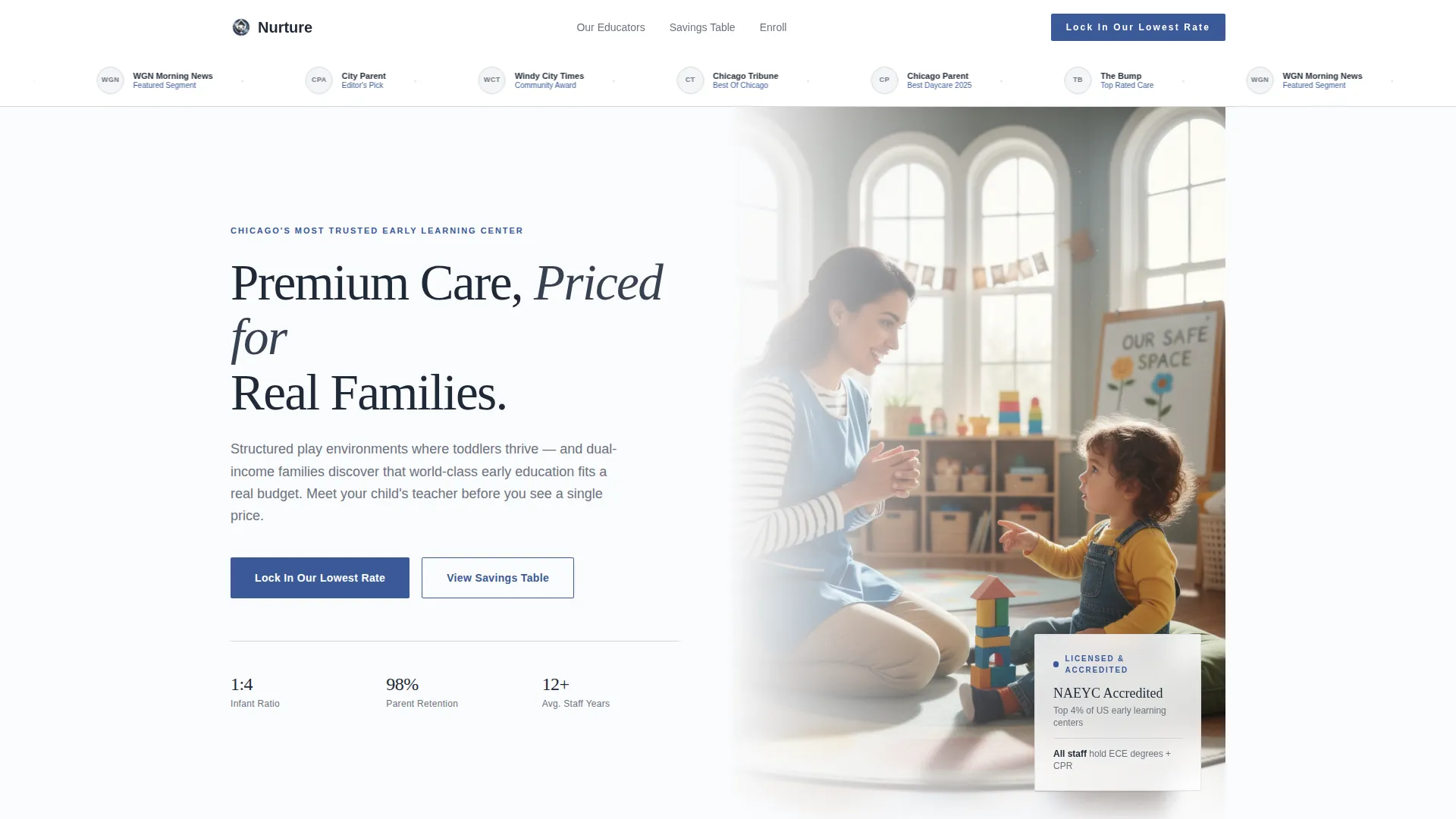
- A press mentions ribbon, editorial hero image, and headline designed to establish credibility immediately
- A staff-credential-plus-discount comparison table that ties educator qualifications directly to savings tiers
- Two distinct conversion paths: a four-field primary lead form and a gated PDF download for undecided parents
Feature list
This template includes six purpose-built components drawn directly from the brief. Each one contributes to the trust-then-reward narrative that moves professional parents toward enrollment.
Press Mentions Header Ribbon
A horizontal bar of recognizable local media logos, city award badges, and a morning news segment reference sits above the fold. It establishes third-party credibility before the parent reads a single line of body copy.
Editorial Hero Image Block
A single, well-lit photograph of a lead teacher kneeling at eye level with a toddler anchors the top of the page. A headline fades in beside the image: "Premium Care, Priced for Real Families." Shallow depth of field keeps the focus on the human moment.
Staff Credential and Discount Comparison Table
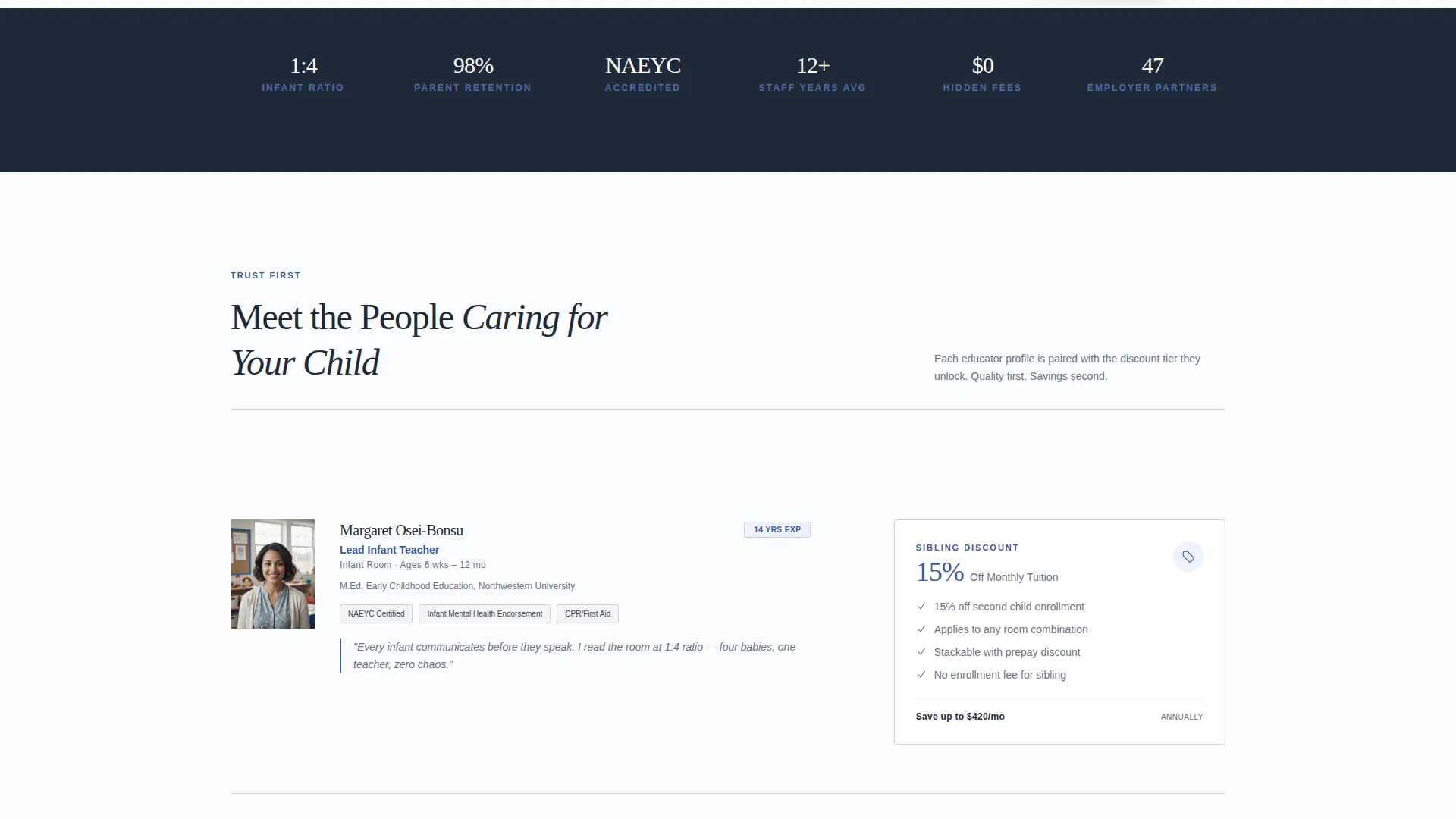
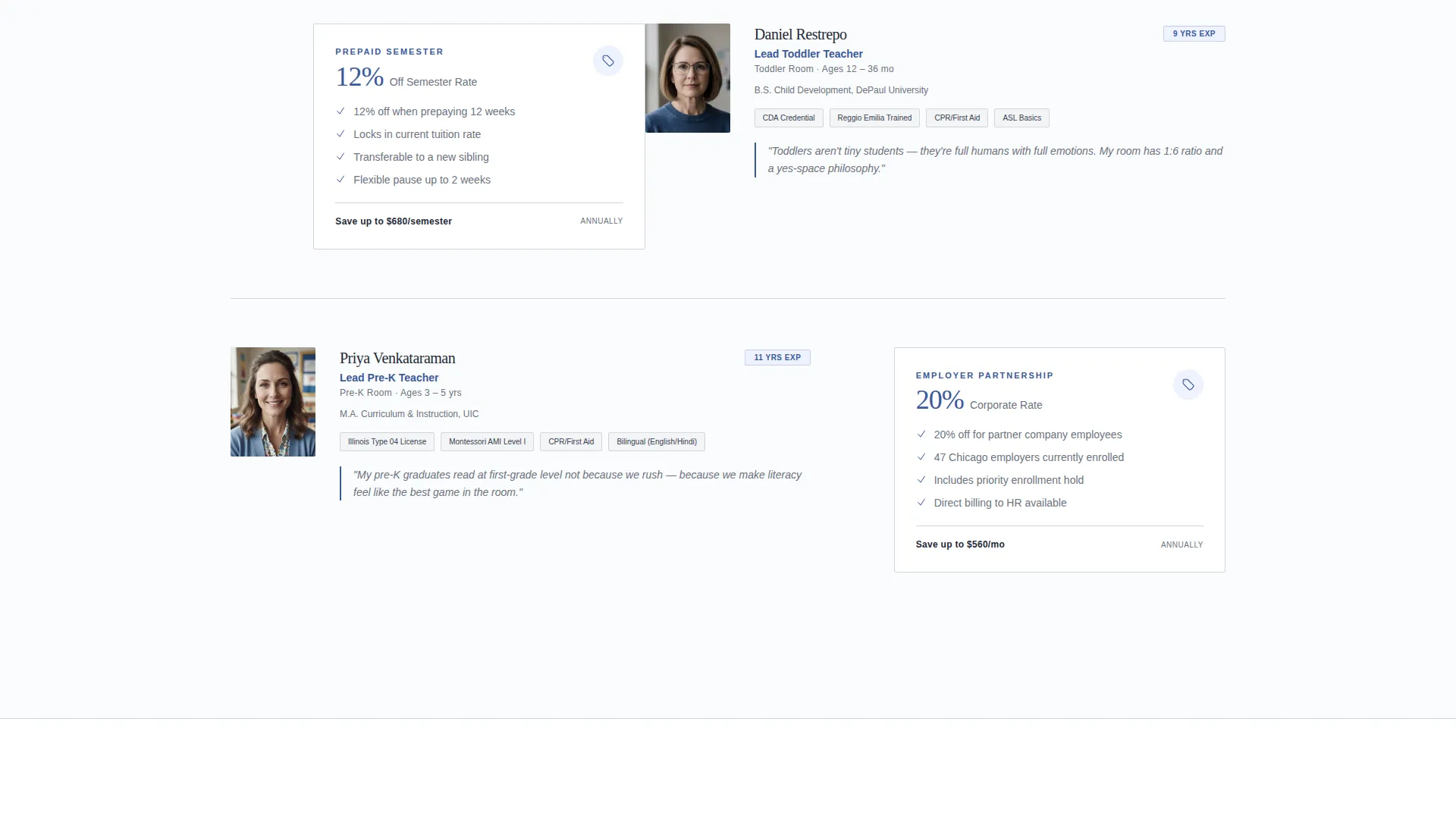
Each table row pairs a staff profile panel on the left with a corresponding discount tier on the right. Credentials include degree, certification, and years of experience. Savings escalate row by row, from sibling discounts through prepaid semester rates to employer partnership codes.
Primary Lead Capture Form
The main call-to-action form collects four fields only: parent's first name, child's age via dropdown (infant, toddler, or pre-K), desired start month, and email address. The form appears pinned at the comparison table footer and again after the final staff profile.
Gated PDF Discount Guide
A secondary conversion path offers a downloadable full discount guide for parents who are not yet ready to commit. It captures email address and child's age only, making the barrier to entry low while still generating a qualified lead.
Trust-Signal Section Blocks
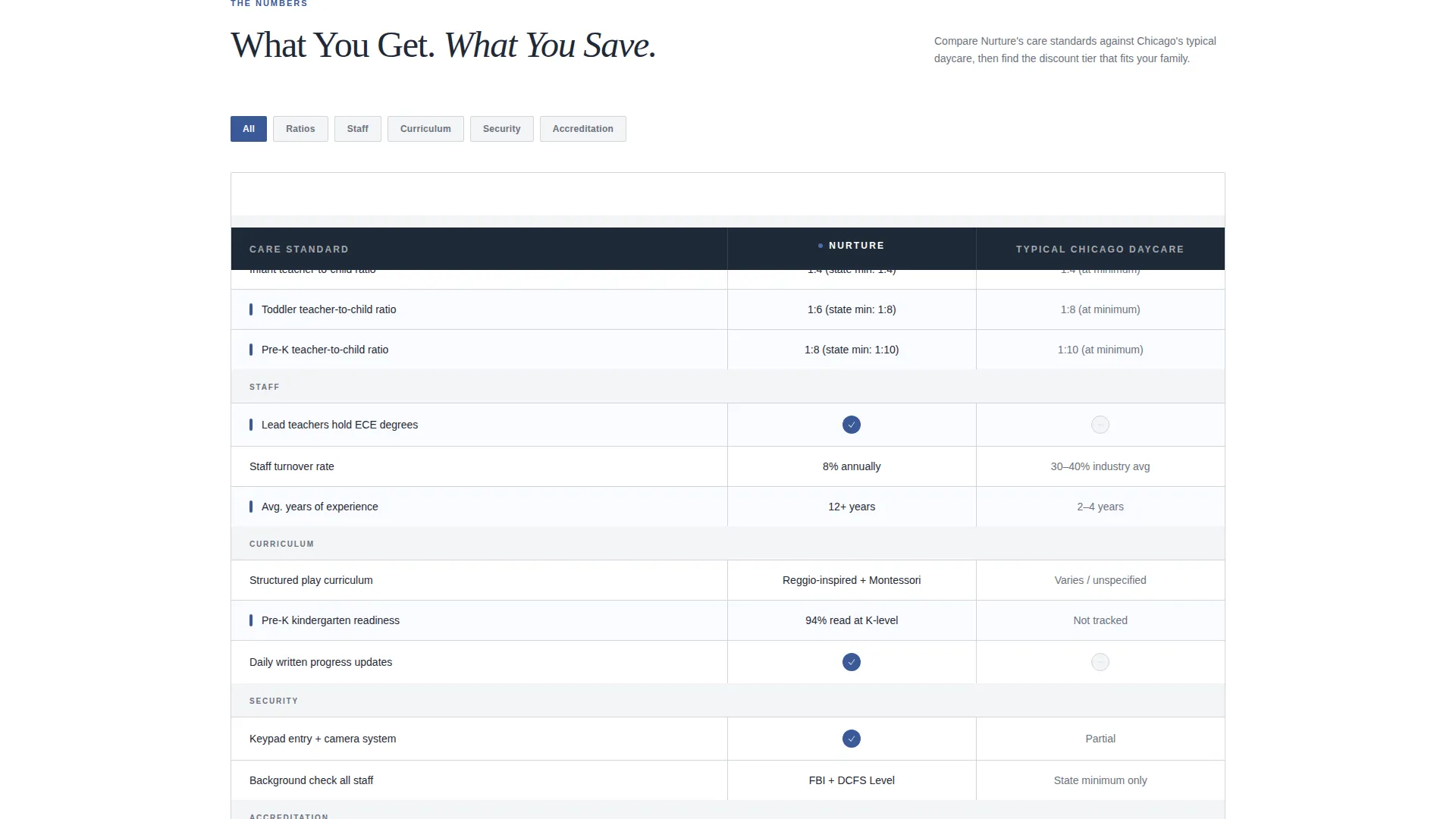
Dedicated content panels cover infant room ratios, curriculum philosophy, and security protocols. Each block deepens parent confidence before the discount column escalates further, ensuring quality perception stays ahead of price conversation.
Page sections overview
| Section | Purpose |
|---|---|
| Press Mentions Ribbon | Establish third-party credibility above the fold |
| Editorial Hero Image | Introduce the care environment and headline offer |
| Staff Profile Row 1 | Present first educator credential and entry-level discount |
| Staff Profile Row 2 | Deepen trust with second credential and mid-tier saving |
| Staff Profile Row 3 | Close credential sequence with top-tier discount callout |
| Infant Room Ratios | Reassure parents with care standard specifics |
| Curriculum Philosophy | Communicate structured play methodology |
| Security Protocols | Address safety concerns before objections arise |
| Primary call to action Form | Capture lead with four-field enrollment interest form |
| PDF Discount Guide | Offer secondary conversion path for undecided parents |
| Repeated call to action Block | Reinforce "Lock In Our Lowest Rate" after final profile |
Design & branding system
The visual identity follows an Executive Suite theme built on the Arctic White color system. The palette is deliberately restrained, signaling that every detail has been considered without shouting for attention.
- Background whites (#FAFBFC) and brushed platinum (#D1D5DB) dominate, with thin platinum lines dividing comparison rows
- Deep charcoal (#1F2937) anchors all body text and staff credential details for maximum legibility
- Muted sapphire (#3B5998) appears only on interactive elements, savings percentages, call to action buttons, and active coupon badges
Mobile & speed optimization
The template is structured with lean, single-column stacking in mind so that the comparison table and credential panels remain readable on smaller screens. Every layout decision prioritizes clarity over decoration.
- The comparison table collapses into a vertically stacked card format on mobile, keeping credentials and discount tiers paired and scannable
- The four-field lead form is designed for thumb-friendly input, with the dropdown selector and minimal field count reducing friction on touch devices
How this template helps you convert
Nurture is engineered around a specific psychological sequence: prove quality first, then reveal the reward. This sequence works because parents arrive skeptical of discount pages but hungry for reassurance.
- The press mentions ribbon and editorial hero image immediately signal legitimacy, so the parent's guard lowers before they have read a single pricing detail
- The credential-and-discount comparison table ties each educator's qualifications directly to a savings tier, making the discount feel earned rather than promotional, and the escalating savings structure creates natural momentum toward the primary call-to-action
- The two-path conversion system ensures no parent leaves without an action taken, whether they are ready to book or just beginning their research
Other information about this template
This template sits within the Professional Services category, specifically in the Daycare Center Marketing subcategory, targeting the Daycare Center Coupon and Discount Page niche. It is built for operators who want a page that works as hard as their enrollment team.
- The Intersection Match Score for this template's category, subcategory, and niche alignment is 13, indicating a highly specific fit between the design system and the target use case
- The template style is Comparison Table, which is particularly effective for presenting tiered pricing or tiered savings alongside credential-based trust signals
- The creative direction is Team and People, meaning educator profiles are the primary narrative device rather than facility photography or abstract brand messaging
- The header concept is Press Mentions, a deliberate choice to front-load external validation rather than leading with self-promotional copy
- The landing page direction is Lead Generation, with every section oriented toward capturing the parent's contact information through one of the two available conversion paths
Theme
Executive Suite
Creative direction
Team & People
Color system
Arctic White
Style
Comparison Table
Direction
Lead Generation
Page Sections
Press Mentions Header Ribbon
Editorial Hero Image Block
Staff Credential and Discount Table
Four-field Primary Lead Form
Gated PDF Discount Guide
Trust-signal Content Panels
Related questions
What type of business is this landing page built for?
Can I customize the staff profiles and discount tiers in the comparison table?
What does the primary lead form collect?
What is the purpose of the gated PDF download?
How does the trust-then-reward narrative structure work?



