Public Health Department Specialist Professional Website Template
The Nurture trusted maternal child health landing page template is a hub-and-spoke anchor-nav layout built for government health offices. It organizes prenatal care, immunization, nutrition programs, clinical protocols, and field tools into clearly labeled sections. Every care pathway is one click away, making health information accessible to officers, coordinators, field nurses, and mothers without friction.
by Rocket studio
Quick summary
Nurture is a beautifully crafted template designed for maternal and child health offices that need to present programs, data, and downloadable resources with institutional clarity. The design feels like a well-organized patient chart. Every section is labeled, every care pathway is reachable, and the primary call to action is always visible.
Who this template is for
This template serves public health teams that coordinate care across multiple districts. It balances the needs of desk-based officers and mobile field workers equally well.
- Municipal health officers searching for updated clinical protocols
- Program coordinators reconciling immunization and nutrition coverage data
- Field nurses and young mothers looking for printable guides and breastfeeding resources
What problem this template solves
Health websites often bury the resources that workers and mothers need most. A field nurse searching for a dosing chart at 2 a.m. should not scroll through aspirational text to find it. This template leads with evidence and puts every tool within one click.
- Disconnected services spread across multiple pages with no clear navigation path
- Protocol documents locked behind registration walls that block urgent access
- Coverage data and mission statements that appear in the wrong order, reducing credibility
What you get with this template
The template delivers a complete, single-page hub for all maternal and child health services. Each spoke section connects directly from an anchor navigation bar so users jump straight to what they need.
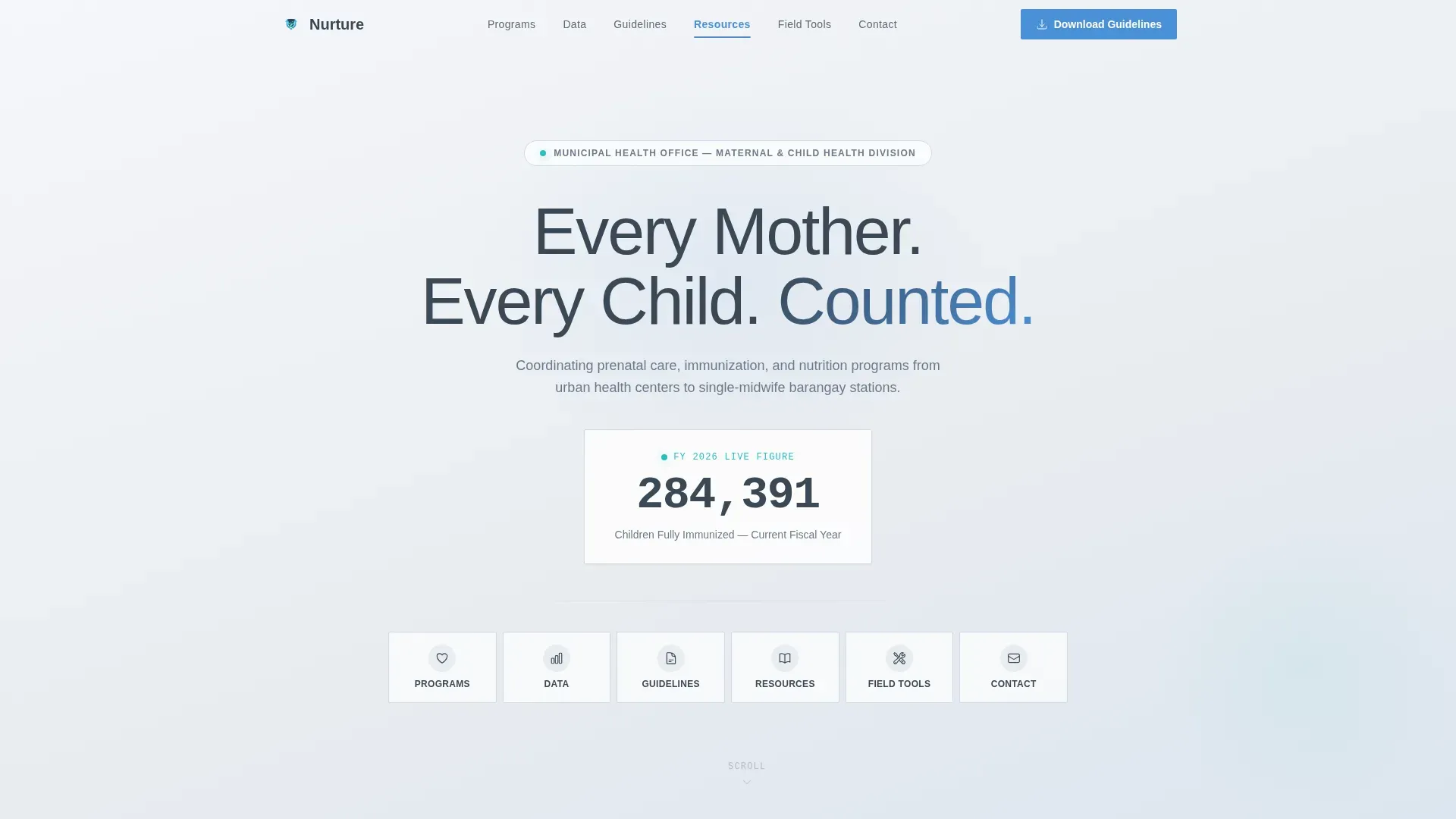
- A hero section with a giant headline, a live immunization stat callout, and six anchor-nav links
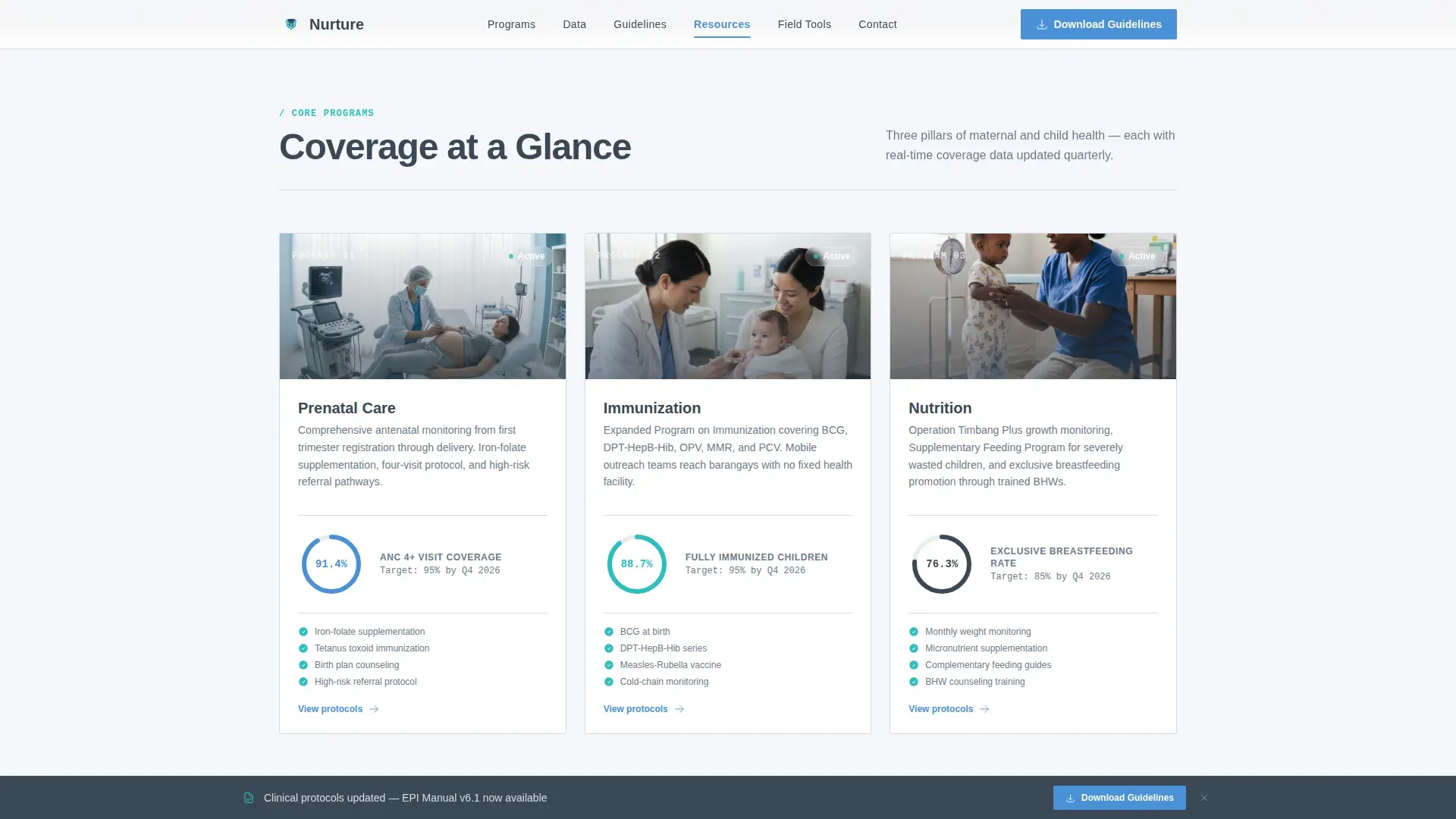
- A three-column programs grid with animated coverage percentages for prenatal care, immunization, and nutrition
- A downloadable guidelines section, a field tools spoke with printable forms, and an optional email capture field
Feature list
This template includes every structural and visual component a public health website needs to serve diverse audiences with confidence.
Anchor Navigation Bar
Six clearly labeled anchor links read like department doors: Programs, Data, Guidelines, Resources, Field Tools, and Contact. Users reach any section instantly without scrolling past unrelated content.
Animated Program Coverage Grid
A three-column grid displays prenatal care, immunization, and nutrition with coverage percentages that animate on scroll entry. The design makes district performance visible and scannable at a glance.
Evidence-First Mission Layout
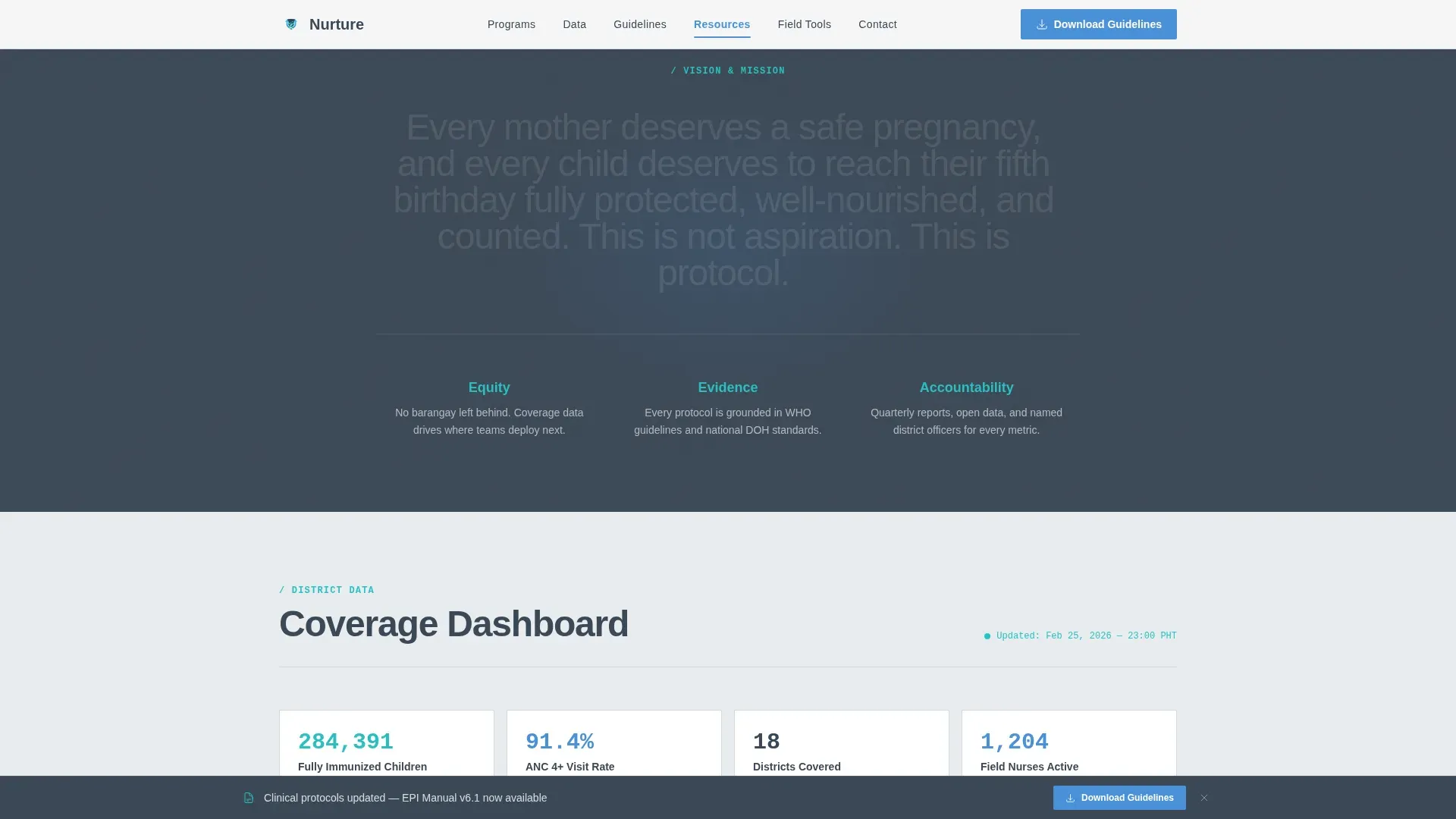
The vision and mission section appears only after the visitor has seen the data it is built on. This design choice makes the mission feel like a conclusion rather than a slogan, building real trust.
Sticky Guidelines Call to Action
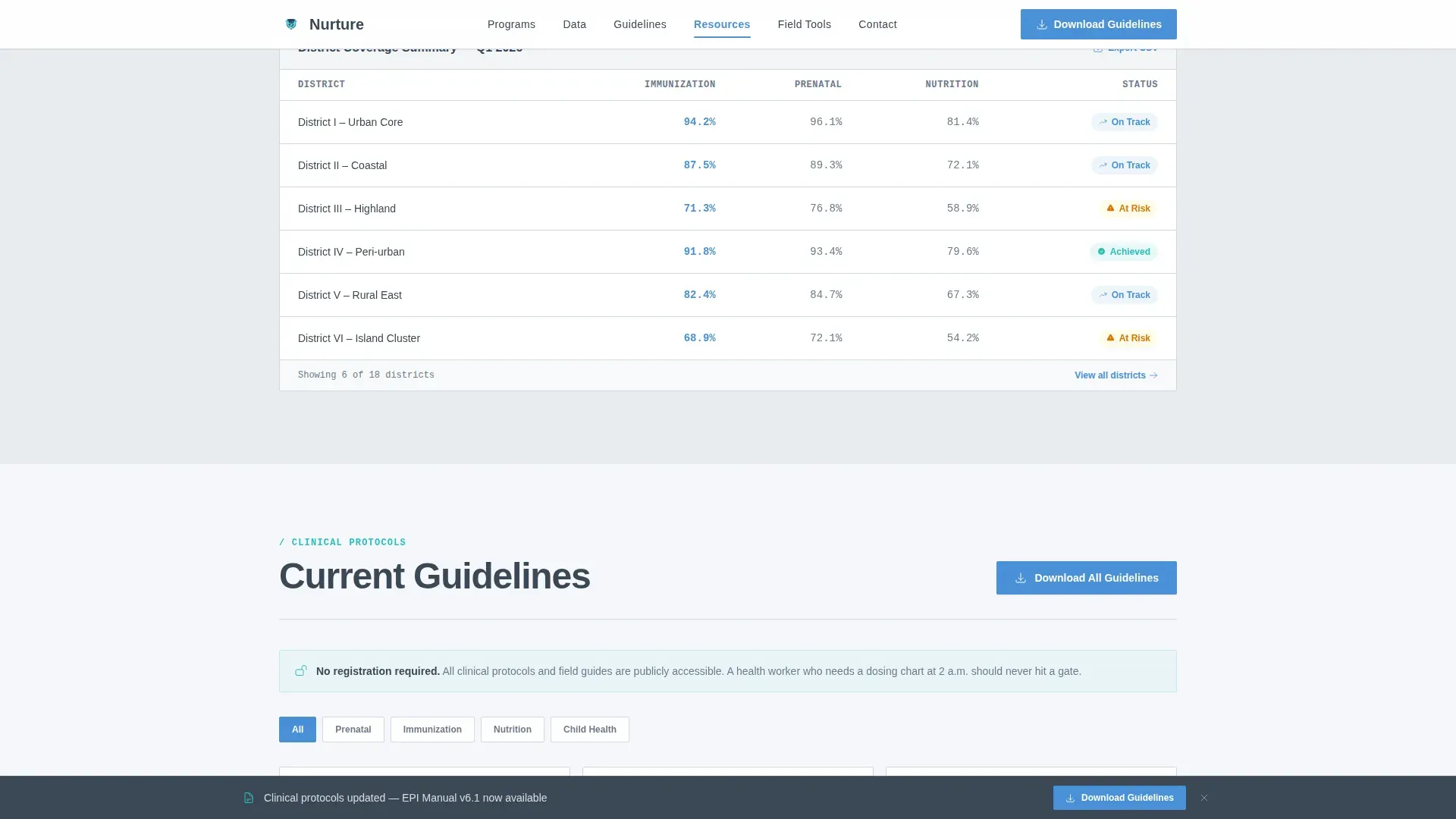
A sticky micro-bar appears when scrolling past the fold, keeping the "Download Current Guidelines" call to action always reachable. The guidelines section also hosts downloadable clinical protocols without a registration wall.
Field Tools Spoke with Email Capture
Printable immunization tally sheets, growth-monitoring charts, and referral forms are grouped in a dedicated section. An optional email field labeled "Get protocol updates when they change" captures engaged users without friction.
Data Dashboard Section
A dedicated data section presents district metrics and quarterly coverage highlights. The layout uses high-contrast text and IBM Plex Mono for metric figures, making numbers easy to read quickly.
Page sections overview
| Section | Purpose |
|---|---|
| Hero Headline | Opens with bold headline, live immunization stat, and anchor nav |
| Programs Grid | Three-column care coverage cards with animated percentages |
| Vision and Mission | Mission revealed after evidence data for credibility |
| District Data | Coverage metrics and quarterly dashboard highlights |
| Guidelines Download | Downloadable clinical protocols with sticky call to action |
| Field Tools | Printable forms, growth charts, and email capture |
| Footer Row | Linear single-row footer with key contact links |
Design & branding system
The design follows a Corporate Precision style that feels authoritative without being cold. The color system, typography, and layout all reinforce institutional trust while keeping the website breathable and easy to scan.
- Slate charcoal (#3B4856) for primary text, open-sky blue (#4A90D9) for all actionable elements, policy-paper gray (#E8ECF0) for section backgrounds, and clinical teal (#2ABFBF) for live metric callouts
- Plus Jakarta Sans headings, DM Sans body text, and IBM Plex Mono for data figures and timestamps
- High-contrast color choices and readable fonts keep every care message clear across all screen sizes
Mobile & speed optimization
Mobile-first design is essential here. Over 60 percent of health-related searches happen on mobile devices, and field nurses and mothers frequently access this website from phones in clinics or waiting rooms.
- Responsive layouts ensure the website looks correct and functions well on any device size
- Scroll-triggered counter animations and fade-in reveals are implemented as client components to keep static sections fast
- Content is structured with bullet points, short paragraphs, and icons so every section stays scannable on a small screen
How this template helps you convert
This template is built around the idea that trust precedes action. It earns credibility through data before asking anything of the visitor.
- The hero section immediately reassures visitors they are in the right place, and the live immunization stat gives instant institutional proof before any other text.
- The sticky "Download Current Guidelines" micro-bar keeps the primary call to action visible at every scroll depth without interrupting the reading flow.
- The optional email capture field in the Field Tools section invites engaged users to subscribe to protocol updates, capturing leads without blocking access to any resource.
Other information about this template
The Nurture trusted maternal child health landing page template draws on principles found in broader nurturing care resources used across community health programs. These resources typically include presentation materials covering 11 slides with key images, logos and icons in multiple languages for both on-screen and print use, and workshop agendas for early childhood development meetings. This template can support similar community initiatives focused on children and family well-being.
- The design reflects tenderness and joy appropriate for a health-focused website, while keeping an institutional tone that parents and expectant mothers trust
- The template is customizable and easy to edit, making it a perfect starting point for non-technical health office staff
- The layout supports various services ranging from immunization programs to nutrition tracking, and the text areas are fully editable to match any district's specific data and branding
- Child care website design principles are embedded throughout: soft visuals, an inviting layout, trust indicators, and a structure that can accommodate certifications, partnerships, and authentic feedback from program participants
Theme
Corporate Precision
Creative direction
Vision & Mission
Color system
Slate & Sky
Style
Hub & Spoke (Anchor Nav)
Direction
Content/Resource
Page Sections
Anchor Navigation Bar
Animated Program Coverage Grid
Evidence-first Mission Layout
Sticky Guidelines Call to Action
Field Tools Spoke with Email Capture
Data Dashboard Section
Related questions
Can field staff download documents without creating an account?
Is this template easy to update for non-technical staff?
How does the anchor navigation work?
Can this template support multiple district services?



