Expert Dental Clinic Appointment Booking Website Template
This emergency dental clinic landing page is built for one job: turning a panicked visitor into a booked patient in under a minute. A persistent sidebar companion keeps the booking button always visible. Expert doctor profiles, credential badges, and a three-step scheduling flow work together to build trust and reduce friction exactly when patients need it most.
by Rocket studio
Quick summary
This is a sidebar companion landing page for a 24/7 emergency dental clinic. It pairs scenario-driven expert content with a persistent booking sidebar so visitors can read, trust, and act without ever losing sight of the next step. The design stays calm and clinical, built to lower stress the moment someone arrives in pain.
Who this template is for
This template is built for dental clinics that handle urgent, after-hours care. It serves practices that need to convert distressed visitors fast, without asking them to navigate a complex site.
- Emergency dental practices offering same-day or 24/7 availability
- Dental clinics that want to lead with doctor credentials and real expertise
- Practices targeting patients who arrive via mobile search during a pain episode
What problem this template solves
Most clinic websites make a hurting person hunt for a phone number, scroll past staff bios, and fill out long forms before they can book. That friction costs appointments. This template removes it.
- Visitors in acute pain need reassurance and a clear action path immediately
- Standard dental websites bury booking behind navigation menus and intake forms
- Mobile users in a pain episode need one-handed, minimal-input scheduling
What you get with this template
You get a fully structured, single-page layout designed around the patient psychology of a dental emergency. Every section earns trust and moves the visitor closer to booking.
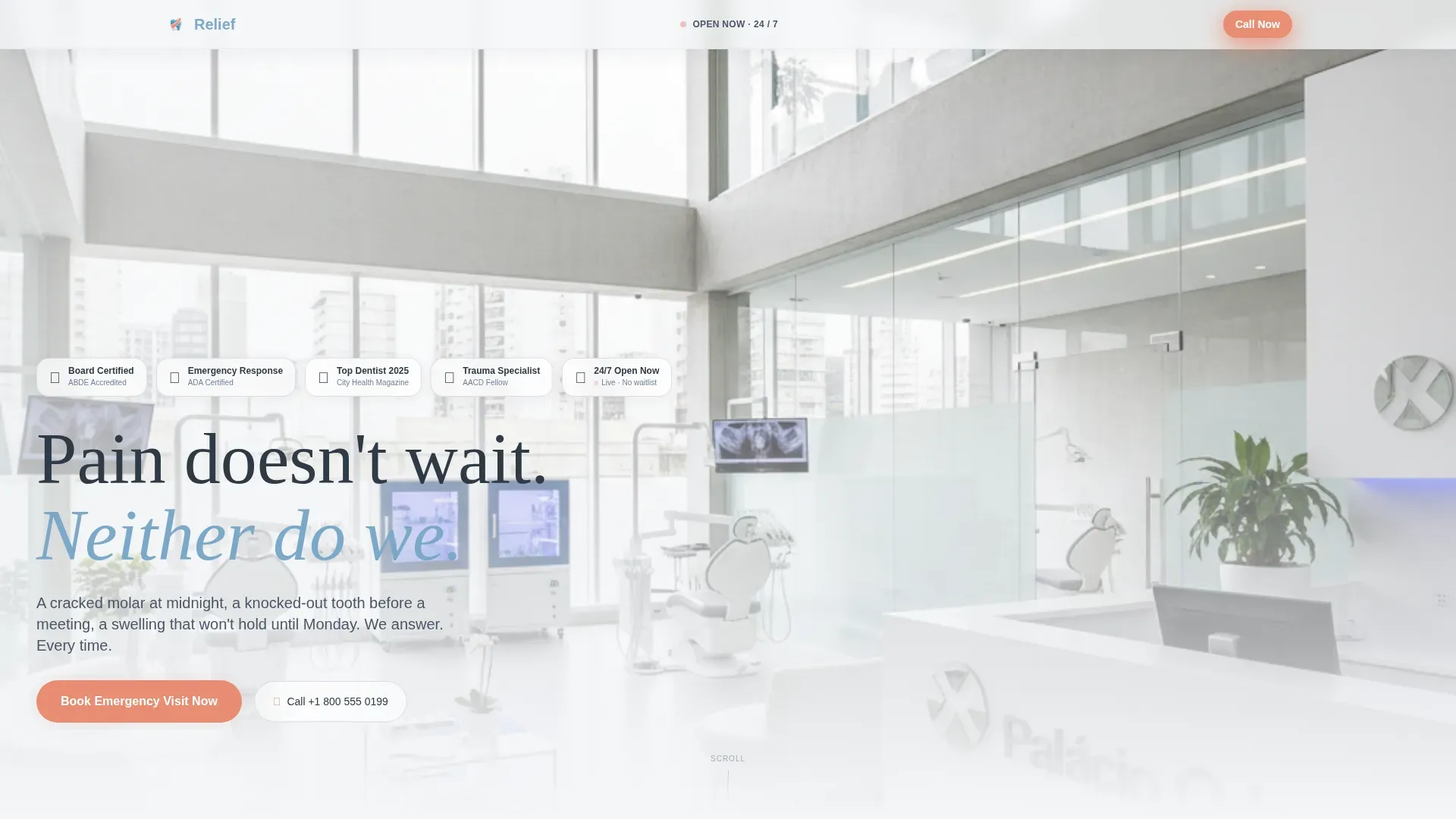
- A hero section with credential badges and a live open-status indicator
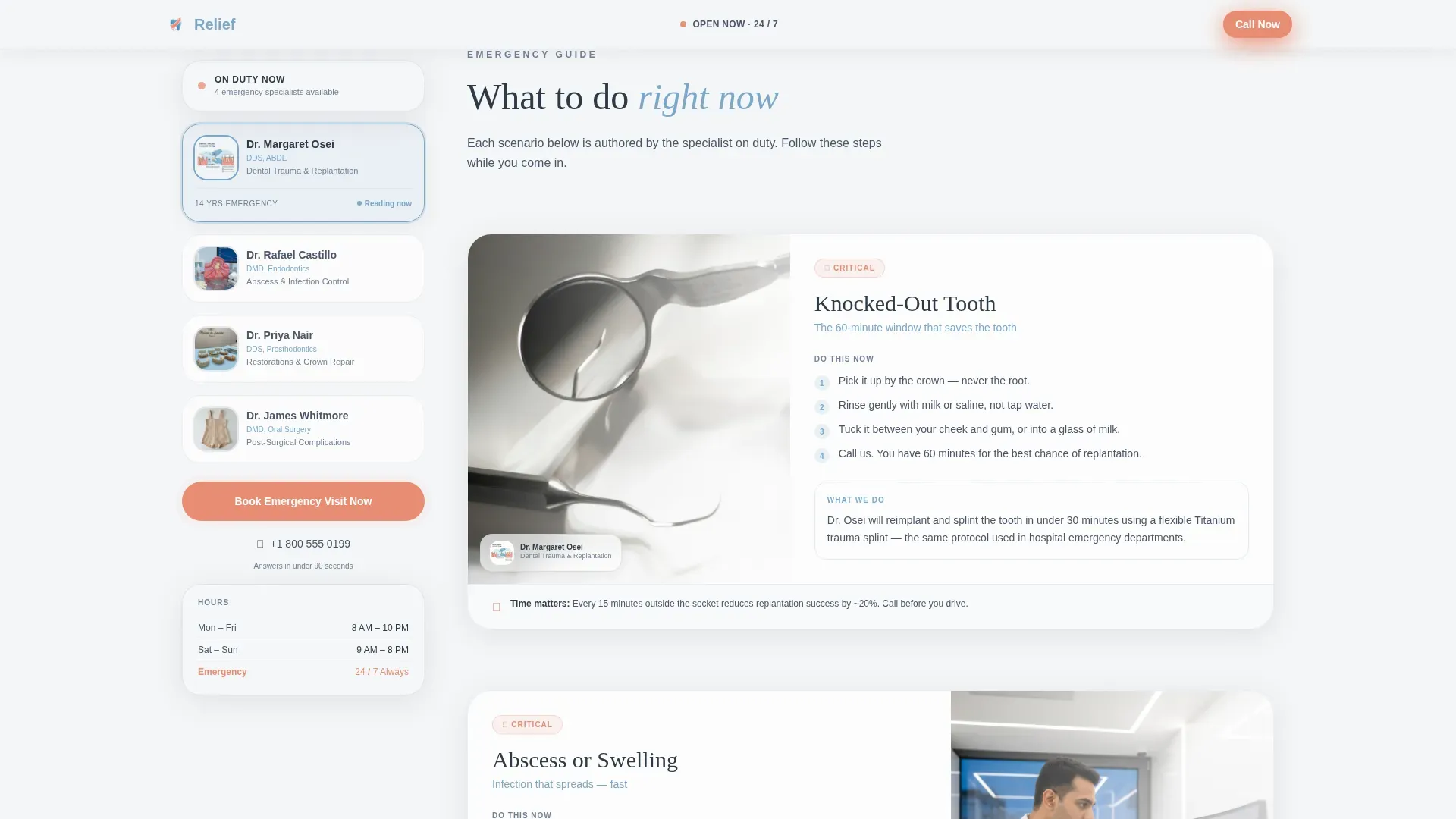
- An expert panel sidebar that scrolls alongside scenario-specific guidance
- A three-step booking modal with pain-type selection, time window, and minimal contact fields
Feature list
Persistent Sidebar Booking Companion
The sidebar stays fixed as the visitor scrolls. It holds the doctor profile cards and the primary "Book Emergency Visit Now" button in warm coral. The call-to-action is always one glance away, no matter how far down the page someone reads.
Three-Step Frictionless Booking Modal
The booking flow opens in three steps: a pain-type selector with illustrated icons, a preferred time window, and a name-and-phone-number field. No insurance details, no date of birth. The flow is designed to stay short enough to complete through real pain.
Emergency Scenario Expert Sections
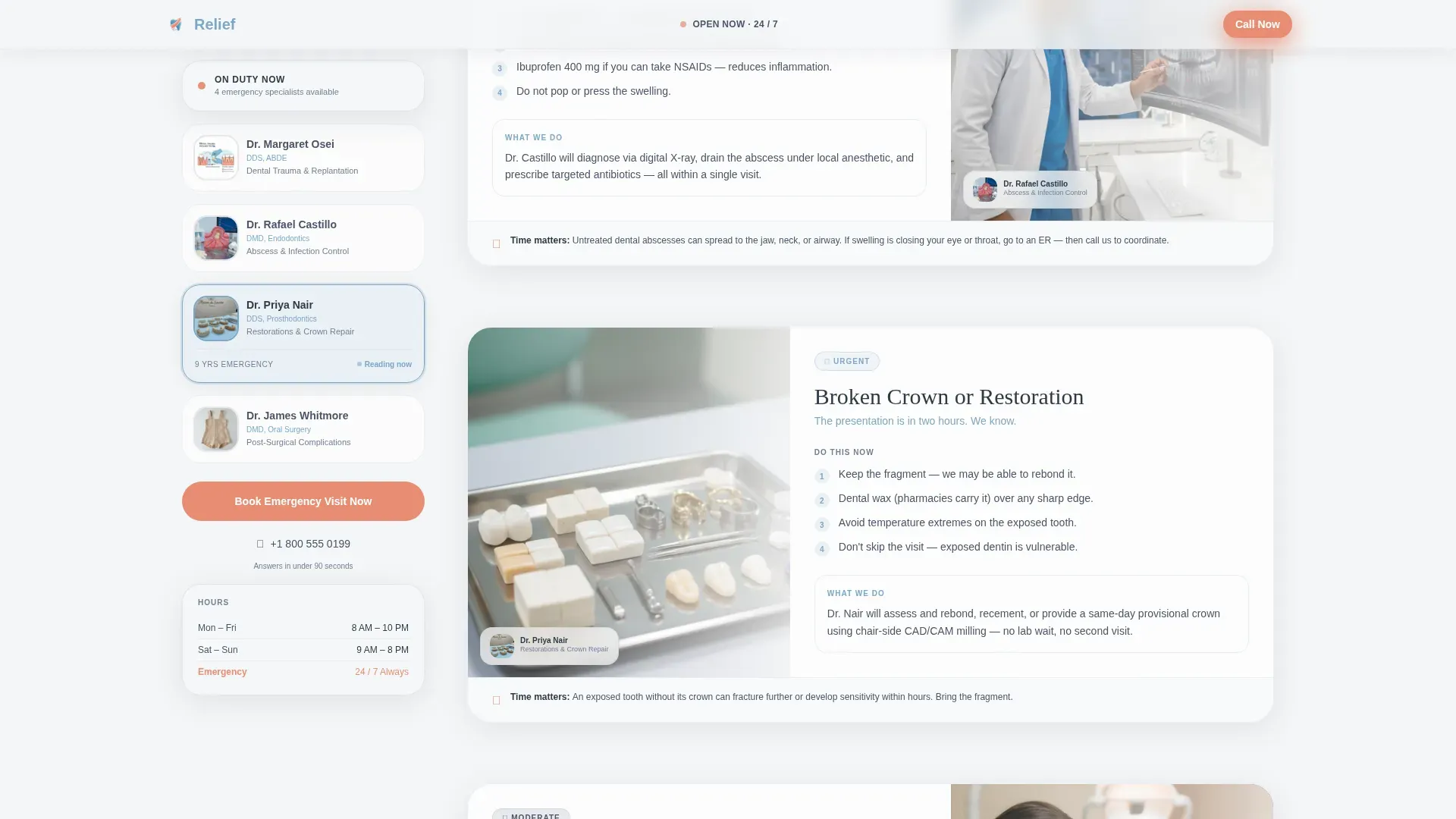
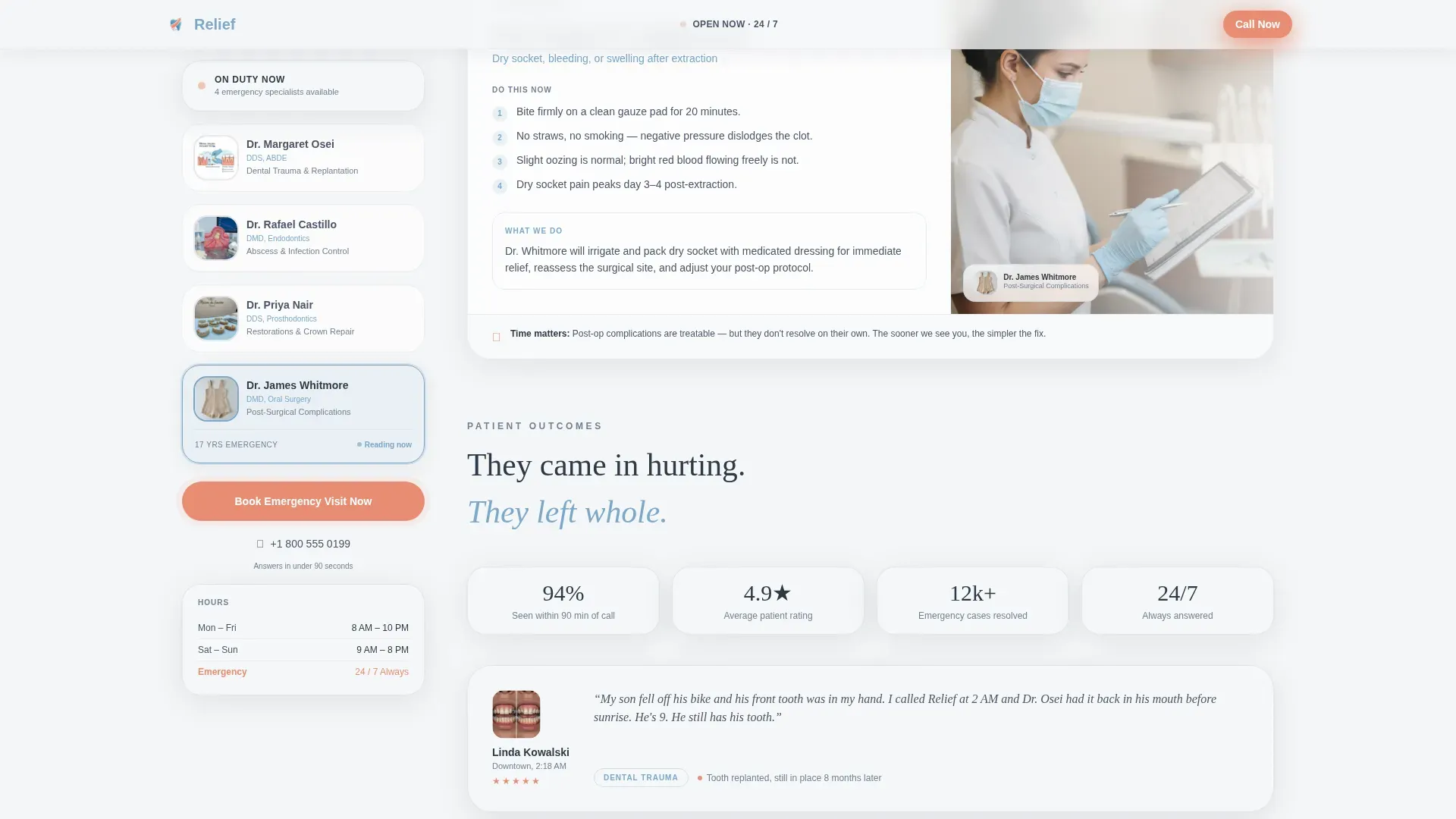
The main content area walks through specific emergencies: knocked-out tooth, dental abscess, broken crown, and post-surgical complication. Each scenario is paired with the corresponding specialist from the sidebar panel. As each section scrolls into view, the relevant doctor card subtly highlights.
Award Badges Header Strip
The header displays board certifications, emergency response accreditations, and local press recognition in frosted glass cards. A live "24/7 Open Now" status indicator sits alongside them. No stock photography, just real credentials doing the persuasion work.
Scroll-Spy Sidebar Highlighting
As the visitor moves through emergency scenarios, the sidebar scroll-spy system highlights the treating specialist for that section. The effect creates a sense of a live consultation, building familiarity with the care team before the appointment is even booked.
Tap-to-Dial Mobile Button
A secondary "Call Now" button is included for mobile visitors who cannot type through the pain. One tap connects them to the clinic directly, providing an immediate fallback alongside the booking modal.
Page sections overview
| Section | Purpose |
|---|---|
| Hero with Badges | Establish credentials and availability immediately |
| Emergency Scenarios | Guide visitors through specific dental emergencies |
| Expert Panel Cards | Introduce the care team alongside relevant content |
| Social Proof Stories | Reinforce trust with specific patient outcome details |
| Booking Flow Modal | Convert visitor intent into a confirmed appointment |
| Footer Row | Provide clinic contact and legal links cleanly |
Design & branding system
The visual identity uses a Soft Mist color system. The palette is deliberately calming, designed to feel like a modern clinic at dawn rather than a harsh medical environment.
- Colors: fog white (#F4F6F8), lavender-gray (#C5CAD4), healing blue (#7BA7C9), and coral (#E88D72) for calls-to-action and urgency indicators
- Typography: DM Sans for headings and body text, with Fraunces as a serif accent for doctor names and patient quotes
- Backgrounds drift between fog white and lavender-gray in soft vertical gradients, with frosted glass cards and soft drop shadows throughout
Mobile & speed optimization
This template is built mobile-first. The assumption is that most visitors arrive on a phone, in the dark, with one hand occupied and pain making every second feel longer.
- The booking modal input fields are reduced to name and phone only, minimizing typing effort
- The "Call Now" tap-to-dial button gives mobile visitors an instant alternative to the booking flow
- Cinematic entrance animations and scroll reveals are set to medium weight, keeping the first paint fast and the experience smooth without adding unnecessary delay
How this template helps you convert
The entire page is structured to compress the time between a visitor arriving and a patient booking. Every design decision reduces hesitation and answers objections before they form.
- The credential badge strip and live open-status indicator resolve the first doubt immediately: is this place real, qualified, and open right now?
- The persistent sidebar call to action means the booking button is never more than a glance away, even while the visitor is reading about their specific emergency scenario.
- The three-step booking flow removes the biggest conversion killer in healthcare: form friction. Name and phone only, no insurance details, no barriers when someone is hurting.
Other information about this template
This template was designed for the intersection of emergency healthcare and high-urgency digital conversion. It is built as a sidebar companion layout, which means the sidebar and main content area work as a coordinated pair rather than independent sections.
- The template style is Sidebar Companion, with a Soft Gradient theme
- The header concept uses Award Badges rendered in frosted glass cards floating over a lavender-to-white gradient
- The creative direction is Expert Panel, pairing doctor profiles with authored scenario content
- The primary booking direction is Booking/Scheduling, with a coral-accented call to action pinned in the sidebar
- The template fits the Health and Medical category, specifically the Emergency Dental Clinic niche under the Dental Clinic subcategory
Theme
Soft Gradient
Creative direction
Expert Panel
Color system
Soft Mist
Style
Sidebar Companion
Direction
Booking/Scheduling
Page Sections
Persistent Sidebar Booking Companion
Three-step Frictionless Booking Modal
Emergency Scenario Expert Sections
Award Badges Header Strip
Scroll-spy Sidebar Highlighting
Tap-to-dial Mobile Button
Related questions
Can I customize the emergency scenarios included in the template?
Does the booking modal collect insurance or medical history details?
Can I update the doctor profile cards with my own team?
Is this template suitable for a clinic that is not open around the clock?
What if a mobile visitor cannot type through the pain?



