Advanced Estate & Succession Planning Appointment Booking Website Template
Shield is a single-page landing page template built for power of attorney services. It guides visitors through a comparison journey, reveals their legal coverage gaps with an interactive quiz, and drives them toward booking a POA drafting session. The design uses a dark charcoal header, Cloud Canvas body, and glow blue calls to action for a tone that feels calm, trustworthy, and quietly urgent.
by Rocket studio
Quick summary
Shield is a conversion-focused landing page template for power of attorney services. It combines side-by-side scenario comparisons, a full POA type breakdown table, and a five-question interactive quiz that scores the visitor's legal coverage. The result is a page that earns trust before it asks for anything, turning a quiet worry into a booked session.
Who this template is for
This template serves any professional or firm offering POA drafting. The design and copy structure speak directly to the emotions and practical concerns of three real audiences.
- Adult children (ages 35 to 55) who realize an aging parent has no legal document in place and need to act quickly.
- Newlyweds quietly planning for worst-case circumstances, including situations where a spouse may become incapacitated.
- Small business owners who need a trusted agent authorized to sign contracts and manage affairs when they are unreachable.
What problem this template solves
Without a signed power of attorney, hospitals contact courts, banks freeze accounts, and decisions fall to strangers. Most people understand this risk exists but have not taken the first step. This template closes that gap.
- Visitors typically leave generic legal pages without converting because the stakes feel abstract, not personal.
- This template makes the cost of inaction concrete through with-versus-without comparison tables for medical, financial, and childcare scenarios.
- The interactive quiz turns a passive reader into an active participant who sees their own coverage gaps before any ask is made.
What you get with this template
The template is a complete single-page build with all sections pre-structured and ready to customize. Every section is purpose-built around the POA service conversion flow.
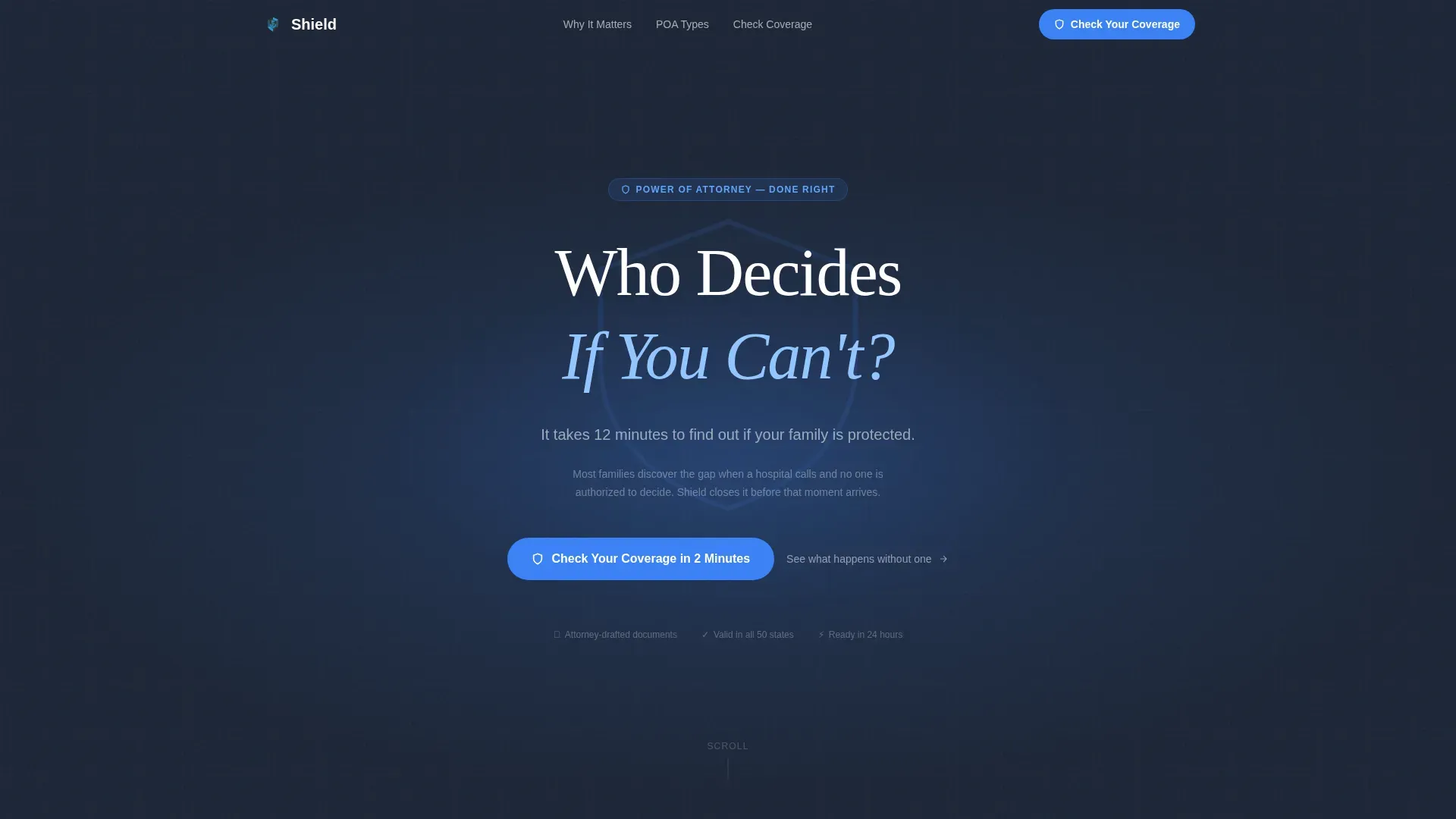
- A dark full-bleed hero with a radial glow, serif headline, and a primary quiz call to action placed immediately beneath the header.
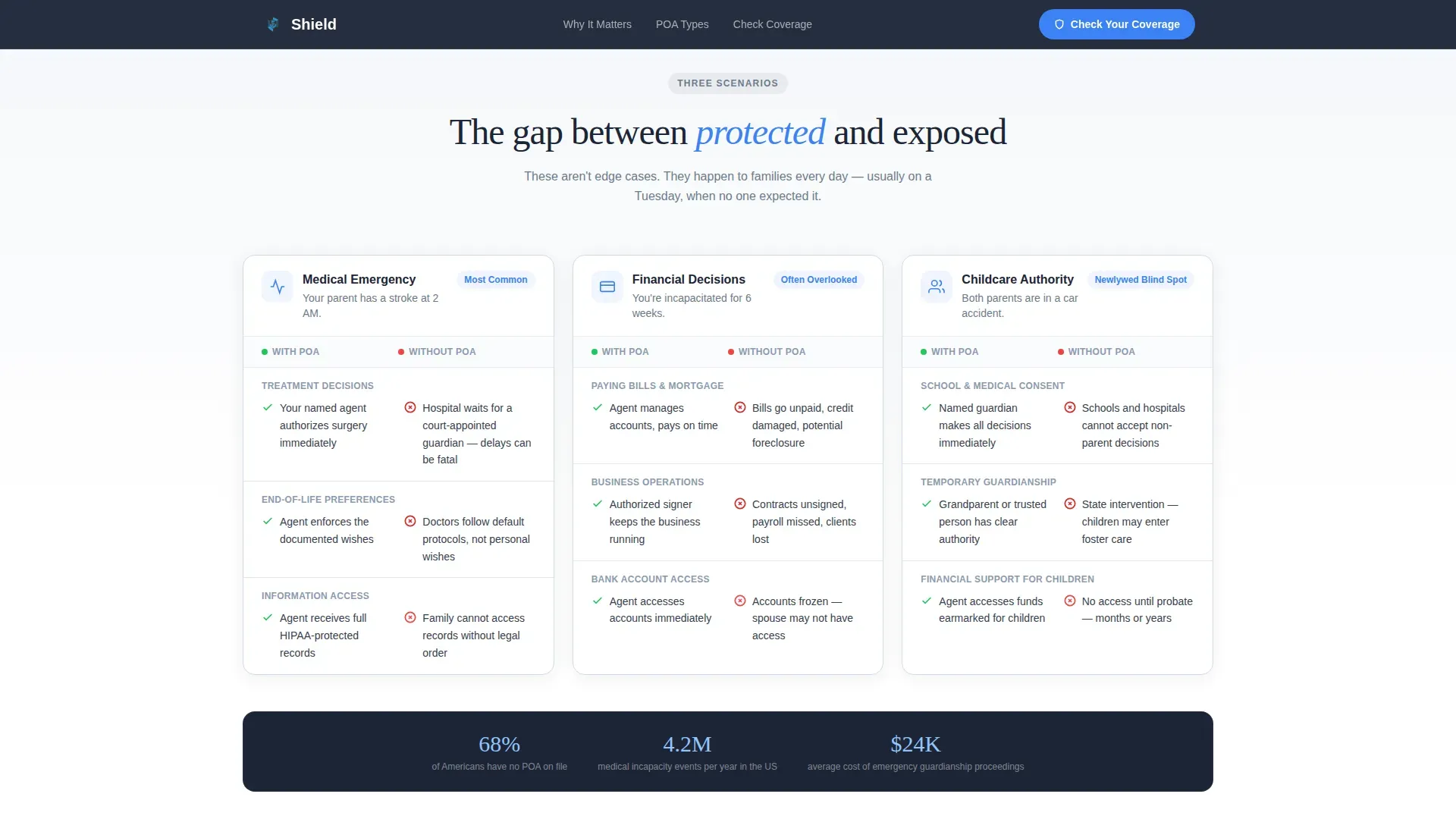
- Three mini comparison tables showing what happens with and without a POA across medical, financial, and childcare authority scenarios.
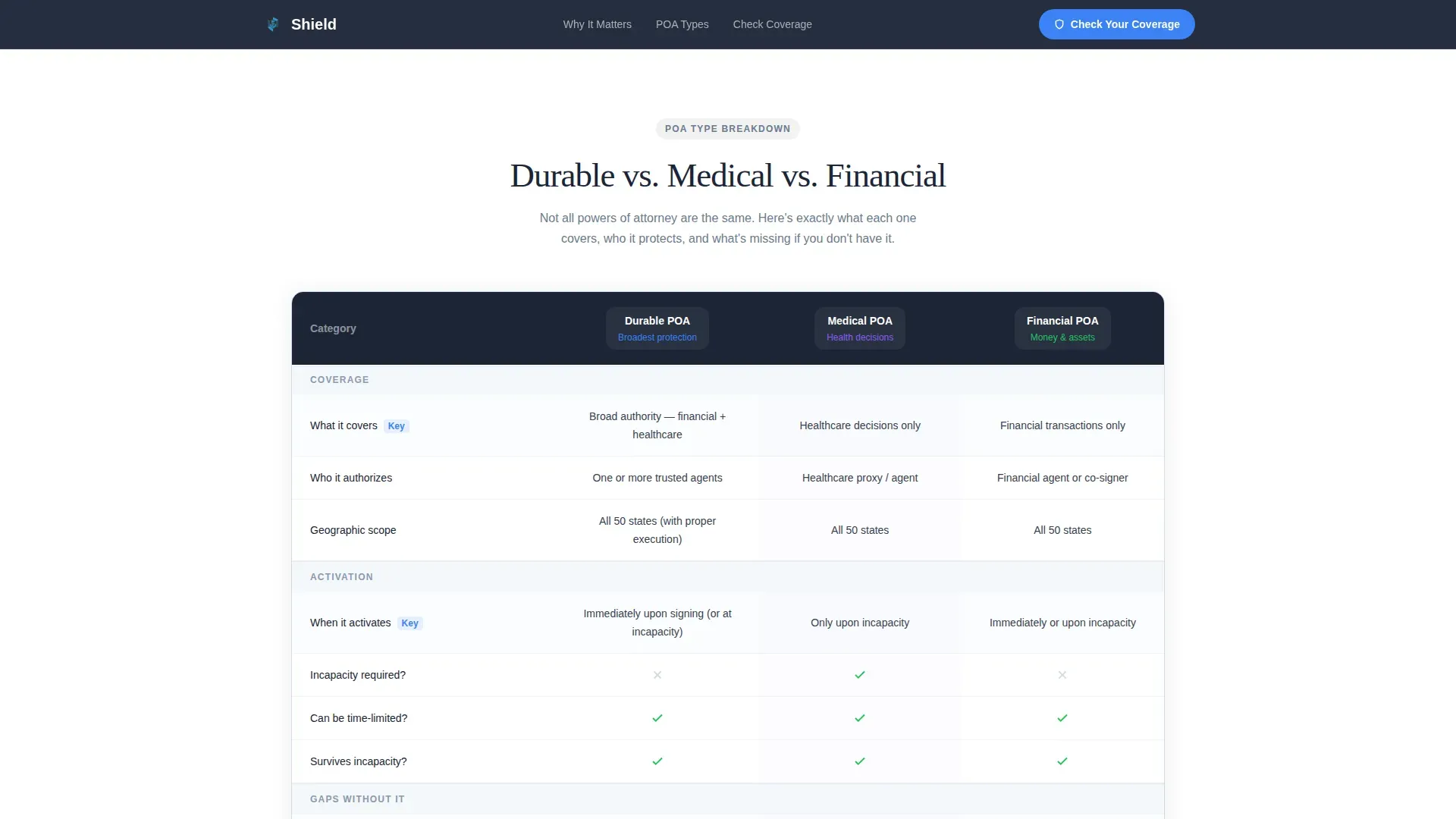
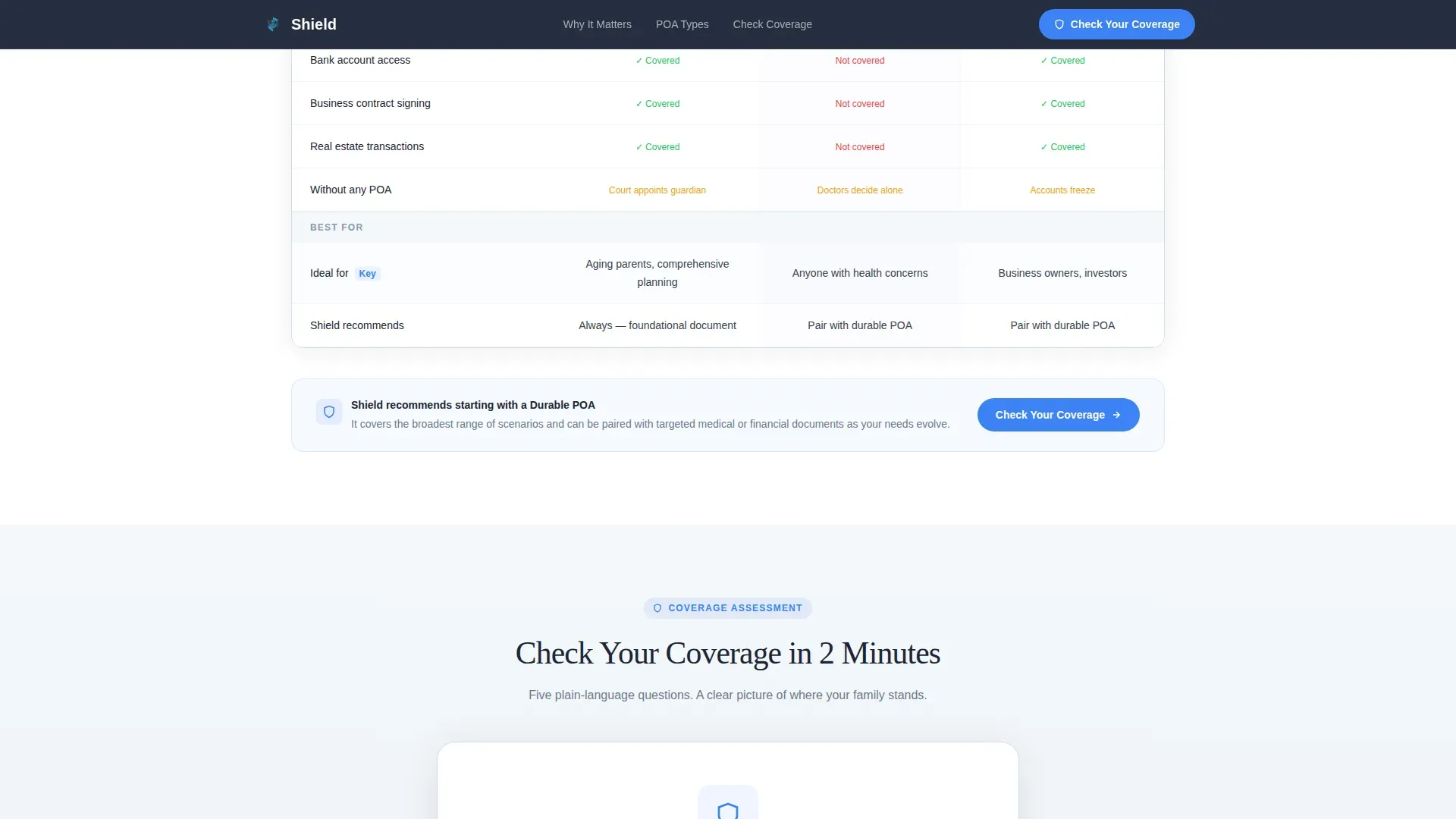
- A full POA type breakdown table covering durable, medical, and financial authority, plus an interactive five-question coverage quiz with a shield fill animation and personalized booking recommendation.
Feature list
This template brings together visual design, interactive functionality, and legal service content architecture in one ready-to-use package.
Dark Hero with Radial Glow
The hero section uses a full-bleed deep charcoal field with a soft blue glow emanating from behind the headline. The serif question headline and animated subline create immediate emotional resonance without relying on stock photography.
Scenario Comparison Tables
Three mini comparison tables outline real-world outcomes with and without a power of attorney. Each table covers a specific area: medical decisions, financial authority, and childcare. Green checkmarks and red gaps make the stakes readable at a glance.
Full POA Type Breakdown Table
A single structured table compares durable power, medical, and financial POA types side by side. It covers what each document covers, who the attorney in fact is, when authority is granted, and what happens if the principal is unable to act and the form is missing.
Interactive Coverage Quiz
The five-question quiz asks plain-language questions about whether the principal has named a medical decision-maker, whether an agent can access finances, and whether documents are current. Each answer adjusts a live coverage score. The quiz ends with a shield graphic filling from empty to full and a personalized "Schedule Your POA Session" prompt.
Social Proof and Process Section
Testimonials from all three target audiences appear alongside a visible three-step process that shows how manageable the POA process actually is. Document count metrics and years of service add concrete credibility to the page.
Scroll-Reveal Animation System
Section transitions use scroll-triggered reveals, quiz state machine transitions, and counter animations. The page moves from dark to light as the visitor scrolls, reinforcing the idea that clarity follows awareness.
Page sections overview
| Section | Purpose |
|---|---|
| Hero header | Poses the core question and surfaces the primary quiz call to action |
| Scenario comparison | Shows with-versus-without outcomes for medical, financial, and childcare authority |
| POA type table | Compares durable, medical, and financial attorney forms side by side |
| Coverage quiz | Scores the visitor's POA coverage and delivers a personalized recommendation |
| Social proof + process | Presents testimonials, a three-step guide, and service metrics |
| Footer | Single-row linear layout with contact and navigation links |
Design & branding system
The visual identity is built around the Cloud Canvas color system, which pairs legal authority with quiet warmth. The palette reads like a clean legal document resting beside a window on an overcast day.
- Cloud Canvas white (#F4F7FA) as the dominant background, deep charcoal (#1C2536) for headlines and table headers, and calm slate (#6B7B8D) for body text and secondary elements.
- Protective glow blue (#3B82F6) on calls to action, active quiz states, and the radial header accent that gives the page its sense of warmth and security.
- Fraunces serif for headlines and DM Sans for body text, creating a pairing that feels authoritative without being stiff.
Mobile & speed optimization
The template is designed desktop-first to match how legal clients research services, while delivering excellent mobile layout performance across all viewport sizes.
- Static sections use server components for faster initial rendering, while the quiz and animations run as client components to keep interactivity smooth.
- Scroll-reveal transitions and the shield fill animation are optimized for medium-to-high animation fidelity without blocking page load.
How this template helps you convert
Every structural decision in this template is aimed at moving a hesitant visitor toward a booked POA session, without pressure and without rushing trust.
- The quiz earns the click by showing the visitor exactly where their gaps are before asking for anything, making the call to action feel like a natural next step rather than a hard sell.
- Testimonials from adult children, newlyweds, and business owners verify the service across all three audiences, giving every visitor a recognizable story that reflects their own circumstances.
- The three-step process section makes it clear that completing a POA is manageable, which removes the assumption that the process is slow, expensive, or complicated.
Other information about this template
This template is built specifically for the power of attorney niche within estate and succession planning. Several additional details are worth noting before you build with it.
- The Shield trusted power of attorney landing page template is localized for the United States, using USD formatting and MM/DD/YYYY date conventions throughout.
- State-level context matters: each state has specific regulations around signing requirements, witness obligations, and whether the document must be filed with a court or government office. The template includes space to outline these restrictions clearly.
- In states like Florida, notarization requirements differ from other jurisdictions. The attorney form sections are structured to accept state-specific language without a full redesign.
- The attorney in fact must be at least 18 years of age and have the capacity to act on behalf of the principal. The template supports language reminding visitors to appoint an alternate attorney in fact in case the first choice is unable to fulfill their duties.
- A free power of attorney consultation offer can be featured prominently in the quiz result section to lower barriers for new visitors.
- The principal can grant the attorney in fact full power over general affairs or limit scope to a specific task or specific authorities using a limited attorney form.
- A durable power of attorney remains valid even after the principal becomes mentally incapacitated, while an ordinary POA ends at that point.
- The principal can revoke any existing POA while still capable. A revocation of power of attorney voids the current document. When a principal decides to cancel the document and switch agents, all institutions holding the original signed form should be notified and given a copy of the new POA.
- Experts recommend consulting a lawyer whenever the principal has doubts about the scope, restrictions, or validity of a power of attorney document.
- The attorney in fact must act in the best interests of the principal at all times and should understand their duties before accepting the position.
Theme
Legal Shield
Creative direction
Comparison Journey
Color system
Cloud Canvas
Style
Comparison Table
Direction
Quiz/Assessment
Page Sections
Dark Hero with Radial Glow
Scenario Comparison Tables
Full POA Type Breakdown Table
Interactive Coverage Quiz
Social Proof and Process Section
Scroll-reveal Animation System
Related questions
What types of POA does this template help explain?
Can the quiz section be customized for different audiences?
Does the template support revocation and update scenarios?
Is this template suitable for a law firm offering a free initial consultation?
Who are the key parties in a power of attorney agreement?



