Voter Registration Government Appointment Booking Website Template
Ballot is a civic voter registration landing page template built for county offices managing appointment-driven registration drives. It guides first-time voters, newly naturalized citizens, and address-updating residents through a clear, checklist-style intake process. The Navy Authority color system and zigzag layout make every step feel official, trustworthy, and easy to complete before the registration deadline closes.
by Rocket studio
Quick summary
Ballot is a single-page voter registration landing page created for county clerk offices and civic registration programs. It uses a structured, checklist-driven zigzag layout to walk voters through eligibility, required documents, and precinct lookup before they book an appointment. The design is direct, no-nonsense, and built to help every visitor register or update their record with confidence.
Who this template is for
This template serves county voter registration offices running appointment-based intake programs. It works equally well for civic outreach coordinators managing registration drives, early voting orientations, and poll worker training sessions.
- First-time voters turning eighteen, newly naturalized citizens, and residents updating their addresses before the registration deadline
- Election officials and local election officials coordinating in-person registration events at a polling place or county office
- Civic programs that need a ready-to-launch page without building from scratch
What problem this template solves
Voter registration processes are often confusing. Citizens arrive at a polling place without the right documents, miss deadlines, or leave without completing their registration. A poorly organized page makes the problem worse. This template removes that friction by turning a multi-step civic process into a guided, visual checklist that voters can follow from any device.
- Voters are unclear about eligibility rules, required documents, and where their precinct is located
- Election officials lose appointment slots when visitors arrive unprepared or skip the booking step entirely
- Pages that rely on centered type, all capital letters, or dense paragraphs push low-literacy and elderly voters away before they can register
What you get with this template
You get a fully structured voter registration landing page with five distinct content sections, a countdown-driven hero, and an appointment booking form. Everything is print-ready and visually organized so election officials can launch and voters can act.
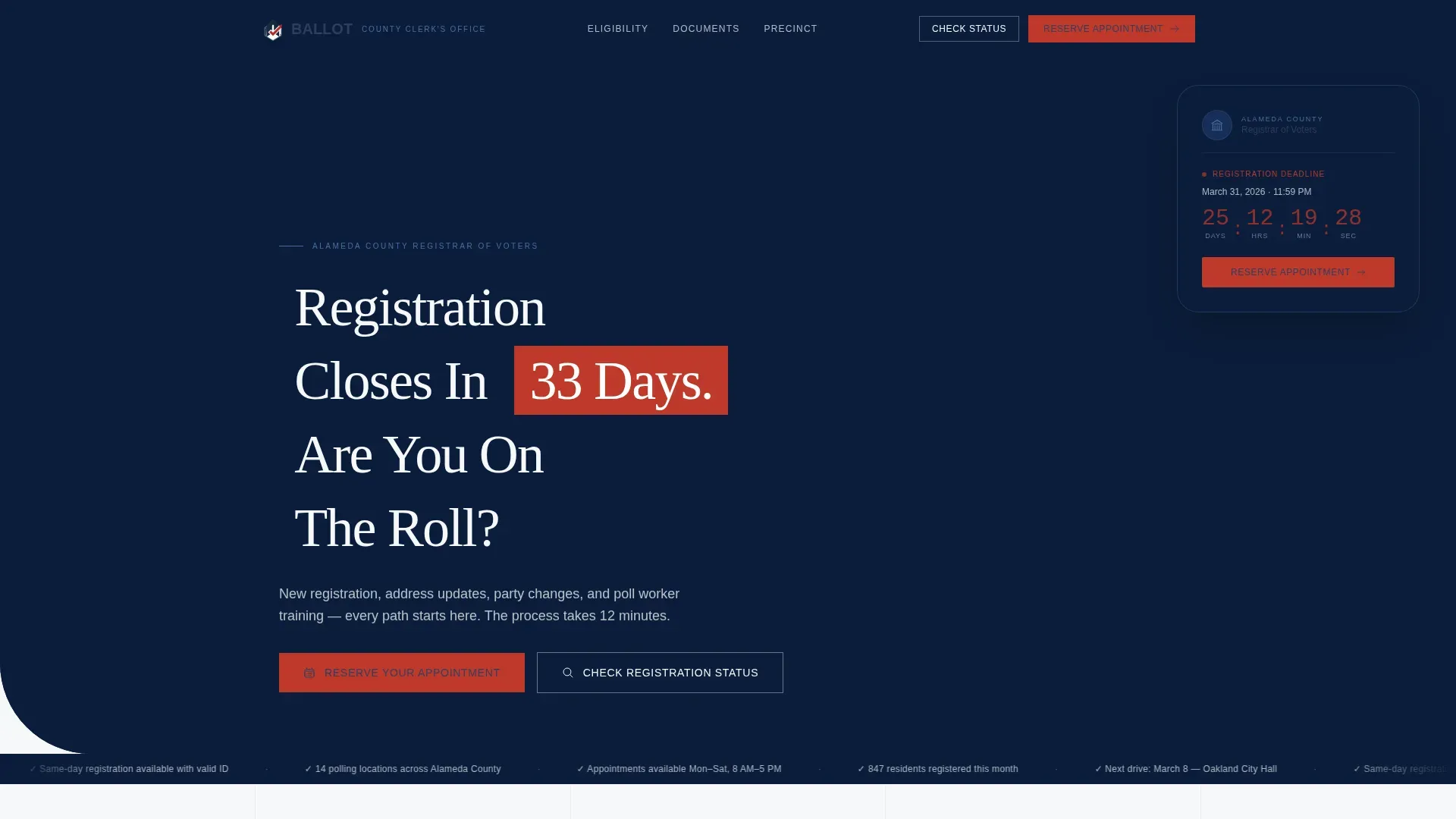
- A hero section with a countdown timer, a photo composition of a poll worker, and a primary "Reserve Your Appointment" call to action in decisive red
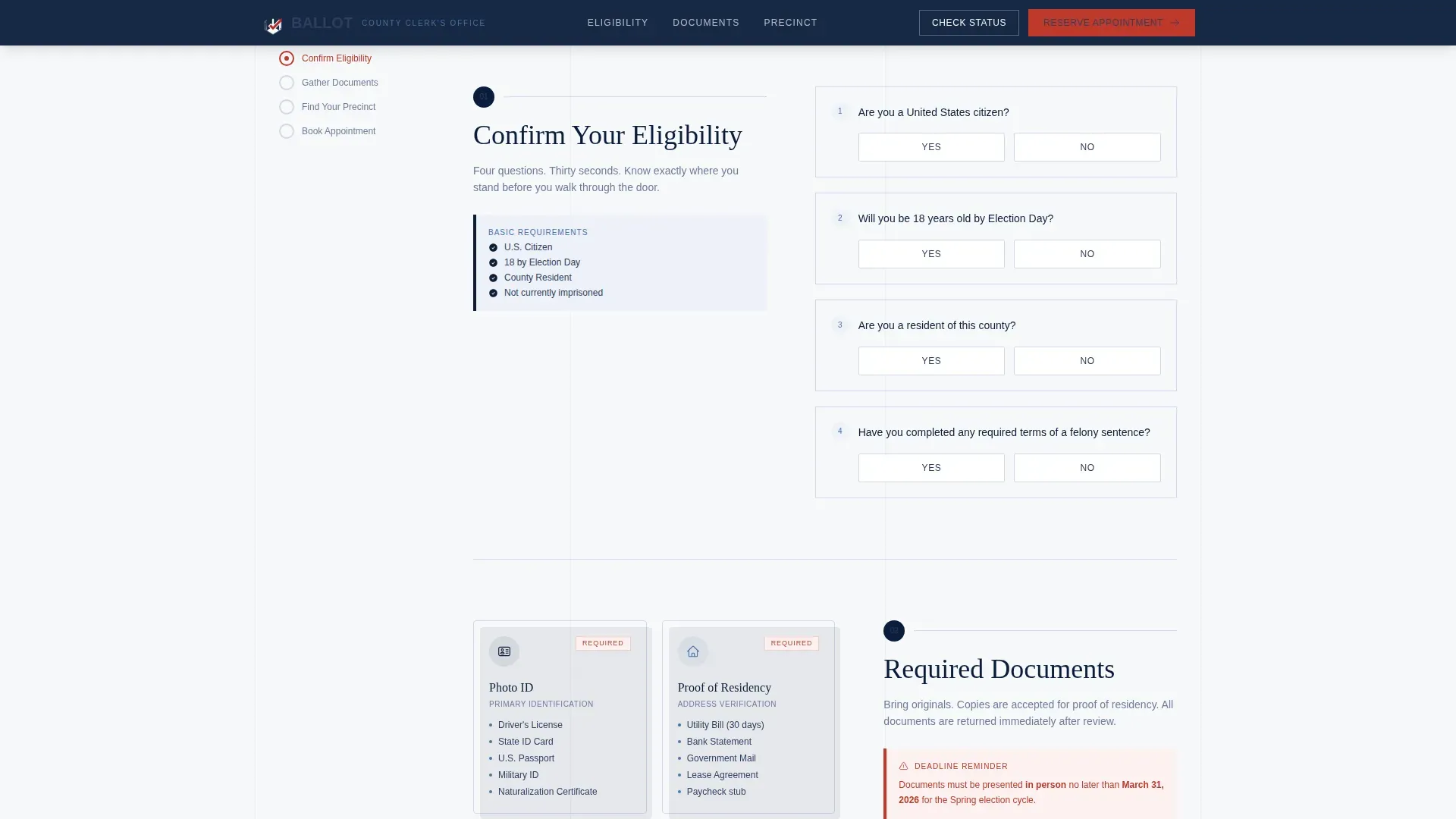
- A four-step interactive eligibility qualifier, a required documents display, an address-based precinct lookup, and a full appointment booking form
- A persistent sidebar checklist that marks each section complete as visitors scroll, supporting navigation and reducing drop-off before the form
Feature list
This template is built around one clear purpose: helping voters register and helping election officials fill appointment slots. Every feature below comes directly from the template brief.
Countdown Timer Hero Section
The hero occupies half the page width with a counter that ticks down to the registration deadline in red. The ballot title headline and county seal anchor the right panel. Voters understand urgency the moment they arrive on the page without reading a single paragraph.
Interactive Eligibility Qualifier
A four-question inline checker lets voters confirm their eligibility before they proceed. Each answer advances the checklist in the persistent sidebar. This interactive tool removes guesswork and makes voters feel prepared, not interrogated.
Required Documents Display
Document silhouettes for photo identification and proof of residency are presented in the alternating zigzag layout. Visual instructions support navigation for low-literacy visitors and for voters who may not read English as their primary language. Clear, simple language labels each document type.
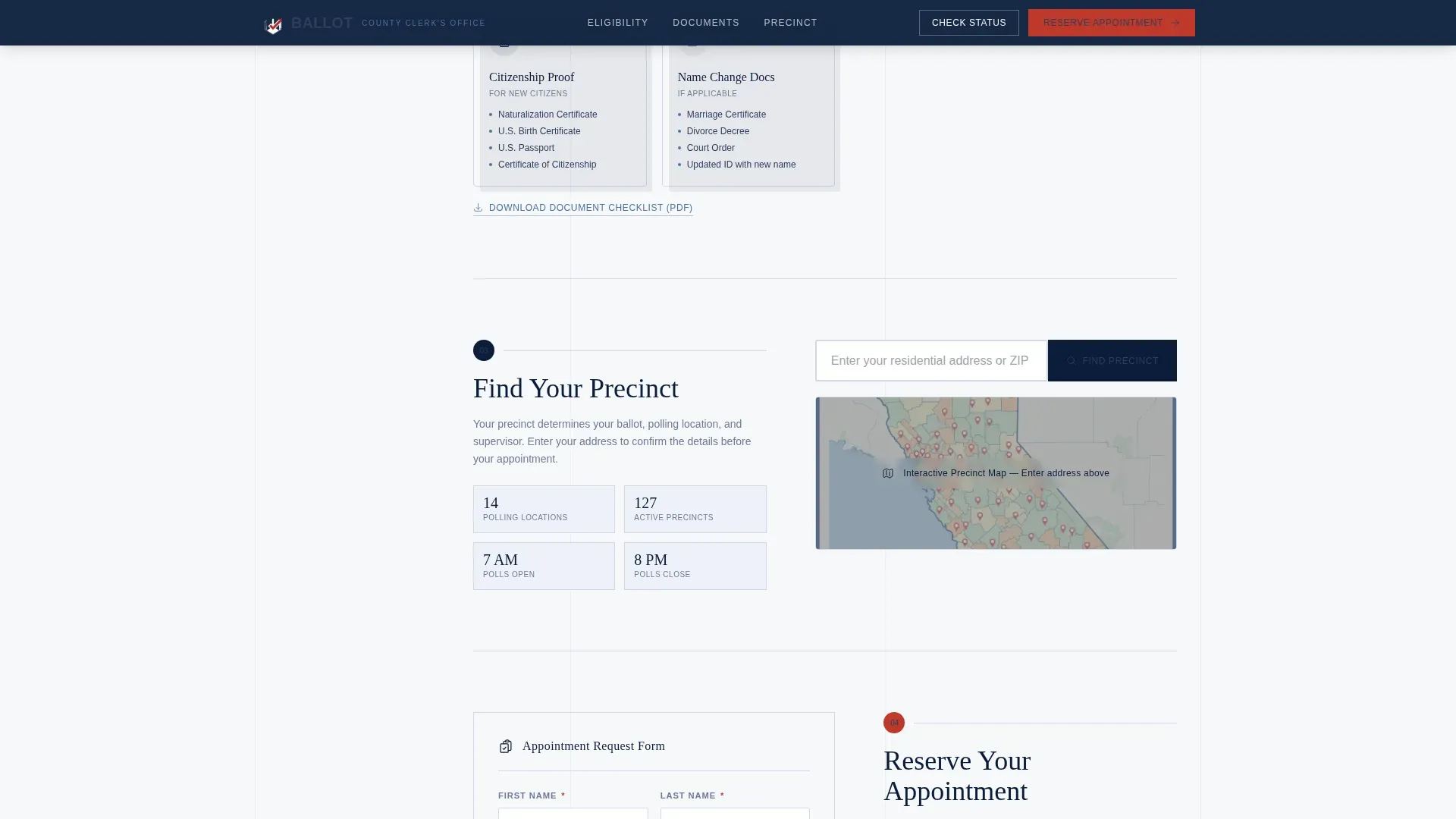
Precinct Lookup Tool
An address input field returns the visitor's assigned polling place details on the next line of the result panel. This tool helps voters arrive at the correct location and supports election accuracy across the county's voting program.
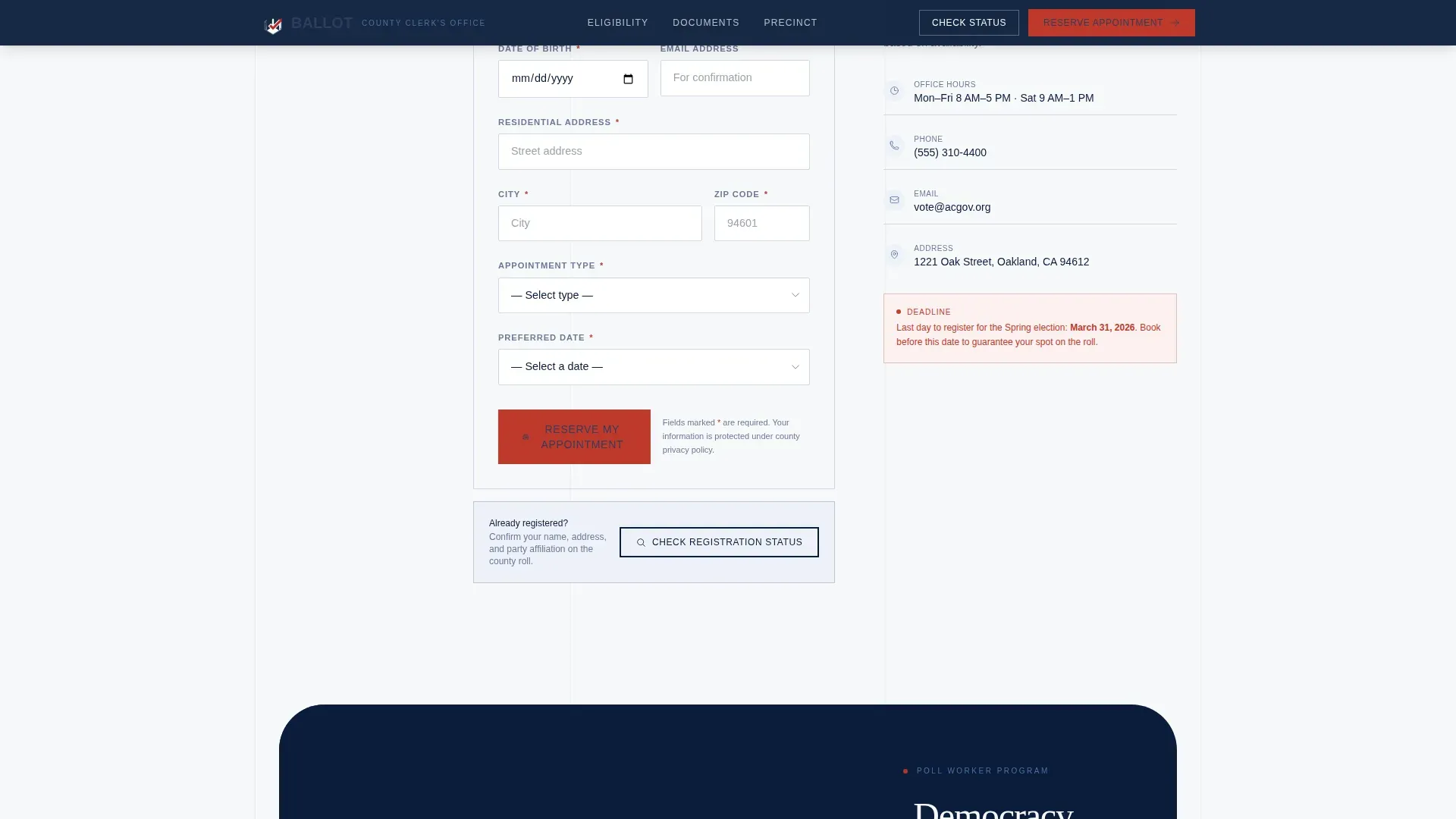
Appointment Booking Form
The booking form collects full legal name, date of birth, residential addresses, appointment type from a dropdown (New Registration, Address Update, Party Change, Poll Worker Training), and a date and time selector showing real availability. Visitors submit one organized form to secure their slot.
Persistent Sidebar Checklist
As voters scroll through each section, a sidebar checklist marks steps complete with crisp navy checkmarks. This civic design feature gives visitors a sense of forward progress and keeps the process feeling managed rather than overwhelming.
Page sections overview
| Section | Purpose |
|---|---|
| Hero countdown panel | Establish urgency and present the primary registration call to action |
| Eligibility qualifier | Help voters confirm they meet requirements before proceeding |
| Required documents display | Show exactly what to bring to the polling place or county office |
| Precinct address lookup | Match each visitor to their correct voting location |
| Appointment booking form | Collect visitor details and confirm a registration appointment slot |
Design & branding system
The visual identity follows a Corporate Precision theme that feels like the inside of a well-run county clerk's office. The palette uses deep federal navy for headers and footers, pressed-shirt white for content panels, muted steel blue on secondary text and divider lines, and a single decisive red reserved for deadline indicators and primary buttons. Typography pairs DM Sans as the body font with Fraunces for display headings. This combination of sans serif fonts keeps body copy clean and legible while the display face adds civic authority to headlines.
- Left-aligned type throughout, because left-aligned type is more legible than centered type and reduces reading confusion for all visitors
- Lowercase body copy across sections, since lowercase letters are more readable than all capital letters in instructional contexts
- Color and shading used consistently as supporting cues, not as the sole way to communicate important information
Mobile & speed optimization
The template is built desktop-first with full mobile responsive support. Special attention is given to elderly and low-literacy users who often access pages on mobile devices. Minimum type sizes follow civic design guidance, keeping body text large enough to read on small screens without pinching or zooming.
- Scroll-triggered checklist animations and eligibility state transitions are set to medium intensity, keeping the page feeling active without slowing the experience
- The zigzag layout reflows cleanly into a single-column stack on smaller screens, preserving the logical step-by-step process order
- Interactive components including the qualifier, precinct lookup, and booking form remain fully usable on touch screens
How this template helps you convert
The page earns the appointment booking by doing the work before the call to action appears. Visitors who reach the form already know they are eligible, know what documents to bring, and know their polling place. Booking feels like the final checkbox, not the first ask.
- The countdown timer creates honest urgency around the registration deadline, prompting visitors to act on the date rather than defer
- The checklist sidebar provides user feedback at every step, so voters feel guided rather than lost and are far less likely to abandon the page before they submit
Other information about this template
This template is a worthwhile investment for any county office that wants to increase registration appointments without adding staff time to answer basic eligibility and document questions. The design choices reflect best practices in civic design and ballot design developed through extensive research into how voters actually navigate registration pages.
- The ballot design follows guidance that the ballot title should be the most prominent element, with a contest header and supporting details presented in clear hierarchy
- Informational icons and visual instructions support voters who have low literacy levels or who speak a secondary language as their primary language, and the layout can support dual language materials through a secondary language column without restructuring the page
- Sans serif fonts and clean strokes throughout the layout maintain a unified, readable appearance that mirrors the requirements election officials apply to paper ballots and polling place signage
- The voter guide structure used across sections can be adapted to summarize referenda, display candidates names, and list contests for any local election cycle
- Bold text is used sparingly for key information only, and regular text carries the body content, ensuring nothing competes for equal importance with the primary call to action
- Minimum type sizes, left-aligned text blocks, and left-to-right reading order all follow recommended required formats from civic election research
- Citizens who speak languages other than English can be supported by adapting the page into dual language materials, since the modular section structure makes it straightforward to add a secondary language column or to swap the primary language content block
- The template can be downloaded and customized for any county in the country, with date formats, addresses, and precinct details replaced to reflect local election rules
- Voting regulations vary from state to state, so election officials should review and update all instructions, deadlines, and polling place details before the page goes live
- The Voter Journey Map tool concept used in the sidebar checklist mirrors the step-by-step guidance approach that civic data organizations use to help voters register and vote with confidence
- This ballot trusted civic voter registration landing page template is created to serve local election officials who need a professional, reliable election presence without a long build timeline
- The page can also support a voter guide section to help citizens research candidates, review contests, and print or download resources before election day
Theme
Corporate Precision
Creative direction
Checklist & Audit
Color system
Navy Authority
Style
Zigzag/Alternating
Direction
Event Registration
Page Sections
Countdown Timer Hero Section
Interactive Eligibility Qualifier
Required Documents Display
Precinct Address Lookup Tool
Appointment Booking Form
Persistent Sidebar Checklist
Related questions
Can this template support more than one language?
Do I need to print anything for this template to work?
Can election officials update the deadline countdown and appointment types?
Is this template suitable for elderly or low-literacy voters?
What happens after a visitor fills out the booking form?



