Strategic Executive Support Landing Page Template
The Delegate executive virtual assistant comparison landing page template is built for professional virtual assistant services that serve time-strapped founders, COOs, and senior consultants. It combines a split-hero layout, a structured three-tier comparison table, first-person virtual assistant profiles, a lead magnet download form, and an interactive sample week timeline into one refined, desktop-first landing page.
by Rocket studio
Quick summary
This template gives virtual assistant businesses a polished, conversion-focused landing page that does the work of a great first impression before a single word is read. The layout escalates clarity instead of urgency, walking each visitor through a structured comparison of Executive, Operations, and Creative virtual assistant tiers until they know exactly which one fits their situation.
Who this template is for
This template is built for professional virtual assistant services that cater to high-value, time-sensitive clients. It is ideal for any team or company that needs to present tiered assistant services with precision and confidence to a sophisticated audience.
- Solo founders running seven-figure businesses who need a professional site quickly
- Overwhelmed COOs and operations leads drowning in scheduling conflicts and admin support gaps
- Senior consultants and marketing teams who bill by the hour and need potential clients to self-qualify before making contact
What problem this template solves
Many virtual assistant websites struggle to communicate the difference between service tiers. Visitors leave without understanding what they get, what it costs, or which virtual assistant level fits their actual workload. This template solves that directly.
- Inbox overload, scheduling chaos, and task leakage are named upfront so visitors feel seen immediately
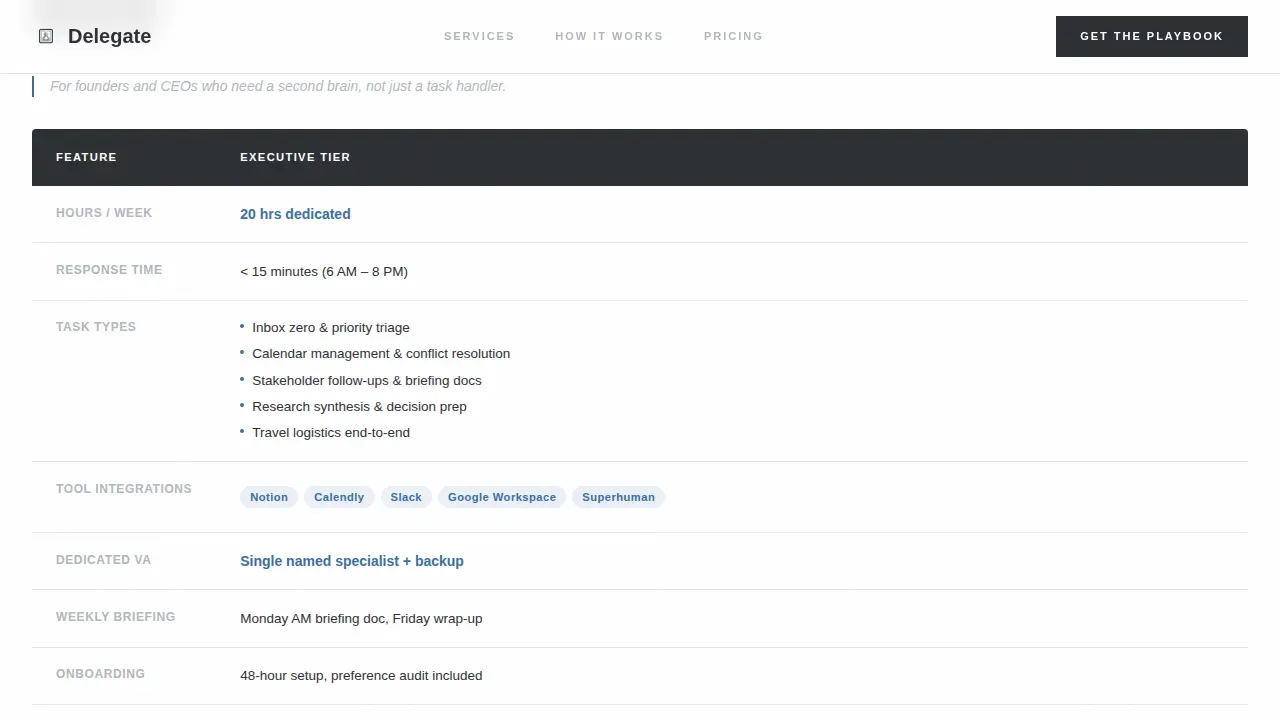
- The comparison table removes ambiguity by presenting hours, task types, response times, and tool integrations side by side
- The qualifying download form filters serious potential clients from casual browsers, improving conversion rates at the point of contact
What you get with this template
This template includes a complete set of purpose-built sections, each serving a specific role in the visitor journey. Every layout decision supports the goal of turning a skeptical executive into a qualified lead.
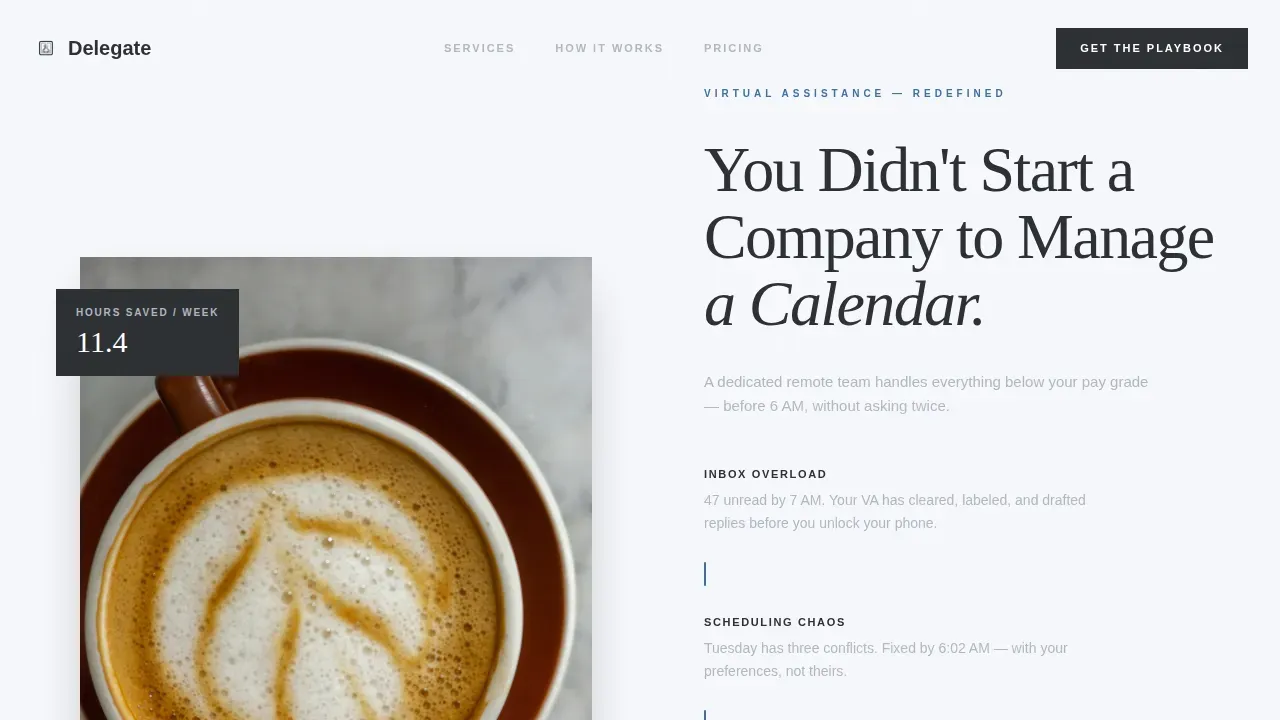
- A half-page photo and text hero with three named pain points separated by accent-color dividers
- A three-tier virtual assistant comparison table covering task types, hours, response times, and tool integrations
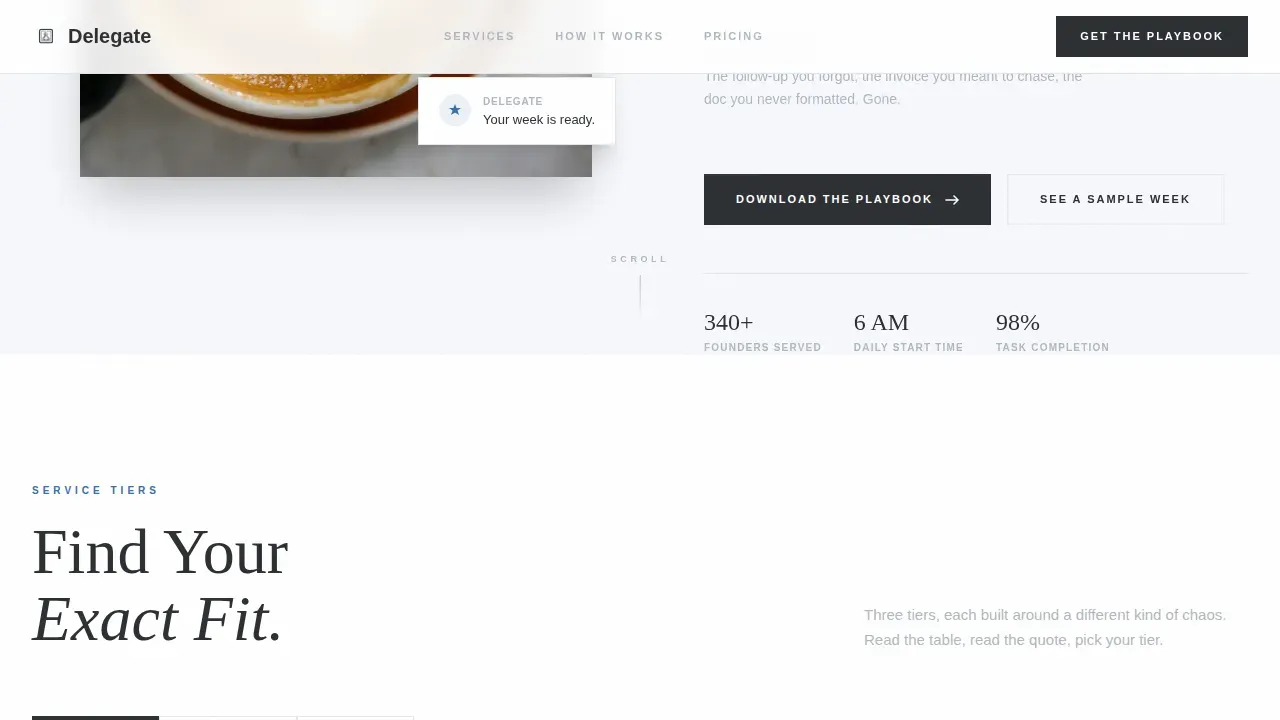
- A lead magnet download form with a qualifying question and a secondary interactive sample week timeline
Feature list
This template brings together several key features that set it apart from generic virtual assistant websites. Each section is purposefully sequenced to build trust, deliver data, and prompt action.
Split-Hero Header with Pain Point Naming
The hero uses a half-page photo and text layout. The left side displays a sunlit marble desktop with a phone notification reading "Your week is ready." The right side carries the headline and three named pain points, each separated by a fountain-pen-blue divider. Trust signals appear before the scroll, which is crucial for busy professional visitors who decide within seconds whether to keep reading.
Three-Tier Virtual Assistant Comparison Table
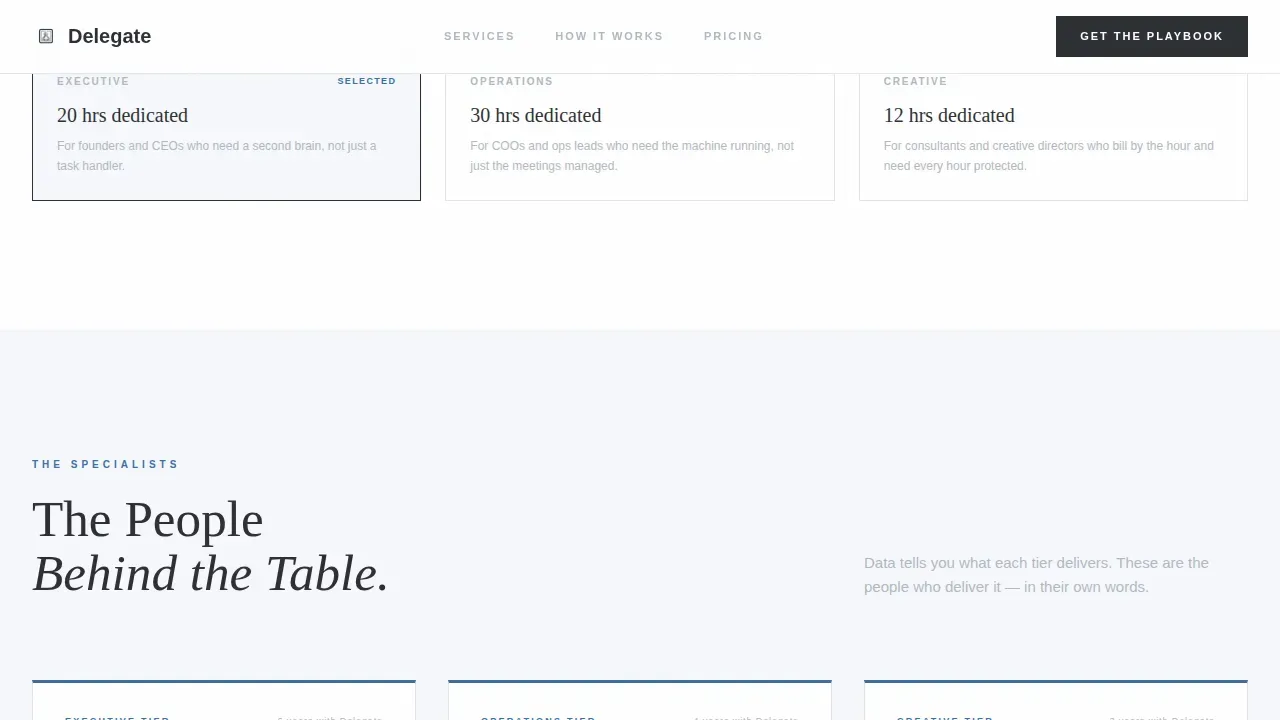
The comparison table is the structural center of the page. It places the Executive, Operations, and Creative virtual assistant tiers side by side, with rows covering weekly hours, task descriptions, response times, and software integrations. Each row is followed by a first-person quote from the relevant virtual assistant specialist, giving the data a human voice and building authenticity.
VA Specialist Profile Blocks
Below each comparison section, a dedicated profile block introduces the virtual assistant responsible for that tier. This answers the visitor's key question: "Who will I actually be working with?" Real first-person descriptions build credibility and make the services feel tangible rather than abstract, which is especially important for professional clients evaluating assistant services at a senior level.
Delegation Playbook Download Form
After the comparison table, a focused form captures leads with minimal friction. It asks for first name, email, and one qualifying question about weekly hours spent on tasks the visitor should not be doing. The primary call to action, "Download the Delegation Playbook," delivers a twelve-page PDF guide on what to delegate first. This low-friction entry point captures visitors who are not yet ready to schedule a call.
Interactive Sample Week Timeline
A secondary call to action, "See a Sample Week," links to an interactive Monday-to-Friday task log. It shows exactly what each virtual assistant tier handles across a real workweek. The timeline converts curiosity into email capture at the end, creating a second conversion path for visitors at a different stage of readiness.
GSAP ScrollTrigger Animation System
The page uses a medium-intensity animation system built on GSAP ScrollTrigger. Table rows reveal with a stagger effect, and headline text animates word by word as the visitor scrolls. These animations reinforce the executive aesthetic without sacrificing clarity or speed of comprehension.
Page sections overview
| Section | Purpose |
|---|---|
| Hero split layout | Names the audience and three core pain points |
| VA comparison table | Compares tiers across hours, tasks, tools |
| VA specialist profiles | Adds human voice to comparison data |
| Delegation Playbook form | Captures leads with qualifying question |
| Sample Week timeline | Shows real workweek task coverage |
| Footer single row | Provides contact and navigation links |
Design & branding system
The visual identity follows an Executive Suite theme built on the Cloud Canvas color system. The palette is deliberately restrained, with one deliberate accent color that draws the eye exactly where it needs to go.
- Colors: soft cumulus white (#F7F8FC) for the base, deep charcoal suiting (#2C2F33) for all primary text, brushed aluminum (#B0B8C1) for secondary descriptions, and fountain-pen blue (#3A6EA5) reserved for interactive elements and key data points
- Typography: Fraunces serif display for headlines and tier names, DM Sans for body copy, table descriptions, and form labels
- Background images: the hero uses a high-resolution overhead photograph of a marble desktop, chosen to reflect the clean and composed style the brand projects; the color schemes across the page avoid decorative noise and let the data and copy carry the visual weight
Mobile & speed optimization
The template is designed desktop-first to match the working context of its primary audience: executives and founders who review services from a laptop or a large screen. Responsive design is built in, so the layout scales correctly across mobile devices without losing the comparison table's readability.
- Fully responsive breakpoints ensure the comparison table stacks legibly on smaller screens
- Server Components handle all static sections for efficient rendering, while Client Components power the interactive sample week timeline
- The qualifying form and all contact fields are optimized for mobile devices so visitors can complete the form without friction on any screen size
How this template helps you convert
The page is structured to move a skeptical, time-scarce visitor toward one of two conversion actions without applying pressure. The approach follows best practices for professional virtual assistant websites, where trust and clarity outperform urgency every time.
- The comparison table does the qualifying work automatically. By the time a visitor finishes reading all three tier descriptions, they have self-identified their fit, reducing the cost of every follow-up conversation and improving the quality of leads for the business.
- The dual call-to-action system captures visitors at different stages of readiness. The Delegation Playbook form targets visitors ready to act, while the Sample Week timeline captures visitors still in research mode, ensuring the site quickly converts both segments without needing a separate home page or additional pages.
Other information about this template
This template is designed with the same structural thinking found in high-performing virtual assistant websites across the industry. The sections, layout decisions, and content sequencing reflect established research into what converts professional services visitors into qualified leads.
- The template fits naturally within a virtual assistant layout pack if you are building a multi-section site with a services page, an about page, and a contact page alongside the main landing page
- The style guide built into the template covers color schemes, typography scales, spacing rules, and button styles so your team can easily customize new pages to match without starting from scratch
- Transparent pricing can be added to the comparison table rows using the existing layout structure, which supports clear cost breakdowns and visible pricing tiers alongside services offered, helping potential clients make informed decisions faster
- The template's structure aligns with best practices for virtual assistant websites: trust signals before the scroll, prominent action-oriented buttons, detailed descriptions for each service tier, and multiple conversion paths that cater to visitors at every stage
- Divi and Elementor virtual assistant layout pack options also support multi-section virtual assistant websites with specific pages for each role; this template takes a comparison-focused approach that is especially suited to virtual assistant services presenting tiered offerings side by side
- If you plan to expand the site, the template can support additional pages, including a dedicated services page for each virtual assistant role, a case studies page, and a company overview page, without breaking the established style
- The fully responsive design and clean layout work across e-commerce-adjacent professional services sites and are compatible with most major website development platforms, making it straightforward to get your site quickly up and running
- For teams researching virtual assistant services for the first time, the Delegation Playbook lead magnet functions as a practical entry point, giving potential clients immediate value and demonstrating the expertise of the virtual assistant team before any sales conversation begins
- Social media management is listed as one of the task types supported within the Creative virtual assistant tier, and social media profile links are included in the single-row footer for easy contact
Theme
Executive Suite
Creative direction
Expert Panel
Color system
Cloud Canvas
Style
Comparison Table
Direction
Content/Resource
Page Sections
Three-tier VA Comparison Table
Split-hero with Pain Point Framing
Delegation Playbook Lead Magnet Form
Interactive Sample Week Timeline
GSAP Scrolltrigger Animation System
Executive Suite Design System
Related questions
Can I customize the colors and fonts in this template?
Does the template include the comparison table structure?
Is the interactive Sample Week timeline included?
Who is the target audience for this template?
Can this template be adapted into a multi-page virtual assistant website?



