Surat Local Professional Website Template
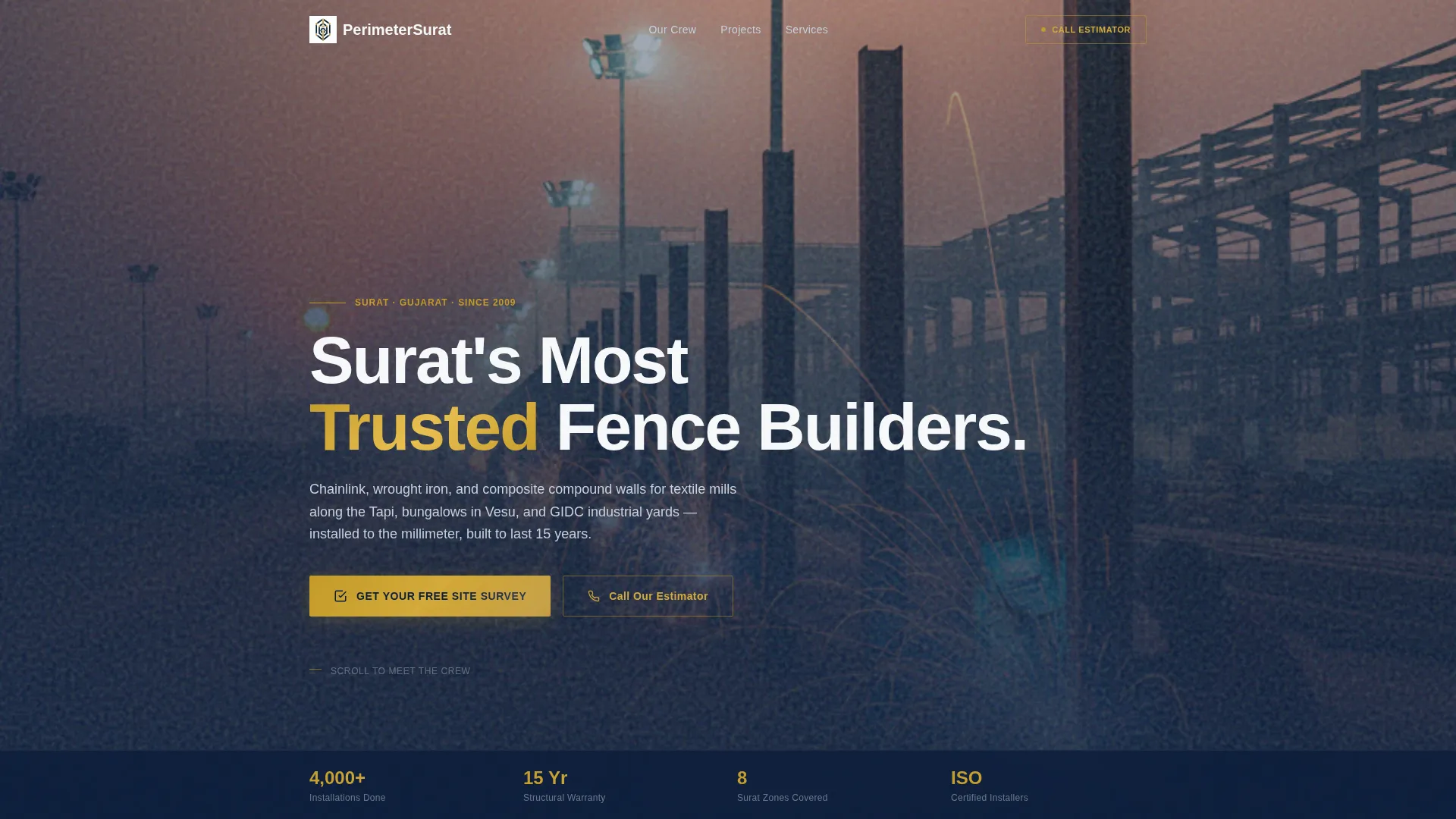
Perimeter is a single-column landing page built for Surat fence installation companies. It opens with authority badges, introduces the crew by name and specialty, and stacks project proof before asking for action. The primary call to action drives visitors to a free site survey, while a tap-to-dial option serves clients who are ready to call right now.
by Rocket studio
Quick summary
Perimeter is a focused, single-column landing page for a Surat-based fence installation company. It combines certification badges, crew profiles, and a project gallery to build trust before the first call to action appears. The design follows a Navy Authority color system with hammered brass accents, delivering a tone that feels precise, credible, and locally grounded.
Who this template is for
This template is built for fence installation businesses serving industrial, residential, and gated community clients in Surat and across Gujarat. It suits owner-operated crews and mid-size contracting firms equally well.
- Fence installers working with textile mills, chemical storage yards, and GIDC-regulated estates
- Contractors building compound walls for NRI families and residential developments in areas like Vesu
- Fencing businesses that want to lead with credentials and crew expertise rather than a generic service list
What problem this template solves
Most fencing contractors lose inquiries because their online presence looks generic. Potential clients, especially industrial estate managers and mill owners, need proof of competence before they pick up the phone. This template solves that trust gap directly.
- No clear display of certifications, warranty terms, or installation count leaves visitors uncertain
- Stock-photo sites fail to communicate local expertise and crew experience
- Visitors ready to call are often lost because there is no fast, visible contact path on mobile
What you get with this template
You get a complete, ready-to-customize landing page layout that leads with authority and converts through layered credibility. Every section is purposefully ordered to move a skeptical visitor from first glance to booking a site survey.
- A badge-led header showing certifications, warranty details, and installation milestones
- Crew profile sections for named team members with their roles and years of experience
- Two primary call-to-action placements and a sticky mobile bar, plus a tap-to-dial secondary path
Feature list
This section covers the core built-in capabilities of the Perimeter template.
Authority Badge Header
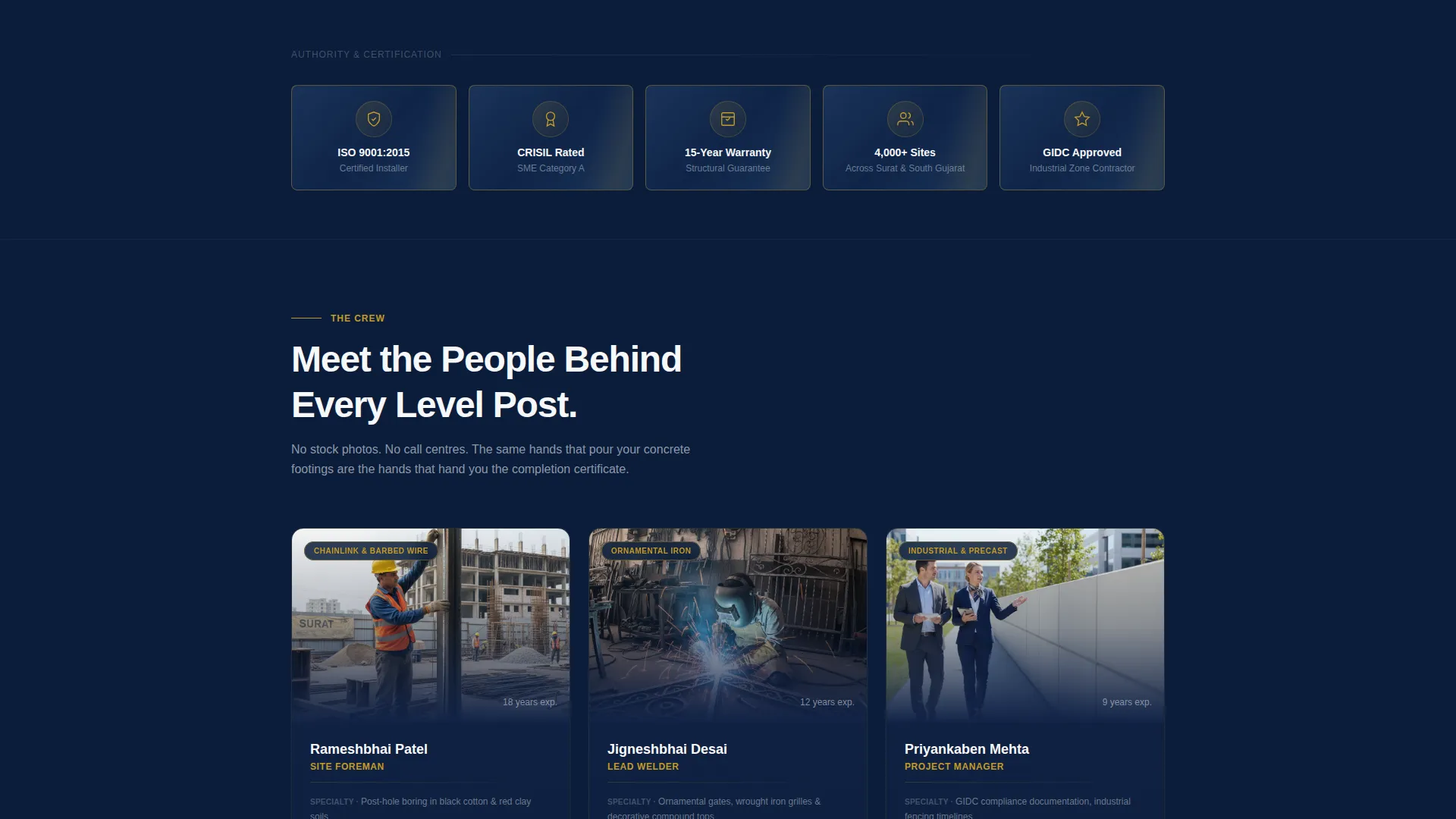
A row of gilded certification shields opens the page against a deep navy background. Each badge carries subtle metallic texture and beveled edges, communicating credibility before any paragraph loads. Trust marks include ISO certification status, CRISIL rating reference, a 15-year structural warranty indicator, and an installation count milestone.
Crew Profile Sections
The template profiles real team members by name, role, and specialty. Rameshbhai the site foreman, the ornamental welding team, and the project manager each appear with their years of experience. This crew-forward structure replaces generic service copy with faces and facts that local clients can relate to.
Stacked Call-to-Action Placement
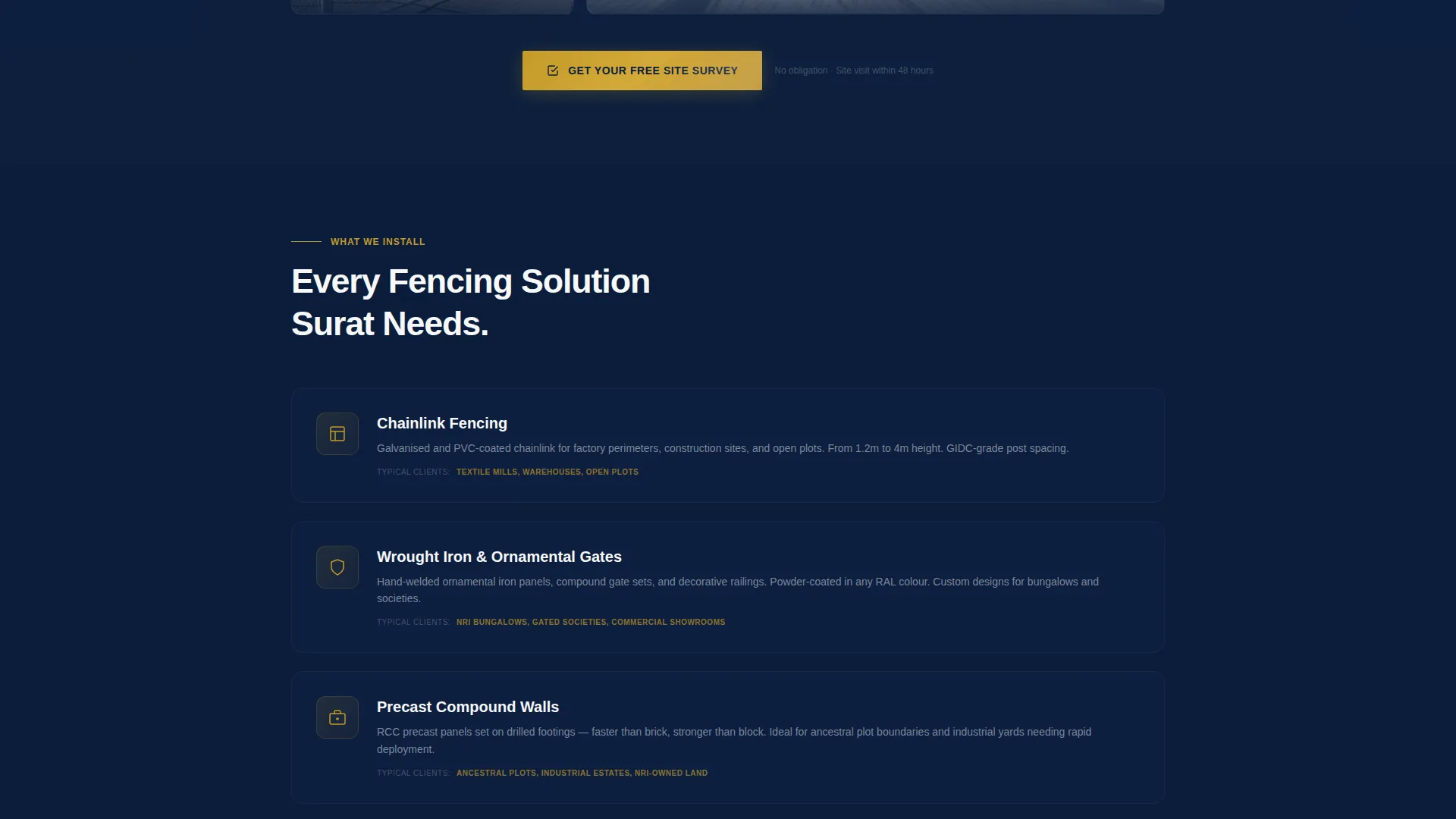
The primary call to action, "Get Your Free Site Survey," appears after the team section and again after the project gallery. It connects to a scheduling flow with date selection and site address input. A secondary "Call Our Estimator Now" tap-to-dial option is available for visitors who prefer immediate contact.
Sticky Mobile Contact Bar
On mobile devices, a persistent bottom bar keeps the primary call to action visible at all times. Visitors never have to scroll back to find a way to get in touch. This layout choice directly supports conversion on smaller screens.
Project Gallery Section
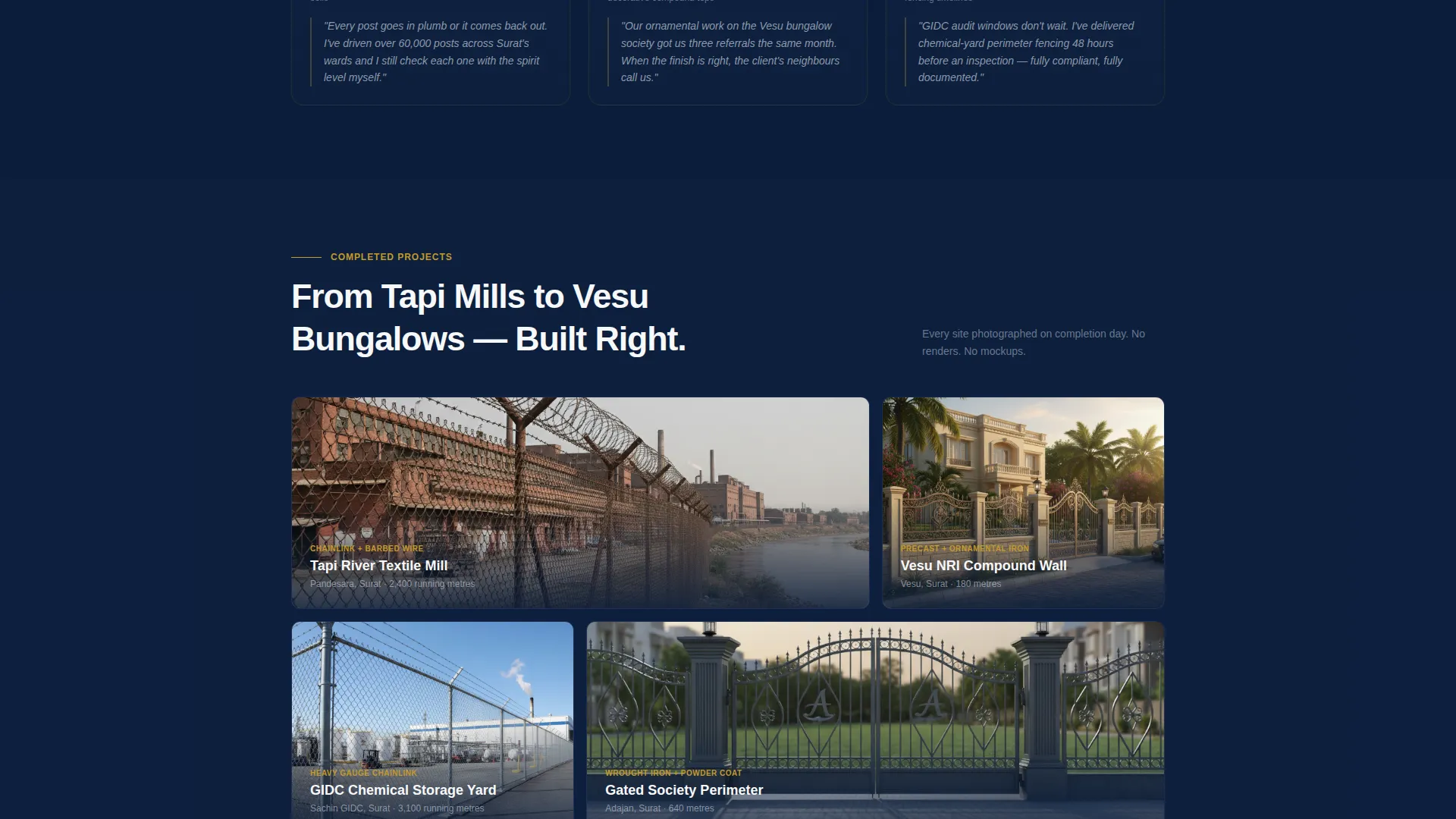
A visual gallery of completed installations shows the range of work: chainlink perimeters around factories, wrought iron gates for bungalows, and composite panels for gated societies. The gallery provides physical proof of completed projects before asking for any commitment.
Single-Column Scroll Flow
The entire page runs as one focused vertical flow. There are no sidebar distractions or multi-column splits that fragment attention. Every section builds on the last, guiding the visitor from credentials to proof to action in a deliberate sequence.
Page sections overview
| Section | Purpose |
|---|---|
| Badge Header | Establish authority and trust marks instantly |
| Hero Headline | Anchor the brand promise in one line |
| Crew Profiles | Build personal trust through real team members |
| Project Gallery | Show physical proof of completed installations |
| Primary call to action Block | Drive site survey bookings after crew section |
| Post-Gallery call to action | Reinforce the call to action after visual proof |
| Sticky Mobile Bar | Keep contact options visible during mobile scroll |
| Tap-to-Dial Option | Offer an immediate phone path for ready buyers |
Design & branding system
The template uses an Executive Suite visual identity built around the Navy Authority color system. The palette feels deliberate and industrial, like a shipyard boardroom with dark paneling and brass fittings.
- Deep admiralty navy (#0B1D3A) as the primary background, polished gunmetal (#4A5568) for secondary surfaces, and command white (#F7F8FA) for all text and spacing
- Hammered brass (#C49A2A) reserved exclusively for buttons, badge outlines, and hover states to draw attention to action points
- Metallic badge textures and beveled edge treatments reinforce the premium, certified-contractor tone throughout the page
Mobile & speed optimization
The layout is designed to stay functional and persuasive on any screen size. The single-column structure eliminates common mobile layout problems like overlapping columns or cut-off text.
- The sticky bottom bar ensures the primary call to action and tap-to-dial number remain accessible without scrolling
- Single-column flow keeps content stacking clean and readable on small screens without requiring layout overrides
- Each section is visually self-contained, so visitors who land mid-scroll on mobile still encounter a clear, coherent message
How this template helps you convert
The page earns its conversions by stacking proof before making any ask. Every design and content decision is ordered to reduce hesitation and increase confidence.
- Authority badges appear before any paragraph, so credibility is established in the first breath of the scroll
- Crew profiles replace anonymous service copy with named professionals and specific expertise, making the company feel tangible and accountable
- The primary call to action appears twice in the page flow and once as a persistent mobile bar, meeting visitors at every stage of readiness
Other information about this template
This template is part of a broader set of professionally themed landing page layouts designed for local service businesses. It is well suited for contracting firms that need to project institutional credibility while keeping their presentation human and approachable.
- The Navy Authority color system and Executive Suite theme can be adapted for other trade contractors beyond fencing, such as civil works or structural fabrication firms
- The crew-forward creative direction aligns with the "Team and People" approach, where faces and bios outperform generic imagery for building local trust
- The template is built as a single-page flow, making it straightforward to publish as a standalone campaign page or integrate as a service-specific section within a broader company site
Theme
Corporate Precision
Creative direction
FAQ-Driven
Color system
Navy Authority
Style
Zigzag/Alternating
Direction
Partnership/B2B
Page Sections
Authority Badge Header
Named Crew Profile Sections
Stacked Call to Action Placement
Sticky Mobile Contact Bar
Project Gallery Section
Single-column Scroll Flow
Related questions
Can I update the badge details and certification text to match my own credentials?
How do I connect the site survey button to my own booking flow?
Is the tap-to-dial phone number editable?
Can I add or remove crew profile cards?
Does the sticky mobile contact bar appear on desktop screens too?



