Endpoint - Interactive Robotics API Landing Page Template
Endpoint is a dashboard-style robotics API documentation landing page built for engineering teams who need more than static reference pages. It renders method signatures, parameter tables, latency spark-lines, and live sandboxes inside a Spec Sheet layout. The goal is simple: let engineers test every API call mid-read and reach for the "Get Your API Key" button with genuine confidence.
by Rocket studio
Quick summary
Endpoint is a single-page, dashboard-style API documentation landing page designed for robotics software platforms. It combines Dark Glass Panel headers, interactive sandbox cards, and a Spec Sheet scroll layout to give firmware developers and integration engineers everything they need to evaluate and adopt a robotics SDK without leaving the page.
Who this template is for
This template is built for technical teams shipping robotics software products. It speaks the language of engineers first and converts them into trial users second.
- Robotics firmware developers who debug inverse kinematics and need runnable code references at any hour
- Integration engineers connecting ROS2 nodes to proprietary hardware and evaluating SDK compatibility quickly
- Startup Chief Technology Officers deciding whether an SDK can compress a prototype timeline by months
What problem this template solves
Most API documentation pages force engineers to choose between reading marketing copy and testing real code. That friction slows evaluation and kills trust before a trial even starts.
- Static screenshots and prose descriptions leave developers guessing about actual method behavior and latency
- Multi-step signup flows interrupt the evaluation process before engineers have seen enough to commit
- Generic landing pages fail to communicate the architecture depth that technical buyers need to feel confident
What you get with this template
You get a complete, ready-to-customize landing page that functions as both a marketing surface and a live technical reference. Every section is built around what an engineer actually wants to see.
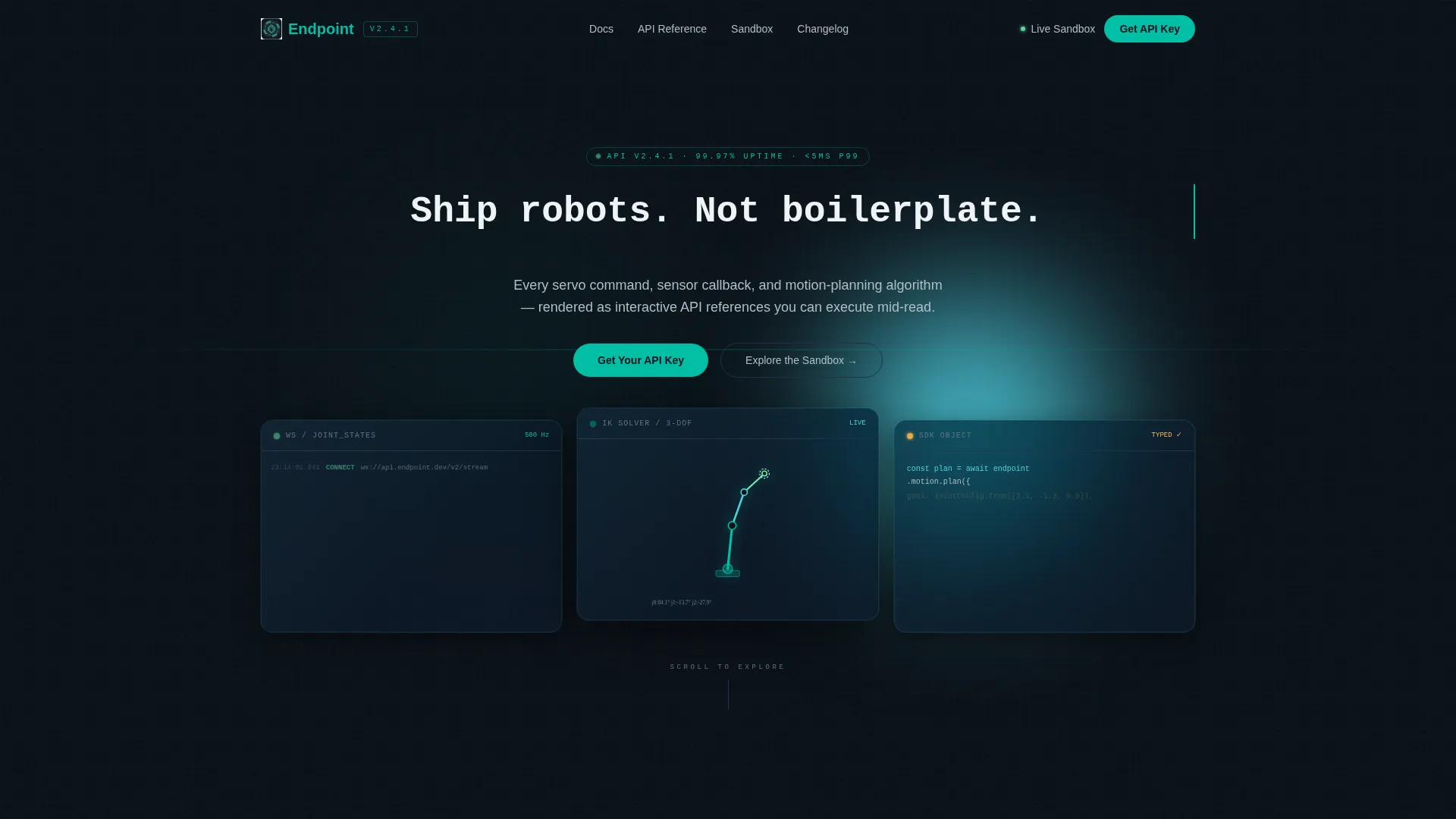
- A Dark Glass Panels header with three frosted-glass cards showing a WebSocket log, a 3D joint-angle visualization, and a collapsing JSON-to-SDK object response
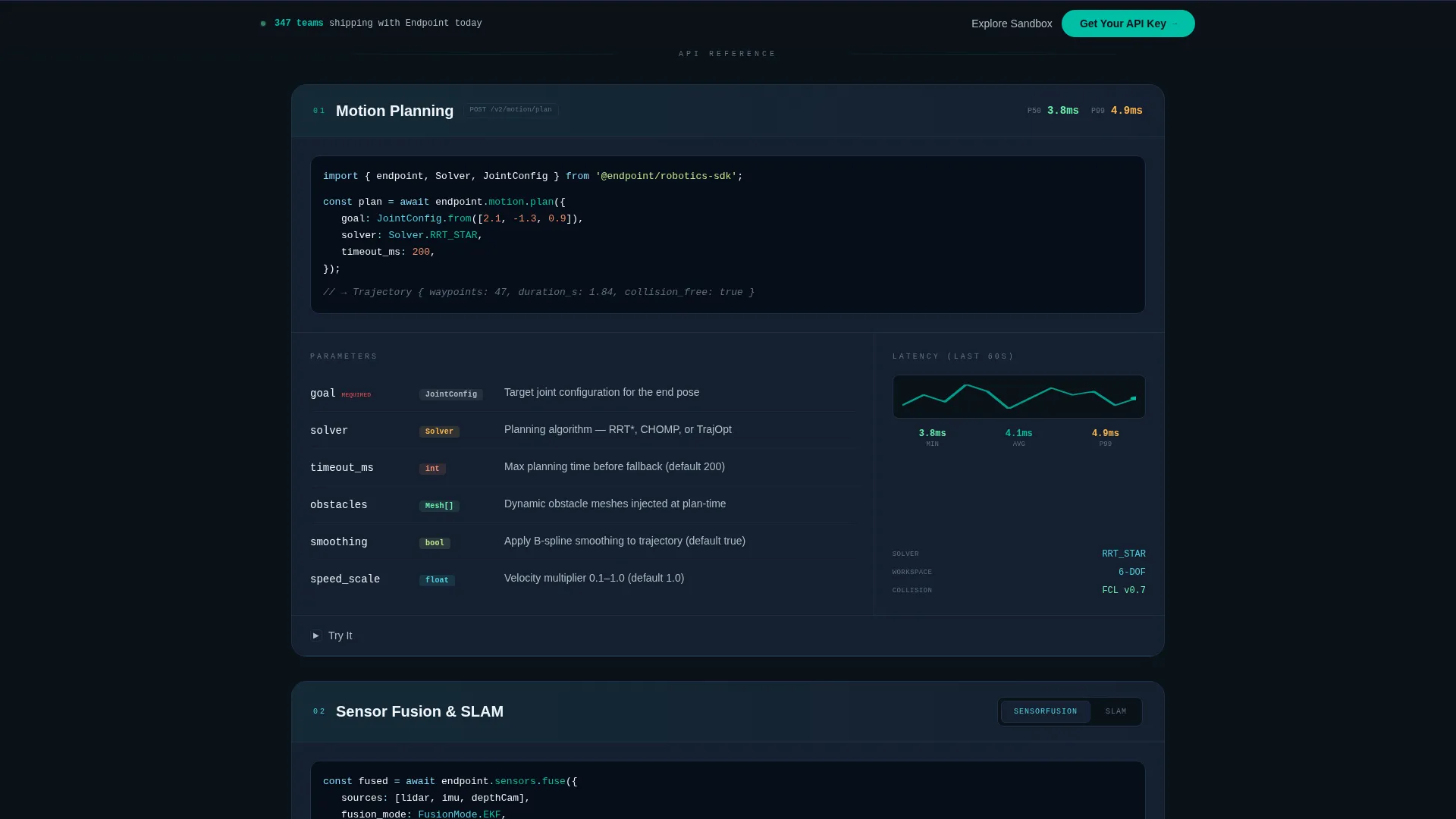
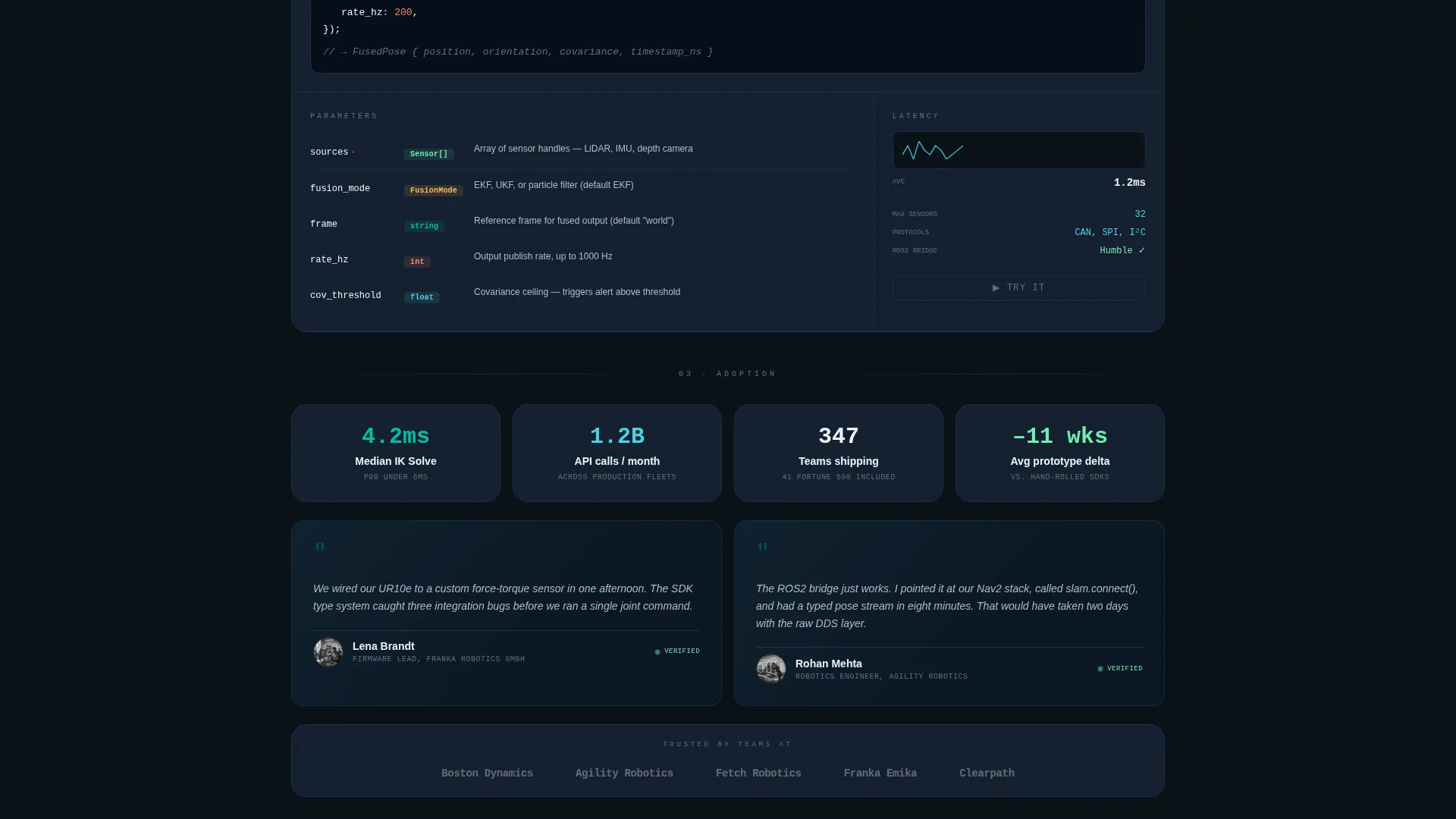
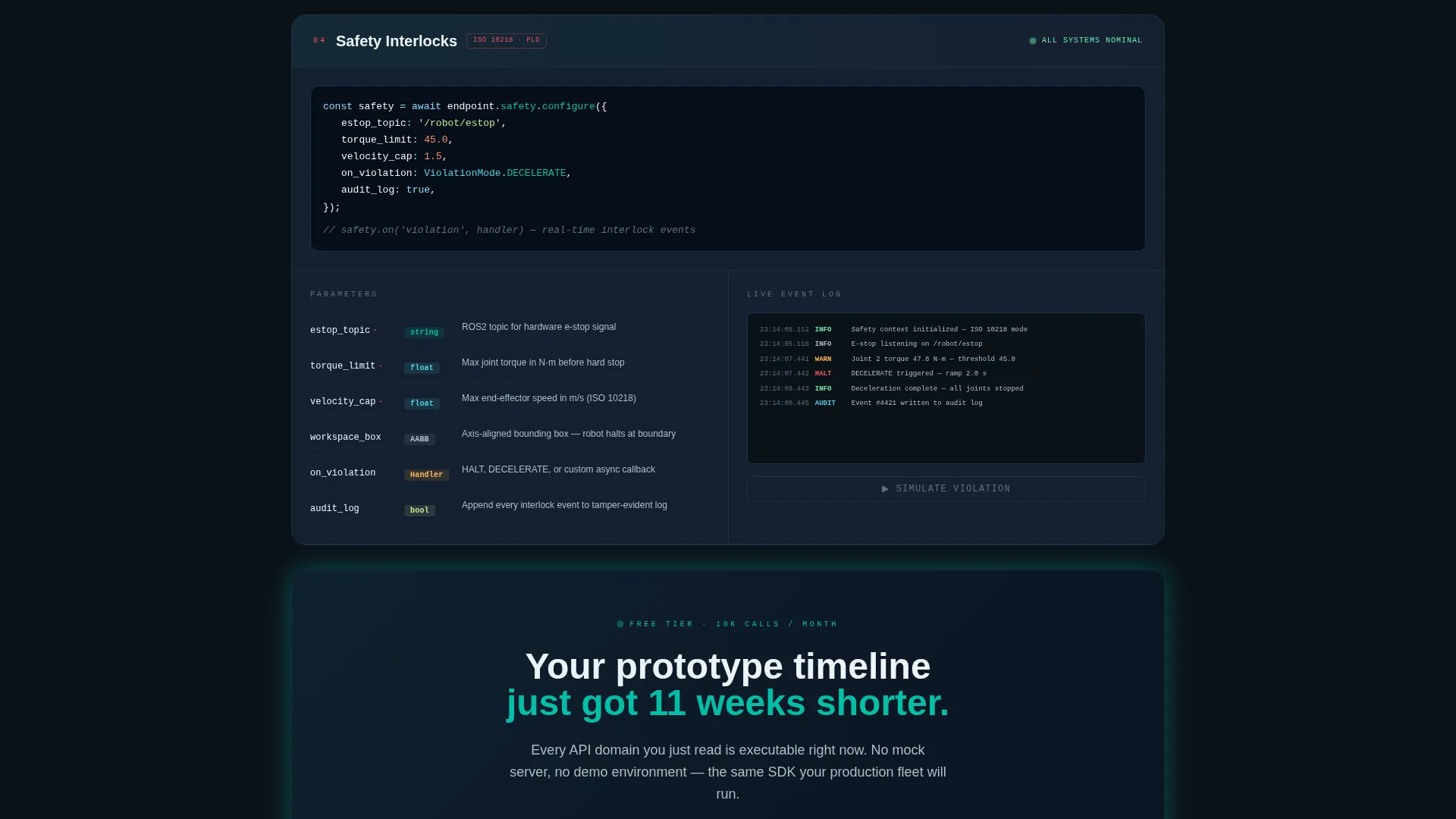
- A Spec Sheet scroll layout with self-contained data grid cards for Motion Planning, Sensor Fusion, SLAM Integration (Simultaneous Localization and Mapping), and Safety Interlocks, each including syntax-highlighted code, parameter tables, latency spark-line charts, and an expandable Try It sandbox
- A pinned bottom conversion bar with a single-field "Get Your API Key" modal and a no-signup "Explore the Sandbox" secondary path
Feature list
This template includes purpose-built components that serve a technical audience without sacrificing conversion mechanics.
Dark Glass Panel Header
Three frosted-glass cards float on a pitch-black viewport, each showing a different live API call in mid-execution. Subtle parallax separates the panels at different visual depths. A monospaced headline types itself into view, and the glass surfaces catch faint teal reflections as the cursor moves.
Interactive Spec Sheet Cards
Each API domain gets its own self-contained data grid card. Cards open with a syntax-highlighted method signature, follow with typed parameter tables, display latency benchmarks as spark-line charts, and include a collapsible embedded sandbox toggled by a "Try It" button.
Live Sandbox Embeds
The "Try It" toggle expands a real embedded sandbox inside each card. Engineers can execute calls and inspect responses without navigating away. This means evaluation happens inside the documentation itself, not in a separate environment.
Pinned Conversion Bar
A slim bottom bar appears after the second card scrolls into view. It stays fixed while the visitor reads deeper into the spec sheet. The bar hosts the primary "Get Your API Key" call to action in reactor teal.
Low-Friction Signup Modal
Clicking "Get Your API Key" opens a single-field modal asking only for a work email. There is no credit card field, no company size dropdown, and no multi-step form. The secondary path, "Explore the Sandbox," requires no signup at all.
Dynamic Motion Visual System
The Teal Catalyst color palette, monospaced typography, and scroll-accelerating card density create the feeling of a live diagnostics terminal. The design communicates competence through visual behavior, not through written claims.
Page sections overview
| Section | Purpose |
|---|---|
| Dark Glass Header | Displays three live API call panels with parallax depth and a typing headline |
| Motion Planning Card | Shows method signature, parameter table, latency chart, and Try It sandbox for motion planning |
| Sensor Fusion Card | Presents sensor callback references with type badges and an expandable sandbox |
| SLAM Integration Card | Covers Simultaneous Localization and Mapping methods with benchmarks and inline testing |
| Safety Interlocks Card | Documents safety interlock commands with parameter details and live execution toggle |
| Pinned Conversion Bar | Anchors the primary call to action and secondary sandbox path at the bottom of the viewport |
| API Key Modal | Single-field email capture for frictionless freemium trial signup |
Design & branding system
The Teal Catalyst color system is built around the visual language of a running diagnostics terminal. Every color choice reinforces the sense that the platform is live, precise, and trustworthy.
- Core palette: deep cockpit black (#0B1219) for backgrounds, reactor teal (#00BFA6) for primary actions, signal cyan (#4DD0E1) for highlights, tungsten gray (#B0BEC5) for secondary text, and hot white (#F0F4F8) reserved for live data and active states
- Typography is monospaced throughout, reinforcing the code-native aesthetic and keeping the reading experience consistent with a terminal or integrated development environment
- The frosted-glass card treatment, teal glow reflections, and cursor-reactive parallax combine to create a Dynamic Motion theme that feels alive without being distracting
Mobile & speed optimization
The Spec Sheet layout is designed to remain readable and functional on smaller screens. Card-based structures stack cleanly at mobile widths without losing the data density that makes the desktop experience compelling.
- Data grid cards reflow into a single-column stack on narrow viewports, preserving the method signature, parameter table, and Try It toggle in full
- The pinned conversion bar adapts to mobile bottom navigation patterns, keeping the primary call to action reachable without scrolling back to the top
- Parallax depth effects in the header scale gracefully, maintaining visual interest without overwhelming mobile rendering
How this template helps you convert
Every design and layout decision in this template is aimed at reducing the distance between "first impression" and "trial signup." The page earns the click by demonstrating capability before asking for anything.
- The interactive Spec Sheet layout lets engineers test real API calls mid-read, so by the time they reach the conversion bar they have already experienced the product rather than simply read about it.
- The single-field email modal removes all signup friction, and the "Explore the Sandbox" path provides an entirely commitment-free entry point that builds trust before credentials are ever requested.
Other information about this template
This template belongs to the Startup and Launch category and is specifically matched to the RoboTech API Documentation niche within the RoboTech Startup subcategory. It is suited to teams building commercial robotics SDKs, developer platforms, or hardware abstraction layers that need to communicate depth and reliability to a technical audience quickly.
- The Freemium and Trial conversion direction means the page is optimized for a low-barrier first action rather than a high-intent purchase decision
- The Dashboard and Data Grid template style makes this layout transferable to other developer tool platforms beyond robotics, including industrial IoT APIs and embedded systems SDKs
- The Dynamic Motion theme and Dark Glass Panel header concept are consistent across the Matched Intersection fields, making this template a strong fit for any technical product that wants to project precision and energy
Theme
Dynamic Motion
Creative direction
Spec Sheet
Color system
Teal Catalyst
Style
Dashboard/Data Grid
Direction
Freemium/Trial
Page Sections
Dark Glass Panel Header with Parallax
Interactive Spec Sheet Card Layout
Live Embedded Sandbox Panels
Pinned Freemium Conversion Bar
Single-field Email Modal
Dynamic Motion Visual Identity
Related questions
Who is the primary audience for this template?
Can I customize the API domain cards for my own product?
Does the sandbox require a backend to function?
How does the conversion flow work?
Is this template suitable for non-robotics developer platforms?



