Code Enforcement State Department Landing Page Template
Enforce is a hub and spoke landing page template built for state code enforcement departments. It routes four distinct user types through a sticky anchor navigation to dedicated spoke sections covering licensing, violations, code updates, training, and public complaints. The design follows a federal courthouse aesthetic with a navy, slate, white, and gold palette that communicates institutional authority from the first scroll.
by Rocket studio
Quick summary
Enforce is a single-page, anchor-navigation template designed for state-level code enforcement departments. It establishes jurisdictional authority immediately, then guides visitors through five structured spoke sections. Two conversion paths, a complaint filing form and a license status lookup, give every user type a clear next action without a phone call.
Who this template is for
This template is built for government agencies and public-sector teams that need a credible, functional web presence. It serves multiple professional user types simultaneously through one organized destination.
- Municipal code officers looking for certification renewal resources and course information
- Licensed contractors checking amended ordinances and verifying license status before a project starts
- Property owners responding to violation notices or filing complaints about structures in their community
- City managers aligning local statutes with statewide mandates and tracking jurisdictional updates
What problem this template solves
State code enforcement departments often scatter critical resources across disconnected pages, portals, and phone trees. Visitors lose time, trust erodes, and staff handle avoidable inquiries. Enforce consolidates every core resource into one authoritative destination.
- A single hub replaces fragmented pages so contractors, officers, and property owners find their tool without searching
- Inline forms and a license lookup replace phone calls for the two most common visitor actions
- A clear anchor navigation system removes guesswork about where to go next
What you get with this template
Enforce delivers a fully structured landing page ready to represent a state regulatory authority. Every section is purposeful, sequenced to build trust before asking for any action.
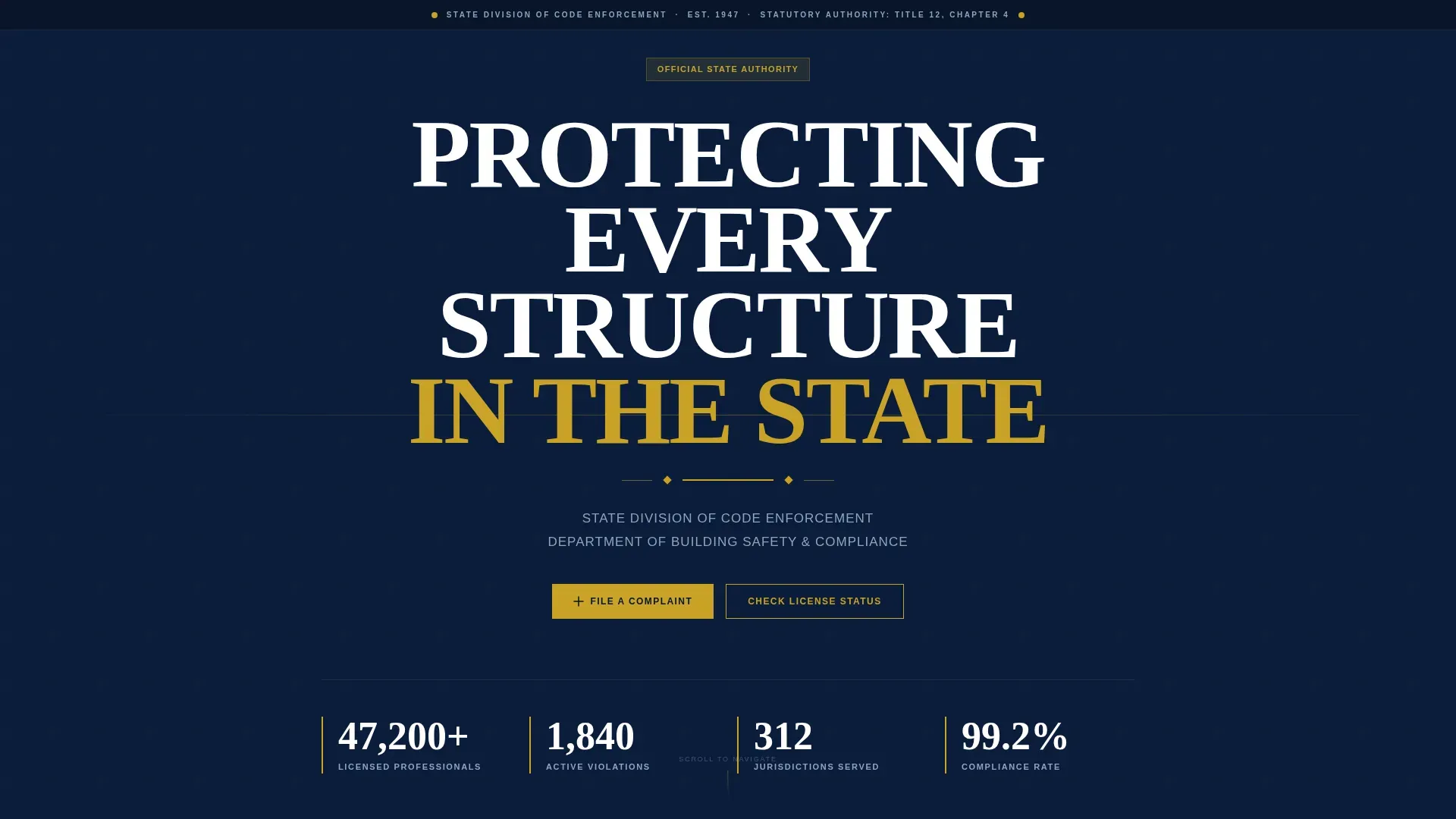
- A full-bleed hero with a giant centered headline, gold rule, and sticky anchor navigation bar
- Five spoke sections covering Licensing and Certification, Active Violations Database, Code Updates and Amendments, Training and Continuing Education, and Public Complaints
- Two built-in conversion paths: an inline complaint form with a violation category dropdown and an anonymous toggle, plus a single-field license number lookup that captures email for renewal reminders
Feature list
This section describes the core functional and design capabilities built into the Enforce template.
Sticky Anchor Navigation Bar
A persistent navigation bar locks to the top of the page after the hero scroll. It serves as the visitor's compass through all five spoke sections and includes a repeated gold "File a Complaint" call-to-action button for constant access.
Inline Complaint Filing Form
The primary conversion path opens directly on the page without a redirect. It collects property address first, violation category second via a dropdown covering structural, electrical, fire, accessibility, and zoning, and complainant contact information last. An optional anonymous toggle gives complainants a choice about disclosure.
License Status Lookup
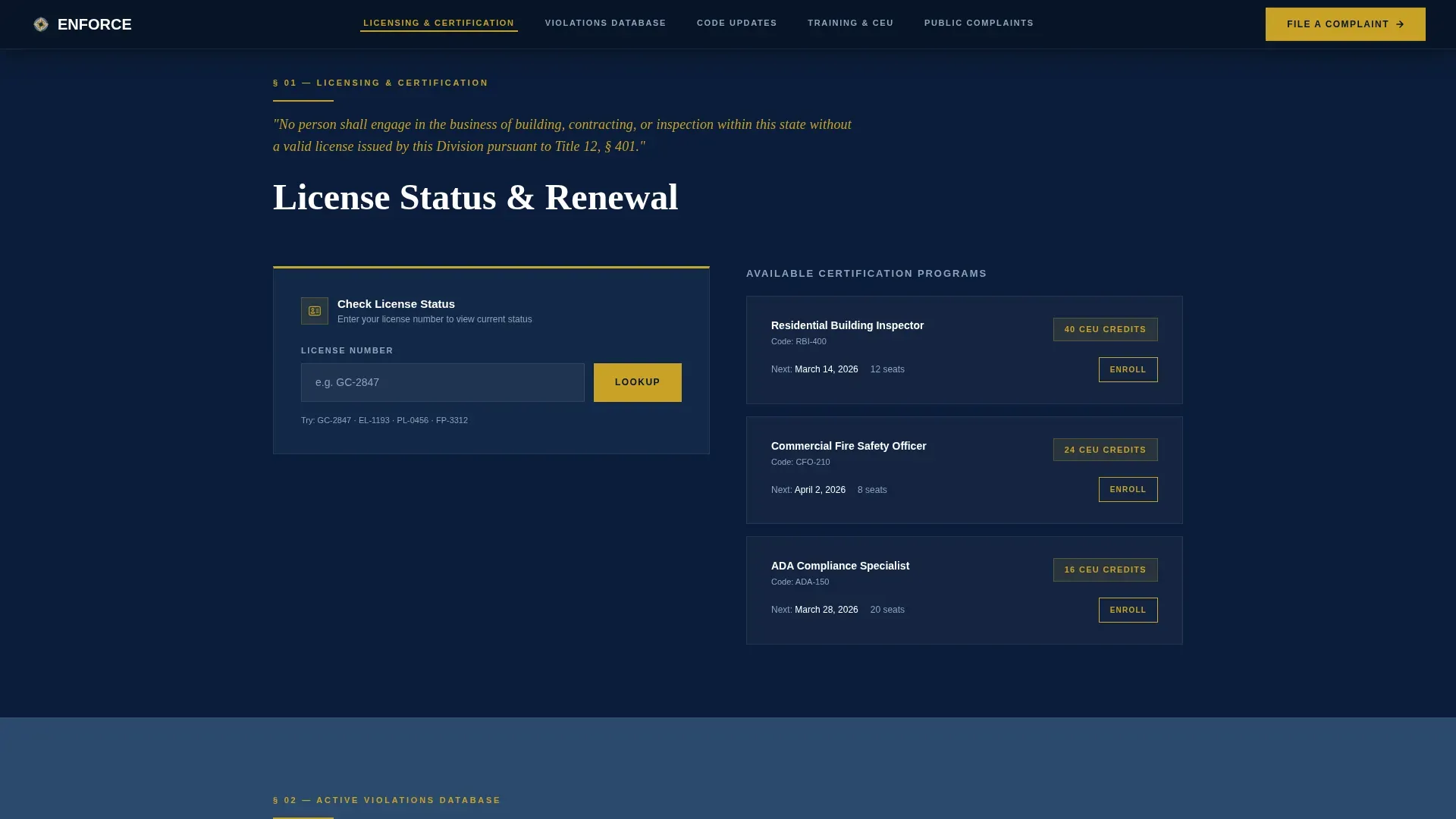
A single-field lookup accepts a license number and returns status information. The form captures the visitor's email address to enable renewal reminder communications, creating a lightweight but practical lead capture path for licensed professionals.
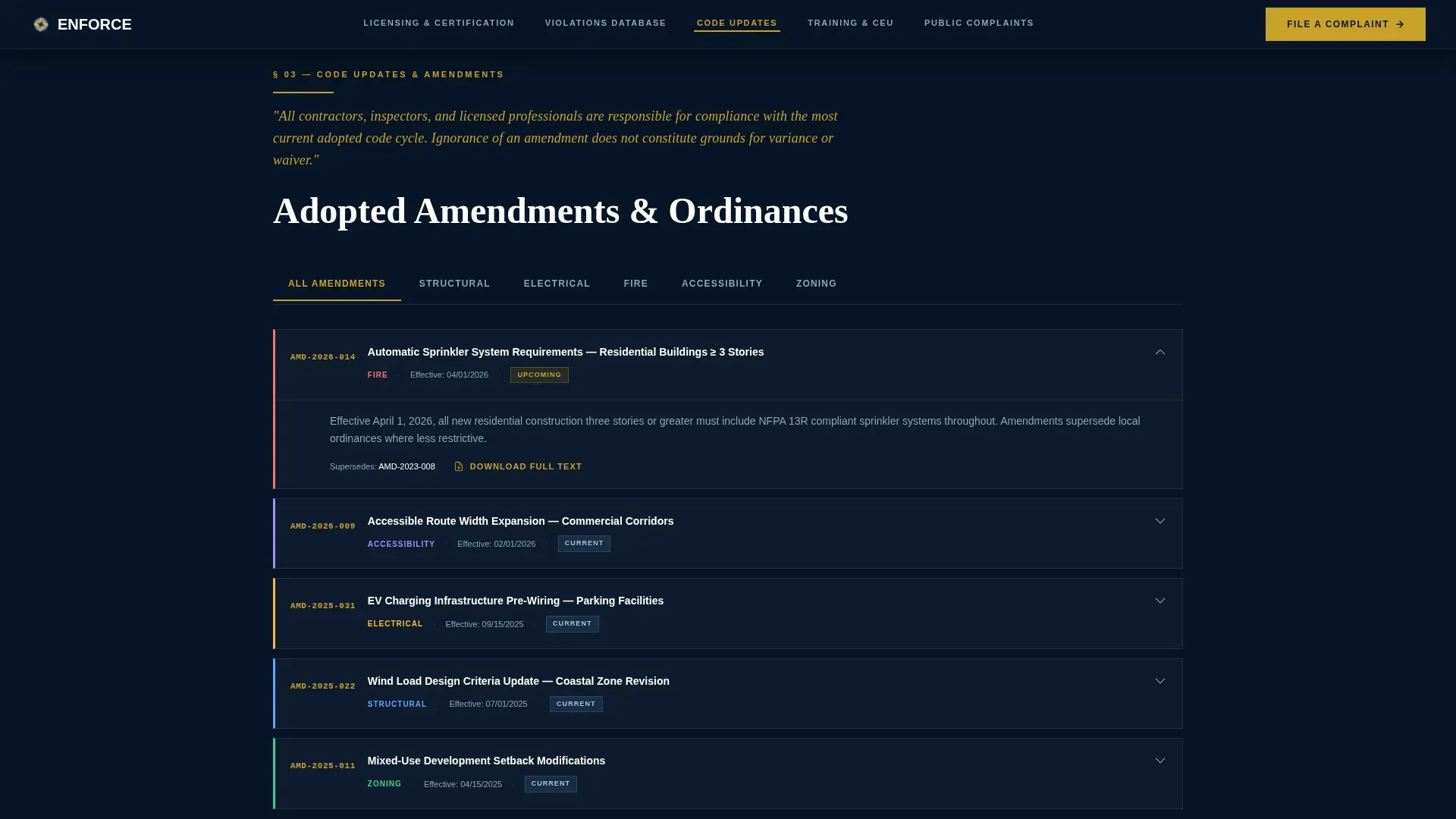
Tabbed Code Amendment Browser
The Code Updates and Amendments spoke section uses a tab switcher interface. This lets contractors and code officers browse ordinance amendments by category without leaving the section or reloading the page.
Continuing Education Course Cards
The Training and Continuing Education spoke section presents courses in a staggered card layout. Officers seeking certification renewals can scan available courses and act without navigating to a separate portal.
Scroll-Linked Section Reveals
Each spoke section appears with scroll-linked reveal animations and staggered card entries. The medium-animation approach keeps the page feeling deliberate and structured without distracting from the regulatory content.
Page sections overview
| Section | Purpose |
|---|---|
| Hero | Establishes authority with a full-bleed navy background, condensed all-caps headline, thin gold rule, and subhead identifying the department |
| Sticky Anchor Nav | Locks to the top after hero scroll; routes visitors to all five spokes and surfaces the primary complaint call to action |
| Licensing & Certification | Hosts the license status lookup field and renewal call-to-action for contractors and officers |
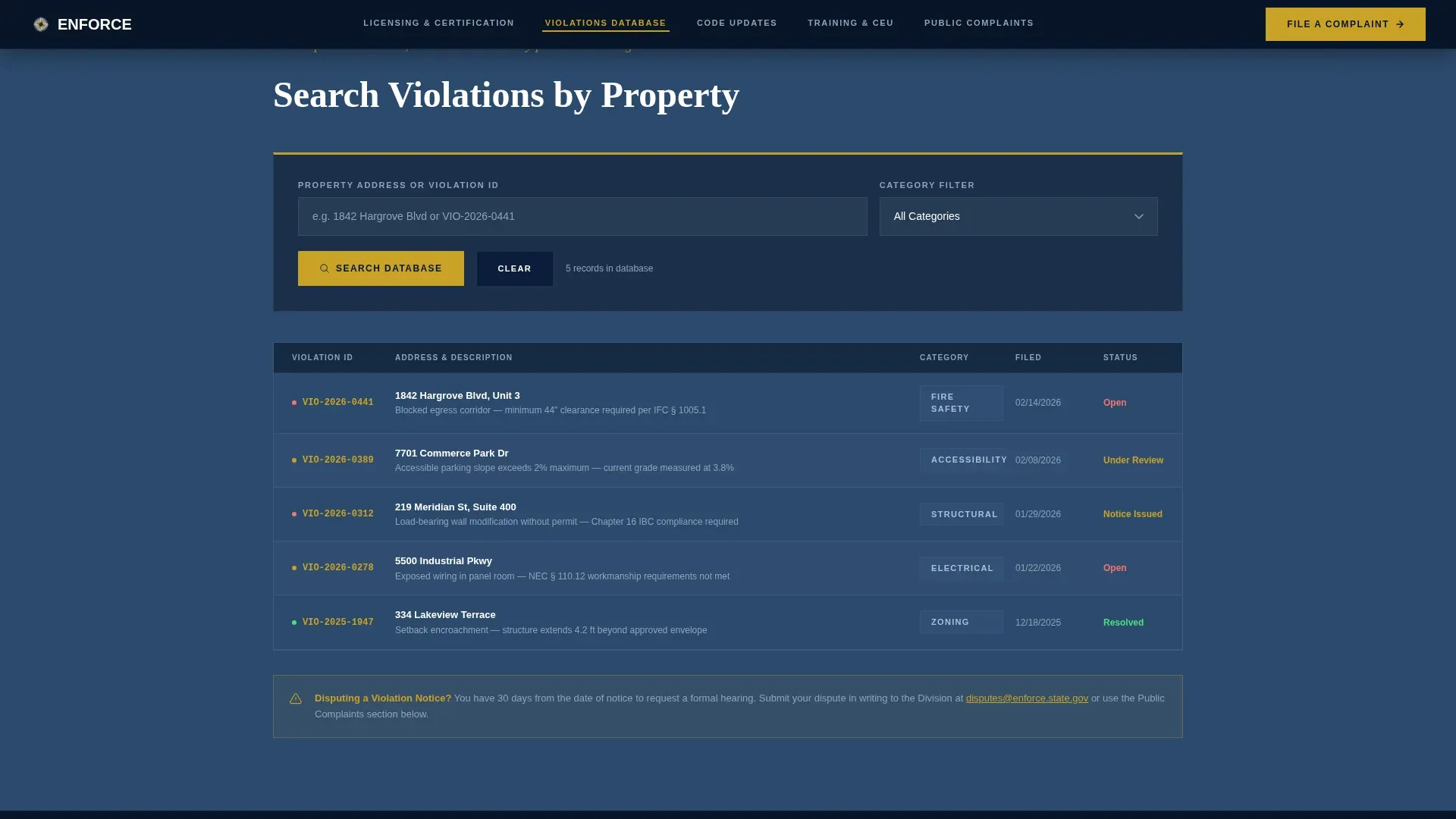
| Active Violations Database | Provides a property address search tool for violations lookup |
| Code Updates & Amendments | Tabbed browser for ordinance amendments organized by category |
| Training & Continuing Education | Course card grid for certification and continuing education resources |
| Public Complaints | Contains the inline complaint filing form with dropdown, anonymous toggle, and contact fields |
| Footer | Linear single-row footer with department statutory information and jurisdiction details |
Design & branding system
Enforce follows a Corporate Precision visual theme modeled after the aesthetic of a federal courthouse. The palette and typography work together to signal institutional permanence and operational competence.
- Color system uses deep jurisdictional navy (#0B1D3A) as the dominant background, pressed-uniform slate (#3D5A80) for spoke section dividers, civic marble white (#F0F2F5) for content surfaces and body text, and compliance gold (#C9A227) used exclusively for active navigation indicators, call-to-action buttons, and badge iconography
- Typography pairs Fraunces in a condensed display weight for headlines with DM Sans for body copy and user interface elements, echoing the contrast between engraved government signage and clean regulatory print
Mobile & speed optimization
The template is built desktop-first to match the primary user context of professionals at workstations. Full mobile support is included so the page remains accessible for property owners and members of the public on any device.
- Desktop-first layout ensures the anchor navigation, tabbed interfaces, and inline forms render optimally for professional users
- Fast static render using Server Components for page structure and Client Components only for interactive elements like forms, the license lookup, and the tab switcher
How this template helps you convert
Enforce earns conversions by establishing authority first and asking for action second. The page architecture is intentionally sequenced to build trust before presenting either conversion path.
- The hero and statutory mandate section communicate jurisdictional credibility before any form appears, so visitors arrive at the complaint form or license lookup already confident in the institution behind it
- The anchor navigation keeps both the "File a Complaint" button and the license lookup within one click at all times, reducing friction for repeat visitors who already know what they need
Other information about this template
Enforce is a strong foundation for any government or public-sector agency that needs a code enforcement web presence combining authority with practical utility.
- The template is localized for United States state government context, using English, USD, and MM/DD/YYYY date formatting throughout
- Social proof elements such as establishment year, statutory authority citation, jurisdiction count, and licensed professional count are built into the design as structural trust signals
- The footer follows a linear single-row pattern suited to government page standards
- The template style is Hub and Spoke with anchor navigation, making it straightforward to adapt for departments with a different set of spoke topics while keeping the same authority-first visual system
Theme
Corporate Precision
Creative direction
Vision & Mission
Color system
Navy Authority
Style
Hub & Spoke (Anchor Nav)
Direction
Lead Generation
Page Sections
Sticky Anchor Navigation with Call to Action
Inline Complaint Filing Form
License Status Lookup
Tabbed Ordinance Amendment Browser
Continuing Education Course Cards
Scroll-linked Section Reveals
Related questions
Who is the Enforce template designed for?
Can the complaint form fields be customized for a specific department?
Does the anchor navigation stay visible while scrolling?
What user information does the license lookup collect?
Is the template suitable for a department that does not use all five spoke sections?



