Authoritative Diesel Repair Landing Page Template
Torque is an editorial-style diesel mechanic landing page built for shops that handle heavy-duty work, turbo rebuilds, injector diagnostics, full-frame inspections, and more. It pairs a monochrome steel visual identity with a transparent, process-driven layout that earns visitor trust before presenting a gated Fleet Maintenance Checklist download as the primary conversion.
by Rocket studio
Quick summary
Torque is a single-page, zigzag-layout template for diesel mechanic businesses. It uses an Editorial Magazine theme with a Monochrome Steel palette to communicate shop authority. The page walks visitors through the full repair process, building credibility section by section, before offering a gated Fleet Maintenance Checklist download as the primary call to action.
Who this template is for
This template is built for diesel repair shops that serve serious, time-sensitive clients. It suits operations that need to demonstrate technical depth before asking for any commitment.
- Owner-operators and fleet managers who need to quickly evaluate whether a shop can handle their equipment
- Diesel mechanics and shop owners marketing turbo rebuilds, injector diagnostics, and full-frame inspections
- Service area businesses targeting construction outfits, freight carriers, and compliance-driven fleet accounts
What problem this template solves
Most service business pages lead with a contact form before proving they know the work. For diesel repair clients running on thin margins, that approach does not build trust. Torque flips that sequence by demonstrating mechanical fluency first.
- Visitors arrive skeptical and leave convinced, because the page earns the download before it asks for an email
- Fleet managers and owner-operators need process proof, not just a phone number, and the zigzag layout delivers it section by section
What you get with this template
You get a complete, ready-to-customize landing page structured around a transparent repair process narrative. Every section is pre-built and purposeful, so you spend time editing content rather than building layout.
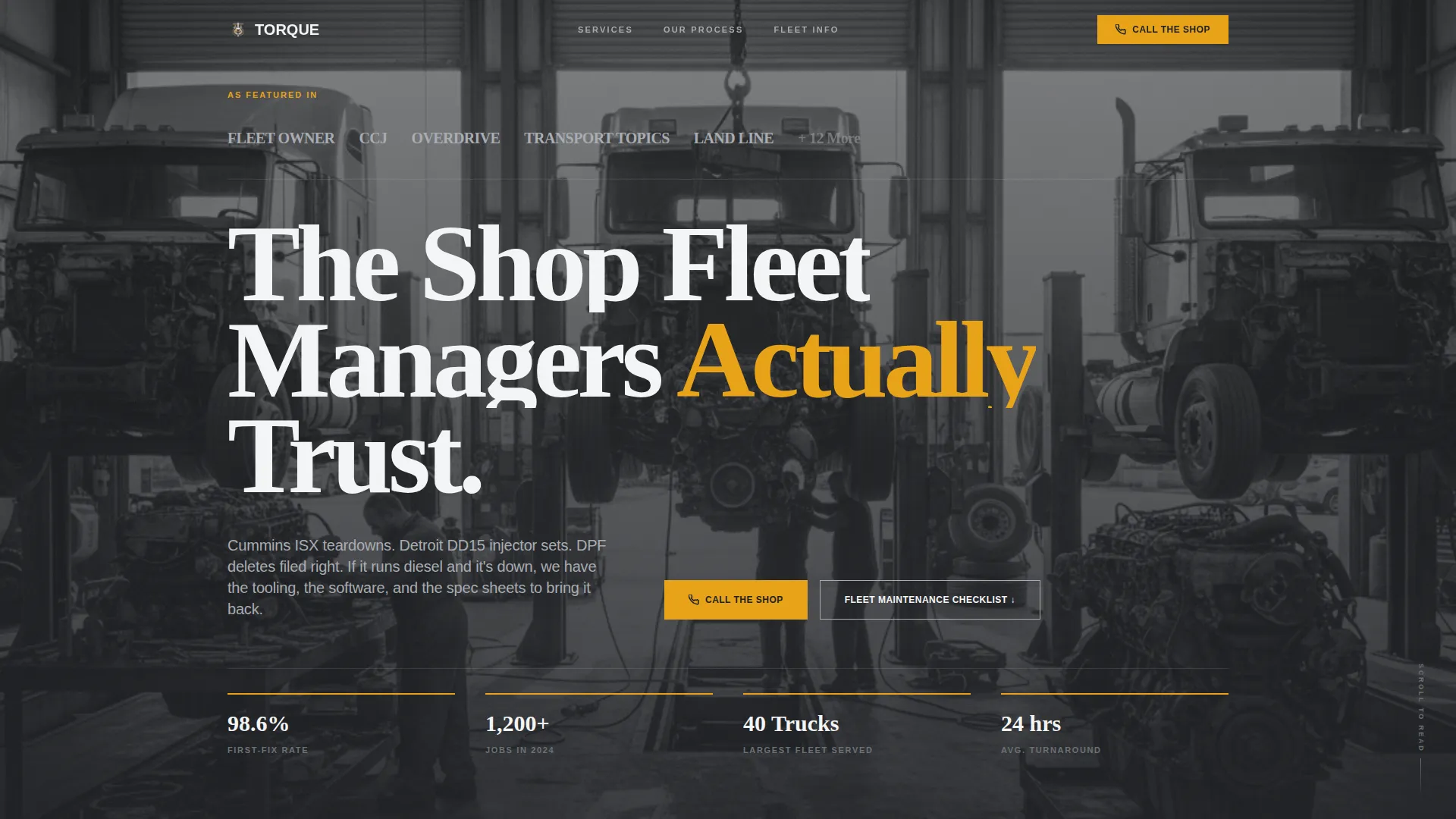
- A press-mentions editorial header with space for trade publication logos, pull quotes, and a wide-angle service bay photograph
- A multi-section zigzag body that alternates full-bleed shop photography with magazine-style body copy and callout statistics
- A gated email capture form positioned after the third content section, plus a pinned click-to-call button for mobile visitors
Feature list
This template is designed around a specific editorial and conversion logic. Each feature below reflects a deliberate design decision from the source brief.
Press Mentions Editorial Header
The header opens as a magazine masthead spread. It features a large serif headline, a desaturated wide-shot service bay image, and a quiet row of trade publication and fleet association logos beneath. The layout signals credibility before the visitor reads a single line of body copy.
Zigzag Alternating Section Layout
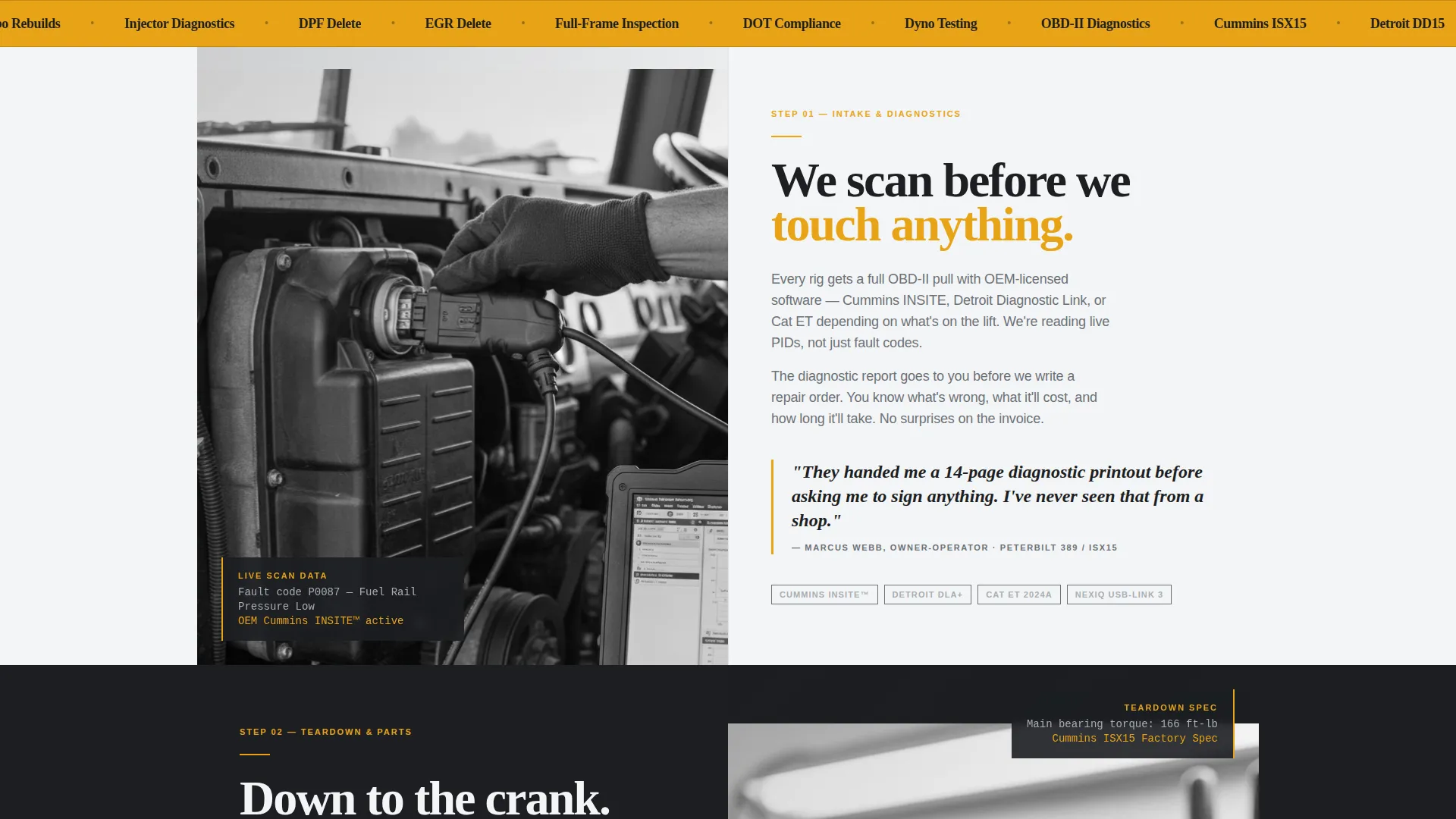
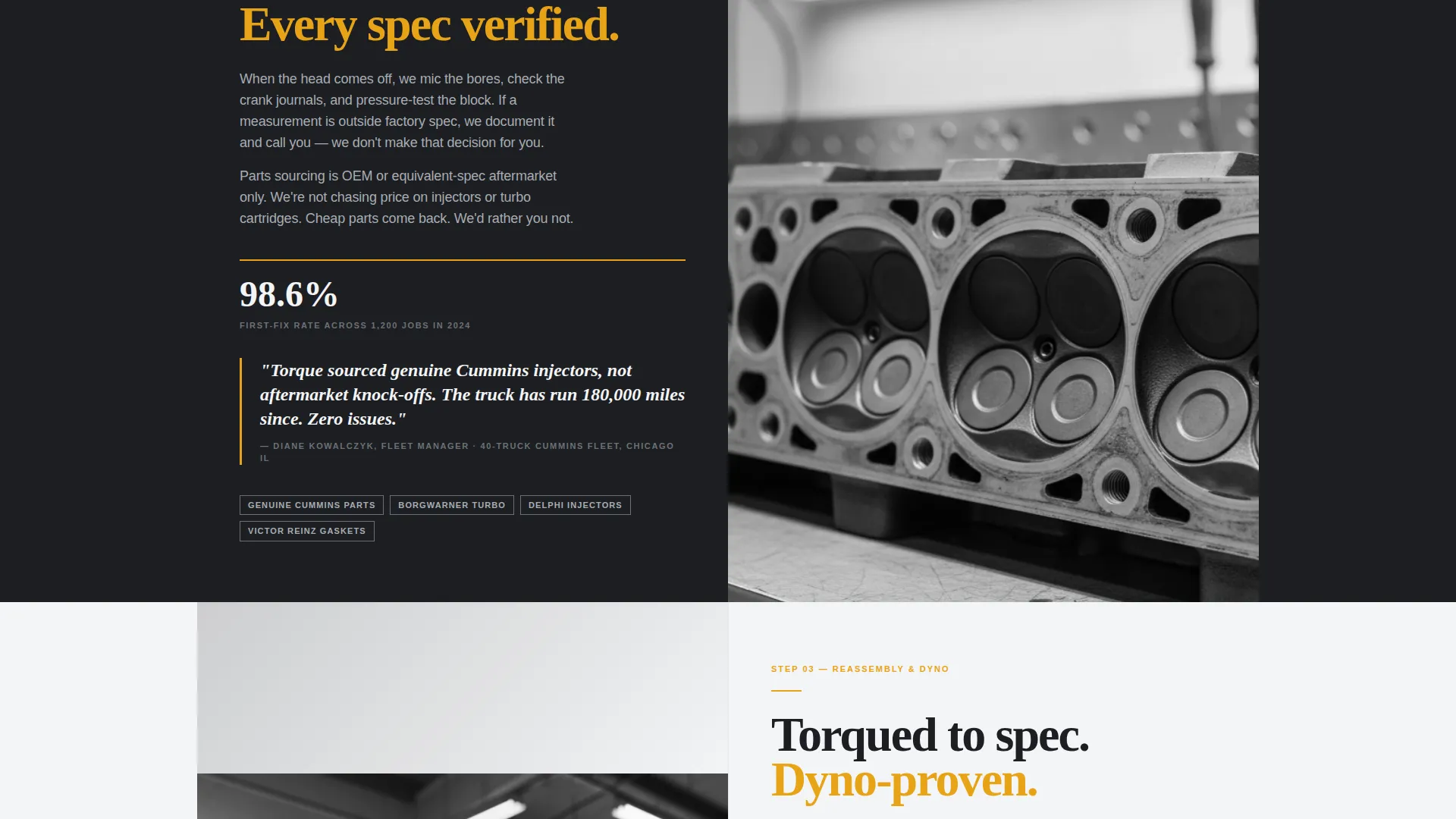
Each content section places a full-bleed shop photograph on one side and editorial body copy on the other, alternating left and right as the visitor scrolls. This rhythm holds attention and structures the repair process narrative in a logical, readable sequence.
Pull Quote Callout Blocks
Statistical pull quotes break the scroll at set intervals, formatted as editorial callout boxes in diagnostic amber. They interrupt the layout the way a highlight interrupts a magazine feature, drawing the eye to specific proof points like first-fix rates and job volume.
Transparent Process Narrative Flow
The page walks through each stage of a diesel repair job: intake inspection, diagnostic scanning, parts sourcing, teardown, reassembly torque sequences, and final testing. Each section answers the question raised by the previous one, creating a natural reading momentum.
Gated Fleet Maintenance Checklist
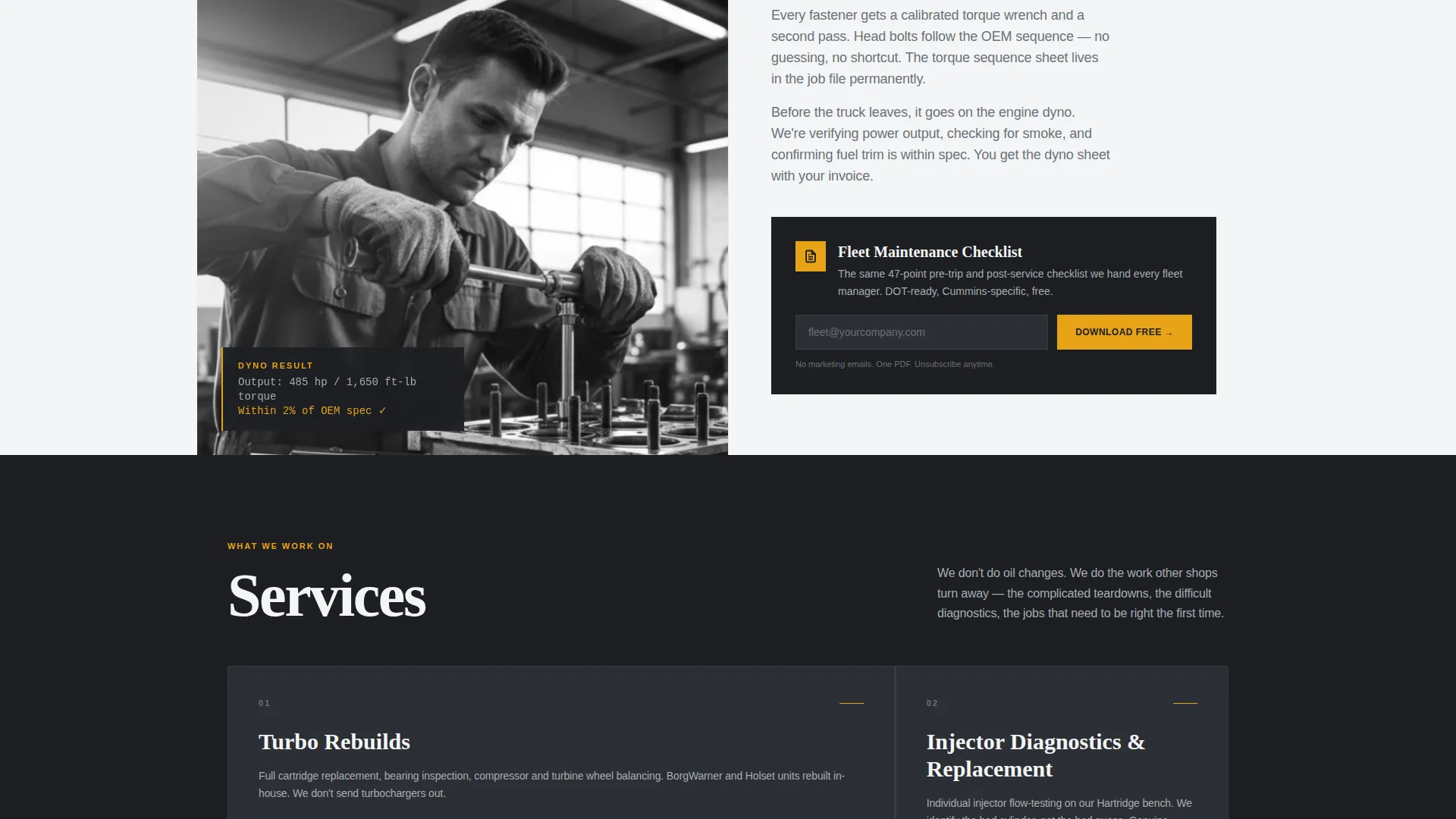
A single-field email capture form appears after the third content section. The checklist positions itself as a continuation of the educational content, not an interruption, because the visitor has already received value from the page before the form appears.
Mobile Click-to-Call Footer
A secondary conversion path is pinned to the mobile footer as a click-to-call button. This gives time-pressed visitors on job sites a direct line to the shop without requiring them to scroll back to the top or navigate away.
Page sections overview
| Section | Purpose |
|---|---|
| Editorial Header | Establish credibility with press logos, headline, and service bay image |
| Press Mentions Row | Display trade publication and fleet association recognition |
| Intake Inspection Section | Open the transparent process narrative with the first repair stage |
| Diagnostic Scan Section | Show OBD-II and OEM software screenshots alongside editorial copy |
| Parts Sourcing Section | Detail vendor callouts and sourcing transparency |
| Teardown Editorial Section | Present black-and-white close-up photography of the disassembly stage |
| Reassembly Torque Section | Cover torque sequences and reassembly precision copy |
| Email Capture Form | Gate the Fleet Maintenance Checklist behind a single email field |
| Dyno Testing Section | Close the process narrative with final testing and proof of quality |
| Mobile Call Footer | Pin a click-to-call button for on-the-go visitor conversion |
Design & branding system
The Monochrome Steel color system is built to feel like a freshly wiped toolbox. Every shade carries weight and function, with diagnostic amber reserved strictly for moments where visitor attention must land.
- Four-color palette: shop-floor charcoal (#1C1E22), machined aluminum (#A8ADB3), clean-rag white (#F4F5F6), and diagnostic amber (#E8A317) used only for callouts, pull quotes, and interactive highlights
- Editorial Magazine typography featuring oversized, tightly kerned serif headlines that carry the confident weight of a trade publication cover
- Desaturated photography treatment applied to service bay images, reinforcing the monochrome identity while letting amber accents read clearly
Mobile & speed optimization
The template is structured to serve visitors arriving on mobile devices from job sites or cab cabs of trucks. The layout adapts the desktop zigzag into a clean, single-column scroll on smaller screens.
- The click-to-call button is pinned to the mobile footer so it remains reachable at every point in the scroll without interrupting the reading flow
- Full-bleed images and editorial text blocks restack naturally into a vertical sequence that preserves the process narrative on any screen size
How this template helps you convert
The conversion logic is sequenced deliberately. Trust is built before any ask is made, which improves the quality of the leads who respond.
- The press mentions header and process sections establish mechanical authority early, so visitors arrive at the email capture already convinced of the shop's expertise.
- The gated Fleet Maintenance Checklist is positioned as a practical tool, not a marketing offer, which lowers the perceived cost of sharing an email address.
- The pinned click-to-call mobile button provides a low-friction secondary path for visitors who prefer a direct conversation over a form submission.
Other information about this template
This template is part of a broader set of intersection-matched designs built for the Diesel Mechanic Business subcategory under Professional Services. It is particularly suited to service area pages where geographic and industry authority both matter.
- The template style is Zigzag/Alternating, which suits long-form content destinations where a single scroll tells a complete story
- The Content/Resource landing page direction means the primary metric is list growth through the checklist download, with phone calls as a secondary signal
- The Editorial Magazine theme and Transparent Process creative direction work together to position the shop as a knowledge source, not just a service vendor
- This template supports service narratives around diesel particulate filter (DPF) work, Cummins engine service, heavy equipment repair, and Department of Transportation (DOT) compliance-related maintenance
Theme
Editorial Magazine
Creative direction
Transparent Process
Color system
Monochrome Steel
Style
Zigzag/Alternating
Direction
Content/Resource
Page Sections
Press Mentions Editorial Header
Zigzag Alternating Layout
Diagnostic Amber Pull Quotes
Transparent Process Narrative
Gated Checklist Email Capture
Pinned Mobile Call Button
Related questions
Can I replace the pull quote statistics with my own shop's real numbers?
Is this template suitable for shops that service both trucks and heavy construction equipment?
How does the Fleet Maintenance Checklist email capture work?
Does this template work for a local service area page targeting a specific region?
Can a small or solo diesel operation use this template effectively?



