Expert Transmission Repair Landing Page Template
Torque is a precision mechanic landing page template built for auto repair shops that want to turn first-time visitors into booked appointments. It combines a bold typographic header, zigzag expert sections, and a structured booking form to guide commuters, fleet managers, and families through the decision to trust your shop before they even pick up the phone.
by Rocket studio
Quick summary
Torque is a single-page mechanic landing page template designed around one goal: booking more service appointments. The layout walks visitors through your team's credentials, specific repair disciplines, and customer proof before presenting a clear, structured booking form. Every section earns the next click through demonstrated expertise, not generic promises.
Who this template is for
This template is built for independent auto repair shops and specialized mechanic services that need a professional online presence without starting from scratch. It suits businesses where the technician's knowledge is the product and the appointment is the conversion.
- Auto repair shops serving commuters with urgent dashboard warning lights
- Fleet managers who need scheduled maintenance windows for multiple vehicles
- Family-focused mechanics who handle pre-trip inspections and road-trip readiness jobs
What problem this template solves
Most mechanic websites leave visitors with unanswered questions about who will touch their car and whether the shop can actually handle their specific problem. That uncertainty drives people away before they book. This template closes that gap by introducing real technicians and real credentials before asking for anything.
- Visitors arrive anxious about costs and qualifications and leave with enough trust to book
- The structured form reduces back-and-forth by collecting vehicle details and service type upfront
- The alternating expert sections answer specialization questions that a simple services list never could
What you get with this template
You get a fully structured, section-led landing page ready to represent your shop with confidence. The layout is deliberate and sequential, moving visitors from headline to proof to booking without dead ends.
- A bold typographic header with a primary call-to-action button and a location subtext line
- Zigzag expert panel sections introducing named technicians, their ASE (Automotive Service Excellence) certifications, and discipline-specific quotes
- A multi-field booking form covering vehicle details, service type, preferred date, and contact information
Feature list
This section covers the core capabilities built into the Torque landing page template.
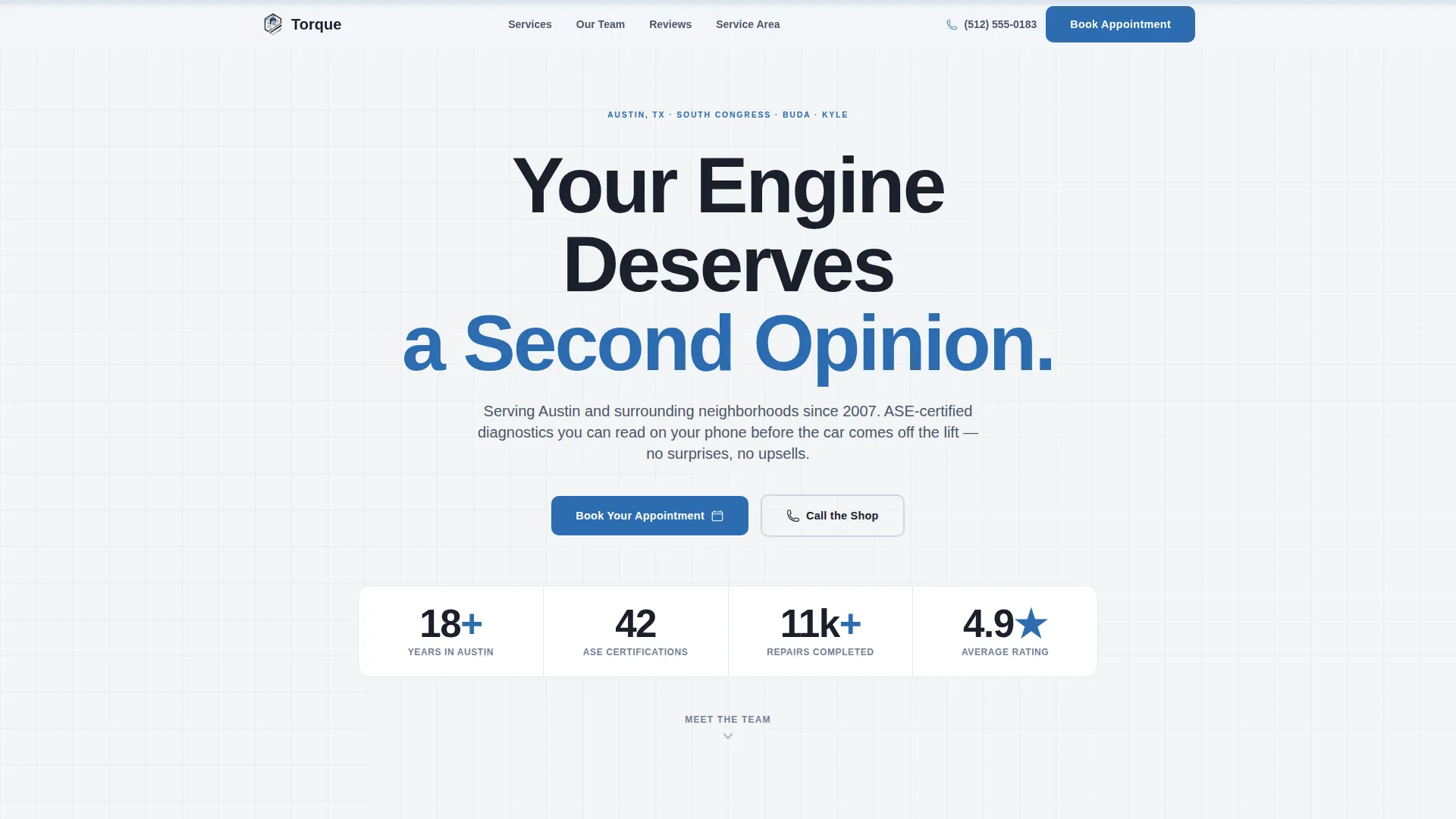
Giant Headline Centered Header
The header opens with high-weight bay-door charcoal typography on a workshop white background. It dominates the viewport with a single strong headline, a subtext line naming the city and neighborhoods served, and a torque-wrench blue "Book Your Appointment" button placed directly beneath. No hero image competes with the message.
Zigzag Expert Panel Sections
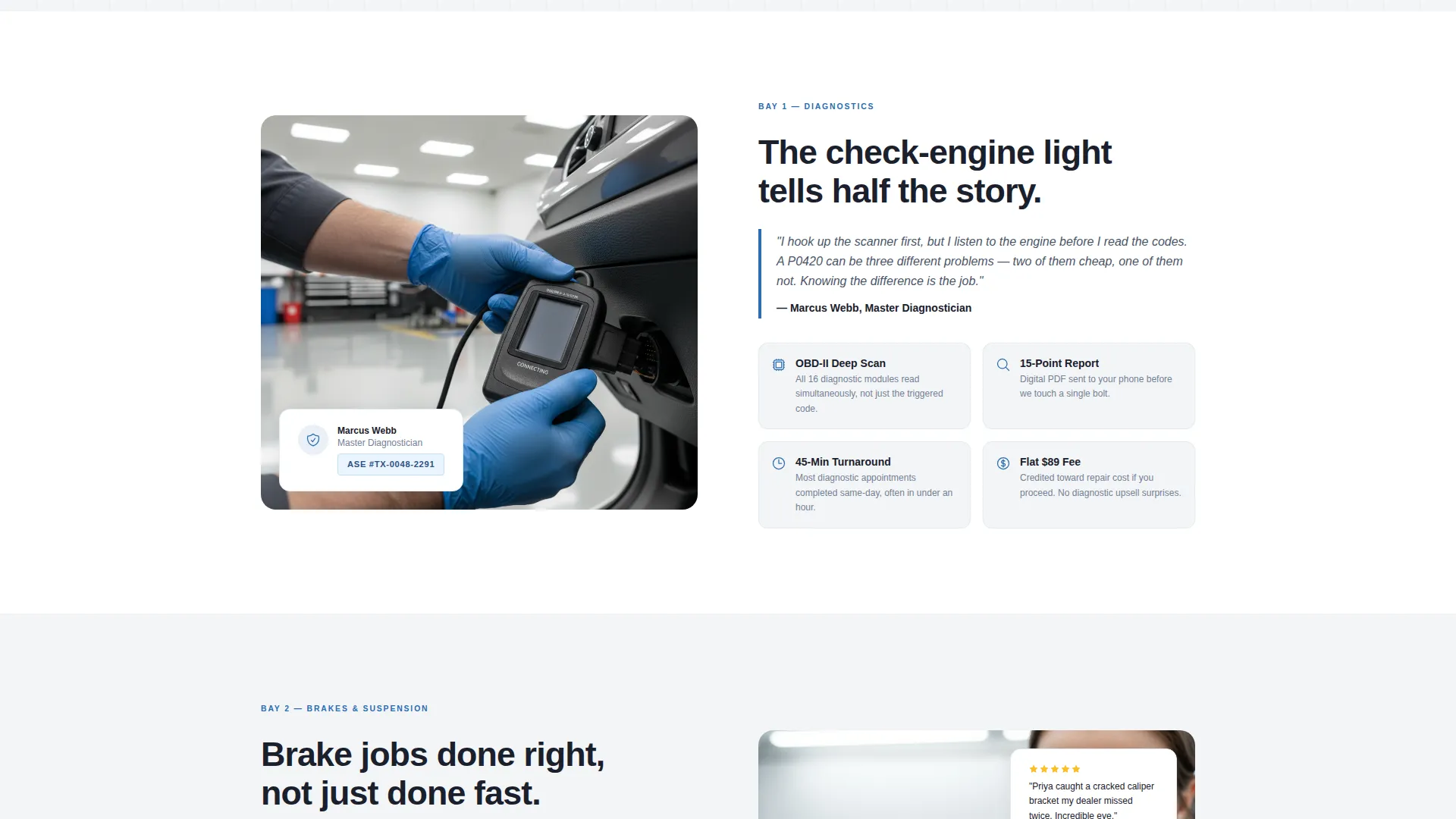
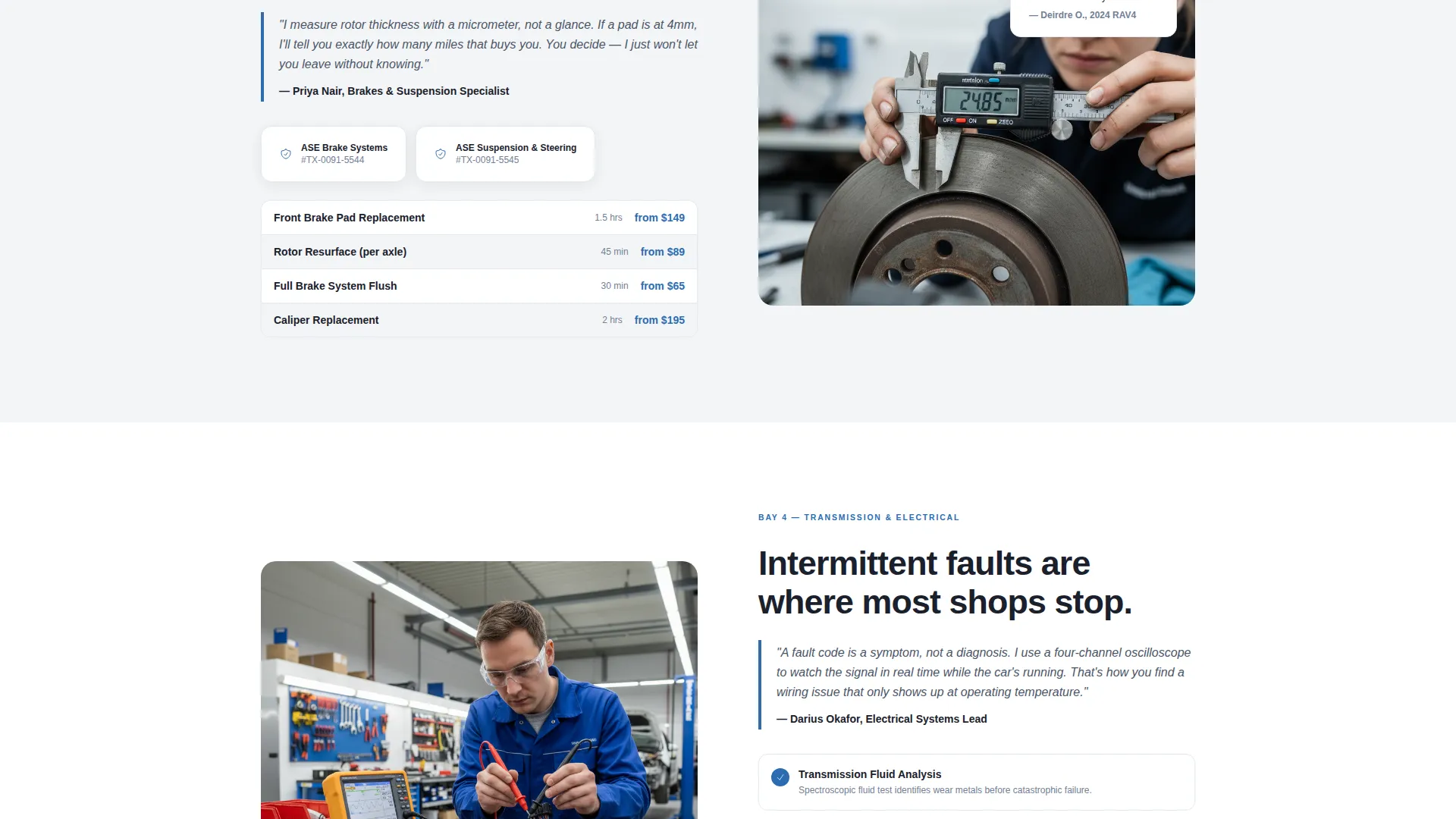
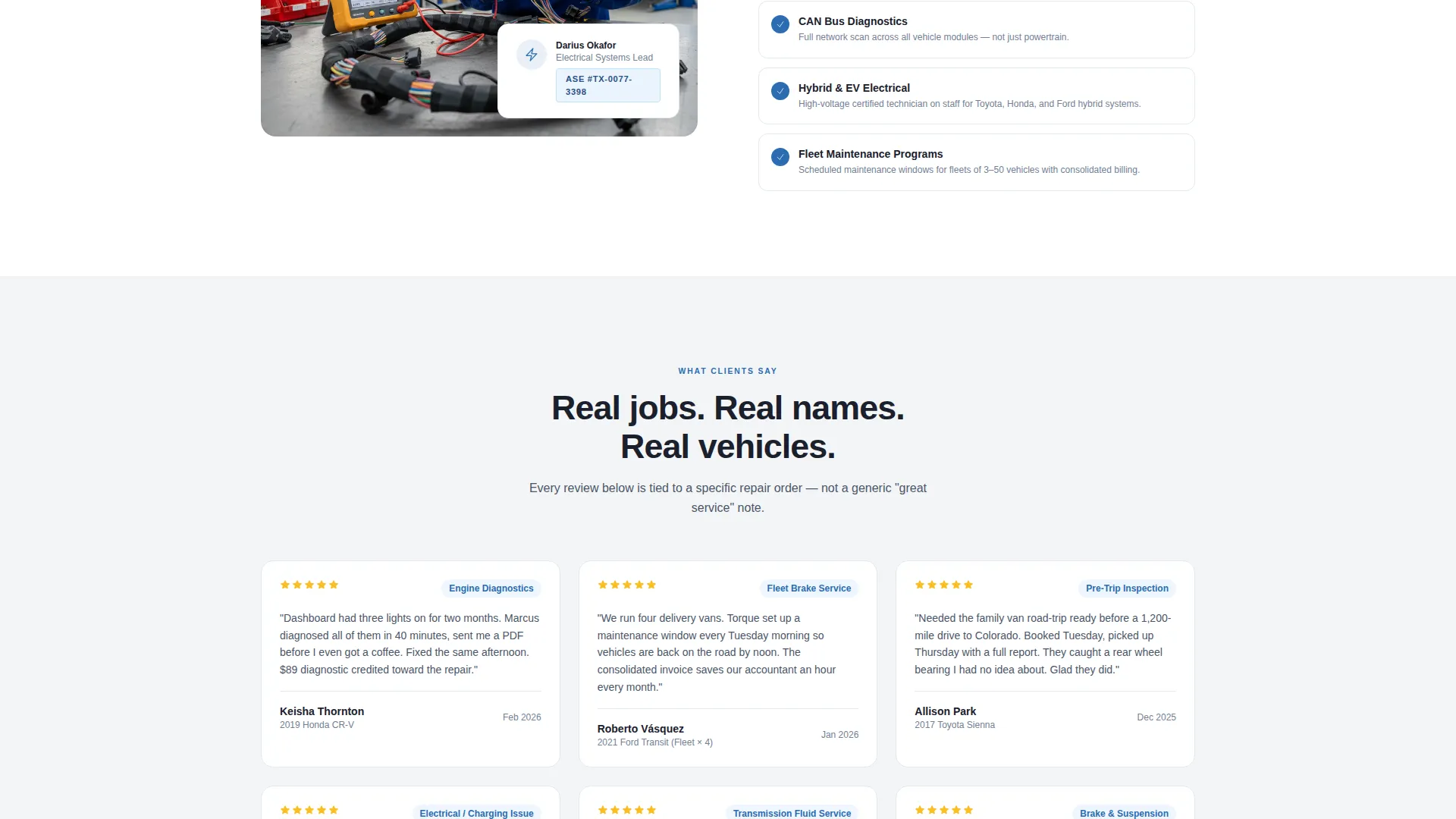
Each alternating section introduces a specific repair discipline such as diagnostics, brake systems, transmission, or electrical work. Left-image-right-text layouts swap to right-image-left-text in the next section, creating a bay-to-bay rhythm. Each panel includes a named technician, their ASE certification number, and a short first-person quote about their diagnostic approach.
Sticky Booking Bar
After the second section, a persistent booking bar appears and follows the visitor down the page. It keeps the primary call-to-action visible without interrupting the reading flow, ensuring the path to booking is always one tap or click away.
Structured Appointment Form
The booking form collects information in a deliberate order. Visitors select vehicle year, make, and model first via a dropdown. They then choose a service type using checkboxes covering oil change, diagnostics, brakes, transmission, and other. Preferred date and a morning or afternoon toggle follow, with name and phone number collected last to reduce early friction.
Click-to-Dial Secondary call to action
A secondary call-to-action provides a "Call the Shop" option with a click-to-dial phone number. This path serves visitors who want a human voice before committing to an online booking. Both paths are present on the same page so no visitor type is left without a clear next step.
Live Service Area Map
A map section displays the service area radius visually, helping visitors confirm the shop covers their neighborhood before they invest time in the booking form. It adds a grounding layer of local proof alongside the team credentials.
Page sections overview
| Section | Purpose |
|---|---|
| Header Hero | Opens with bold headline, location subtext, and primary booking call to action |
| Diagnostics Expert Panel | Introduces diagnostics technician with certification and quote |
| Brake Systems Panel | Highlights brake specialist credentials and repair focus |
| Transmission Expert Panel | Presents transmission technician and their diagnostic approach |
| Electrical Systems Panel | Covers electrical repair expertise with named specialist |
| Customer Reviews | Ties real reviews to specific repair jobs for credibility |
| Sticky Booking Bar | Keeps appointment call to action visible after the second section |
| Service Area Map | Shows coverage radius to confirm local service availability |
| Appointment Booking Form | Collects vehicle, service type, date, and contact details |
Design & branding system
The template follows a Corporate Precision theme using the Cloud Canvas color system. The palette feels like a freshly organized tool chest where every color serves a clear functional role.
- Workshop white (#F4F5F7) as the primary background, polished tool-steel gray (#4A5568) for body text and supporting labels, and bay-door charcoal (#1A202C) for headlines and section anchors
- Torque-wrench blue (#2B6CB0) reserved exclusively for buttons, links, and status indicators to draw the eye toward action
- A tight, high-weight sans-serif typeface that reinforces the precision and confidence of the brand without relying on decorative elements
Mobile & speed optimization
The Torque landing page template is structured to work cleanly on smaller screens where most service-area visitors will land first. The zigzag layout stacks gracefully and the booking form remains fully usable without horizontal scrolling.
- The sticky booking bar adapts to mobile viewports so the appointment call to action stays reachable throughout the scroll
- The click-to-dial secondary call to action becomes a native phone link on mobile devices, reducing the steps between intent and contact
How this template helps you convert
The page is built as a sequential trust-building sequence that earns the booking step by step. Visitors do not reach the form until they have already met the team and reviewed the credentials.
- The header captures attention immediately with a direct, confidence-driven headline and a single clear action, reducing bounce from visitors who need reassurance before they explore further.
- The zigzag expert panels build discipline-specific credibility section by section, so by the time a visitor reaches the booking form, they already know which technician handles their type of repair.
- The structured form collects the most important vehicle details first, making it easy for the shop to prepare before the appointment and signaling to the visitor that the process is organized and professional.
Other information about this template
The Torque template is categorized under Professional Services within the Mechanic Online Presence subcategory, targeting the Mechanic Service Area and Location Page niche. It is designed for shops that want a credible digital front door without a complex multi-page build.
- The template is a single-page, section-led landing page and is not a multi-page website
- It is suitable for shops that serve specific geographic areas and want to name neighborhoods, cities, or service radius directly in the header subtext
- The intersection of Booking and Scheduling direction with the Expert Panel creative direction makes this template well suited for businesses where trust in the individual technician drives the buying decision
- The template style is Zigzag and Alternating, meaning visual content and text blocks trade sides section by section for a layout that sustains attention across a long scroll
Theme
Corporate Precision
Creative direction
Expert Panel
Color system
Cloud Canvas
Style
Zigzag/Alternating
Direction
Booking/Scheduling
Page Sections
Giant Headline Centered Header
Zigzag Expert Panel Layout
Sticky Appointment Booking Bar
Structured Multi-field Booking Form
Click-to-dial Secondary Call to Action
Live Service Area Map Section
Related questions
Can I update the technician names and credentials in each expert panel?
Does the booking form connect to any scheduling software?
Is this template suitable for a shop with a single mechanic rather than a full team?
Can I adjust the service checkboxes in the booking form to match my offerings?
How does the service area map section work?



