International School Placement Landing Page Template
Enroll is a single-column landing page template built for international school placement consultancies. It leads with an animated data counter, flows through a testimonial mosaic, and drives visitors to a consultation booking page. The Cloud Canvas color system and Legal Shield theme project calm authority, while the "Find Their School" call to action repeats at key scroll points to lower the cost of the click.
by Rocket studio
Quick summary
Enroll is a click-through landing page template designed for a specialty consulting firm that secures seats at elite international schools. The layout flows in a single column, opens with a live-counting data visualization, and builds trust through layered family testimonials before guiding visitors to a consultation booking page.
Who this template is for
This template is built for consultancies that handle international school placement for families crossing borders under time pressure. It speaks directly to audiences who need proof before they commit, and it removes every reason to hesitate before clicking.
- Expat executives mid-transfer with a move date within weeks
- Diplomatic families rotating posts with children spanning different age groups
- Entrepreneurial couples holding new residency visas who need a school matched to their situation
What problem this template solves
International school placement is high-stakes and time-sensitive. Families rarely know where to start, and a generic consulting website does nothing to earn their trust quickly. This template solves the credibility gap before a single word is read.
- Replaces stock photography with real proof: animated placement counts, country reach, and partner school numbers
- Breaks the paralysis of choice by offering one clear action rather than a cluttered inquiry form
- Delivers emotional reassurance through curated parent quotes placed at the exact scroll points where doubt appears
What you get with this template
You get a complete single-page layout structured around proof, progression, and one focused action. Every section is designed to do a specific job in the visitor's decision journey.
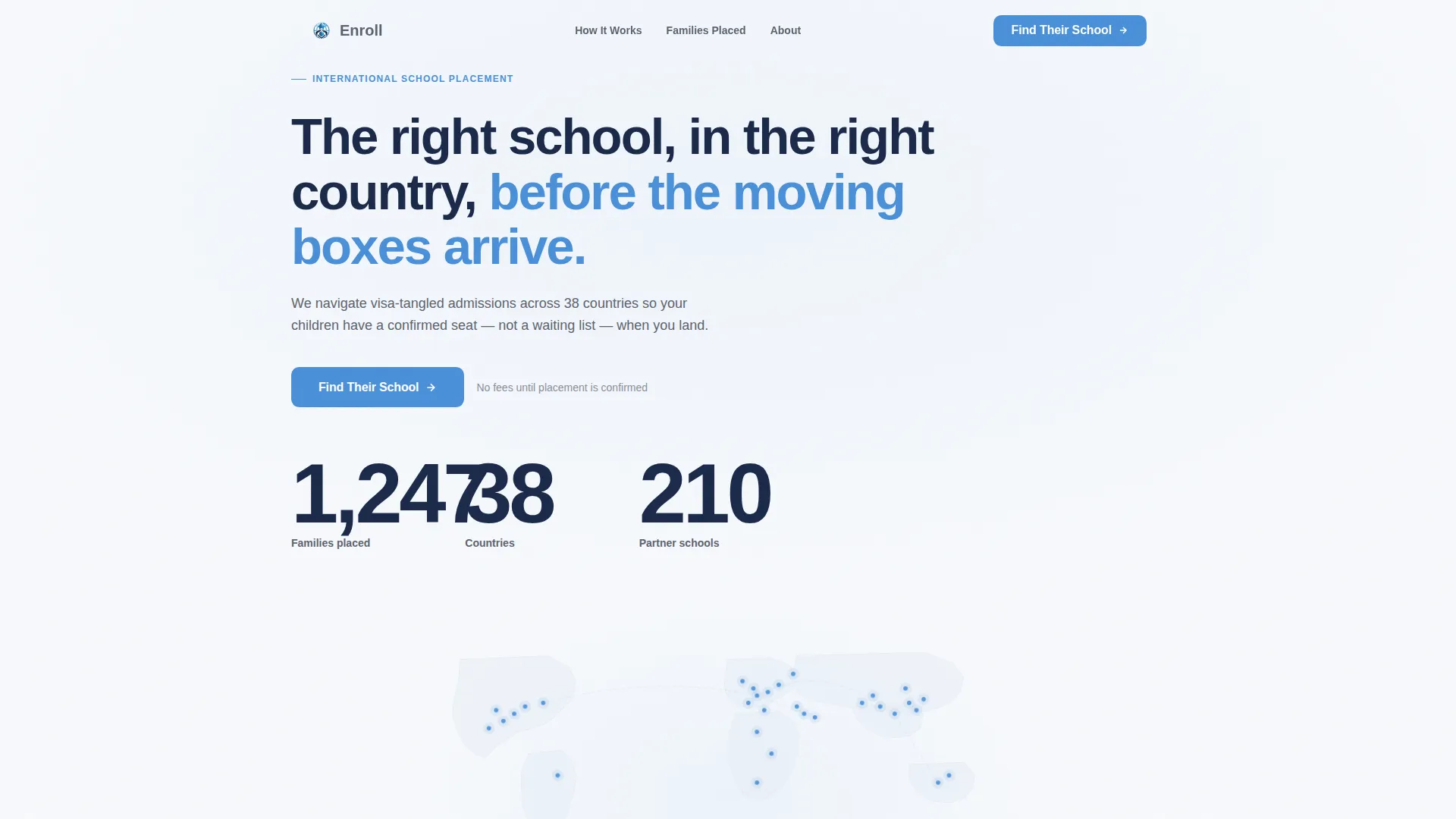
- An animated counter header that shows placement volume across countries and partner schools
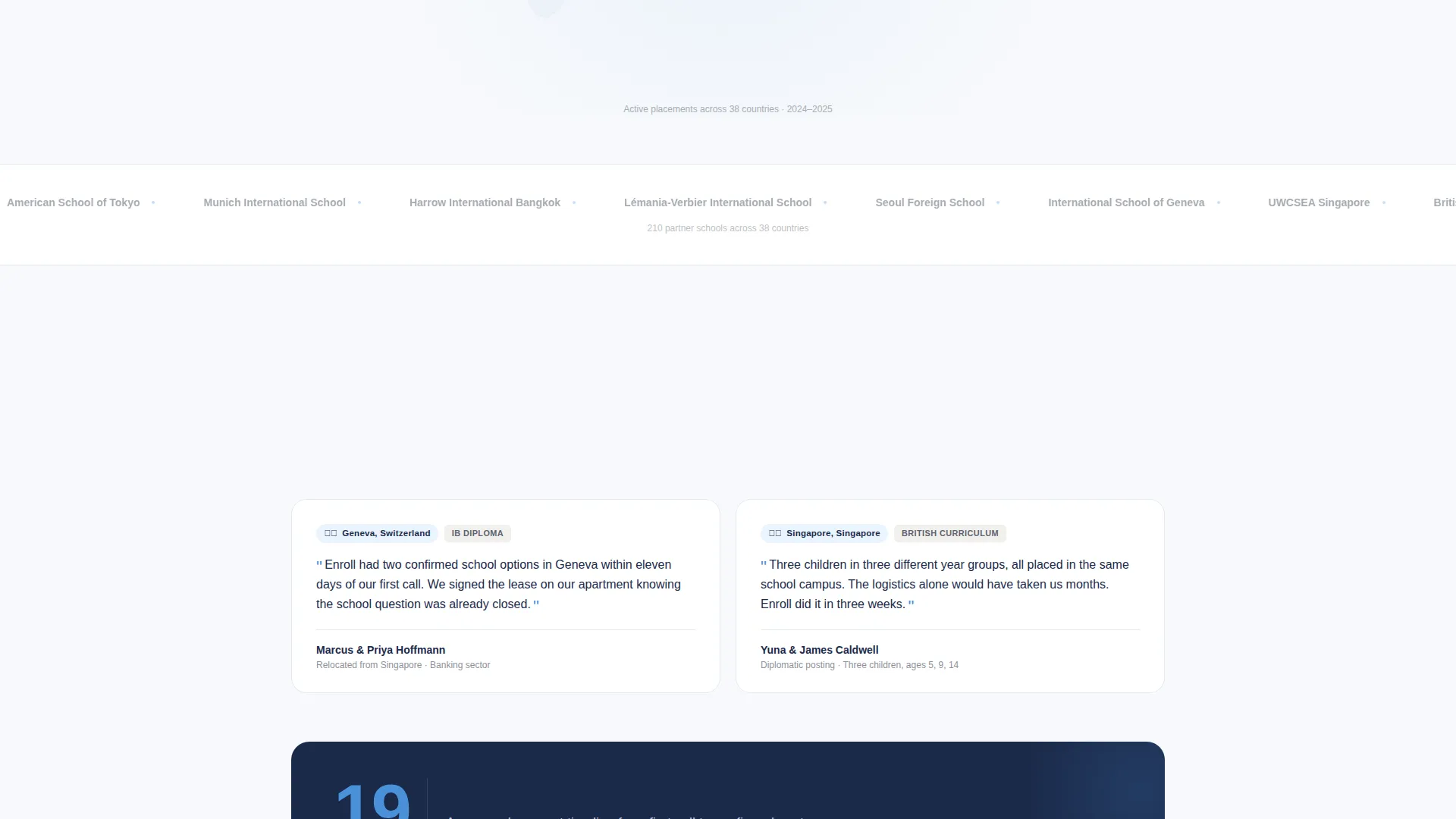
- A staggered testimonial mosaic with flag emojis, city names, school types, and parent quotes
- Repeating "Find Their School" call-to-action blocks with zero-risk micro-copy beneath each one
Feature list
The Enroll template ships with a focused set of purpose-built sections and visual components. Each one earns its place in the single-column scroll.
Animated Data Counter Header
The header opens with numbers that tick upward from zero: families placed, countries reached, and partner schools confirmed. Each figure animates against a minimal world map where placed cities glow softly in the cerulean accent color as the count climbs. The effect turns raw data into an emotional proof statement without a single photograph.
Testimonial Mosaic Layout
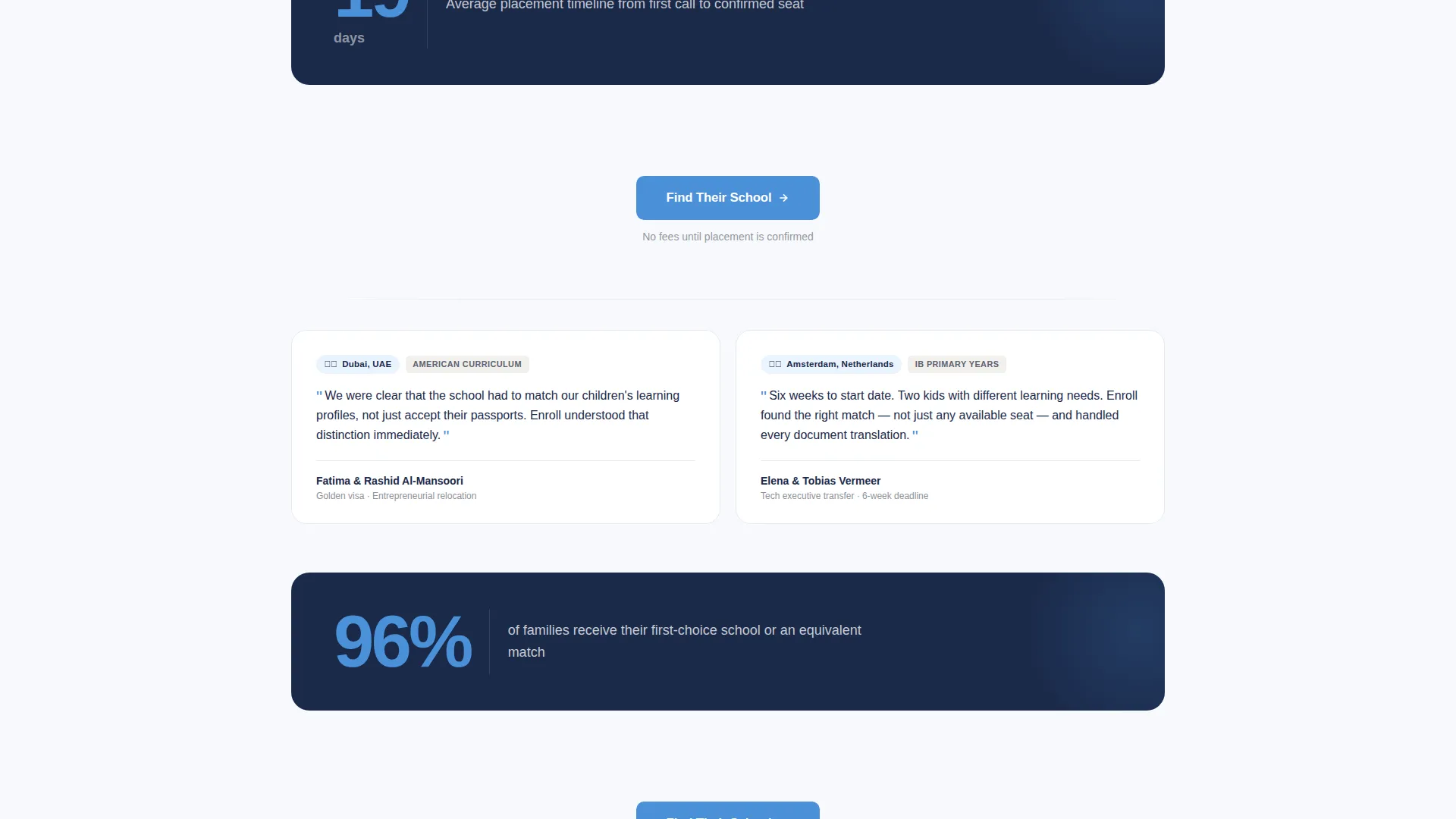
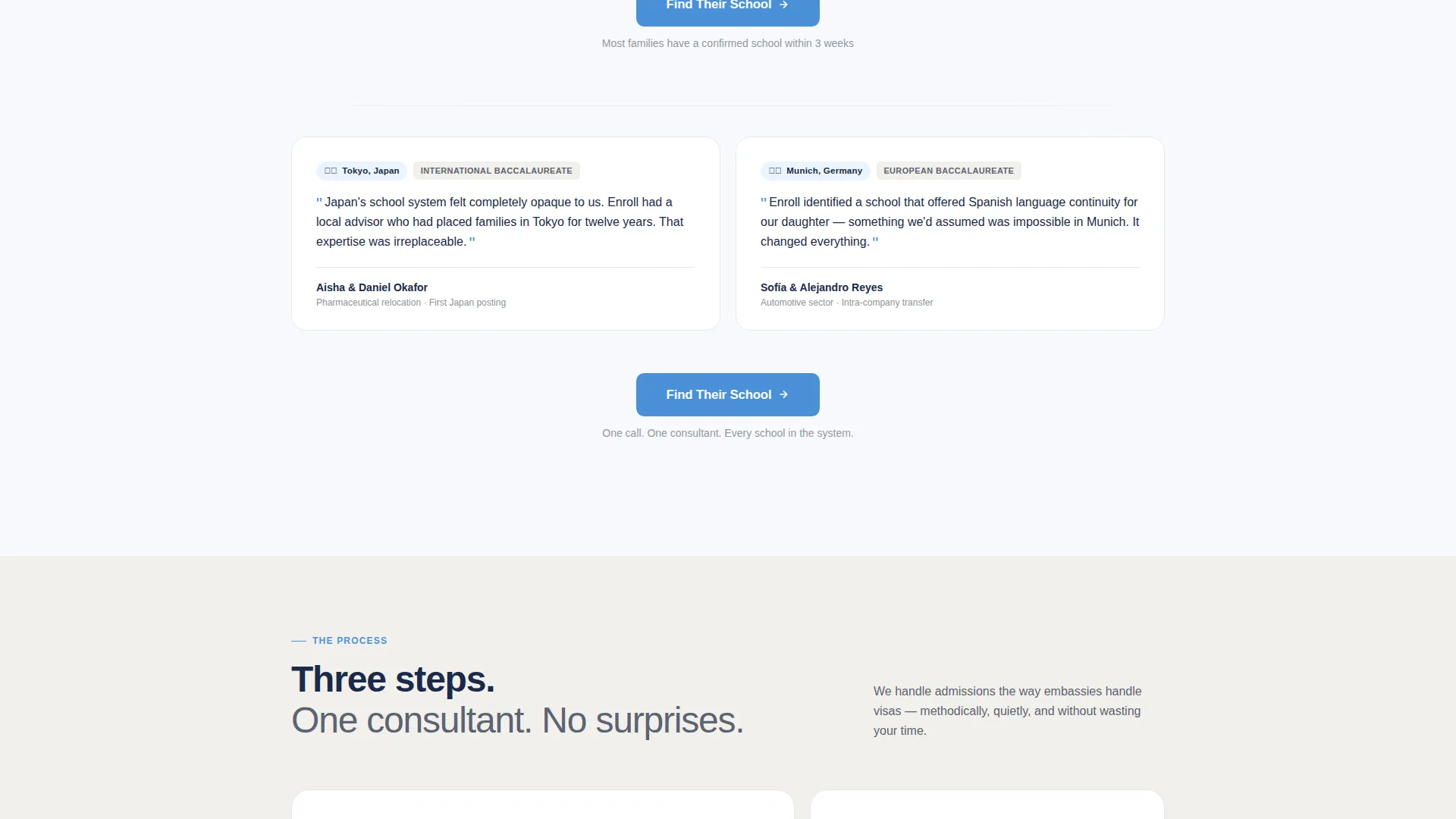
Family stories appear in staggered card rhythm after the header section. Each card carries a flag emoji, a city name, a school type, and a two-sentence parent quote. The mosaic spans multiple clusters, building a visual quilt of geographic and institutional diversity.
Interstitial Stat Breaks
Between testimonial clusters, single-stat interstitials interrupt the scroll with sharp institutional facts such as "Average placement timeline: 19 days." These breaks alternate human warmth with hard credibility, making each new section land harder than the one before it.
Repeating Click-Through Call to Action
The primary call-to-action button, labeled "Find Their School," appears first after the header data block and then repeats after every third testimonial cluster. A contextual micro-line sits beneath each instance with zero-risk language. No form is present on this page; the button leads directly to a scheduling tool.
Legal Shield Visual Theme
The layout applies a Legal Shield theme through its typography weight, color anchoring, and spacing choices. Navy headings carry authority. Cerulean draws the eye only to interactive elements. The composition feels like a well-organized embassy office rather than a marketing page.
Page sections overview
| Section | Purpose |
|---|---|
| Animated counter header | Establish scale and geographic reach through live-counting data visualization |
| Primary call to action block | Prompt the first click immediately after the proof-led header |
| Testimonial cluster one | Open the family story mosaic with the first set of placement cards |
| Interstitial stat break | Insert a hard placement-speed fact to anchor institutional credibility |
| Testimonial cluster two | Continue the mosaic quilt with additional country and school-type cards |
| Repeating call to action block | Reinforce the click-through prompt with fresh zero-risk micro-copy |
| Testimonial cluster three | Close the mosaic section with the final wave of parent quotes |
| Final call to action block | Deliver the last call to action at peak trust, after full proof exposure |
Design & branding system
The Cloud Canvas color system gives this template its distinctive feel. The palette is precise and intentional, calibrated to project quiet competence rather than aggressive salesmanship.
- Soft cumulus white (#F7F9FC) fills the background so content breathes without visual noise
- Diplomatic navy (#1B2A4A) anchors every headline and trust element with unmistakable authority
- Calm cerulean (#4A90D9) activates only on buttons, data highlights, and interactive elements to guide the eye without competing with the content
Mobile & speed optimization
The single-column flow structure adapts naturally to smaller screens without requiring layout rewrites. Every section is designed for vertical reading, which is how most international families browse during a high-pressure relocation period.
- The staggered card mosaic reflows cleanly into a linear stack on mobile viewports
- The animated counter and world map visualization are contained in a single header block, keeping the initial load focused
- Repeating call to action blocks remain consistently visible at each scroll threshold regardless of screen size
How this template helps you convert
Conversion on this page is engineered through proof volume and psychological cost reduction. The layout never asks for a commitment; it earns the click by the time the visitor reaches it.
- The animated data header delivers immediate scale proof before any written claim is made, establishing trust in the first three seconds of the visit
- The testimonial mosaic alternates human stories with institutional statistics, so each section validates the one before it and reduces hesitation at every scroll point
- The repeated "Find Their School" call-to-action button with zero-risk micro-copy keeps the next step visible and low-stakes throughout the entire page
Other information about this template
Enroll is built specifically for the international school placement niche inside the broader specialty consulting category. It fits naturally into a professional services site refresh or a standalone campaign page for a consultancy expanding into new regions.
- The template is designed as a click-through landing page, meaning there is no embedded form; the conversion action is a single button click to a separate scheduling or intake tool
- The data storytelling header concept is a core design feature, not a placeholder; it requires accurate placement figures to function as intended proof content
- The testimonial mosaic creative direction works best when the consultancy has real parent quotes organized by country, school type, and city, matching the card structure provided
Theme
Legal Shield
Creative direction
Testimonial Mosaic
Color system
Cloud Canvas
Style
Single Column Flow
Direction
Click-Through
Page Sections
Animated Data Counter Header
Testimonial Mosaic Layout
Interstitial Stat Break Sections
Repeating Click-through Call to Action
Legal Shield Visual Theme
Related questions
Does this template include a contact form?
Can the animated counter be updated with real placement figures?
Is this template suitable for a consultancy focused on a single region?
How many testimonials does the mosaic section need?
What scheduling tool does the call to action button connect to?



