After-School Program Landing Page Template
Enroll is a split-screen landing page template built for after-school programs running Google Ads. It leads with a parent testimonial, then walks worried caregivers through every key question in a clean FAQ-driven scroll. The Monochrome Steel palette and a single green call-to-action button keep attention focused on one outcome: booking a spot before 6 PM.
by Rocket studio
Quick summary
Enroll is a single-page, split-screen template designed for after-school program marketing. It opens with a real parent testimonial and moves through a structured FAQ scroll that dissolves common objections one by one. A signal-green call-to-action button appears first in the header and again as a sticky bar on mobile, routing parents directly to enrollment without asking them to fill out a form on the page.
Who this template is for
This template is built for local after-school programs that run paid search campaigns and need every click to count. It speaks directly to time-pressed caregivers who want fast answers, not long brochures.
- Program directors and operators who market to families through Google Ads
- Community enrichment centers, neighborhood programs, and independent after-school providers
- Any organization that needs to earn parent trust quickly and drive enrollment inquiries
What problem this template solves
Parents searching for after-school care between dismissal and dinnertime are anxious, not casual browsers. They need direct answers to specific questions before they will click anything. Generic service pages fail because they lead with mission statements instead of reassurance.
- The "dead zone" between 3 PM and 6 PM creates real pressure, and parents will leave a page the moment it feels vague
- Dual-income families and solo caregivers have no patience for buried information or unclear pickup logistics
- A landing page that does not address safety, homework help, and pickup hours upfront loses the conversion before the scroll begins
What you get with this template
This template gives you a fully structured, ready-to-customize landing page that turns ad clicks into enrollment inquiries. Every section is purpose-built around the questions parents actually type into search.
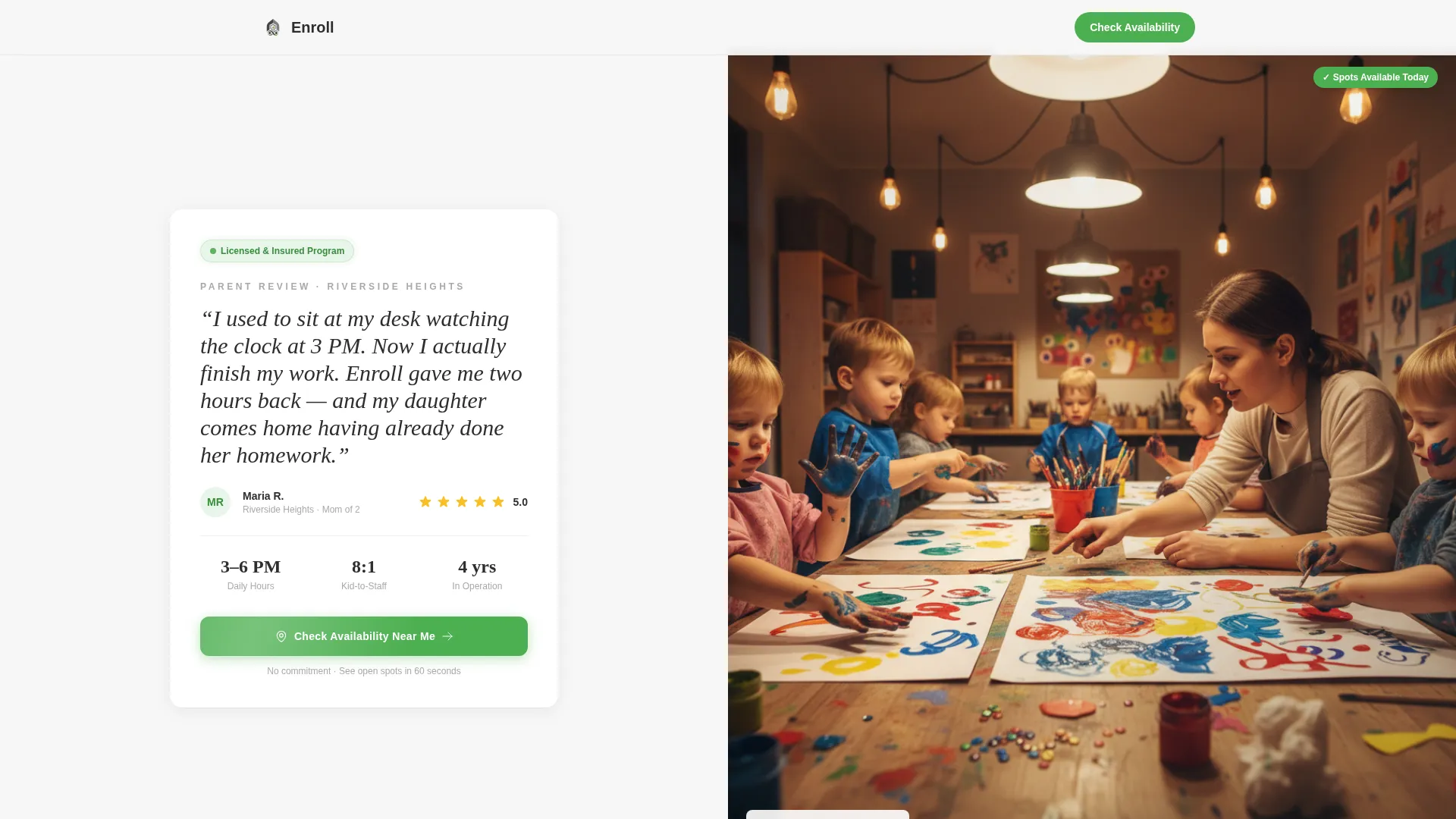
- A split-screen header with a parent testimonial card on the left and a candid program photo on the right
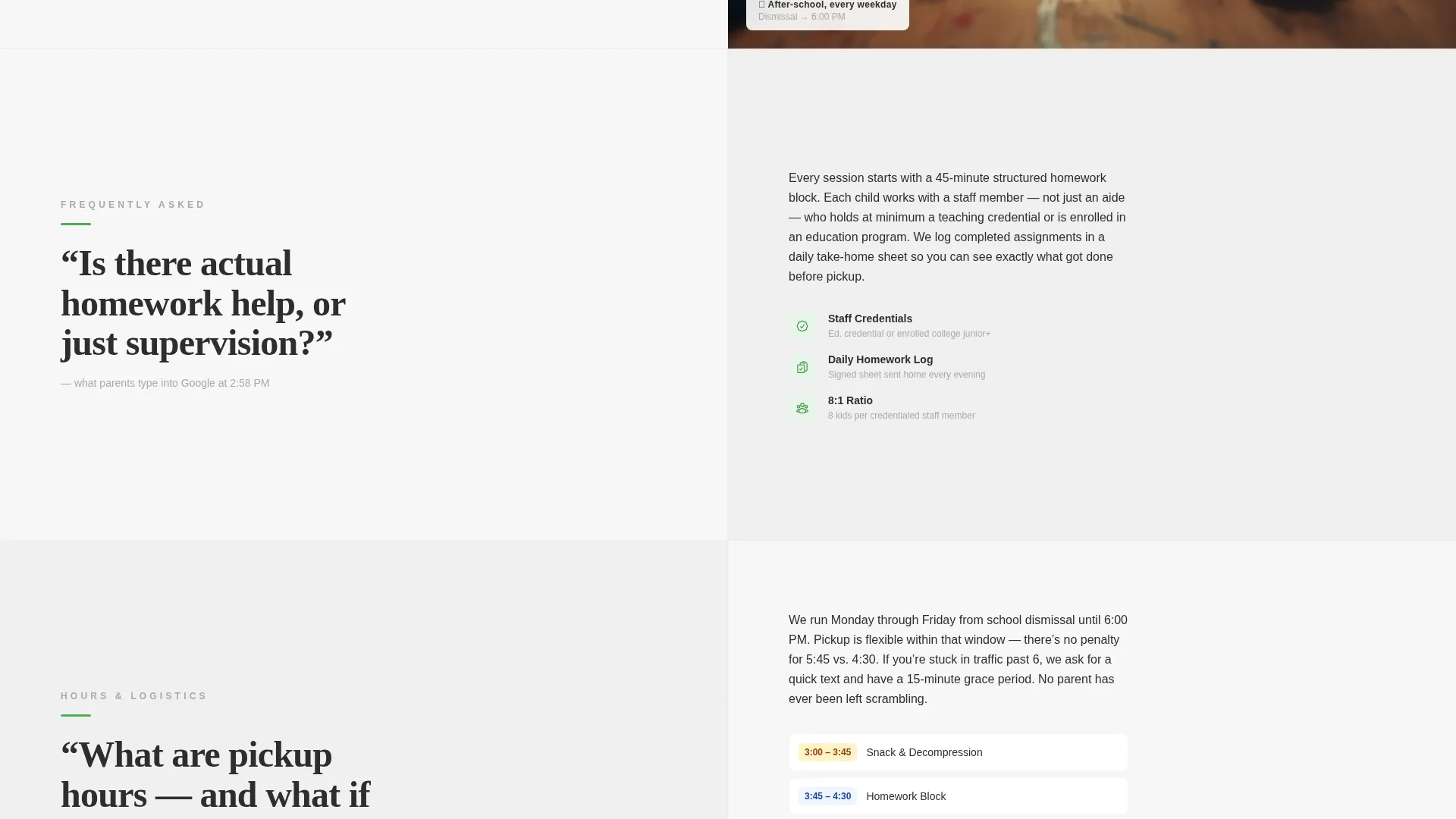
- A FAQ-driven scroll where each section pairs a bold parent question with a tight answer, a supporting visual, and a trust proof element
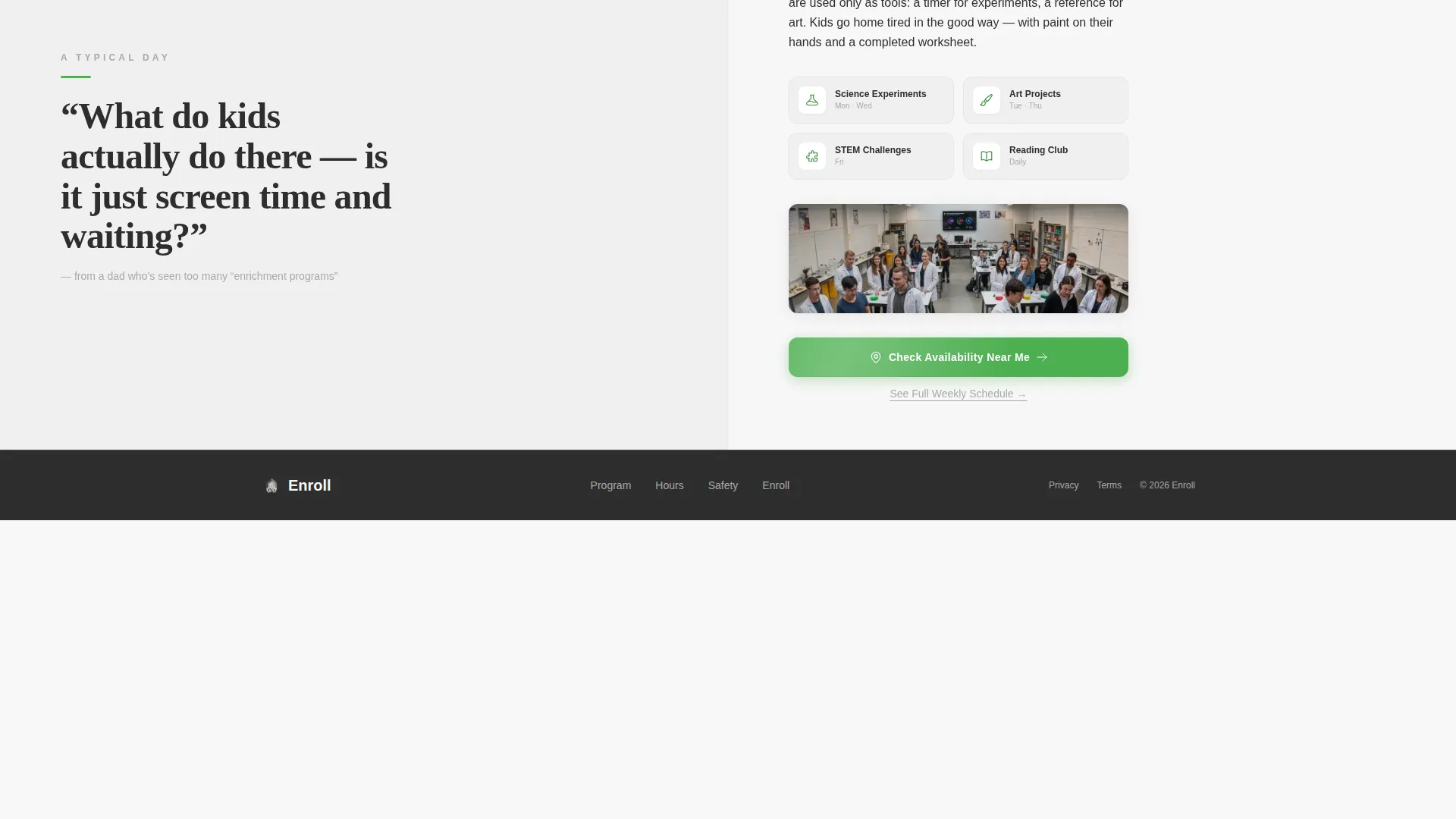
- A primary "Check Availability Near Me" call-to-action button, a sticky mobile bottom bar, and a secondary "See Full Weekly Schedule" text link
Feature list
This template contains specific design and content components drawn directly from the source brief. Each one serves a defined role in the parent's decision journey.
Split-Screen 50/50 Layout
Every section of the page uses a two-column split. One side carries the question or trust signal, the other carries the answer or visual. This structure makes scanning fast and keeps each idea contained and clear.
Testimonial Card Header
The header left panel displays a large parent quote in oversized serif type, with the parent's first name, neighborhood, and five filled star icons. The right panel shows a candid photo of children at a craft table with a staff member engaged at their level. Together they establish credibility before a parent reads a single headline.
FAQ-Driven Scroll Sections
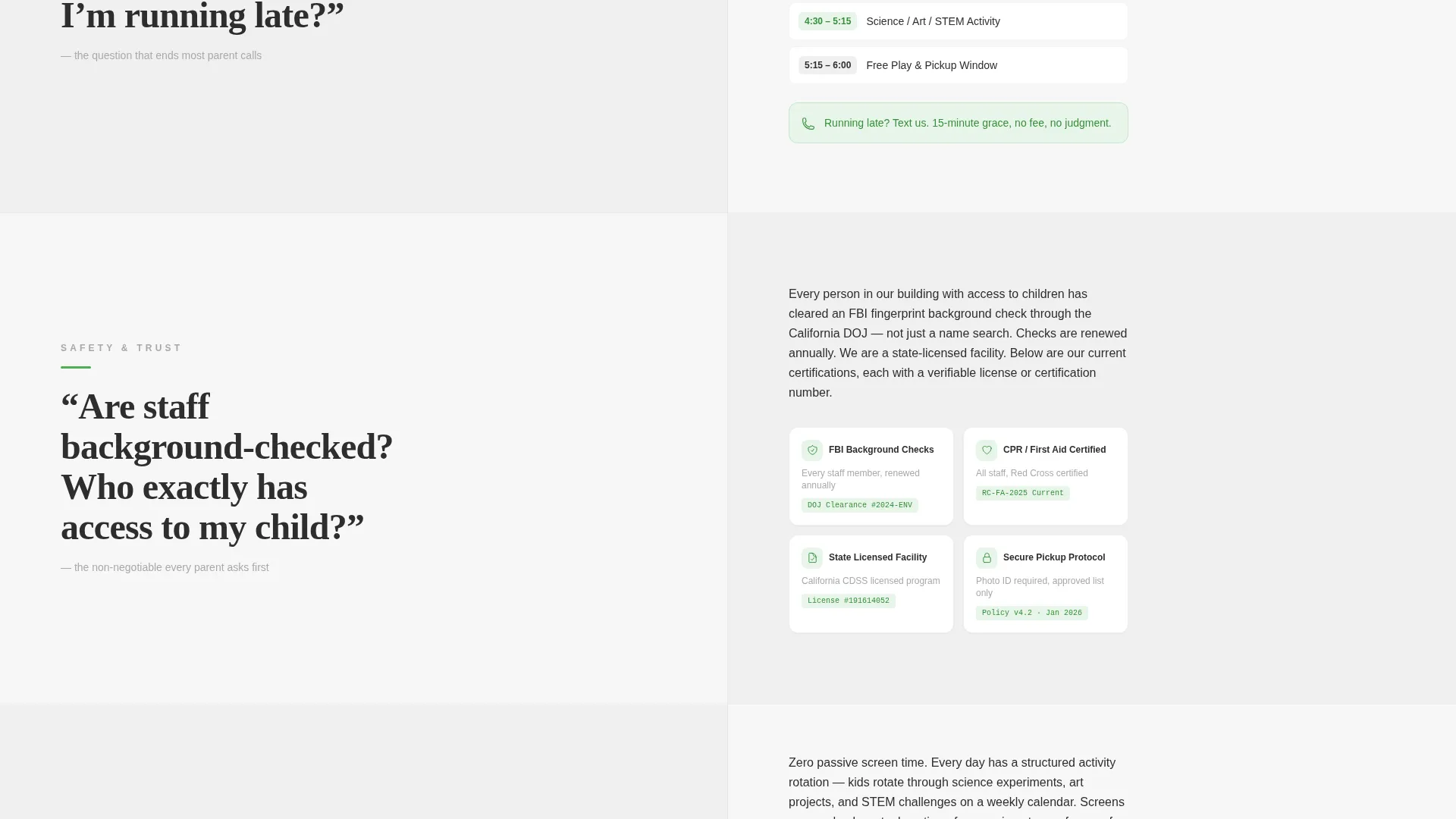
Each FAQ section presents a real parent search query in bold charcoal on the left, matched by a focused answer paragraph, a supporting icon or photo, and a trust proof element on the right. Questions such as "Is there homework help?", "What are pickup hours?", and "Are staff background-checked?" are built directly into the layout.
Trust Proof Integration
Each FAQ answer section includes space for a trust proof element such as a license number, staff certification badge, or similar credential. These small but specific details answer the question behind the question and reduce hesitation before the call-to-action appears again.
Sticky Mobile Call-to-Action Bar
After the second FAQ section, a sticky bottom bar appears on mobile screens carrying the primary call-to-action button. This ensures the enrollment action stays reachable without requiring the parent to scroll back up.
Secondary Schedule Text Link
A plain text link reading "See Full Weekly Schedule" sits beneath the third FAQ answer. It gives detail-oriented parents a next step that does not require committing to enrollment immediately, keeping them on the path without pressure.
Page sections overview
| Section | Purpose |
|---|---|
| Testimonial Card Header | Opens with parent social proof and a candid program photo to establish trust immediately |
| First FAQ Section | Addresses homework help availability with an answer, visual, and trust proof |
| Second FAQ Section | Covers pickup hours and dismissal-to-close logistics clearly |
| Third FAQ Section | Confirms staff background checks with space for a credential or badge |
| Secondary Text Link | Offers "See Full Weekly Schedule" for parents who need more detail |
| Sticky Mobile Bar | Keeps the primary call-to-action reachable after the second FAQ on mobile |
Design & branding system
The Monochrome Steel color system keeps the page feeling organized and competent rather than flashy. Every color choice has a functional role, and nothing competes with the signal-green call-to-action.
- Structural charcoal (#2D2D2D) carries all body text and question headlines, brushed aluminum (#A8A9AD) handles secondary labels and dividers, and clean worksheet white (#F7F7F7) serves as the primary background
- Section backgrounds alternate between white and a light steel wash to create visual rhythm without introducing new colors
- Signal green (#4CAF50) appears only on buttons and trust badges, so parents always know exactly where to act
Mobile & speed optimization
The template is structured to work cleanly on mobile screens, where most parents will land from a Google Ads click. The layout adapts the split-screen columns to a stacked single-column flow on smaller screens.
- The sticky bottom call-to-action bar activates after the second FAQ section on mobile, keeping the enrollment button accessible without interrupting reading
- No form lives on this page, which removes a common friction point and keeps the mobile experience lean and fast to interact with
How this template helps you convert
The page is built around a single conversion goal: getting a parent to click through to check availability. Every design and content decision supports that moment.
- The testimonial card header removes the first layer of skepticism before a parent reads a single program description, so they arrive at the FAQ scroll already leaning forward
- The ask-and-answer rhythm of the FAQ scroll dissolves objections in the exact order a worried parent would raise them, so by the time the green button reappears, the only remaining question is whether a spot is open
Other information about this template
This template is categorized under Professional Services and After-School Program Marketing, making it a strong fit for local programs running paid search campaigns targeting nearby families. It is built as a click-through landing page rather than a lead-capture form page, so the conversion event is the outbound click to a scheduling or enrollment tool where location and availability are confirmed.
- The template is designed for Google Ads traffic and reflects the intent and urgency of that channel
- The no-form approach means the page stays lean and keeps a parent moving toward a real enrollment decision rather than filling out a pre-qualification form
- The candid photography direction, warm overhead lighting, and shallow depth-of-field framing are intentional signals of authenticity that counteract the polished stock-photo look common in competitor ads
Theme
Service Utility
Creative direction
FAQ-Driven
Color system
Monochrome Steel
Style
Split Screen (50/50)
Direction
Click-Through
Page Sections
Split-screen 50/50 Layout
Testimonial Card Header
Faq-driven Scroll Sections
Trust Proof Element Slots
Sticky Mobile Call-to-action Bar
Secondary Schedule Text Link
Related questions
Does this template include a contact form or sign-up form?
Can I customize the FAQ questions for my specific program?
What does the sticky mobile call-to-action bar do?
Is the testimonial card content editable?
What kind of trust proof elements does the template support?



