Preschool Landing Page Template for Lead Generation
Enroll is a single-page preschool landing page built for Google Ads campaigns. It uses a split-screen layout, credential-forward expert panels, and a marigold-accented Monochrome Steel palette to turn anxious parent searches into scheduled tours. Every section stacks trust before asking for contact details, making the sign-up feel like the safest next step.
by Rocket studio
Quick summary
Enroll is a lead generation landing page designed for neighborhood preschools running paid search campaigns. The layout pairs authoritative credential panels with a warm, clinical visual identity to reassure first-time parents. A floating tour-booking button and a secondary PDF download gate capture leads at every stage of readiness.
Who this template is for
This template is built for preschool owners and directors who want a credibility-first digital presence. It is especially useful for programs already investing in paid search and needing a dedicated page that converts clicks into tour bookings.
- Preschool directors launching or scaling a Google Ads campaign
- Early childhood educators who want parents to see staff credentials before calling
- Relocating or time-pressed families who need a quick, trustworthy first impression online
What problem this template solves
Parents searching for a preschool at midnight are not looking for a colorful flyer. They are looking for proof. This template solves the credibility gap between a paid ad click and a booked tour by stacking teacher qualifications, ratios, and licensing details before asking for any personal information.
- Generic school websites bury credentials and lose anxious parents before they scroll
- Most landing pages ask for contact details too early, before trust is established
- Parents comparing waitlists need a fast, scannable reason to choose one program over another
What you get with this template
The template delivers a complete, conversion-focused landing page with every section pre-built and ready to customize. You get a structured visual flow from first impression to form submission, with two separate lead capture paths built in.
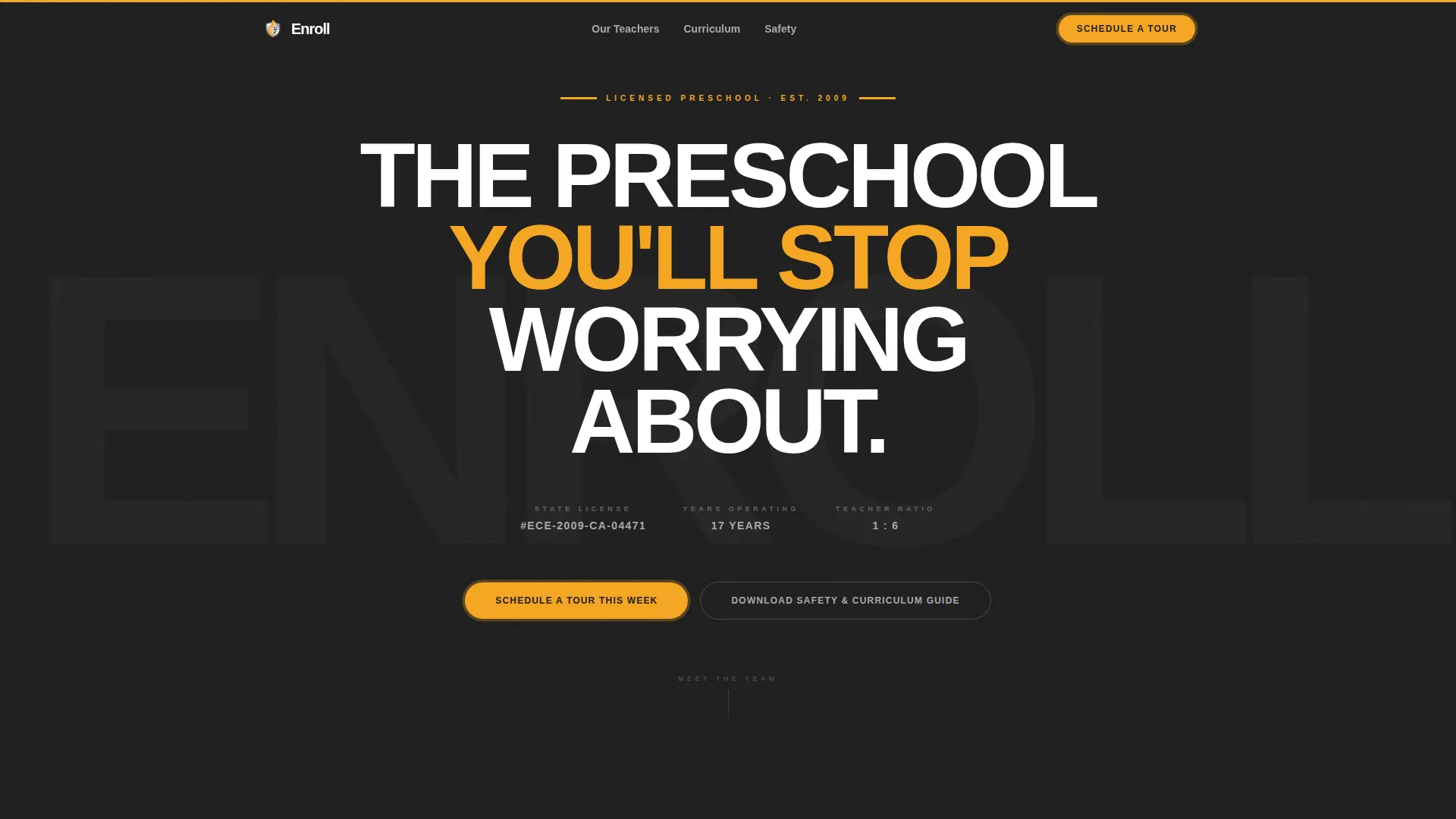
- A giant headline header block with license number, years in operation, and teacher-to-child ratio displayed immediately
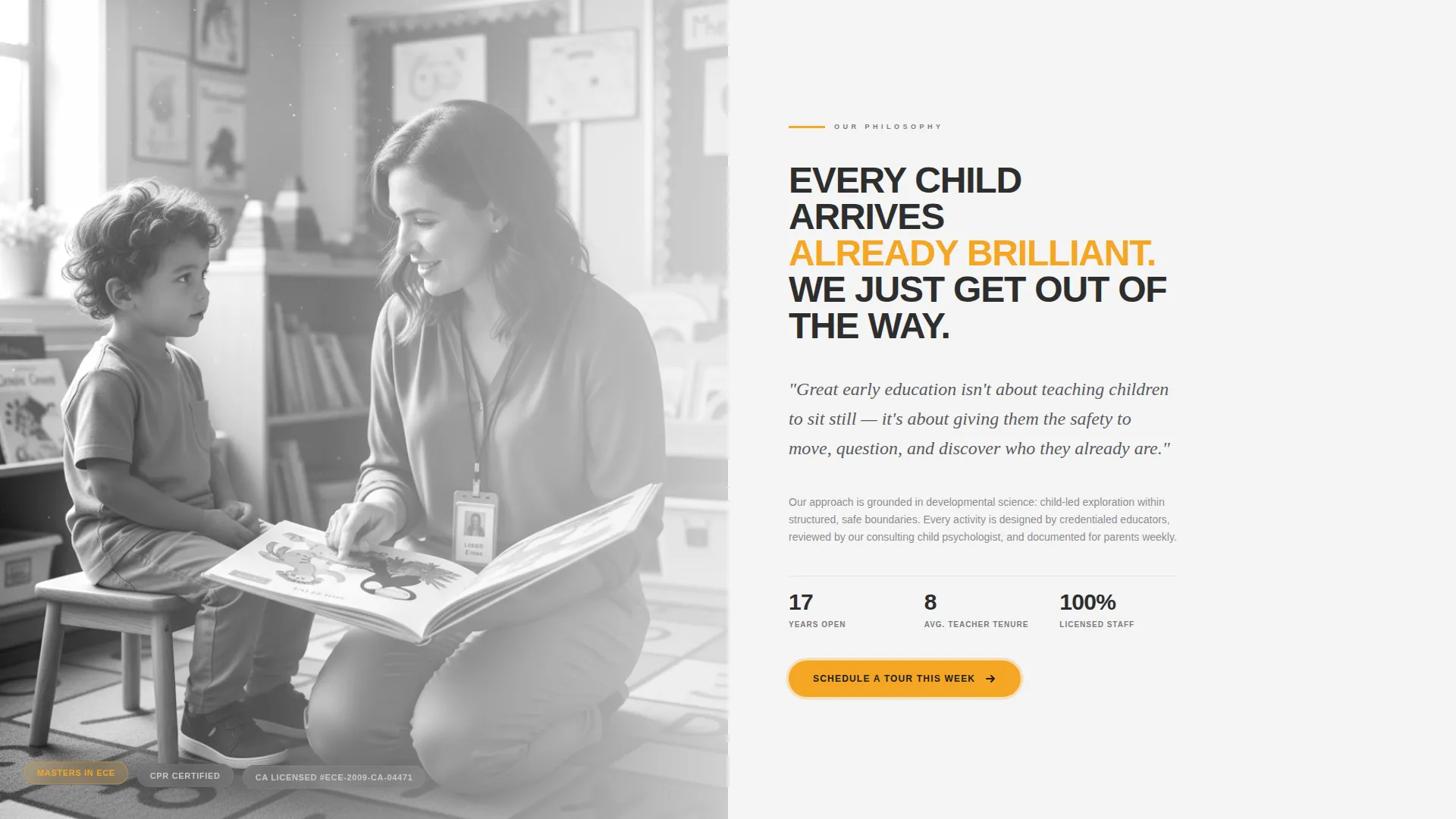
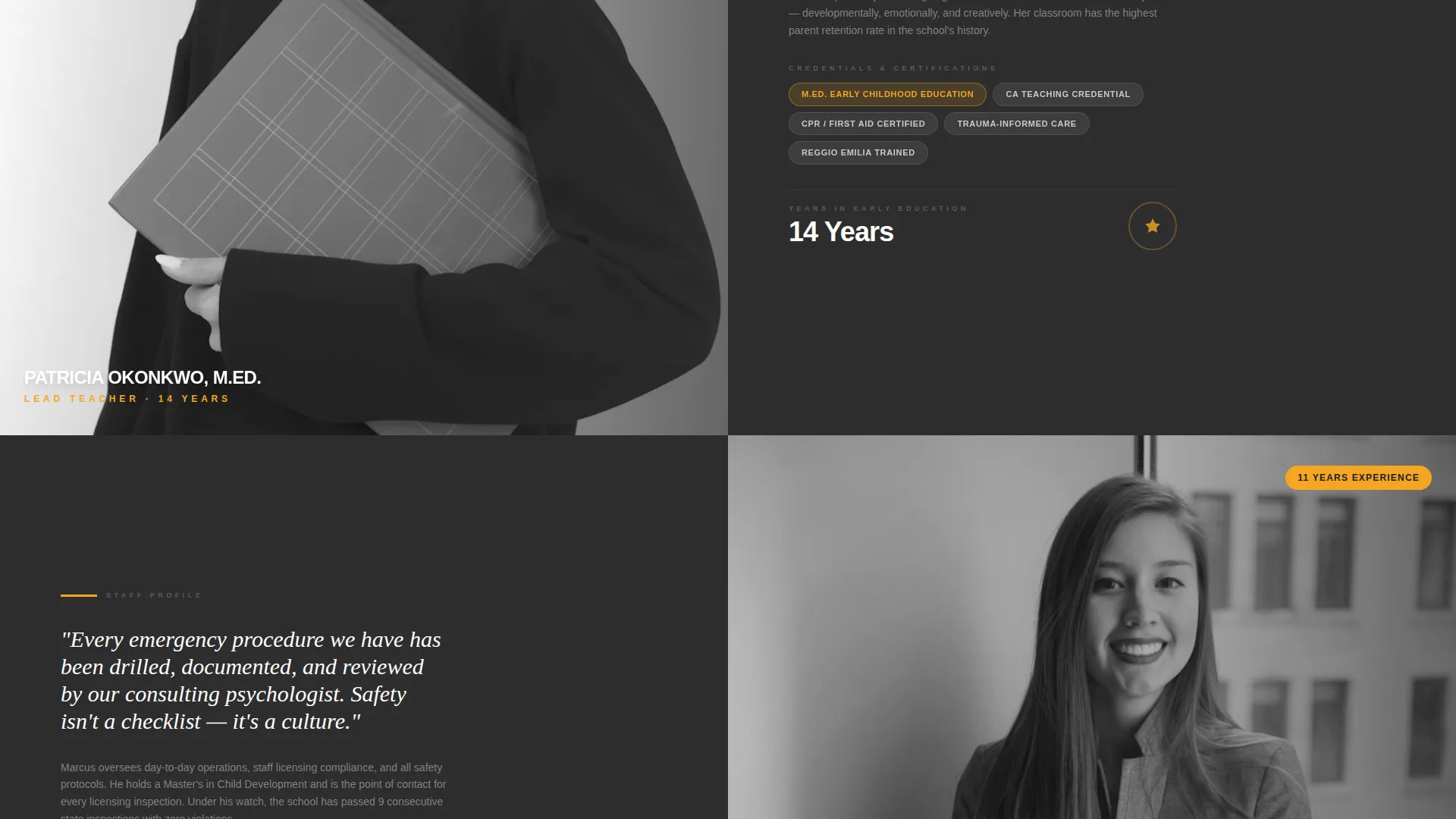
- Multiple split-screen expert panels with space for credential portraits, philosophy statements, degree details, certification badges, and years of experience
- A primary tour-booking form and a secondary PDF download gate for parents not yet ready to call
Feature list
This template is built around a specific purpose: earning parent trust fast enough to generate a real inquiry from a paid search visitor.
Giant Headline Header Block
The header opens with stark white oversized text on deep graphite. Directly beneath the headline, the page displays the school's state license number, years in operation, and teacher-to-child ratio. The restraint of this block signals authority before a single image appears.
Split-Screen Expert Panels
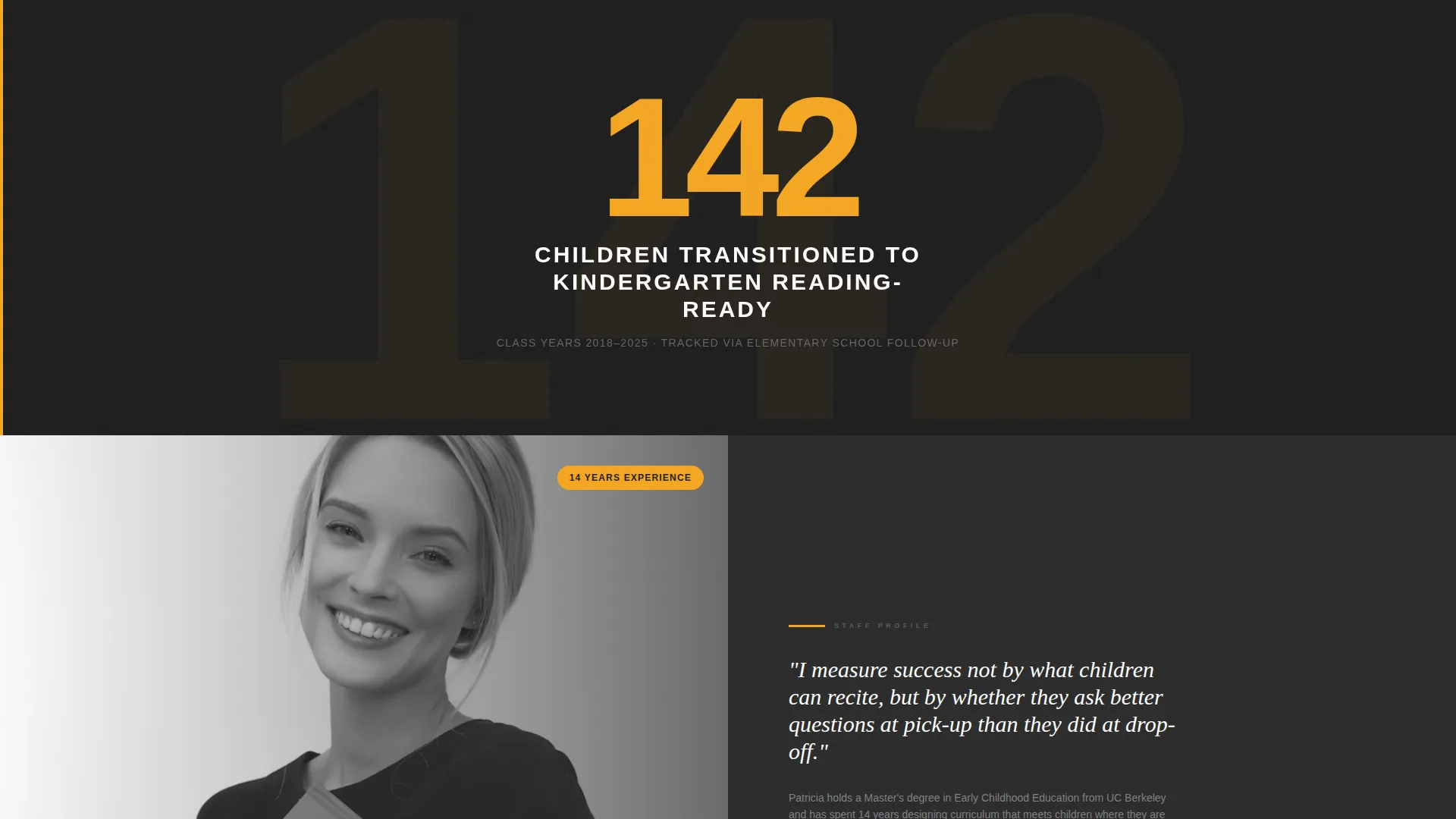
Each scrollable section divides the screen 50/50 between a staff credential portrait and a panel of professional details. Panels include philosophy statements, degree credentials, certification badges, and years of experience, building a case for enrollment the way a legal brief builds an argument.
Single-Stat Interstitials
Between expert panels, full-width interstitial blocks display a single achievement stat in marigold text on graphite. These short, bold statements act as proof points that break the scroll and reinforce confidence.
Dual Lead Capture Paths
The primary call to action is a tour-booking form asking for the child's first name, age, preferred start date, and parent phone number in that exact order. A secondary path offers a downloadable Safety and Curriculum Guide as a PDF gate, capturing an email address for parents who need more time.
Floating Mobile Call-to-Action Button
On mobile screens, the "Schedule a Tour This Week" button stays pinned as a floating element. It reappears after every second expert panel on all screen sizes, keeping the next step always within reach.
Marigold Accent System
Every interactive element, call-to-action button, trust badge, and stat interstitial uses the single warm accent color, marigold (#F5A623). This consistent use of one accent color against a neutral steel palette makes important actions visually unmissable.
Page sections overview
| Section | Purpose |
|---|---|
| Giant Headline Header | Opens with authority and license-level trust signals |
| First Split Panel | Introduces lead teacher with credential portrait |
| Expert Panel Two | Highlights assistant director with CPR certification |
| Expert Panel Three | Features consulting child psychologist credentials |
| Stat Interstitial Blocks | Displays single achievement stats in marigold on graphite |
| Tour Booking Form | Captures child name, age, start date, and phone number |
| PDF Download Gate | Collects email from parents not ready to call yet |
Design & branding system
The visual identity uses a Monochrome Steel palette that feels deliberate and considered. Deep graphite anchors authority, cloud white keeps sections breathable, brushed aluminum handles body text, and a single marigold accent drives every interactive moment.
- Core palette: deep graphite (#2D2D2D), brushed aluminum (#A8A9AD), soft cloud white (#F4F4F4), and marigold (#F5A623) for calls to action and trust badges
- Backgrounds alternate between cloud white and graphite across sections to create visual rhythm without relying on imagery
- Typography uses an oversized tracked-out sans-serif for headlines, keeping the tone confident and clinical rather than playful
Mobile & speed optimization
The template is built with a mobile-first lead generation flow in mind. Parents searching on a phone late at night need the most important trust signals and the booking button within immediate reach.
- The "Schedule a Tour This Week" button is pinned as a floating element on mobile so it is always visible without scrolling
- The split-screen panels stack vertically on smaller screens, keeping credential content readable at any size
- The form fields are ordered to reduce friction: the child's name comes first, creating emotional investment before the parent is asked for their phone number
How this template helps you convert
Every design and copy decision in this template points toward one outcome: a parent who feels confident enough to book a tour or share their contact details.
- The header leads with a legal-style trust block, displaying licensing and ratio data before any imagery, so the first impression is credibility rather than decoration.
- The expert panel structure stacks credential after credential in a predictable, scrollable rhythm, so by the time a parent reaches the form, skepticism has already been replaced by confidence.
- The dual call-to-action system captures both high-intent visitors ready to call and lower-intent visitors who need a nurture sequence, so no paid search click is wasted.
Other information about this template
This template is part of a focused set of preschool marketing resources built for paid search campaigns. A few additional details worth noting before you get started:
- The template is designed for a single-page Google Ads landing page flow, not a multi-page school website
- The form field order is intentional: leading with the child's first name before asking for a phone number is a deliberate design choice drawn directly into the template structure
- The PDF gate section is pre-built as a secondary conversion path and works independently from the primary tour-booking form
- The stat interstitial blocks are editable placeholder zones where you can insert real enrollment milestones, such as kindergarten readiness figures or years of operation
- This template suits preschool programs in competitive local markets where parents are actively comparing multiple options through paid search
Theme
Editorial Magazine
Creative direction
Logo Wall Authority
Color system
Monochrome Steel
Style
Sidebar Companion
Direction
Partnership/B2B
Page Sections
Giant Headline Header with Trust Signals
Split-screen Expert Credential Panels
Marigold Stat Interstitials
Dual Lead Capture System
Floating Mobile Call-to-action Button
Monochrome Steel Visual Identity
Related questions
Can I use this template for a single preschool location?
Do I need design experience to customize the expert panels?
What is the purpose of the PDF download section?
Can I replace the stat interstitial blocks with my own numbers?
Is this template built specifically for paid search traffic?



