Verified Identity Services Landing Page Template
This Aadhaar trusted community enrollment center landing page template is built for Indian non-profits running free biometric enrollment drives for underserved residents. It guides visitors through the full enrolment process step by step, then earns their trust to donate or volunteer. The Monochrome Steel palette with saffron call-to-action accents keeps the tone institutional, warm, and action-ready.
by Rocket studio
Quick summary
This template is a single-page donation and awareness landing page for a community Aadhaar enrolment center. It teaches visitors exactly how the aadhar card process works, then invites them to fund or volunteer for enrollment sessions serving daily-wage workers, elderly residents, and migrant families. The zigzag layout, hand-drawn infographic header, and saffron call-to-action make every scroll feel purposeful.
Who this template is for
This template is designed for Indian non-profit teams and social-impact organisations running free or subsidised aadhar enrolment drives. It speaks to two audiences at once: residents who need enrolment guidance, and urban donors who want their money to do something specific.
- Community organisations running Aadhaar enrolment camps for underserved populations
- Corporate social responsibility teams seeking transparent, cause-specific donation pages
- Volunteers and social workers who want a ready page to recruit weekend helpers
What problem this template solves
Most enrolment center pages either look bureaucratic and cold, or feel too generic to earn trust. This template closes that gap. It gives residents the practical detail they need while giving donors the emotional clarity that motivates giving.
- Residents arrive without knowing which documents to bring, causing rejection and wasted visits
- Donors have no way to see what their money actually funds at the center level
- Volunteer recruitment is buried in email chains instead of a clear, mobile-ready page
What you get with this template
You get a fully structured, section-led landing page that covers the complete enrolment journey from document preparation through biometric capture to the final aadhar number letter. Every section is production-ready and grounded in real enrollment logic.
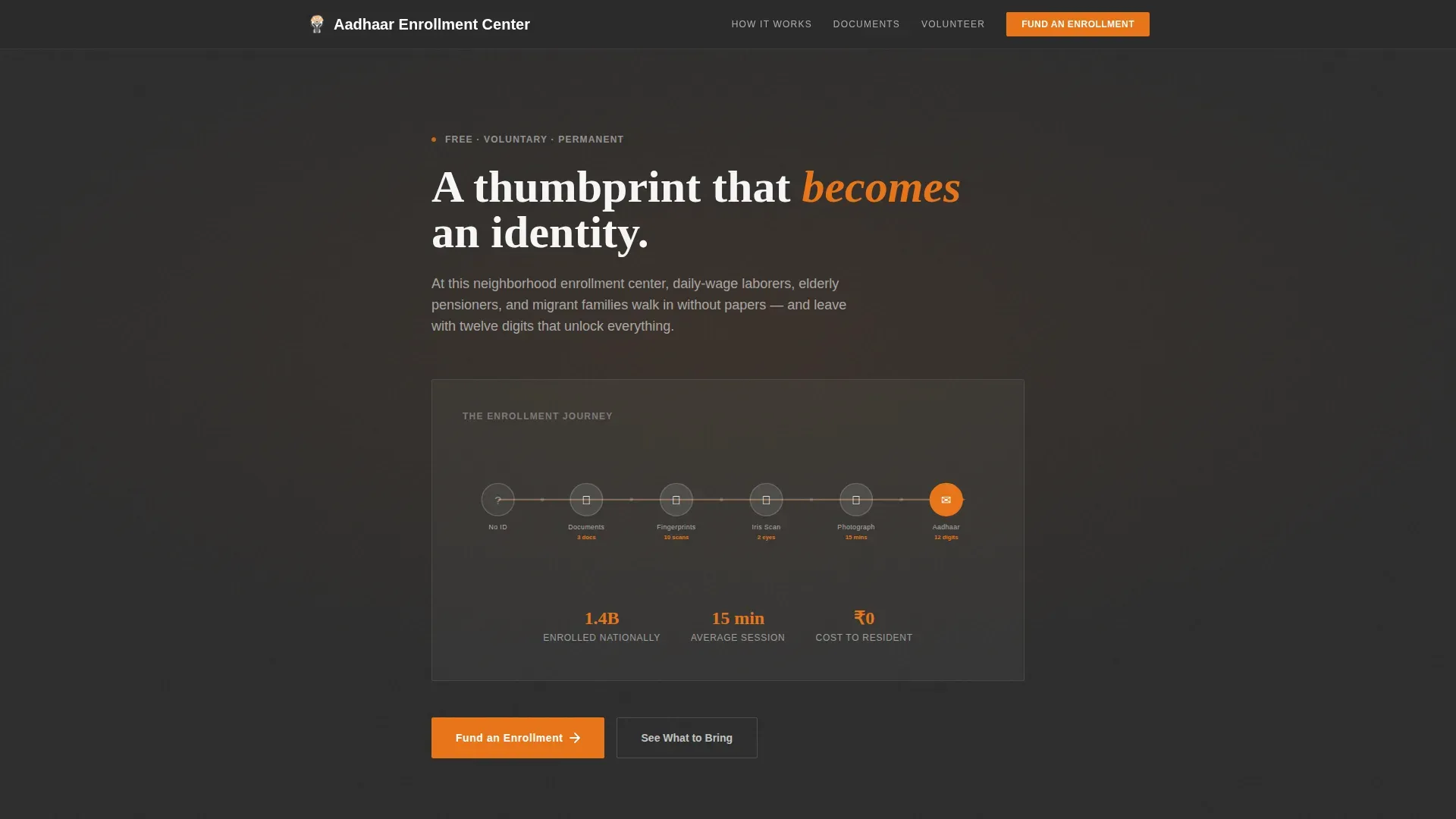
- A hand-drawn animated infographic header showing the enrollment journey with live stat nodes
- Four zigzag content sections covering documents, biometric process, rejection prevention, and fundraising
- A tiered donation panel with an optional dedication field and a secondary volunteer sign-up path
Feature list
Animated Enrollment Journey Infographic
The header renders a flowing horizontal diagram showing a human figure moving from "no ID" through document gathering, biometric capture, iris scan, photograph, and receipt of the Aadhaar letter. Each node carries a small illustrated icon and a stat. Draw-on entrance animations make the diagram feel like a clerk sketching the process in real time.
Zigzag Step-by-Step Guide Layout
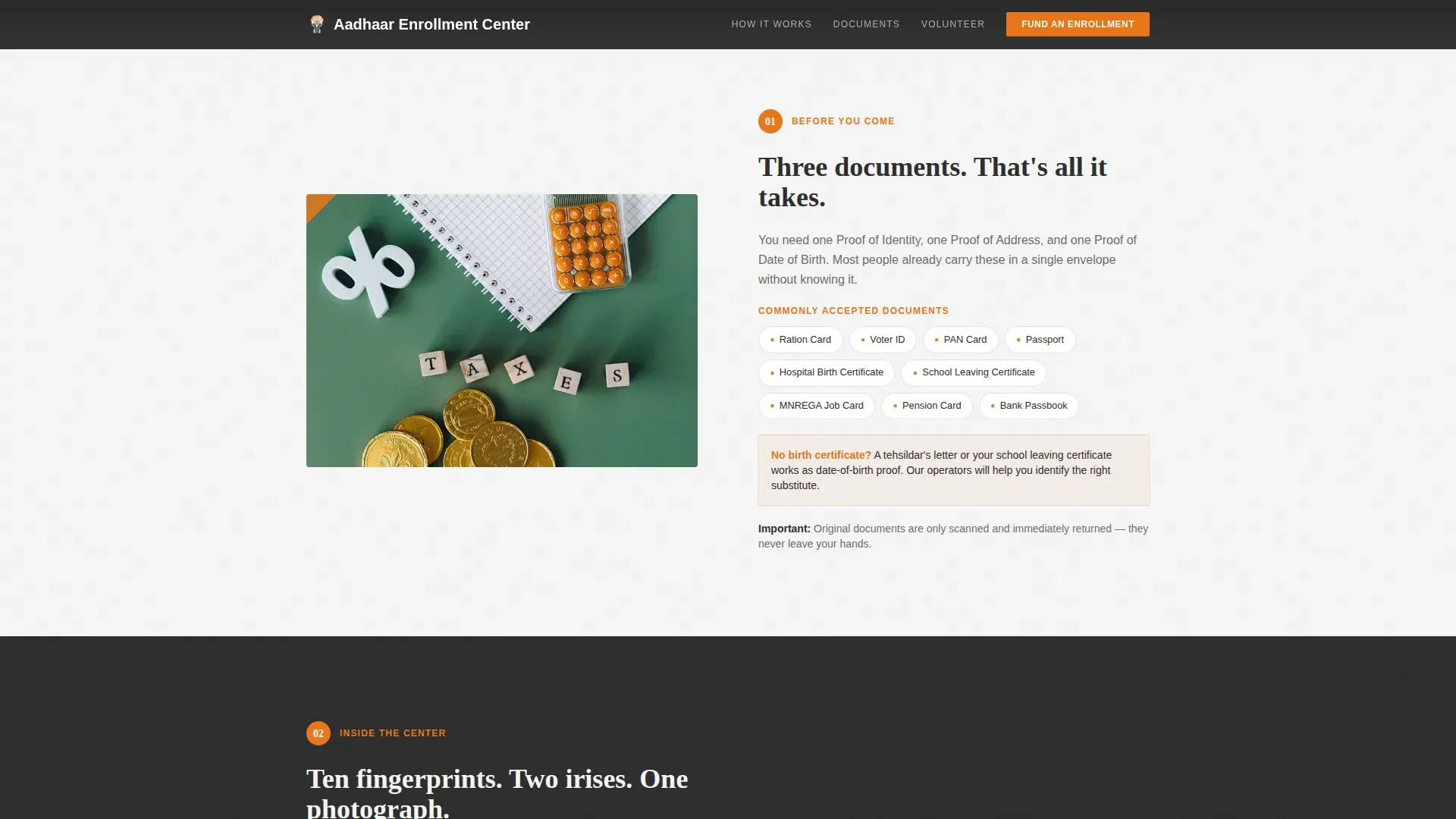
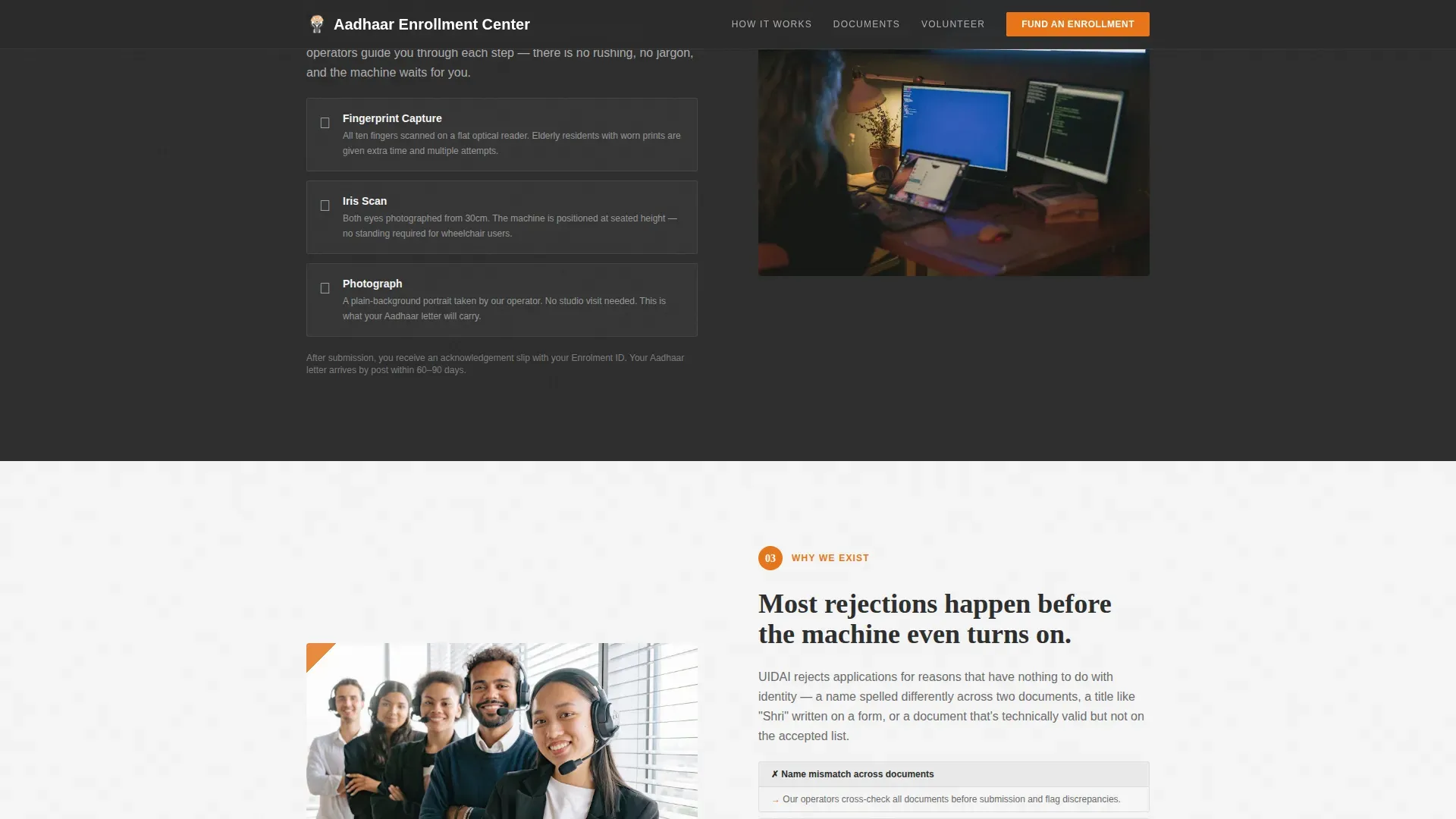
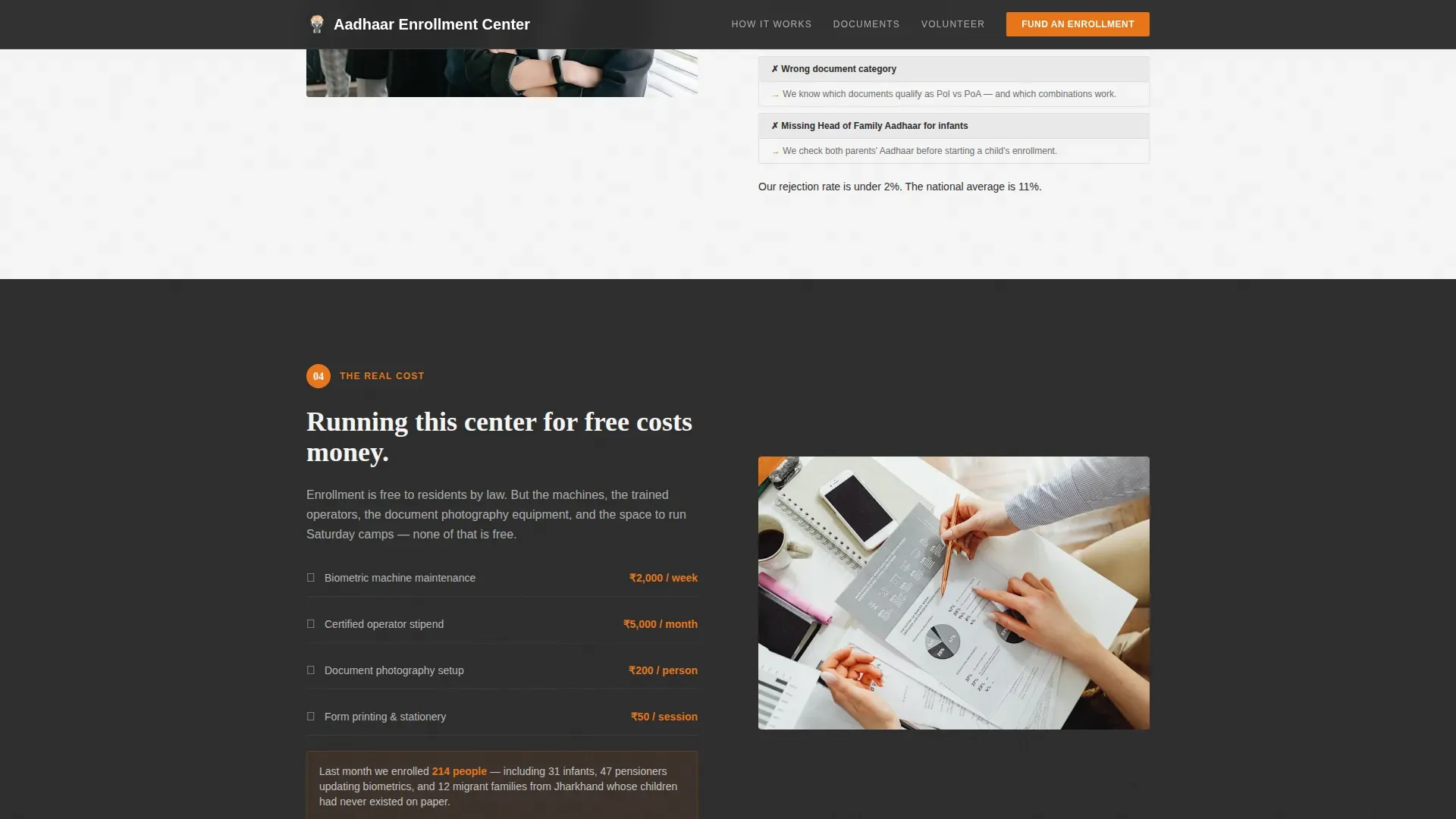
Each section alternates image-left/text-right and text-left/image-right. The first section details the documents to bring, including Ration Card, Voter ID, and Hospital Birth Certificate. The second covers the biometric process. The third explains common rejection reasons. The fourth builds the case for funding.
Tiered Donation Panel with Dedication Field
The giving panel shows tangible impact tiers so donors understand exactly what each amount covers per enrollment session. The form collects name, email, amount, and an optional dedication message. A secondary path offers a volunteer sign-up for those giving time instead of money.
Persistent Saffron Call-to-Action
The primary "Fund an Enrollment" button follows users as they scroll, keeping the call-to-action active throughout the page. Saffron is reserved exclusively for call-to-action buttons, step numbers, and progress indicators, so every instance of the color acts as a clear signal to act.
Trust and Verification Layer
The page includes space for official branding, a visible last-updated timestamp, and testimonial blocks to confirm the center is authorised and active. Document detail is scannable and correct, building confidence before the donation ask arrives.
Mobile-First Responsive Layout
The entire page is built mobile-first. Typography uses Fraunces for serif headings and DM Sans for body text. Scroll-triggered reveals and staggered entrance animations are tuned for mobile interaction, keeping the experience smooth on the smartphones most users in the target demographic carry.
Page sections overview
| Section | Purpose |
|---|---|
| Hero Infographic Header | Show the full enrolment journey with animated stat nodes |
| Documents to Bring | List accepted proof of identity, address, and date of birth |
| Biometric Capture Process | Explain fingerprint, iris, and photograph steps |
| Rejection Prevention | Show how the center helps visitors avoid common errors |
| Fund an Enrollment | Present donation tiers and volunteer sign-up form |
| Footer Arc Minimal | Provide contact links and navigation closure |
Design & branding system
The visual identity follows a Community Hearth theme through a Monochrome Steel color system. Deep bureaucratic charcoal (#2B2B2B) alternates with government-form white (#F5F5F5) as section backgrounds, while worn counter steel (#6B6B6B) handles body text and dividers. Enrollment-stamp saffron (#E8751A) appears sparingly, reserved for calls-to-action, step numbers, and progress indicators.
- Fraunces serif headings paired with DM Sans body text for institutional warmth
- SVG draw-on animations and scroll-triggered reveals reinforce the hand-drawn infographic character
- Alternating charcoal and white zigzag backgrounds create visual rhythm without colour overload
Mobile & speed optimization
The template is built with a mobile-first approach because the target demographic in India relies primarily on smartphones. Interactive elements such as the donation tier selector and dedication field toggle are handled as client components, while static sections use server-rendered markup for faster initial load.
- Scroll-triggered staggered entrance animations are calibrated for mobile viewports
- The donation panel and volunteer form are optimised for thumb-friendly tap targets on small screens
- Typography scales cleanly across devices, keeping the aadhar card enrollment detail readable at any size
How this template helps you convert
The page earns the donation by first making the visitor an expert. By the time the giving panel appears, the visitor has walked through every stage of the process and understands what their contribution funds.
- The step-by-step guide builds expertise first, so the fundraising ask lands on an informed and already-engaged reader
- The tiered donation panel links each amount to a specific, named outcome, removing the abstraction that causes donors to hesitate
- The persistent saffron call-to-action and secondary volunteer path ensure there is always an active next step for every visitor type
Other information about this template
This template is specifically designed for the Indian government services context and reflects the language, documents, and eligibility rules that apply to Aadhaar enrolment in India. Several additional details are relevant for teams deploying or customising the page.
- Aadhaar is a 12-digit identity number issued to every resident of India by the Unique Identification Authority of India (UIDAI). Initial enrolment is free of cost; updates may carry a nominal fee.
- Residents must have lived in India for at least 182 days in the preceding year to be eligible. This age limit and residency rule applies to adult applicants; children have separate biometric update requirements at ages five and fifteen.
- The enrolment process captures demographic and biometric data, including fingerprints and an iris scan. This data is transferred to the Central Identities Data Repository (CIDR). UIDAI sends the Aadhaar number to the resident by letter after de-duplication processing is complete.
- The e Aadhaar is a password-protected, encrypted digital PDF version of the aadhar card. It serves as valid proof of identity for banking services, exams, and government services. Users can download it from the UIDAI website at myaadhaar.uidai.gov.in.
- The mAadhaar app allows mobile users to carry a digital copy of their aadhar card and access services on the go. The mAadhaar app also supports biometric verification and Virtual ID generation.
- After enrolment, residents can track their application status online using their enrollment id or Aadhaar number on the UIDAI portal. The portal allows users to login, manage demographic details, link a PAN card or bank account, and verify address or mobile number.
- The Virtual ID is a privacy-focused alternative to sharing the full Aadhaar number and can be used for identity verification without exposing personal data. E KYC processes for banking and businesses also rely on this system.
- Foreign residents who have lived in India for at least 182 days are eligible to enrol. The page template can be adapted to include language guidance for this group.
- Direct benefit transfers and government subsidies are among the most critical services unlocked by a valid Aadhaar number, making enrolment especially vital for low-income residents.
- The template includes space for a Supervisor Certificate or equivalent trust seal from a UIDAI-appointed agency to confirm the center is active and authorised.
- The page can be made available in English and a regional language script to serve users with varying literacy levels and technical skills across different enrolment centres.
- Teams can confirm the correct accepted documents by checking the UIDAI website, which lists proof categories including passport, voter ID, Ration Card, birth certificate, and other approved items.
Theme
Community Hearth
Creative direction
Step-by-Step Guide
Color system
Monochrome Steel
Style
Zigzag/Alternating
Direction
Donation/Fundraising
Page Sections
Animated Enrollment Journey Infographic Header
Zigzag Step-by-step Section Layout
Tiered Donation Panel with Dedication Field
Persistent Call-to-action Button
Trust and Verification Display Layer
Mobile-first Responsive Typography
Related questions
What type of organisation is this template built for?
Does the template explain the full Aadhaar enrolment process to visitors?
How does the donation panel work?
Can users track their Aadhaar card status after visiting this page?
Is the page suitable for mobile users in India?



