Commercial Construction Professional Website Template
Erect is a hero-dominant landing page template built for commercial general contractors specialising in Class A office tower construction. It pairs an Engineering Blueprint visual theme with a Charcoal and Amber colour system, a full-viewport lifestyle hero, a scroll-driven Transparent Process narrative, and a five-step Project Readiness Assessment that turns site visitors into qualified project leads.
by Rocket studio
Quick summary
Erect is a single-page template designed for office building construction firms. It opens with a ninety-percent-viewport hero photograph and guides visitors through each construction phase via scroll-triggered blueprint-to-photograph transitions. The centrepiece conversion tool is a five-step interactive assessment that scores project readiness and recommends a clear next action.
Who this template is for
This template is built for general contractors and construction firms that deliver large-scale, commercial office projects. It speaks directly to the clients those firms serve and gives them a reason to engage before picking up the phone.
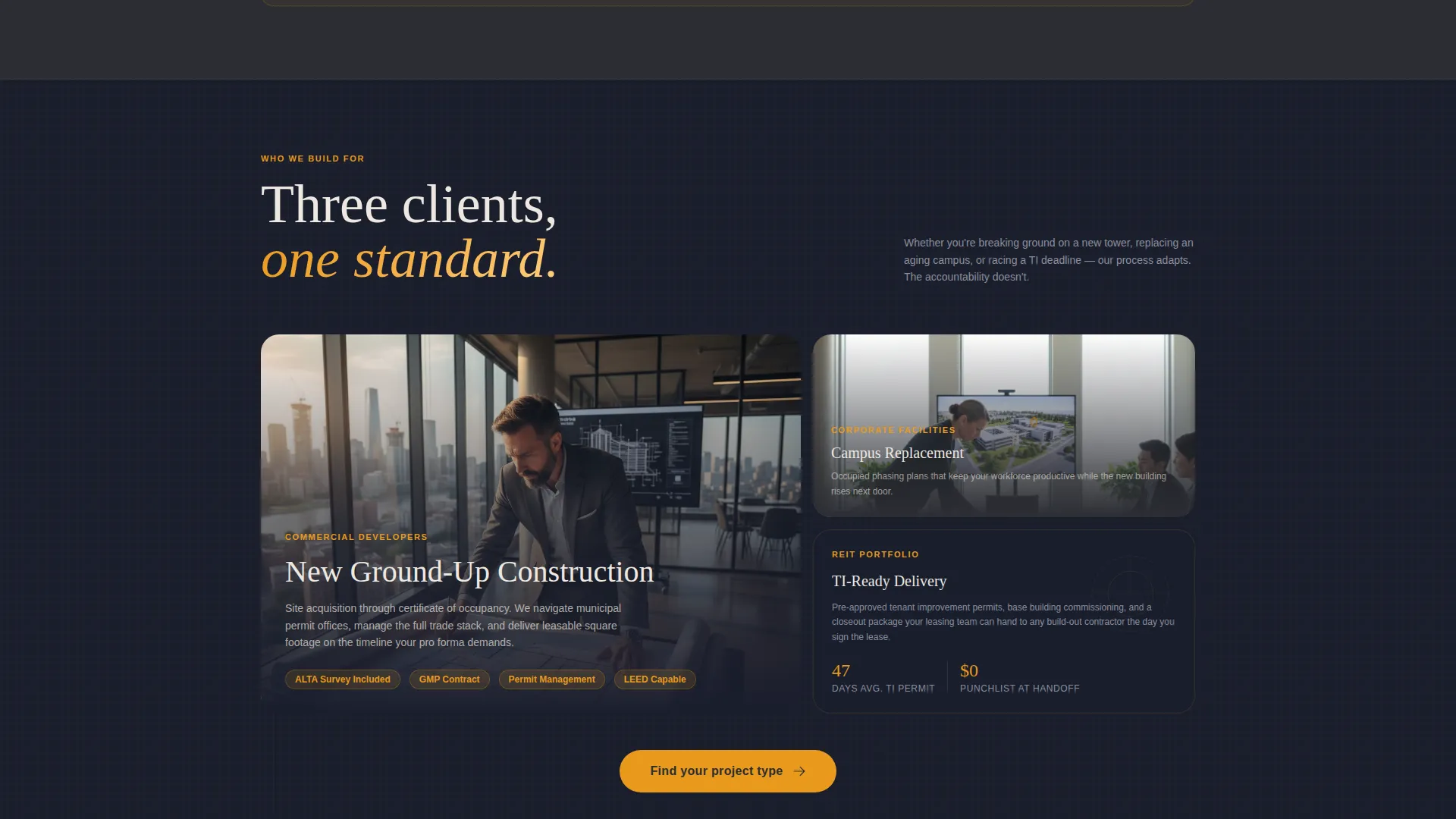
- Commercial developers navigating municipal permits and entitlement timelines
- Corporate facilities directors replacing or upgrading aging office campuses
- Real estate investment trusts (REITs) under pressure to deliver leasable square footage on deadline
What problem this template solves
Most construction firm websites present a portfolio and a contact form, then ask visitors to do all the work. That passive approach loses the developer who needs answers now. Erect flips that by leading with specificity and process, so a qualified prospect can self-identify, self-assess, and request the right conversation.
- Visitors leave generic sites without understanding what a firm actually delivers or how it works
- Decision-makers in commercial development need confidence in process, not just impressive photography
- A static contact form cannot capture the project context a firm needs to give a useful first response
What you get with this template
Erect delivers a structured, single-page layout with a defined visual system and a built-in conversion mechanism. Every section has a clear job, and the template hands off a warm, context-rich lead at the end.
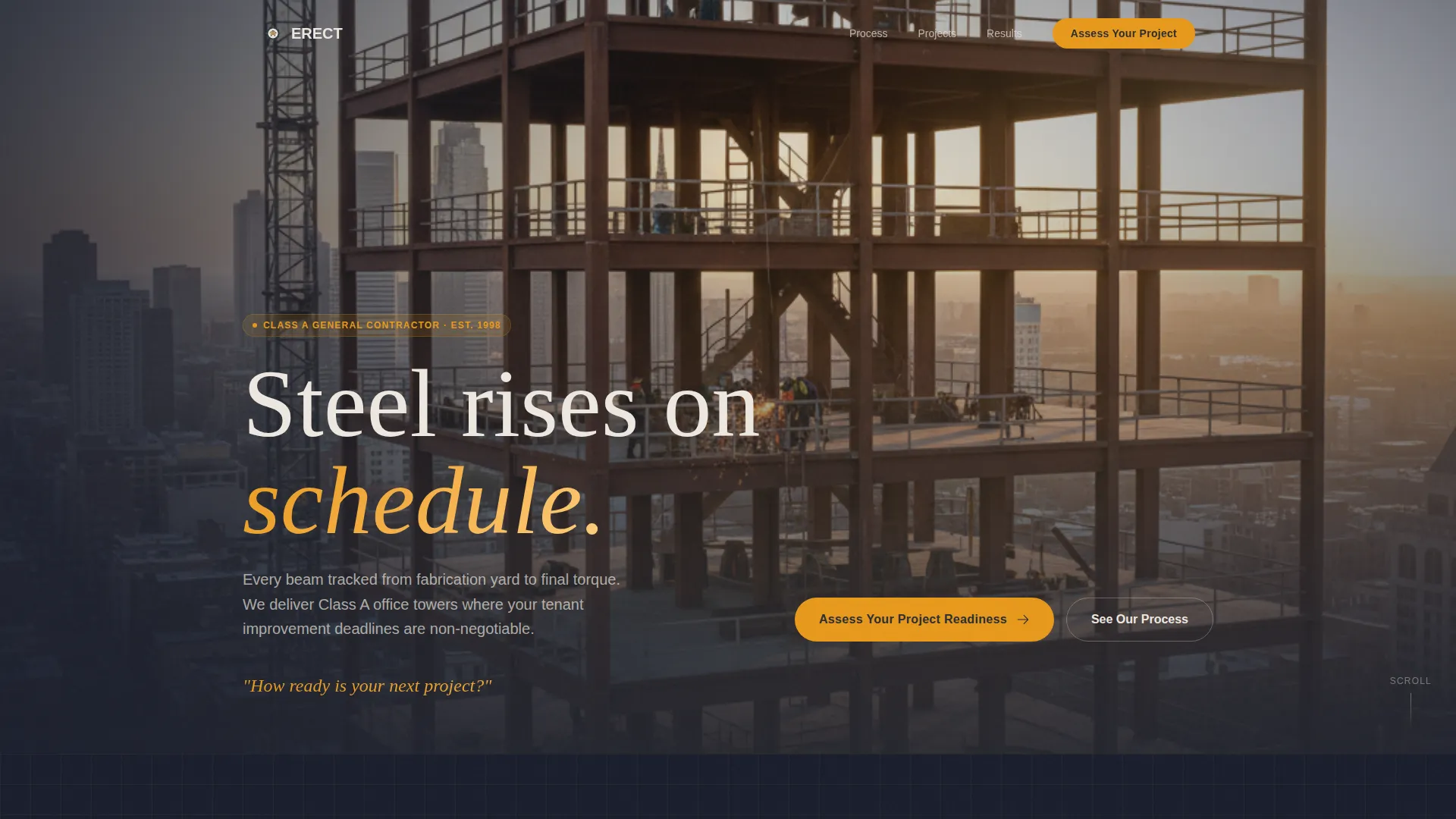
- A hero-dominant layout with a lifestyle shot consuming ninety percent of the viewport
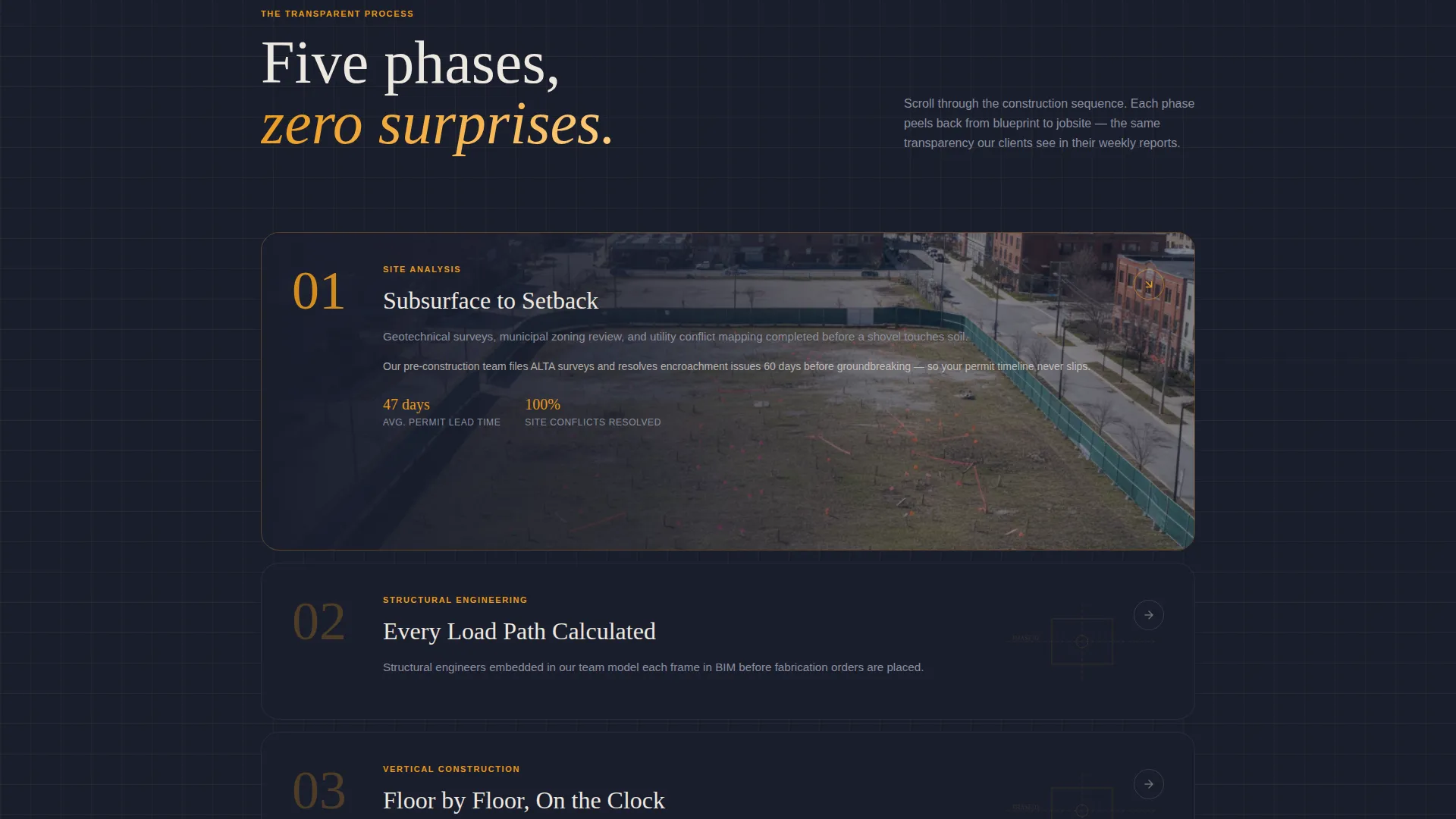
- A scroll-driven Transparent Process section that walks through five construction phases
- A five-step Project Readiness Assessment with scoring, a custom result, and a secondary contact capture form
Feature list
This template is built around four tightly integrated capabilities. Each one serves the goal of turning a curious site visitor into a qualified project conversation.
Full-Viewport Hero with Amber Fade-In
The hero section consumes ninety percent of the browser viewport. It uses a wide-angle, golden-hour photograph taken from inside an unfinished top floor, with steel columns framing a skyline and ironworkers visible in the middle distance. A single line of amber text fades in at the bottom edge, reading "How ready is your next project?" to prime the visitor for the assessment below.
Scroll-Driven Blueprint-to-Photo Transitions
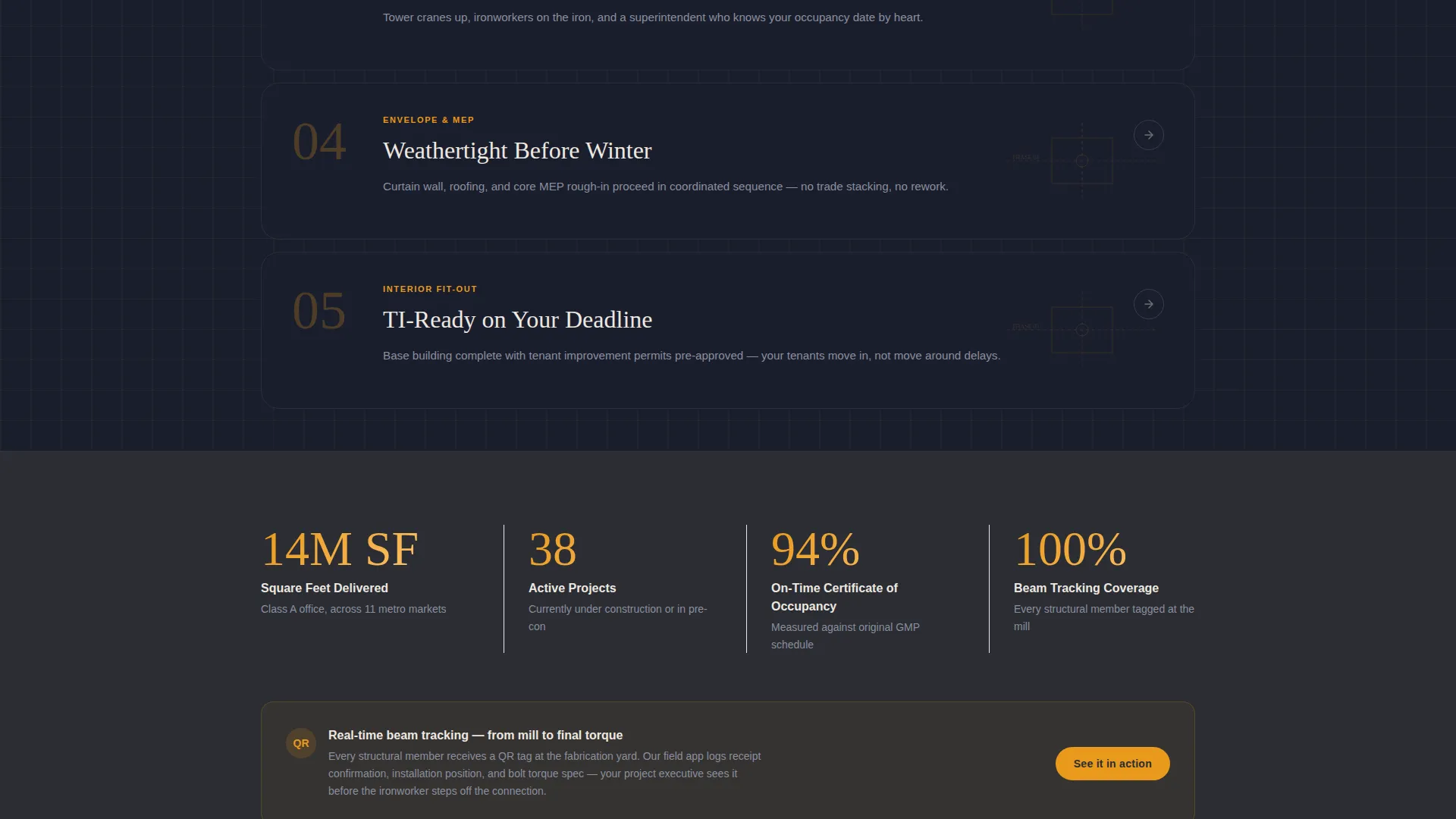
Below the hero, each construction phase, from site analysis through interior fit-out, is presented as a blueprint-style diagram. As the visitor scrolls, each diagram animates into a real jobsite photograph. A thin amber timeline bar on the left edge fills progressively, making the scroll feel like watching a building rise in real time.
Five-Step Project Readiness Assessment
The primary conversion tool is an interactive five-step quiz. Steps cover project type, square footage range, current entitlement status, target occupancy date, and biggest concern. Each step appears on a dark charcoal card with amber progress dots. On completion, the visitor receives a readiness score and a recommended next step tailored to their inputs.
Secondary Contact Capture Form
After the assessment, a secondary call to action, "Talk to a Project Executive", presents a short form collecting name, email, and preferred contact window. This ensures the firm receives qualified context alongside every lead, not just a name and number.
Amber Progress Timeline Bar
A persistent amber timeline bar runs along the left edge of the page. It fills as the visitor scrolls, visually mirroring the completion percentage of a construction project. This design detail reinforces the Transparent Process narrative and keeps the visitor oriented throughout a long scroll.
Page sections overview
| Section | Purpose |
|---|---|
| Hero viewport shot | Opens at ninety percent viewport with golden-hour photo and amber fade-in prompt |
| Phase one reveal | Animates site analysis blueprint into a real jobsite photograph on scroll |
| Phase two reveal | Transitions structural engineering diagram into construction photography |
| Phase three reveal | Reveals vertical construction progress through blueprint-to-photo animation |
| Phase four reveal | Shows building envelope phase with animated diagram and site image |
| Phase five reveal | Completes the sequence with interior fit-out blueprint and photograph |
| Assessment launcher | Presents the primary "Assess Your Project Readiness" call-to-action card |
| Quiz step cards | Five dark charcoal cards with amber progress dots capturing project details |
| Readiness results | Displays custom score and recommended next step on completion |
| Contact capture form | Secondary "Talk to a Project Executive" form for name, email, and contact window |
Design & branding system
The visual identity follows an Engineering Blueprint theme that feels like an architect's desk at midnight. Dark backgrounds, warm amber accents, and off-white text fields create a palette that communicates precision and scale without feeling cold.
- Structural charcoal (#2B2D33) covers section backgrounds and dividers; blueprint midnight (#1A1E2D) fills deep-panel areas for contrast
- Safety amber (#E8991C) appears on every interactive element, progress indicator, and timeline bar to draw the eye toward action
- Drafting-paper off-white (#EDE8E0) is used for body text fields and data callouts, keeping long-form content legible against dark backgrounds
Mobile & speed optimization
The hero-dominant layout and scroll-triggered animations are designed to translate cleanly to smaller screens. The assessment quiz and contact form are structured to work comfortably on a mobile browser without requiring a desktop environment.
- Blueprint diagram animations and the amber timeline bar adapt to vertical scroll on mobile viewports
- The five-step assessment uses full-width charcoal cards that stack naturally on narrower screens
- Contact capture fields are sized and spaced for tap-friendly interaction on touch devices
How this template helps you convert
The Erect template is built around a conversion logic that earns the lead before asking for contact details. Each design decision reinforces the next.
- The hero question, "How ready is your next project?", creates immediate relevance for a developer or facilities director who has a live project in mind, pulling them into the scroll before a single paragraph of body copy is read.
- The scroll-driven phase narrative builds credibility through visible process detail, giving a commercially sophisticated audience the confidence signal they need before committing to a conversation.
- The five-step assessment replaces a generic contact form with a tool that delivers real value to the visitor. A scored result and a specific recommended next step make the secondary form feel like a natural continuation, not a cold ask.
Other information about this template
This template is a strong fit for firms positioning themselves in the Class A commercial construction market. The design system and conversion flow are intentionally built for high-stakes, long-cycle sales where trust and process credibility matter as much as portfolio imagery.
- The template style is Hero-Dominant (90/10), meaning the hero section takes visual priority while content sections support and build on the opening impression
- The Engineering Blueprint theme is a deliberate choice for an office building construction audience that values precision, documentation, and systematic delivery
- The Charcoal and Amber colour system works well for firms that want to stand out from the white-and-grey aesthetic common in commercial real estate marketing
- The quiz-led conversion path is well suited to office construction projects where a cold enquiry without project context is rarely actionable for either party
Theme
Engineering Blueprint
Creative direction
Transparent Process
Color system
Charcoal & Amber
Style
Hero-Dominant (90/10)
Direction
Quiz/Assessment
Page Sections
Full-viewport Hero with Amber Fade-in
Scroll-driven Blueprint-to-photo Transitions
Five-step Project Readiness Assessment
Secondary Contact Capture Form
Amber Progress Timeline Bar
Related questions
Who is this landing page template designed for?
What is the five-step Project Readiness Assessment?
Can I customise the colour system and photography?
What makes this different from a standard construction firm website?
Does the assessment replace the contact form entirely?



