Office Building Construction Pricing Website Template
Erect is a hero-dominant landing page template built for office building general contractors. It opens with a full-viewport Before/After Slider, walks visitors through six numbered buildout phases, and drives every element toward a single pricing form. The Sunset Mesa color palette and Service Utility theme give the page the grounded, no-nonsense feel that property managers and tenant improvement coordinators expect.
by Rocket studio
Quick summary
Erect is a single-page template designed for commercial general contractors who specialize in office buildouts. It combines a dramatic Before/After Slider header with a scroll-driven, step-by-step process guide and one focused call to action: "Get Your Buildout Priced." The result is a page that earns trust fast and moves decision-makers straight to the estimate form.
Who this template is for
This template is built for contractors who need to speak directly to commercial real estate decision-makers. It skips the general-audience language and speaks to people who already have a floor plan and a move-in date.
- Property managers overseeing aging Class B office buildings
- Tenant improvement coordinators at commercial real estate firms
- Facilities directors at mid-size companies managing a floor-by-floor buildout
What problem this template solves
Commercial construction clients do not browse for inspiration. They arrive with a deadline and a scope, and they need to know quickly whether this contractor can deliver. A generic contractor website fails that test.
- No clear process transparency leaves clients guessing about what happens next
- Scattered calls to action slow down buyers who are ready to request a price
- Vague "contact us" forms do not capture the project details that contractors actually need to quote accurately
What you get with this template
You get a complete, single-page layout built around one conversion path. Every section earns its place by either building confidence or moving the visitor closer to the estimate form.
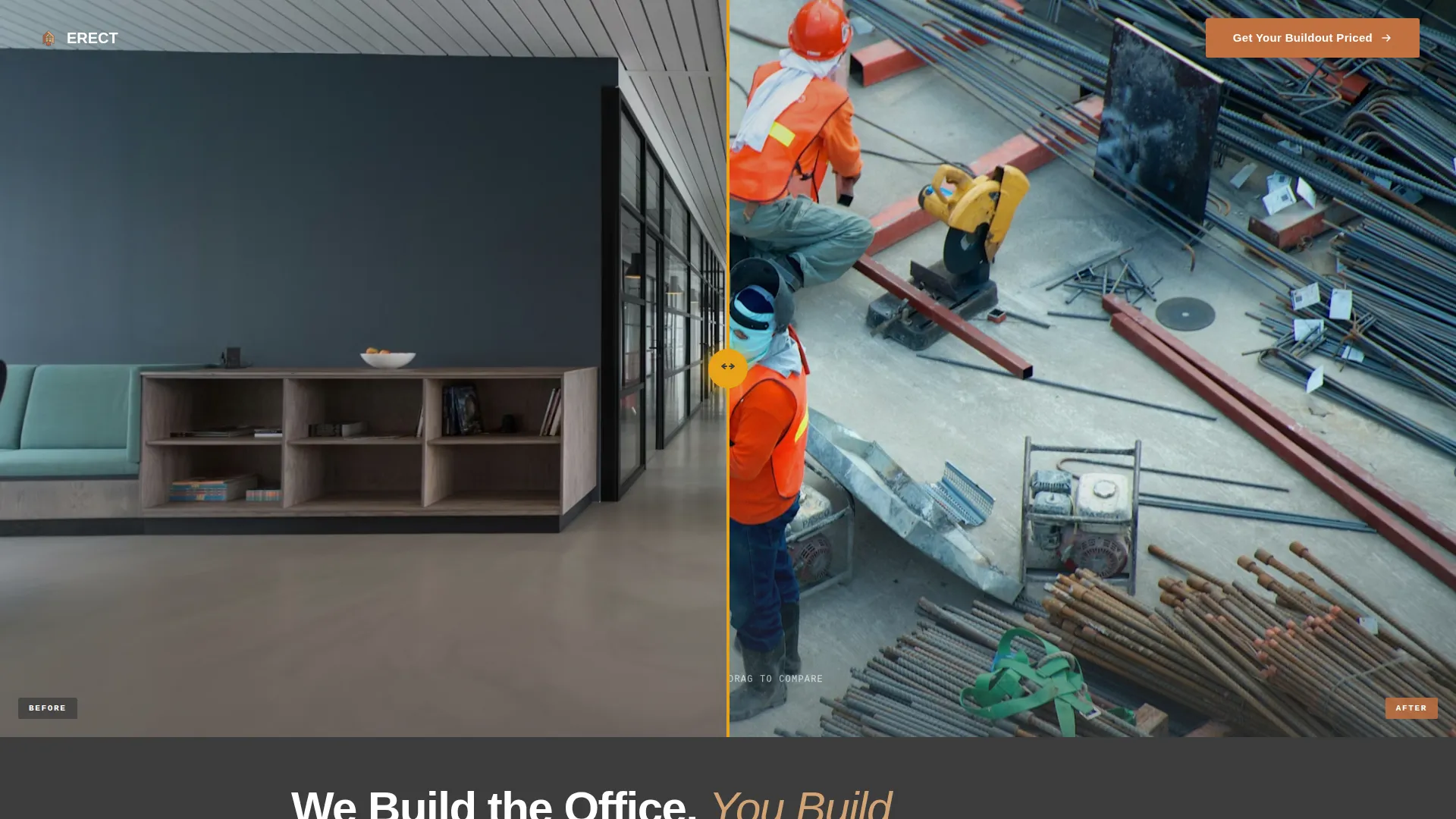
- A Before/After Slider hero filling ninety percent of the viewport with jobsite photography
- Six numbered buildout phase sections with jobsite photos, scope descriptions, and a scroll-driven progress bar
- A full-width estimate form at the bottom capturing square footage, project type, move-in date, and phone number
Feature list
This template is built around a tight set of high-impact components. Each one is selected because it does specific work for a commercial construction sales page.
Before/After Viewport Slider
The header fills ninety percent of the viewport with a draggable Before/After Slider. The left side shows a stripped-out office mid-demolition; the right side shows the finished space from the identical camera angle. A hard-hat amber handle pulses at center, inviting interaction the moment the page loads.
Scroll-Driven Phase Guide
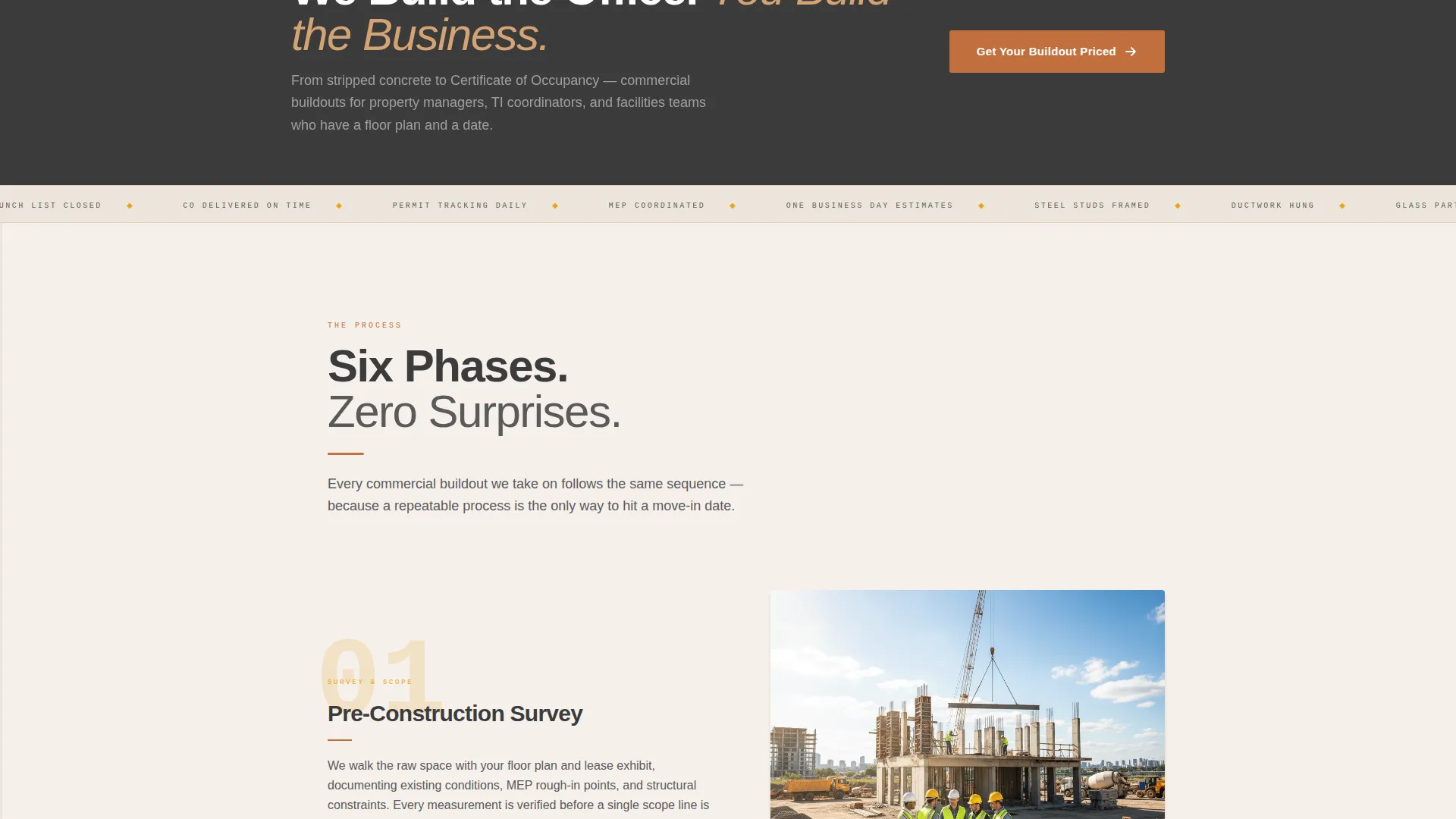
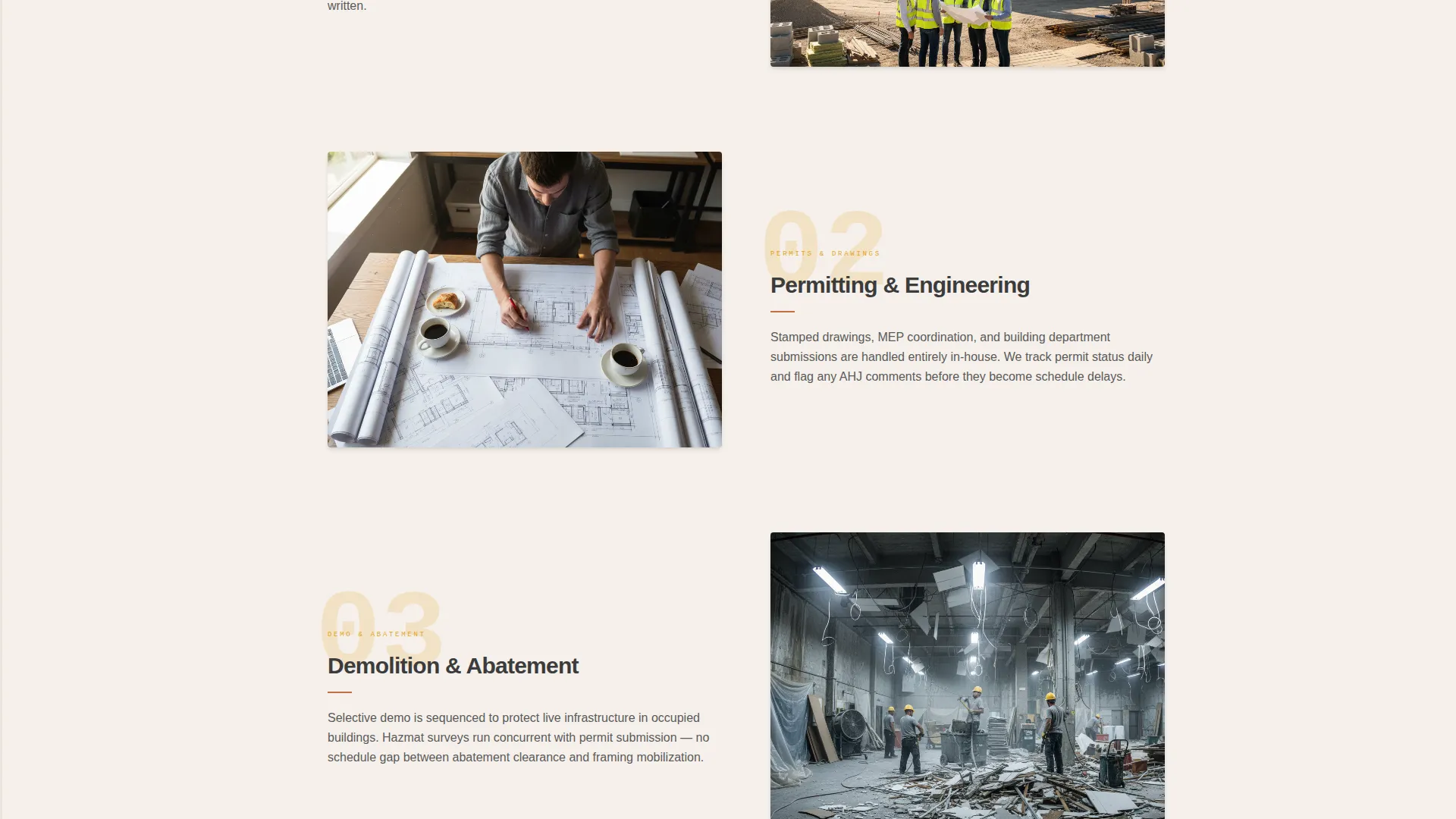
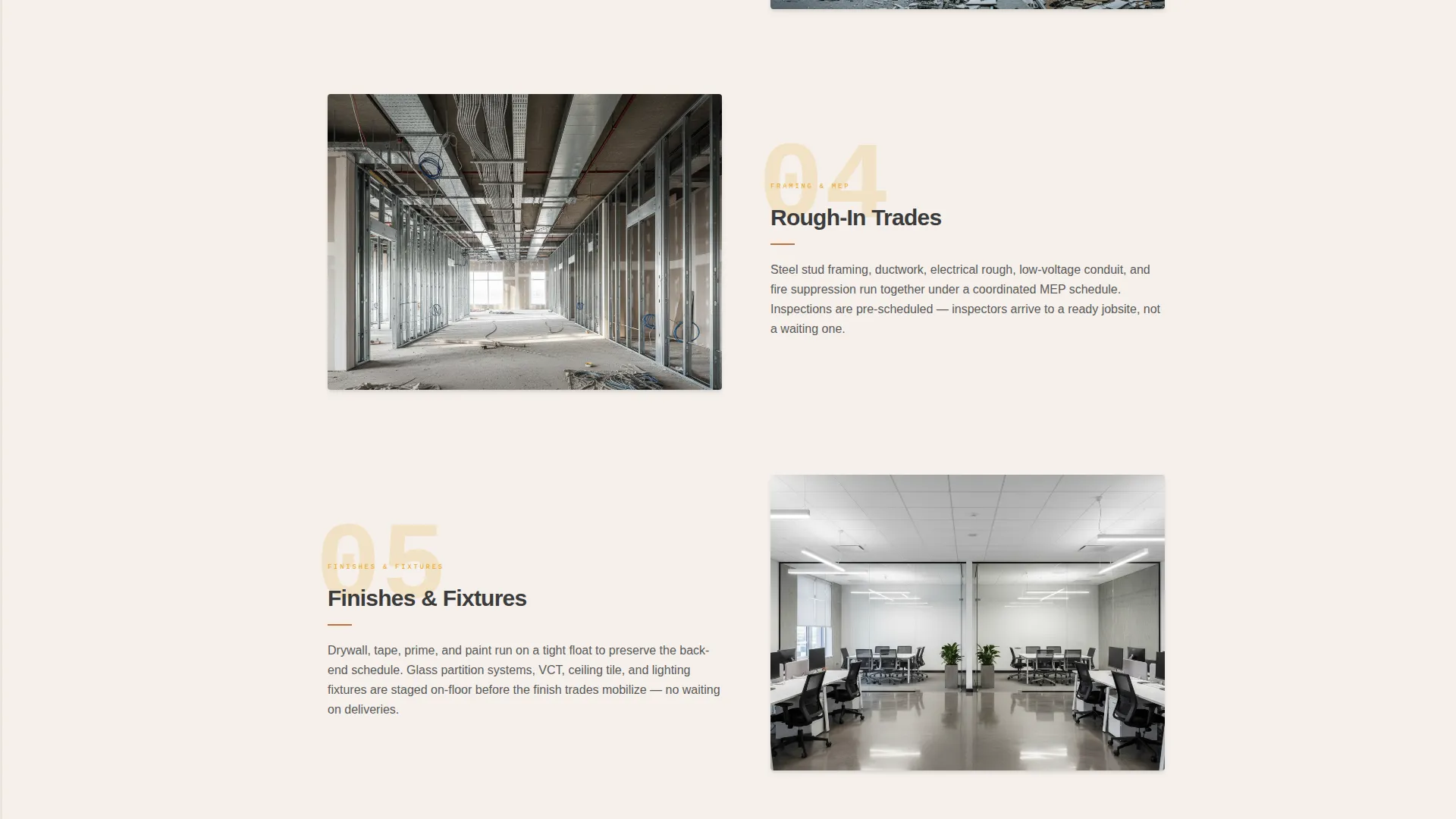
Six sequential buildout phases scroll down the page in numbered order: Pre-Construction Survey, Permitting and Engineering, Demolition and Abatement, Rough-In Trades, Finishes and Fixtures, and Final Inspection and Turnover. Each phase pairs a large amber numeral with a jobsite photo and a two-sentence scope description.
Vertical Progress Indicator
A vertical progress bar runs along the left edge of the page and fills as the visitor scrolls through the phase guide. This visual mechanic reinforces process transparency and signals that the contractor operates with a clear, repeatable workflow.
Sticky Estimate Call to Action
After the visitor scrolls past the header, a sticky bar appears carrying the primary call to action: "Get Your Buildout Priced." It stays visible throughout the scroll journey so the path to the form is never more than one click away.
Structured Estimate Form
The bottom of the page holds a full-width form built around the fields a contractor actually needs to scope a job. Dropdowns handle square footage ranges and project type. A calendar picker captures the target move-in date. A phone number field closes the loop. Below the form, a single confirmation line reads "Most estimates returned within one business day" with an amber checkmark.
Sunset Mesa Visual Theme
The entire page uses the Sunset Mesa color system: dusty terracotta for buttons and progress indicators, poured-slab charcoal for body text and section dividers, sun-baked sandstone washing behind testimonial blocks, and hard-hat amber activating hover states and step markers. The palette reads like a desert construction site at golden hour.
Page sections overview
| Section | Purpose |
|---|---|
| Before/After Hero | Establish contractor credibility with a dramatic visual transformation |
| Headline Fade-In | Deliver the core brand promise below the slider |
| Sticky call to action Bar | Keep the estimate form one click away throughout scroll |
| Phase One: Pre-Construction | Open the process guide with the survey phase |
| Phase Two: Permitting | Show that engineering and permits are handled |
| Phase Three: Demolition | Cover abatement and demo scope clearly |
| Phase Four: Rough-In | Address mechanical, electrical, and framing work |
| Phase Five: Finishes | Walk through fixtures, tile, partitions, and ceilings |
| Phase Six: Turnover | Close with final inspection and move-in handoff |
| Estimate Request Form | Capture project details and convert the visitor |
Design & branding system
The Sunset Mesa palette gives this template a distinctive identity that sets it apart from typical blue-and-gray contractor sites. Every color has a specific role in the layout.
- Dusty terracotta (#C2703E) anchors primary buttons and progress fill indicators
- Hard-hat amber (#E8A317) fires on hover states, active step markers, and the draggable slider handle
- Poured-slab charcoal (#3B3B3B) carries all body text and structural section dividers
- Sun-baked sandstone (#D4A373) washes behind testimonial blocks for warmth and contrast
- Drywall white (#F5F0EB) opens backgrounds across the page for legibility and breathing room
Mobile & speed optimization
The template layout is structured to remain clear and functional on smaller screens. The single-column scroll flow works naturally on mobile devices without restructuring.
- The Before/After Slider scales to fit narrower viewports while keeping the drag interaction intact
- The phase guide stacks vertically on mobile, with the progress bar adapting to the single-column layout
- The estimate form fields are sized and spaced for easy tap interaction on touchscreens
How this template helps you convert
Every design decision in this template points toward one outcome: a completed estimate request form. There are no secondary paths, no navigation rabbit holes, and no competing calls to action.
- The Before/After Slider creates an immediate visual proof point before a single word is read, lowering skepticism in the first three seconds
- The scroll-driven phase guide answers "what happens next" at every stage, replacing hesitation with confidence as the visitor moves down the page
- The sticky call to action bar and the full-width bottom form work together to make requesting a price feel easy and low-commitment at any scroll depth
Other information about this template
This template is part of a Service Utility theme collection designed for trade and construction businesses that need a direct, no-distraction sales presence online. A few additional details worth noting:
- The template style is Hero-Dominant, with roughly ninety percent of the above-the-fold space dedicated to the Before/After Slider and the remaining ten percent reserved for supporting context
- The creative direction follows a Step-by-Step Guide structure, which is well-suited for office building construction services where process transparency builds client trust
- The landing page direction is Direct Sales, meaning the layout is engineered around a single conversion goal with no secondary navigation or competing offers
- This template is listed under the Construction and Home category, specifically within the Office Building Construction subcategory, targeting the office building general contractor niche
Theme
Service Utility
Creative direction
Step-by-Step Guide
Color system
Sunset Mesa
Style
Hero-Dominant (90/10)
Direction
Direct Sales
Page Sections
Before/after Viewport Slider Hero
Scroll-driven Six-phase Process Guide
Vertical Scroll Progress Bar
Sticky Estimate Call to Action Bar
Structured Project Estimate Form
Sunset Mesa Color System
Related questions
Can I replace the placeholder photos with my own jobsite images?
Is the estimate form connected to a backend system?
What types of office construction projects does this template support?
Can I adjust the number of buildout phases shown?
Who is this landing page designed for?



