Boutique Mortgage Landing Page for Mid-Rise Condos
Escrow is a boutique mortgage landing page built for mid-rise residential specialists. It uses a zigzag case study layout, a Photo Grid Mosaic header, and a Sunset Mesa color palette to guide condo buyers, real estate attorneys, and developers toward one clear action: locking a rate. The slide-in form and building eligibility tool reduce friction before the first conversation starts.
by Rocket studio
Quick summary
Escrow is a single-page mortgage template designed for specialists in mid-rise residential financing. It opens with a nine-tile photo mosaic, moves through three escalating case studies in a zigzag layout, and closes every scroll with a clear rate-lock call to action. The Sunset Mesa palette and case-study narrative make complex lending feel approachable and trustworthy.
Who this template is for
This template is built for boutique mortgage professionals who work in the narrow space where conventional lenders hesitate. It speaks directly to the deals that require real expertise: non-warrantable condominiums, mixed-use investor units, and developer pre-approval pipelines.
- Mortgage brokers and loan officers focused on eight-to-twenty-story condo financing
- Real estate attorneys packaging investor units in mixed-use residential buildings
- Developers who need pre-approval pipelines to reach construction funding milestones
What problem this template solves
Most mortgage landing pages treat every loan the same. That approach fails mid-rise specialists, whose clients arrive with complicated questions about warrantability, building classification, and investor concentration. Prospects leave before asking because the page never answers the question already keeping them up at night.
- Visitors have no quick way to know if their building or deal even qualifies
- Generic forms create friction before any trust has been established
- There is no narrative that proves the lender has handled this exact complexity before
What you get with this template
You get a fully structured single-page layout that leads with proof, reduces friction early, and guides three distinct buyer types toward one conversion point. Every section is pre-built and editable.
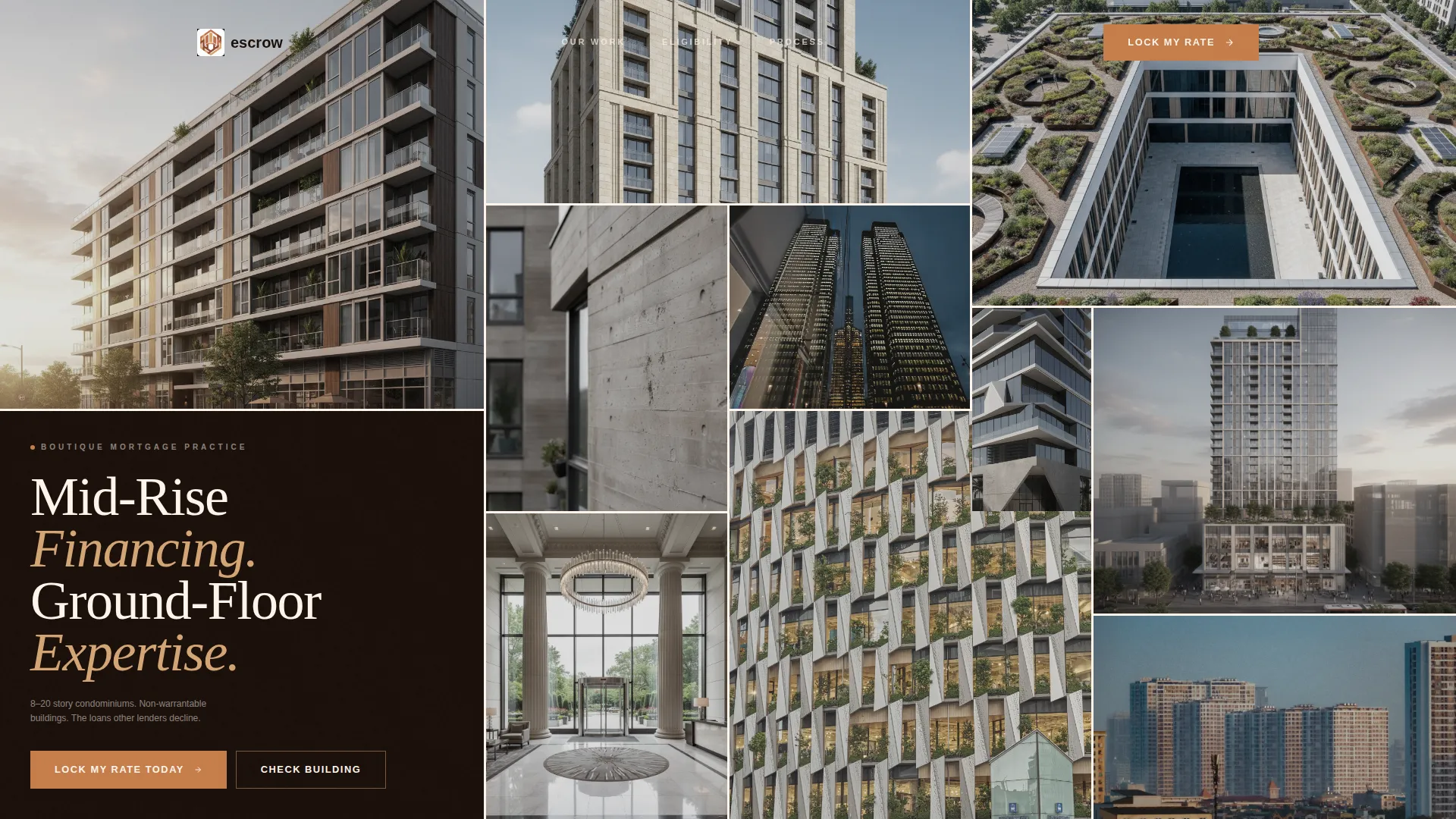
- A nine-tile Photo Grid Mosaic header with a headline tile in warm cream type
- Three zigzag case study blocks with alternating image-left and image-right layouts
- A slide-in qualification form with a three-question sequential flow
- A "Check Building Eligibility" secondary path for address-based pre-screening
- A persistent bottom bar with the "Lock My Rate Today" call to action after the second case study
Feature list
This template packages several purpose-built components into one cohesive landing page. Each feature below comes directly from the template design described in the source brief.
Photo Grid Mosaic Header
Nine asymmetric image tiles fill the viewport with mid-rise façade photography. One tile breaks the grid to display the headline "Mid-Rise Financing. Ground-Floor Expertise." in warm cream type. The desaturated, cohesive treatment makes the header feel editorial rather than promotional.
Zigzag Case Study Layout
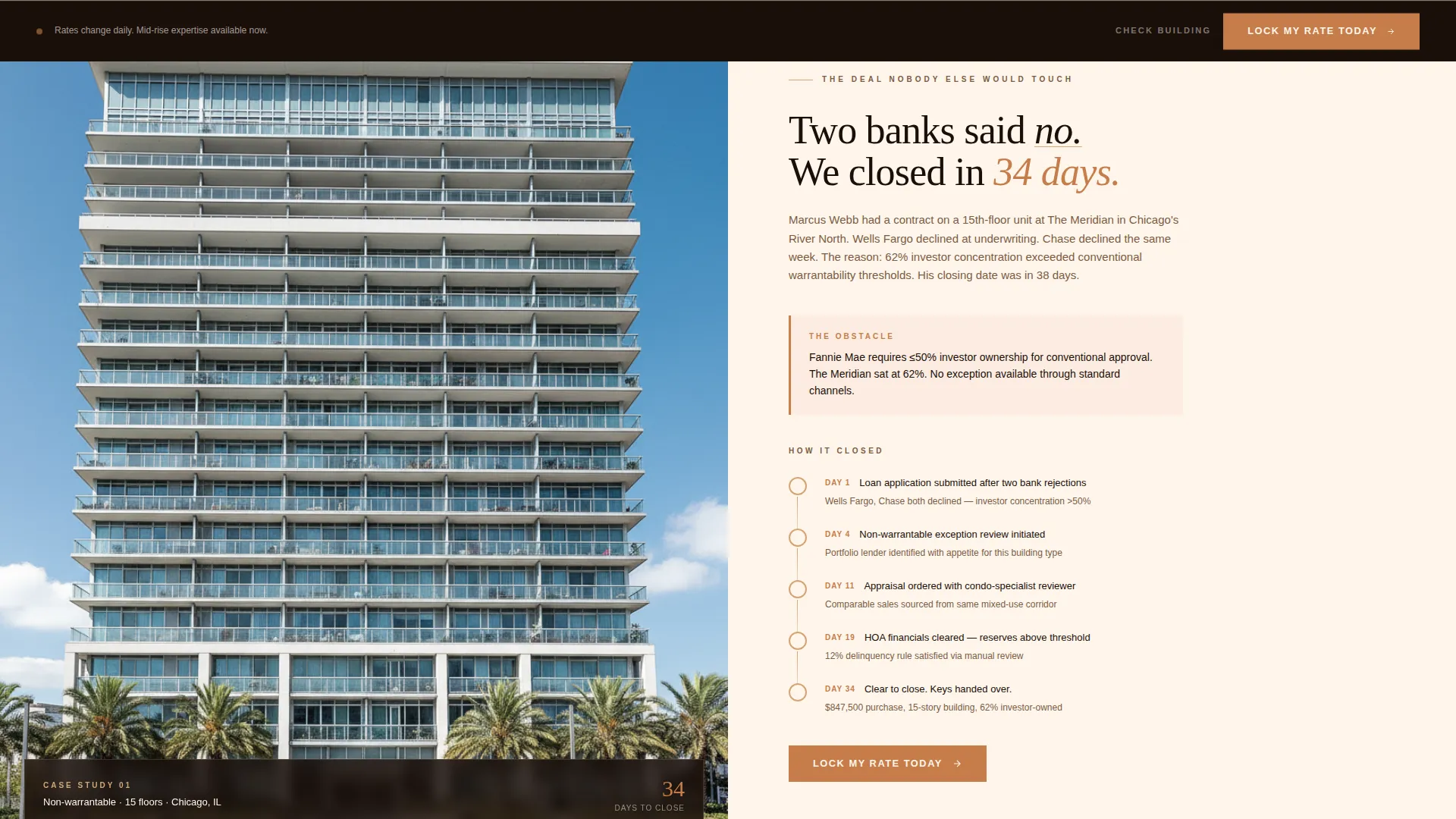
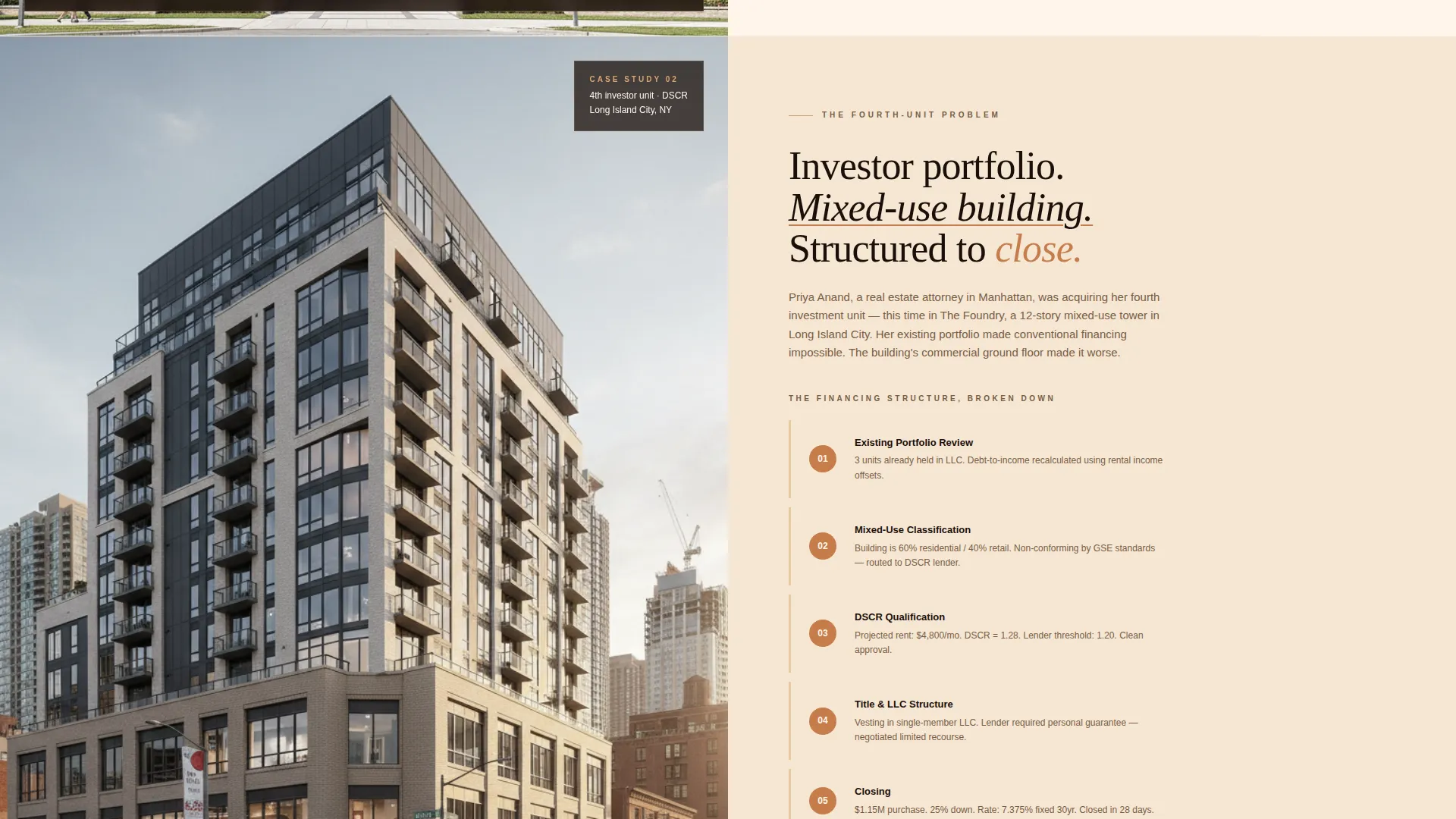
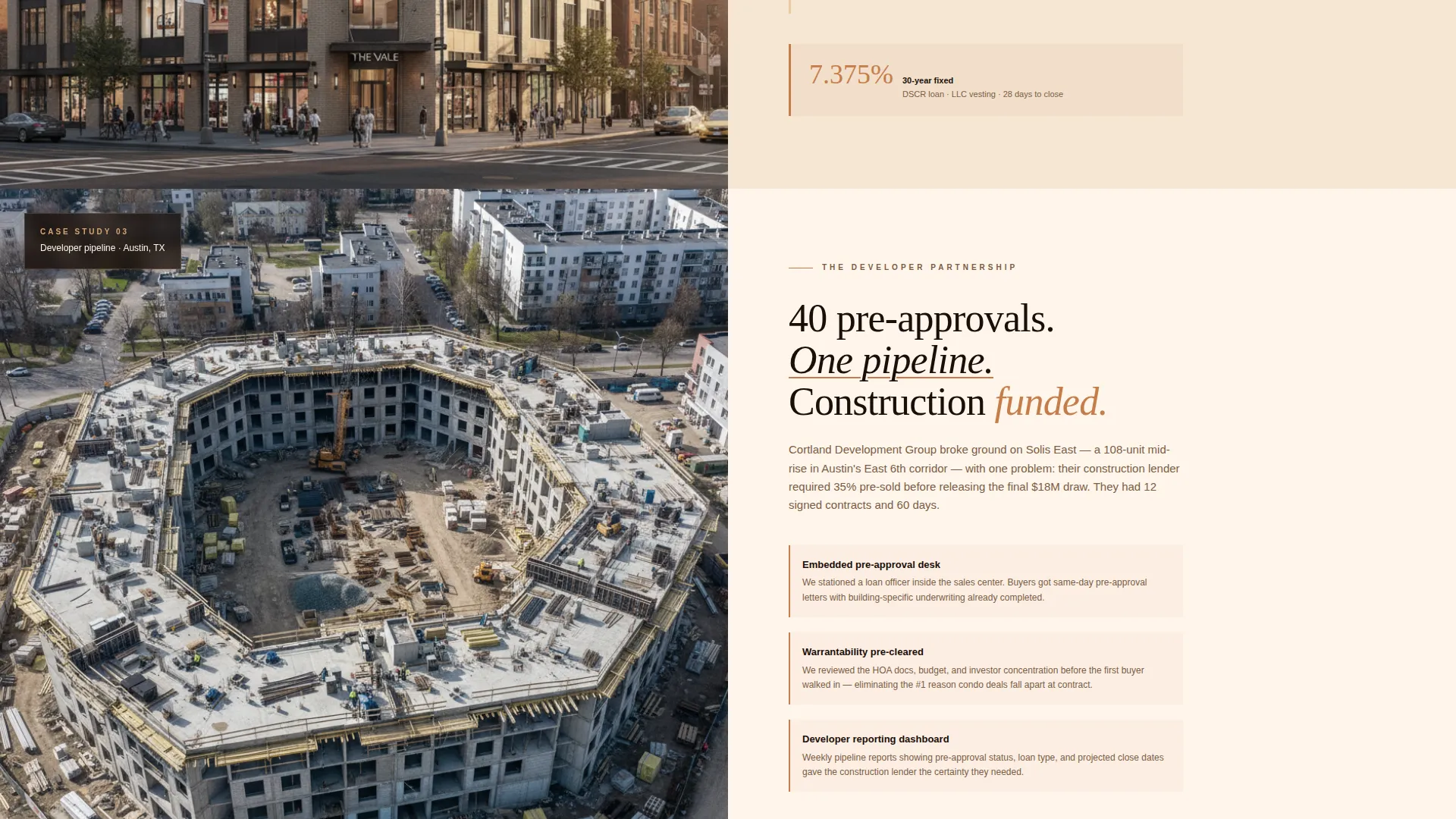
Three real-deal case studies alternate between image-left and text-right, then reverse. Each block escalates in complexity, moving from a non-warrantable condo rejection to a developer pre-approval pipeline. The terracotta accent deepens as the stakes rise, creating a visual sense of increasing expertise.
Sequential Slide-In Form
The primary call-to-action opens a slide-in panel that asks three questions in order: property type, purchase price range via a draggable slider, and building story count. The stepped flow reduces overwhelm and matches how a real intake conversation actually works.
Building Eligibility Tool
A secondary conversion path lets visitors paste a building address to check whether their mid-rise qualifies before committing to a full conversation. This feature directly addresses the hesitation most condo buyers and investors carry into any mortgage inquiry.
Persistent Rate-Lock Bar
After the second case study, a fixed bottom bar keeps the "Lock My Rate Today" call to action visible at all times. Visitors who are ready do not need to scroll back up to act.
Sunset Mesa Color Progression
The palette moves from soft dusk cream through warm sandstone to deep terracotta shadow as the page scrolls down. Copper accents appear on buttons, rate figures, and interactive highlights. The progression is intentional: it warms as the reader's trust builds.
Page sections overview
| Section | Purpose |
|---|---|
| Photo Grid Mosaic | Opens with mid-rise imagery and headline |
| Case Study One | Non-warrantable condo closed in 34 days |
| Rate-Lock call to action | First conversion prompt after case one |
| Case Study Two | Investor unit in mixed-use tower |
| Persistent Bottom Bar | Keeps rate-lock action always visible |
| Case Study Three | Developer pre-approval pipeline story |
| Copper Testimonial Block | Final social proof with full copper background |
| Eligibility Check Path | Address-based building pre-screening tool |
Design & branding system
The Sunset Mesa color system draws every tone from earth and light. The palette reads expensive without relying on cold corporate colors, making it a natural fit for boutique mortgage positioning.
- Colors: warm sandstone (#D4A574), deep terracotta shadow (#8B4513), soft dusk cream (#FFF5EB), and muted copper accent (#C67D4A) for interactive elements
- Typography uses cream type on dark image tiles and warm dark tones on light section backgrounds for natural contrast
- Visual weight escalates intentionally: thin underlines in early sections become bold rate callouts, then full copper backgrounds on the final testimonial block
Mobile & speed optimization
The template is structured for clean rendering on smaller screens without sacrificing the immersive visual identity. The mosaic grid and zigzag layouts are designed to reflow gracefully at mobile widths.
- The nine-tile mosaic adapts to a stacked or reduced-tile format on narrow viewports
- The slide-in form panel and persistent bottom bar are sized for thumb-friendly interaction
- Case study sections stack vertically on mobile while retaining the alternating visual rhythm
How this template helps you convert
This template is engineered around one insight: mid-rise mortgage clients need to feel understood before they fill out any form. Every layout decision supports that journey.
- The case study narrative proves expertise before asking for anything, so visitors arrive at the form already convinced the lender knows their deal type.
- The "Check Building Eligibility" tool removes the biggest objection early, letting visitors self-qualify before committing to a conversation.
- The persistent rate-lock bar ensures that once a visitor is ready, the action is always one tap away without requiring a scroll back to the top.
Other information about this template
This template is categorized under Real Estate and Property, specifically within the mid-rise residential real estate subcategory. It is a strong fit for any mortgage professional whose practice is defined by building complexity rather than loan volume.
- The Luxe Minimal theme and Sunset Mesa palette can be adapted to match an existing practice brand by swapping hex values in the design system
- The three case study slots can be updated with real closing stories to replace the placeholder narrative structure
- The template style is a single-page, section-led layout best suited to direct sales and lead generation goals
- This template works alongside broader real estate marketing materials and does not require any specific platform integration to function as a standalone landing page
Theme
Corporate Precision
Creative direction
Immersive Visual
Color system
Charcoal & Amber
Style
Asymmetric Grid (60/40)
Direction
Lead Generation
Page Sections
Photo Grid Mosaic Header
Zigzag Case Study Blocks
Sequential Slide-in Form
Building Eligibility Pre-screen
Persistent Rate-lock Bottom Bar
Sunset Mesa Color Progression
Related questions
Who is this landing page template designed for?
Can I replace the case studies with my own closing stories?
What does the building eligibility tool do?
How does the slide-in form work?
Is this template suitable for a developer or investor audience as well as individual buyers?



