Extract — Swift Junk Disposal Landing Page Template
Haul is a stats-first junk removal landing page built for Sydney-based services that need to earn trust fast. It leads with striking data callouts, alternates proof with story in a zigzag layout, and drives bookings through a prominent quote form and a sticky instant-estimate bar. The design feels like a broadsheet meets a worksite, authoritative, direct, and impossible to ignore.
by Rocket studio
Quick summary
Haul is an authoritative junk removal landing page template designed for Sydney operators. It opens with a giant editorial headline and a drone-shot hero image, then builds credibility through large-scale statistics before asking for any booking details. The layout is clean, direct, and structured to turn first-time visitors into confirmed leads.
Who this template is for
This template is built for junk removal businesses that serve the greater Sydney metro area and need a single high-converting page rather than a full multi-page site. It suits operators who handle residential, commercial, and specialist jobs with tight turnaround windows.
- Property managers clearing tenancies on 48-hour deadlines
- Renovators and builders managing demolition debris
- Families handling deceased estate clearances
What problem this template solves
Most junk removal pages look like classified ads. They list a phone number and a price range, but give visitors no reason to trust that a truck will actually arrive on time. Haul fixes that by leading with proof before it asks for anything.
- Visitors see operational scale before they reach the booking form
- Stats replace vague promises and build credibility on the first scroll
- A clear lead capture flow removes friction from the conversion moment
What you get with this template
You get a fully structured single-page layout that moves a visitor from cold arrival to confident booking. Every section has a defined job, and the visual system keeps the experience consistent from top to bottom.
- A giant headline hero section with a drone-photography image slot
- Alternating zigzag content blocks pairing data callouts with operational proof
- A primary quote request form and a secondary sticky estimate bar
Feature list
This template is built around a small number of decisions made with purpose. Each one solves a specific problem for a junk removal business trying to book jobs from a landing page.
Giant Editorial Hero
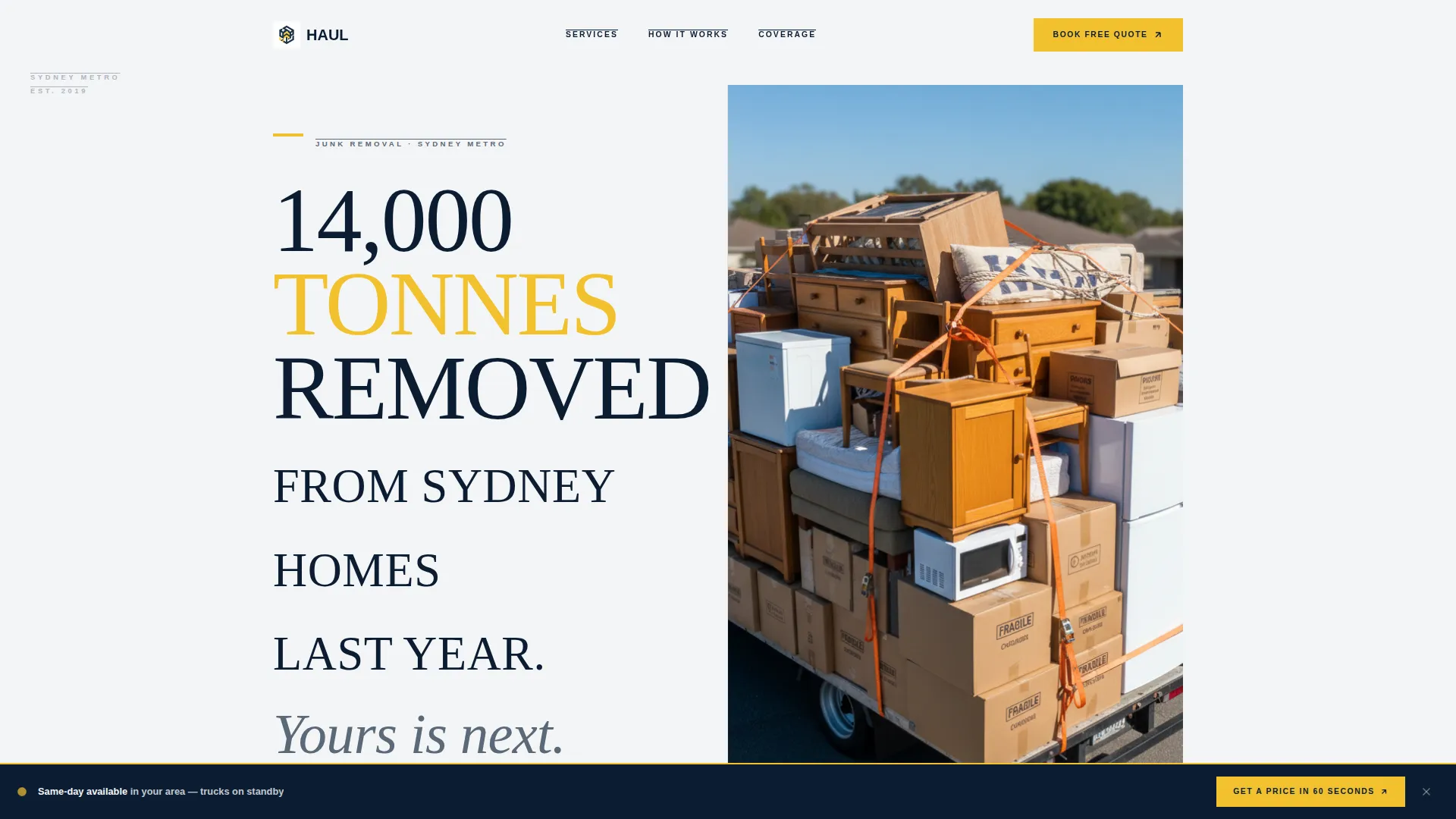
The header opens with a flush-left serif headline set at architectural scale against a white background. The right side holds a single overhead truck-tray photograph. There are no gradients or illustrations, just type and a real image that signals operational credibility immediately.
Stats-First Zigzag Blocks
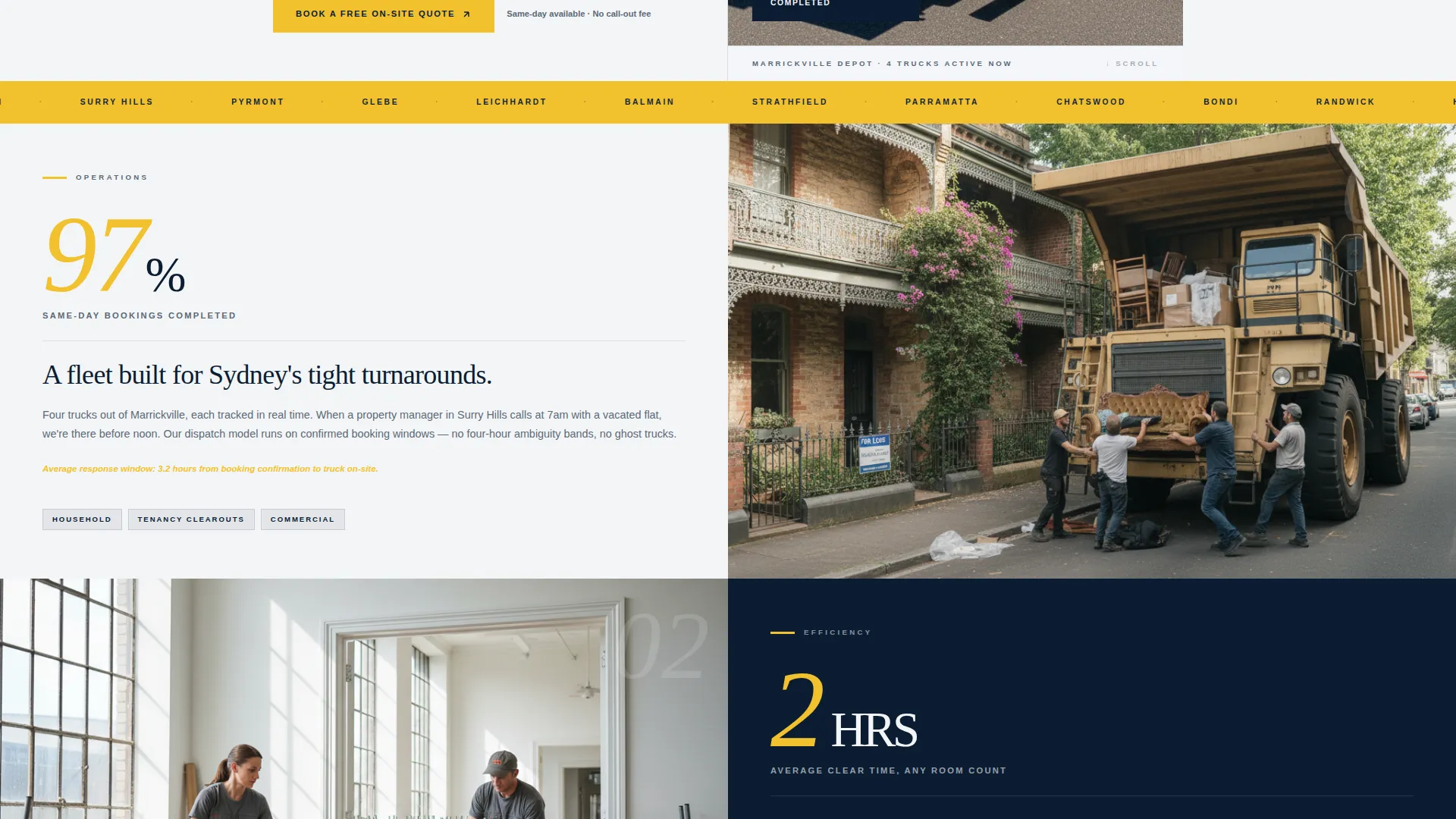
Each alternating section leads with a large-scale data point before the supporting narrative appears. Numbers like same-day booking rates and average clear times hit first, then the proof follows. This sequence builds an evidence-based argument as the visitor scrolls.
Primary Lead Capture Form
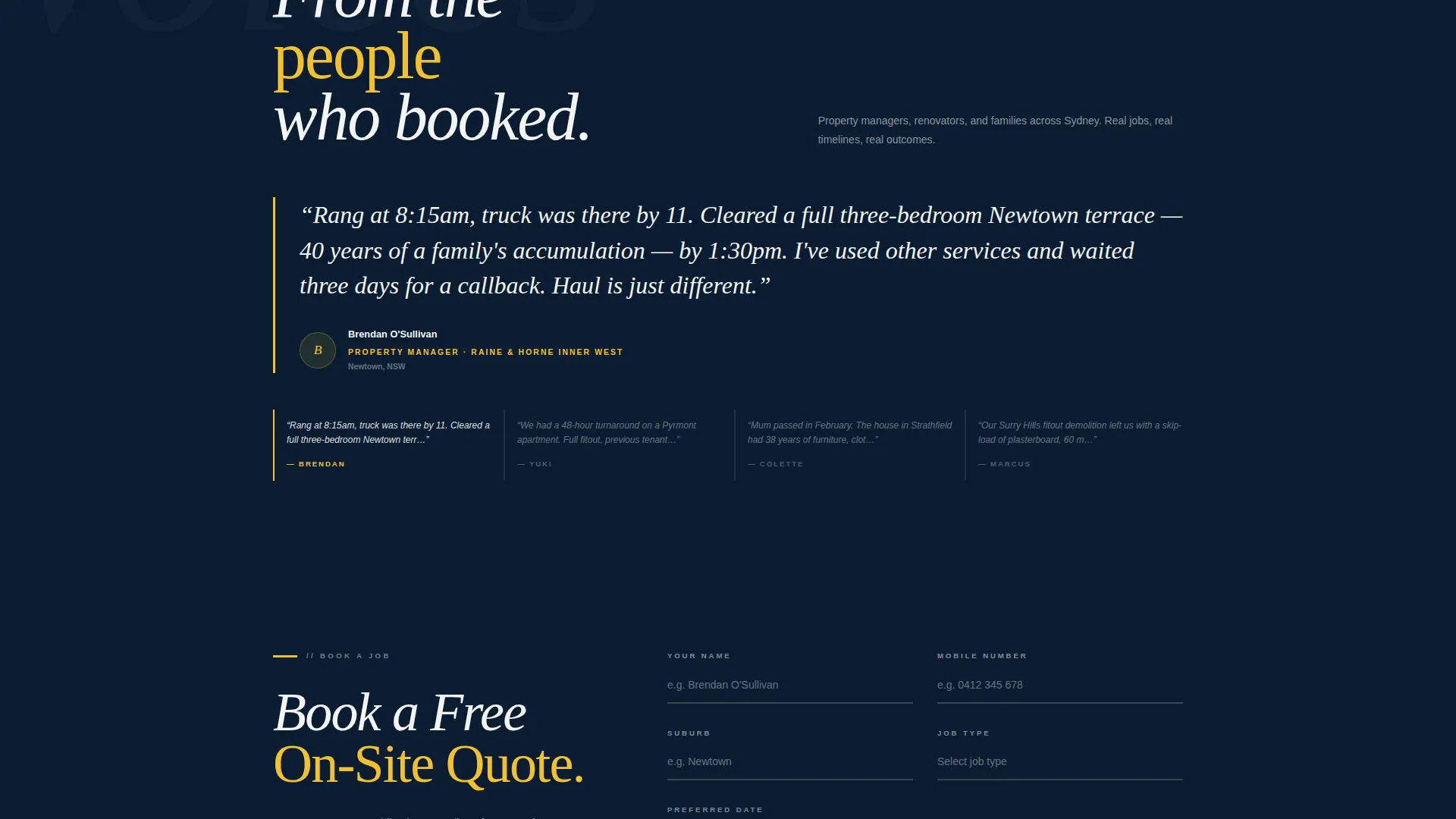
The booking form collects suburb via an autocomplete dropdown filtered to Sydney metro, job type from four clear categories, and a preferred date. It is positioned after enough proof has appeared to make the ask feel earned rather than premature.
Sticky Instant Estimate Bar
After the third section, a sticky bar appears at the top of the viewport with a secondary call to action linking to a simplified price calculator. It keeps the conversion option visible without interrupting the reading flow of the main sections.
Navy Authority Color System
The palette uses deep command navy, pressed white, steel slate, and hi-vis signal yellow in precise roles. Yellow is reserved for calls to action and data callouts only, which means it always draws the eye to the most important element on the screen.
Editorial Typography Scale
The type system uses a large serif for headlines and data callouts, giving the page the visual weight of a broadsheet front page. Body copy sits in steel slate for readability, while navy handles section backgrounds and structural weight.
Page sections overview
| Section | Purpose |
|---|---|
| Hero headline block | Establish scale and intent with a data-led headline and drone hero image |
| Stats callout one | Lead with same-day booking rate before the operations story |
| Operations story panel | Explain the process and speed behind the stat |
| Stats callout two | Lead with average clear time before the before-and-after visual |
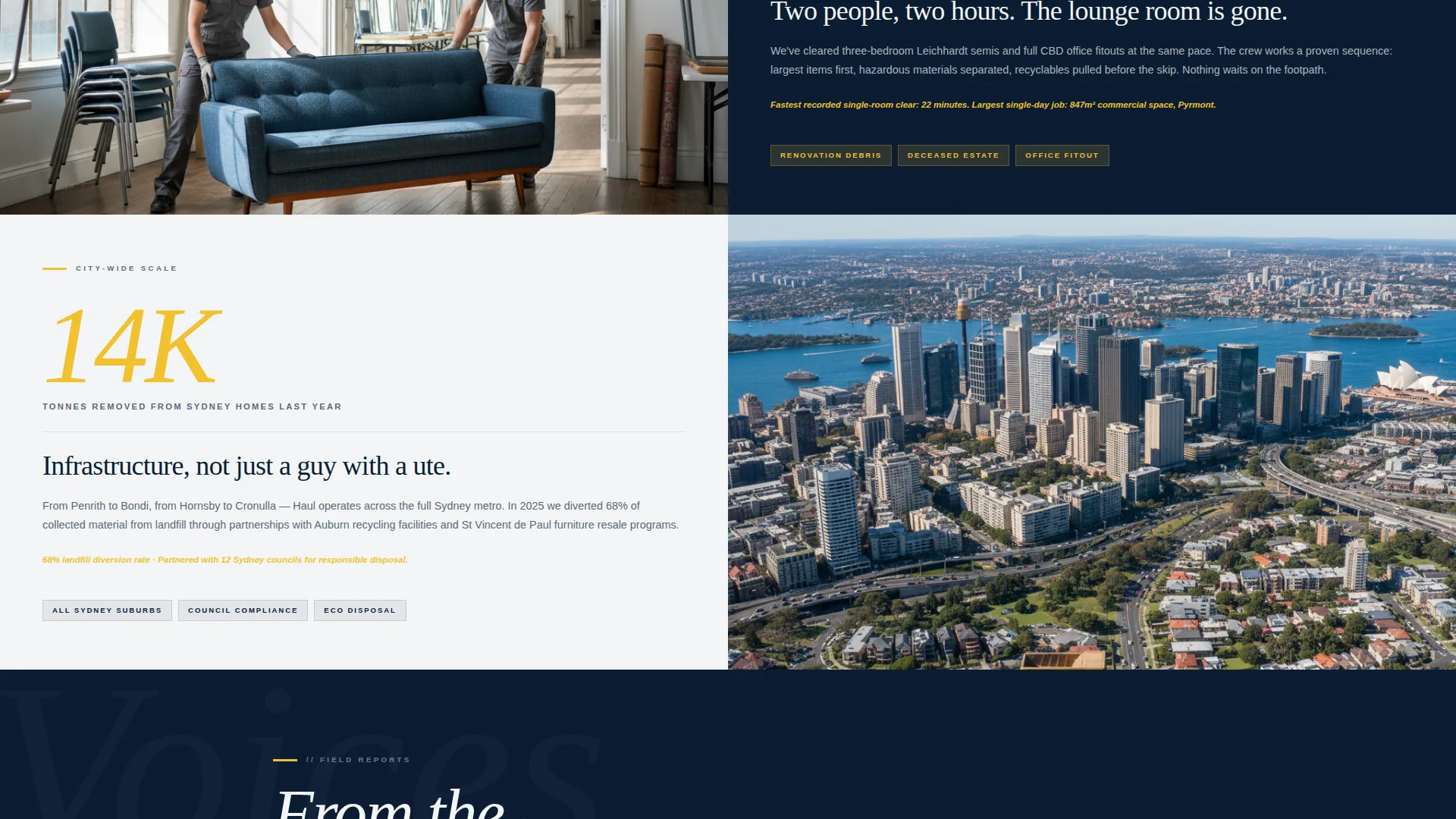
| Before and after panel | Show a lounge room transformation sequence paired with the time stat |
| Services job types | Outline household, commercial, renovation, and deceased estate options |
| Suburb coverage section | Signal Sydney metro reach with location-level specificity |
| City-scale volume block | Escalate from personal stats to city-wide tonnage removed |
| Primary quote form | Capture suburb, job type, and preferred date from ready-to-book visitors |
| Sticky estimate bar | Persist a fast-path price calculator link after the third section |
Design & branding system
The visual identity follows an Editorial Magazine theme. The palette and type choices are borrowed from broadsheet newspaper design and worksite safety standards, merged into a single no-nonsense system.
- Deep command navy (#0B1D33) for section backgrounds and typographic weight
- Pressed white (#F4F5F7) for negative space and breathing room between sections
- Steel slate (#5A6978) for body copy and secondary descriptive elements
- Hi-vis signal yellow (#F2C12E) reserved strictly for calls to action and data callouts
Mobile & speed optimization
The layout is designed to remain readable and functional at smaller viewport sizes. The zigzag structure collapses cleanly into a stacked single-column flow on mobile without losing the stats-first sequence that drives the conversion logic.
- Large headline type scales down without losing its editorial authority
- The sticky estimate bar remains accessible throughout the mobile scroll
- The booking form fields stack vertically for comfortable thumb interaction
How this template helps you convert
The conversion strategy is built into the page architecture itself. By the time a visitor reaches the form, they have already been given multiple reasons to believe the service is real, fast, and locally experienced.
- Stats-first sections establish operational proof before any ask is made, so the booking form feels like a logical next step rather than a cold request.
- The sticky estimate bar gives impatient visitors a low-friction path to a price without forcing them to scroll back up or leave the page.
- The form's suburb autocomplete and job-type selector reduce decision fatigue, making it faster and easier to complete a booking request.
Other information about this template
This template is designed for the Sydney junk removal market and draws on suburb-level specificity to feel locally relevant. References to areas like Marrickville and the CBD are built into the page narrative as content placeholders, giving operators a natural starting point for customising their own coverage claims.
- The template style follows a zigzag alternating block structure, which keeps the page visually dynamic without requiring custom illustrations
- Job type categories included in the form are household, commercial, renovation, and deceased estate
- The page is designed as a lead generation tool, with form completion and estimate calculator clicks as its two primary conversion actions
- The drone-photography hero slot is sized and positioned for a real overhead truck-load image rather than a stock lifestyle shot
- The creative direction escalates in scale across sections: from personal job stats to suburb-level activity to city-wide volume removed
Theme
Educational Guide
Creative direction
FAQ-Driven
Color system
Slate & Sky
Style
Comparison Table
Direction
Booking/Scheduling
Page Sections
Giant Editorial Hero Section
Stats-first Zigzag Layout
Primary Lead Capture Form
Sticky Instant Estimate Bar
Navy Authority Color System
Related questions
What types of junk removal jobs does this template cover?
Can I update the suburb list in the booking form?
Does the sticky estimate bar link to an external calculator?
Is this template suitable for a solo operator as well as a larger fleet?
What kind of image works best in the hero section?



