Precision Plastic Extrusion Landing Page Template
Extrude is a dashboard-style landing page template built for plastic extrusion companies that compete on precision. It uses a dark Carbon Fiber color system, live-spec header visuals, and a side-by-side comparison architecture to present material range, tolerance data, and tooling turnaround in a format that earns trust from procurement engineers and product designers before asking for contact details.
by Rocket studio
Quick summary
Extrude is a single-page, data-grid landing page template designed for precision plastic extrusion companies. It walks technical buyers through a structured comparison of materials, tolerances, and tooling speed. The layout feels like a control room interface, using a dark Carbon Fiber palette with amber highlights to guide attention and build a rising argument for the company's capabilities.
Who this template is for
This template is built for plastic extrusion businesses that serve demanding industrial clients. It speaks the language of engineers and specification writers, not general consumers.
- Procurement engineers at automotive original equipment manufacturers sourcing door-seal and weatherseal profile runs
- Product designers at medical device companies specifying biocompatible tubing and custom channels
- Facilities managers at cold-storage construction firms who need thermal-break profiles rated for extreme low temperatures
What problem this template solves
Generic service pages fail technical buyers. An engineer benchmarking a precision extrusion supplier needs data, not marketing copy. This template solves that gap by structuring every section as a verifiable comparison rather than a claim.
- It removes vague capability statements and replaces them with side-by-side data grids
- It presents tolerance, material range, and tooling turnaround as measurable advantages before a form is ever shown
- It builds credibility incrementally so the visitor is already convinced by the time the call to action appears
What you get with this template
You get a fully structured, single-page layout built around a comparison-driven scroll experience. Every module is a data grid that advances the same argument: this company runs tighter, faster, and broader than the industry standard.
- A cinematic behind-the-scenes header with overlaid monospaced live-spec type, a three-module comparison data grid covering materials, tolerances, and tooling timelines, plus a sticky bottom-bar call to action
- A three-field quote request form with a drawing upload zone, a material-selection checklist, and a volume-range dropdown
- A secondary email-capture path for engineers still in the benchmarking phase
Feature list
This section describes the core built-in components of the Extrude landing page template.
Behind-the-Scenes Header Video Zone
The header simulates a slow lateral tracking shot filmed at die height inside an extrusion line. Monospaced type overlays display live-spec data, including material grade, line speed, and tolerance band, so the opening screen reads like an operator's human-machine interface rather than a homepage hero.
Material Range Comparison Grid
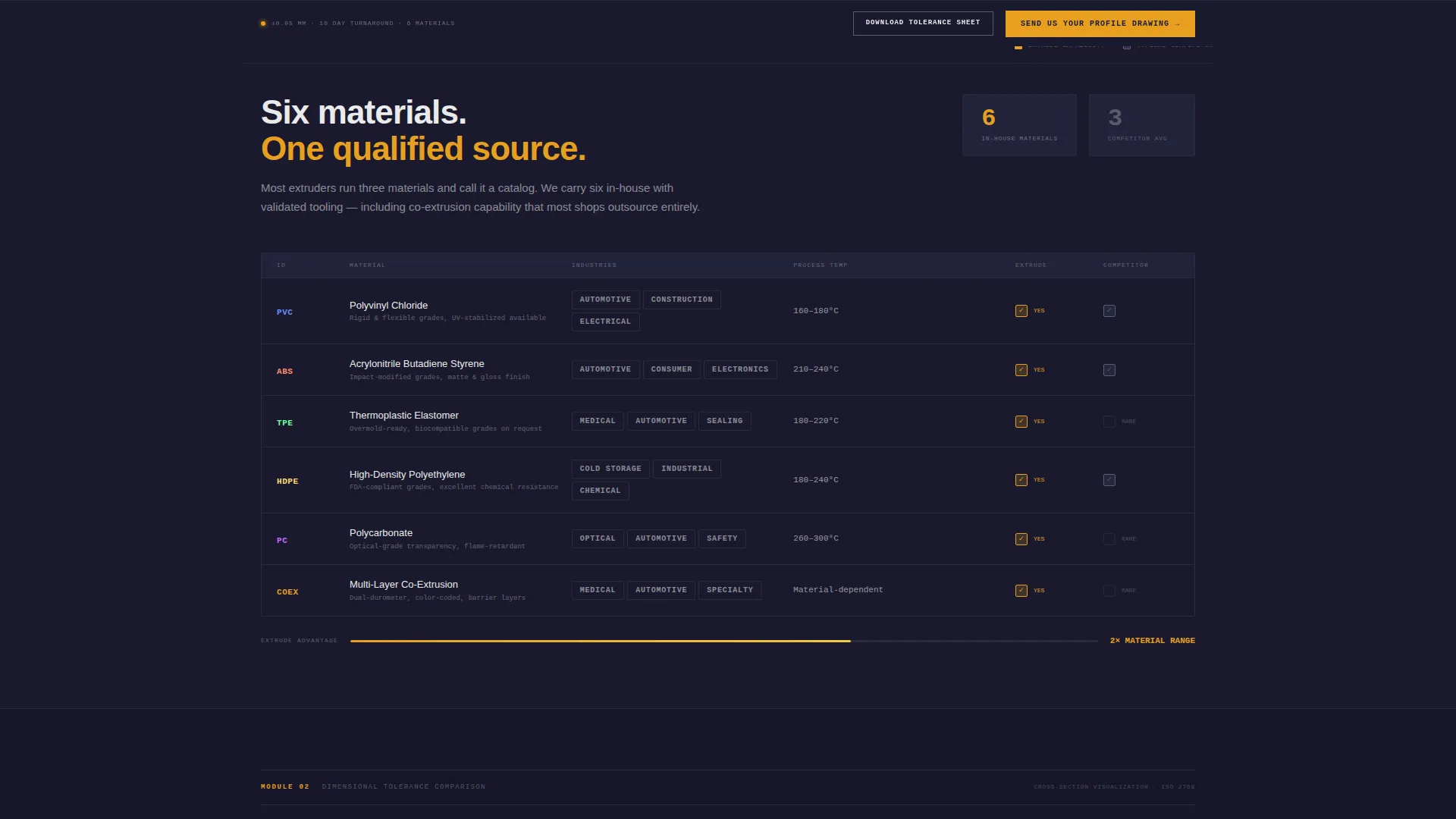
Section one is a structured data grid that presents the company's full material catalog, covering PVC, ABS, TPE, HDPE, polycarbonate, and co-extrusions, side by side against a competitor's typical three-material range. The grid format makes the breadth of capability immediately readable.
Tolerance Comparison Module
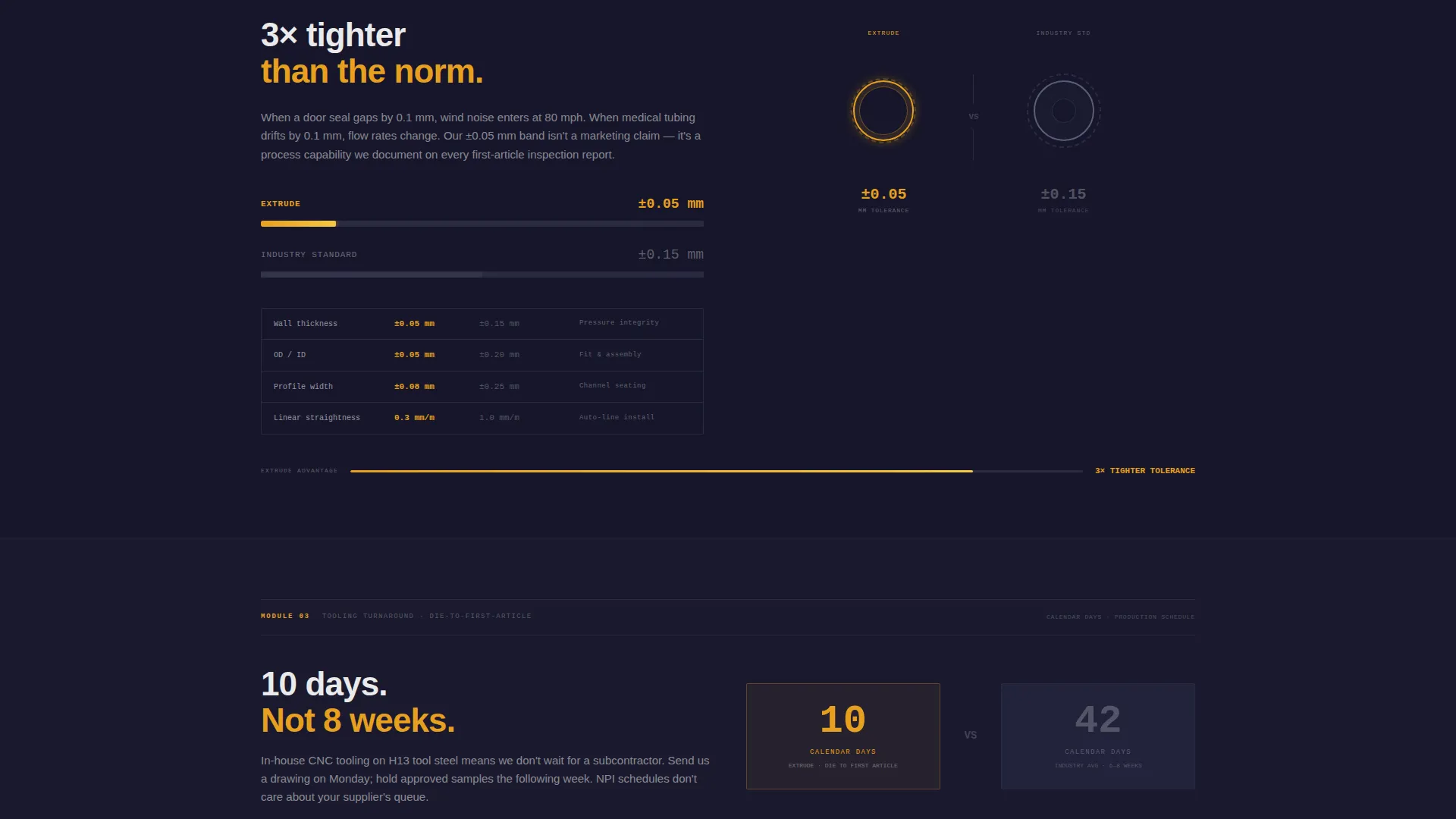
Section two visualizes a tolerance advantage of plus or minus 0.05 mm against an industry-standard tolerance of plus or minus 0.15 mm. Overlapping cross-section diagrams make the difference concrete and technically credible for specification engineers.
Tooling Turnaround Timeline Bar
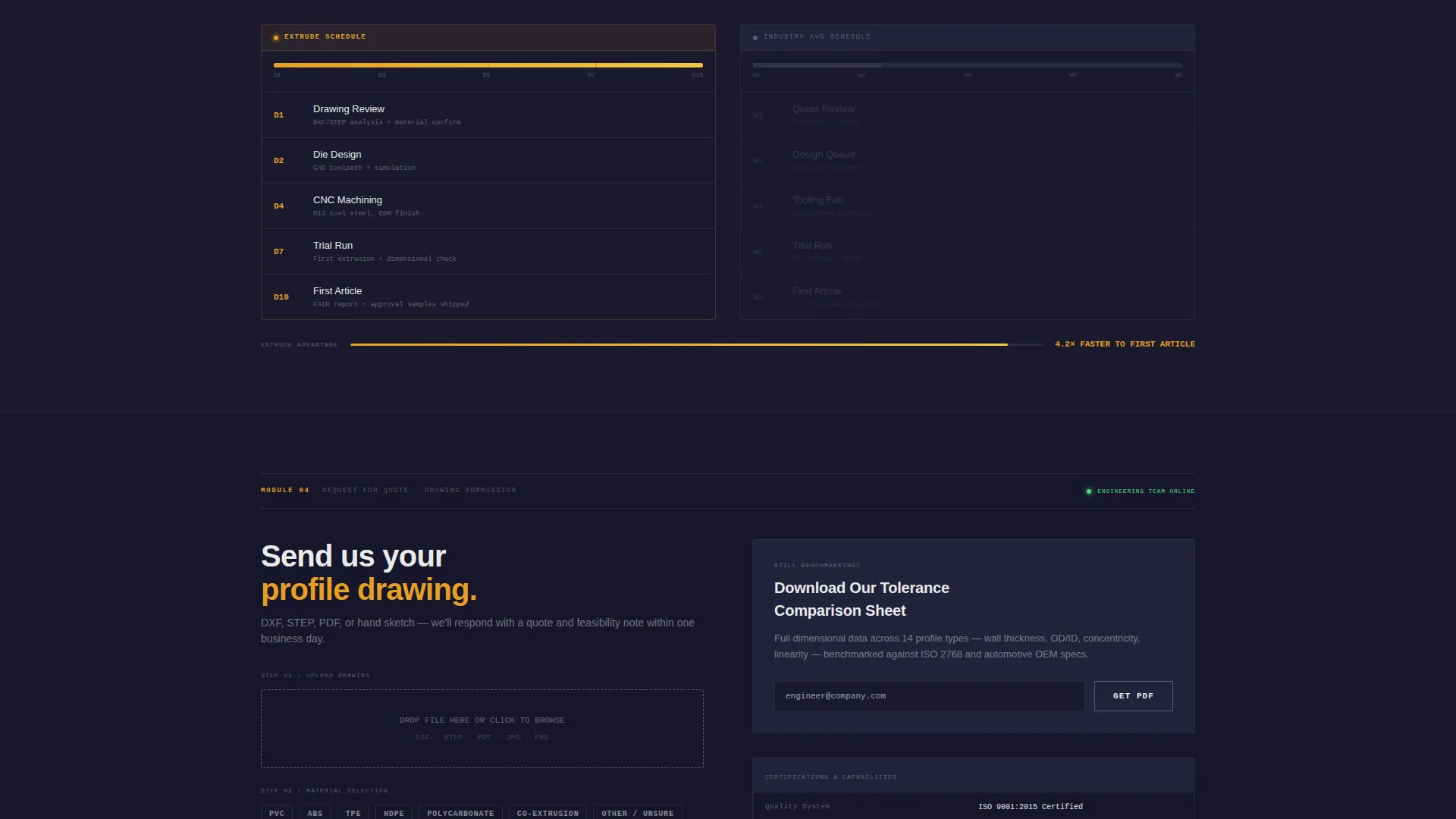
Section three renders the company's die-design-to-first-article window of 10 days against the industry norm of 6 to 8 weeks. A timeline data bar visualizes the gap. Amber intensity increases as the advantage widens, reinforcing the scroll's rising argument.
Sticky call to action Bottom Bar
A sticky bottom bar activates after the visitor scrolls past the first comparison module. It carries the primary call to action, "Send Us Your Profile Drawing," in amber on black, and remains visible for the rest of the page without interrupting the data narrative.
Three-Field Quote Request Form
The inline quote form sequences three fields: a drawing upload zone that accepts DXF, STEP, and PDF file formats, a material-selection checklist, and a volume-range dropdown offering prototype, 1K, 10K, and 100K-plus foot options. A secondary path captures email from engineers downloading the tolerance comparison sheet.
Page sections overview
| Section | Purpose |
|---|---|
| Header video zone | Sets precision factory atmosphere and displays live profile specs |
| Material range grid | Compares full material catalog against competitor standard |
| Tolerance comparison module | Visualizes plus-or-minus 0.05 mm advantage over industry norm |
| Tooling turnaround timeline | Shows 10-day die-to-first-article versus. 6-to-8-week industry average |
| Sticky call to action bar | Anchors primary drawing-submission action throughout scroll |
| Quote request form | Collects drawing file, material choice, and volume range |
| Email capture path | Secondary lead path for engineers still benchmarking |
Design & branding system
The visual identity follows a Service Utility theme built on a Carbon Fiber color system. Every color decision has a functional role, so the page reads like a monitoring interface rather than a brochure.
- Deep machine black (#1A1A2E) and tooling-steel charcoal (#34344A) form the base surfaces, with extruder-barrel gunmetal (#5C5C7A) for secondary panels; 1-pixel grid lines in #2A2A40 reinforce the dashboard structure
- Molten-polymer amber (#E8A020) is reserved exclusively for interactive highlights, data callouts, and call-to-action states, functioning like sharp indicator lights inside a control cabinet
- White (#EAEAEA) is used sparingly for data labels and body text on dark grounds; monospaced typography throughout the header and comparison modules sustains the operator-interface aesthetic
Mobile & speed optimization
The dashboard grid layout is structured to reflow cleanly on smaller screens. Comparison modules that appear side by side on desktop collapse into vertically stacked cards on mobile without losing their data clarity.
- Grid lines and amber highlight states are preserved across breakpoints so the visual logic remains intact on any screen size
- The sticky bottom bar is sized and positioned for thumb reach on mobile, keeping the primary call to action accessible throughout the scroll experience
How this template helps you convert
The page is designed so that each comparison module does selling work before any form is shown. By the time a visitor reaches the quote request section, the data has already made the case.
- The comparison architecture leads with proof: material range, tolerance data, and tooling speed are all shown as measurable facts, which builds credibility with technical buyers who distrust unsubstantiated claims.
- The sticky call-to-action bar and the secondary email-capture path serve two distinct buyer stages, catching both ready-to-quote engineers and those still evaluating options, so neither visitor type leaves the page empty-handed.
Other information about this template
Extrude is categorized under Manufacturing and Industrial, within the Plastics and Injection Molding subcategory, and is specifically designed for the plastic extrusion company niche. It carries an intersection match score of 13, indicating a strong alignment between the template style, landing-page direction, and niche intent.
- The template style is Dashboard and Data Grid, the landing-page direction is Comparison and Versus, the creative direction is Spatial and Architectural, and the header concept is Behind the Scenes
- The Spatial and Architectural creative direction drives scroll depth by contracting whitespace as evidence accumulates, so the page physically tightens around the visitor like a precision-fit profile
- This template is well suited to custom profile extrusion businesses, gasket and weatherseal manufacturers, medical tubing suppliers, and any industrial extruder that competes on specification accuracy rather than price alone

Theme
Service Utility
Creative direction
Spatial & Architectural
Color system
Carbon Fiber
Style
Dashboard/Data Grid
Direction
Comparison/Versus
Page Sections
Behind-the-scenes Header Video Zone
Material Range Comparison Grid
Tolerance Comparison Module
Tooling Turnaround Timeline Bar
Sticky Call to Action Bottom Bar
Three-field Quote Request Form
Related questions
Who is the ideal user for this template?
Can the comparison modules be updated with my own specs?
What file types does the drawing upload zone support?
Does the page work for companies that extrude only one or two materials?
Is this a single-page layout or a multi-page website?



