Golf Instructor Service Area Landing Page Template
Fairway is a sidebar companion landing page built for private golf instructors who serve a defined metro area. It leads with proof, a stat-forward header, fixed booking sidebar, and location-specific service sections, all styled in a Corporate Precision palette that signals credibility before a single word is read. Book lessons, clinics, or corporate group sessions directly from the page.
by Rocket studio
Quick summary
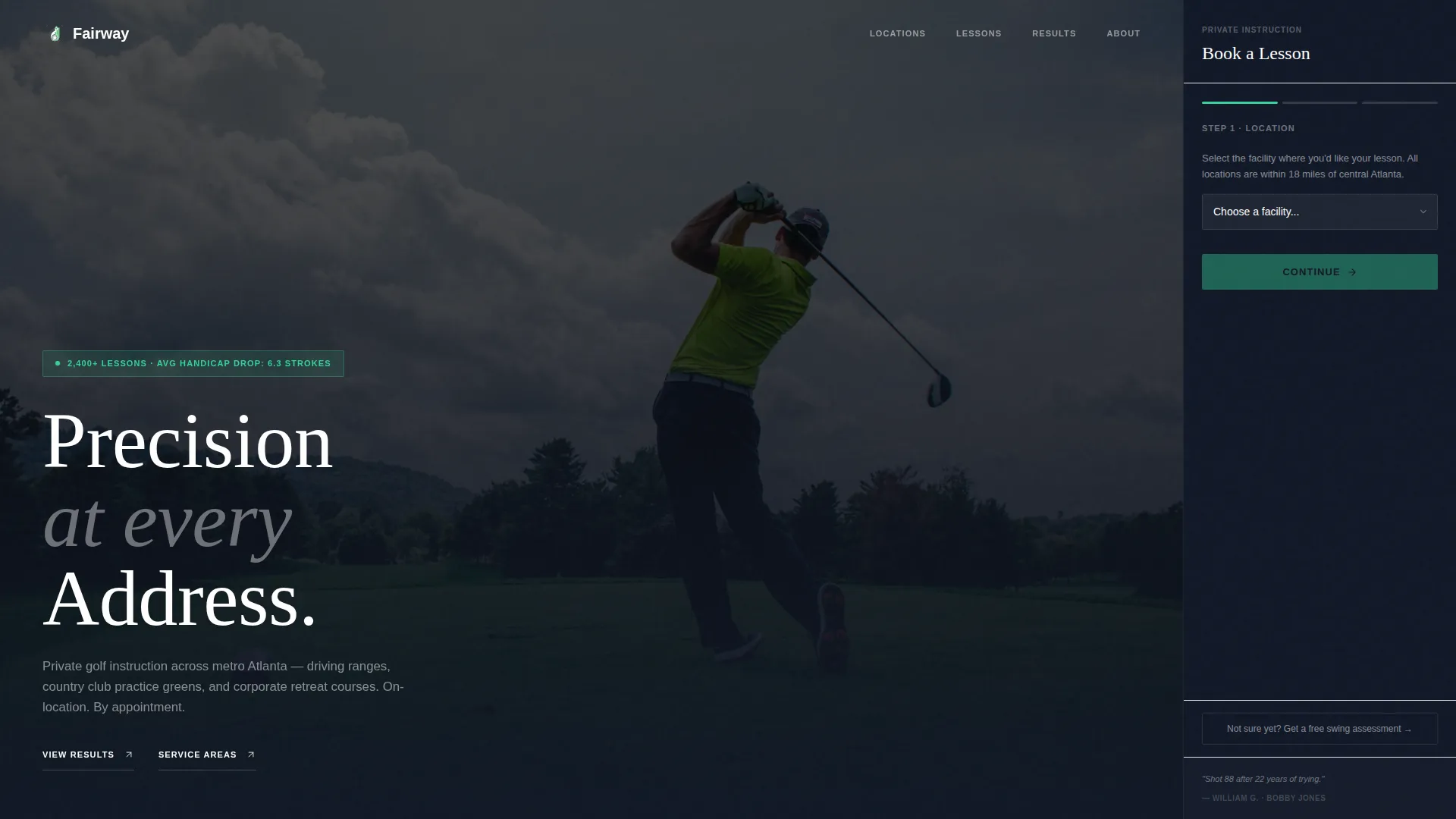
Fairway is a single-page template designed for private golf instructors operating across a metro service area. It opens with a dark, glow-lit hero that surfaces hard proof immediately. A fixed sidebar holds a three-step booking form at all times. Every scroll reveals a stat before an explanation, building the kind of quiet, accumulated trust that makes booking feel like the obvious next step.
Who this template is for
This template is built for independent golf instructors who work across multiple named venues rather than one fixed facility. It speaks directly to instructors whose clients include busy professionals, HR teams, and retirees ready to improve.
- Private swing coaches serving driving ranges, country clubs, and corporate retreat venues
- Instructors offering individual sessions, multi-session packs, and group golf clinics
- Golf professionals who want bookings to come in without chasing leads by phone
What problem this template solves
Most golf instructors rely on word of mouth or a generic booking link that tells visitors almost nothing. Prospects arrive without context, skip past pricing, and leave before they commit. This template fixes that by structuring the page around proof first, then action.
- No clear stat-led credibility to separate a skilled instructor from the competition
- No persistent booking path that stays visible as visitors read through service area details
- No location-specific content to reassure clients that the instructor actually works near them
What you get with this template
The template delivers a complete, production-ready landing page with every layout section already in place. The design is opinionated but easy to personalize with real names, real numbers, and real course locations.
- A dark full-bleed hero with a stat overlay and a glow-lit photograph concept
- A fixed sidebar booking module with a three-step progressive form and a rotating testimonial display
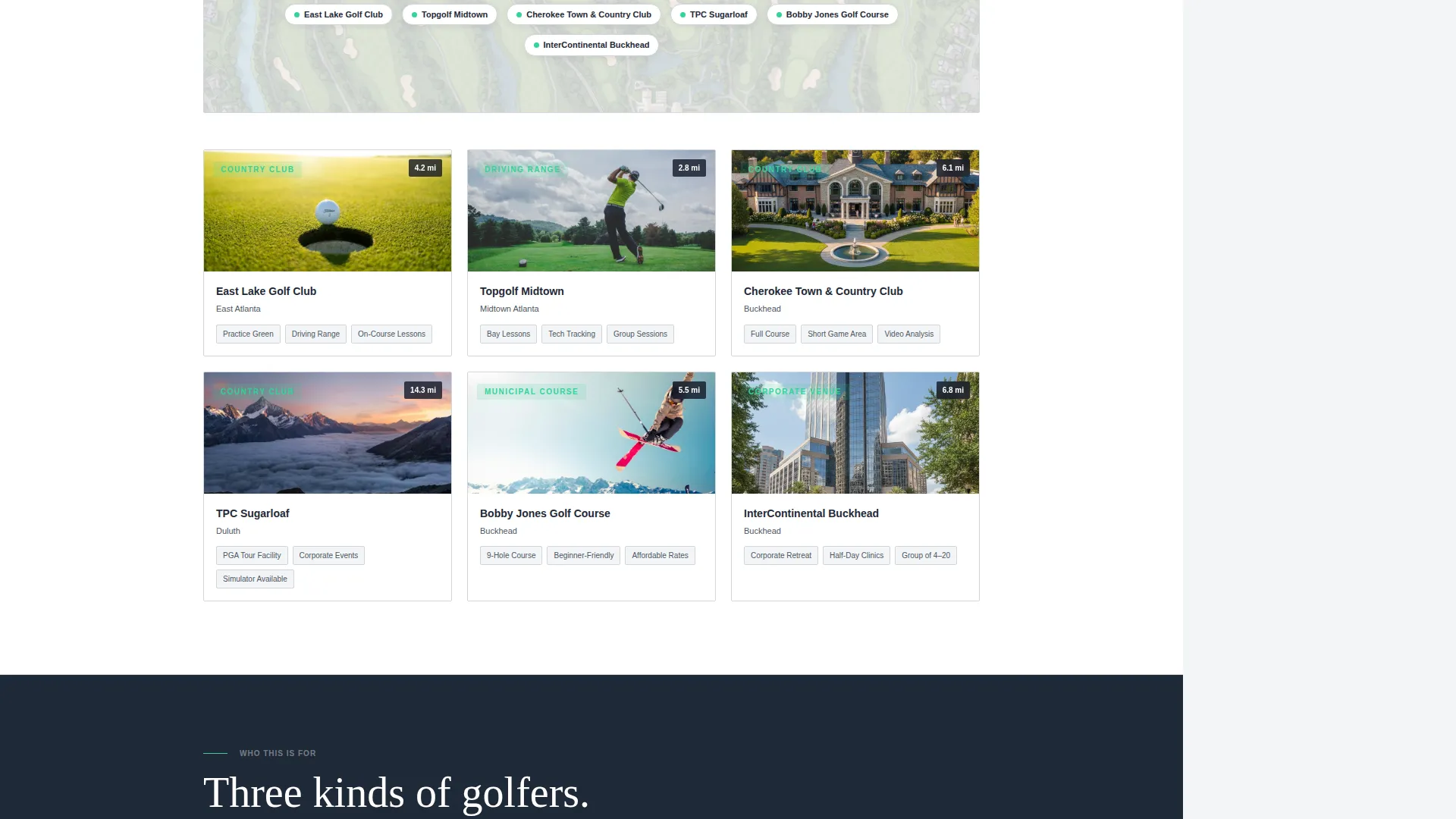
- Location-specific service area sections with interactive map pin support for named facilities
Feature list
This template is built around one goal: turn a skeptical visitor into a booked client. Every feature earns its place.
Stat-Forward Hero Section
The header opens with a full-bleed dark photograph and a single proof statement displayed over the image. The concept frames the instructor's track record before the visitor reads a single headline. Numbers appear first; explanation follows.
Fixed Sidebar Booking Module
The sidebar stays anchored to the viewport as visitors scroll. It holds a three-step progressive booking form: location selection from a named dropdown, lesson type choice, and a date-and-time picker. A secondary path beneath the form offers a free swing assessment intake option.
Rotating Testimonial Display
A testimonial quote sits inside the fixed sidebar and updates as the visitor scrolls deeper into each service area section. The rotation ties social proof directly to geography, keeping the sidebar relevant at every point on the page.
Location and Service Area Sections
Each section of the main content column covers a specific venue type in the instructor's metro radius. Named course facilities, driving ranges, and corporate retreat venues each receive dedicated copy and stat context.
Progressive Stats Reveal
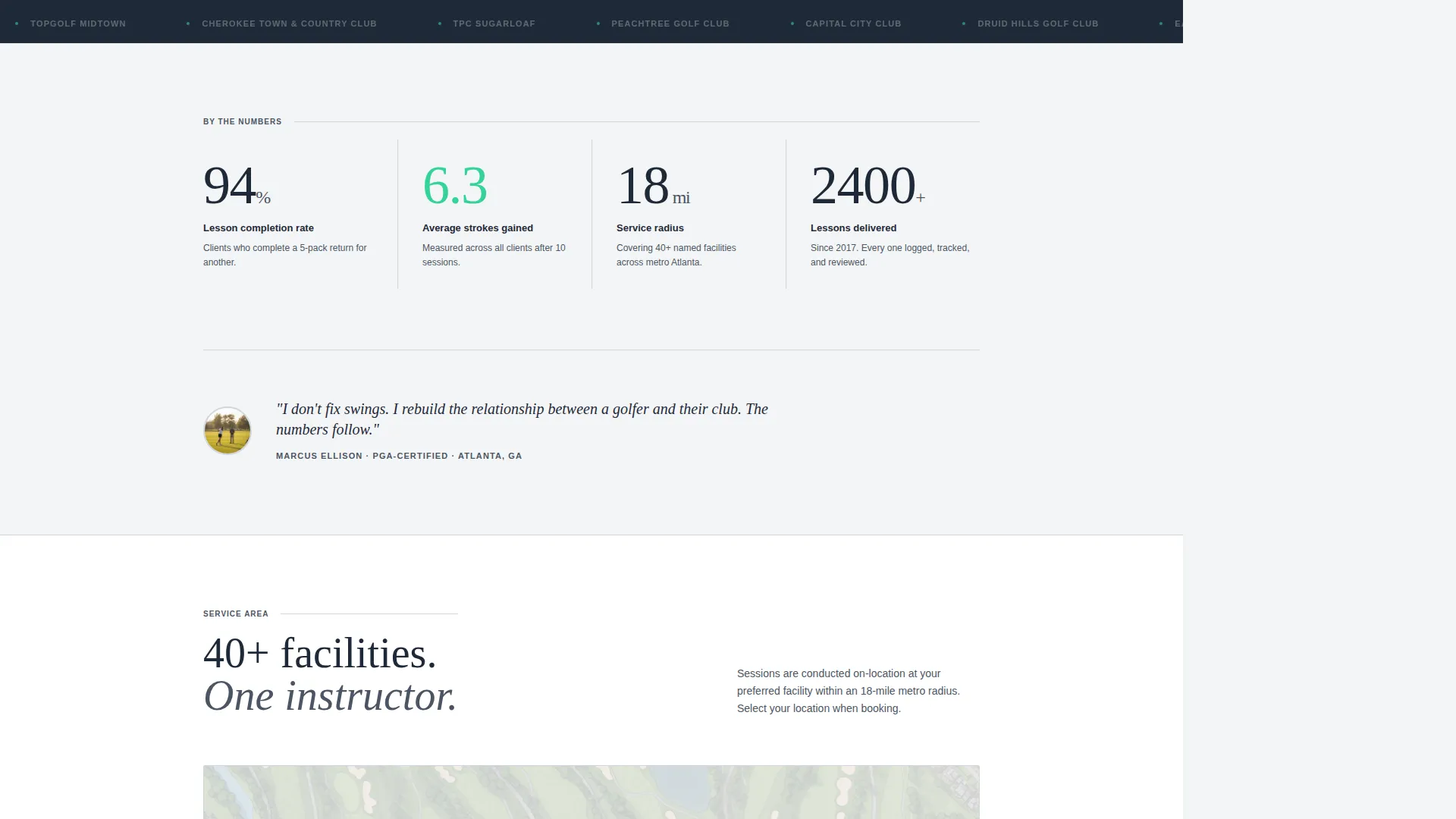
Every major scroll point surfaces a new performance number before the supporting explanation. Lesson completion rate, average strokes gained after ten sessions, and service radius in miles are structured to accumulate proof as the visitor moves down the page.
Free Swing Assessment Path
A secondary conversion option below the primary booking form captures visitors who are not yet ready to commit. It links to a short intake form and removes the pressure of an immediate purchase decision.
Page sections overview
| Section | Purpose |
|---|---|
| Dark Hero Header | Opens with glow-lit photo and a single proof stat overlay |
| Stat Impact Row | Surfaces key performance numbers at the first scroll point |
| Service Area Intro | Establishes metro radius and named venue coverage |
| Driving Range Section | Details instruction available at range facilities |
| Country Club Section | Covers practice green and club-based lesson options |
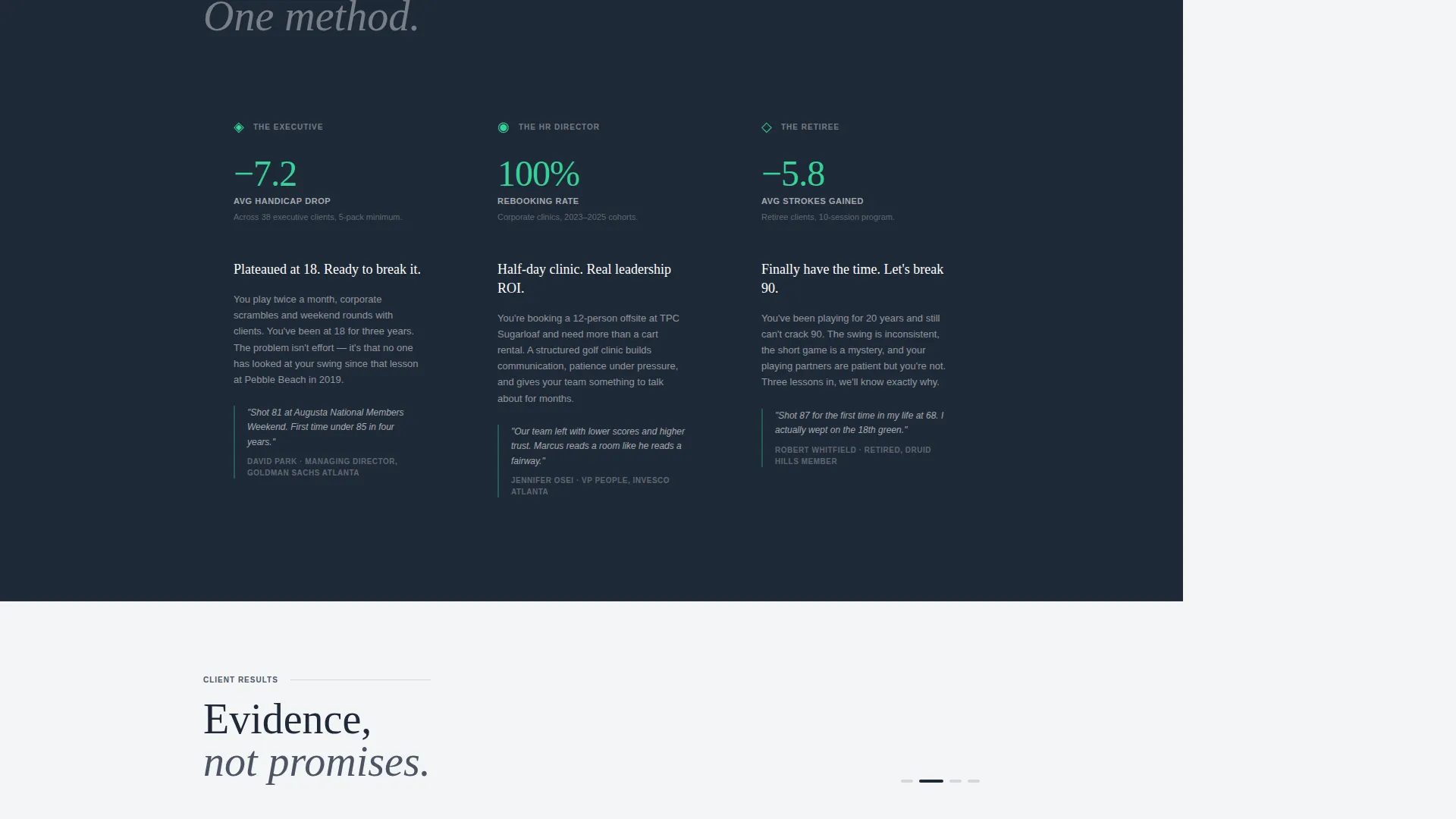
| Corporate Clinic Section | Targets HR directors booking group golf leadership events |
| Interactive Map Block | Pins real named locations across the service area |
| Sidebar Booking Module | Holds the three-step form fixed throughout the scroll |
| Rotating Testimonials | Updates quote display as visitor moves between sections |
| Free Assessment call to action | Secondary path for undecided visitors via intake form |
Design & branding system
The visual identity follows a Corporate Precision theme built on the Cloud Canvas color system. The palette is deliberately restrained, the kind of restraint that reads as authority rather than minimalism for its own sake.
- Four-color system: soft overcast white (#F4F5F7), morning-fog gray (#D1D5DB), deep charcoal turf (#1F2937), and rangefinder green (#34D399) reserved for calls to action, stat highlights, and hover states
- Dark full-bleed header with selective sodium-glow lighting on the hero photograph concept
- Clean typographic hierarchy with a pressed, understated feel throughout every content section
Mobile & speed optimization
The sidebar companion layout adapts cleanly for narrower screens. The fixed sidebar collapses into an accessible inline booking block on smaller viewports so the form never disappears.
- Sidebar converts to an inline booking section on mobile so the three-step form remains reachable
- Stat reveal sections and the rotating testimonial display are structured to load in a clean, single-column flow on small screens
- The dark hero photograph concept is designed to crop gracefully without losing the glow-light focal point
How this template helps you convert
The conversion architecture is built around accumulation. Every element on the page moves a skeptical visitor one step closer to clicking "Book a Lesson."
- The stat-forward hero establishes credibility in the first three seconds, before the visitor has read a headline or scrolled an inch.
- The fixed sidebar keeps the booking form permanently visible, so the decision to book requires zero extra navigation at any point during the visit.
- The free swing assessment path gives undecided visitors a low-commitment entry point, capturing leads who would otherwise leave without any action.
Other information about this template
This template is built specifically for the golf instructor service area and location page use case. It is part of the Professional Services category under Golf Instructor Online Presence and carries a Sidebar Companion template style.
- The Stats-First Impact creative direction means proof always precedes pitch throughout the layout
- The template is designed to support real named facilities in dropdowns and map pins, making it practical for instructors covering multiple course types across a metro area
- The Booking and Scheduling landing page direction is baked into the structure from the header stat down to the secondary assessment form
- The Cloud Canvas color system and Corporate Precision theme are ready to apply with a simple palette swap once real brand colors are confirmed
Theme
Corporate Precision
Creative direction
Stats-First Impact
Color system
Cloud Canvas
Style
Sidebar Companion
Direction
Booking/Scheduling
Page Sections
Stat-forward Hero Section
Fixed Sidebar Booking Module
Rotating Testimonial Display
Location-specific Service Sections
Progressive Stats Reveal Layout
Free Swing Assessment Path
Related questions
Can I add my own course and venue names to the booking form dropdown?
Does the fixed sidebar stay visible on mobile screens?
Can I use this template for corporate golf clinic bookings as well as individual lessons?
What do I replace the header stat overlay with?
Is the free swing assessment form built into the template?



