Family-Owned Business Portfolio Website Template
Folio is a masonry-style landing page built for family-owned marketing agencies that want their portfolio to do the selling. It pairs before-and-after client work in a filterable grid, surfaces three distinct conversion paths, and wraps everything in a warm Ink and Paper visual identity rooted in craftsmanship and trust.
by Rocket studio
Quick summary
Folio is a single-page portfolio landing page for a family-owned, full-service marketing agency. The design feels like flipping through a well-loved portfolio binder. A full-bleed header photo, a filterable masonry case-study grid, and three conversion paths work together to turn browsers into booked clients without a single hard sell.
Who this template is for
This template is built for small, relationship-driven marketing agencies that lead with proof over promises. It works best when the work itself is the strongest sales tool.
- Family-owned or multi-generational agencies offering branding, web, media buying, or local public relations
- Agencies serving Main Street businesses, regional franchisees, or nonprofit clients with modest budgets
- Studios that want a portfolio-first page with clear next steps baked in
What problem this template solves
Most agency websites bury the work under walls of credentials. Prospective clients scroll past generic headlines and never reach the case studies that would actually convince them. Folio fixes that by putting real project proof front and center from the first scroll.
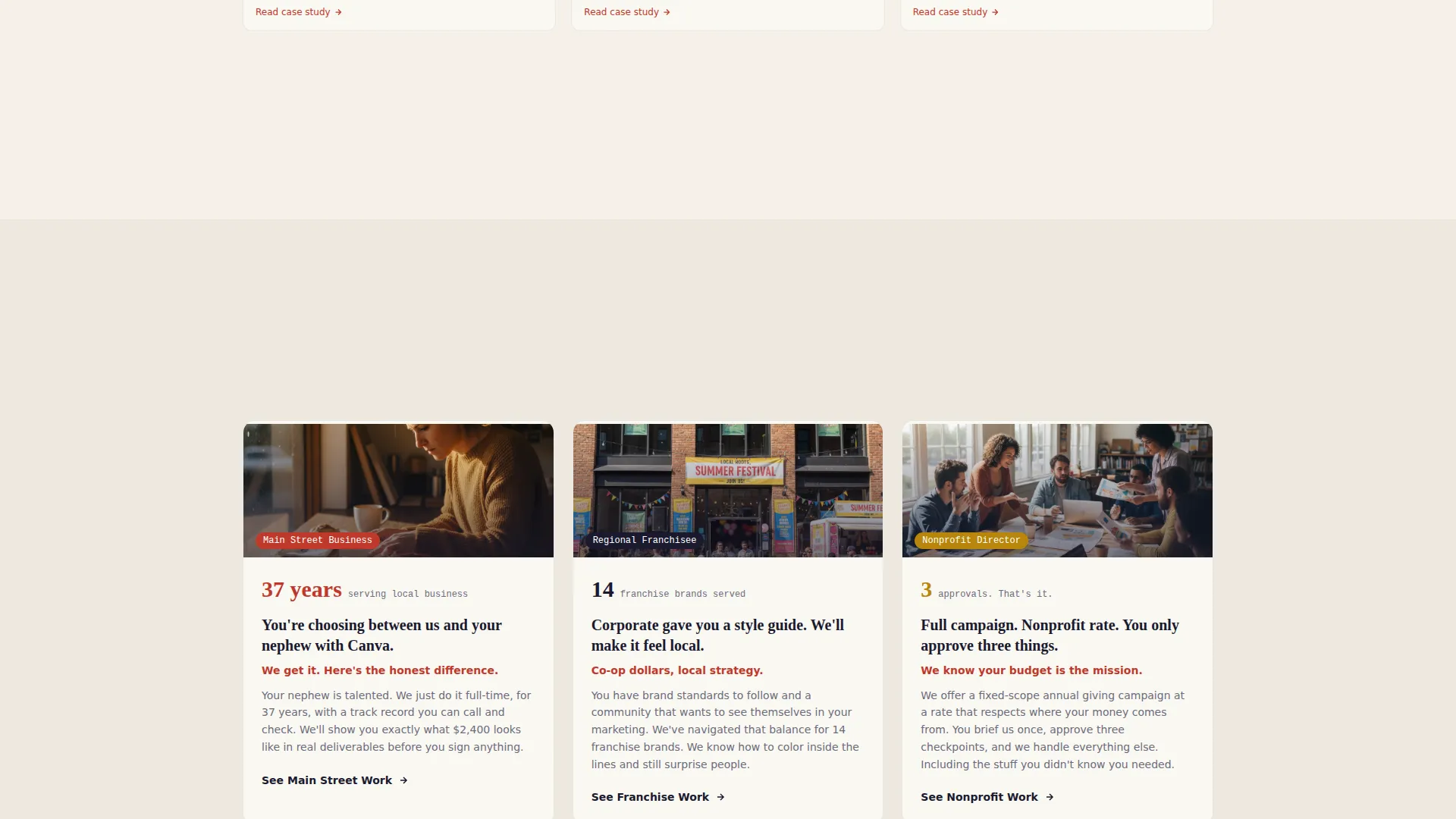
- Small businesses struggle to choose between a professional agency and a cheaper DIY option; side-by-side before-and-after cards answer that question visually
- Nonprofit and franchise clients often have narrow time windows; multiple short booking paths respect that and reduce friction
- Agencies without a dedicated sales team need the page itself to qualify and convert visitors without a follow-up call
What you get with this template
Folio delivers a complete, ready-to-customize landing page with every section pre-built. The structure guides visitors from curiosity to commitment across a single, well-paced scroll.
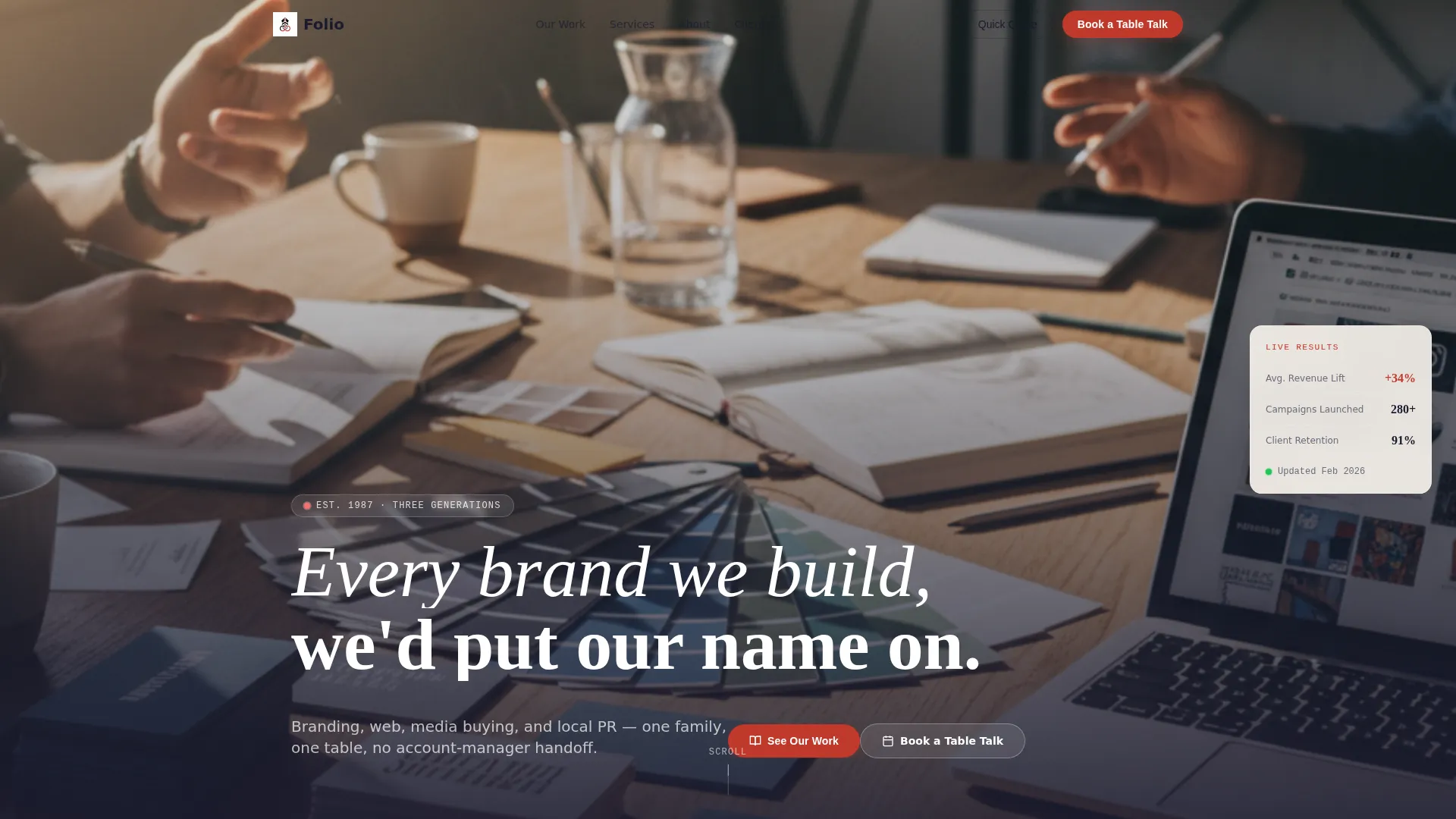
- A full-bleed overhead hero image section with knockout white headline typography
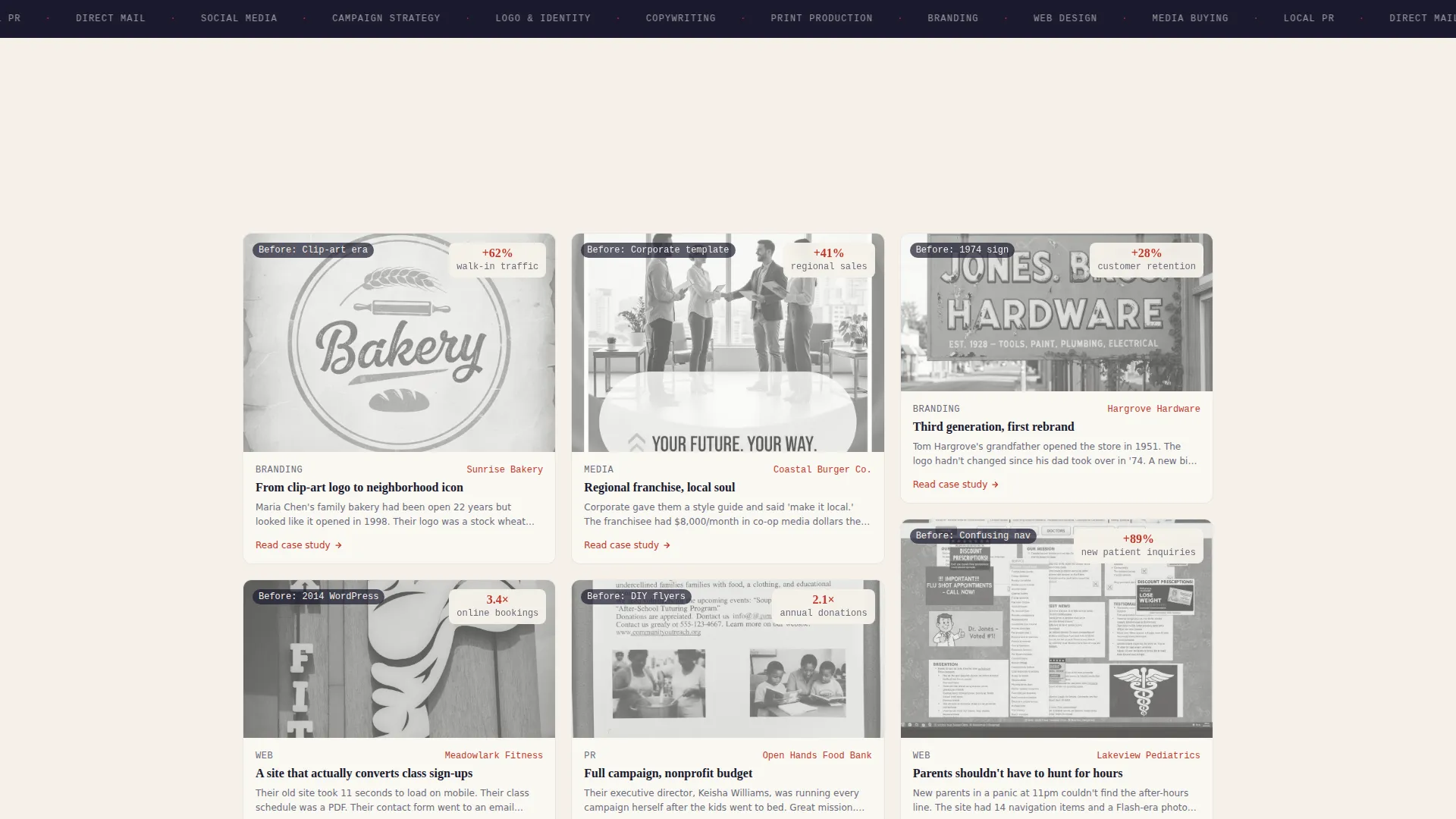
- A filterable masonry grid of paired before-and-after project cards with expandable mini case studies
- Three conversion modules: a case-study anchor, a scheduling form, and a guided service estimator
Feature list
This section walks through the core built-in components that make Folio work as both a portfolio and a conversion tool.
Full-Bleed Hero Section
The header is designed around an overhead photo of a real working desk: letterpress cards, Pantone swatches, a laptop, printed mail pieces, and two sets of hands mid-conversation. Natural window light and a shallow depth-of-field edge treatment frame the knockout white headline, "Every brand we build, we'd put our name on."
Filterable Masonry Portfolio Grid
Each card in the masonry grid pairs a before state with an after state for a real client project. Visitors can filter by service type, which reshuffles the grid like a card catalog. The layout builds visual proof progressively as the visitor scrolls deeper.
Expandable Mini Case Studies
Clicking any portfolio card opens a short-story-style case study structured around three beats: problem, turning point, and result. This format keeps reading time short while making the outcome feel earned and believable.
Three-Path Conversion System
The template surfaces three distinct calls to action without competing for attention. "See Our Work" anchors visitors into the grid. "Book a Table Talk" opens a short scheduling form with three fields. "Get a Quick Quote" launches a guided estimator using illustrated service tiles that returns a same-day ballpark range.
Persistent Primary Call to Action
The primary button, labeled "Pull Up a Chair," appears as a persistent red-ink accent after the third masonry row. It emerges after the work has had a chance to build trust, so the click feels earned rather than demanded.
Ink and Paper Color System
The visual identity uses deep editorial black, warm parchment, pencil-graphite gray, and a red-ink markup accent color. Every tonal choice references a creative director's desk at golden hour, keeping the page warm, credible, and distinctly human.
Page sections overview
| Section | Purpose |
|---|---|
| Full-bleed hero | Establishes brand voice and visual credibility immediately |
| Filterable masonry grid | Showcases before-and-after client project pairs |
| Mini case study drawer | Delivers short-story proof when a card is clicked |
| Book a Table Talk | Opens a three-field scheduling form for qualified leads |
| Quick Quote estimator | Guides visitors through a service-tile selection for a ballpark range |
| Persistent call to action bar | Keeps the primary conversion action visible throughout scroll |
Design & branding system
The Ink and Paper palette was chosen to feel editorial and handcrafted rather than digital and corporate. Every color has a physical reference point, which makes the brand feel grounded and trustworthy.
- Deep editorial black (#1A1A2E) for body type and structural elements, warm parchment (#F5F0E8) for backgrounds, and pencil-graphite gray (#6B6B7B) for supporting text
- Red-ink markup (#C0392B) used selectively for highlights, hover states, active filter indicators, and the primary call-to-action button
- The Directory and Discovery theme drives the layout logic: cards are browsable, filterable, and reveal more on demand, matching how a real portfolio binder gets used
Mobile & speed optimization
The masonry grid and multi-path conversion modules are designed to work cleanly at any screen width. Touch-friendly card interactions and a persistent button placement keep the mobile experience functional and focused.
- Cards reflow from a multi-column masonry layout to a stacked single-column view on smaller screens
- The scheduling form and estimator are designed with short field sets so mobile visitors are never asked to type more than necessary
How this template helps you convert
Folio is structured to move three different types of visitors toward action without forcing all of them down the same path.
- Browsers who need proof first are captured by the masonry grid and case-study cards; depth accumulates naturally as they scroll, so confidence builds before any ask is made.
- Ready-to-book visitors find the "Book a Table Talk" form with minimal fields: business name, biggest marketing frustration, and preferred meeting format, keeping the commitment feel low.
- Budget-sensitive visitors use the "Get a Quick Quote" estimator to self-qualify by selecting service tiles, which means the agency receives warmer, better-informed inquiries.
Other information about this template
Folio is part of the Familyowned template collection, designed specifically for independently operated businesses that compete on relationship and craft rather than scale. The template style uses an overlap and layered visual approach, which means cards and content blocks carry a tactile, printed-material quality throughout.
- The template fits a click-through landing page direction, meaning each conversion path leads visitors toward a specific next action rather than trying to close everything on the page
- The flash deal creative direction informs the estimator module, where a same-day ballpark range creates a sense of immediate, tangible value
- The Folio template is well suited to the family-owned art gallery and boutique creative services niche, where handcrafted presentation and personal trust carry more weight than corporate polish
Theme
Directory & Discovery
Creative direction
Flash Deal
Color system
Ink & Paper
Style
Overlap/Layered
Direction
Click-Through
Page Sections
Full-bleed Overhead Hero
Filterable Masonry Grid
Before-and-after Project Cards
Mini Case Study Drawer
Three-path Conversion System
Persistent Red-ink Call to Action Button
Related questions
Can I customize the portfolio cards with my own client projects?
What fields does the Book a Table Talk form include?
How does the Quick Quote estimator work?
Can the masonry grid be filtered by service type?
Is this template suitable for a very small or solo agency?



