Ocean Research Institute Website Template
Fathom is a single-page lead generation landing page built for ocean research institutes. It uses a zigzag case study layout, an isometric ocean-column header, and a Dashboard Pro visual system in deep blacks, titanium grays, and bathymetric blues to help marine scientists, energy companies, and government agencies scope real deep-sea expeditions and request sensor specifications.
by Rocket studio
Quick summary
Fathom is a precision ocean research landing page template designed for institutions that deploy autonomous sensor arrays in deep-ocean environments. The layout leads with an isometric technical illustration, walks visitors through three escalating expedition case studies in a zigzag flow, and closes with a progressive lead capture form that turns serious researchers into qualified contacts.
Who this template is for
This template is purpose-built for organizations that operate at the intersection of field science and institutional credibility. It communicates complex technical capability without sacrificing clarity or authority.
- Marine biologists preparing National Science Foundation (NSF) grant proposals who need a page that demonstrates proven field methodology
- Offshore energy companies mapping subsea geology ahead of drilling permit applications
- Government agencies and regulatory bodies that monitor illegal trawling corridors through acoustic signature analysis
What problem this template solves
Most scientific service pages fail to earn trust before asking for contact details. Fathom solves this by presenting verified expedition outcomes first, then inviting qualified leads to start a conversation. The template replaces vague capability claims with evidence-led storytelling.
- Visitors leave generic research pages before reaching the contact form because they see no proof of competency
- Complex sensor technology is hard to communicate visually, causing high-value prospects to disengage
- A single generic contact form cannot segment serious researchers from casual browsers
What you get with this template
The template delivers a complete single-page layout structured for credibility-first lead generation. Every section is designed to carry the visitor from initial curiosity to a qualified inquiry without friction.
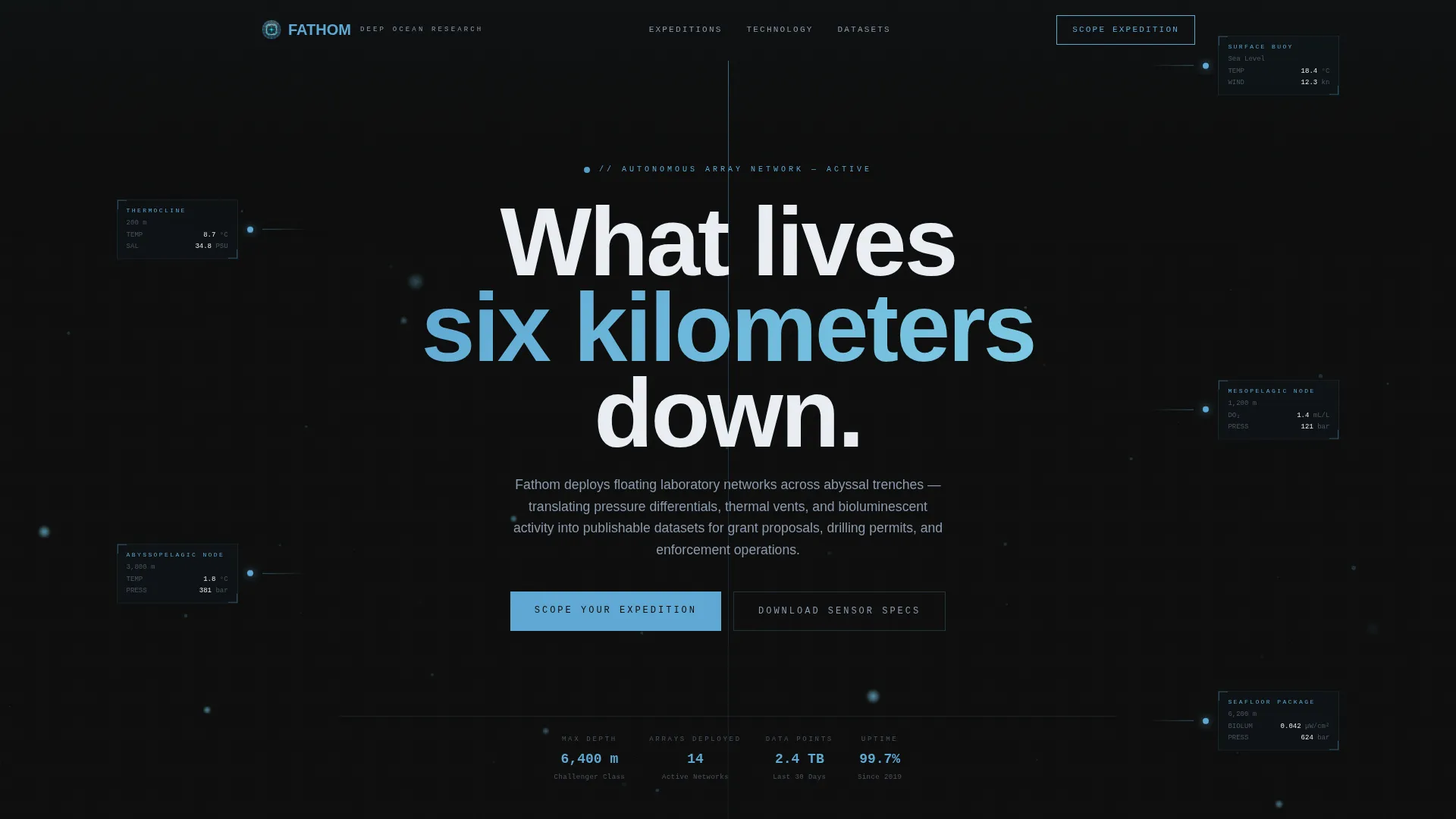
- An isometric ocean-column header illustration with animated particle drift and live-style telemetry data labels
- Three zigzag case study blocks with alternating image-text and text-image layouts, each anchored by a deployment map panel and a single-result data visualization
- A progressive four-field inquiry form in a sticky bottom bar plus a secondary gated PDF download path for visitors who want sensor specifications before committing
Feature list
This section details the core components built into the Fathom template.
Isometric Ocean-Column Header
The header features a technical illustration showing the full ocean column: surface buoy, descending cable, thermocline-layer transitions, branching sensor nodes, and a seafloor instrument package. Tiny floating data labels display live-style readings for salinity, dissolved oxygen, and ambient pressure. Animated particle drift and bioluminescent flicker effects make the schematic feel operational rather than static.
Zigzag Case Study Narrative
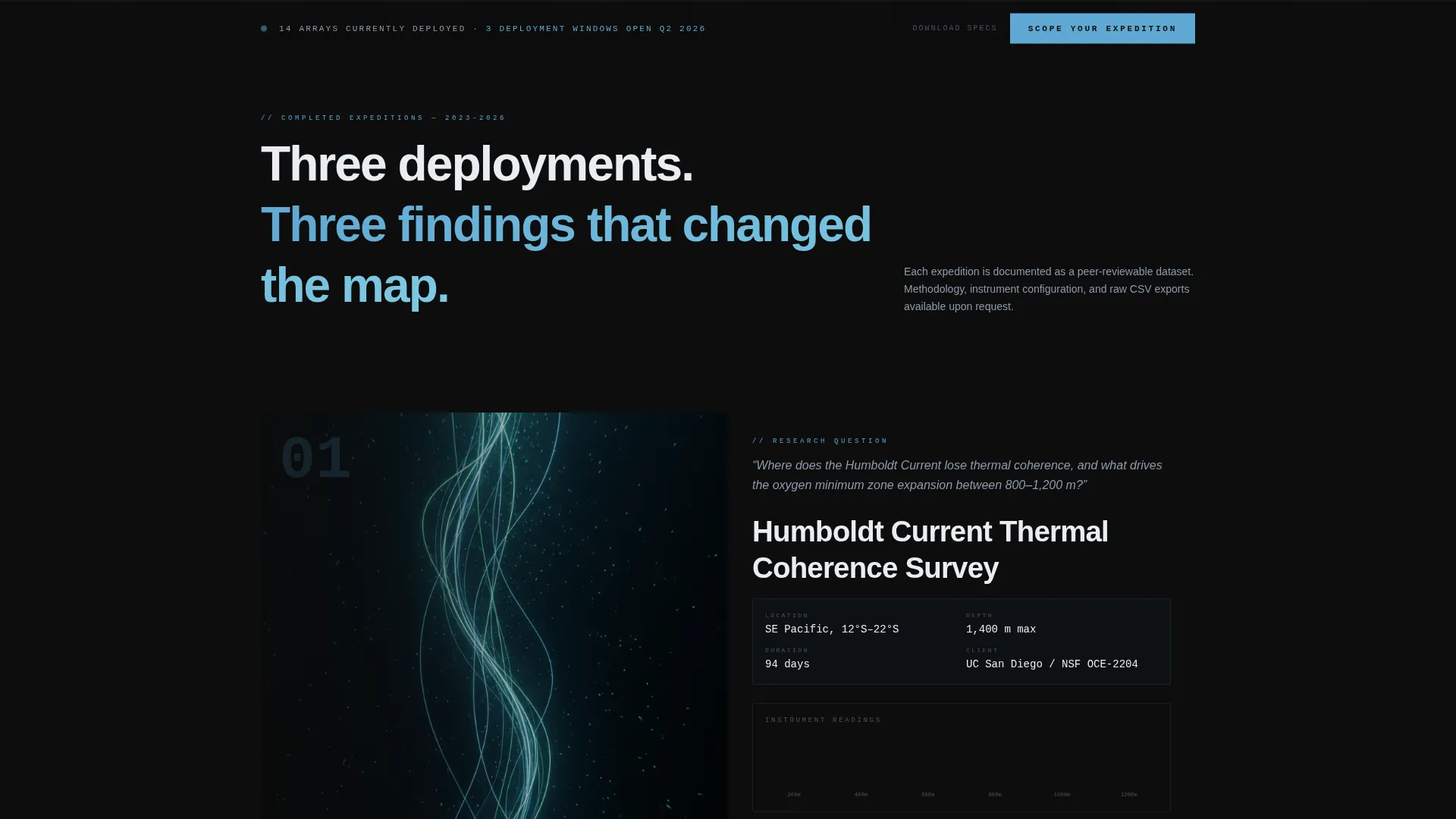
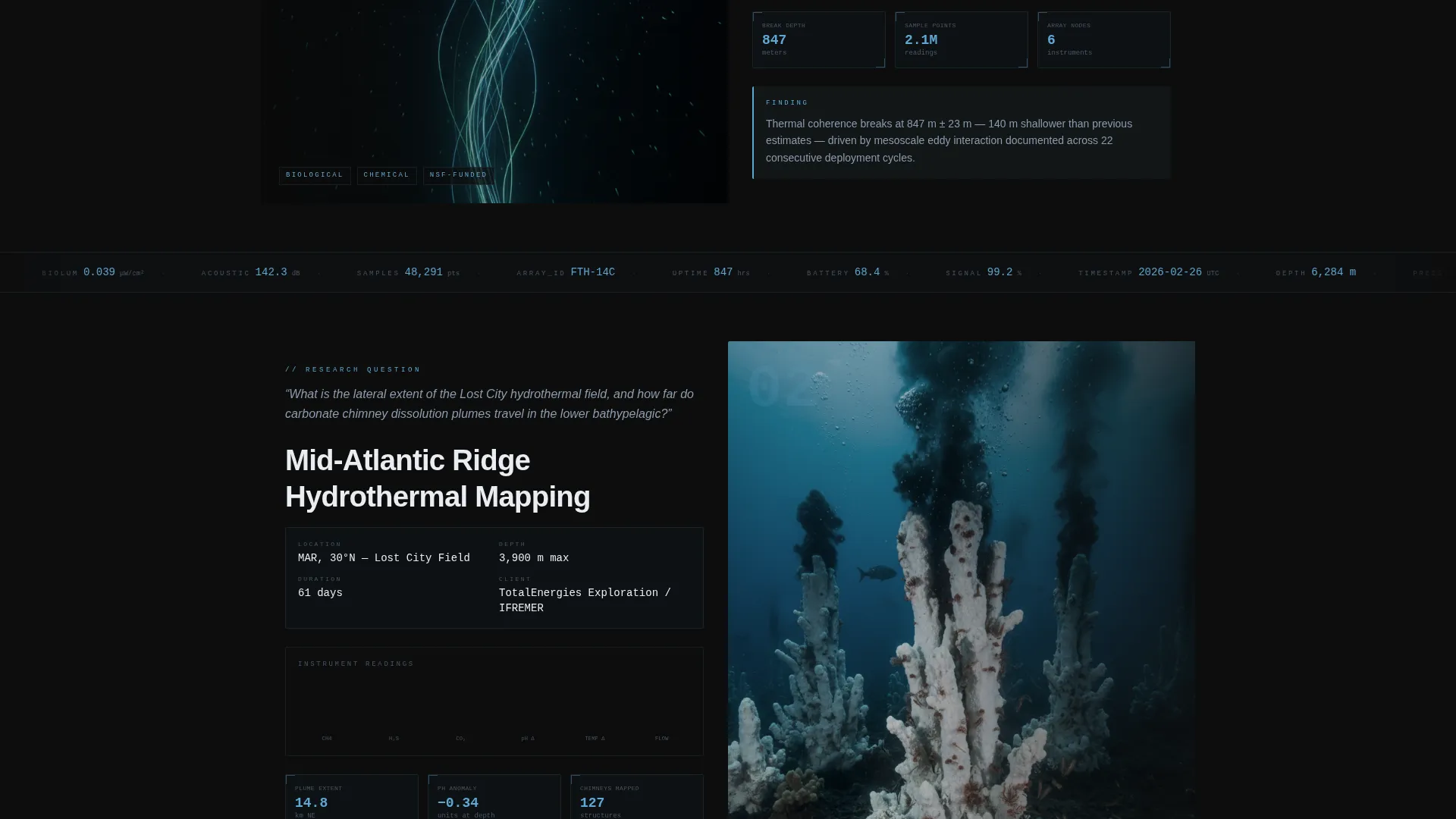
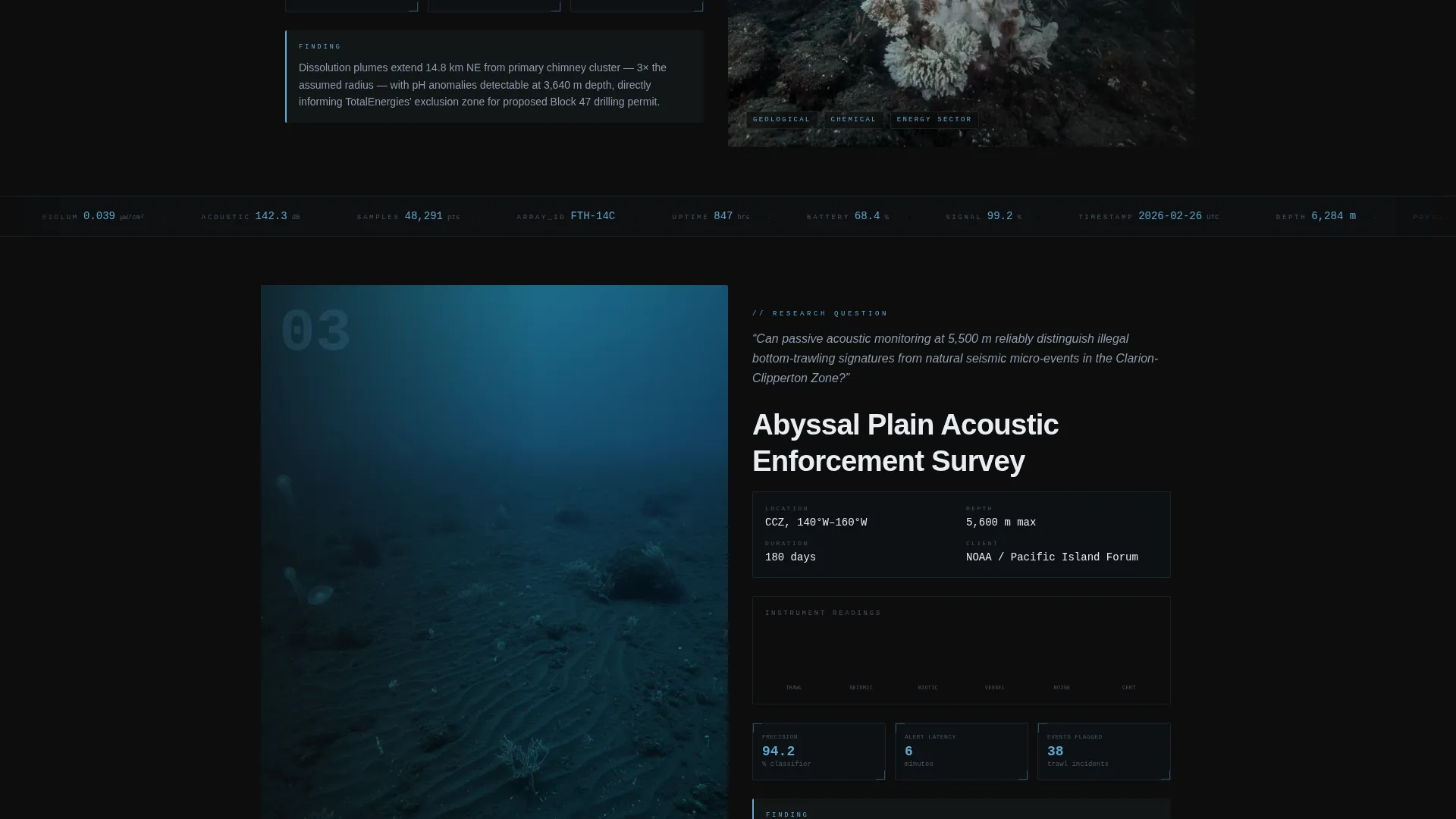
Three completed expedition stories are laid out in alternating left-image/right-text and right-image/left-text blocks. Each case study opens with a research question, presents a dashboard-styled deployment map panel, and delivers the finding as a single striking data visualization with a one-sentence result. Stakes escalate across the three studies, from a coastal monitoring project through a mid-Atlantic ridge survey to an abyssal-plain mapping campaign.
Scrolling Telemetry Bands
Thin horizontal bands appear between case study blocks and display scrolling numerical data including depth, temperature, and sample count. These bands reinforce the institute's data volume and keep the page feeling active and instrument-driven as the visitor scrolls.
Progressive Lead Capture Form
The sticky bottom bar inquiry form appears after the first case study. It uses a four-step progressive sequence: a research domain selector (biological, geological, chemical, or acoustic), a visual depth-range slider marked with ocean zone labels, a free-text research question field, and an institutional email field. This structure pre-qualifies leads before any human follow-up.
Gated Sensor Specification Download
A secondary conversion path offers a downloadable sensor specifications document (PDF) for visitors who are not ready to submit a full inquiry. This path requires only a name and institutional affiliation, lowering the barrier for early-stage prospects while still capturing actionable contact data.
Dashboard Pro Carbon Fiber Visual System
The entire layout uses a four-color system built for technical authority: deep pressure-hull black (#0D0D0D), titanium instrument gray (#3A3D42), cold bathymetric blue (#1B4965), and sensor-alert cyan (#5FA8D3). Cyan is reserved for data points, hover states, and live telemetry accents, giving the page the controlled visual language of a submersible instrument panel.
Page sections overview
| Section | Purpose |
|---|---|
| Isometric Header | Establish technical credibility with an animated ocean-column illustration and live-style data labels |
| Case Study One | Present the coastal monitoring expedition with research question, deployment map, and single-result finding |
| Telemetry Band One | Display scrolling depth, temperature, and sample-count data between case studies |
| Case Study Two | Present the mid-Atlantic ridge survey with escalated scope and dashboard-styled data visualization |
| Telemetry Band Two | Reinforce data volume with a second scrolling instrument readout strip |
| Case Study Three | Present the abyssal-plain mapping campaign as the highest-stakes proof of capability |
| Sticky Inquiry Bar | Capture qualified leads via a progressive four-field form anchored to the bottom of the viewport |
| Sensor Specs Download | Offer a gated PDF download as a lower-commitment secondary conversion path |
Design & branding system
The Fathom template uses the Dashboard Pro theme with a Carbon Fiber color system. Every visual decision reflects functional intent, drawing from the atmosphere of a deep-ocean instrument cockpit rather than decorative convention.
- Four-color palette: pressure-hull black (#0D0D0D) for backgrounds, titanium gray (#3A3D42) for structural user interface elements, bathymetric blue (#1B4965) for section containers, and sensor-alert cyan (#5FA8D3) for data highlights and interactive states
- No stock photography is used anywhere; all visual content is technical illustration, deployment maps, and data visualizations that prove hardware capability
- Typography and layout follow the engineering-schematic authority of the isometric header, keeping the reading experience clean, high-contrast, and instrument-panel precise
Mobile & speed optimization
The template layout is structured with mobile viewing in mind. The zigzag alternating blocks reflow naturally for narrower screens, and the sticky inquiry bar remains accessible without obscuring primary content.
- Alternating case study blocks collapse to a single-column stacked layout on smaller viewports, preserving the narrative sequence
- The visual depth slider in the lead form is designed to function as a touch-friendly input on mobile devices
- Scrolling telemetry bands scale proportionally, maintaining their data-display role without breaking the page rhythm on smaller screens
How this template helps you convert
The conversion architecture in Fathom is deliberate. It earns attention through evidence before presenting any request for contact information, which is how high-credibility scientific service pages build qualified pipelines.
- The three escalating case studies prove methodology and outcome quality before the sticky inquiry bar appears, so visitors who reach the form are already convinced of capability.
- The progressive form sequence segments leads by research domain and target depth range, giving the institute actionable context before the first conversation begins.
- The gated sensor specification PDF creates a second entry point for prospects in early research phases, capturing name and affiliation data from visitors who are not yet ready for a full expedition scoping request.
Other information about this template
Fathom is a strong fit for ocean research institutes that need a page capable of speaking to multiple audience types without diluting its technical identity. A few additional points are worth noting for teams evaluating this template.
- The template is designed as a single-page layout with no multi-page navigation, keeping all visitor attention on the linear case study and conversion flow
- The isometric header illustration is built as a non-photographic technical asset, which means it communicates precision rather than lifestyle and aligns naturally with grant-oriented and regulatory audiences
- All four form fields in the inquiry sequence are intentionally minimal; the progressive structure reduces abandonment by asking for more detail only after the visitor has indicated their domain and depth target
- The secondary PDF download path is independent of the main inquiry form, so both conversion paths can run simultaneously without competing for the same visitor action
Theme
Dashboard Pro
Creative direction
Case Study Narrative
Color system
Carbon Fiber
Style
Zigzag/Alternating
Direction
Lead Generation
Page Sections
Isometric Ocean-column Header Illustration
Zigzag Expedition Case Study Layout
Scrolling Telemetry Data Bands
Progressive Four-field Inquiry Form
Gated Sensor Specifications Download
Dashboard Pro Carbon Fiber Color System
Related questions
Who is the Fathom template designed for?
Can I adapt the case study blocks for my own expedition data?
What does the progressive lead capture form collect?
Is the sensor specification download a separate page?
Can the color system be customized for a different brand palette?