Dog Walker Local SEO Landing Page Template
Fetch is a single-column landing page template built for solo dog walkers and small pet care operators who need to show up in local search results. It walks readers through every key local search action in plain language, pairs each step with real interface screenshots, and guides them toward a free checklist download or a personalized ranking audit.
by Rocket studio
Quick summary
Fetch is a focused, single-column landing page template designed for dog walkers who want to rank higher in local search. It uses an Educational Guide format to explain local search actions step by step, backed by proof-first visuals and two clear conversion paths: a free checklist download and a free business profile audit.
Who this template is for
This template is built for independent pet care professionals who rely on word of mouth but struggle to get found online. It speaks directly to the people running the walks, not marketing agencies.
- Solo dog walkers building their first online presence
- Husband-and-wife pet care duos who want more local visibility
- Small kennel operators who get referrals but disappear past page three of search results
What problem this template solves
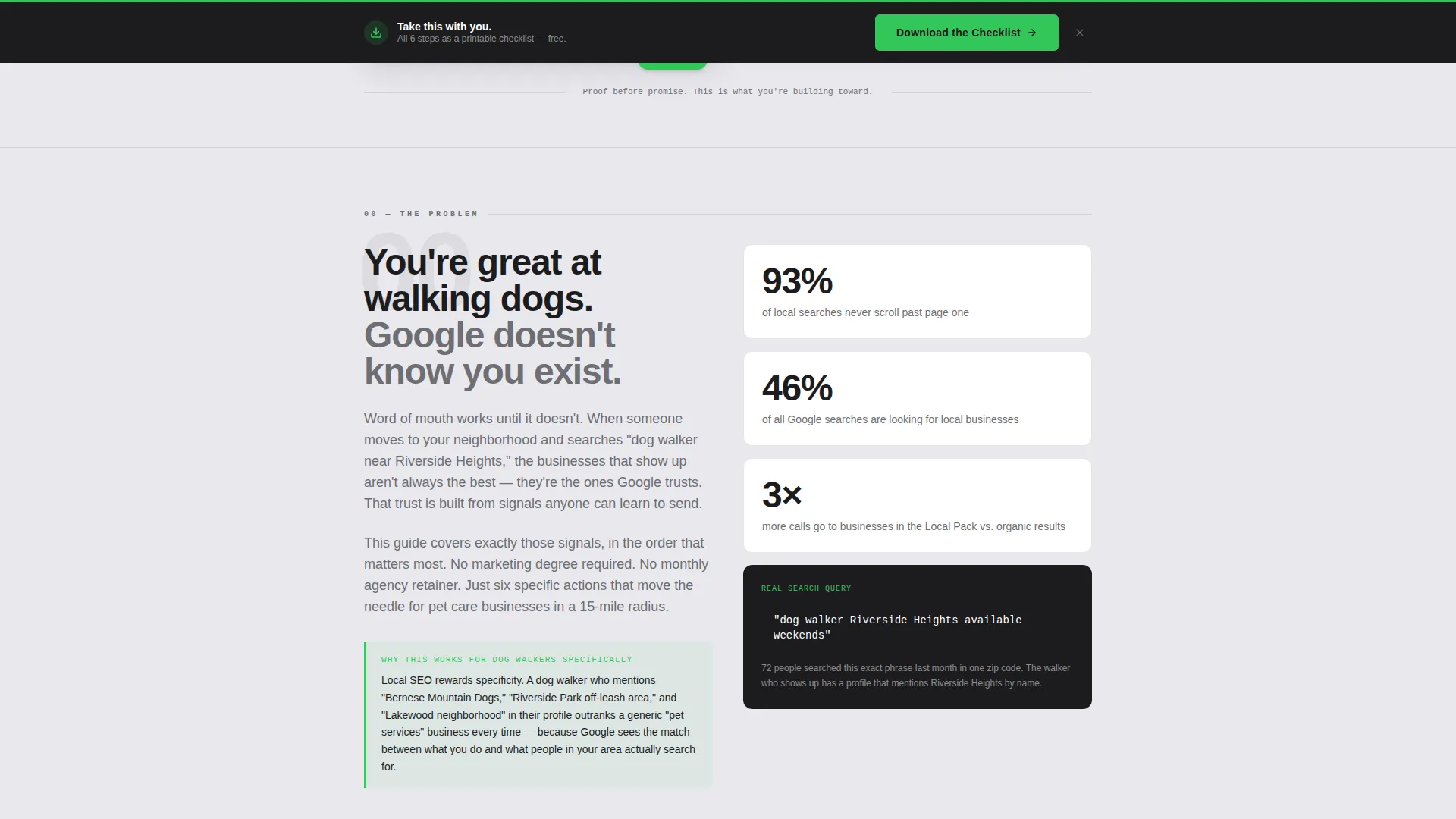
Many dog walkers offer exceptional service but have no reliable way to reach new clients through search. Their business name simply does not appear when a dog owner nearby types a relevant search. This template addresses that gap head-on.
- Removes the mystery around why a local business does not appear in search results
- Gives walkers a clear, sequential path to improve their visibility without technical jargon
- Converts passive readers into active leads through a low-friction checklist and audit offer
What you get with this template
You get a complete, ready-to-customize single-column landing page that teaches local search visibility through transparent, numbered steps. Each section pairs practical instruction with a real interface screenshot so readers always know what they are looking at.
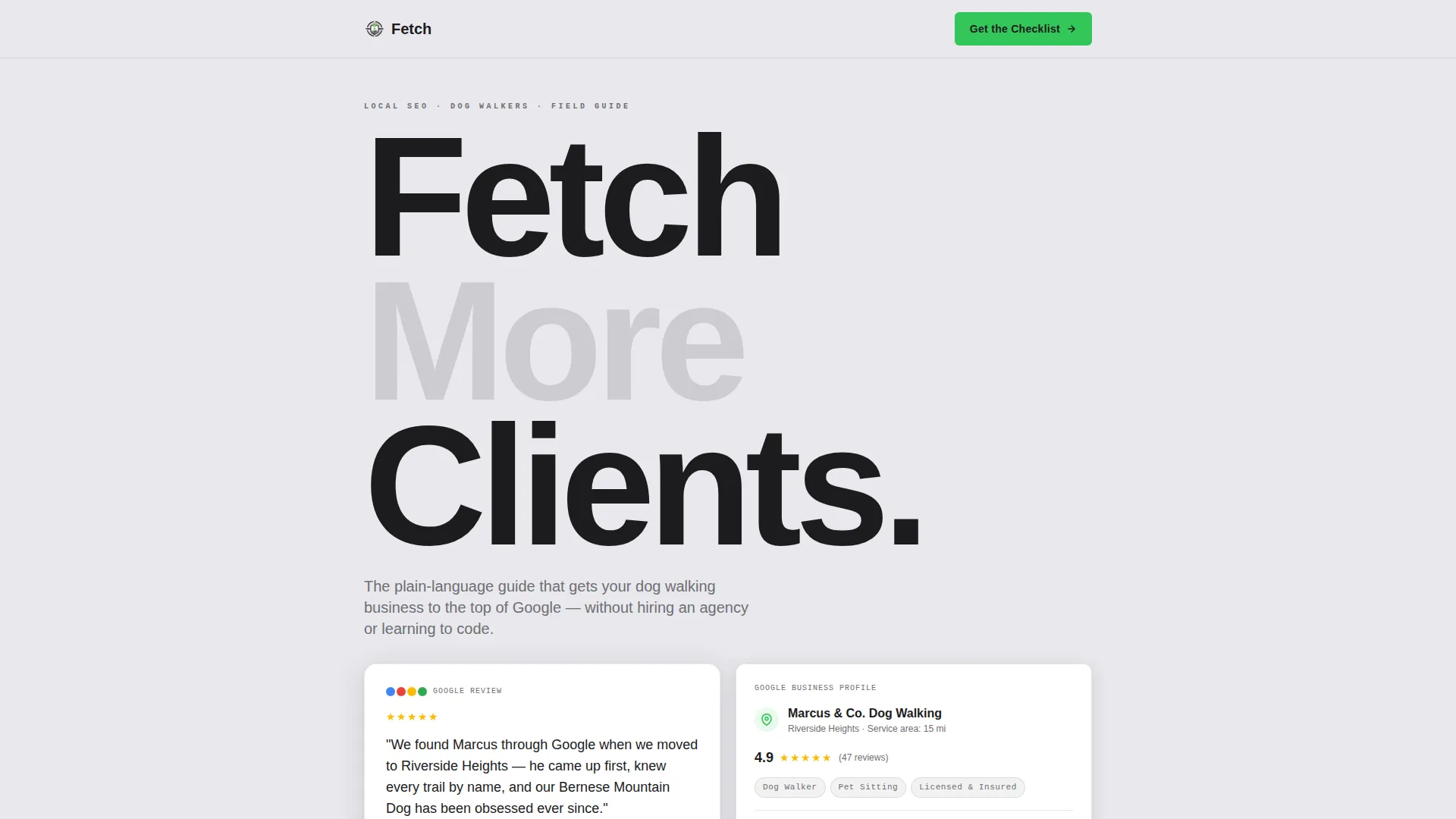
- A proof-first header featuring a real five-star review card and a live Google Business Profile snippet with an annotation arrow
- A full numbered field guide covering every key local search action, from profile setup to geo-tagged walk photos
- Two conversion paths: a signal-green checklist download form and a secondary free audit input field
Feature list
This template is built around one idea: make the process visible and the next step obvious. Every feature serves that goal.
Proof-First Testimonial Header
The header opens with two stacked cards on a light galvanized background. The first shows a real five-star review with the reviewer's first name, dog breed, and neighborhood. The second shows a Google Business Profile snippet with a handwritten-style annotation arrow pointing to the ranking position. Readers see the result before you explain the method.
Numbered Field Guide Layout
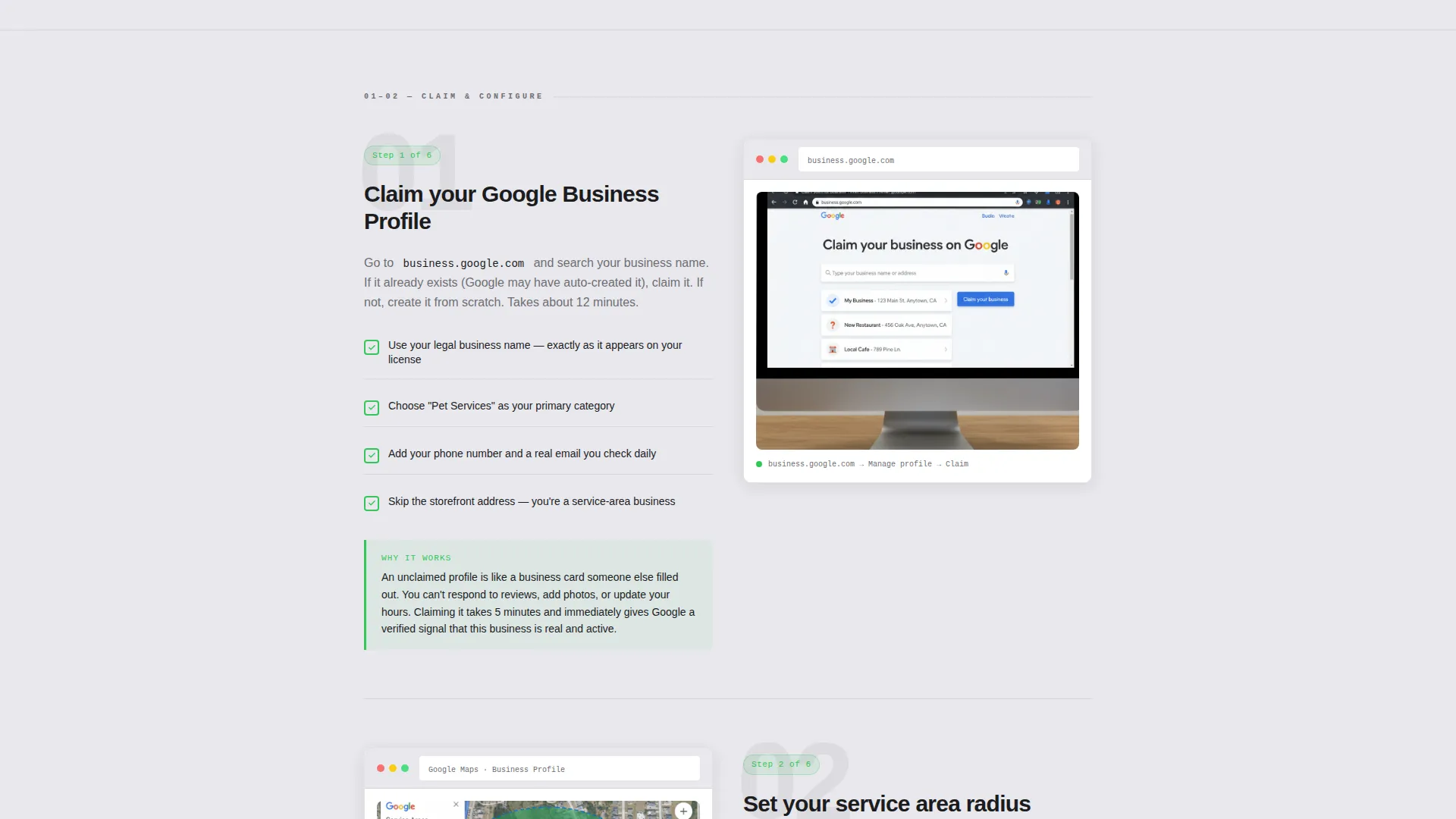
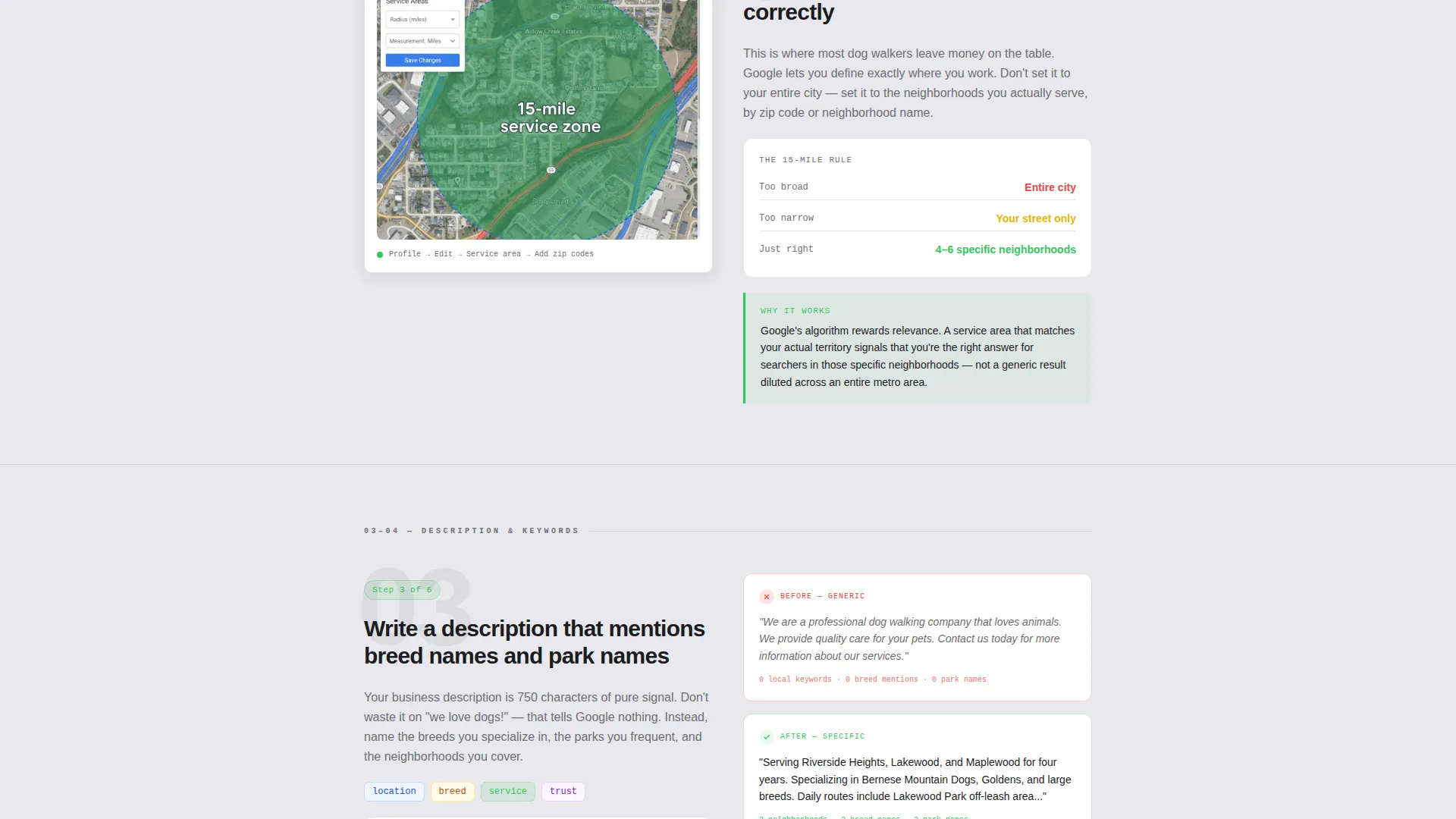
The page scrolls like a step-by-step field guide. Each section covers one specific local search action: claiming a business profile, choosing a service-area radius, writing a description that mentions breed names and park names, requesting reviews naturally, and posting geo-tagged walk photos. Every step includes a what-to-do explanation paired with a why-it-works note.
Real Interface Screenshots
Each numbered step includes a screenshot of the actual interface being discussed. This removes guesswork and builds confidence. Readers always know exactly what screen they should be looking at when they follow the instructions.
Dual Conversion Path Design
After section three, a signal-green call-to-action button invites readers to download the Dog Walker Search Checklist. A sticky bottom bar repeats the same offer after section five. A secondary input field lets readers paste their business profile URL to receive a personalized ranking snapshot within 24 hours.
Minimal Lead Capture Form
The checklist download form asks for a first name and email address only. Nothing else. This low-friction design respects the reader's time and matches the honest, neighbor-next-door tone of the rest of the page.
Monochrome Steel Visual System
The entire page uses a four-tone palette: forge-dark charcoal, brushed aluminum mid-tone, light galvanized panel, and a single signal-green accent. Green appears only on calls to action and progress indicators, so the reader's eye is always pulled exactly where the page needs it.
Page sections overview
| Section | Purpose |
|---|---|
| Testimonial Card Header | Opens with social proof before making any promise |
| Business Profile Snippet | Shows real ranking position with annotation arrow |
| Step 1: Claim Profile | Guides reader through claiming a Google Business Profile |
| Step 2: Service Area | Explains how to set the right local radius |
| Step 3: Write Description | Shows how to mention breeds, parks, and neighborhoods |
| First call to action Block | Presents the checklist download after step three |
| Step 4: Request Reviews | Teaches a natural, non-awkward review request approach |
| Step 5: Geo-Tagged Photos | Explains posting walk photos with location data |
| Sticky call to action Bar | Repeats the checklist offer as a persistent bottom bar |
| Free Audit Input | Secondary path to paste a business profile URL for a ranking snapshot |
Design & branding system
The visual identity follows an Educational Guide theme built around a Monochrome Steel color system. The design feels like a clean whiteboard in a well-lit workshop: no decorative elements, no visual noise, just the information and the next step.
- Four-tone palette: forge-dark charcoal (#1C1C1E), brushed aluminum mid-tone (#6E6E73), light galvanized panel (#E8E8ED), and signal-green accent (#34C759)
- Signal green is reserved exclusively for calls to action and progress indicators, keeping all other visual weight neutral
- Handwritten-style annotation arrows on the header snippet card reinforce the transparent, plain-language teaching tone throughout the page
Mobile & speed optimization
The single-column flow is naturally suited to smaller screens. Every section stacks cleanly, and the sticky bottom bar remains accessible without interfering with the reading experience on mobile devices.
- Single-column layout eliminates complex reflow issues on narrow viewports
- Minimal form fields reduce friction for readers completing the opt-in on a phone
- Screenshot blocks are sized to remain legible at typical mobile widths without horizontal scrolling
How this template helps you convert
This template earns the click by giving away most of the practical knowledge for free. Readers leave each section feeling smarter, and the conversion offers feel like logical next steps rather than interruptions.
- The proof-first header immediately establishes credibility by showing a real search result outcome before making any claims, reducing the reader's skepticism before they read a single instruction.
- The free checklist download appears at exactly the right moment, after three sections of genuine value, so it feels like the organized version of what the reader just learned rather than a cold ask.
- The secondary free audit path offers a personalized ranking snapshot within 24 hours, giving readers who are ready to act a concrete shortcut to their own results.
Other information about this template
This template is categorized under Professional Services, specifically within Dog Walker Marketing. It is designed as a Content and Resource landing page, meaning its primary job is to deliver real educational value before asking for anything in return.
- Template style is Single Column Flow, which keeps the reading experience linear and distraction-free
- The creative direction is Transparent Process: every scroll reveals one action, its interface, and its reason, building trust through visibility rather than persuasion
- The header concept is Testimonial Card, which positions social proof as the first thing a visitor sees, ahead of any explanation or instruction
- This template is well suited to dog walker local search education content, local pet care service marketing, and neighborhood-focused service area campaigns
Theme
Educational Guide
Creative direction
Transparent Process
Color system
Monochrome Steel
Style
Single Column Flow
Direction
Content/Resource
Page Sections
Proof-first Testimonial Header
Numbered Field Guide Layout
Real Interface Screenshots
Dual Conversion Path Design
Minimal Lead Capture Form
Monochrome Steel Color System
Related questions
Who is this landing page template designed for?
What conversion options does this template include?
Does the template include actual screenshots and interface previews?
Can I customize the testimonial card in the header?
What makes this template different from a standard service page?



