Professional Carpetcleaning | Free Website Template | Rocket
Fiber is a lead generation landing page built for Chicago carpet cleaning services. It pairs a cinematic ground-level hero image with crew-forward comparison tables, a multi-step assessment form, and a direct SMS photo shortcut. The Ink and Paper color system and documentary-style photography create immediate credibility with property managers, homeowners, and office managers.
by Rocket studio
Quick summary
Fiber is a single-page lead generation template for a Chicago carpet cleaning service. It opens with a dramatic ground-level hero shot, introduces the crew through documentary-style cards, and backs every technician profile with a hard-data comparison table. A multi-step form with zip code validation closes each section, turning curious visitors into qualified leads.
Who this template is for
This template is built for local carpet cleaning businesses that serve urban and suburban Chicago clients. It works especially well when your sales depend on trust, proof, and fast response times rather than brand awareness alone.
- Property managers handling tight unit-turnover deadlines in Chicago walk-ups and high-rises
- Homeowners dealing with pet shedding, toddler stains, and carpets that have quietly gone ignored
- Office managers responsible for commercial spaces where carpet condition reflects directly on the business
What problem this template solves
Most service business pages list prices and hope for the best. They show stock photos, vague promises, and a single contact form buried at the bottom. That approach loses people who want evidence before they commit.
- Visitors arrive skeptical and leave without booking because there is no proof of real expertise
- Generic contact forms collect low-quality leads who never specify what they actually need
- The page fails to differentiate steam extraction from surface-level cleaning, leaving clients unable to justify the spend
What you get with this template
You get a fully structured landing page that leads with visual drama and closes with a qualified lead capture flow. Every section is designed to move a specific type of visitor one step closer to booking.
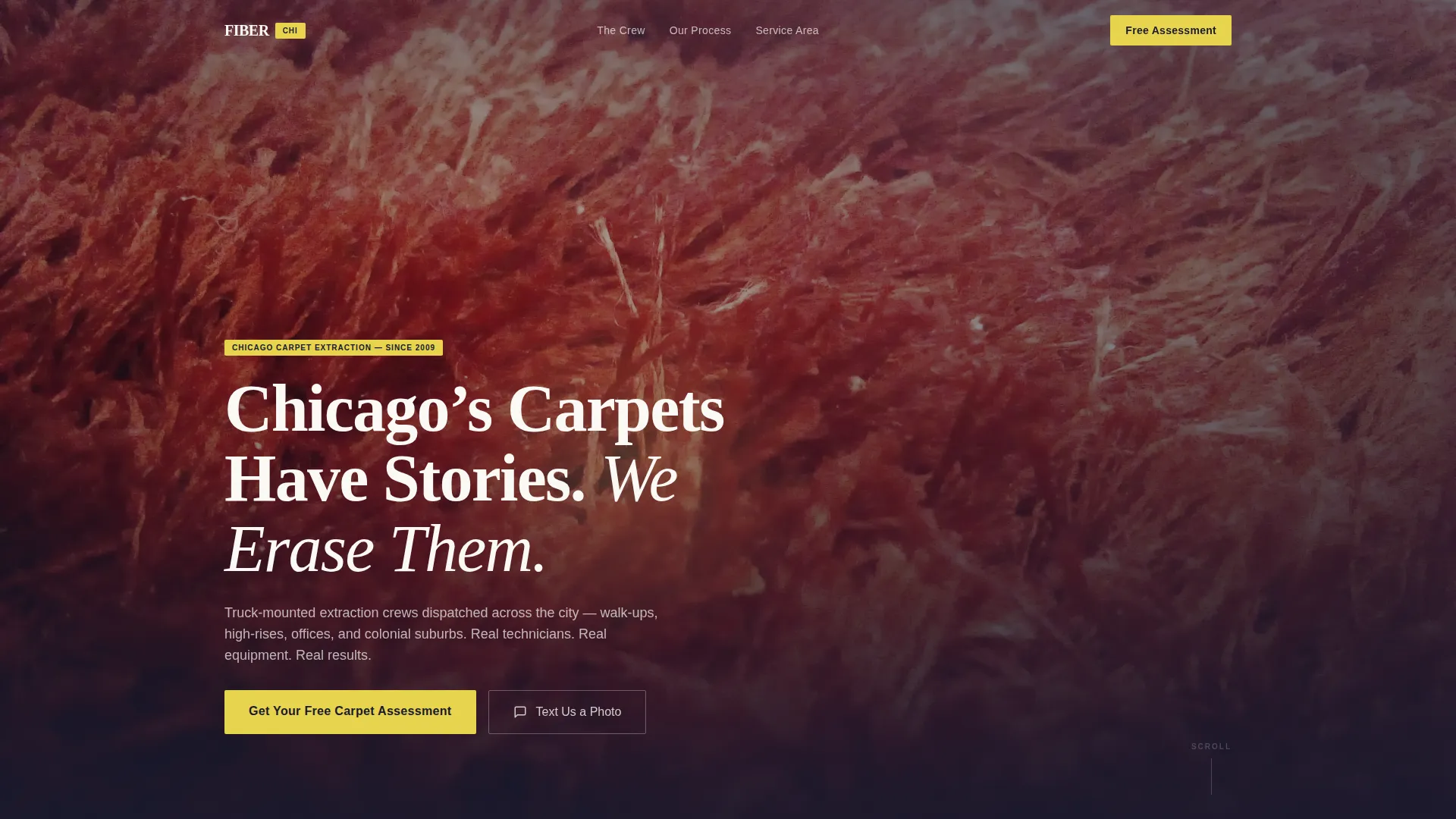
- A cinematic hero section with a ground-level carpet photograph and a fade-in headline
- Crew cards with documentary-style mid-job photography, specialty tags, and per-technician comparison tables
- A multi-step assessment form collecting zip code, room count, carpet condition, name, and phone number
- A secondary SMS shortcut that lets prospects text a stain photo directly for instant qualification
Feature list
This template includes purpose-built components designed around the realities of selling a local service in a competitive urban market.
Cinematic Ground-Level Hero Section
The hero opens at carpet-fiber level, camera nearly touching the floor. A single technician is visible in the background, lit by truck-mount spotlight glow. The headline "Chicago's Carpets Have Stories. We Erase Them." fades in over the dark field, making the equipment and the worker the visual anchor rather than a tagline.
Crew Cards with Specialty Tags
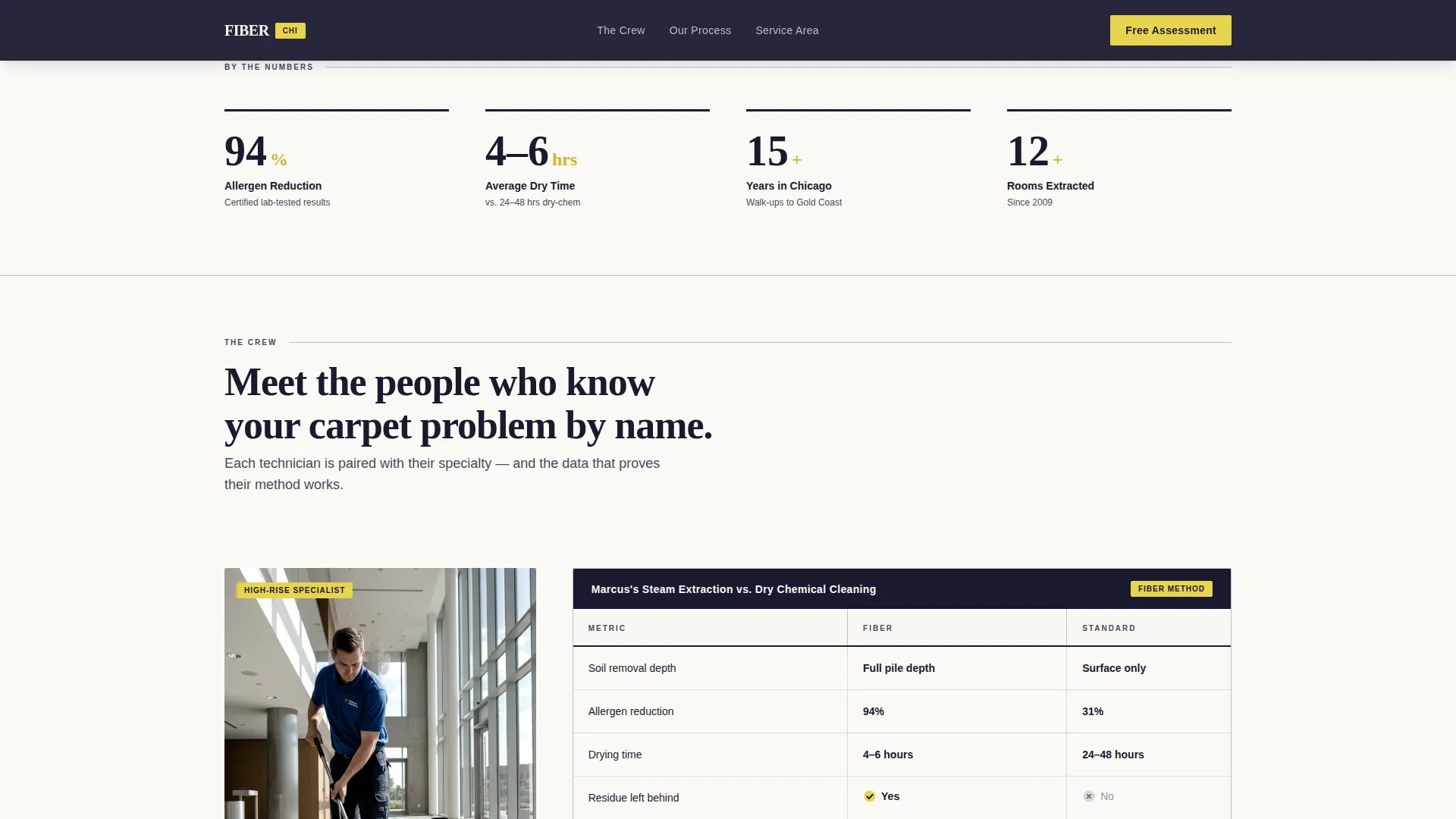
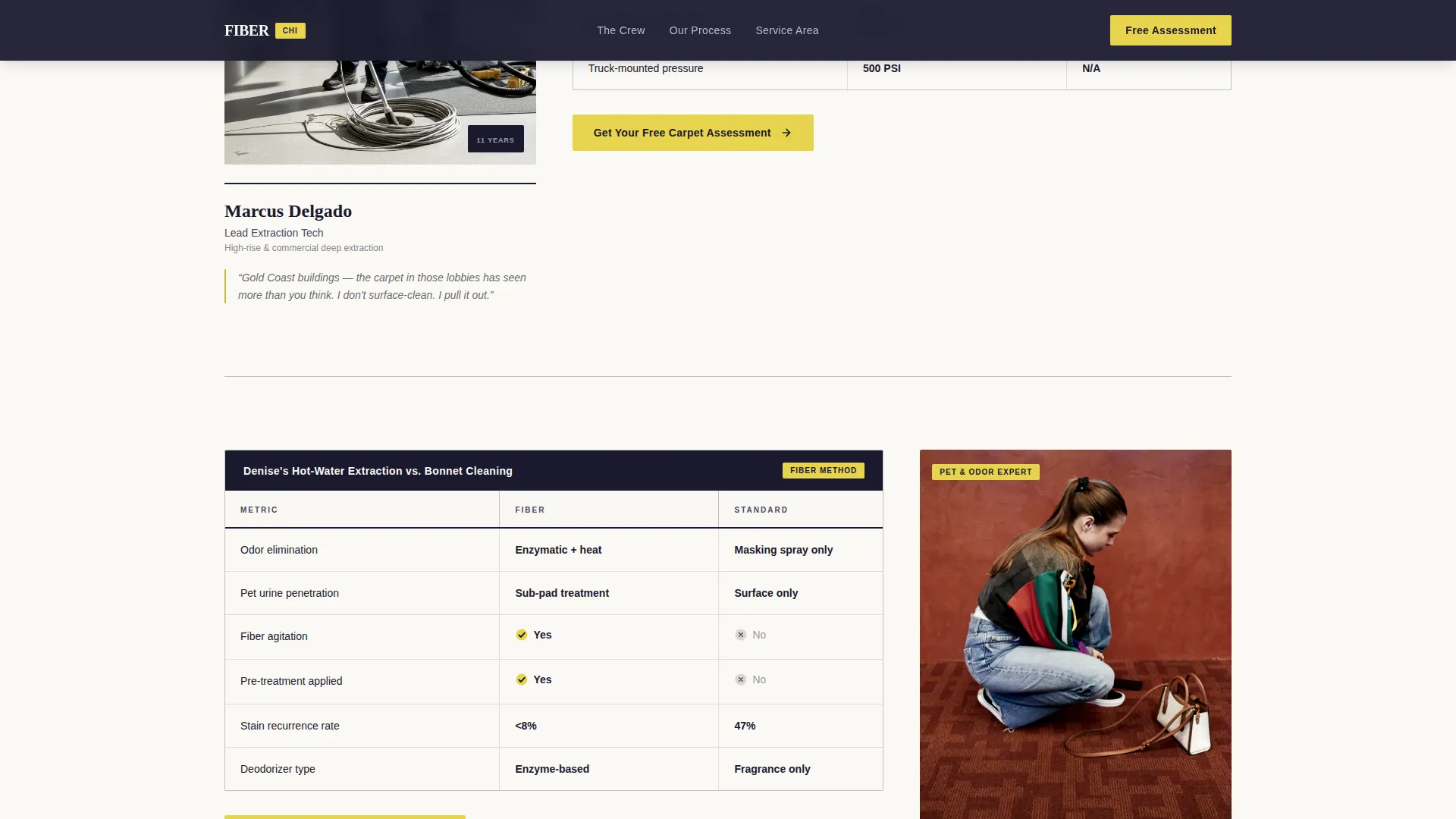
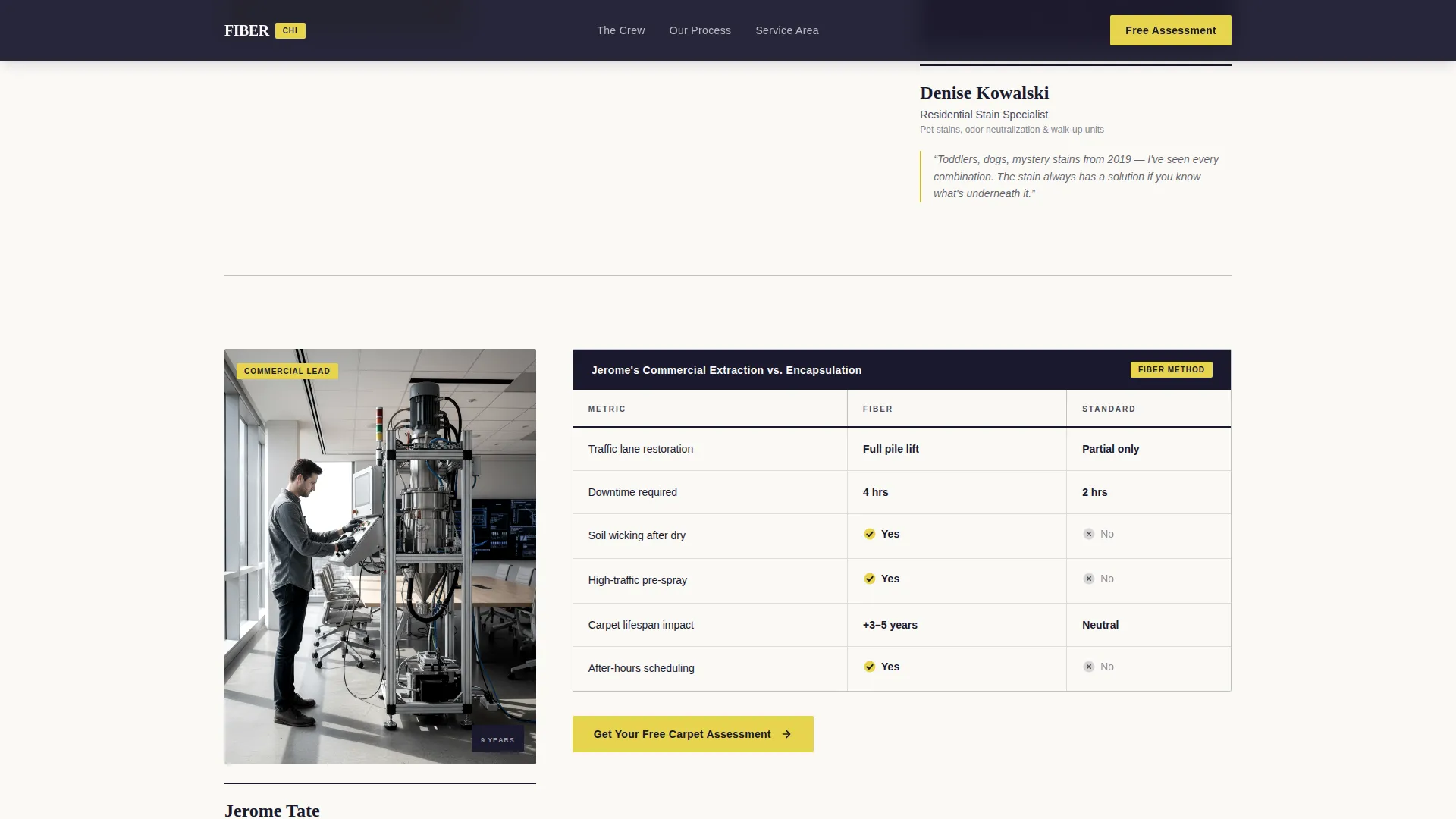
Each technician is introduced with a candid, mid-job documentary photograph. A specialty tag identifies their area of expertise. This section builds personal trust before the data does, giving every scroll reveal a human face tied to a specific carpet problem.
Per-Technician Comparison Tables
Each crew card pairs with a stark black-and-white comparison grid. The table rows cover steam extraction versus dry chemical cleaning, depth of soil removal, drying time, and allergen reduction rates. Yellow checkmarks highlight the winning column. Row entries stagger in on scroll for readability.
Multi-Step Lead Capture Form
The assessment form opens with zip code entry that validates the Chicago service area instantly. The visitor then selects room count via a tap selector, picks carpet condition from a four-level visual stain picker, and enters name and phone last. This order reduces friction and filters unqualified leads before personal details are requested.
SMS Photo Shortcut
A secondary call-to-action offers a direct SMS link labeled "Text Us a Photo." Prospects photograph the stain and hit send. This path captures the fastest, most qualified leads by removing every barrier between problem and response.
Sticky Mobile Call-to-Action Bar
On mobile, a persistent bottom bar keeps the primary call-to-action visible at all times. On desktop, the same call-to-action repeats after each comparison table. Neither version requires the visitor to scroll back up to act.
Page sections overview
| Section | Purpose |
|---|---|
| Hero Full-Bleed | Draw attention with a cinematic carpet-level photograph and fade-in headline |
| Meet The Crew | Introduce each technician with candid mid-job photography and specialty tags |
| Comparison Tables | Prove process quality through per-technician steam versus dry-chem data grids |
| By The Numbers | Reinforce credibility with a stats grid showing allergen reduction and drying times |
| Assessment Form | Capture qualified leads through a zip-first, multi-step form with visual stain picker |
| Page Footer | Provide minimal single-row footer with copyright and navigation links |
Design & branding system
The visual identity follows a Service Utility theme built on an Ink and Paper color palette. The result feels like a freshly printed work order: high-contrast, no-nonsense, and immediately trustworthy.
- Deep newsprint black (#1A1A2E) for primary backgrounds, graphite rule-line gray (#4A4A5A) for secondary text and dividers, and warm bond-paper white (#FAF9F6) for content surfaces
- Industrial safety yellow (#E8D44D) reserved exclusively for call-to-action buttons, checkmark badges in comparison tables, and hover states
- Fraunces display serif for headlines paired with DM Sans for body text, creating a contrast between editorial weight and clean utility readability
Mobile & speed optimization
The template is built mobile-first, with interaction patterns sized for thumb reach and a form flow optimized for small screens. Every interactive element is designed to reduce tap errors and keep the visitor moving forward.
- The sticky bottom call-to-action bar keeps "Get Your Free Carpet Assessment" reachable on mobile without any scrolling
- The multi-step form uses a tap selector for room count and a visual picker for stain condition, both sized for comfortable one-handed use
- The hero image is set to priority load, and all scroll-triggered animations including card reveals and comparison table row stagger are handled client-side only
How this template helps you convert
Every design and layout decision in this template serves one goal: turning a skeptical visitor into a booked lead before they leave the page.
- The comparison tables deliver hard evidence, real drying times and allergen reduction rates, at the exact moment visitors are evaluating whether to trust the service.
- The zip code validator at the top of the form filters out out-of-area visitors immediately, so every lead that completes the form is already confirmed to be in the Chicago service area.
- The SMS photo shortcut removes the single biggest friction point for high-intent visitors: the moment between seeing a stain and deciding to call.
Other information about this template
This template is built specifically for the Chicago metro carpet cleaning market, with zip code validation scoped to the 606xx range covering city neighborhoods and close suburbs. Localization details include Chicago neighborhood references throughout the crew and stats sections.
- The footer follows a developer-minimal single-row layout with copyright on the left and navigation links on the right
- Animation intensity is set to medium: the hero headline fades in on load, crew cards reveal on scroll, and comparison table rows stagger in sequence
- The form is entirely client-side, with no backend dependency required out of the box
- The template is suited to businesses ready to lead with crew credibility and process transparency rather than price competition
Theme
Service Utility
Creative direction
Team & People
Color system
Ink & Paper
Style
Comparison Table
Direction
Lead Generation
Page Sections
Cinematic Ground-level Hero Section
Crew Cards with Specialty Tags
Per-technician Comparison Tables
Multi-step Lead Capture Form
SMS Photo Shortcut
Sticky Mobile Call-to-action Bar
Related questions
Who is this landing page template designed for?
Can I customize the comparison table content?
How does the multi-step form reduce low-quality leads?
What is the SMS photo shortcut and how does it work?
What animation and interactivity level does this template use?



