Wealth Management & Advisory Professional Website Template
Fiduciary is a comparison table landing page built for family office advisory practices. It surfaces structural wealth vulnerabilities through side-by-side audit tables, animated data counters, and a scroll-driven disclosure flow. Designed for ultra-high-net-worth prospects and their counsel, the page moves qualified visitors toward scheduling a confidential estate audit with zero friction.
by Rocket studio
Quick summary
Fiduciary is a single-page, click-through landing page for family office advisory firms. It opens with animated statistics that quantify estate exposure, then walks visitors through progressive comparison tables contrasting unstructured and structured wealth arrangements. Every section builds toward one action: requesting a confidential audit. The page earns that click before asking for it.
Who this template is for
This template is purpose-built for family office advisory practices serving the ultra-high-net-worth market. It speaks directly to prospects who already sense the risk but have not yet acted on it.
- Second-generation inheritors managing their first estate transition with portfolios above $25 million
- Founding patriarchs with holdings across real estate, operating companies, and offshore trusts
- Outside counsel, trust officers, and estate planning attorneys who need a co-pilot fluent in Grantor Retained Annuity Trust (GRAT) valuations and dynasty trust jurisdictions
What problem this template solves
Most advisory landing pages describe services. This one describes exposure. Prospects in the ultra-high-net-worth market do not respond to generic credentials. They respond to specificity about what they stand to lose.
- Estate tax liability, generational wealth erosion, and multi-entity audit vulnerabilities go unquantified on most firm pages, leaving high-intent prospects unconvinced
- Side-by-side comparison tables are missing from typical advisory sites, so visitors cannot easily see the structural gap between where they are and where they need to be
- Without a clear, friction-free call to action tied to a private diagnostic, qualified prospects leave before committing
What you get with this template
You get a fully structured, scroll-optimized landing page that moves prospects from quiet concern to confident action. Every section is intentional, every visual choice is deliberate, and the conversion path is built in from the first pixel.
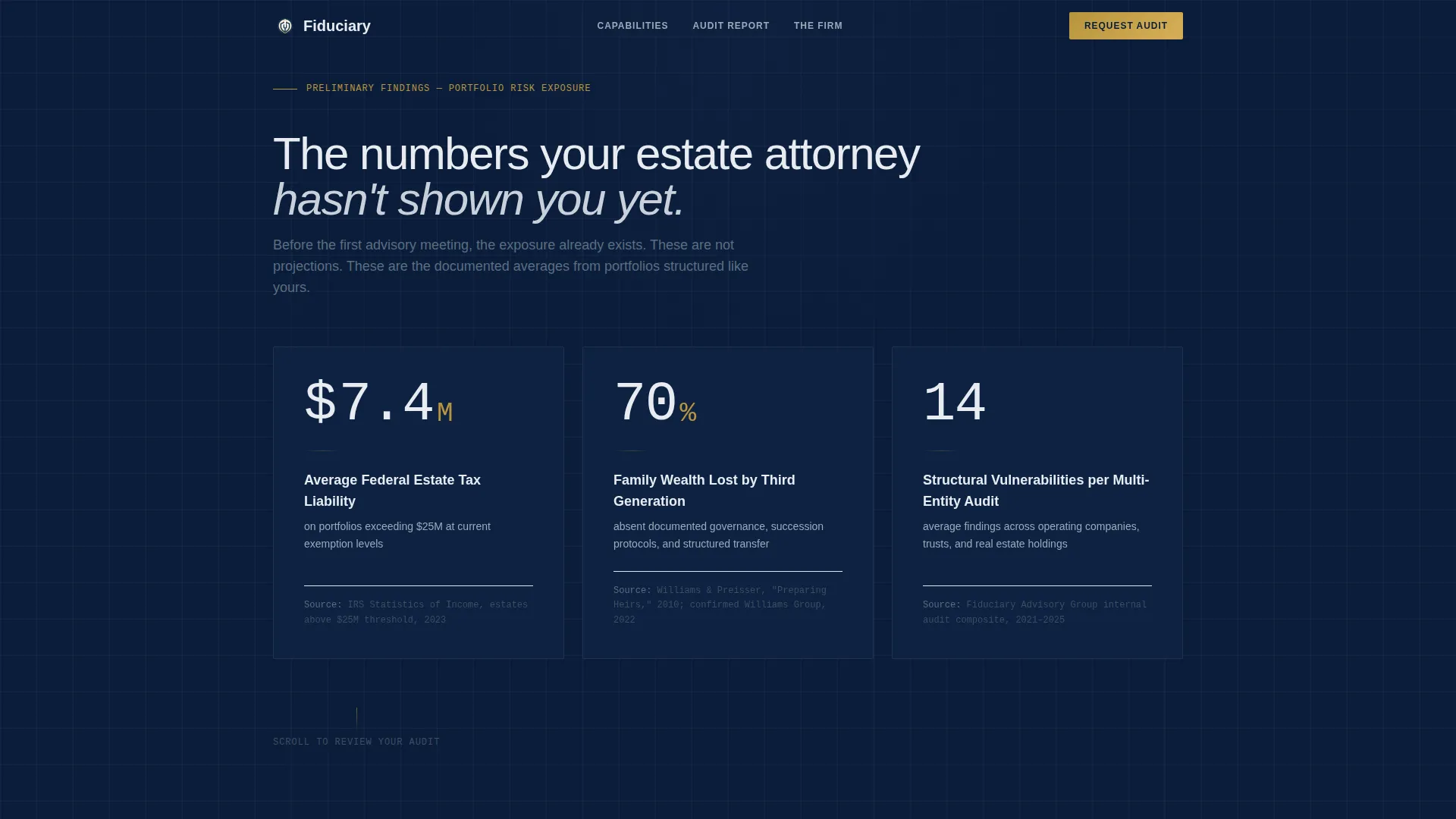
- An animated hero section with three real-time counter statistics typeset in a monospaced legal font against deep navy backgrounds
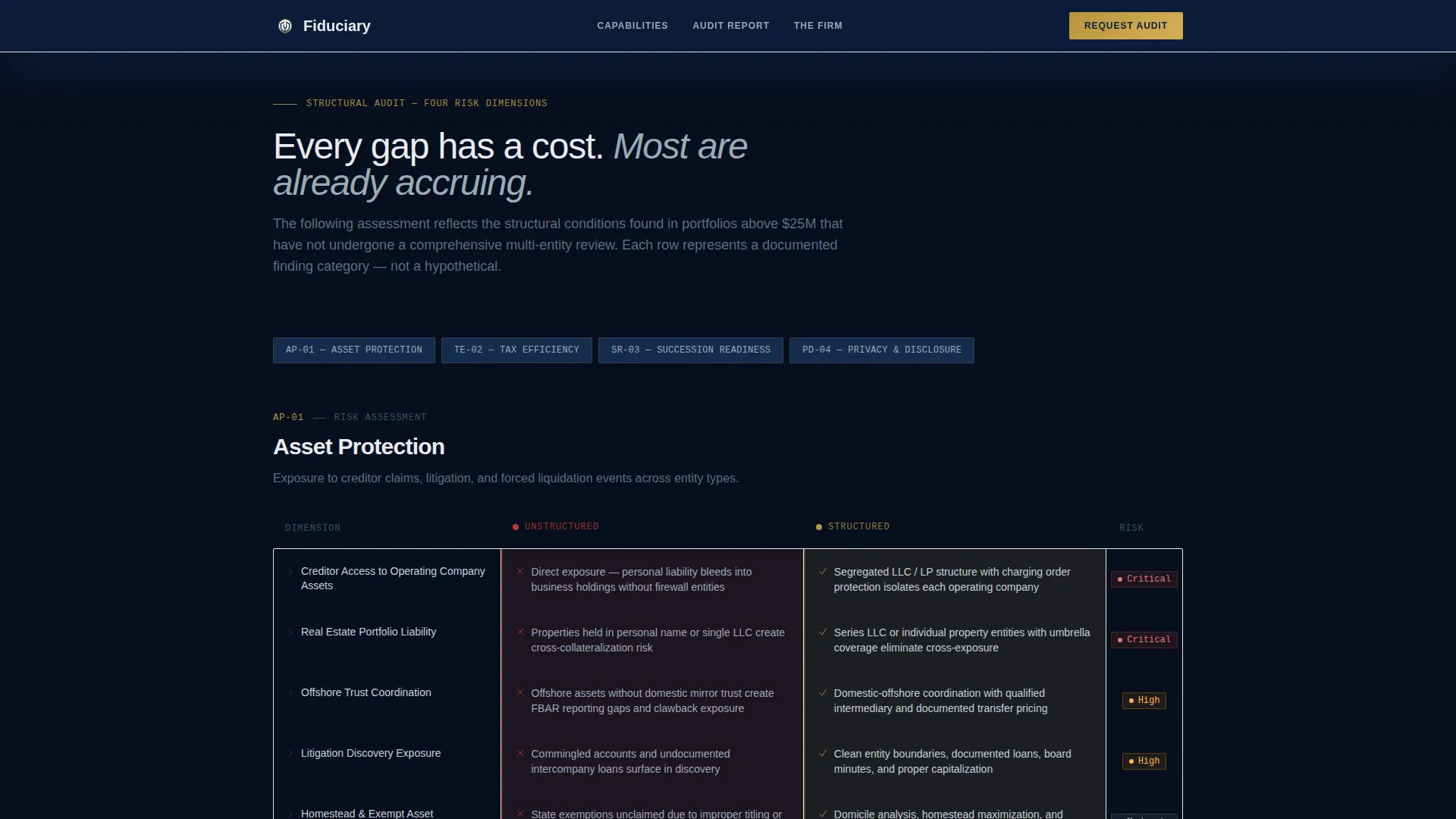
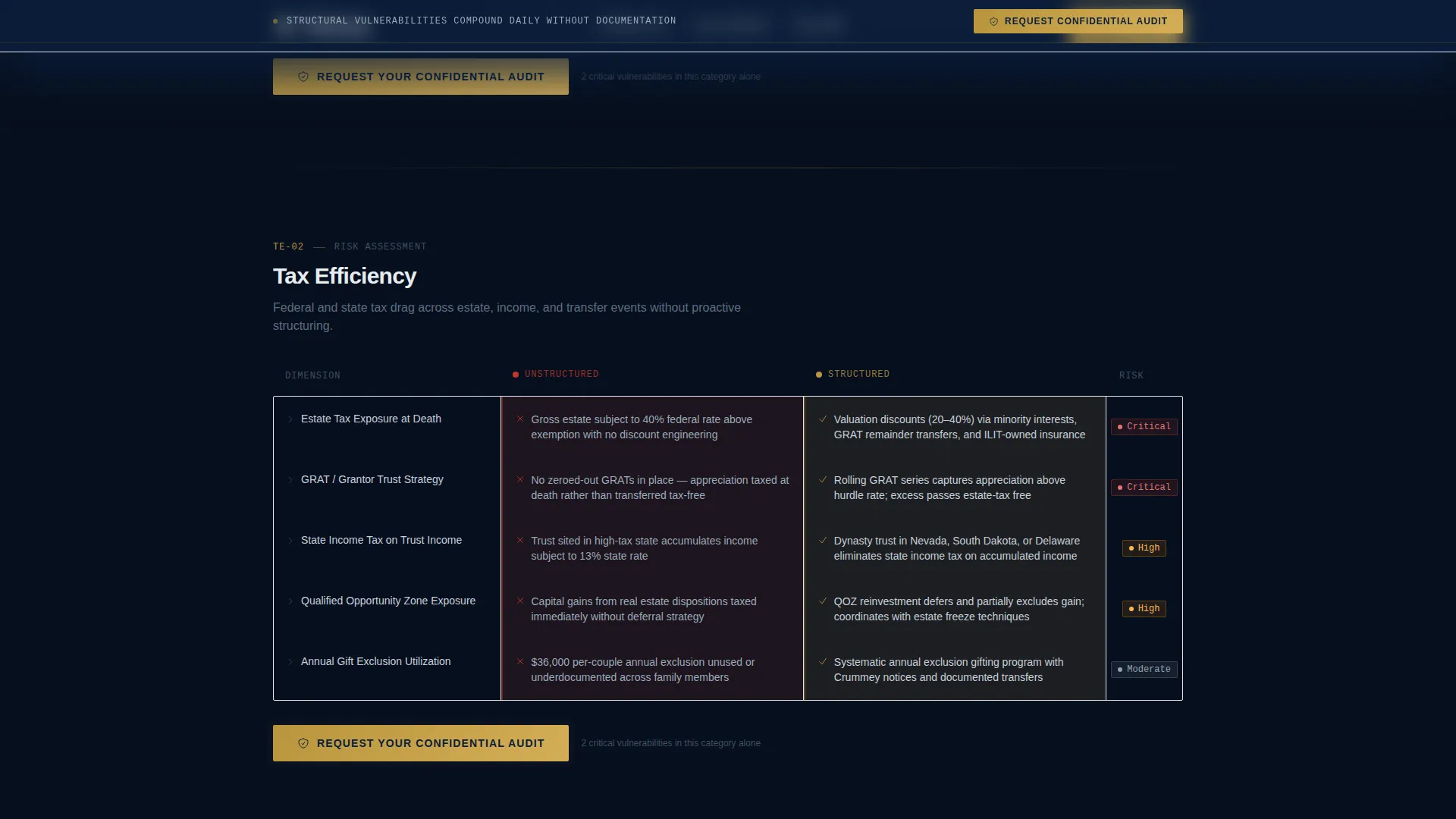
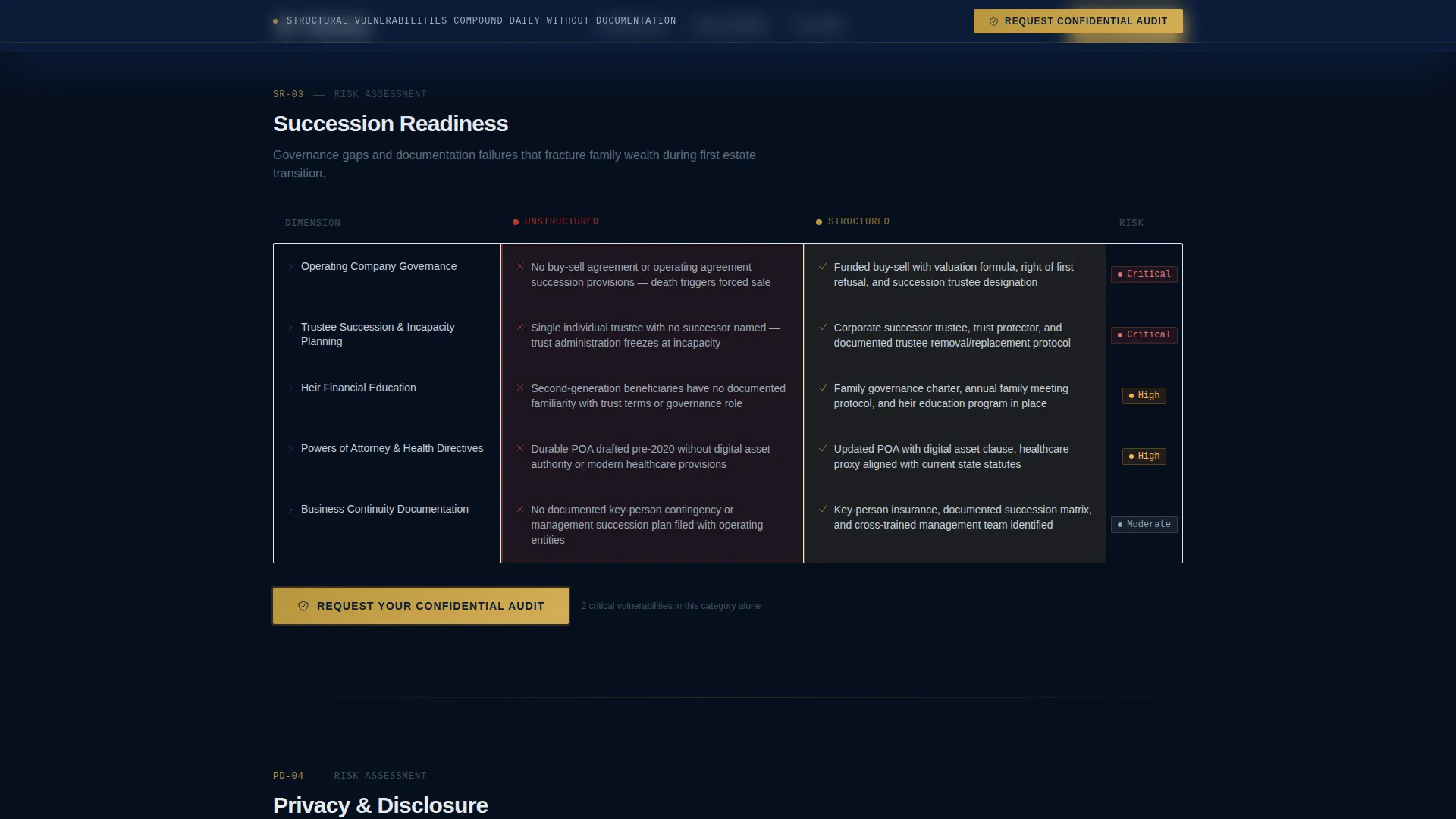
- Progressive comparison tables covering asset protection, tax efficiency, succession readiness, and privacy exposure, with red vulnerability markers and gold-checked resolutions
- A fixed call-to-action bar that appears after the second scroll, anchoring "Request Your Confidential Audit" across every table section without interrupting the read
Feature list
This template includes a focused set of purpose-built components. Each one serves the landing page's single objective: demonstrating what the firm already knows about a prospect's exposure before asking for a click.
Animated Statistical Counter Hero
Three headline figures animate in real time against a deep navy background. Each counter represents a fear the prospect already carries: average estate tax liability for portfolios above $25 million, the percentage of family wealth lost by the third generation, and the number of structural vulnerabilities found in a typical multi-entity audit. Each statistic is followed by a single-line citation, typeset in IBM Plex Mono for legal-document precision.
Progressive Comparison Table Layout
The core scroll experience is built around side-by-side "Unstructured versus Structured" tables. Rows reveal one gap at a time across four categories: asset protection, tax efficiency, succession readiness, and privacy exposure. Red vulnerability markers appear on the left. Gold-checked resolutions appear on the right. The reveal pacing makes each section feel like moving through an active audit report.
Fixed Call-to-Action Navigation Bar
After the visitor's second scroll, a slim navy bar locks into view at the top of the viewport. It carries the primary call to action throughout the page without obstructing the comparison tables. This persistent anchor ensures the conversion path is always visible without a form on the page.
Secondary Lead Capture Link
A text-based secondary link, "Download the Family Office Readiness Checklist," provides a lower-commitment entry point for visitors not yet ready to schedule. The link leads to a gated PDF requiring only a first name and email address, seeding a nurture sequence for lighter-intent prospects.
Credibility and Domain Signal Section
A dedicated credibility section surfaces firm expertise through technical specificity rather than generic testimonials. References to GRAT valuations, dynasty trust jurisdictions, and specific dollar figures establish authority in a voice that speaks directly to outside counsel and estate planners.
Scroll Reveal and Row Stagger Animations
Table rows animate into view as the visitor scrolls, creating a progressive disclosure effect. Hover states on individual rows add interactivity without distraction. The overall animation system uses scroll reveal and stagger techniques to maintain the audit-report pacing throughout.
Page sections overview
| Section | Purpose |
|---|---|
| Hero Counter Stats | Quantify estate risk with three animated figures |
| Asset Protection Table | Contrast unstructured and structured asset exposure |
| Tax Efficiency Table | Surface gaps in current tax planning structures |
| Succession Readiness Table | Reveal vulnerabilities in generational transition plans |
| Privacy Exposure Table | Show risks of inadequate entity privacy structuring |
| Credibility Signals | Establish technical authority with domain-specific expertise |
| Primary Call to Action | Drive audit scheduling with anchored call to action placement |
| Secondary Checklist Link | Capture lighter-intent leads with gated PDF offer |
| Footer | Single-row linear footer for firm identity and legal links |
Design & branding system
The visual identity follows a Legal Shield theme. Every color choice reflects the weight of the documents this firm handles. The palette feels like the spine of a leather-bound trust document.
- Navy (#0B1D3A) dominates all backgrounds and section dividers; platinum (#E8ECF1) carries body text fields and table cells; graphite (#3D4F5F) handles secondary type and iconography
- Gold (#B8953E) appears only at decision points: interactive elements, toggle states, gold-checked table resolutions, and the primary call-to-action button, functioning like a foil stamp on something binding
- Typography pairs DM Sans for headings, IBM Plex Mono for all statistics and data fields, and Manrope for body copy, creating a clear visual hierarchy between narrative and number
Mobile & speed optimization
This template is built desktop-first, reflecting the primary user context: wealth managers and attorneys reviewing the page at a desk during business hours. The animation system is designed to perform cleanly in that environment.
- Server Components handle all static sections for consistent rendering; Client Components power the counter animations and scroll-triggered effects
- Counter animations, scroll reveal, row stagger, and hover states are implemented with high interactivity as a design priority, supporting the audit-report scroll pacing on desktop displays
- The page carries no stock photography or hero images, which keeps the visual load focused entirely on the data and table structure
How this template helps you convert
This landing page is engineered around a single conversion: moving a qualified, high-net-worth prospect to a private diagnostic scheduling page. The conversion logic is baked into the scroll sequence itself.
- The animated counter hero quantifies risk in the first three seconds, giving the visitor a specific number to carry into every section that follows, replacing vague concern with measured exposure.
- Each comparison table row deepens the case progressively, so by the time the prospect reaches the primary call to action, they are not evaluating a service but closing a vulnerability they now understand in specific terms.
- The fixed call-to-action bar and secondary checklist link ensure that every visitor, regardless of intent level, has a clear and appropriately weighted next step available throughout the page.
Other information about this template
This template sits at the intersection of wealth management advisory and family office practice marketing. It is built specifically for the United States market, with all statistics, legal references, and structural language grounded in US estate tax law and US entity structuring conventions.
- The template uses USD currency conventions and references US-specific instruments such as GRATs and dynasty trust jurisdictions throughout the credibility and table sections
- No form appears on this page by design; the click-through structure keeps the primary page clean and moves intake data collection to a private diagnostic scheduling page
- The footer follows a linear single-row pattern, keeping the page close on a clean, minimal note consistent with the legal authority aesthetic
Theme
Legal Shield
Creative direction
Checklist & Audit
Color system
Navy Authority
Style
Comparison Table
Direction
Click-Through
Page Sections
Animated Counter Hero Section
Progressive Comparison Tables
Fixed Call-to-action Bar
Secondary Gated Checklist Capture
Credibility and Domain Signal Section
Scroll Reveal and Row Stagger Animations
Related questions
Does this template include a contact form on the page?
Can I edit the animated counter statistics in the hero section?
Who is this landing page template designed for?
What is included in the comparison table structure?
Is this template built for desktop or mobile use?



