Family Office Advisory Landing Page Template
Fiduciary is a single-page landing page built for family office advisory practices. It combines animated data counters, side-by-side audit comparison tables, and a fixed call-to-action bar to convert high-net-worth prospects into qualified diagnostic appointments. The design uses a Legal Shield visual identity in deep navy, platinum, graphite, and restrained gold to project the quiet authority of a trusted fiduciary firm.
by Rocket studio
Quick summary
Fiduciary is a Click-Through landing page template for family office advisory and estate planning practices. It opens with three animated fear metrics, moves prospects through structured audit comparison tables, and closes with a single primary call to action: "Request Your Confidential Audit." No contact form appears on this page. The design is built to earn the click before asking for it.
Who this template is for
This template serves B2B professional services firms that advise clients on generational wealth, estate structuring, and multi-entity holdings. It is designed for practitioners who need a client-facing page that communicates structural authority without promotional noise.
- Family office advisory firms serving high-net-worth individuals and second-generation inheritors
- Founding patriarchs and estate planning counsel who need a co-pilot fluent in complex trust structures
- Outside legal and financial advisors looking for a credible, appointment-driving practice page
What problem this template solves
Most wealth advisory pages look like every other financial services website. They list credentials, show headshots, and ask visitors to "get in touch." That approach does not work for high-net-worth prospects who are already skeptical and time-constrained. This template takes a different approach: it surfaces the exposure the visitor already suspects they have, row by row, before making any ask.
- Prospects arrive without a clear sense of their own structural vulnerabilities; the comparison tables make those gaps visible
- Generic advisory pages fail to differentiate structured versus unstructured estate positions; this template makes that contrast the entire scroll experience
- Lighter-intent visitors leave without a next step; a secondary checklist download captures them into a nurture sequence
What you get with this template
You get a fully structured single-page layout built around the audit report aesthetic. Every section is purpose-built: the hero does not waste space on imagery, the comparison tables do the persuasion work, and the call-to-action placement is deliberate and consistent throughout the scroll.
- Animated hero counter section with three live-populating estate risk statistics
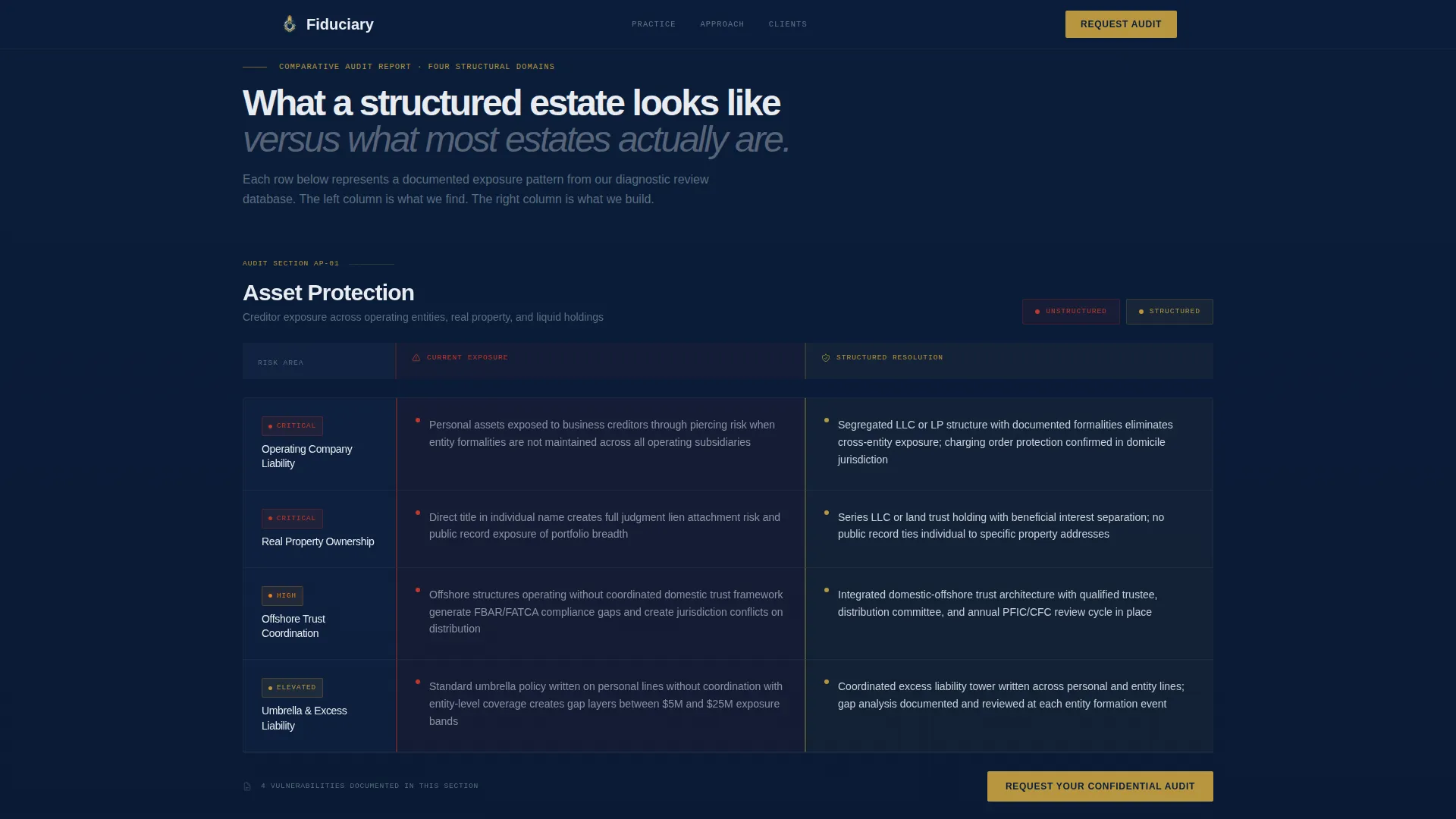
- Four-domain side-by-side comparison tables showing unstructured versus structured positions across asset protection, tax efficiency, succession readiness, and privacy exposure
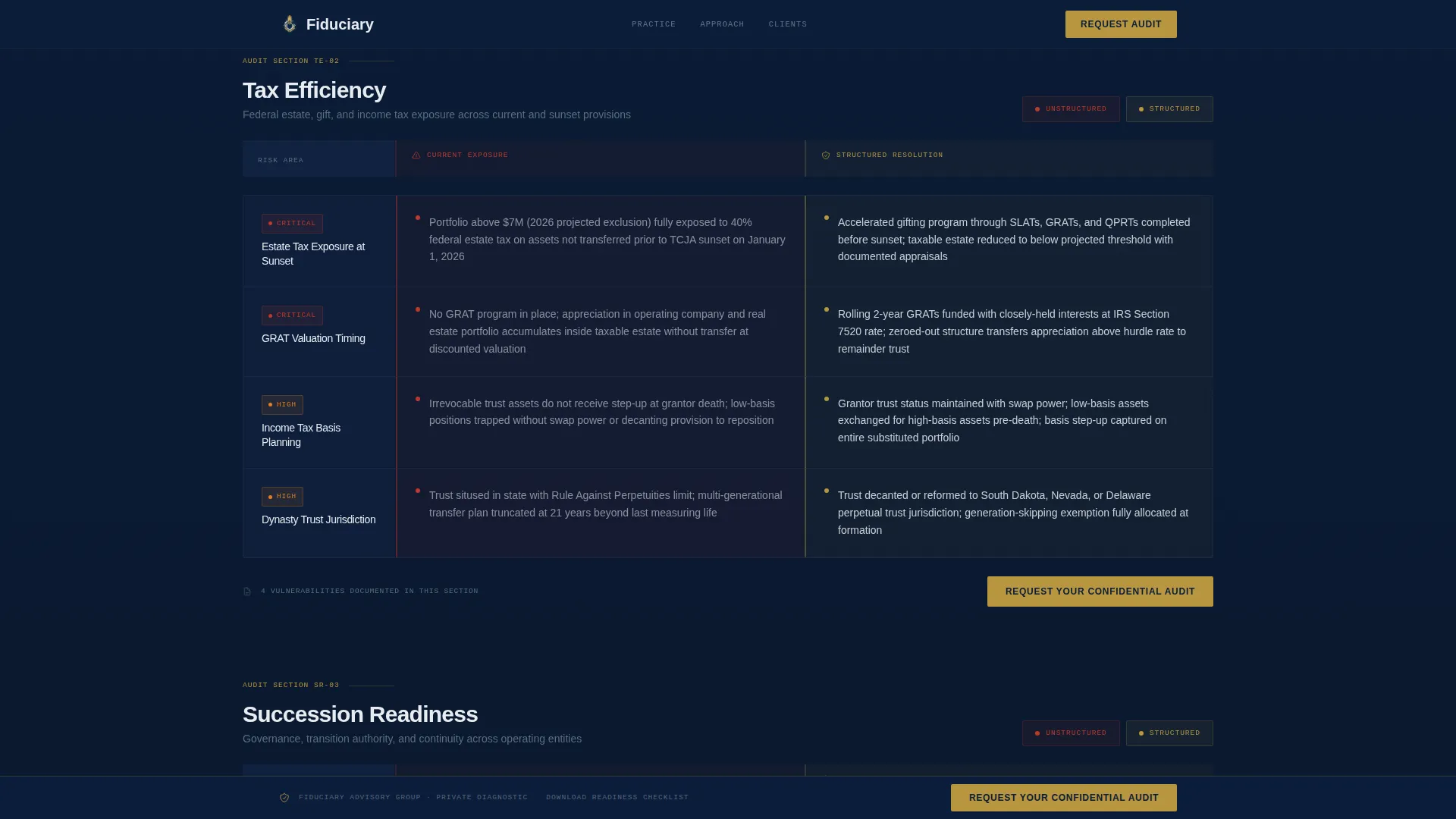
- Fixed slim navy call-to-action bar that anchors after the second scroll, plus a secondary PDF checklist lead-capture link
Feature list
This template is built around a tightly defined set of components, each one serving the single goal of moving a qualified prospect toward scheduling a private diagnostic.
Animated Data Counter Hero
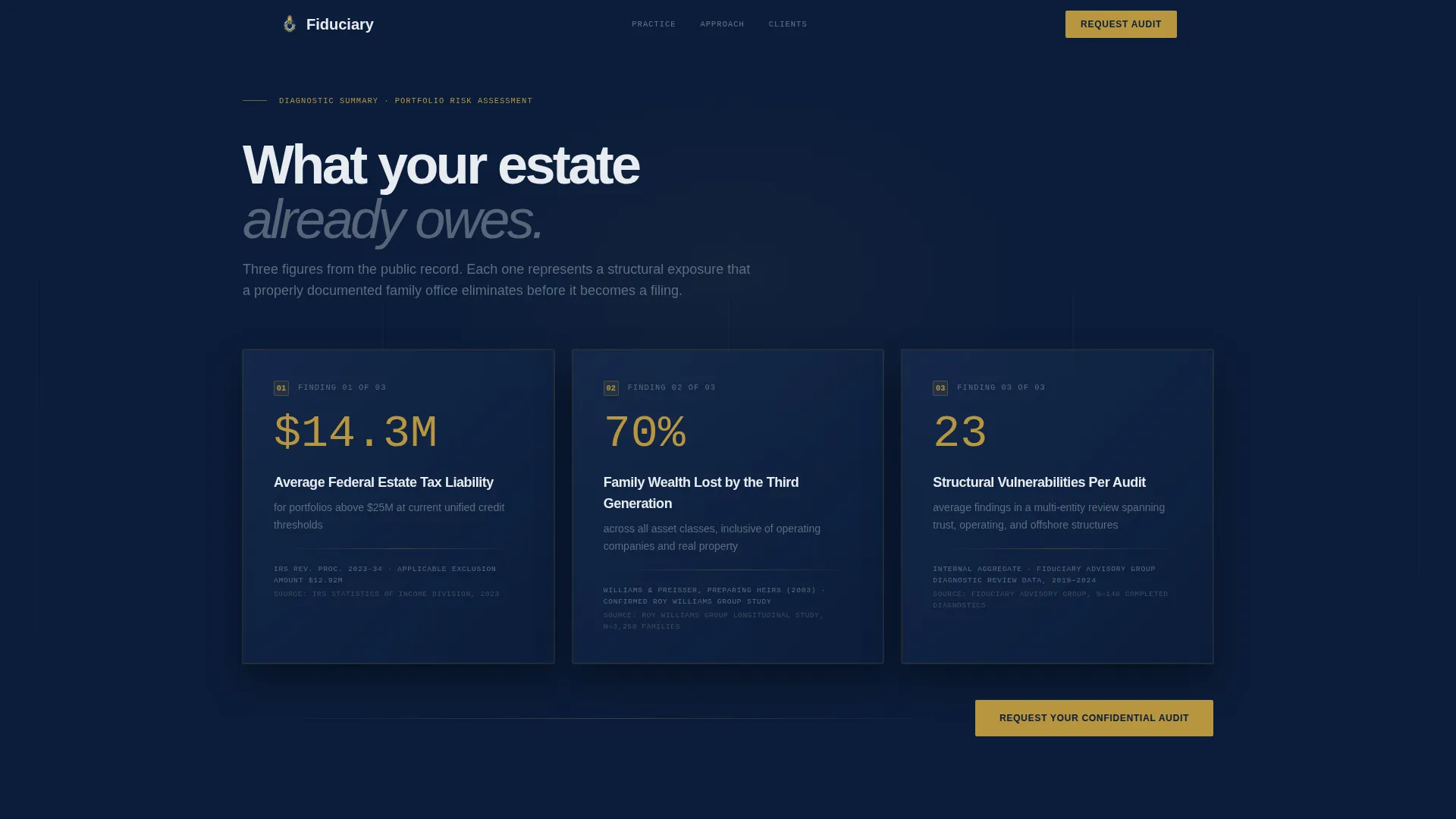
The header section opens with three statistics that populate in real time using a monospaced legal font against deep navy. Each figure targets a specific fear: estate tax liability on portfolios above $25 million, the percentage of family wealth lost by the third generation, and the number of structural vulnerabilities found in a typical multi-entity audit. Every stat is followed by a single-line citation. No hero image is used.
Side-by-Side Audit Comparison Tables
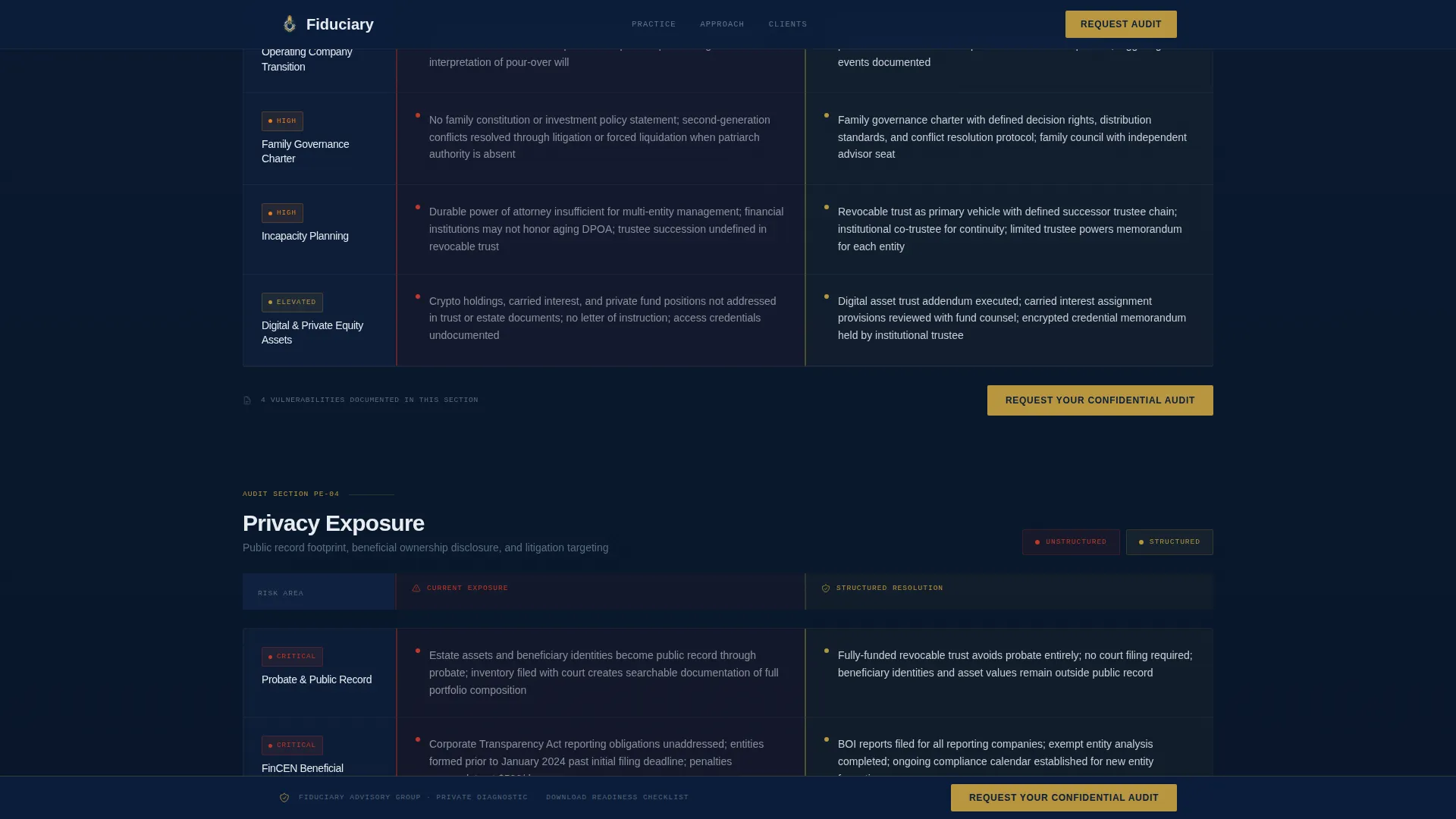
Four comparison tables run in parallel columns: "Unstructured" on the left and "Structured" on the right. Rows cover asset protection, tax efficiency, succession readiness, and privacy exposure. Red vulnerability markers flag the unstructured column; gold-checked resolutions confirm the structured position. Rows reveal progressively on scroll, building urgency without promotional language.
Fixed Call-to-Action Bar
A slim navy bar anchors to the viewport after the second scroll. It carries the primary call to action throughout the page without interrupting the reading flow. The bar disappears when the visitor reaches the footer and reappears on scroll-up, keeping the decision visible at all times.
Authority Signal Section
A dedicated section presents credibility markers, jurisdiction expertise indicators, and client profile descriptions. This section communicates who the firm serves and what structural knowledge they bring, using copy-driven signals rather than testimonials or photography.
Secondary Checklist Lead Capture
A text link labeled "Download the Family Office Readiness Checklist" appears alongside the primary call to action. It leads to a gated PDF modal that requires only a first name and email address. This path captures lighter-intent visitors and seeds a follow-on nurture sequence without disrupting the main conversion flow.
Scroll-Reveal Row Animation
Comparison table rows expose progressively as the visitor scrolls, using Intersection Observer triggers and CSS scroll-behavior. Each new row lands like a finding in a deposition, reinforcing the audit report aesthetic and building a sense of accumulating evidence before the final call to action.
Page sections overview
| Section | Purpose |
|---|---|
| Animated Counter Hero | Surface three estate risk statistics in real time to establish fear-based context |
| Comparison Audit Tables | Show unstructured versus structured gaps across four advisory domains |
| Authority Signal Block | Present firm credibility markers and client profile descriptions |
| Checklist Call to Action | Offer a gated PDF download for lighter-intent visitors |
| Fixed Call-to-Action Bar | Keep the primary appointment request visible after the second scroll |
| Footer | Single-row linear footer pattern with minimal navigation |
Design & branding system
The visual identity follows a Legal Shield theme. The palette is built to feel like the spine of a leather-bound trust document. Navy dominates, gold appears only where a decision is being made, and platinum carries the readable content fields that make the audit tables scannable.
- Deep judicial navy (#0B1D3A) covers backgrounds, section dividers, and the fixed call-to-action bar
- Platinum brief paper (#E8ECF1) fills body text fields, table cells, and content areas for legibility
- Muted graphite counsel (#3D4F5F) handles secondary type and iconography; restrained gold (#B8953E) is reserved exclusively for interactive elements, toggle states, and the primary call-to-action button
- Typography uses DM Sans for body and heading copy, with JetBrains Mono reserved for animated counters and legal citations to reinforce the audit report aesthetic
Mobile & speed optimization
This template is built desktop-first. The target audience of high-net-worth clients and outside legal counsel primarily uses desktop devices for research on decisions of this magnitude. The layout and animation behavior are prioritized for large-screen viewing.
- Scroll-reveal animations use Intersection Observer, keeping the page responsive to the viewport without blocking initial load
- CSS scroll-behavior drives the progressive table row exposures, avoiding heavy JavaScript dependencies for the animation layer
- The fixed call-to-action bar is designed to remain unobtrusive on desktop viewports and adjusts its position relative to the content scroll depth
How this template helps you convert
The conversion architecture is built on a single principle: demonstrate what you already know about the prospect's exposure before making any ask. By the time a visitor reaches the primary call to action, they have moved through a sequence of evidence that builds quiet urgency.
- The animated counter hero opens with three statistics the prospect already fears, establishing credibility and context before any firm messaging appears
- The progressive comparison tables surface four categories of structural gap, making the cost of inaction visible row by row without a single exclamation point
- The dual call-to-action structure captures both high-intent visitors (diagnostic appointment) and lighter-intent visitors (checklist download), so the page converts across the full range of readiness levels
Other information about this template
This template is designed for English-language, US legal context. Pricing and references are denominated in USD. The page is built as a single-page, section-led Click-Through landing page and is not a multi-page website.
- The template category is Finance and Insurance, with a subcategory of Wealth Management and Advisory, specifically targeting the Family Office niche
- The footer follows a linear single-row pattern, keeping the bottom of the page clean and consistent with the overall legal authority aesthetic
- The template ships with a high animation and interactivity specification: counter tick-up on load, staggered table row reveals on scroll, a checklist modal triggered by the secondary text link, and a viewport-aware fixed call-to-action bar
- No contact form appears on this landing page; the primary call to action routes to a separate private intake page, and the secondary action routes to a gated PDF modal
Theme
Legal Shield
Creative direction
Checklist & Audit
Color system
Navy Authority
Style
Comparison Table
Direction
Click-Through
Page Sections
Animated Data Counter Hero
Side-by-side Audit Comparison Tables
Fixed Call-to-action Bar
Authority Signal Section
Secondary Checklist Lead Capture
Scroll-reveal Row Animations
Related questions
Does this landing page include a contact form?
Can I customize the counter statistics in the hero section?
What are the four domains covered in the comparison tables?
Is this template suitable for a solo estate planning attorney?
What triggers the checklist download modal?



