Fix — Dependable Appliance Repair Landing Page Template
Fix is a single-column lead generation landing page built for a San Francisco appliance repair service. It leads with a bold no-pay guarantee headline, walks visitors through real repair case studies, and funnels urgent calls and form submissions through a sticky call to action bar. The layout feels calm, credible, and built for people who need help right now.
by Rocket studio
Quick summary
Fix is a focused, single-column landing page for a local appliance repair business. It opens with a high-conviction headline, moves through real-world repair stories, and closes every section with a clear call to action. The design feels grounded and trustworthy, built specifically to convert stressed homeowners and property managers into booked service calls.
Who this template is for
This template is designed for small appliance repair businesses that operate in a defined local service area. It works especially well for owner-operators or two-tech teams who rely on phone calls and form submissions to book new jobs.
- Appliance repair technicians serving residential neighborhoods and property managers
- Small repair shops looking to replace a generic website with a focused lead generation landing page
- Service businesses that want credibility-first design without a large marketing budget
What problem this template solves
Most local service pages either look too generic to inspire trust or bury the contact form under layers of navigation. When a homeowner has a warm refrigerator full of groceries, they need to feel confident in under thirty seconds. This template removes that friction entirely.
- Visitors land on a bold, direct headline that immediately communicates the service promise
- Real repair case studies replace hollow testimonials with specific, believable proof
- A persistent bottom call to action bar and a click-to-call button keep the conversion path always visible
What you get with this template
You get a fully structured, single-column landing page layout with every section pre-built and copy-ready. The design system, form layout, and content narrative are all included and ready to be tailored to your business details.
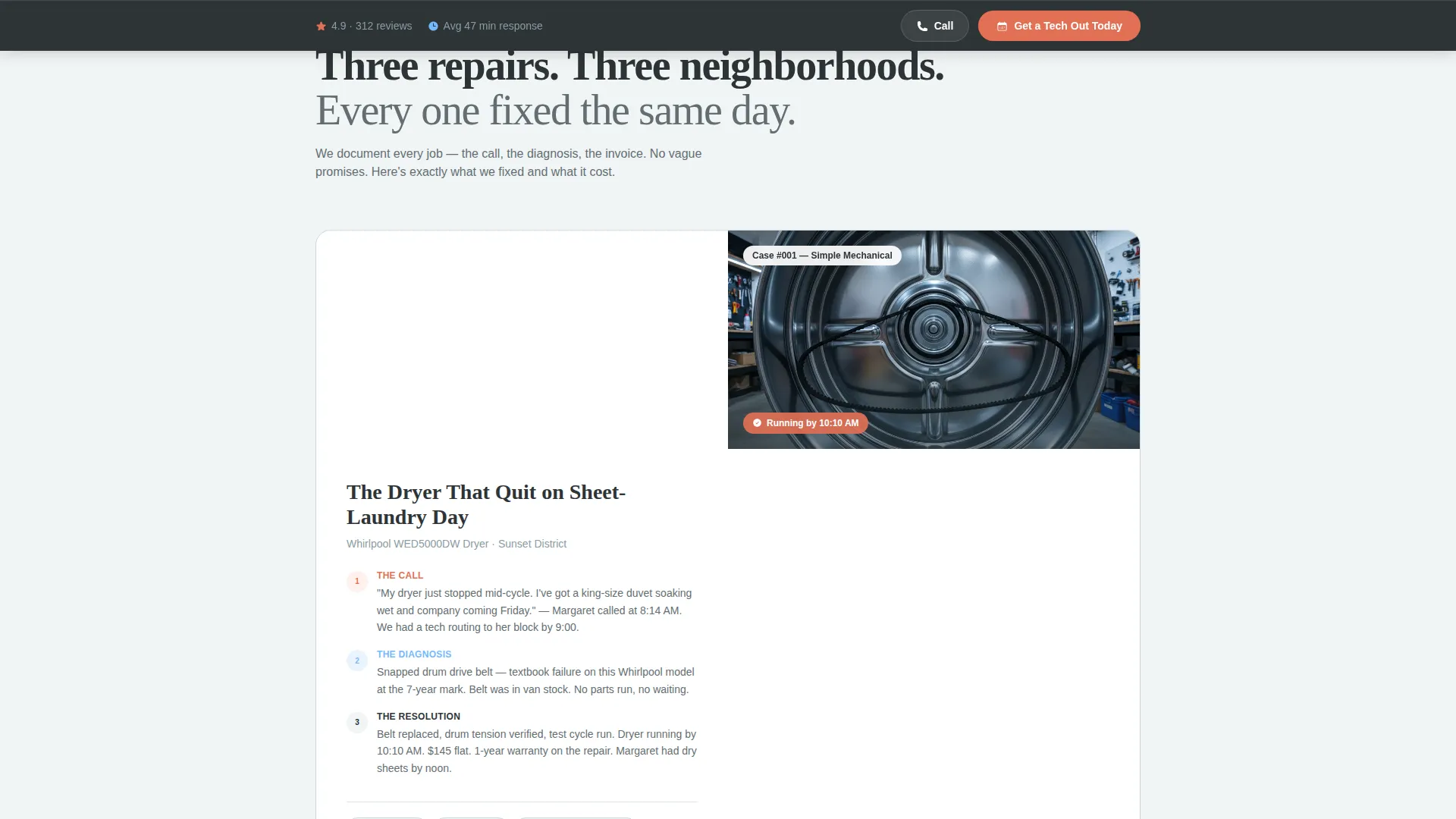
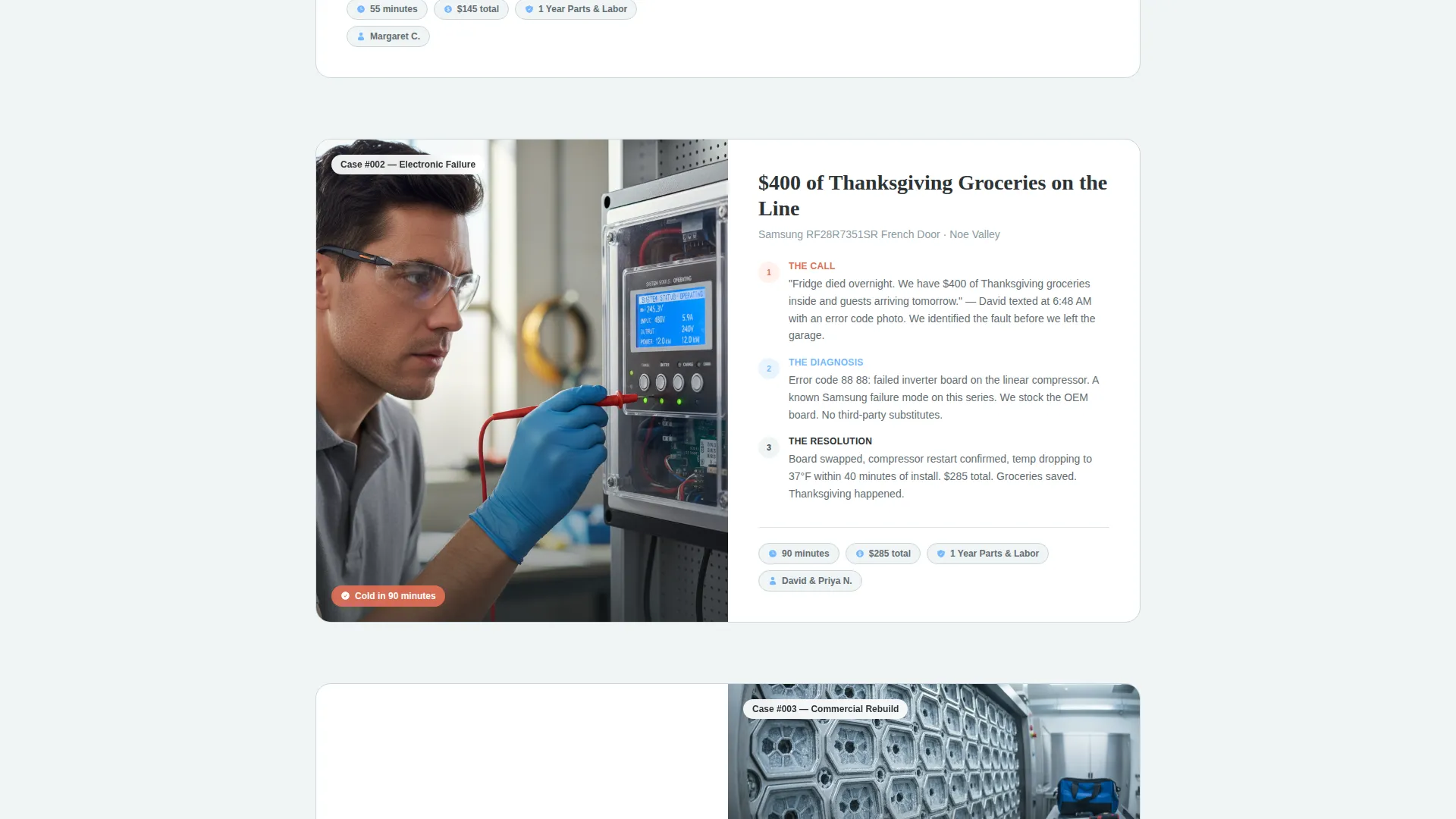
- A case-study narrative scroll flow with three-beat repair stories and trust signal breaks between them
- A lead capture form with an appliance-type dropdown, symptom field, zip code, and phone number fields
- A sticky bottom call to action bar and a secondary click-to-call button for high-urgency visitors
Feature list
This section covers the core built-in capabilities delivered by the Fix landing page template.
Giant Headline Left Layout
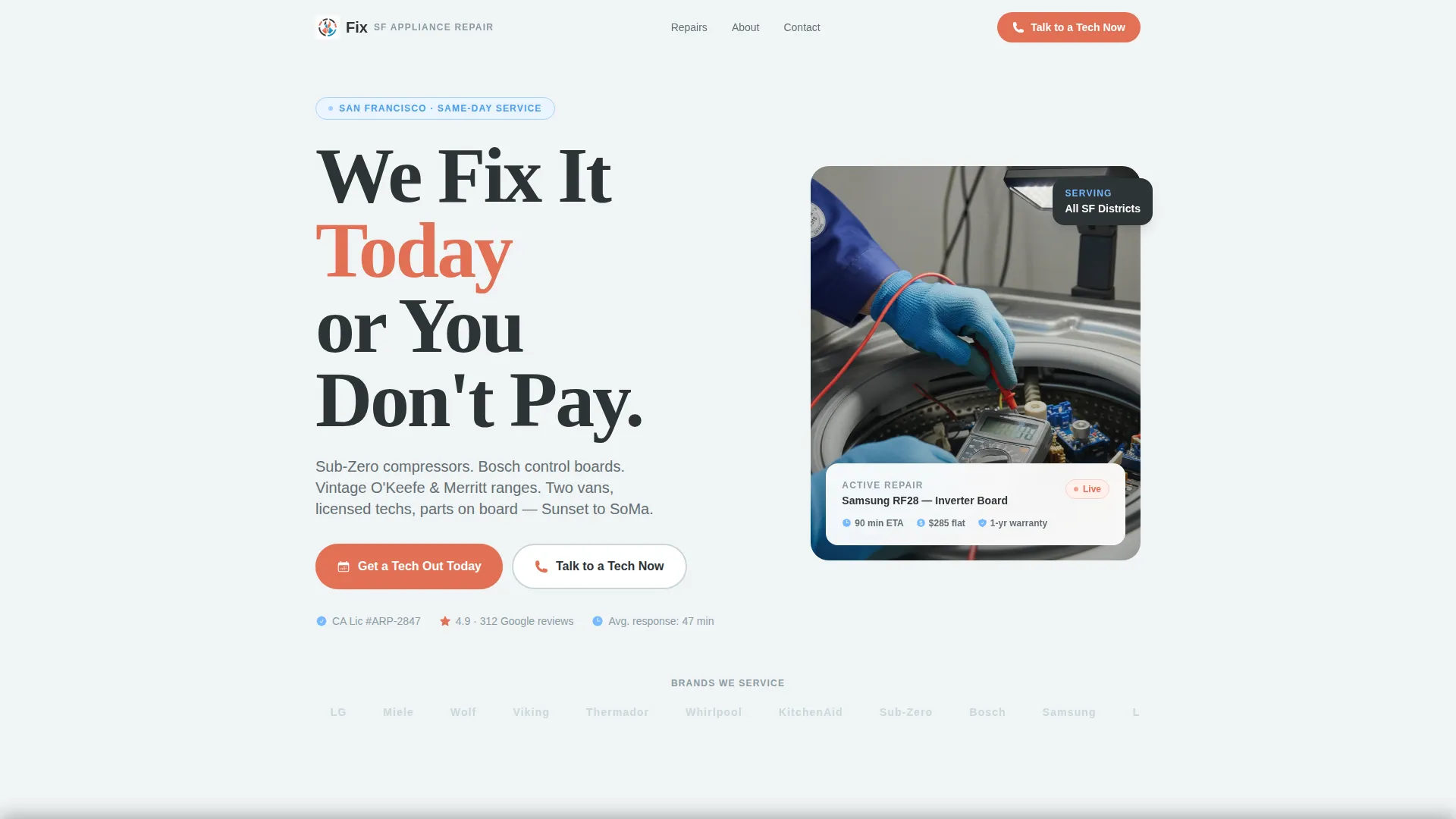
The header places an oversized bold headline on the left third of the viewport. The right side holds a single static photo of a technician mid-repair. This split creates immediate visual authority without clutter.
Case Study Narrative Scroll
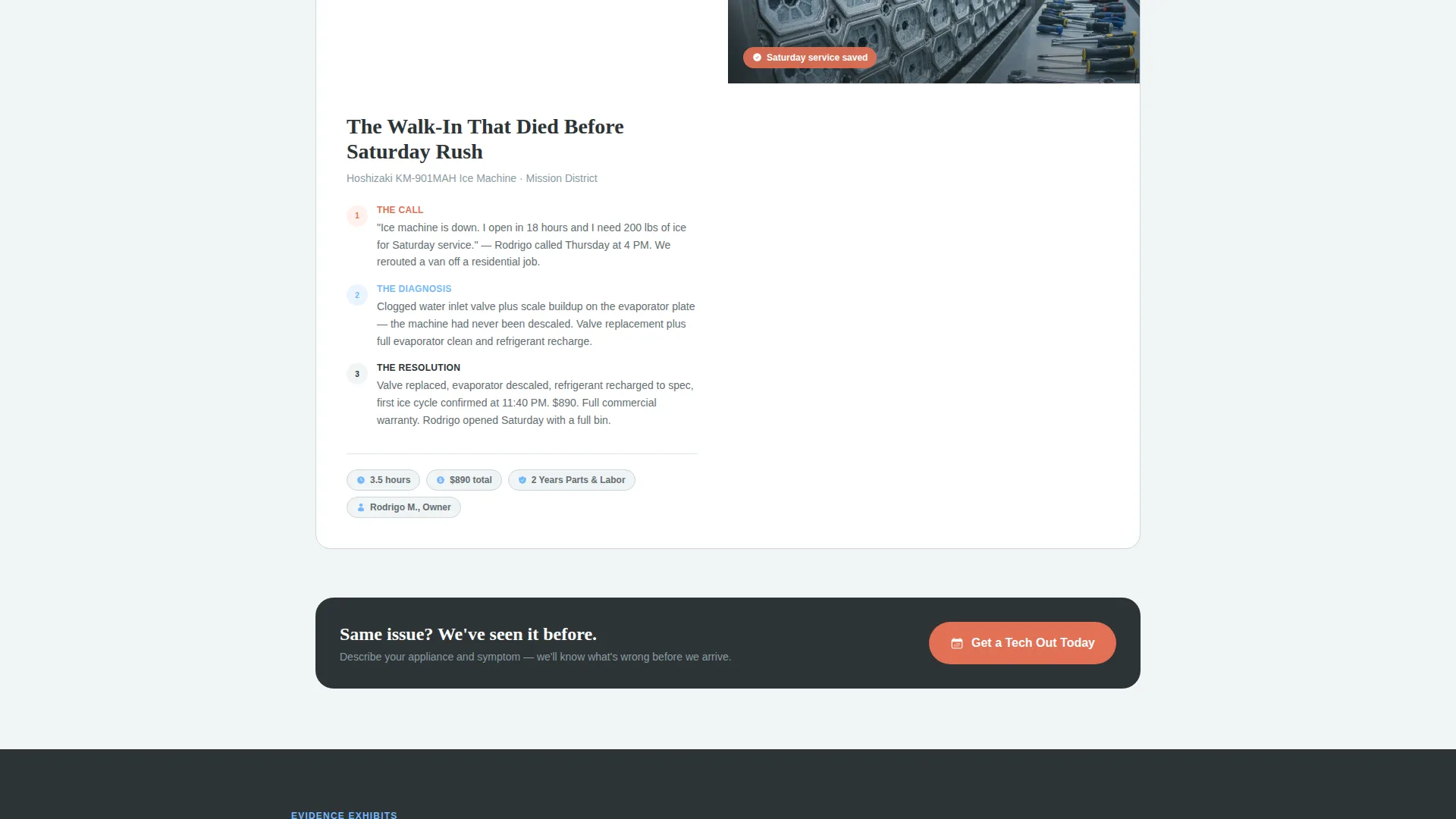
Each scroll section tells one real repair story across three beats: the problem, the diagnosis, and the resolution. Stories escalate in complexity from a simple dryer belt to a commercial ice machine rebuild, showing range and building credibility with each section.
Trust Signal Breaks
Between case studies, the template surfaces trust indicators as standalone evidence blocks. These include license number display, Google review count, average response time, and a list of appliance brands serviced.
Lead Capture Form
The form opens with an appliance-type dropdown so the interaction feels like action, not paperwork. It then collects a symptom description, zip code, and phone number. The field order is deliberate and friction-reducing.
Sticky Bottom call to action Bar
The primary call to action repeats as a fixed bar at the bottom of the viewport. It stays visible as the visitor scrolls, keeping the booking path accessible at every point in the page.
Click-to-Call Emergency Path
A secondary button labeled "Talk to a Tech Now" gives urgent visitors a direct phone call option. This path exists for situations where filling out a form is simply not the right experience.
Page sections overview
| Section | Purpose |
|---|---|
| Header with Headline | Anchor trust with bold no-pay guarantee and repair photo |
| First Case Study | Open with a relatable, low-complexity repair story |
| Primary call to action Block | Capture leads after the first proof point |
| Trust Signal Break | Display license, reviews, response time, and brands |
| Second Case Study | Escalate complexity and demonstrate technical depth |
| Third Case Study | Prove commercial and high-stakes repair capability |
| Sticky Bottom Bar | Keep the primary call to action visible throughout the entire scroll |
| Lead Capture Form | Collect appliance type, symptom, zip, and phone |
| Click-to-Call Button | Offer an immediate phone path for urgent visitors |
Design & branding system
The visual identity follows a Legal Shield theme using a Slate and Sky color system. The palette is designed to feel serious and overcast at first, then brighten into something dependable and clear.
- Deep tool-steel charcoal (#2D3436) for backgrounds and body text, fog-bank gray (#DFE6E9) for surface layers and dividers
- Golden Gate vermillion (#E17055) reserved strictly for call-to-action buttons and urgent indicators
- Open-sky blue (#74B9FF) used for trust badges, warranty icons, and secondary links
Mobile & speed optimization
The single-column layout is naturally suited to small screens. Every section stacks cleanly without requiring horizontal scrolling or pinch-to-zoom adjustments.
- The sticky bottom call to action bar is designed to remain usable on mobile without blocking content
- The click-to-call button is tap-friendly and positioned for one-thumb reach on smaller devices
How this template helps you convert
The Fix landing page is structured to move a stressed, time-sensitive visitor from arrival to action as directly as possible.
- The headline sets the service promise in the first three seconds, before the visitor has scrolled at all
- Case studies replace vague claims with specific repair outcomes, prices, and timelines that feel real and checkable
- The dual conversion path, both a lead form and a click-to-call button, means the template captures both planners and people in genuine emergencies
Other information about this template
This template is built for the San Francisco appliance repair market but can be adapted for any local repair service with minimal edits to copy and photos. The case study narrative structure works for any trade that benefits from proof-based storytelling.
- The template supports appliance categories including refrigerator, washer, dryer, dishwasher, oven and range, and a general other option in the dropdown
- The design direction and color palette are pre-set and internally consistent, so no design experience is needed to maintain visual integrity
- The SF-licensed contractor badge detail in the header photo is a specific credibility cue for licensed trade businesses operating in regulated markets
Theme
Legal Shield
Creative direction
Case Study Narrative
Color system
Slate & Sky
Style
Single Column Flow
Direction
Lead Generation
Page Sections
Giant Headline Left with Repair Photo
Three-beat Case Study Narrative
Dual Conversion Path Design
Trust Signal Evidence Blocks
Appliance-first Lead Form
Sticky Bottom Call to Action Bar
Related questions
Can I use this template for an appliance repair business outside San Francisco?
Does the template include the actual repair case study copy?
How does the sticky call to action bar behave on mobile screens?
What appliance types does the lead form dropdown include?
Why does the form ask for appliance type before contact details?



