Fixet - Reliable Handyman Landing Page Template
Fixet is a sidebar companion landing page built for a Cape Town handyman service. It uses an FAQ-driven, educational format to answer real homeowner questions about plumbing, electrical, roofing, and compliance, complete with cost ranges in rand and honest DIY guidance. Every answer earns the next click, ending in a contextual call-to-action that routes visitors to WhatsApp or a booking calendar.
by Rocket studio
Quick summary
Fixet is a single-page handyman landing page designed for a Cape Town local service. It leads with a dramatic full-bleed header photograph, then delivers structured FAQ sections covering plumbing, electrical, roofing, and compliance topics. A persistent sidebar tracks progress. Every answered question closes with a contextual booking button, moving visitors naturally from curious reader to confirmed client.
Who this template is for
This template is built for a hands-on, owner-operated handyman or small trades business serving Cape Town homeowners and property professionals. If you handle urgent callouts and need a page that does the explaining for you, this is the right fit.
- Solo handymen and one-van operations serving residential Cape Town areas
- Tradespeople offering geyser repairs, prepaid meter installations, roof checks, or Certificate of Compliance services
- Operators whose clients include estate agents, landlords, and first-time homeowners
What problem this template solves
Most handyman websites ask visitors to trust them before proving anything. That creates friction, especially when someone is searching at 11 p.m. after a burst geyser. This template solves that gap by answering real questions first and asking for the booking second.
- Visitors arrive anxious and leave informed, which builds trust before any call to action appears
- The sidebar navigation prevents disorientation across multiple topic categories
- Contextual call to action buttons match the exact problem the visitor just read about, reducing hesitation
What you get with this template
You get a fully structured, single-page layout designed around an educational FAQ experience. The page is built to feel calm and competent, like finding the right tool on the first reach.
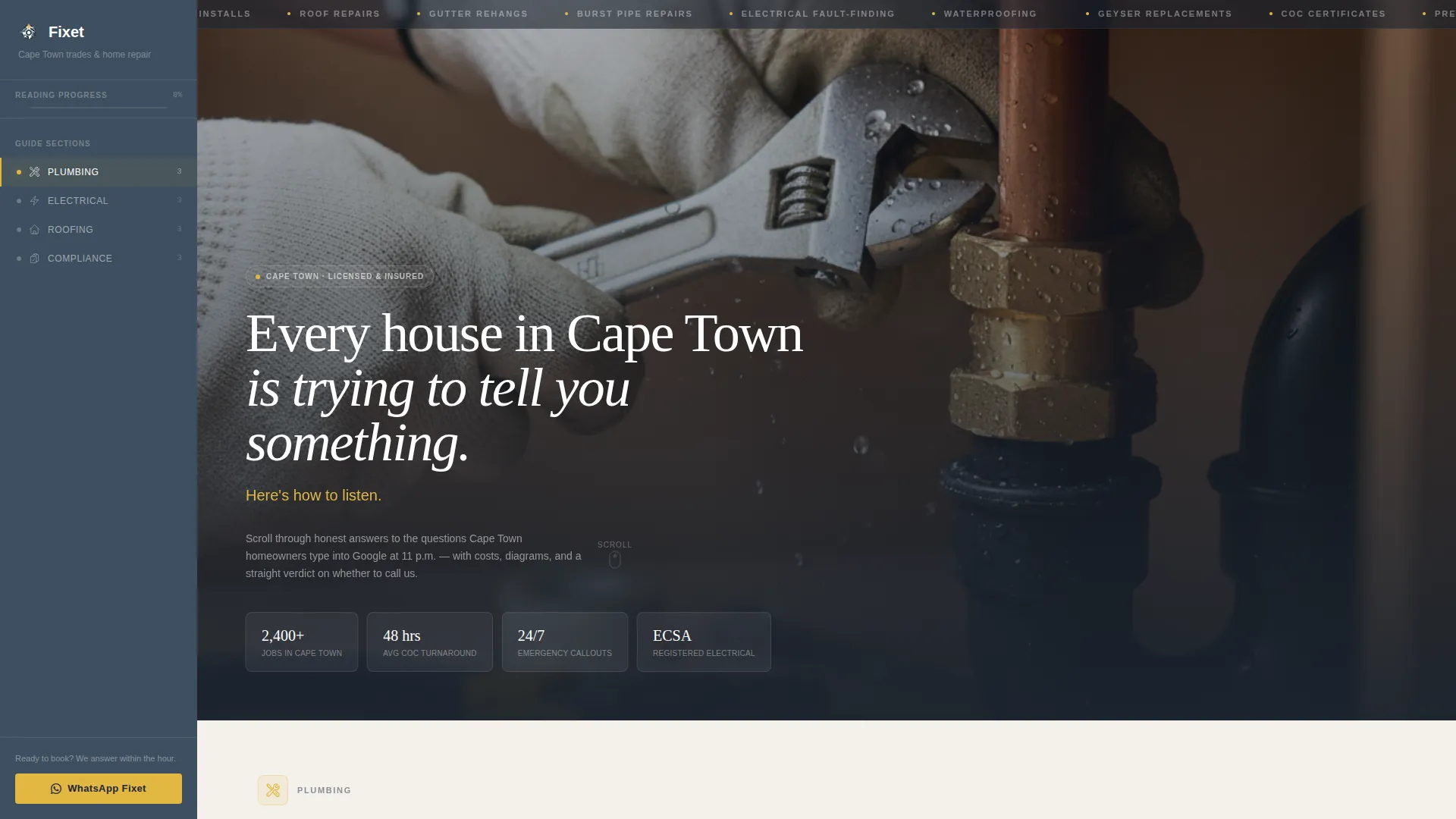
- A dark full-bleed header section with headline and subline typography in place
- A persistent slate sidebar with category navigation covering Plumbing, Electrical, Roofing, and Compliance
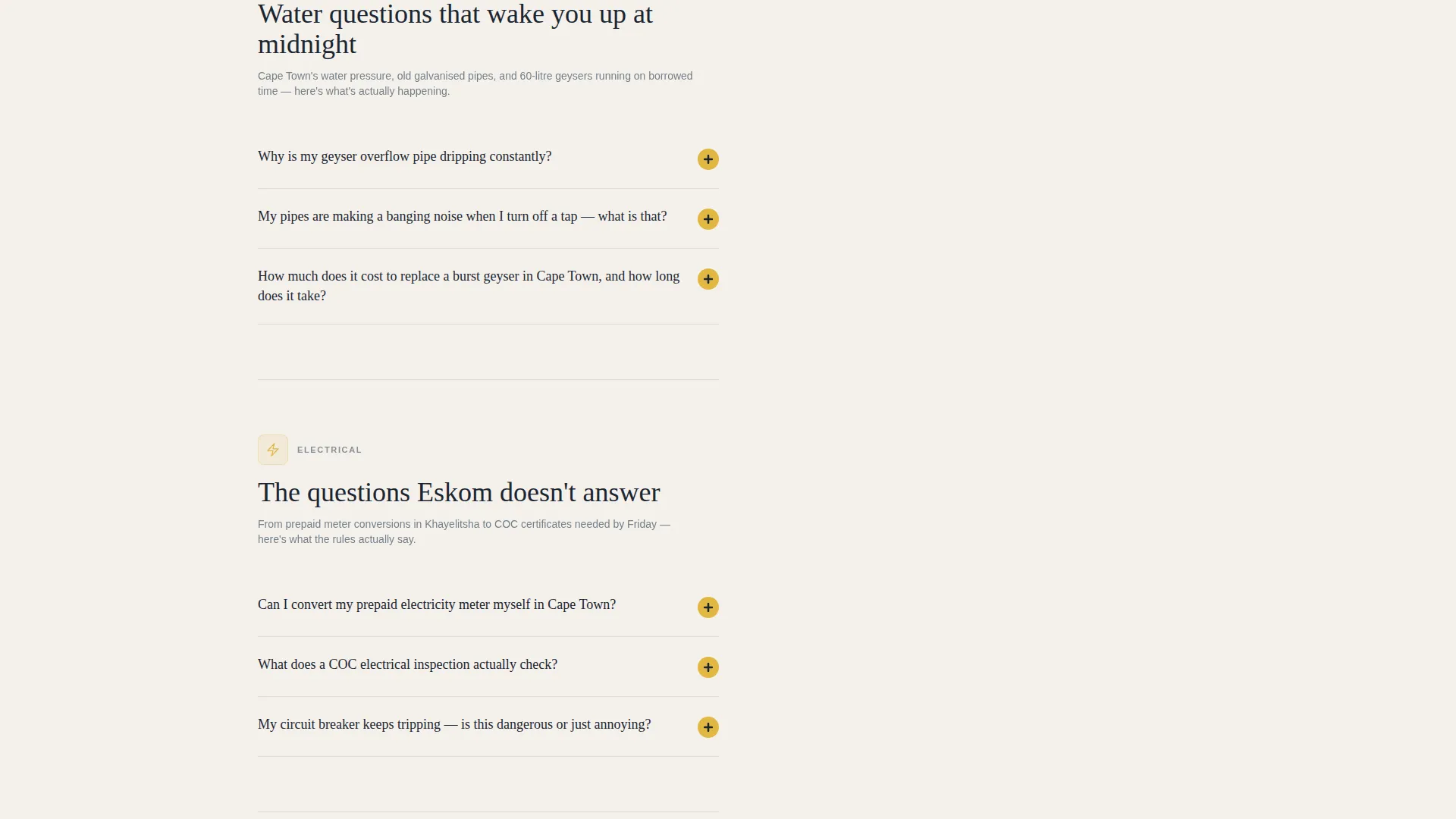
- FAQ content blocks with space for illustrated explainers, rand-based cost ranges, and contextual call to action buttons linking to WhatsApp pre-filled messages or a booking calendar
Feature list
This template's features follow directly from its FAQ-driven, click-through brief. Each component serves one purpose: earn the visitor's trust, then earn their booking.
Full-Bleed Dark Header
The header uses a dark, atmospheric photograph as its base. A headline in Cloud Canvas white and a subline in tool-yellow sit over deep charcoal. The visual tone is confident and grounded from the first second on the page.
Persistent Sidebar Navigation
The sidebar sits in Table Mountain slate and stays visible as the visitor scrolls. It tracks progress across four question categories: Plumbing, Electrical, Roofing, and Compliance. Visitors always know where they are in the content.
FAQ Content Blocks with Explainers
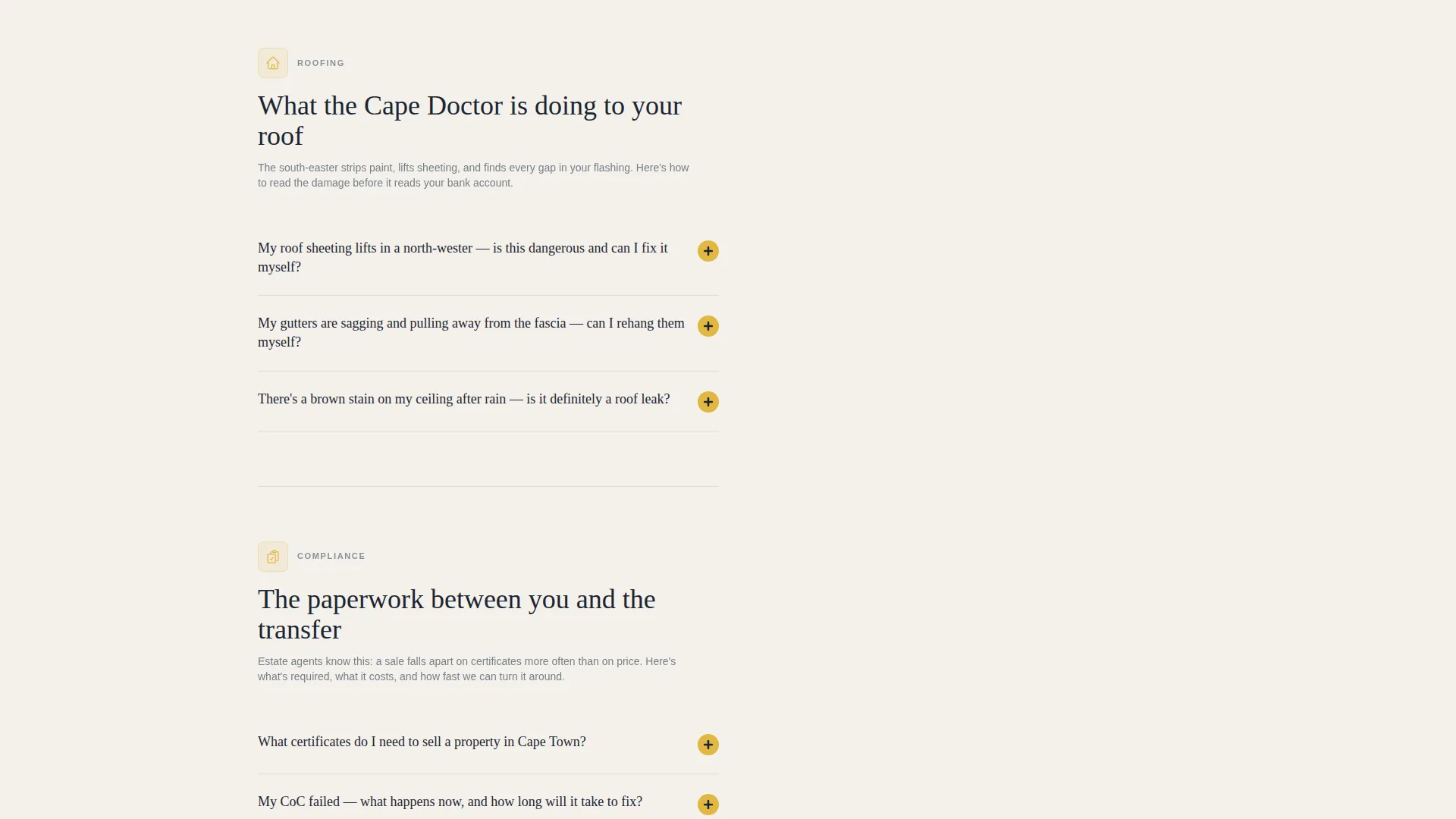
Each FAQ answer expands into a short illustrated explainer. The format includes space for diagrams, honest rand-based cost estimates, and a clear DIY-or-call-us verdict. This structure builds credibility one question at a time.
Contextual call to action Buttons
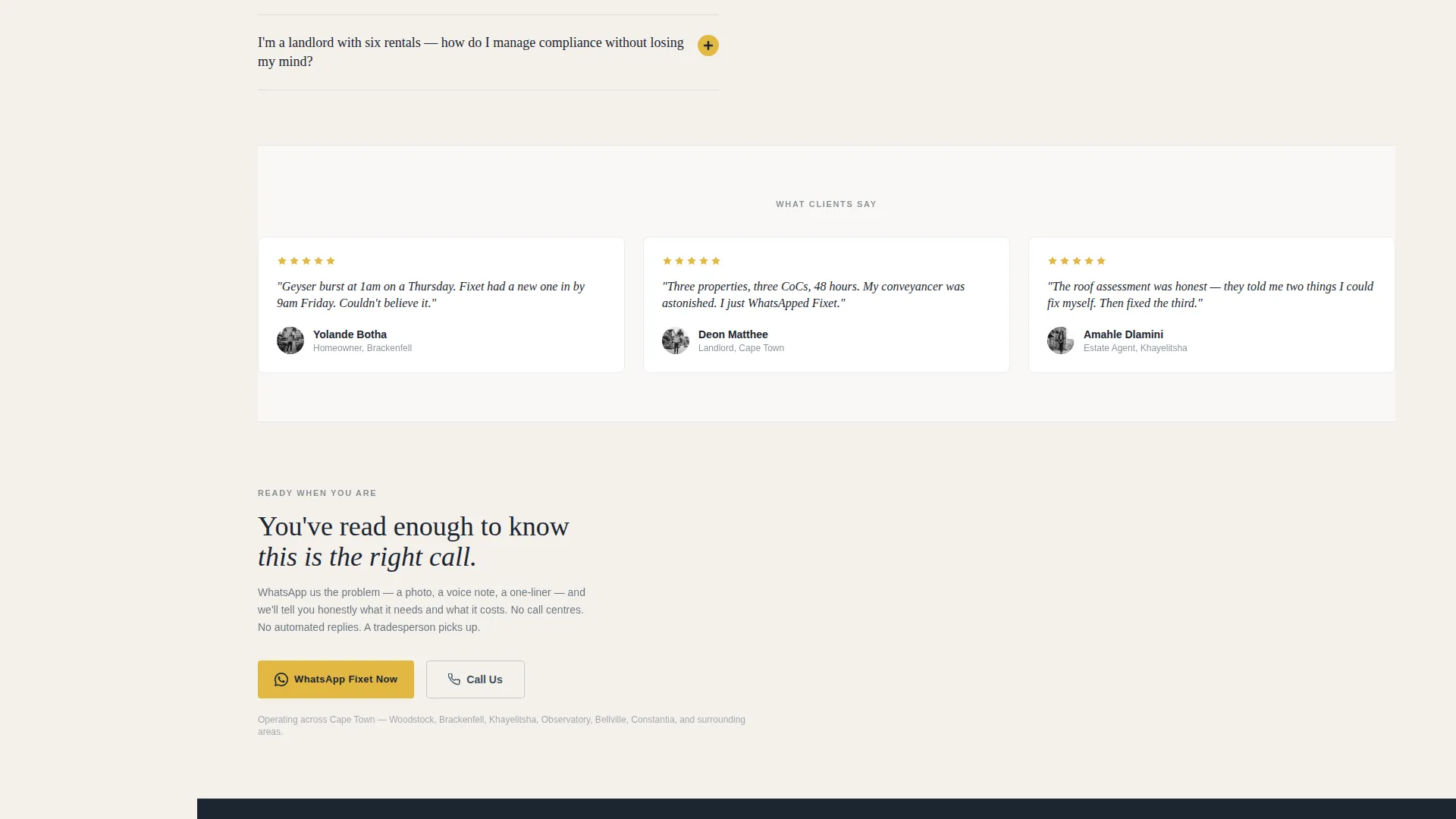
Every FAQ answer closes with a tool-yellow action button. Button labels match the problem just explained, for example "Book a Geyser Callout" or "Get a COC Quote." Clicks route to a WhatsApp pre-filled message or a pre-selected booking calendar entry.
Educational Guide Theme
The page uses an educational layout rather than a sales layout. Content is structured to teach first. This positions the handyman as a knowledgeable authority, not just a service vendor. Trust is built progressively across the scroll.
Cloud Canvas Color System
The palette uses soft overcast white for the background, slate for the sidebar and body text, muted tool-yellow for icons and highlighted answers, and deep stormfront charcoal for headlines. The system feels clean and workmanlike, letting accents carry weight without visual noise.
Page sections overview
| Section | Purpose |
|---|---|
| Dark Header Block | Sets tone with atmospheric photograph, headline, and subline |
| Persistent Slate Sidebar | Anchors navigation across Plumbing, Electrical, Roofing, Compliance |
| Plumbing FAQ Section | Answers geyser overflow, pipe, and water pressure questions |
| Electrical FAQ Section | Covers prepaid meter, wiring, and load-shedding compliance topics |
| Roofing FAQ Section | Addresses roof sheeting, gutter, and storm damage questions |
| Compliance FAQ Section | Explains COC inspection scope, cost, and process |
| Contextual call to action Buttons | Closes each FAQ block with a matched booking or quote action |
Design & branding system
The Cloud Canvas color system drives a palette that feels like a freshly primed wall in a Woodstock cottage. Colors are restrained and purposeful, making every yellow accent feel earned rather than decorative.
- Soft overcast white (#F4F1EC) for the page background, deep stormfront charcoal (#1C2530) for headlines, and Table Mountain slate (#3D4F5F) for body text and the persistent sidebar
- Muted tool-yellow (#E2B842) used on icons, highlighted answers, sublines, and all call to action buttons
- The visual theme is Educational Guide: clean structure, legible typography hierarchy, and a layout that prioritizes content clarity over decorative flourish
Mobile & speed optimization
The sidebar companion layout is designed with scroll behavior in mind. On smaller screens, navigation remains accessible without overwhelming the reading area.
- The persistent sidebar adapts to support mobile scroll tracking without blocking content
- FAQ blocks are structured as discrete, collapsible units suited to one-handed reading on a phone at midnight
- The layout avoids heavy decorative elements that could slow down the initial paint of the page on a mobile connection
How this template helps you convert
This template converts by proving competence before asking for commitment. The FAQ-driven flow builds trust progressively, and the call to action placement is surgical rather than scattered.
- Each FAQ answer ends with a contextual call to action button in tool-yellow, matching the exact service topic the visitor just read about, reducing the mental distance between problem and booking.
- call to action clicks route directly to a WhatsApp pre-filled message or a booking calendar with the relevant service pre-selected, removing friction from the first contact step.
- The sidebar progress tracker keeps visitors oriented, which reduces drop-off in longer content and encourages completion of the full FAQ journey.
Other information about this template
This template is a strong fit for Cape Town trades operators who rely on WhatsApp-first client communication and word-of-mouth referrals. It supports the kind of local service business where reputation is built job by job.
- The no-form approach keeps the page lean; contact happens through WhatsApp or a calendar link, which suits clients who prefer fast, conversational booking
- The COC, or Certificate of Compliance, section is specifically designed for the South African electrical compliance context, where estate agents and landlords regularly need documented inspections before property transfers
- The template style is Sidebar Companion with a FAQ-Driven creative direction, making it distinct from standard single-column service pages and well-suited to content-heavy trust-building flows
Theme
Educational Guide
Creative direction
FAQ-Driven
Color system
Cloud Canvas
Style
Sidebar Companion
Direction
Click-Through
Page Sections
Full-bleed Dark Header
Persistent Sidebar Navigation
FAQ Blocks with Explainers
Contextual Call to Action Buttons
Cloud Canvas Color System
Educational Guide Theme
Related questions
What type of business is this landing page built for?
Does the page include a contact form?
Can I update the FAQ content to match my own services?
How does the sidebar navigation work?
Is this template suitable for areas outside Cape Town?



