Fixhk - Rapid Appliance Landing Page Template
Fixhk is a split-screen landing page template built for Hong Kong appliance repair services. It uses a Case Study Narrative layout to stack real repair stories as social proof, then drives visitors toward a WhatsApp booking action. The Slate and Sky color system, credibility badge header, and floating call-to-action make it fast to trust and easy to convert.
by Rocket studio
Quick summary
Fixhk is a single-page, split-screen landing page template for same-day appliance repair services operating across Hong Kong. It leads with a credibility badge row, tells repair stories through paired case study panels, and closes every scroll sequence with a WhatsApp booking prompt. The design feels like a well-organized service van: purposeful, clear, and ready.
Who this template is for
This template is built for small, competent repair teams who need to earn trust fast and book jobs without friction. It speaks directly to the realities of Hong Kong's dense, multi-district service environment.
- Independent or two-person appliance repair businesses covering multiple Hong Kong districts
- Repair operators whose clients include landlords, domestic helpers, and restaurant owners with urgent needs
- Service providers who rely on WhatsApp as their primary booking channel
What problem this template solves
Most repair service pages look generic and untrustworthy. They list services but offer no proof. In Hong Kong, where tenants call at 11pm and restaurant chillers fail before dim sum rush, visitors need proof before they pick up their phone.
- Visitors leave pages that feel vague or unverified, even if the service is excellent
- A standard contact form does not match how Hong Kong customers actually book a repair
- Without visible proof of coverage and past results, landlords and restaurant owners hesitate to commit
What you get with this template
You get a complete, scroll-driven single-page layout that does the selling before the visitor reaches any call-to-action. Every section is already structured and purposeful.
- A full split-screen page with left panels showing the problem and right panels showing the resolved fix
- A credibility header row with award badge slots, a service count line, and district coverage proof
- Floating and inline WhatsApp call-to-action buttons, plus an inline district map tap target
Feature list
This template includes a focused set of visual and structural features derived directly from the brief.
Credibility Badge Header Row
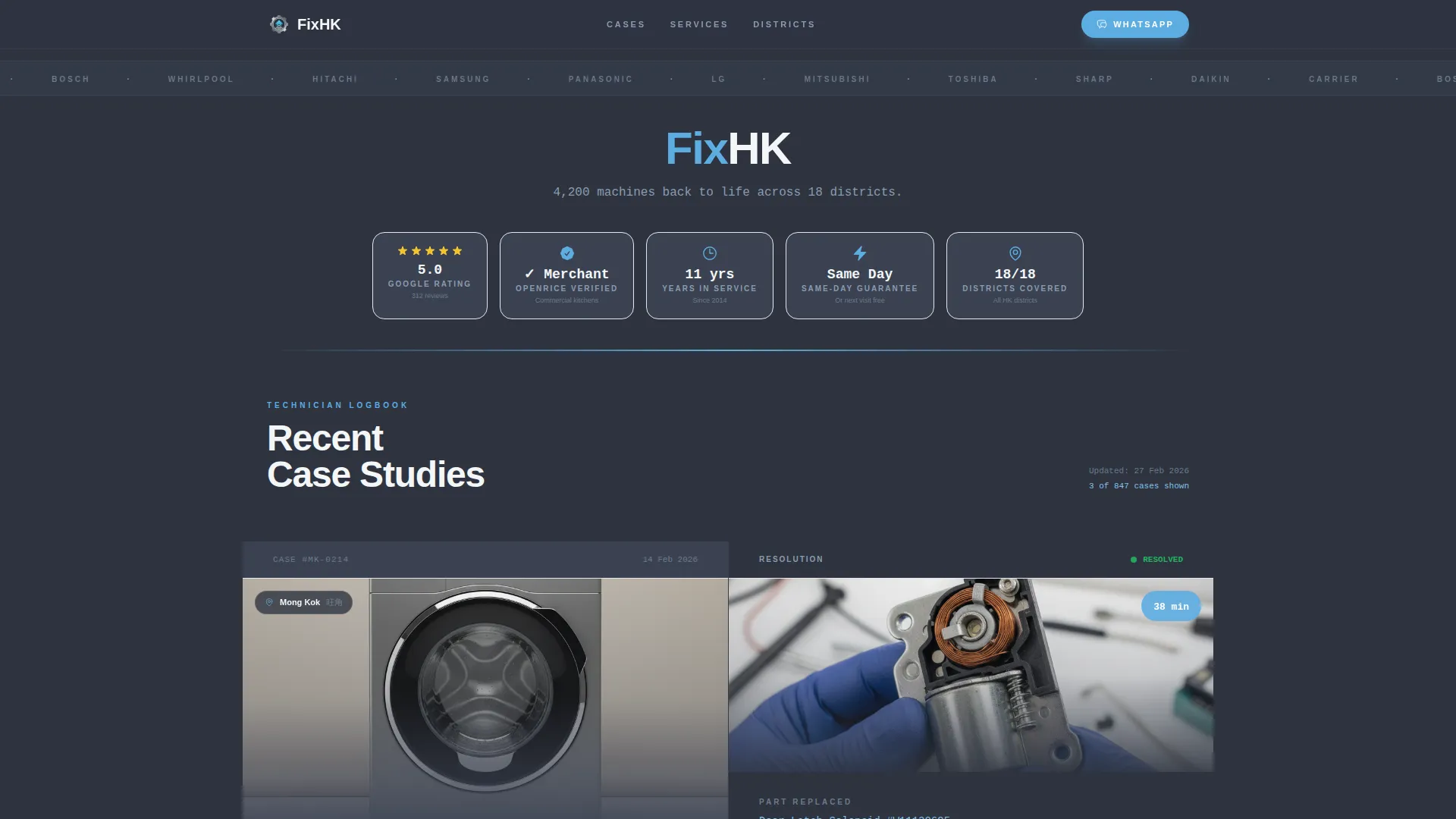
The header is a horizontal row of stamped metal-style award badges rendered against workshop slate. Badge slots cover a five-star rating, a merchant verification mark, a years-in-service count, and a same-day guarantee seal. Each badge carries a micro-shimmer effect on hover, like light catching a chrome appliance badge. A single appliance-white line below reads the total machines serviced across 18 districts.
Split-Screen Case Study Panels
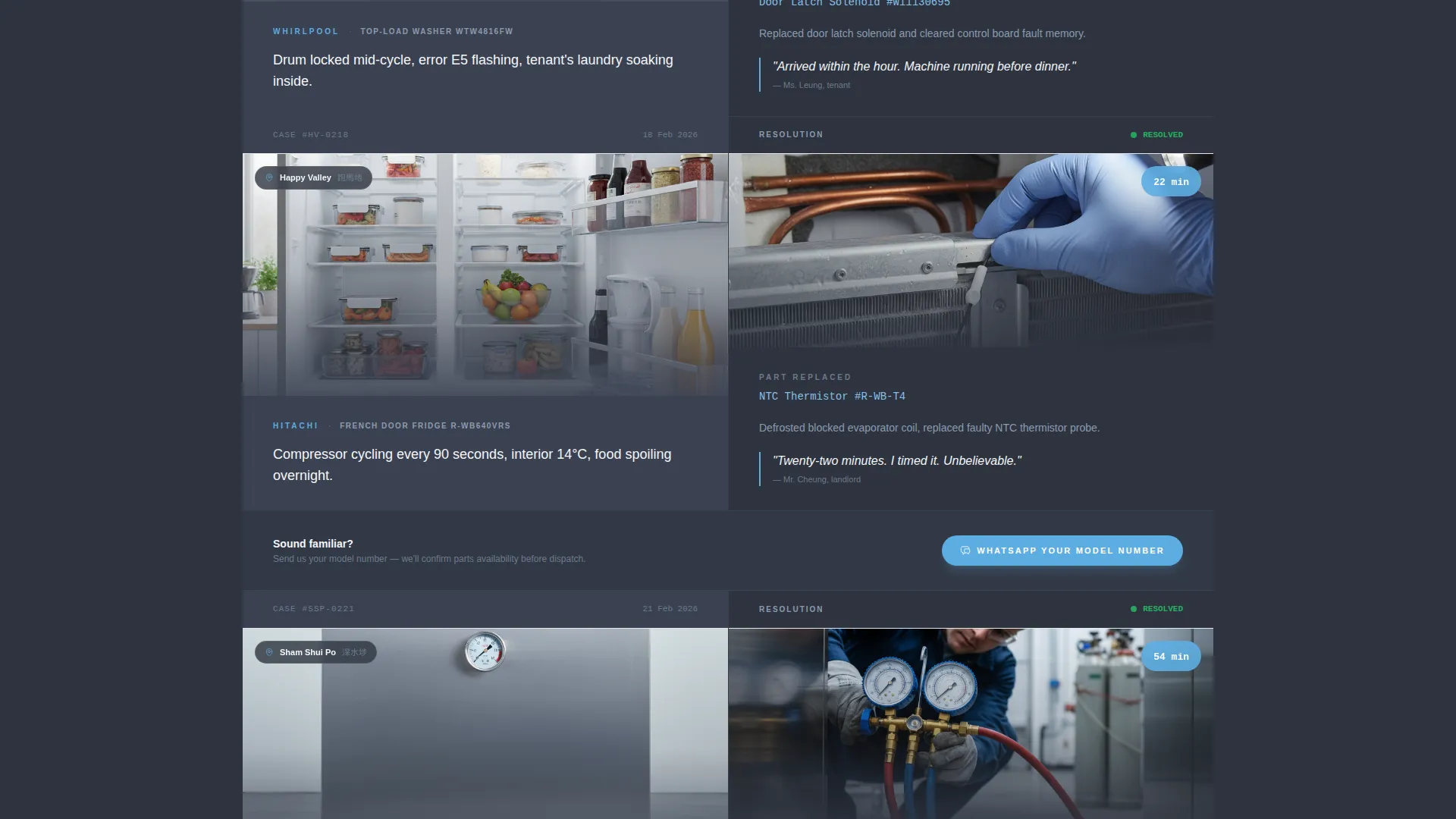
Each section of the page is a 50/50 split panel telling one repair story. The left panel holds the problem: a photo of the broken unit, the district name, the appliance brand, and the symptom in one sentence. The right panel shows the fix: the replaced part photographed in hand, time on site in minutes, and a one-line tenant quote. Scrolling builds an undeniable pattern of competence.
Floating WhatsApp Booking Button
The primary call-to-action reads "WhatsApp Us Your Model Number" in sky blue against slate. On mobile it is pinned as a floating button so it is always reachable. The same button is repeated inline after every second case study panel, keeping the booking prompt present without interrupting the narrative flow.
District Coverage Map Tap Target
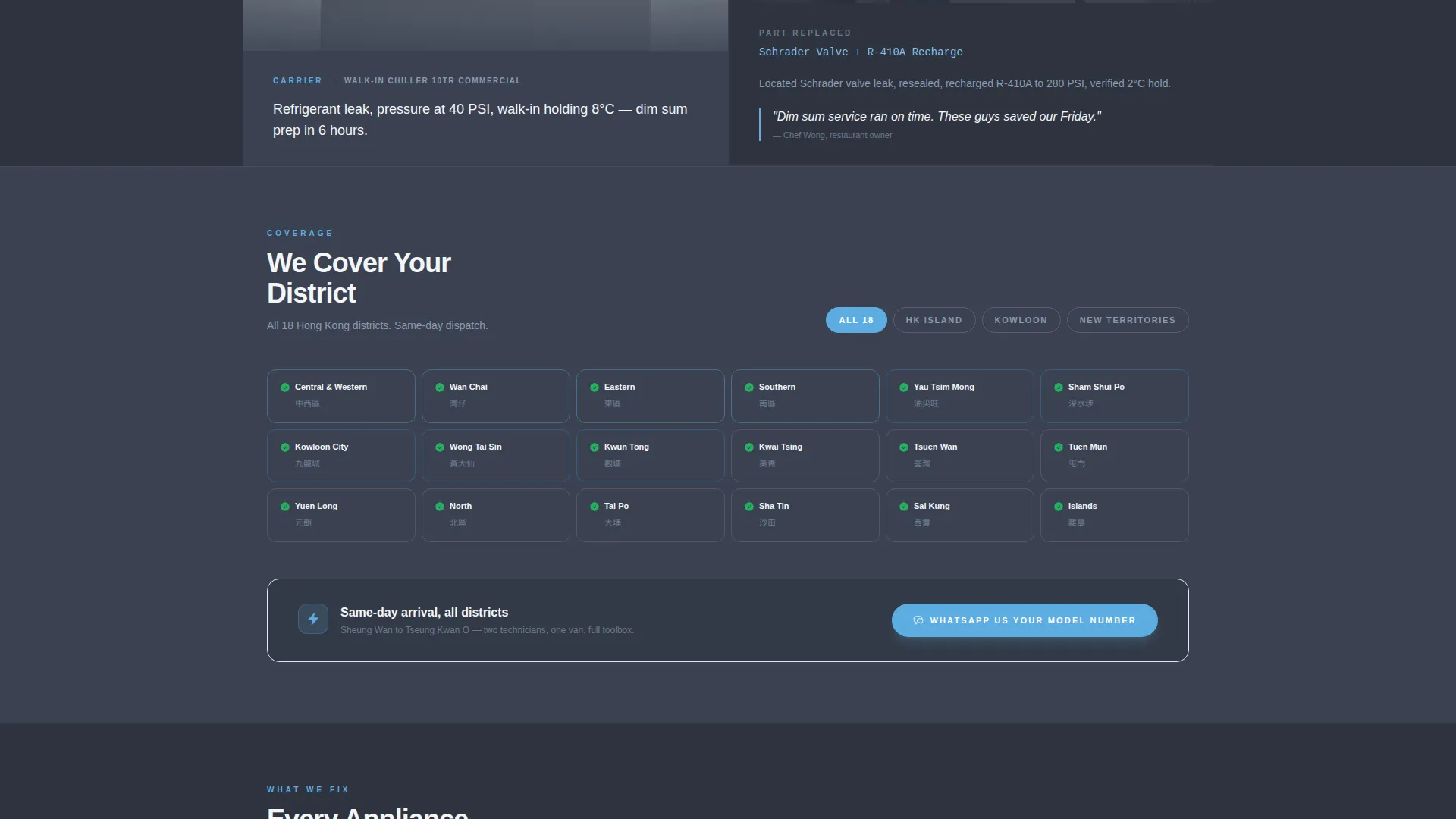
A secondary tap target labeled "Check If We Cover Your District" opens a minimal inline map of Hong Kong's 18 districts. Green checkmarks are pre-filled across the coverage area, giving landlords and restaurant managers immediate confirmation before they commit to a booking.
Service Utility Color System
The Slate and Sky palette is applied with deliberate logic. Workshop slate dominates the left panels where the problem lives. Sky blue floods the right panels where the solution lands. Appliance white is used for content panels and breathing room. The result feels like the inside of a well-organized service van: metal shelving, blue cable ties, everything racked and ready.
Page sections overview
| Section | Purpose |
|---|---|
| Badge Header Row | Establish credibility before any scroll |
| Service Count Line | Reinforce scale with a single proof stat |
| Case Study Panel 1 | Open the repair logbook narrative |
| WhatsApp call to action Block | First booking prompt after early proof |
| Case Study Panel 2 | Continue the competence pattern |
| Case Study Panel 3 | Third story, strongest proof rhythm |
| District Map Block | Confirm geographic coverage inline |
| Repeat call to action Block | Final booking push after full evidence stack |
Design & branding system
The visual identity follows a Service Utility theme. Every color and layout choice comes from the logic of a well-organized repair operation, not decorative preference.
- Workshop slate (#3B4252) for primary backgrounds, galvanized steel (#6B7B8D) for secondary surfaces, Hong Kong sky blue (#5DADE2) for action accents, and appliance white (#F4F6F8) for content panels
- Stamped metal-style badge icons with hover shimmer effects carry the header's credibility weight
- Split-screen panels use slate on the left for the problem context and sky blue on the right for the resolved outcome, creating a consistent visual grammar throughout the scroll
Mobile & speed optimization
The layout is designed with mobile-first booking behavior in mind. In Hong Kong, urgent repair calls happen on phones, not desktops.
- The WhatsApp call-to-action is pinned as a floating button on mobile so it is always one tap away
- Split-screen panels reflow cleanly for vertical single-column reading on smaller screens
- The inline district map is a lightweight tap target designed to answer the coverage question without requiring a page redirect
How this template helps you convert
The page earns the click by stacking evidence before asking for anything. By the time a visitor reaches the third case study, the question is not whether to call but how fast someone can arrive.
- The badge header row answers "Can I trust this service?" before the visitor reads a single word of body copy, removing the first objection immediately.
- Each split-screen case study adds a layer of proof, moving the visitor from skepticism to confidence with every scroll, so the WhatsApp button feels like a natural next step rather than a pitch.
- The district map tap target removes the final hesitation by confirming coverage area inline, so visitors from Sheung Wan to Tseung Kwan O know they are included before they commit.
Other information about this template
This template is categorized under Professional Services, Hong Kong Local Services, and the Hong Kong Appliance Repair niche. It is purpose-built for operators who serve clients with time-sensitive, high-stakes repair needs across a dense urban environment.
- The template style is Split Screen (50/50), the creative direction is Case Study Narrative, and the header concept is Award Badges
- The landing page direction is Click-Through, optimized to push visitors toward a single WhatsApp booking action
- The theme is Service Utility, a visual identity system designed to project competence, organization, and reliability without decoration
- This template is well suited for operators whose service area spans Hong Kong Island, Kowloon, and the New Territories, from Sheung Wan to Tseung Kwan O
Theme
Service Utility
Creative direction
Case Study Narrative
Color system
Slate & Sky
Style
Split Screen (50/50)
Direction
Click-Through
Page Sections
Credibility Badge Header Row
Split-screen Case Study Panels
Floating Whatsapp Booking Button
Inline District Coverage Map
Service Utility Color System
Related questions
Can I update the case study panels with my own repair stories?
Does the WhatsApp button work with my actual number?
Can I edit which districts appear on the coverage map?
Can I add more case study panels to the page?
Is this template suitable for a solo operator rather than a team?



