Trusted Handyman | Free Website Template | Rocket
Fixr is a sidebar companion landing page template built for independent Seattle handyman services. It pairs an educational scroll experience with a persistent booking sidebar, guiding homeowners through illustrated repair guides while keeping a scheduling module always within reach. The design uses a warm Northwest palette and confident serif typography to build trust before asking for a booking.
by Rocket studio
Quick summary
Fixr is a single-page handyman landing page template designed for one-person or small-crew repair services in Seattle neighborhoods like Ballard, Fremont, and Capitol Hill. It combines an educational panel layout with a sticky sidebar booking module, so visitors learn something useful on every scroll and always have a clear next step in view.
Who this template is for
This template is built for independent handyman operators who want to look credible and approachable without a large web budget. It works especially well for tradespeople serving urban residential neighborhoods where homeowners are cautious, curious, and want proof of competence before booking.
- Solo handymen and small repair crews serving Seattle homeowners
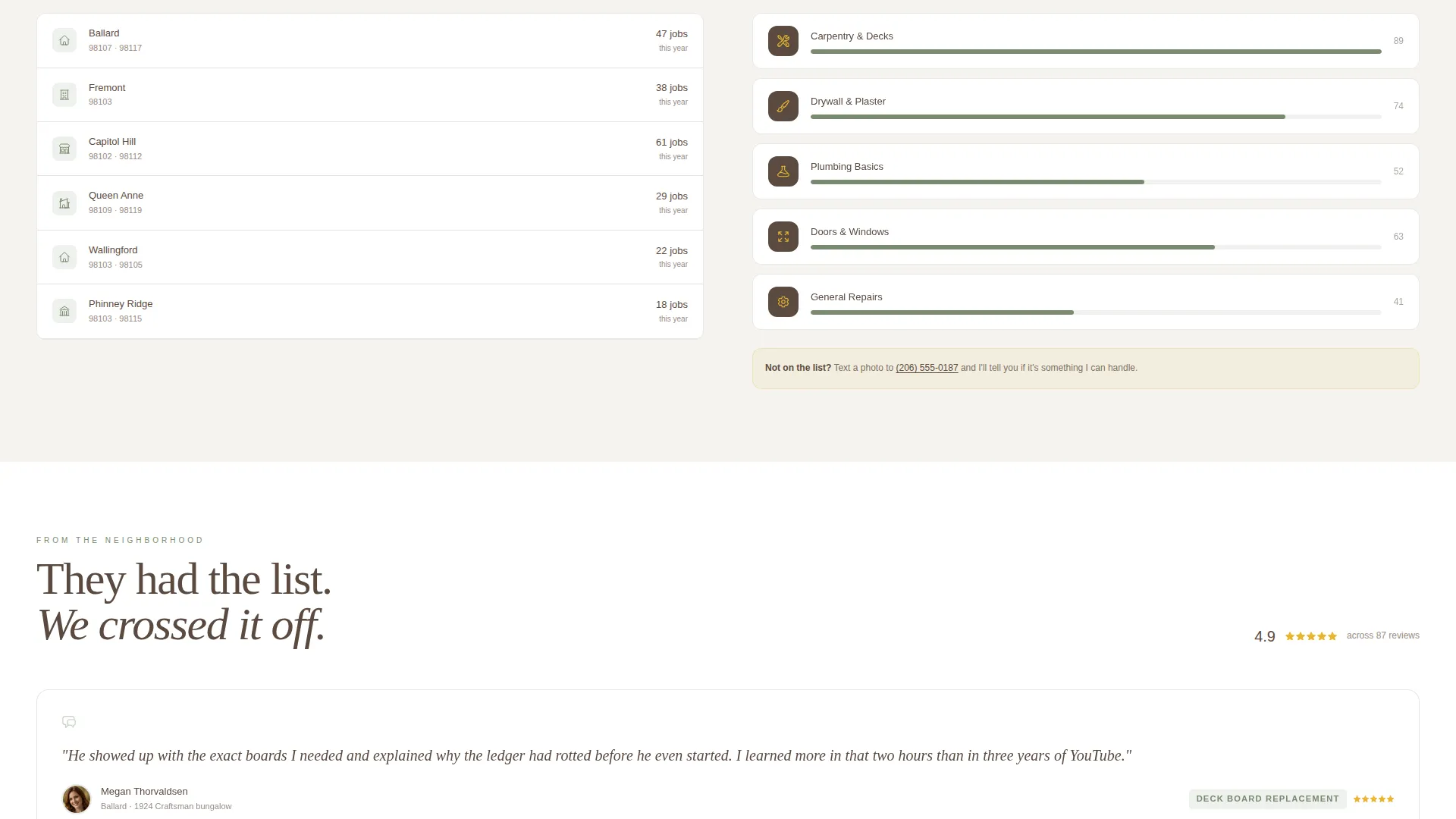
- Service providers whose work spans carpentry, plumbing, drywall, and general repairs
- Operators who want bookings to feel like a natural conversation, not a hard sell
What problem this template solves
Most handyman websites either look too bare to earn trust or too corporate to feel human. First-time homeowners and renters need more than a phone number. They need to feel like they found the right person before they ever tap a button.
- Visitors arrive uncertain and leave convinced, thanks to teaching-first content panels
- The booking flow removes friction by asking for job category and zip code before a calendar
- A secondary contact path lets visitors send a photo of the problem instead of naming the repair
What you get with this template
You get a fully structured landing page layout with a left-side educational content column and a right-side sticky sidebar that follows the visitor on scroll. Every visual and copy element is designed around a Northwest-inspired palette and a warm, literate tone.
- A giant serif headline section, illustrated repair guide panels, and a persistent booking module
- A multi-step sidebar form covering job category, zip code confirmation, and calendar availability
- Adaptive sidebar prompts that shift from browsing language to booking language as the visitor scrolls
Feature list
Every feature in this template comes directly from the layout and interaction design described in the source brief.
Giant Headline Header Section
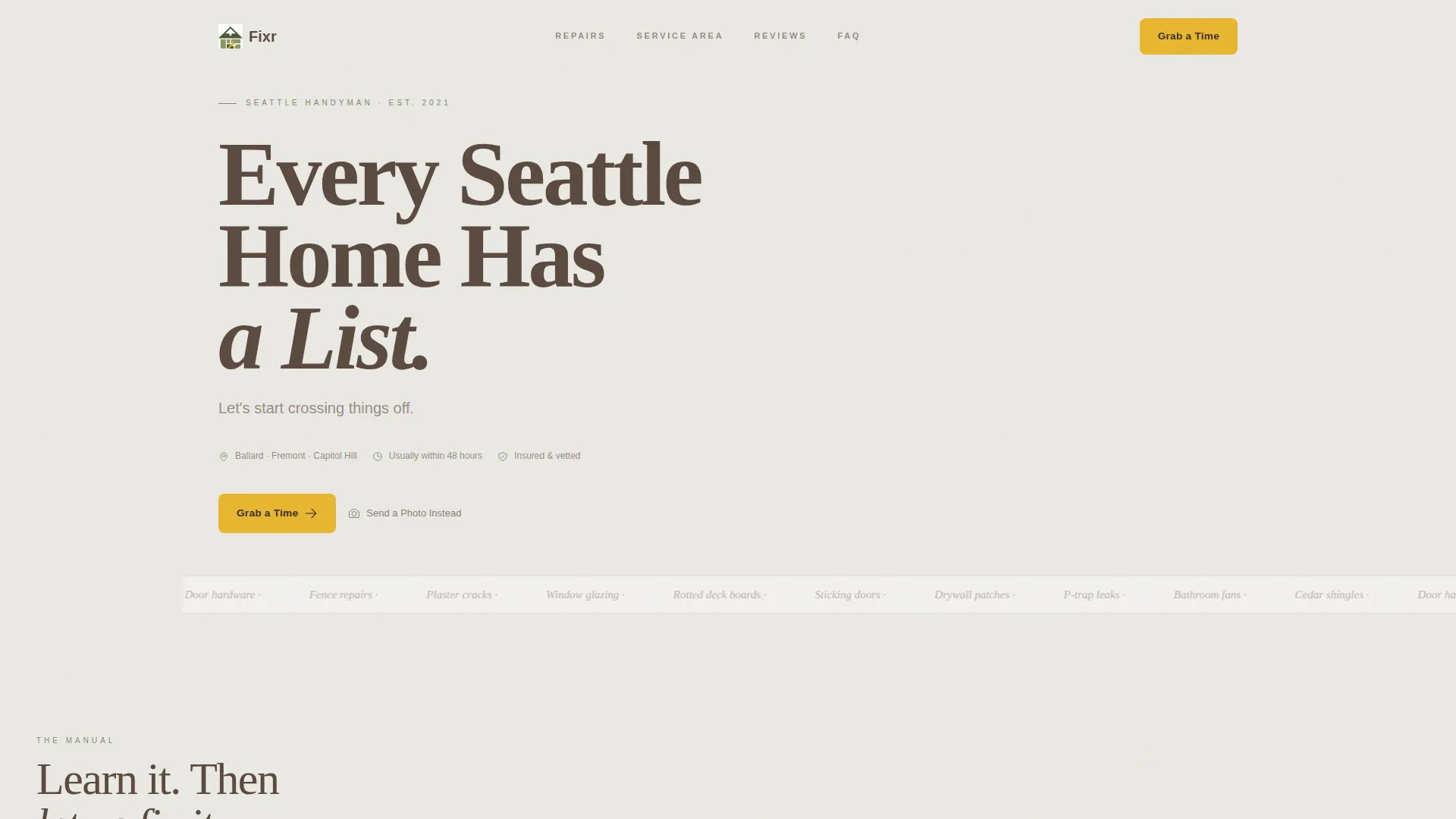
The header opens with a full-width left-aligned headline set in massive serif type reading "Every Seattle Home Has a List." A smaller subline sits beneath it. No hero image competes with the words. The effect is immediate and personal, designed to make a homeowner stop scrolling and feel understood.
Persistent Sticky Sidebar
The right-side sidebar stays visible throughout the entire scroll. It opens showing today's date and the next three available time windows. As the visitor moves down the page, the sidebar prompt adapts, shifting from a browsing invitation to a direct booking nudge, so the call to action always matches where the visitor is mentally.
Illustrated Educational Repair Panels
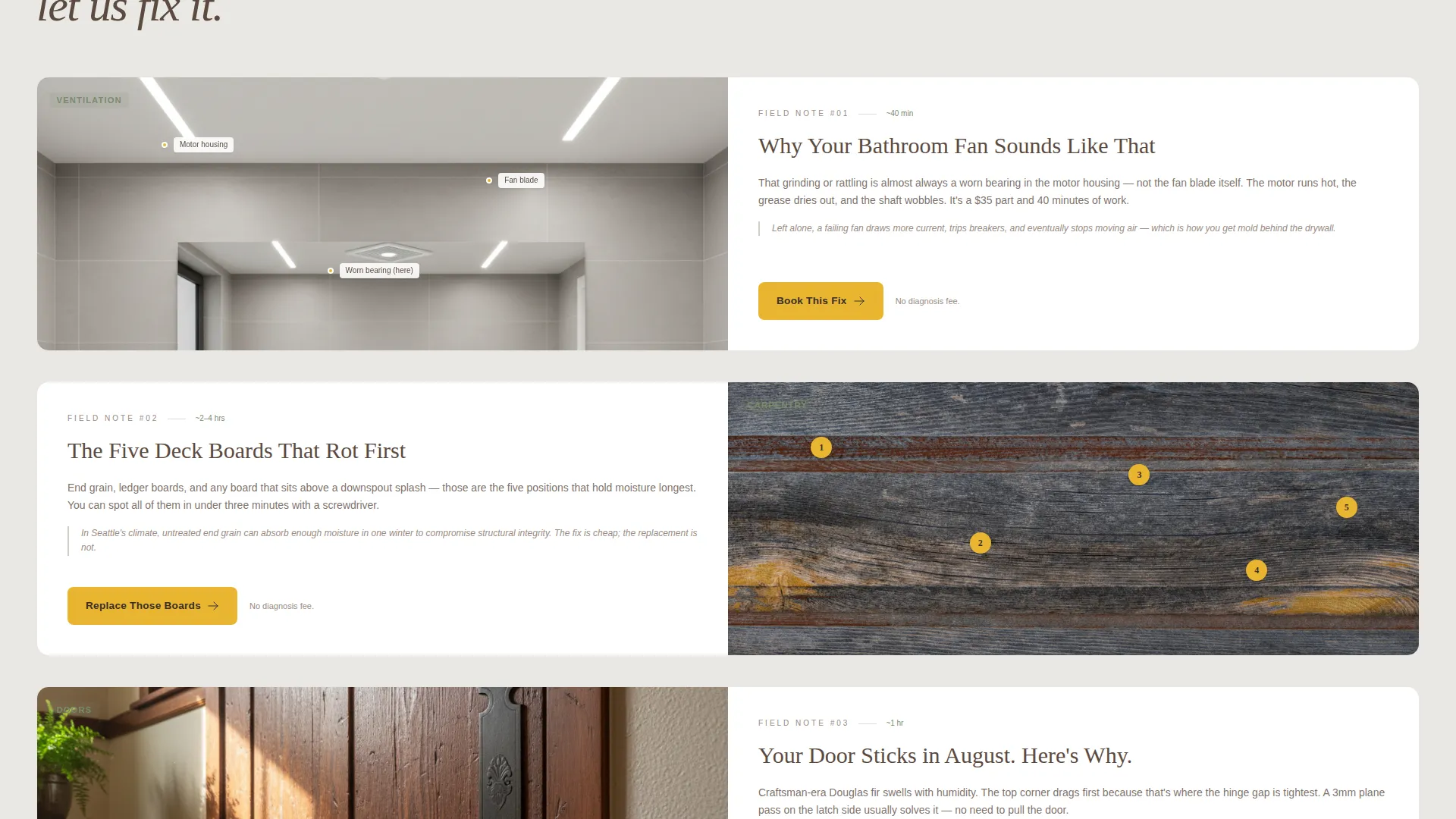
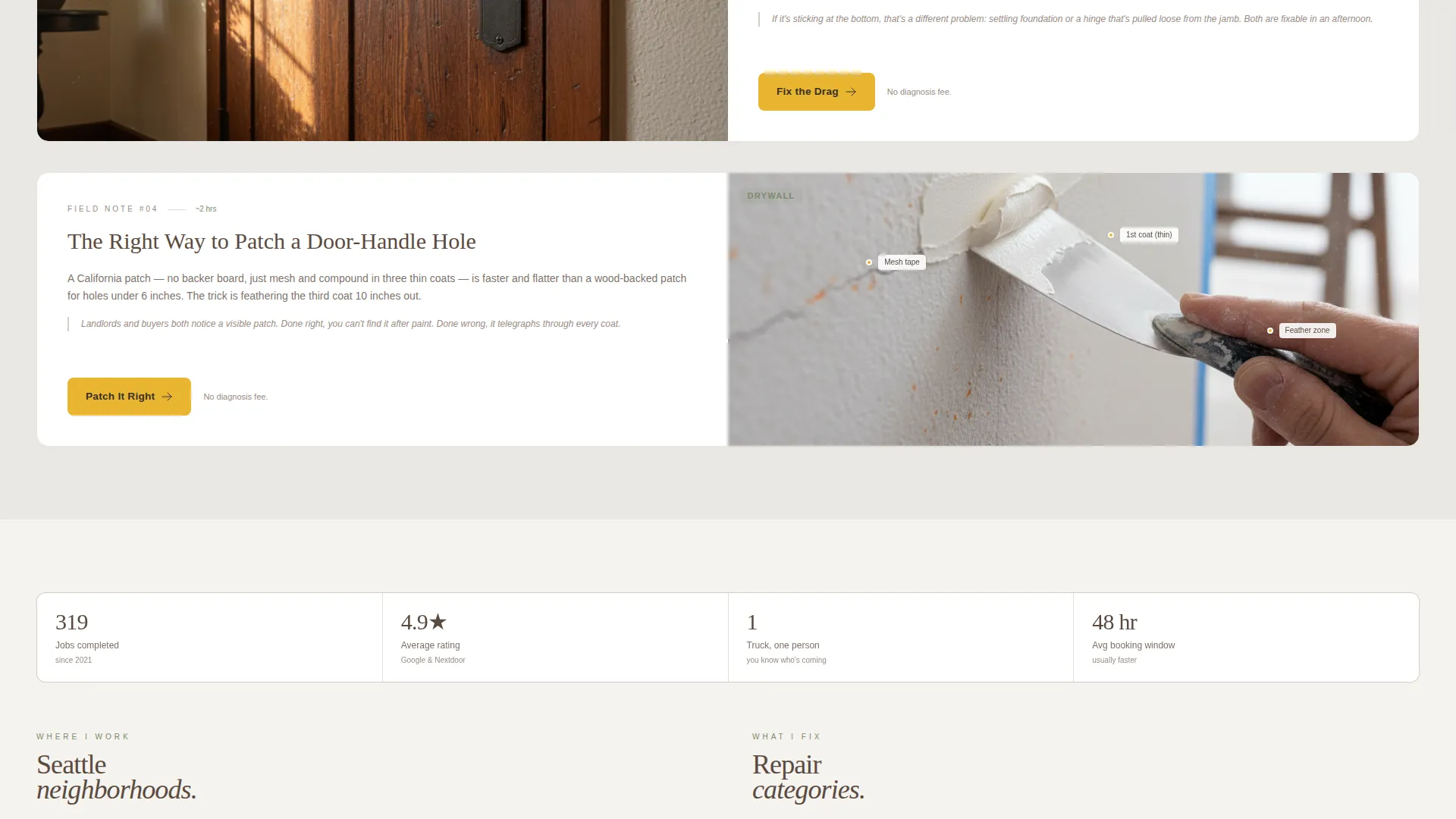
The main content column reveals a series of illustrated repair guide panels on scroll. Each panel teaches one real repair concept, such as why a bathroom fan rattles or which deck boards rot first. Every panel pairs a short explanation with a "Book This Fix" button, converting curiosity into action.
Multi-Step Sidebar Booking Flow
The primary call to action inside the sidebar walks visitors through a short, logical sequence. They choose a job category first, confirm their zip code for service area coverage, then select a two-hour morning or afternoon block from a calendar. This order reduces drop-off by starting with the easiest question.
Photo Submission Alternative Path
A secondary contact option labeled "Send Us a Photo Instead" lets visitors skip the naming problem entirely. This reduces friction for homeowners who can describe what looks wrong but cannot name the repair type. It opens a lower-commitment path without distracting from the primary booking flow.
Adaptive Sidebar Copy Prompts
The sidebar does not sit static while the visitor browses. Its prompt text changes based on scroll position, moving from "Still browsing? Pick a category" to "Ready? Grab a morning slot." This makes the booking feel like a patient suggestion rather than a pop-up interruption.
Page sections overview
| Section | Purpose |
|---|---|
| Headline Header | Opens with bold serif type and subline to create immediate emotional connection |
| Sticky Sidebar Module | Persistent booking widget showing date, availability, and adaptive prompts |
| Repair Guide Panels | Educational scroll content teaching real repairs and linking to booking |
| Bathroom Fan Panel | Illustrates a common noise issue with diagram and two-sentence explanation |
| Deck Board Panel | Numbered photo overlay showing which boards fail first |
| Booking Form Steps | Multi-step sidebar flow covering category, zip code, and calendar selection |
| Photo Submission Path | Secondary low-friction contact option for visitors who cannot name the repair |
Design & branding system
The visual identity follows an Educational Guide theme built around a Cloud Canvas color system. The palette draws from a Northwest morning aesthetic, soft-edged and unhurried except for one deliberate bright accent.
- Core colors are overcast white (#EAE8E3), wet cedar (#5B4A3F), lichen green (#7A8B6F), and raincoat yellow (#E8B630)
- Raincoat yellow is reserved strictly for buttons and callouts to draw the eye without overwhelming the page
- Typography uses large serif type for headlines and clean body text, evoking the feel of a well-worn home repair manual
Mobile & speed optimization
The sidebar companion layout is structured to adapt naturally to smaller screens. On mobile, the sticky sidebar collapses into a fixed bottom booking bar so the call to action remains accessible without blocking content.
- The two-column desktop layout stacks into a single-column reading flow on narrow screens
- Educational panels are designed as self-contained blocks, so they load and display cleanly at any width
- Button targets and calendar picker elements are sized for easy tap interaction on touch devices
How this template helps you convert
Every design decision in Fixr is pointed toward one outcome: turning a curious homeowner into a booked appointment.
- The educational panels prove competence quietly, building trust before any commitment is asked, so the visitor arrives at the booking form already convinced.
- The multi-step sidebar form reduces decision fatigue by starting with job category, a question anyone can answer, rather than asking for a date and time upfront.
- The photo submission alternative catches visitors who feel uncertain about naming their repair, keeping them inside a conversion path instead of bouncing to a competitor.
Other information about this template
This template is built specifically for local service providers who operate in defined geographic areas and rely on repeat neighborhood business. It suits operators who want their web presence to reflect the same calm expertise they bring to a job site.
- The template style is a Sidebar Companion layout, keeping scheduling always visible without interrupting the content experience
- The booking and scheduling direction is the primary conversion goal, with every section supporting that path
- The page is suited to handyman services covering carpentry, plumbing, drywall, and light electrical categories
- The template works well for Seattle local services but the structure and palette adapt to any Pacific Northwest residential market
Theme
Executive Suite
Creative direction
Case Study Narrative
Color system
Charcoal & Amber
Style
Sidebar Companion
Direction
Booking/Scheduling
Page Sections
Giant Serif Headline Header
Persistent Sticky Sidebar
Educational Repair Guide Panels
Multi-step Sidebar Booking Form
Photo Submission Alternative Path
Adaptive Sidebar Prompt Copy
Related questions
Can I change the job categories in the sidebar booking form?
Does the sidebar stay visible on mobile screens?
Can I use this template if I serve areas outside Seattle?
What is the 'Send Us a Photo Instead' contact path?
Do I need a developer to connect the booking calendar?



